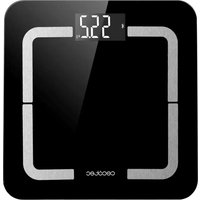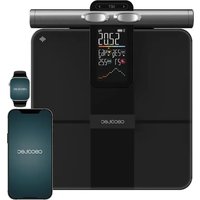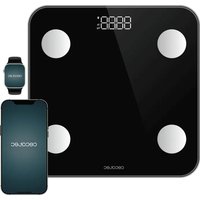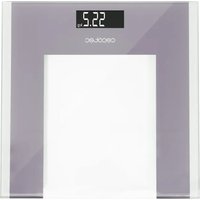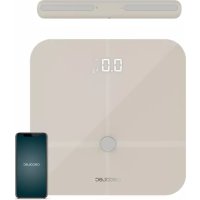
Precision 10600 Smart Healthy Pro - Scale CECOTEC - Free user manual and instructions
Find the device manual for free Precision 10600 Smart Healthy Pro CECOTEC in PDF.



| Product Type | Connected impedance meter scale |
| Brand | Cecotec |
| Model | Precision 10600 Smart Healthy Pro |
| Reference | 04264 / 04265 |
| Dimensions (approx.) | 30 x 30 x 2 cm |
| Weight (approx.) | 1.5 kg |
| Power supply | 4 AAA batteries (not included) |
| Maximum capacity | 180 kg / 396.83 lb / 28.34 st |
| Accuracy | 100 g / 0.2 lb |
| Operating temperature range | 10 °C to 40 °C |
| Connectivity | Bluetooth (iOS 8.0+, Android 6.0+) |
| Compatible app | Surface Precision (App Store / Google Play) |
| Measurement functions | Weight, BMI, body fat, water, muscle mass, bone mass, basal metabolism, body age, proteins, balance tracking |
| Number of users | Up to 24 per account |
| Baby mode | Yes |
| Display | Digital screen |
| Material | Glass / plastic platform |
| Cleaning and maintenance | Soft damp cloth, avoid abrasive products |
| Batteries | 4 x AAA, remove if unused for a long time |
| Warranty | 2 years (Cecotec after-sales service) |
| Safety | Do not use if pacemaker, pregnancy, under 10 years or over 70 years |
Frequently Asked Questions - Precision 10600 Smart Healthy Pro CECOTEC
User questions about Precision 10600 Smart Healthy Pro CECOTEC
0 question about this device. Answer the ones you know or ask your own.
Ask a new question about this device
Download the instructions for your Scale in PDF format for free! Find your manual Precision 10600 Smart Healthy Pro - CECOTEC and take your electronic device back in hand. On this page are published all the documents necessary for the use of your device. Precision 10600 Smart Healthy Pro by CECOTEC.
USER MANUAL Precision 10600 Smart Healthy Pro CECOTEC
natural_image
Three modern digital balance meters displayed against a dark background, one with a 0.0° kg display and the other with a black handle (no text or symbols on main devices)Safety instructions 7
-
Scale functions 33
-
Before use 33
-
Install Surface Precision App 34
-
Operation 34
-
Cleaning and maintenance 35
-
Troubleshooting 36
-
Technical specifications 37
-
Disposal of old electrical appliances 37
-
Technical support service and warranty 37
SOMMAIRE
This device is for personal use only and is not intended for commercial purposes.
Do not leave children and animals unsupervised with the device and keep the packaging material away from them in order to prevent suffocation.
Do not operate this appliance if there are any visible signs of damage. Always check for damage before each use and in case of malfunction, contact the Technical Support Service of Cecotec.
Keep the device away from electromagnetic fields (mobile phones, remote controls etc.) Measurement accuracy could be affected.
Keep the device away from heat sources.
Do not use the device outdoors.
Do not expose the device to extreme temperatures, moisture, wet conditions or direct sunlight.
Keep water and other liquids away from the device.
Wide temperature variations could cause condensation. In this case, allow the device to go back to room temperature before use.
Do not drop the device or jump on its measuring surface.
Do not stand on the scale with wet feet and make sure the measuring surface and the surface underneath is dry.
Do not stand on the edge of the scale.
Do not use caustic or abrasive cleaning materials to clean the device, this could damage the surface.
This scale is intended to be used for determining body weight, analysing water, body fat, muscle and bone mass proportion in the body and calculating Body Mass Index (BMI).
BMI function is only suitable for calculating the ideal weight of adults aged 18 and above.
The calculated results are simple reference values. Do not use these results as the basis for any form of medical treatment or diet and contact a professional for any doubt.
Body analysis function is not suitable for:
People under the age of 10 or over the age of 70.
People with a pacemaker or any other medical implant with electronic components.
People with fever, oedema or osteoporosis symptoms.
People undergoing dialysis treatment.
People who are taking cardio-vascular medication.
Pregnant women.
Battery instructions
Keep batteries away from children and animals, they could be deadly if swallowed. In case of ingestion, seek medical assistance immediately.
Should a battery have leaked, do not allow your skin, eyes or mucous membranes to come into contact with the battery acid. In case of contact with acid, rinse the affected areas with abundant fresh water immediately and contact a doctor as soon as possible.
Make sure the battery contacts in the device are clean before inserting batteries; if they are not, clean them.
Use only the battery types specified in the technical specifications. Always replace all the batteries at the same time. Do not use different types of batteries or of different capacities.
When replacing batteries, note the correct polarity (+/-).
Take the batteries out of the device when they are discharged or when the scale is not going to be used in a long time.
Batteries must not be recharged or reactivated, dismantled, thrown into fire, immersed in fluids or short-circuited.
INSTRUCTIONS DE SÉCURITÉ
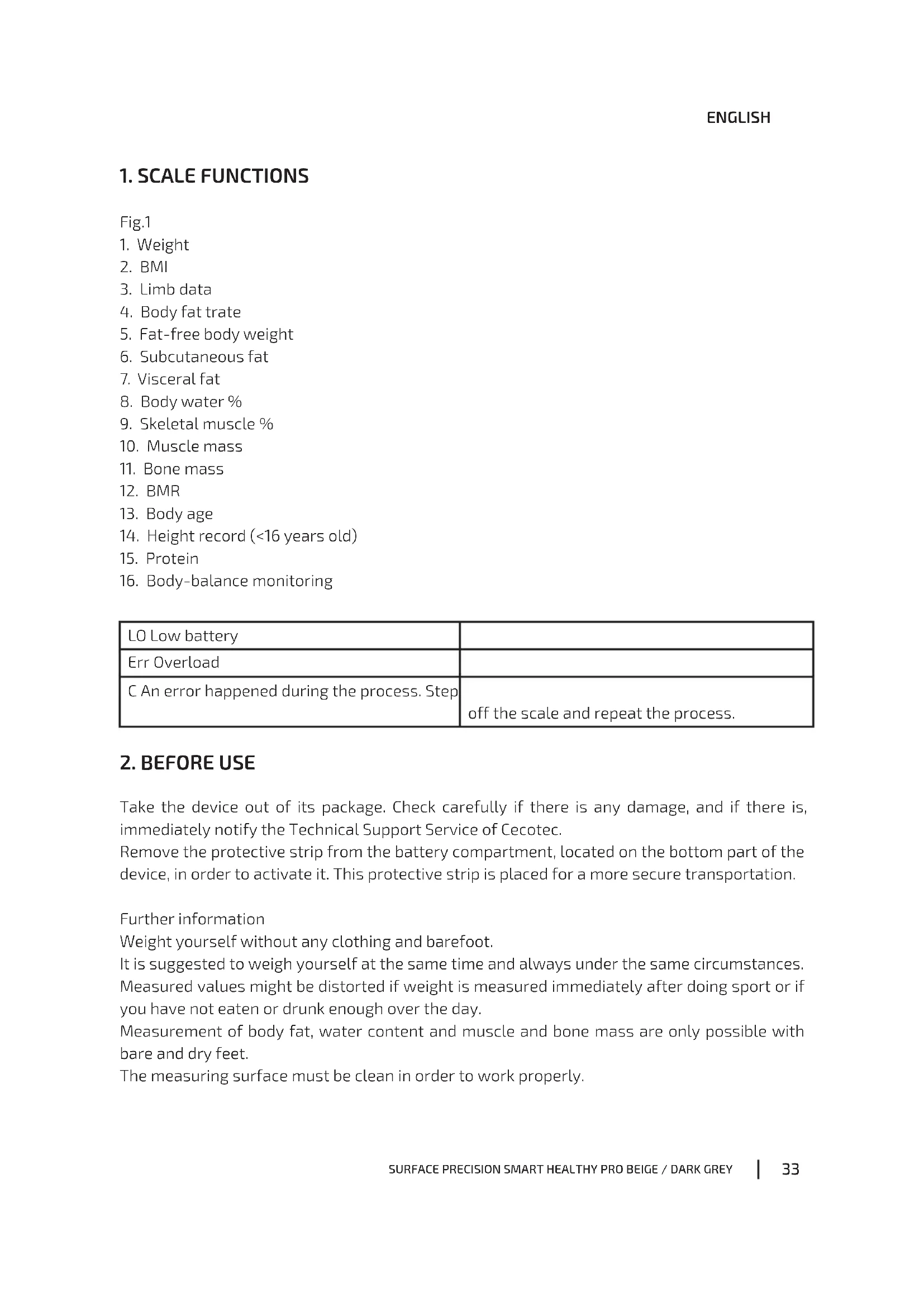
- Weight
- BMI
- Limb data
- Body fat trate
- Fat-free body weight
- Subcutaneous fat
- Visceral fat
- Body water %
- Skeletal muscle %
- Muscle mass
- Bone mass
- BMR
- Body age
- Height record (<16 years old)
- Protein
- Body-balance monitoring
| LO Low battery | |
| Err Overload | |
| C An error happened during the process. Step | off the scale and repeat the process. |
2. BEFORE USE
Take the device out of its package. Check carefully if there is any damage, and if there is, immediately notify the Technical Support Service of Cecotec.
Remove the protective strip from the battery compartment, located on the bottom part of the device, in order to activate it. This protective strip is placed for a more secure transportation.
Further information
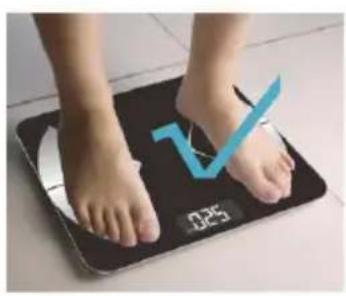
Weight yourself without any clothing and barefoot.
It is suggested to weigh yourself at the same time and always under the same circumstances.
Measured values might be distorted if weight is measured immediately after doing sport or if you have not eaten or drunk enough over the day.
Measurement of body fat, water content and muscle and bone mass are only possible with bare and dry feet.
The measuring surface must be clean in order to work properly.
ENGLISH
3. INSTALL SURFACE PRECISION APP
- Browse "Surface Precision" on the App Store or Play Store.
- Download and install the App on your phone.
- The App icon will appear on your phone or tablet after the installation is completed.
4. OPERATION
Place the device on a solid, dry and flat surface (avoid carpets). Uneven floors will result in inaccurate measurement results.
Fig. 2
Handle-Bar Installation: Connect the provided cable to both the scale and the handle bar to ensure the correct data on the upper and lower body.
Fig. 3
Turn on Bluetooth on your smartphone or tablet.
Register your own ID by e-mail address or social media account.
Fig. 4
Enter your personal data and click confirm.
Note: Entering wrong information such as gender, age, height, etc. may result in inaccurate measurement and results.
Pair the scale via Bluetooth. Click "Account", then "Device", and then "+" to find and pair the scale.
Once it has connected successfully, a Bluetooth icon will show on the scale and the word "Connected" will show on the App's homepage top part.
Tap your foot on the scale to activate the display. Wait until the display shows "0.0"kg.
Step on the scale with bare feet to start measuring.
Fig. 5
Correct posture:
Fig. 6
- Keep your arms straight and do not touch your body.
- Make sure you hold the handle-bar with the correct hand: right (R) and left (L).
- Do not put your legs together and stand barefoot.
Note: If you quit the App's homepage, data will not synchronise on the App.
If you step on the scale with socks, the scale will only measure weight and BMI.
The digits on the display will flash when the scale is weighing and analysing.
After the weight is locked, your phone will receive all the data from the scale.
Click "More Data" to find details for weight, BMI, BMR, muscle, bone mass, etc.
Click "Charts" to check data comparison on Chart by week, month and year in vertical or horizontal version by clicking on the top-right corner icon.
Fig. 7
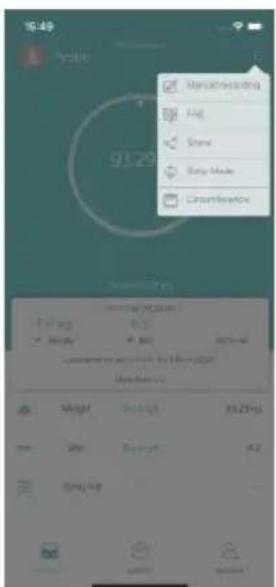
To add a new user or to switch between saved users, click on the photo profile at the homepage's top-left corner or click "Account" and "Add User".
The device recognises the user by weight difference and reminds to change to the correct one.
Each account can support up to 24 users.
Baby weighing
To switch to the baby weighing mode click on "Baby Mode".
First, step on the scale (adult).
Once the scale has measured the adult's weight, step off the scale.
Finally, step on the scale while holding the baby. The App will automatically calculate the baby's weight.
Fig. 8
5. CLEANING AND MAINTENANCE
Never immerse the device in water or other liquids. No liquid must be allowed to enter the device during cleaning.
Do not use any caustic or abrasive cleaning agents to clean the device. These can damage the surface.
Clean the device with a slightly dampened, soft cloth and, if necessary, a mild cleaning agent.
When not in use, store the device in a dry, clean place which is protected from direct sunlight and is out of the reach of children.
- TROUBLESHOOTING
| Problem Possible solution | |
| The device does not switch on when stepping on it. | Charge the scale with the USB cable and turn it on. |
| Bluetooth failed to connect. Make sure your | phone's Bluetooth is on, and GPS and location are on if your phone is Android system.Make sure your phone's and network's connection are good.Step on the scale to turn it on, the home page will show "Connected" indicating it has auto-linked successfully.If it shows "Disconnected" on the App's homepage, please click "Account", "Device" and "+" to find the scale ID.Make sure the smartphone's version is iOS 8.0 or above or Android 6.0 or higher.You may have closed some requested authorisation. Please re-install the App, accept all authorisations and log in to verify again. |
| The App shows no body fat data after weighing. | Step on the scale with bare feet.Make sure that your feet are not too dry.Please keep standing on the scale for around 10 seconds until the number on the display stops flashing.Bluetooth is deactivated or you have quitted the App's homepage during weighing. |
| Incorrect weight data Make sure the scale is | on a hard, flat surface.Check each sensor foot on the back to make sure that nothing is stuck to the bottom of it.Make sure the scale shows "0.0"kg before stepping on it. |
| The App shows incorrect fat-muscle ratio. | The personal information settings may be wrong. Make sure that you enter correct gender, height, and age, etc. |
| How do I re-calibrate the scale after weighing? | Step off the scale and step on the scale to turn it on. Let it automatically drop to "0.0"kg to calibrate. |
| How can I switch between units? Click “Account”, “Settings” and “Switch units” on the App. | |
7. TECHNICAL SPECIFICATIONS
Product reference: 04264/04265
Product: Surface Precision 10600 Smart Healthy Pro Beige/Dark Grey
Power Supply: 4 x AAA batteries
Weight limit: 6 - 180 Kg / 13.22 - 396.83 lb / 0.94 - 28.34 st
d=100 g/0.2 lb
10 - 40 °C
Account number: No limitation (each account can add 24 persons)
8. DISPOSAL OF OLD ELECTRICAL APPLIANCES

The European directive 2012/19/EU on Waste Electrical and Electronic Equipment (WEEE), specifies that old household electrical appliances must not be disposed of with the normal unsorted municipal waste. Old appliances must be collected separately, in order to optimize the recovery and recycling of the materials they contain and reduce the impact on human health and the environment.
The crossed out “wheeled bin” symbol on the product reminds you of your obligation to dispose of the appliance correctly. If the product has a built-in battery or uses batteries, they should be removed from the appliance and disposed of appropriately.
Consumers must contact their local authorities or retailer for information concerning the correct disposal of old appliances and/or their batteries.
9. TECHNICAL SUPPORT SERVICE AND WARRANTY
This product is under warranty for 2 years from the date of purchase, as long as the proof of purchase is submitted, the product is in perfect physical condition, and it has been given proper use, as explained in this instruction manual.
The warranty will not cover the following situations:
The product has been used for purposes other than those intended for it, misused, beaten, exposed to moisture, immersed in liquid or corrosive substances, as well as any other fault attributable to the customer.
ENGLISH
The product has been disassembled, modified, or repaired by persons, not authorised by the official Technical Support Service of Cecotec.
Faults deriving from the normal wear and tear of its parts, due to use.
The warranty service covers every manufacturing defects of your appliance for 2 years, based on current legislation, except consumable parts. In the event of misuse, the warranty will not apply.
If at any moment you detect any problem with your product or have any doubt, do not hesitate to contact Cecotec Technical Support Service at +34 963 210 728.
1. FONCTIONS DU PÈSE-PERSONNE
Img. 1
3. INSTALACE APLIKACE SURFACE PRECISION
other
| Metric | Value | | --- | --- | | Weight | 69.6 kg | | BMI | 23.3 | | Body Fat | 25.7 % | | Fat-free Body Weight | 51.7 kg | | Subcutaneous fat | 17.2 % | | Visceral Fat | 4.3 | | Body Water % | 47.9 % | | Skeletal Muscle % | 51.1 % | | Muscle mass | 48.4 kg | | Bone Mass | 3.1 kg | | Protein | 21.9 % | | BMR | 1534 kcal | | Body age | 24 |Fig./Img./Abb./Afb./Rys./Obr.1

natural_image
Close-up of a child's feet on a digital balance scale with a blue V-line overlay (no text or symbols on the image itself)
text_image
0.25Fig./Img./Abb./Afb./Rys./Obr.2

text_image
INPUT INPUT
natural_image
Illustration of a cable connector with an orange arrow pointing to it, no text or symbols presentFig./Img./Abb./Afb./Rys./Obr.3

text_image
Email Registration Please enter your Email example@gmail.com Password 6 to 16 characters with letters and numbers Enter password Re-enter password Re-enter password I already have an account. NEXTFig./Img./Abb./Afb./Rys./Obr. 4
natural_image
Child's feet on a black digital scale with a blue checkmark and '0.25' marking (no text or symbols on the scale)
natural_image
Person's feet on a black digital balance scale with a red 'X' mark overlay (no text or symbols on the scale)
natural_image
Close-up of a person's legs on a black digital balance scale with a red 'X' mark overlay (no text or symbols on the scale)Fig./Img./Abb./Afb./Rys./Obr.5

Fig./Img./Abb./Afb./Rys./Obr. 6

text_image
Recovity Weight (kg) 38.1 kg 2019 2019 2019 BMI 16.9 2019 2019 Honey's Rewards
line
| Date | Weight (kg) | |---------|-------------| | Oct.30 | 36 | | Oct.30 | 36 |Fig./Img./Abb./Afb./Rys./Obr.7
text_image
16:49 blue 9129 Rainfall Hot Rain Rain Mode Clearwater Rainfall (100% Rain) Rain Rain Rain Rain Rain Rain Rain Rain Rain Rain Rain Rain Rain Rain Rain Rain Rain Rain Rain Rain Rain Rain Rain Rain Rain Rain Rain Rain Rain Rain Rain Rain Rain Rain Rain Rain Rain Rain Rain Rain Rain Rain Rain Rain Rain Rain Rain Rain Rain Rain Rain
text_image
11:18 ← Baby mode 0.0 kg Adult weights Adult weights free Please wait until the weight is steady before holding baby to weigh
text_image
5148 ← Baby mode Weight of adult holding baby Please wait until the weight is already before holding baby to weigh. The ATP is female, calculate the baby's weight.
text_image
11:40 ← Baby mode 5.1kg Baby weight Please wait until the weight is based on the following baby to weigh. The APP automatically calculates the outer weight.Fig./Img./Abb./Afb./Rys./Obr. 8
www.cecotec.es
Quart de Poblet, Valencia (Spain)