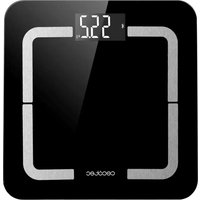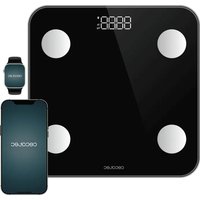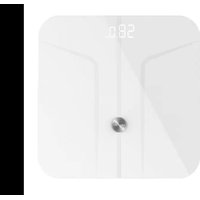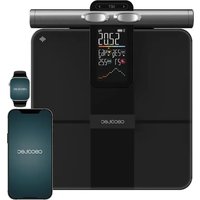
Surface Precision HealthySmart Pro - Scale CECOTEC - Free user manual and instructions
Find the device manual for free Surface Precision HealthySmart Pro CECOTEC in PDF.


| Product Type | Connected impedance meter scale |
| Brand | Cecotec |
| Model | Surface Precision HealthySmart Pro |
| Maximum capacity | 180 kg |
| Power supply | 4 AAA 1.5 V batteries (included) |
| Display | Digital screen |
| Connectivity | Bluetooth |
| Mobile app | Surface Precision (iOS/Android) |
| Measurement functions | Weight, BMI, body fat, muscle mass, bone mass, body water, visceral fat, body type |
| Special modes | Guest mode, sport mode, pregnancy mode, baby mode (via app) |
| Number of users | Up to 4 users + guest |
| Measurement units | kg, lb, st:lb |
| Platform material | Tempered glass |
| Non-slip feet | Yes |
| Analysis sensors | Contact sensors for feet |
| Cleaning | Soft damp cloth, do not immerse |
| Safety | Do not use on carpet, avoid electromagnetic fields |
| Box contents | Scale, 4 AAA batteries, instruction manual |
| Warranty | Official Cecotec After-Sales Service |
Frequently Asked Questions - Surface Precision HealthySmart Pro CECOTEC
User questions about Surface Precision HealthySmart Pro CECOTEC
0 question about this device. Answer the ones you know or ask your own.
Ask a new question about this device
Download the instructions for your Scale in PDF format for free! Find your manual Surface Precision HealthySmart Pro - CECOTEC and take your electronic device back in hand. On this page are published all the documents necessary for the use of your device. Surface Precision HealthySmart Pro by CECOTEC.
USER MANUAL Surface Precision HealthySmart Pro CECOTEC
natural_image
Modern smartwatch with a black tray and a smartwatch on top, connected to a flashlight (no visible text or symbols)Safety instructions 9
-
Parts and components 51
-
Before use 51
-
Operation 52
-
Mobile App 52
-
Cleaning and maintenance 53
-
Troubleshooting 53
-
Disposal of old electrical and electronic appliances 54
-
Copyright 54
-
EU Declaration of Conformity 54
SOMMAIRE
EU01_116270 - Surface Precision HealthySmart Pro
EN • The coding in this manual is generic and applies to all code variants of the appliance.
Read these instructions thoroughly before using the appliance. Keep this instruction manual for future reference or new users.
- This device is designed for personal use only and is not suitable for commercial use.
- Keep the appliance and its packaging out of the reach of children and animals when unsupervised.
- Do not use the appliance if it shows visible signs of damage. In case of malfunction, contact the official Cecotec Technical Support Service.
- Keep the appliance away from electromagnetic fields (mobile phones, remote controls, etc.). Otherwise, measurement accuracy could be affected.
- Keep the appliance away from heat sources.
- Do not use the appliance outdoors.
- Do not expose the appliance to extreme temperatures, moisture, wet conditions or direct sunlight.
- Keep water and other liquids away from the appliance.
- Wide temperature variations could cause condensation. In this case, allow the appliance to go back to room temperature before use.
- Do not drop the appliance or jump on its measuring surface.
- Do not stand on the scale with wet feet and make sure the measuring surface and the surface underneath is dry.
- Do not stand on the edge of the scale.
- Do not use caustic or abrasive cleaning materials to clean the appliance, as this could damage the surface.
- This scale is intended to be used for determining body weight, analysing water, body fat, muscle and bone mass proportion in the body and calculating Body Mass Index (BMI).
ENGLISH
- BMI function is only suitable for calculating the ideal weight of adults aged 18 and above.
- The calculated results are simple reference values. Do not use these results as the basis for any form of medical treatment or diet and contact a professional for any doubt.
- Body analysis function is not suitable for:
- People under the age of 10 or over the age of 70.
- People with a pacemaker or any other medical implant with electronic components.
- People with fever, oedema or osteoporosis symptoms.
- People undergoing dialysis treatment.
- People who are taking cardio-vascular medication.
- Pregnant women.
- The appliance can support a maximum body weight of 180 kg.
Instructions on batteries
- Keep batteries away from children and animals, they could be harmful if swallowed. In case of ingestion, seek medical assistance immediately.
- Should a battery have leaked, do not allow your skin, eyes or mucous membranes to come into contact with the battery acid.
- Warning: In case of contact with acid, rinse the affected areas with abundant fresh water immediately and contact a doctor as soon as possible.
- Make sure the battery contacts in the appliance are clean before inserting them. Clean them if necessary.
- Only use the battery type specified in the technical specifications.
- Always change all batteries at the same time and do not use
cells of different types or different capacity.
- When replacing batteries, note the correct polarity (+/-).
- Take the batteries out of the appliance when discharged or when the appliance is not going to be used for a long time.
- Batteries should not be recharged or reactivated, dismantled, thrown into fire, immersed in fluids, or short-circuited.
- This appliance uses 2 x 1.5 V batteries, AAA type (included).
- Warning: If "Lo" appears on the display, batteries need to be replaced.
- Replacing the batteries:
- Open battery compartment at the bottom of the appliance.
- Remove used batteries.
- Insert 4 x 1.5-volt batteries, AAA type. Pay attention to polarity.
INSTRUCTIONS DE SÉCURITÉ
https://cecotec.es/es/information/declaration-of-conformity
1. PARTS AND COMPONENTS
Fig. 1
- Thumb electrodes
- Battery compartment cover
- Display
- Tempered glass platform
- Non-slip feet
Fig. 2
- Bluetooth
- Battery
- Pregnancy mode
- Athlete mode
- Unit of measurement
- Weight
- Body type
- Muscle mass
- BMI
- Visceral fat
- Body fat
- Weight changes
2. BEFORE USE
- Take the appliance out of the box. Check carefully if there is any damage, and if there is, immediately notify the Technical Support Service of Cecotec.
- Select the desired unit of measurement by pressing the weight unit change button (kg, lb or st:lb).
Box content:
- 4 x 1.5V AAA batteries
- Surface Precision HealthySmart
- Instruction manual
ENGLISH
3. OPERATION
Conventional weighing mode
- Place the device on a solid, dry and level surface (avoid carpets). Uneven floors will result in inaccurate measurements.
- Step onto the scale carefully. The display will automatically turn on and show your weight. The display will lock and flash to indicate the final weight reading. The device will automatically turn off after several seconds of inactivity.
To ensure accurate operation and proper functioning of all features, remember to remove shoes and socks before stepping onto the scale.
- Step onto the scale.
- Place your feet and thumbs on the contact sensors and remain still.
- Do not step off the scale until the results appear on the display.
3.1 Offline User function
3.1.1 User settings
- Briefly press SET to activate the scale, keeping the scale in Hi mode.
- Briefly press SET to enter user settings. (Scale display image showing various icons and figures, including «S», battery icon, person icons, «st:lb kg», «0.00», «in cm %», «Age lb kg», «BMI», «UNIT»)
- Touch < or > to select the user code from P0-U1-U2-U3-U4 when flashing. P0 is guest mode. Data is not saved in P0.
- First-time user setup: Briefly press SET until the age flashes and touch < or > to adjust the number. Repeat this process to adjust gender and height. Finally, click SET to confirm user information. Please note that you need to configure each parameter within 5 seconds; otherwise, the user will automatically be set as 165 cm, 18 years, female.
- Modifying existing user information: First follow steps 1-3 to enter user mode, choose the user you wish to modify, then press and hold SET until the age flashes and touch < or > to adjust the number. A brief press of SET allows you to adjust gender and height. Finally, click SET to confirm user information.
4. MOBILE APP
- Scan the QR code to download and install the latest version of the Surface Precision app, or search for it on Google Play, App Store or other third-party app stores. Fig. 2
-
Open the App, register and follow the instructions to pair the scale. Fig. 3
-
Access the app before stepping onto the scale to record weight and activate measurement of other parameters.
- Step onto the scale with bare feet to begin measurement.
NOTE
Weight measurements taken while the App is closed will not be recorded subsequently.
The display digits will flash whilst the scale calculates weight and performs analysis. Once the weight value is fixed, your mobile device will receive data from the scale.
Tap the graph icon at the bottom centre of the screen to check comparative charts by week, month or year. You can view each chart in full screen by tapping the dropdown icon in the top right corner of each chart. Fig. 4
To weigh babies, access the baby mode in the App by tapping the three dots in the top right corner. Then follow the step-by-step instructions. Fig. 5.
- First, the adult must weigh themselves without the baby.
- Then the adult must weigh themselves while holding the baby.
- The App will calculate and record the baby's weight.
5. CLEANING AND MAINTENANCE
- Never immerse the device in water or other liquids. Do not allow any liquid to enter the device during cleaning.
- Never use caustic or abrasive cleaning agents to clean the device, as these may damage the surface.
- Use a soft, damp cloth to clean the scale; if necessary, use a mild cleaning agent.
- When not in use, store the device in a clean, dry place, protected from direct sunlight and out of the reach of children.
6. TROUBLESHOOTING
Lo: Low battery
Err: Overload
C: Unstable weight
Parameters not displayed during weighing: Repeat weighing process
ENGLISH
7. DISPOSAL OF OLD ELECTRICAL AND ELECTRONIC APPLIANCES
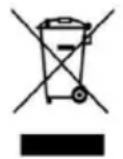
This symbol indicates that, according to the applicable regulations, the product and/or batteries must be disposed of separately from household waste. When this product reaches the end of its service life, you must remove the batteries/accumulators and take it to a collection point designated by local authorities.
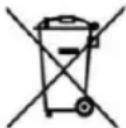
For detailed information on how to properly dispose of electrical and electronic equipment and/or the corresponding batteries, consumers should contact their local authorities.
Compliance with the above guidelines will help to protect the environment.
8. COPYRIGHT
The intellectual property rights over the texts in this manual belong to CECOTEC INNOVACIONES, S.L. All rights reserved. The content of this publication may not, either in part or in its entirety, be reproduced, stored in a retrieval system, transmitted or distributed by any means (electronic, mechanical, photocopying, recording or similar) without prior authorisation from CECOTEC INNOVACIONES, S.L.
9. EU DECLARATION OF CONFORMITY

Cecotec Innovations hereby declares that this Surface Precision HealthySmart Pro, model EU01-116270 is in conformity with the Radio Equipment Directive 2014/53/EU. The full text of the EU Declaration of Conformity can be found on the following website:
https://cecotec.es/es/information/declaration-of-conformity
1. PIÈCES ET COMPOSANTS
Img. 1
https://storececotec.de/de/information/declaration-of-conformity
1. PARTI E COMPONENTI
Fig.1
https://storececotec.it/it/information/declaration-of-conformity
1. PEÇAS E COMPONENTES
Fig. 1
- Eléctrodos para o polegar
- Tampa do compartimento das pilhas
- Ecrã
- Plataforma de vidro temperado
- Borrachas anti-deslizantes
Fig.2
https://cecotec.pt/pt/information/declaration-of-conformity
1. ONDERDELEN EN COMPONENTEN
Afbeelding 1
- Duimelektroden
- Batterijklepje
- Scherm
- Gehard glazen platform
- Antislip rubber
Afbeelding 2
4. MOBIELE APPLICATIE
6. PROBLEEMOPLOSSING
https://cecotec.es/es/information/declaration-of-conformity
1. CZĘŚCI I KOMPONENTY
Rys. 1
https://cecotec.es/es/information/declaration-of-conformity
1. PARÇALAR VE BILEŞENLER
Şekil 1
https://cecotec.es/es/information/declaration-of-conformity
1. MEPH KAI EΞAPTHMATA
Σχήμα 1
https://cecotec.es/es/information/declaration-of-conformity
1. PECES I COMPONENTS
Fig.1
https://cecotec.es/ca/information/declaration-of-conformity
https://cecotec.es/es/information/declaration-of-conformity
Surface Precision HealthySmart -
https://cecotec.es/es/information/declaration-of-conformity

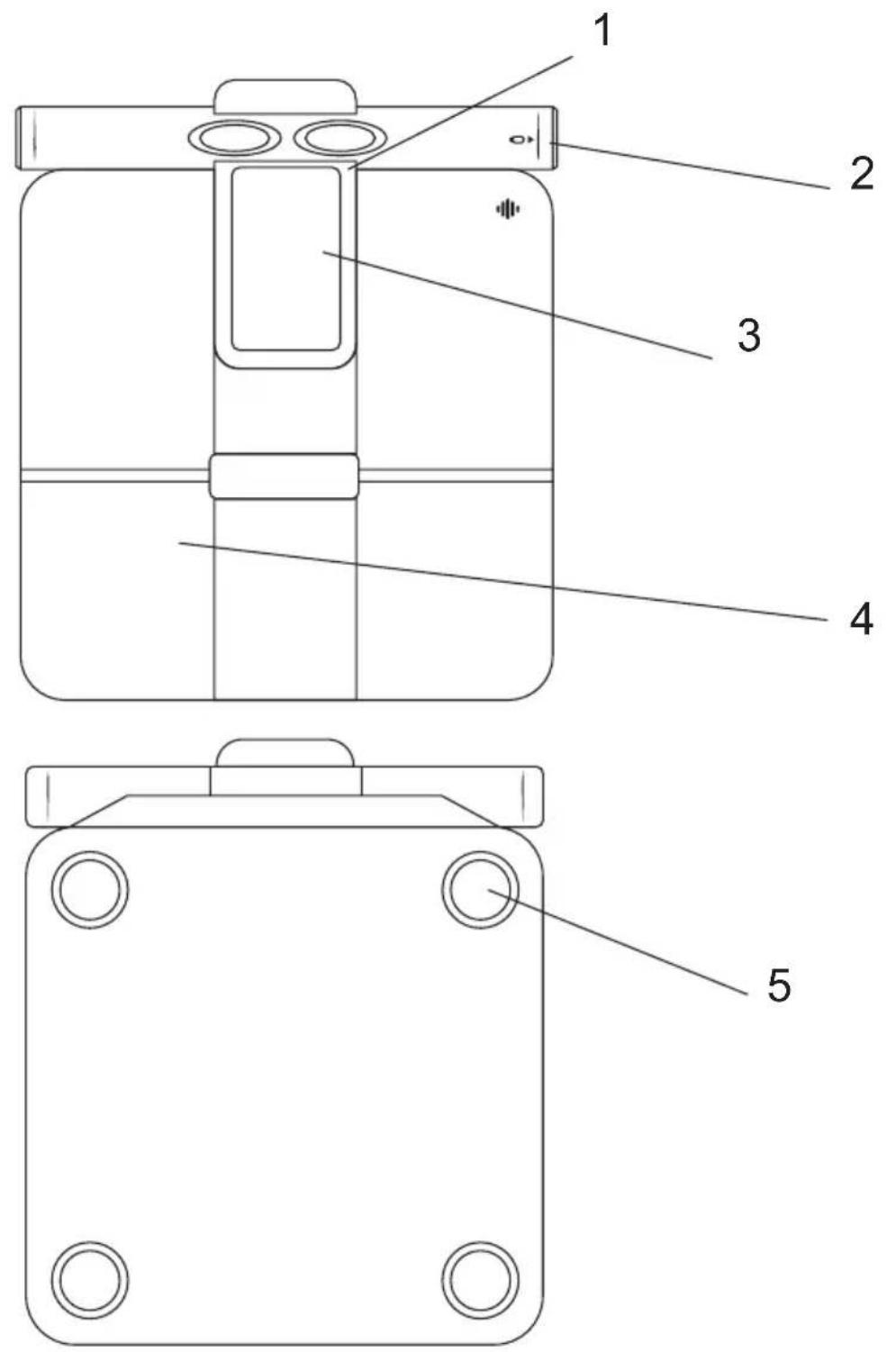
Fig./Img./Abb./Afb./Rys.1
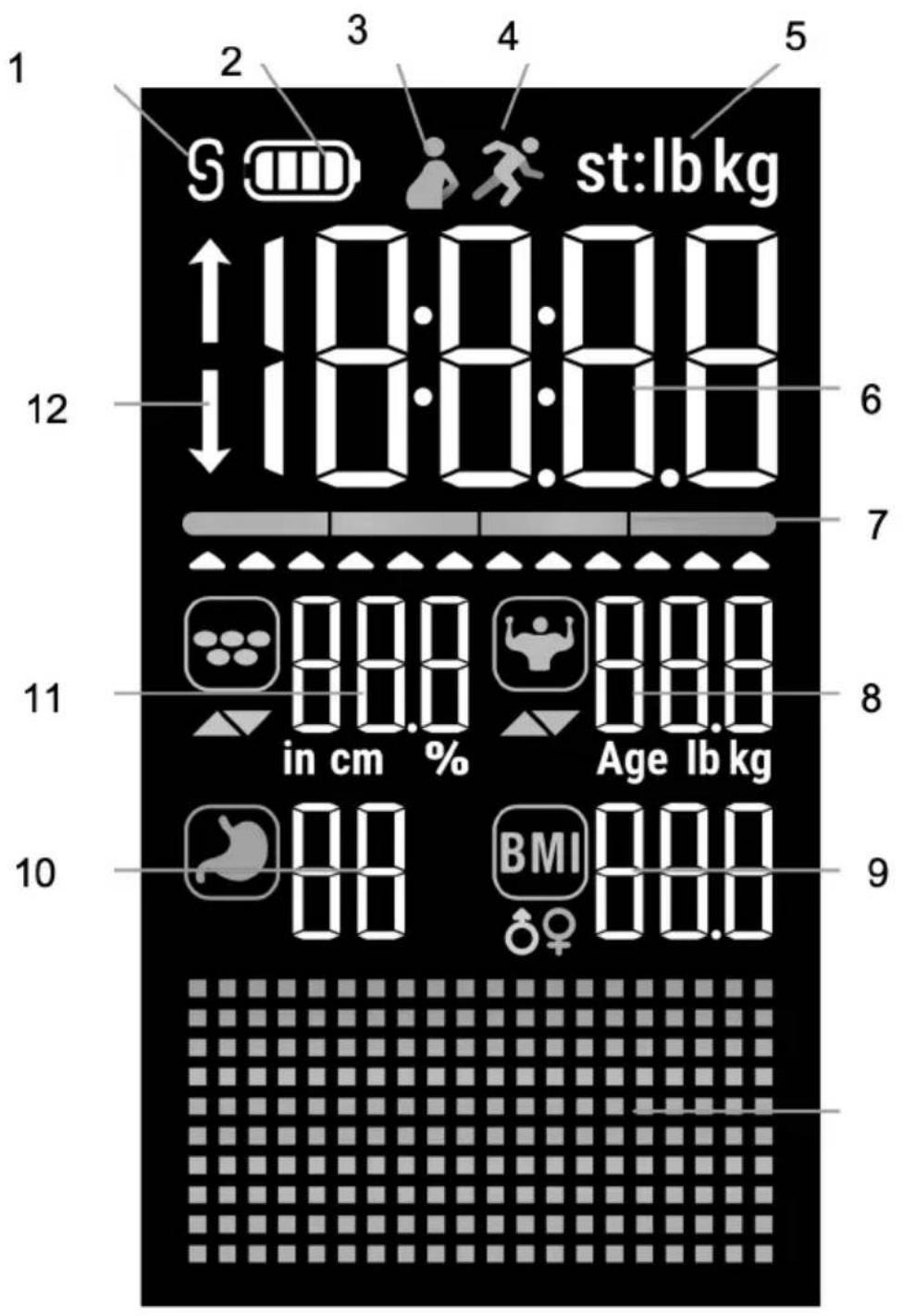
Fig./Img./Abb./Afb./Rys.2

App Store

Google Play Store
Fig./Img./Abb./Afb./Rys. 3
www.cecotec.es