
CAR OBD Finder 2.0 4G - GPS device PAJ GPS - Free user manual and instructions
Find the device manual for free CAR OBD Finder 2.0 4G PAJ GPS in PDF.

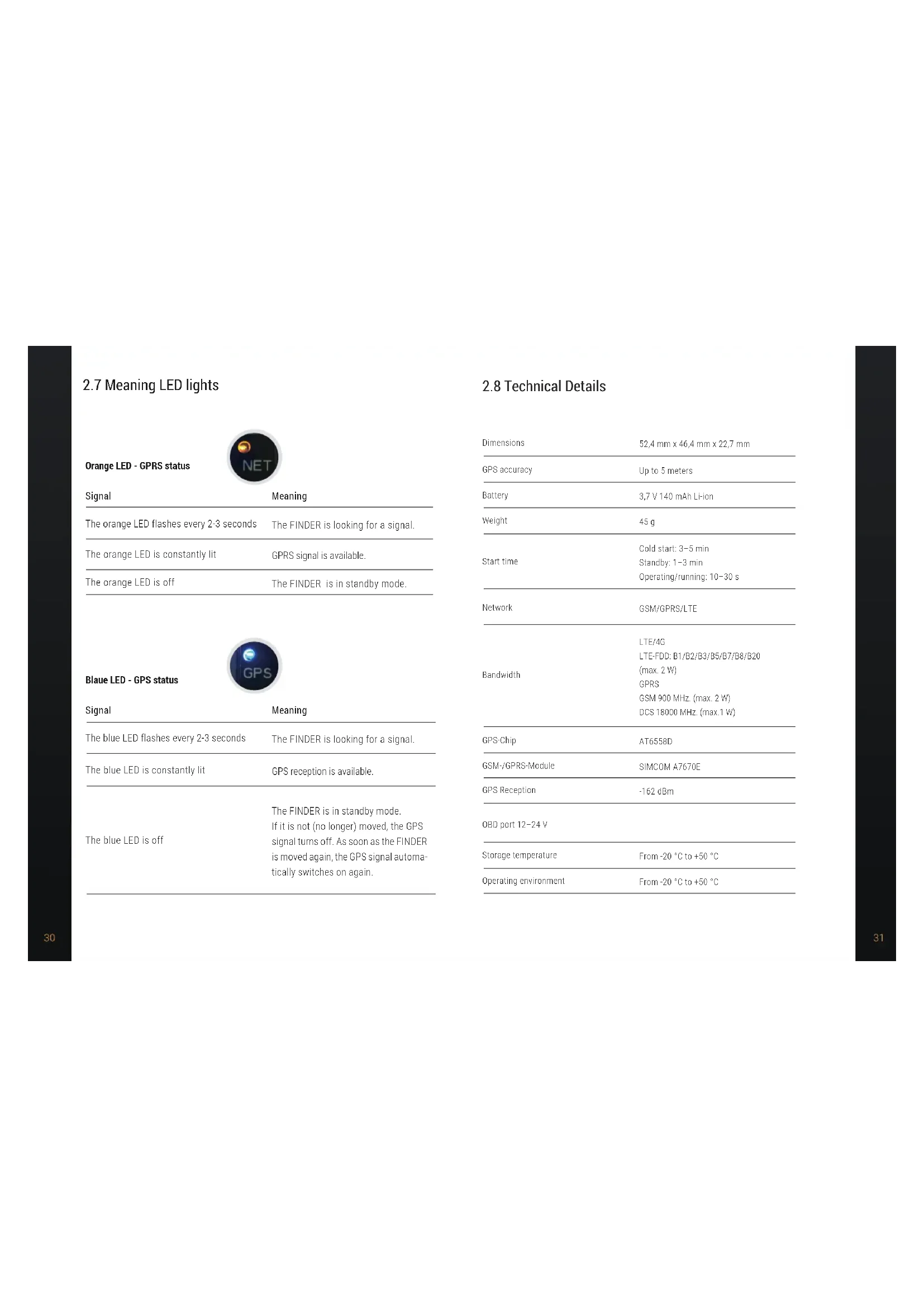


| Product type | OBD GPS tracker for vehicle |
| Brand | PAJ GPS |
| Model | CAR OBD Finder 2.0 4G |
| Dimensions | 52.4 x 46.4 x 22.7 mm |
| Weight | 45 g |
| Power supply | OBD port 12-24 V with Li-ion battery 3.7 V 140 mAh |
| Location technology | GPS, GSM/GPRS, LTE 4G |
| GPS accuracy | Up to 5 meters |
| Cold start time | 3 to 5 minutes |
| Warm start time | 1 to 3 minutes |
| Acquisition time | 10 to 30 seconds |
| Interface | OBD2 |
| SIM card | Built-in M2M, non-replaceable |
| LED indicators | Orange (GPRS status), Blue (GPS status) |
| User connectivity | Mobile app and web portal (finder-portal.com) |
| Operating temperature | -20 °C to +50 °C |
| Electromagnetic compatibility | Observe hazardous areas (medical, fuel, blasting) |
| Safety | Instructions to avoid electrocution, suffocation, battery explosion |
| Maintenance and cleaning | Slightly damp cloth, do not immerse or use steam cleaner |
| Disposal | Batteries and electronic devices separately according to legislation |
| Warranty and compliance | EU declaration of conformity available at paj-gps.de |
Frequently Asked Questions - CAR OBD Finder 2.0 4G PAJ GPS
User questions about CAR OBD Finder 2.0 4G PAJ GPS
0 question about this device. Answer the ones you know or ask your own.
Ask a new question about this device
Download the instructions for your GPS device in PDF format for free! Find your manual CAR OBD Finder 2.0 4G - PAJ GPS and take your electronic device back in hand. On this page are published all the documents necessary for the use of your device. CAR OBD Finder 2.0 4G by PAJ GPS.
USER MANUAL CAR OBD Finder 2.0 4G PAJ GPS
- Deutsch 4
- English ..... 19
- Français 34
- Italiano 48
- Español 62
- Português 76
Inhaltsverzeichnis
HINWEIS!
Thank you for purchasing our FINDER!
Before starting: Read the instructions carefully,
before using the FINDER for the first time. Please keep this user manual in a safe place in case you may need it in the future.
2.1 Scope of delivery 23
2.2 Product description.... 24
2.3 Connection to vehicle 24
2.4 Activation 25
2.5 Turning on 26
2.6 Use 27
2.7 Meaning LED lights 30
2.8 Technical details 31
2.9 Safety instructions 32
2.10 Disposal of used batteries 37
2.11 Disposal of electrical devices 38
NOTE!
We update our user manuals on a regular basis, in order to keep them up to date. The latest version can be viewed at any time at www.pai-gps.de/finder.
2.1 Scope of delivery
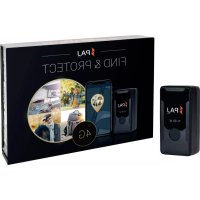
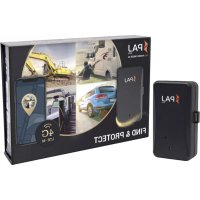
Your delivery will include:
• PAJ CAR OBD Finder 4G 2.0
• M2M SIM card*
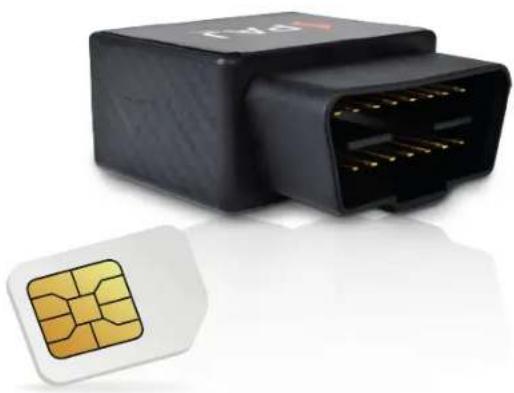
*the M2M SIM card is already inside your
FINDER and is not replaceable
2.2 Product description
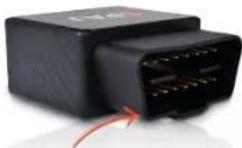
OBD2 interface
LED lights

SIM card slot
(SIM card is already inside your FINDER and is not replaceable)
2.3 Connection to vehicle
Please observe the following points before connecting the device to the vehicle battery:
• The SIM card is already in the FINDER.
- No other components of your vehicle should be damaged by the attachment.
• The CAR OBD Finder 4G 2.0 will be connected to the OBD port of your car (see image).

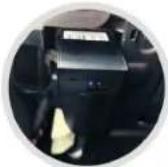
NOTE!
To activate you need the device ID. Please make a note before installing your FINDER.
2.4 Activation
In order to use your CAR OBD Finder 4G 2.0, you will need to previously activate it online. Enter the following link and follow the instructions:



NOTE!
For a detailed explanation of the activation
process, you can simply click on the following link
or scan the QR code
After a successful activation you can switch on the CAR OBD Finder 4G 2.0. By connecting the FINDER to the power supply the device has already been switched on.

NOTE!
After connecting and starting the FINDER for the first time, it is recommended to move the device for a few minutes. Drive your vehicle a few kilometers so that the device can dial into the best possible network for the initial connection.
2.6 Use

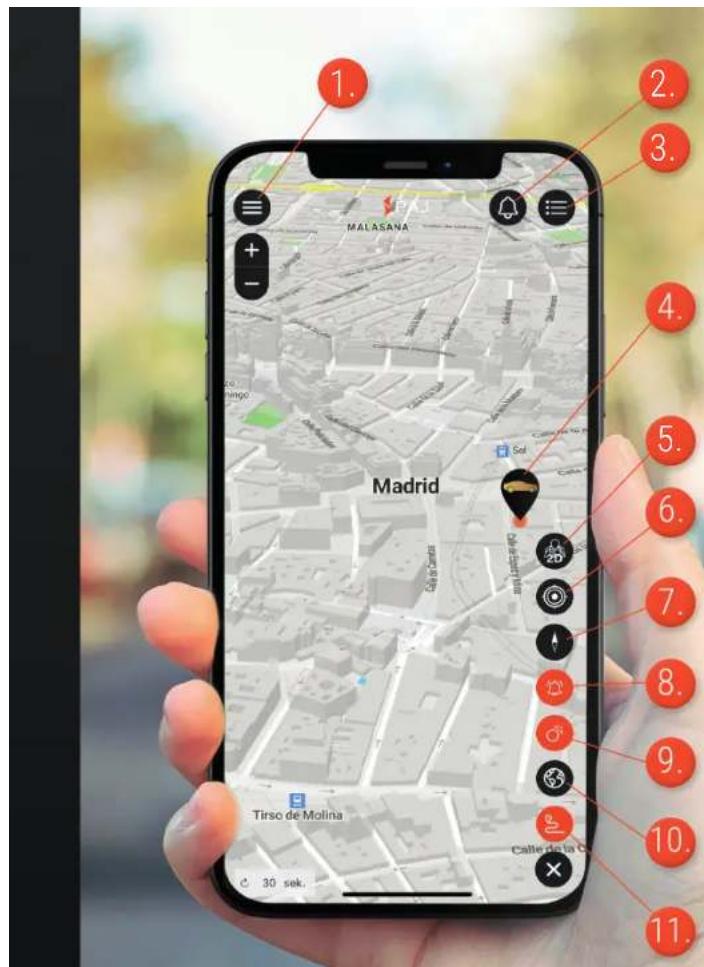
As soon as your device has been successfully activated, started up and has sent and logged data for the first time, you can place it wherever you choose and use your phone, tablet or PC to start tracking it! You will be able to do this in our App or enter the following link to the desktop version:
www.finder-portal.com



- Menu
- Notifications
- Devices menu
- Device position
- 2D / 3D setting
- Own location
- Map adjustment
- Alarms on the route
- Route points
- Heat map
- Routes
2.7 Meaning LED lights
Orange LED - GPRS status

| Signal | Meaning |
| The orange LED flashes every 2-3 seconds | The FINDER is looking for a signal. |
| The orange LED is constantly lit | GPRS signal is available. |
| The orange LED is off | The FINDER is in standby mode. |
Blaue LED - GPS status

| Signal | Meaning |
| The blue LED flashes every 2-3 seconds | The FINDER is looking for a signal. |
| The blue LED is constantly lit | GPS reception is available. |
| The blue LED is off | The FINDER is in standby mode.If it is not (no longer) moved, the GPS signal turns off. As soon as the FINDER is moved again, the GPS signal automatically switches on again. |
2.8 Technical Details
| Dimensions | 52,4 mm x 46,4 mm x 22,7 mm |
| GPS accuracy | Up to 5 meters |
| Battery | 3,7 V 140 mAh Li-ion |
| Weight | 45 g |
| Start time | Cold start: 3-5 minStandby: 1-3 minOperating/running: 10-30 s |
| Network | GSM/GPRS/LTE |
| Bandwidth | LTE/4GLTE-FDD: B1/B2/B3/B5/B7/B8/B20(max. 2 W)GPSSGM 900 MHz. (max. 2 W)DCS 18000 MHz. (max.1 W) |
| GPS-Chip | AT6558D |
| GSM-/GPRS-Module | SIMCOM A7670E |
| GPS Reception | -162 dBm |
| OBD port 12-24 V | |
| Storage temperature | From -20 °C to +50 °C |
| Operating environment | From -20 °C to +50 °C |
2.9 Safety Instructions
Signal words
The following signal words are used in these operating instructions:
NOTE!
This signal word is used to draw your attention to an issue or situation. It also serves as a recommendation for proper use. Possible damage to property or personal injury can be prevented if this is observed.
WARNING!
This classifies a hazard of medium risk level. Failure to observe the warning may result in serious injury or damage.
Proper use
Read these safety instructions for this GPS tracker carefully before using it for the first time in order to use it properly. The intended use of the GPS Tracker to locate an object or a living being is only that described in this manual. Please note that it is a criminal offence to monitor third parties using a GPS tracker without their consent. If you use it in any other way, it will be considered improper and may result in damage to property or even personal injury.
Please note that the GPS Tracker is not a child's toy. In other countries and regions there are different laws concerning digital positioning and tracking of people, animals and/or objects. Salind UG cannot be held responsible if such laws or regulations are violated. The user is held solely responsible for this.
NOTE!
The manufacturer and dealer accept no liability for damage caused by improper or incorrect use.
Safety
WARNING! RISK OF ELECTRIC SHOCK!
A faulty electrical installation or a mains voltage that is too high can lead to an electric shock. Before use, check the mains voltage of the socket with the information on the rating plate. If you notice any visible damage to your GPS Tracker, do not use it. Never place the GPS Tracker near flames or hot surfaces. We recommend that you use it in dry environments if possible. Keep it away from moisture and do not bend it. Do not open the housing of the GPS tracker. Leave the repair work to qualified specialists. However, if you carry out repairs yourself, connect the GPS Tracker improperly or operate it incorrectly, liability and warranty claims are excluded.
Hazards for children and vulnerable people
WARNING! DANGER OF SUFFOCATION!
Please do not allow the GPS Tracker to be used unsupervised by people (including children) with reduced physical, sensory or mental capabilities. The exception is if they have been instructed beforehand by the person responsible for their safety of how to use the appliance. Make sure that your child does not handle small parts (e.g. accessories, etc.). These can be swallowed and lead to suffocation.
NOTE!
Inform your child about the dangers and use of the GPS tracker.
The battery
WARNING! EXPLOSION AND FIRE HAZARD!
Hereafter, you will find information and notes regarding the handling of the battery: The GPS Tracker is powered by a lithium polymer battery. This is not replaceable and must not be removed or opened. Keep the GPS Tracker away from heat sources and high temperatures, such as direct sunlight in a vehicle. Failure to beware of this warning may result in the destruction of the battery, overheating, explosion and fire. Do not burn or punch the GPS Tracker. Protect it from mechanical damage. Do not remove, drop, disassemble or modify the battery with pointed or sharp objects. If a child swallows the battery, seek medical help immediately! If you need to have the battery replaced, please contact our support team.
WARNING! RISK OF CHEMICAL BURNS!
Batteries that leak due to damage can cause burns if they come into contact with the skin. Therefore, never open the battery. However, if the battery leaks, please wear protective gloves.
Electromagnetic compatibility
Please observe all prohibitions and switch off the GPS tracker immediately in dangerous areas and if it can cause interference. It should not be used near, for example, medical equipment, fuels and chemicals, or in blasting areas. Mobile devices may cause interference that can affect performance. Transformers and very strong magnetic fields must be avoided. Otherwise, deviations in the transmission may occur.
NOTE!
Failure to observe these recommendations may result in malfunctions or damage to the GPS tracker.
Cleaning
WARNING! RISK OF DAMAGE!
In the following you will find information and instructions on how to clean the GPS tracker. Do not use aggressive cleaning agents or brushes. Do not clean the GPS Tracker with cleaning objects (e.g. knives, metal sponges). This can damage the surface. Never put the GPS Tracker into water, in a dishwasher (or similar) and do not use a steam cleaner. The surface can be wiped with a slightly damp cloth. The GPS Tracker should be wiped completely dry afterwards.
Storage
If you are not going to use the GPS Tracker for a long period of time, switch it off. Place the tracker in its original packaging or in a same size box. Protect the tracker from dirt and moisture.
NOTE!
Keep the FINDER away of children's reach in order to avoid possible damage to property or personal injury.
Declaration of conformity
Hereby, PAJ UG (haftungsbeschränkt) declares that the tracker, CAR OBD Finder 4G 2.0, is in conformity with the Directive 2014/53/EU. The complete text of the EU Declaration of Conformity can be found at the following Internet address: paj-gps.de/konformitaetserklaerung/

Packaging disposal
Dispose of the packaging according to type. Throw cardboard and paper to the corresponding container. Foil belongs in the recyclables collection.

2.10 Disposal of used batteries
The following note is addressed to those who use batteries or products with products with built-in batteries and who will not resell them in the form in which they were supplied to them (end users).
Free recall of used batteries.
Batteries must not be disposed of with waste. You are legally obliged to return used batteries so that proper disposal can be guaranteed. You can return used batteries to a local collection point or to your local retailer. As a distributor of batteries, we are also to take back used batteries, although our obligation to take back used is limited to the type which we carry or have carried as batteries in our range. Used batteries of the aforementioned type can therefore either be returned to us with sufficient postage or handed in directly to our dispatch warehouse at the following address free of charge:
Meaning of the battery symbols
Batteries are marked with the symbol of a crossed-out dustbin (see illustration). This symbol indicates that batteries must not be disposed of in household waste. Batteries containing more than 0.0005% mercury by mass, more than 0.002% cadmium by mass or more than 0.004% lead by mass are also marked with the chemical name of the pollutant below the dustbin symbol. The abbreviation „Cd“ stands for cadmium, „Pb“ for lead and „Hg“ for mercury.

2.11 Disposal of electrical devices
The Electrical and Electronic Equipment Act (ElektroG) contains a large number of requirements for the handling of electrical and electronic equipment. The most important ones are summarised here.
- Separate collection of WEEE:
Waste Electrical and Electronic Equipment that has become waste is referred to as WEEE. Owners of WEEE must dispose of it separately from unsorted local waste, in particular, WEEE does not belong in household waste, but in special collection and return systems.
- Batteries and accumulators.
As a rule, owners of WEEE must separate spent batteries and accumulators that are not enclosed in the WEEE before handing them over at a collection point. This does not apply if the WEEE is handed over to public waste management authorities and separated from other WEEE there for the purpose of preparation for reuse.
- Options for returning old appliances (WEEE):
Owners of WEEE from private households can hand it in to public waste management authorities or at the collection points set up by manufacturers or distributors as defined by the ElektroG. An online directory of collection and collection points can be found here: https://www.ear-system.de/ear-verzeichnis/sammel-und-ruecknahmestellen.jsf
- Data Protection:
Old equipment often contains sensitive personal data. This applies in particular to information and telecommunication technology devices such as computers and smartphones. For your own sake, please note that each end user is responsible for deleting the data on the old equipment to be disposed of.
- Meaning of the 'crossed-out dustbin' symbol:
The symbol of a crossed-out dustbin regularly displayed on electrical and electronic equipment indicates that the respective device must be separated from unsorted local waste at the end of its service life.
- Manufacturer registration number
As a manufacturer, within the meaning of the ElektroG, we are registered with the responsible foundation Elektro-Altgeräte Register (Benno-Strauß-Str. 1, 90763 Fürth) under the following registration number DE33887550.

DO YOU HAVE ANY QUESTIONS?


In this case, please contact us and we will be delighted to help you!
wishes you to enjoy your CAR OBD Finder 4G 2.0!
Contenu


REMARQUE!
REMARQUE!
VOUS AVEZ DES QUESTIONS?


AVVISO!
AVVISO!
¡NOTA!
Download on the App Store
NOTA!

- INHALTSVERZEICHNIS
- HINWEIS
- NOTE
- 2.1 SCOPE OF DELIVERY
- 2.2 PRODUCT DESCRIPTION
- 2.3 CONNECTION TO VEHICLE
- 2.4 ACTIVATION
- 2.6 USE
- 2.7 MEANING LED LIGHTS
- 2.8 TECHNICAL DETAILS
- 2.9 SAFETY INSTRUCTIONS
- SIGNAL WORDS
- WARNING
- PROPER USE
- SAFETY
- WARNING! RISK OF ELECTRIC SHOCK
- HAZARDS FOR CHILDREN AND VULNERABLE PEOPLE
- WARNING! DANGER OF SUFFOCATION
- THE BATTERY
- WARNING! EXPLOSION AND FIRE HAZARD
- WARNING! RISK OF CHEMICAL BURNS
- ELECTROMAGNETIC COMPATIBILITY
- CLEANING
- WARNING! RISK OF DAMAGE
- STORAGE
- DECLARATION OF CONFORMITY
- PACKAGING DISPOSAL
- 2.10 DISPOSAL OF USED BATTERIES
- FREE RECALL OF USED BATTERIES
- MEANING OF THE BATTERY SYMBOLS
- 2.11 DISPOSAL OF ELECTRICAL DEVICES
- DO YOU HAVE ANY QUESTIONS
- CONTENU
- REMARQUE
- VOUS AVEZ DES QUESTIONS
- AVVISO
- ¡NOTA
- NOTA
Brand : PAJ GPS
Model : CAR OBD Finder 2.0 4G
Category : GPS device