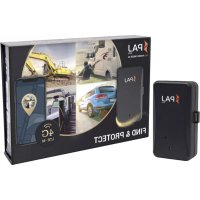
POWER Finder 4G - GPS device PAJ GPS - Free user manual and instructions
Find the device manual for free POWER Finder 4G PAJ GPS in PDF.



| Product type | GPS tracker with online geolocation |
| Brand | PAJ GPS |
| Model | POWER Finder 4G |
| Dimensions | 110 x 70 x 31 mm |
| Weight | 302 g |
| Power | Li-Polymer battery 3.7 V, 10,000 mAh, non-removable |
| Standby battery life | Approximately 90 days |
| Active usage battery life | Approximately 40 days (1 hour of tracking per day) |
| Charging time | Approximately 8 hours for first charge |
| GPS accuracy | ± 3 meters |
| Cellular network | LTE Cat-M1/NB2 and GSM (quad-band) |
| Main features | Real-time geolocation, motion alarms, position history, tracking via web portal or smartphone app |
| Package contents | GPS tracker, USB charging cable, adhesive magnet, pre-installed SIM card |
| Maintenance and cleaning | Wipe with a slightly damp soft cloth; do not use harsh products, do not immerse in water |
| Safety | Do not expose to water, fire, or extreme temperatures; use only the original cable; do not open the casing except to turn on/off; do not use near medical equipment or explosive areas |
| Spare parts and repairability | Battery not user-replaceable; charging cable replaceable with original; repair by a specialist only |
| General information | Requires online activation at www.start.finder-portal.co; use in accordance with local legislation; EU declaration of conformity available |
Frequently Asked Questions - POWER Finder 4G PAJ GPS
User questions about POWER Finder 4G PAJ GPS
0 question about this device. Answer the ones you know or ask your own.
Ask a new question about this device
Download the instructions for your GPS device in PDF format for free! Find your manual POWER Finder 4G - PAJ GPS and take your electronic device back in hand. On this page are published all the documents necessary for the use of your device. POWER Finder 4G by PAJ GPS.
USER MANUAL POWER Finder 4G PAJ GPS
Thank you for purchasing our FINDER. Before first use: Read the instructions carefully it will introduce you to the handling and operation of the product. Please keep the manual for future reference.

NOTICE D'UTILISATION - POWER FINDER 4G AVEC SERVICE DE GEOLOCALISATION EN LIGNE
Table of contents languages
1 Ger an......4
2 English....13
3 France......22
4 Italian....31
5 Spanish.... 40
6 Portuguese......49
Inhaltsverzeichnis
1 Ger an
natural_image
Close-up of a black printer with orange arrows pointing to ports and a labeled component (no text or symbols visible)natural_image
Portrait of a smiling woman holding a telephone receiver, enclosed in a red circular frame with abstract graphic elements (no text or symbols)Haben Sie Fragen?
2.1 Content of delivery....14
2.2 Product graphics....14
2.3 Loading....14
2.4 Activation....15
2.5 Turning on/off....15
2.6 Use....15
2.7 Meaning LED light 16
2.8 Technical Data....16
2.9 Safety instructions....17
2.10 Note on the disposal of used batteries....19
2.11 Note on the disposal of electric appliances....19

POWER Finder 4G by PAJ with Online-Tracking V.1.0 EN © PAJ UG (haftungsbeschränkt)
2.1 Content of delivery
Delivery contains:
• POWER Finder 4G by PAJ
• M2M SIM card (is already inserted/ do not replace
- USB charging cable
- Adhesive magnet (attach the red adhesive strips to the desired object - do not stick on the FINDE
Note: The latest version of this guide can be found on:
The tea of PAJ-GPS wishes you lots of fun with your POWER Finder 4G!
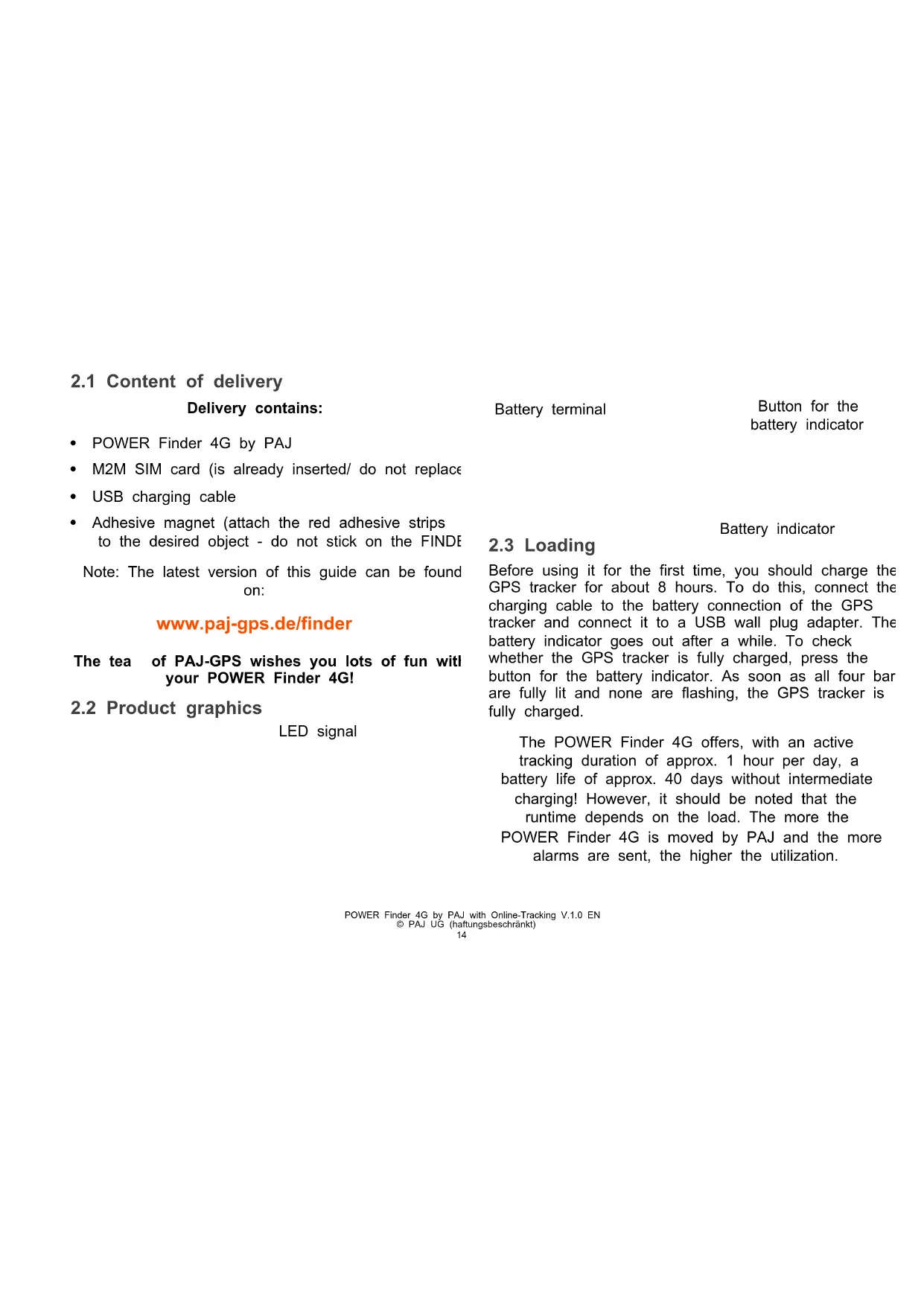
2.2 Product graphics
LED signal
Battery terminal
Button for the battery indicator
Battery indicator
2.3 Loading
Before using it for the first time, you should charge the GPS tracker for about 8 hours. To do this, connect the charging cable to the battery connection of the GPS tracker and connect it to a USB wall plug adapter. The battery indicator goes out after a while. To check whether the GPS tracker is fully charged, press the button for the battery indicator. As soon as all four bar are fully lit and none are flashing, the GPS tracker is fully charged.
The POWER Finder 4G offers, with an active tracking duration of approx. 1 hour per day, a battery life of approx. 40 days without intermediate charging! However, it should be noted that the runtime depends on the load. The more the POWER Finder 4G is moved by PAJ and the more alarms are sent, the higher the utilization.
2.4 Activation
Note: To activate you need the device ID. Please make a note before installing your FINDER.
To use the POWER Finder 4G by PAJ it must be activated online first.
Please go to
www.start.finder-portal.co
and follow the instructions.

2.5 Turning on/off
Recommended first step: To receive the best GPS signal place the POWER Finder 4G outside and make sure it is not covered. Avoid garages, basements and similar.
If the activation has been carried out successfully, the FINDER can be switched on. please follow these instructions:
1) Open the housing cover
2) Remove the rubber cover
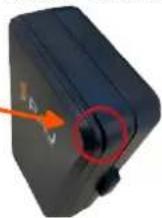
Please do not re ove or change the SIM card!
3) Slide the slider to "ON"
4) Put the rubber cover back into the device
5) Click the housing cover back into the device

The button next to the charging socket is only used to display the battery. Just press the button once!
How do I see if the FINDER is on?
Please briefly press the battery button once.
BEHAVIOR STATUS
The red LED and battery indicator light up for FINDER is switched on approx. 20 seconds
Red LED and battery indicator remain switched FINDER is switched off off
2.6 Use
Once the activation, switching on and the transfer of a first database has been successful, you can place the FINDER in a location of your choice and take a look a
the FINDER s location by using a smartphone, tablet or PC. Use our app or go to the following website:
www.finder-portal.co


The FINDER-portal will introduce you to its functions step by step.
2.7 Meaning LED light
Red LED
| SIGNAL | MEANING |
| The red LED is off | Standby mode or FINDER is switched off.If the GPS tracker is not moved (anymore), the GPS signal switches off.As soon as the GPS tracker is moved again,the GPS signal automatically switches on again. |
| The red LED flashes quickly | Reception available |
| The red LED flashes slowly | No signal available.FINDER is looking for a signal. |
| Battery indicator |
| SIGNAL | MEANING |
| The battery indicator and the red LED light up for approx. 10 seconds (if thFINDER is charging FINDER is connected to cable) | |
| (briefly press the battery button for display) All bar of the battery indicator ar displayed constantly | FINDER is fully charged |
2.8 Technical Data
| Dimensions | 110 mm X 70 mm X 31 mm |
| GPS accuracy | Up to 3 meters |
| Standby time | About 90 days |
| Battery | 3,7V 10.000mAh Li-Polymer |
| Weight | 302g |
| Time to start | Cold start: 40 secondsIn Operation: 1 second |
| Network/Band | LTE Cat-M1/NB2: B1/B2/B3/B4/B5/B8/B12/B13/B18/B19/B20/B26/B28/B66EGPRS:GSM 850 MHz (max. 2WGSM 900 MHz (max. 2W) |
| DCS 1800 MHz (max. 1V) | |
| PCS 1900 MHz (max. 1V) | |
| GPS chip | MTK high sensitivity chip |
| GSM-/LTE-/GPRS-Modul | SIM7600E |
| GPS reception | -165dBm |
| Charger | 110-290V, AC 50 Hz input5V, DC output |
| Storage temperature | from -20°C to +50°C |
| Operating environment | from -10°C to +70°C |
| Air humidity | 10%-70% |
2.9 Safety instructions
Signal words
The following signal words are used in this manual: WARNING! This classifies a hazard of medium risk level. Failure t comply with the warning may result in serious injury.
Please note: This is a warning about possible damage to property
Proper use
Please read the safety instructions for this PAJ FINDER, hereinafter only referred to as GPS tracker, carefully before use in order to be able to deploy it properly. The intended use is to employ the GPS tracker only as described in this manual to locate an object or a being. Please bear in mind that it is a criminal offence to monitor third parties using a GPS tracker without their consent. If you use in any other way, this is considered improper use and can lead to damage to property or even personal injury. Please note that the GPS tracker is not a toy for children. In other countries and regions there are different laws on digital positioning and localization of
people, animals and/or objects. PAJ UG is not responsible if such laws or regulations are violated, this is the sole responsibility of the user.
Please note: The manufacturer and dealer accept no liability for damage caused by improper or incorrect use.
Safety
WARNING! RISK OF ELECTROCUTION!
A faulty electrical installation or an excessive mains voltage may cause an electric shock.
- Before use, adjust the mains voltage of the socket with the information on the type plate.
- Before use, make sure that the mains voltage of the socket corresponds with the information on the type plate.
- To be able to disconnect the charging cable from the mains as quickly as possible in the event of a failure, connect the power supply unit where it is easily accessible.
- If you notice any visible damage to your GPS tracker or charging cable, do not use it.
- Use only the original parts supplied to charge the GPS tracker. If the charging cable is damaged, replace it only with original accessories from the manufacturer.
- Never place the GPS tracker near an open fire or hot surfaces.
- The GPS tracker is not protected against humidity and water. Please use and store it only in a dry environment.
- The charging cable should only be used indoors. Keep it away from humidity and do not kink it.
- Only open the housing of the GPS tracker to switch the device on or off. Leave the repair to qualified specialists. However, if
you carry out repairs yourself, connect the GPS tracker incorrectly or operate it incorrectly, liability and warranty claims are excluded.
Battery ode
WARNING! DANGER OF EXPLOSION and FIRE!
Below you will find information and instructions on how to use the battery:
- The GPS tracker runs by a lithium ion battery. It is not exchangeable and must not be removed or opened.
- Make sure that the GPS tracker (also when charging the battery) is kept away from heat sources and high temperature such as direct sunlight in a vehicle. Disregard of this instruction may result in destruction of the battery and overheating, explosion and fire.
- Only use the original accessories for the charging process. If the battery is charged otherwise, this may result in overheatin explosion or fire.
- Do not burn or pierce the GPS tracker. Protect it from mechanical damage.
- Do not remove the battery with sharp or pointed objects. Do not drop, disassemble or modify it.
• If a child swallows the battery, seek medical aid immediately! - If you want to have the battery replaced, then please contact our support.
- The FINDER is not suitable for permanent charging via an external power supply. This could damage the battery and the device.
Batteries that leak due to damage may cause burns in contact with the skin. Therefore, never open the battery. However, if the battery leaks, please wear protective gloves.
Electro agnetic co patibility
Please observe all rules and prohibitions and switch off the GPS tracker immediately in danger areas and if it might cause interference. Furthermore, it should not be used in the vicinity of, for example, medical equipment, fuels and chemicals, or in blasting areas. With mobile devices, malfunction due to interference may occur and affect performance. Transformers and very strong magnetic fields must be avoided. Otherwise there may be deviations in the transmission. Disregard of these instructions may cause interference or damage to the GPS tracker.
Cleaning
WARNING! RISK OF DAMAGE!
Below you will find information and instructions on how to clean the GPS tracker:
- Do not use aggressive cleaning agents or brushes for cleaning. Do not clean the GPS tracker with metallic cleaning objects (e.g. knife, metal sponge). This may damage the surface.
- Never put the GPS tracker in water, in a dishwasher (or the like) and do not use a steam cleaner.
Correct cleaning:
- The surface may be wiped clean with a slightly damped cloth.
- The GPS tracker should then be wiped dry completely.
Please note: Improper use of the tracker may result in damage.
WARNING! DANGER OF CAUTERIZATION!
Dangers for children and people in need of help
Please do not let people (including children) with limited physical, sensory or mental abilities use the GPS tracker. It is considered a exception if they have previously received instructions from a person responsible for their safety on how to use the device. Please be said that they not play with small parts (e.g. accessories, etc.). These may be swallowed, leading to suffocation. Inform your child about the dangers and about how to use the GPS tracker.
Storage
If you are not using the GPS tracker for a lengthy period of time, it off. Place the tracker in its original packaging or in a carton of same size. Protect the tracker from dirt and humidity. Keep out of reach of children.
Declaration of confor ity
PAJ UG (haftungsbeschränkt) hereby declares that the radio equipment type Tracker, model POWER Finder 4G complies with Directive 2014/53/EU. The full text of the EU Declaration of Conformity is available at: www.paj-gps.de/konformitaetserklaerung/

Disposal of packaging
Dispose of the packaging according to type. Add cardboard to the paper bank, plastics to the recyclable collection.

Disregard of these instructions may shorten the life of the built-in battery or cause damage to the GPS tracker in general.
2.10 Note on the disposal of used batteries
The following instruction is aimed at those who use batteries or products with built-in batteries and do not resell them in the form supplied to them (end users).
Acceptance of returned used batteries free of charge
Batteries must not be disposed of with household waste. You are legally obliged to return used batteries so that proper disposal can be guaranteed. You can dispose of used batteries at a municipal collection point or at a local retailer. As a distributor of batteries, we are also obliged to take back used batteries, whereby our obligation to take back only applies to the type of used batteries that we have or had as new batteries in our range. Used batteries of the above type can therefore either be returned to us with sufficient prepayment or directly to our shipping warehouse at the following address free of charge:
Meaning of the battery sy bols
Batteries are marked with the symbol of a crossed-out dustbin (see following illustration). This symbol indicates that batteries must not be disposed of with household waste. Batteries containing more than 0.0005 mass percent of mercury, more than 0.002 mass

percent of cadmium or more than 0.004 mass percent of lead additionally bear the chemical name of the pollutant they contain below the waste bin symbol. The abbreviation "Cd" stands for cadmium, "Pb" stands for lead and "Hg" stands for mercury.
2.11 Note on the disposal of electric appliances
The Electrical and Electronic Equipment Act (ElektroG) contains a large number of requirements for the handling of electrical and electronic equipment. The most important ones are listed here.
1. Separate collection of old appliances
Electrical and electronic equipment that has become waste is referred to as old appliances. Owners of WEEE must have it collected separately from unsorted municipal waste. In particular, old appliances must not be disposed of with household waste, but special collection and return systems.
2. Batteries and accu ulators
Owners of WEEE must normally separate used batteries and accumulators which are not enclosed by the WEEE from WEEE before returning them to a collection point. This does not apply if old appliances are handed over to public waste management authorities and separated from other old appliances for the purpose of preparation for reuse.
3. Return options for old appliances
Owners of WEEE from private households can hand it in at the collection points of the public disposal authorities or at the collection points set up by manufacturers or distributors within the meaning of the ElektroG. An online list of collection and return points can be found here: https://www.ear-system.de/ear-verzeichnis/sammel-und-ruecknahmestellen.jsf
4. Data protection notice
WEEE often contains sensitive personal data. This applies in particular to information and telecommunications technology devices such as computers and smartphones. In your own interest please note that each end user is responsible for deleting the data on the old devices to be disposed of.
5. Meaning of the sy bol „crossed-out dustbin“
The crossed-out dustbin symbol regularly displayed on electrical and electronic equipment indicates that the respective device must be collected separately from unsorted municipal waste at the end of its service life.

6. Manufacturer registration nu ber
As a manufacturer in the sense of the ElektroG we are registered at the responsible foundation Elektro-Altgeräte Register (Benno-Strauß-Str. 1, 90763 Fürth) under the following registration number: DE33887550

natural_image
Woman smiling while talking on a landline, enclosed in a red circular frame with abstract graphic elements (no text or symbols)Do you have any questions?
Just contact us, we are happy to help you!
Best wishes, your PAJ team
POWER Finder 4G by PAJ with Online-Tracking V.1.0 EN © PAJ UG (haftungsbeschränkt)
So aire
3 France
natural_image
Close-up of a black electronic device with orange arrows pointing to ports and a small connector (no visible text or symbols)natural_image
Woman smiling while talking on a landline, enclosed in a red circular frame with abstract graphic elements (no text or symbols)Des questions ?
Connettore batteria
natural_image
Close-up of a black electronic device with orange arrows pointing to a small port and a close button (no text or symbols visible)4.3 Ricarica
natural_image
Woman smiling while talking on a landline phone, enclosed in a red circular frame (no text or symbols visible)Ha delle do ande?
natural_image
Close-up of a black electronic device with orange arrows pointing to ports and a small screen (no visible text or symbols)bateria
Indicador de
5.3 Cargar
| Download on the App Store |
natural_image
Woman smiling while talking on a landline, enclosed in a red circular frame (no text or symbols visible)Entrada da bateria
natural_image
Close-up of a black electronic device with orange arrows pointing to ports and a switch (no visible text or symbols)6.3 Carregar a bateria
natural_image
Woman smiling while talking on a landline, enclosed in a red circular frame (no text or symbols visible)Tens u a pergunta?



- NOTICE D'UTILISATION - POWER FINDER 4G AVEC SERVICE DE GEOLOCALISATION EN LIGNE
- Table of contents languages
- Inhaltsverzeichnis
- Ger an
- Haben Sie Fragen?
- Content of delivery
- Delivery contains:
- Product graphics
- Loading
- Activation
- Turning on/off
- Please do not re ove or change the SIM card!
- How do I see if the FINDER is on?
- BEHAVIOR STATUS
- Use
- www.finder-portal.co
- Meaning LED light
- Red LED
- Technical Data
- Safety instructions
- Signal words
- Proper use
- Safety
- WARNING! RISK OF ELECTROCUTION!
- Battery ode
- WARNING! DANGER OF EXPLOSION and FIRE!
- Electro agnetic co patibility
- Cleaning
- WARNING! RISK OF DAMAGE!
- Correct cleaning:
- Dangers for children and people in need of help
- Storage
- Declaration of confor ity
- Disposal of packaging
- Note on the disposal of used batteries
- Acceptance of returned used batteries free of charge
- Meaning of the battery sy bols
- Note on the disposal of electric appliances
- Separate collection of old appliances
- Batteries and accu ulators
- Return options for old appliances
- Data protection notice
- Meaning of the sy bol „crossed-out dustbin“
- Manufacturer registration nu ber
- So aire
- France
- Des questions ?
- Ricarica
- Cargar
- Carregar a bateria
- Tens u a pergunta?
Brand : PAJ GPS
Model : POWER Finder 4G
Category : GPS device