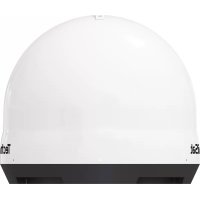
Skyrider Dome - Receiver TECHNISAT - Free user manual and instructions
Find the device manual for free Skyrider Dome TECHNISAT in PDF.


| Product Type | Mobile satellite antenna (receiver) |
| Brand | TechniSat |
| Model | Skyrider Dome |
| Dimensions (L x H) | 450 x 410 mm |
| Weight | 4.7 kg |
| Power Supply | 12 ~ 24 V DC |
| Power Consumption | 30 W (searching) |
| Input Frequency | 10.7 ~ 12.75 GHz |
| Antenna Gain | 31.0 dBi |
| Polarization | Horizontal / vertical |
| Angular Range (elevation / azimuth) | 5° ~ 90° / 360° |
| Satellite Switching System | DiSEqC 1.1 |
| LNB Outputs | 1 or 2 (dual version) |
| Self-Alignment | Yes, automatic to preinstalled satellites |
| Theft Protection | Mechanical (fixation) and electronic (audible alarm) |
| Package Contents | Antenna, controller, cable cover, mount, remote control, cables, manual |
| Maintenance and Cleaning | Clean with a soft cloth; do not paint or attach objects to the dome |
| Safety | Do not open; use in temperate climate; disconnect before moving |
| Spare Parts and Repairability | Contact TechniSat support; no user repair |
Frequently Asked Questions - Skyrider Dome TECHNISAT
User questions about Skyrider Dome TECHNISAT
0 question about this device. Answer the ones you know or ask your own.
Ask a new question about this device
Download the instructions for your Receiver in PDF format for free! Find your manual Skyrider Dome - TECHNISAT and take your electronic device back in hand. On this page are published all the documents necessary for the use of your device. Skyrider Dome by TECHNISAT.
USER MANUAL Skyrider Dome TECHNISAT
natural_image
Exterior view of a TechniSat device with labeled ports and control buttons (no readable text beyond branding)SKYRIDER DOME
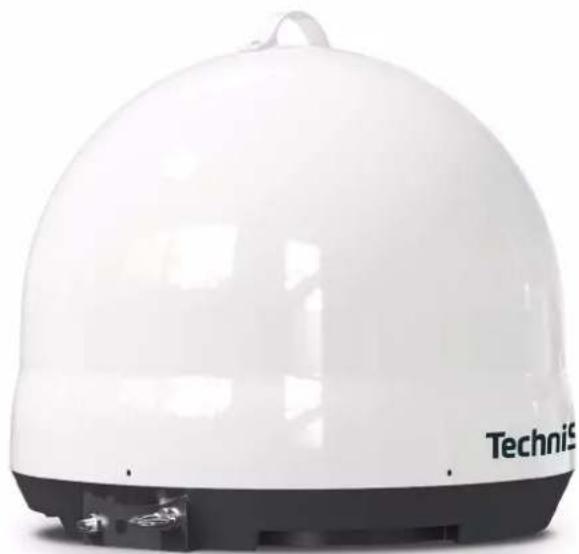
natural_image
White dome-shaped electronic device with 'TechniS' branding, no visible text or symbols on bodyCONTENTS
DEUTSCH....3-19
ENGLISH....21-37
FRANÇAIS 39-55
ITALIANO 57-73
NEDERLANDS....75-91
POLSKE 93-109
Bedienungsanleitung
SKYRIDER DOME
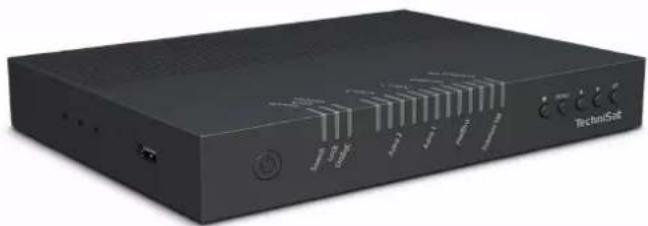
natural_image
Black TechniSet electronic device with ports and indicator lights (no readable text or symbols beyond branding)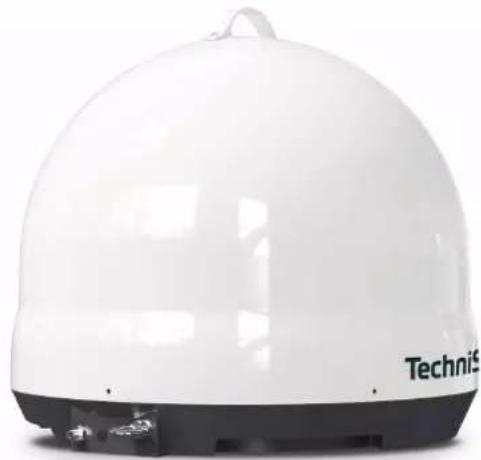
natural_image
White dome-shaped electronic device with 'TechniS' branding on the front face (no other text or symbols visible)TechniSat
natural_image
Illustration of a person observing a satellite and a dome-shaped object with a tree, no text or symbols present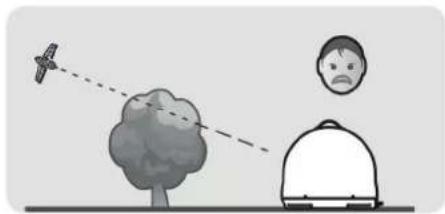
natural_image
Illustration of a person observing a bird flying near a tree, with another person looking up at the distance (no text or symbols)natural_image
Black TechniSet electronic device with ports and indicator lights (no readable text or symbols beyond branding)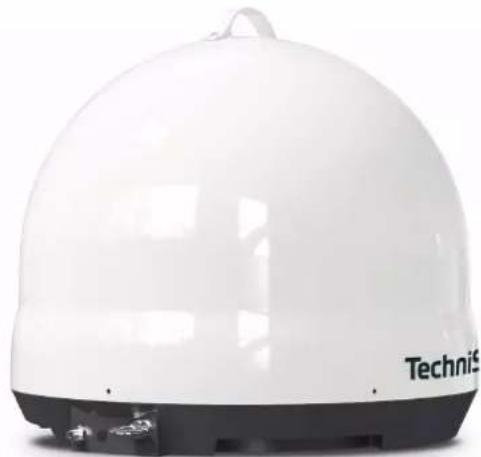
natural_image
White dome-shaped electronic device with 'TechniS' branding, no visible text or symbols on bodyTechniSat
1 Contents
1 Contents....22
2 Important information....23
2.1 Safety 23
2.2 Intended use 25
2.3 Disposal 25
2.4 Legal notices 27
2.5 Service instructions....28
3 Figures and description 29
4 Description of the SKYRIDER DOME....31
4.1 Introduction....31
4.2 Scope of delivery....31
4.3 Special features of the SKYRIDER DOME 31
4.4 Preparing the SKYRIDER DOME for use 32
4.4.1 Where to install it 32
4.4.2 Connection diagram 33
4.5 Anti-theft protection....34
5 Operation....34
5.1 Switching on & off 34
5.2 Search for a satellite 34
5.3 DiSEqC setting.... 35
6 Troubleshooting 36
6.1 No reaction when the controller is turned on....36
6.2 Alignment error (satellite search)....36
6.3 Other possible causes....36
7 Technical data....37
7.1 Dimensions....37
7.2 Technical data....37
22
2 Important information
Please take note of the following information to minimize safety risks, to prevent damage to the device and to make a contribution to environmental protection. Please read all the safety information carefully and keep it for future reference. Always observe all warnings and information in this quick start guide and on the rear of the device.

Caution - This identifies important information that must be observed to prevent device defects, data loss/misuse or undesired operation.

Tip - This identifies information relating to the described function, as well as to another related function that may have to be taken into account, with reference to the corresponding section in the manual.
2.1 Safety

For your own protection you should read the safety precautions carefully before using your SKYRIDER DOME. The manufacturer accepts no liability for damage caused by improper handling and by not observing the following safety precautions:

The device must only be operated in an appropriate climate.

Never open the device! Any attempt to repair the device by non-qualified persons can be dangerous and will void the warranty!

Any required intervention may only be performed by qualified staff.

If water has penetrated the device, switch it off and inform the Service department.

Do not expose the device to heat sources that will heat it up more than normal use.

If you detect a device defect, odour or smoke, considerable malfunctions, or damage to the housing, switch off the device and inform the Service department.

The device must only be connected to a mains voltage of 12V-24V DC. Never try to operate the device with another voltage.
Install the device in a suitable location (such as a flat surface where the device can be set up reliably). If this is not observed, it may damage the device or cause an accident.
Before moving the device, switch it off and disconnect all connected cables. If you move the antenna with the cables attached, you risk stumbling over the cables and injuring yourself. The device therefore must not be connected until the installation has been completed according to regulations.
⚠️ If the device shows any signs of damage, it must not be switched on.
When removing the plug from the power outlet, pull on the plug, not the cable.
Do not take the device into the vicinity of swimming pools or similar places.
⚠️ Never try to repair faulty device yourself.
Always contact one of our customer service points.
Even when switched off and on standby, the device is still connected to the mains power supply.
This device is not intended to be used by people (including children) with limited physical, sensory or mental capacities or lack of experience and/or knowledge, unless they are supervised by a person responsible for their safety or are instructed by such a person as to how to use the device.
Children must be supervised to ensure that they do not play with the device.
⚠️ It is forbidden to carry out modifications to the device.
⚠️ Damaged devices or damaged accessories must not continue to be used.
⚠️ Leaking batteries can cause damage to the remote control.
⚠️ If the device is not being used for a prolonged period, remove the batteries from the remote control.
2.2 Intended use
Please read this instruction manual carefully. This is the only way to operate your device safely and correctly. Keep the instruction manual in a safe place for use at a later date.
The device has been designed to receive satellite signals.
The device has been designed for private use and not for commercial purposes.
2.3 Disposal
The device packaging is exclusively comprised of recyclable materials. Please sort these and take them to the "Dual System." This product is identified according to Directive 2012/19/EU on Electrical and Electronic Waste (WEEE) and, at the end of its service life, must not be disposed of with normal domestic waste, but must be taken to a collection point for recycling electrical and electronic devices.
This is indicated by the / symbol on the product, the instruction manual or the packaging.
The materials are recyclable according to their labelling. An important contribution is made to our environment by recycling, recovery of materials or other kinds of recycling for old devices.
Please ask local authorities for the location of the relevant disposal point. Ensure that used batteries/rechargeable batteries, as well as electronic waste, are not disposed of with household waste, but are properly disposed of (returned to the specialist shop, hazardous waste).
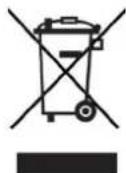
Batteries/rechargeable batteries may contain poisonous substances which cause harm to health and the environment. Batteries/rechargeable batteries are subject to European Directive 2006/66/EC. They must not be disposed of with normal household waste.

Disposal instructions:
Disposal of packaging:
Your new device was protected by packaging on its way to you. All materials used are environmentally friendly and recyclable. Please collaborate and dispose of the packaging in an environmentally-friendly way. Ask for information from your dealer regarding current disposal means or your local disposal facility.

Risk of suffocation! Keep packaging and parts thereof away from children. Risk of suffocation by films and other packaging materials.
Device disposal:
Old devices constitute valuable waste. Valuable raw materials can be recovered through environmentally-friendly disposal. Consult your town or local authority as to the possibilities for environmentally-friendly and proper disposal of the device. Prior to disposal of the device, remove the batteries/rechargeable batteries contained therein.
2.4 Legal notices
i TechniSat hereby declares that the SKYRIDER DOME complies with Directive 2014/53/EU. The complete text of the EU Declaration of Conformity is available at the following web address:
SKYRIDER DOME (single LNB version): http://konf.tsat.de/?ID=22694
SKYRIDER DOME (twin LNB version): http://konf.tsat.de/?ID=22695
TechniSat accepts no liability for product damage as a result of external influences, wear or improper handling, unauthorised repairs, modifications or accidents.
Changes and printing errors reserved. Version 10/19. Copying and reproduction are subject to the publisher's consent. The respective current version of the instructions can be downloaded in pdf format in the download area of the TechniSat Homepage at www.technisat.de.
i SKYRIDER DOME and TechniSat are registered trademarks of:
D-54550 Daun/Eifel, Germany
www.technisat.de
The names of the companies, institutions or makes referred to are trademarks or registered trademarks of the respective owners.
2.5 Service instructions
This product is quality-tested and provided with the legal warranty period of 24 months as from the date of purchase. Please keep your receipt as proof of purchase. In the event of warranty claims please contact the product dealer.
i Note!
Should you experience a problem with this device, or for queries and information, our Technical Hotline is available:
Mon. - Fri. 8:00 am - 8:00 pm on tel.:
+49 (0) 3925 9220 1800.
If the device needs to be sent back, please use the following address only:
39418 Stassfurt, Germany
3 Figures and description
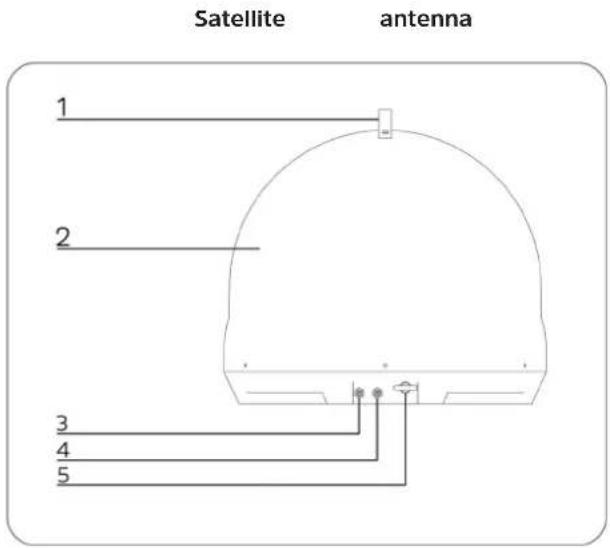
1 Handle
2 Satellite antenna 7 Alarm mute button
3 Controller connection (1st STB)
4 2nd STB connection (only twin LNB version) 9 DiSEqC button
5 Anti-theft fastening
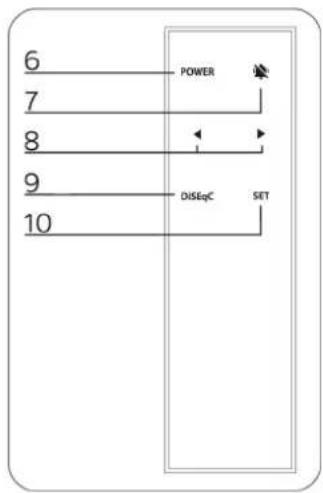
6
8 Arrow keys
10
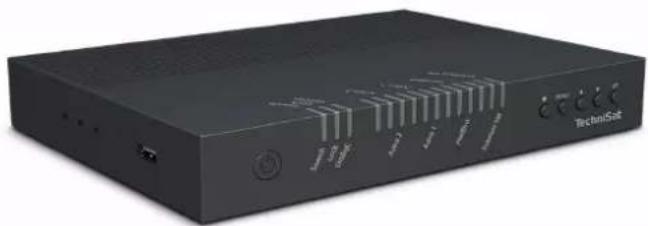
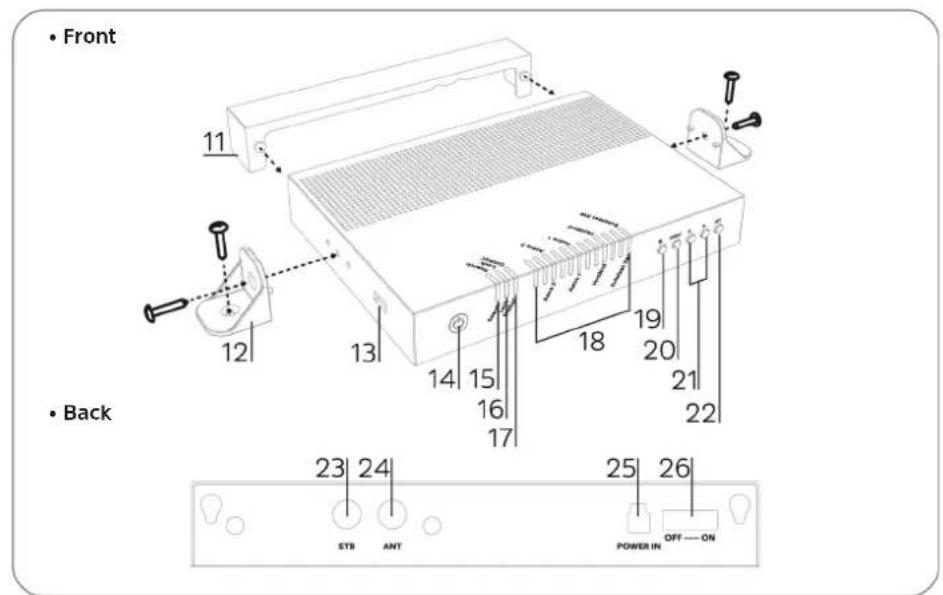
Controller
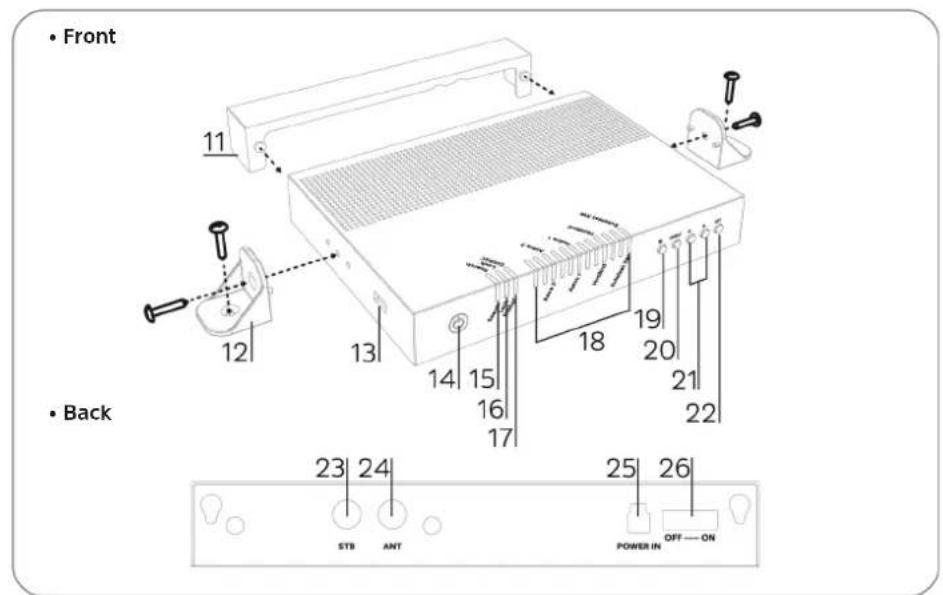
11 Cable cover
12 Holder for controller
13 USB port
14 Power button
15 Search LED
16 Lock LED
17 DiSEqC LED
18 Satellite LEDs
19 Alarm mute button
20 DiSEqC button
21 Arrow keys
22 SET button
23 STB connection
24 Satellite dish connection
25 Power supply
26 Mains power switch
4 Description of the SKYRIDER DOME
4.1 Introduction
This manual describes the functions and operation of the SKYRIDER DOME mobile satellite antenna system.
Correct and safe operation of the system can only be guaranteed by observing this manual.
Your antenna is a smart satellite TV reception system that can automatically align with the default satellites.
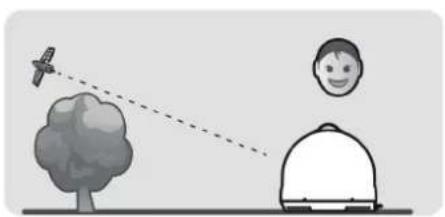
For general operation, ensure that the system always has a clear and unobstructed view of the desired satellite. If the satellite signal is interrupted by obstacles such as mountains, buildings, vehicles or trees, no or only weak satellite reception is possible.
4.2 Scope of delivery
The scope of delivery includes:
1 x SKYRIDER DOME, 1 x controller, 1 x cable cover, 1 x holder for controller, 1 x instruction manual, 1 x remote control,
1 x power supply cable, 1 x signal cable (twin LNB version includes 2 x), 1 x STB cable
4.3 Special features of the SKYRIDER DOME
The SKYRIDER DOME is a satellite reception system for use in camping and has the following features:
- self-alignment
- 1 LNB connection for control and satellite signal reception
- 1 LNB connection with satellite signal for 2nd STB or 2nd connection to STB (only twin LNB version)
- Anti-theft device.
4.4 Preparing the SKYRIDER DOME for use
4.4.1 Where to install it
In order to receive a satellite signal, the product must be mounted outdoors with a clear view towards the satellite in the direction of the equator. Make sure that there are no obstacles, such as buildings, vehicles or trees in front of the antenna as these may reduce the quality of the signal reception.
natural_image
Illustration showing a person observing a satellite and a tree, with no text or symbols present.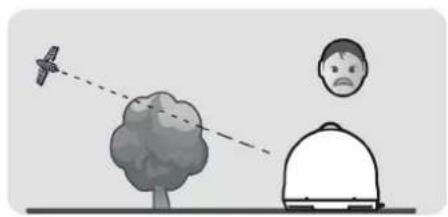
natural_image
Illustration of a person observing a tree with an airplane flying overhead, no text or symbols presentInstall the device in a suitable location (such as a flat surface where the device can be set up reliably). If this is not observed, it may damage the device or cause an accident.
Before moving the device, switch it off and disconnect all connected cables. If you move the antenna with the cables attached, you risk stumbling over the cables and injuring yourself. The device therefore must not be connected until the installation has been completed according to regulations.
i Handle the antenna with care, as shocks can damage the electronics.
i Electrical or magnetic fields near the antenna may affect reception.
Do not paint the antenna cover or attach any materials to it, as this will reduce the reception of the satellite signal.
i The use of non-insulated plugs will result in a loss of signal strength.
i The satellite signal may be temporarily affected due to heavy rainfall.
i Snow on the antenna can reduce the satellite signal strength; Snow should therefore be removed as soon as possible.
4.4.2 Connection diagram
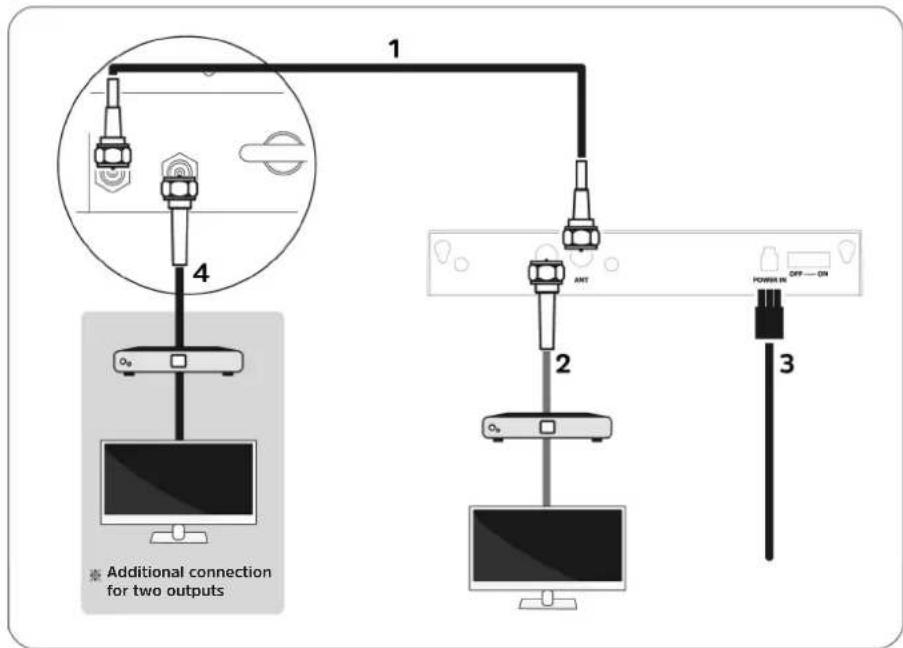
1 Cable connection from the satellite reception system to the controller.
2 Cable connection from the controller to the main receiver (1st STB).
3 Connect the power only after making all of the necessary cable connections.
4 Cable connection from the controller to the 2nd receiver or 2nd receiver connection (only for twin LNB version).
4.5 Anti-theft protection
The SKYRIDER DOME has double theft protection.
- Visible mechanical protection by chaining the anti-theft fastening device (see Seite 29) to a suitable fixed point (e.g. caravan / mobile home, tree, lamppost)
- Invisible electronic protection by means of an acoustic alarm if the connection cable to the controller is disconnected while it is connected to the power supply.
If the acoustic alarm has been triggered, you can deactivate it by pressing the alarm mute button on the remote control or on the controller.
In order to reactivate the alarm function, the power switch on the back of the controller must be switched off and switched on again.
5 Operation
5.1 Switching on & off
Turn on the power switch on the back of the controller.
Press the power button to turn the device on or off.
5.2 Search for a satellite
Press the arrow keys to switch to another satellite and confirm by pressing the SET key.
The search LED lights up to signal that the SKYRIDER DOME is pointing at the desired satellite. After successful alignment, the lock LED and the three LEDs associated with the satellite will light up.
Switching to other satellites can also be done by using DiSEqC (see point 5.3) together with your receiver, so that you do not have to resort to using the remote control of the controller or make the selection on the controller itself.
5.3 DiSEqC setting
By default, DiSEqC is turned off. If you want to use DiSEqC, your connected receiver must support at least DiSEqC 1.0 and its satellite configuration must be set according to the table below.
| No. Position / Option Satellite | ||
| 1 A / A | Astra 28,5° East | |
| 2 A / B | Astra 19,2° East | |
| 3 B / A | Hotbird 13,0° East | |
| 4 B / B | Eutelsat 5,0° West | |
To enable or disable the DiSEqC function in the controller, press the DiSEqC button on the controller for 2 seconds.
i The current status is indicated by the DiSEqC LED on the controller.
6 Troubleshooting
If the device does not operate as intended, check the following tables for information.
6.1 No reaction when the controller is turned on.
-
Check all connections again.
-
The connection between the power supply and the controller.
- The connection between the controller and the antenna.
-
Make sure that the left-hand connector of the antenna is connected to the controller.
-
Check if the power cord has been damaged.
-
Check the switch on the back of the controller.
-
Alarm signal
- Turn off the power switch and check the antenna connection, then turn the power back on.
6.2 Alignment error (satellite search)
- Obstacles such as buildings or trees can block the satellite signals or affect the quality of the signal reception. Make sure that the area to the south is clear of obstacles.
- Select another satellite, such as Astra1, and if that works, choose your desired satellite.
- Turn the unit off and then on again and select the desired satellite.
6.3 Other possible causes
- If the cables in the system are not properly connected, the system will not work properly. In the event of cable damage, please contact your local dealer / shop.
7 Technical data
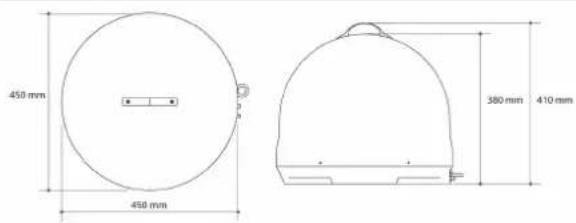
7.1 Dimensions
7.2 Technical data
| Input frequency 10.7 ~ 12.75 GHz | |
| Polarization Horizontal / Vertical | |
| Antenna gain 31.0 dBi | |
| Dimensions (D x H) / Weight 450 X 410 mm / 4.7 kg | |
| Min EIRP 51 dBW | |
| Angular range (elevation / azimuth) 5° ~ 90° / 360° | |
| Skew Manual / Automatic (optional) | |
| Satellite switching system | DiSEqC 1.1 |
| Satellite search time | 180 seconds (AVG) |
| LNB output | 1 / 2 |
| LNB output frequency | 950 ~ 2,150 MHz |
| L.O. frequency | 9.75 / 10.6 GHz |
| Voltage supply | DC 12 ~ 24 V |
| Power consumption | 30 W (while searching) |
Mode d'emploi
SKYRIDER DOME
natural_image
Black TechniSet electronic device with ports and indicator lights (no readable text or symbols beyond branding)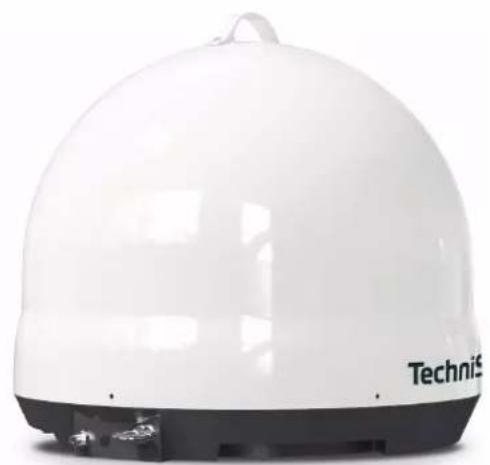
natural_image
White dome-shaped electronic device with 'Technis' branding visible on the side (no other text or symbols)TechniSat
1 Sommaire
1 Sommaire 40
2 Consignes importantes....41
2.1 Sécurité 41
2.3 Élimination....43
9 Touche DiSEqC
Contrôleur
natural_image
Illustration of a person observing a satellite from a tree, with a smiling face on the ground (no text or symbols)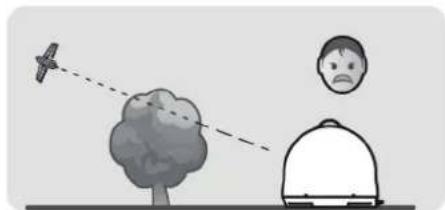
natural_image
Illustration showing a bird flying near a tree with a dashed line and a person in a dome-like shape nearby (no text or symbols)natural_image
Black TechniSet electronic device with ports and indicator lights (no readable text or symbols beyond branding)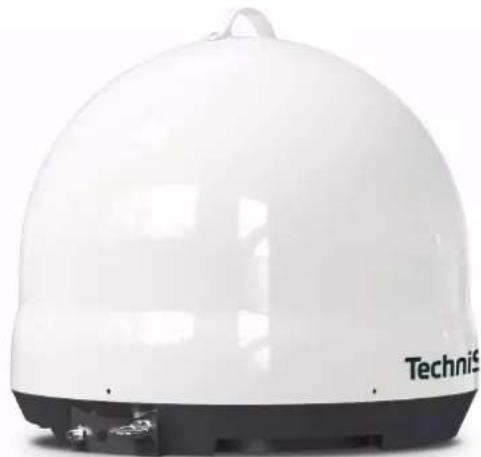
natural_image
White dome-shaped electronic device with 'TechniS' branding on the front face (no other text or symbols visible)TechniSat
1 Indice
1 Indice 58
2 Note importanti....59
2.1 Sicurezza....59
natural_image
Illustration of a person observing a satellite and a tree, with no text or symbols present.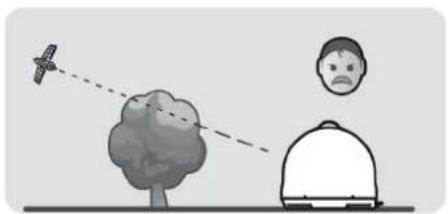
natural_image
Illustration showing a bird flying near a tree and a person with a sad face, connected by dashed lines (no text or symbols)natural_image
Black TechniSet electronic device with ports and indicator lights (no readable text or symbols beyond branding)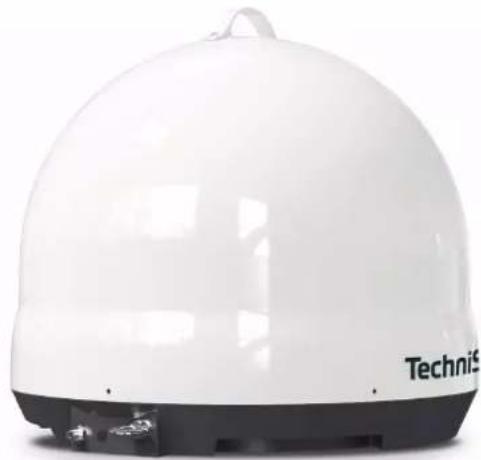
natural_image
White dome-shaped electronic device with 'TechniS' branding on the front face (no other text or symbols visible)TechniSat
1 Inhoudsopgave
1 Inhoudsopgave 76
5.3 DiSEqC-instelling....89
6 Storingen verhelpen....90
natural_image
Illustration of a person observing a satellite from a tree, with a dome-shaped object nearby (no text or symbols)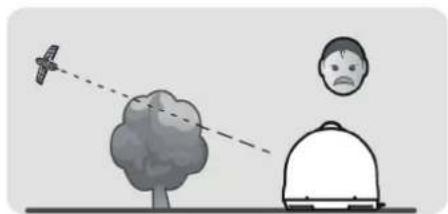
natural_image
Illustration showing a bird flying near a tree with an airplane and a sad face on the ground (no text or symbols)
natural_image
Exterior view of a TechniSet electronic device with ports and control buttons (no readable text or symbols beyond branding)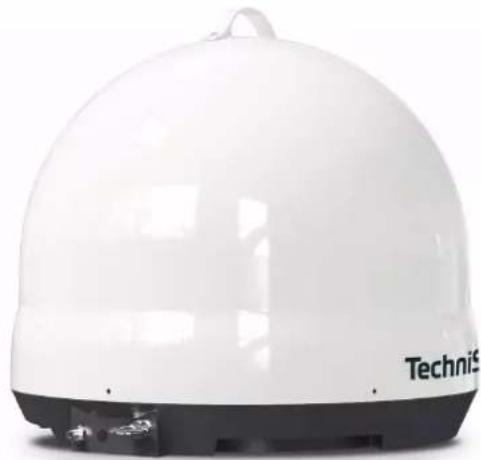
natural_image
White dome-shaped electronic device with 'TechniS' branding on the front face (no other text or symbols visible)TechniSat
1 Spis treści
1 Spis treści....94
natural_image
Illustration of a person observing a bird flying over a tree, with a dome-shaped object nearby (no text or symbols)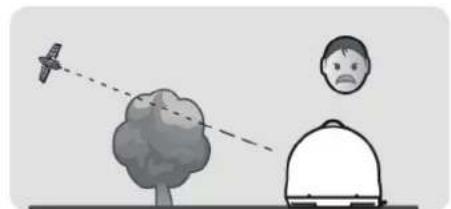
natural_image
Illustration of a bird flying near a tree with an airplane tail, and a person observing from behind (no text or symbols)
- CONTENTS
- Bedienungsanleitung
- Contents
- Important information
- Safety
- Intended use
- Disposal
- Disposal instructions:
- Legal notices
- Service instructions
- Figures and description
- Description of the SKYRIDER DOME
- Introduction
- Scope of delivery
- Special features of the SKYRIDER DOME
- Preparing the SKYRIDER DOME for use
- Where to install it
- Connection diagram
- Anti-theft protection
- Operation
- Switching on & off
- Search for a satellite
- DiSEqC setting
- Troubleshooting
- No reaction when the controller is turned on.
- Alignment error (satellite search)
- Other possible causes
- Technical data
- Dimensions
- Technical data
- Mode d'emploi
- Sommaire
- Indice
- Inhoudsopgave
- Spis treści
Brand : TECHNISAT
Model : Skyrider Dome
Category : Receiver