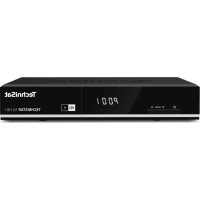
TechniRouter 9/2x4 K - Receiver TECHNISAT - Free user manual and instructions
Find the device manual for free TechniRouter 9/2x4 K TECHNISAT in PDF.


Pick your language and provide your email: we'll send you a specifically translated version.
| Product Type | Satellite Receiver |
| Brand | TechniSat |
| Model | TechniRouter 9/2x4 K |
| Dimensions (W x H x D) | 250 x 40 x 170 mm |
| Weight | 1.2 kg |
| Power Supply | 12V DC, 1A |
| Power Consumption | < 15 W |
| Video Outputs | HDMI, SCART |
| Audio Outputs | HDMI, Optical, RCA |
| Inputs | F-type LNB, Ethernet |
| USB Ports | 1x USB 2.0 |
| Ethernet | 10/100 Base-T |
| Tuner | DVB-S2, single |
| Decoding | MPEG-2, H.264 |
| Recording | USB recording support |
| EPG | 7-day Electronic Program Guide |
| Image Format | 16:9, 4:3 |
| Maintenance | Keep ventilated; clean with dry cloth |
| Safety | Indoor use only; avoid moisture |
| Spare Parts & Repairability | Contact TechniSat service center |
| General Information | User manual available for download |
Frequently Asked Questions - TechniRouter 9/2x4 K TECHNISAT
How do I connect the satellite dish to the TechniRouter 9/2x4 K?
Connect the coaxial cable from your LNB to the LNB IN port on the back of the receiver. Ensure the cable is securely tightened.
How to set up channels for the first time?
Go to Menu > Installation > Auto Scan. Select your satellite (e.g., Astra 19.2°E) and start the scan. Channels will be stored automatically.
Can I record TV programs with this receiver?
Yes, connect a USB flash drive or HDD to the USB port, then press Record on the remote to record the current channel.
How to update the firmware?
Download the latest firmware from TechniSat website onto a USB stick, insert it, go to Menu > Settings > Update, and follow on-screen instructions.
Why is there no signal on some channels?
Check your dish alignment and LNB cable. Perform a signal test in Menu > Installation > Signal Detection. Poor weather can also affect signal.
How to reset the receiver to factory defaults?
Go to Menu > Settings > Factory Reset. Enter PIN (default 0000) and confirm. All settings will be erased.
Which remote control codes work with this model?
The included remote works out of the box. For universal remotes, check the manual for TechniSat code (e.g., 1234).
Can I watch HD channels?
Yes, the receiver supports DVB-S2 and H.264 decoding, enabling HD broadcasts.
How to connect the receiver to the internet?
Use an Ethernet cable from your router to the LAN port. Go to Menu > Network Settings and select DHCP for automatic configuration.
What to do if the remote control stops working?
Replace the batteries with new AAA ones. Check for obstructions between remote and receiver. If still faulty, contact support.
User questions about TechniRouter 9/2x4 K TECHNISAT
0 question about this device. Answer the ones you know or ask your own.
Ask a new question about this device
No questions yet. Be the first to ask one.
Download the instructions for your Receiver in PDF format for free! Find your manual TechniRouter 9/2x4 K - TECHNISAT and take your electronic device back in hand. On this page are published all the documents necessary for the use of your device. TechniRouter 9/2x4 K by TECHNISAT.