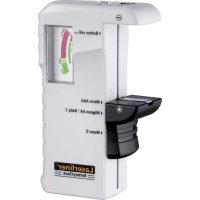
BatteryCheck - Battery charger Laserliner - Free user manual and instructions
Find the device manual for free BatteryCheck Laserliner in PDF.



| Product type | Battery tester |
| Brand | Laserliner |
| Model | BatteryCheck |
| Dimensions (W x H x D) | 67 x 110 x 32.5 mm |
| Weight | 51 g |
| Power supply | No external power needed; passive tester |
| Measuring ranges | 1.5 V and 9.0 V |
| Testable battery types | AAA (LR03), AA (LR6), C (LR14), D (LR20), 9V (6LR61), 1.5V button cells (LR41, LR43, LR44) |
| Display | Tricolor needle dial (green / orange / red) |
| Main functions | Battery charge test; visual status indication (good, low, replace) |
| Battery compartments | One compartment for cylindrical batteries (AAA/AA/C/D) and one for 9V battery; terminals for button cells |
| Maintenance and cleaning | Clean with a dry, soft cloth; do not use abrasive products |
| Safety | Do not expose to moisture, extreme temperatures or shocks; observe polarity when inserting; use only with suitable batteries |
| Spare parts and repairability | No detachable parts; device not user-serviceable; in case of malfunction, contact the manufacturer |
| Warranty | Complies with EU standards; legal warranty |
Frequently Asked Questions - BatteryCheck Laserliner
User questions about BatteryCheck Laserliner
0 question about this device. Answer the ones you know or ask your own.
Ask a new question about this device
Download the instructions for your Battery charger in PDF format for free! Find your manual BatteryCheck - Laserliner and take your electronic device back in hand. On this page are published all the documents necessary for the use of your device. BatteryCheck by Laserliner.
USER MANUAL BatteryCheck Laserliner
Laserliner®
Innovation in Tools
| DE | 02 |
| GB | 05 |
| NL | 08 |
| DK | 11 |
| FR | 14 |
| ES | 17 |
| IT | 20 |
| PL | 23 |
| FI | 26 |
| PT | 29 |
| SE | 32 |
| NO | 35 |
| TR | 38 |
| RU | 41 |
| UA | 44 |
| CZ | 47 |
| EE | 50 |
| LV | 53 |
| LT | 56 |
| RO | 59 |
| BG | 62 |
| GR | 65 |
!
Read the operating instructions and the enclosed brochure „Guarantee and additional notices“ completely. Follow the instructions they contain. Safely keep these documents for future reference.
Function / Application
This battery tester is used to check all commonly used batteries (AA / AAA / C / D / 9V / 1.5V button cells). The battery charge level is shown on a clear 3-colour scale. Operates without a power supply.
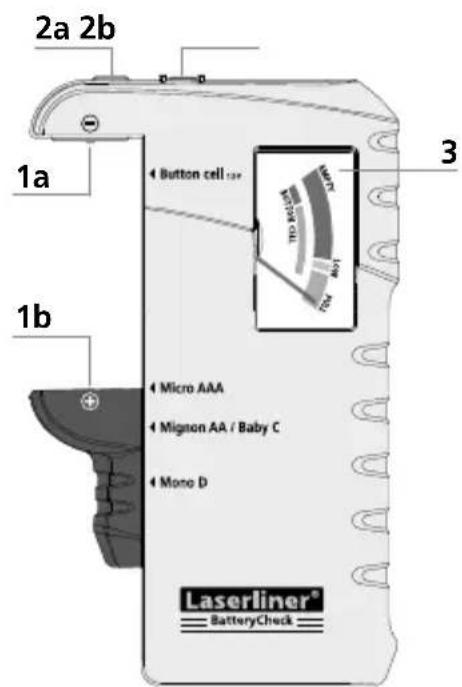
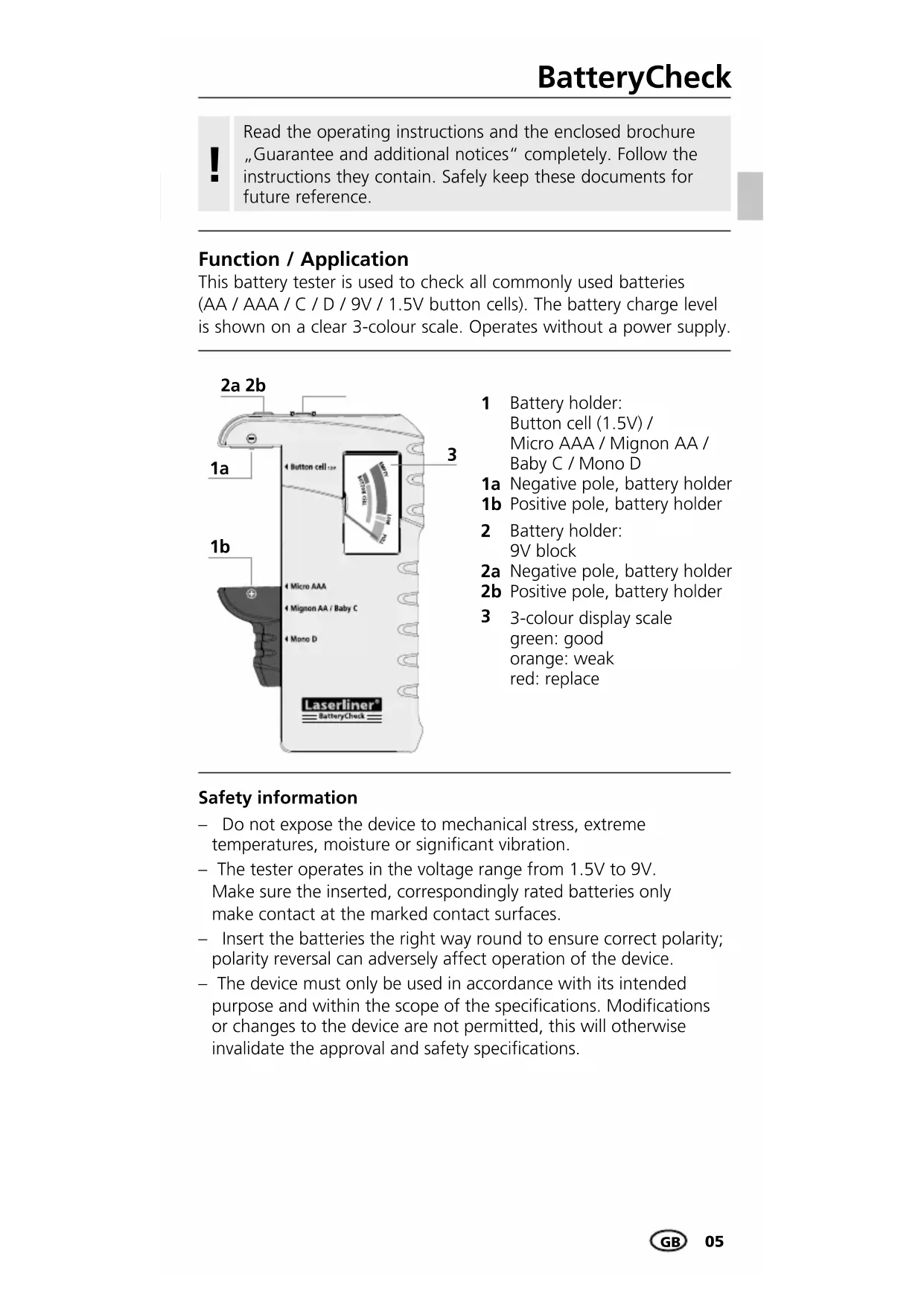
1 Battery holder: Button cell (1.5V) / Micro AAA / Mignon AA / Baby C / Mono D
1a Negative pole, battery holder
1b Positive pole, battery holder
2 Battery hold 9V block
2a Negative pole, battery holder
2b Positive pole, battery holder
3 3-colour display scale
green: good
orange: weak
red: replace
Safety information
- Do not expose the device to mechanical stress, extreme temperatures, moisture or significant vibration.
- The tester operates in the voltage range from 1.5V to 9V. Make sure the inserted, correspondingly rated batteries only make contact at the marked contact surfaces.
- Insert the batteries the right way round to ensure correct polarity; polarity reversal can adversely affect operation of the device.
- The device must only be used in accordance with its intended purpose and within the scope of the specifications. Modifications or changes to the device are not permitted, this will otherwise invalidate the approval and safety specifications.
Additional information on use
The scale divides the usability of batteries in mobile devices into "good", "weak" and "replace".
The divisions are based on general average values for constant use and can vary in devices with abnormal current consumption.
Especially in devices with high, temporary current peaks and/or for inferior quality batteries, it may be necessary to change the battery earlier than indicated on the display.
Devices with efficient power management can generally still operate effectively even when the batteries are almost completely discharged.
In such cases try to correspondingly interpret the deflection of the pointer in relation to the operating time of your specific device/batteries to ensure optimum utilisation of the batteries.
1 To check battery charge
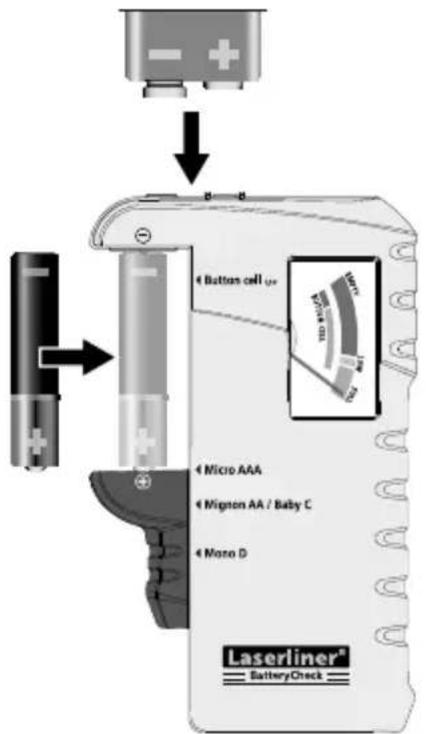
Open battery holder and insert batteries corresponding to the polarity symbols or place 9V block batteries on the contacts 2a and 2b. Be sure to pay attention to polarity.
3-colour display scale
Good (green): battery fully charged
Weak (orange): battery is weak and will soon need replacing
Replace (red): battery is flat and should be replaced
Technical data
| Measuring ranges 1,5V / 9,0V | |
| Battery types | 1,5VAAA, SH16, MN2400, LR03, R03AA, HP7, MN1500, UM3, LR6, R6C, HP11, MN1400, SP11, LR14, R14, UM2D, HP2, MN1399, SP2, R20, UM1, LR20LR41, LR43, LR44 |
| 9,0V6LR61, 6F22, 6LF22PP3, MN1604, 6F22, 006P | |
| Dimensions (W x H x D) 67 x 110 x 32,5 mm | |
| Weight 51 g | |
Subject to technical changes without notice. 08.14
Guarantee, product care and disposal
for the free movement of goods within the EU.
This product is an electric device and must be collected separately for disposal according to the European Directive on waste electrical and electronic equipment.
Further safety and supplementary notices at: www.laserliner.com/info


Tekniska data
| Mätområde 1,5V / 9,0V | |
| Batterityper | 1,5VAAA, SH16, MN2400, LR03, R03AA, HP7, MN1500, UM3, LR6, R6C, HP11, MN1400, SP11, LR14, R14, UM2D, HP2, MN1399, SP2, R20, UM1, LR20LR41, LR43, LR44 |
| 9,0V6LR61, 6F22, 6LF22PP3, MN1604, 6F22, 006P | |
| Mått (B x H x Dj) 67 x 110 x 32,5 mm | |
| Vikt 51 g | |
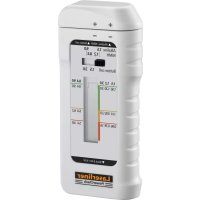


Brand : Laserliner
Model : BatteryCheck
Category : Battery charger