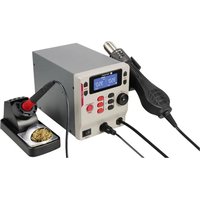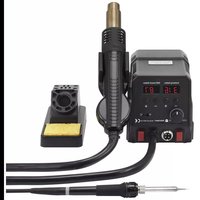
ZD8908 - Welding machine Toolcraft - Free user manual and instructions
Find the device manual for free ZD8908 Toolcraft in PDF.
Questions des utilisateurs sur ZD8908 Toolcraft
0 question sur cet appareil. Repondez a celles que vous connaissez ou posez la votre.
Poser une nouvelle question sur cet appareil
Download the instructions for your Welding machine in PDF format for free! Find your manual ZD8908 - Toolcraft and take your electronic device back in hand. On this page are published all the documents necessary for the use of your device. ZD8908 by Toolcraft.
USER MANUAL ZD8908 Toolcraft
Dear Customer, thank you for purchasing this product. This product complies with the statutory national and European requirements. To maintain this status and to ensure safe operation, you as the user must observe these operating instructions! These operating instructions are part of this product. They contain important notes on commissioning and handling. Also consider this if you pass on the product to any third party. Therefore, retain these operating instructions for reference! If there are any technical questions, please contact: www.conrad.com/contact
2. Explanation of Symbols
The symbol with the lightning in the triangle is used if there is a risk to your health, e.g. due to an electric shock. The symbol with the exclamation mark in the triangle is used to indicate important information in these operating instructions. Always read this information carefully. The arrow symbol indicates special information and advice on operation. Follow the operating instructions!18
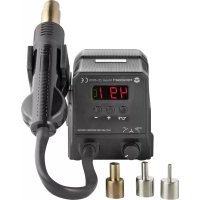
The hot-air soldering/desoldering system is used to perform soldering work with SMD parts in connection with suitable soft solders (lead/silver solder) by hot air. The solder temperature can is adjustable, the air nozzle can be replaced. A display shows the set temperature. The enclosed holder must be attached to the side of the hot-air soldering/desoldering system; the hot-air nozzle can be put on it (e.g. during work breaks). The hot air soldering/unsoldering system is only suitable for operation on mains voltage (230 V/AC, 50 Hz). It is intended for indoor use only. Do not use it outdoors. Contact with moisture, e.g. in bathrooms, must be avoided under all circumstances. For reasons of safety and approval, the product must not be converted and/or changed by you. Using the product for any other purposes than those described above may damage the product. Improper use also may cause dangers suchasshortcircuit,re,electricshock,etc.Readtheoperatinginstructionspreciselyandkeepthem.Onlypassthe product on to any third parties together with the operating instructions. All company names and product names are trademarks of their respective owners. All rights reserved.
4. Scope of Delivery
- Hot air soldering/unsoldering system
- Operating instructions Up-to-date operating instructions Download the latest product information at www.conrad.com/downloads or scan the QR code shown. Follow the instructions on the website.19
5. Features and Functions
- The hot-air temperature is adjustable with two buttons (+100 °C to +500 °C)
- The air volume is adjustable with a dial switch
- Fast heating (+400 °C in approx. 60 seconds, +500 °C in approx. 90 seconds)
- Large display with temperature display
- Holder for safe depositing of the hot-air nozzle during work breaks, can be plugged in on the side
- Magnet integrated in the holder can automatically switch the heating element/blower of the hot-air soldering/desol- dering system to standby operation (see chapter 7. g)
- Replaceable nozzle (3 nozzles with different diameters are enclosed)
Read the operating instructions attentively and particularly observe the safety notes. If the safety notes and the information in these operating instructions regarding proper handling are not ob- served, we assume no liability for any resulting injury/property damage. In such cases, the war- ranty/guarantee will also lapse. a) General
- Theunauthorizedconversionand/ormodicationoftheproductisinadmissiblebecauseofsafetyand approval reasons. Never disassemble it (except for the procedure described in these operating instruc- tions for replacing the nozzle).
- The product is not a toy. Keep it away from children and pets.
- This product is not intended for use by persons (including children) with limited physical, sensory or mental abilities or persons without the corresponding experience or understanding, unless they are su- pervised by a person responsible for their safety or have been instructed in use of the device by such a person.
- Do not leave packaging material lying around carelessly. It may become a dangerous toy for children. Danger of suffocation!
- In schools, training centres, hobby and self-help workshops, the use of the product must be supervised by responsible trained personnel.
- In commercial institutions, the accident prevention regulations of the Employer’s Liability Insurance As- sociation for Electrical Systems and Operating Materials are to be observed.
- Handle the product with care. Impact, blows or falls from even a low height will damage the product.
- Consult an expert if you are unsure as to the function, safety or connection of the product.20
- Have maintenance, adjustment and repair work only performed by a specialist or specialist workshop.
- In case you have questions which are not answered in this manual, please contact our technical service or other specialists. b) Mains Cable/Mains Voltage
- The product’s setup corresponds to protection class I. Only a proper protective contact mains socket must be used for operation of the product.
- Before connecting the hot air soldering/unsoldering system, ensure that the mains voltage in your region matches the indication on the rating plate.
- The mains socket to which the plug-in mains unit is connected must be easily accessible.
- Do not pull the mains plug from the mains socket by pulling the cable.
- If the mains cable or hot air soldering/unsoldering system are damaged, do not touch it. Danger to life from electric shock! First switch off the mains voltage for the mains socket to which the mains cable is connected (switch off the corresponding circuit breaker or take out the fuse, then switch off the fault interrupter protection switch (FI circuit breaker) so that the mains socket is separated from the mains voltage on all poles). Only then unplug the mains unit from the mains socket.
- If the hot air soldering/unsoldering system is damaged, stop operating it. Take it to a specialised work- shop or dispose of it in an environmentally friendly way.
- A damaged mains cable must only be replaced by a specialist. c) Location for Installation
- The hot air soldering/unsoldering system is intended for dry indoor use only. It must not become damp or wet. Moisture/wetness on the mains cable/mains plug or in the hot air soldering/unsoldering system poses danger to life from electric shock!
- Avoid direct sun irradiation, strong heat or cold. Keep the hot air soldering/unsoldering system away from dust and dirt.
- Never push any objects into the ventilation slots of the hot air soldering/unsoldering system; there is a danger to life from electric shock!
- Do not place the hot air soldering/unsoldering system on any valuable furniture surfaces without using suitable protection. Otherwise, scratches, pressure points, discolourations or scorch/burn marks are pos- sible.21
- The product must only be set up, used or stored in places that are not accessible to children. Children must be supervised to ensure that they do not play with the device. Danger of burns!
- Avoidsetupindirectproximityofstrongmagneticorelectromagneticelds,transmitteraerialsorHF generators. This can affect the control electronics.
- Ensure that the cables are not crushed or damaged by sharp edges. Never place any objects on the cables.
- Donotplaceanycontainerslledwithliquid,vasesorplants,onornexttothehotairsoldering/unsolder- ing system or the mains cable. When these liquids get into the hot air soldering/unsoldering system, the hot air soldering/unsoldering systemwillbedestroyedandthereisthehighestdangerofpotentiallyfatalelectricshockorre. Ifliquidhasenteredthehotairsoldering/unsolderingsystem,rstswitchoffthemainsvoltageforthe mains socket to which the hot air soldering/unsoldering system is connected (switch off the correspond- ing circuit breaker or take out the fuse, then switch off the fault interrupter protection switch (FI circuit breaker) so that the mains socket is separated from the mains voltage on all poles). Only then unplug the mains plug of the mains cable from the mains socket. Do not use the product any more after this, but take it to a specialised workshop or dispose of it in an environmentally compatible manner. d) Operation
- Do not operate the hot air soldering/unsoldering system inside of rooms or in bad ambient conditions whereammablegases,vapoursorexplosivedustmaybeorarepresent!Thereisadangerofexplo- sion!
- Do not attach any objects to the hot air soldering/unsoldering system. Never cover the hot air soldering/ unsolderingsystem.Thereisadangerofre!
- When one of the enclosed nozzles is attached to the tip of the hot-air nozzle, observe that it is correctly/ completely pushed on and cannot come loose.
- The hot air soldering/unsoldering system is only intended for operation on mains voltage (230 V/AC, 50 Hz). Connect the hot air soldering/unsoldering system only to a proper mains socket of the public mains via the mains cable.
- Never use the hot-air soldering/desoldering system to heat up liquids or gases.
- Neverperformsolderingworkonlivecomponentsorelements.Switchoffthevoltagesrst. Caution! Touching or soldering capacitors (or similar components) or connected lines/conductors may cause po- tentially fatal electric shock! Capacitors may be charged even hours after the operating voltage was switched off!
- Depending on workpiece or soldering process, the workpiece must be fastened with suitable clamps. This will leave both of your hands free for soldering.22
- Keep your workplace clean.
- Work only with enough lighting of the workplace.
- Ensuresufcientventilationwhilesoldering.Solderanduxagentvapoursmaybeharmfultohealth. The same applies if the product is used as a hot-air blower (e.g. to shrink shrink hoses); this may also lead to the production of toxic or harmful gases.
- Wash your hands thoroughly after working with lead-containing solder.
- Do not put solder into your mouth, do not eat or drink while soldering.
- Wear suitable protective clothing and goggles when soldering. Liquid solder, solder splashes, etc. may cause severe burns or eye injury!
- Never use soldering grease, acids or similar aids when soldering. They cause a bad soldering point. Preferablyuseasolderingwirewithuxagentcore(coresolder)orthecorrespondingSMDsolder.
- Do not touch the hot-air nozzle by the tip. Danger of burns!
- Replace the nozzle only when the hot-air nozzle has completely cooled off.
- Onlysolderonnon-ammablesurfaces.Observeadjacentmaterials,sincetheymaybedamagedby the heat.
- Only operate the product in moderate climate, never in tropical climate. For more information on accept- able environmental conditions, see the chapter “Technical Data”.
- Never operate the device immediately after it has been taken from a cold room to a warm room. The re- sulting condensation may lead to malfunctions or damage! Moisture on the hot air soldering/unsoldering system, the mains cable or mains plug also poses a danger of potentially fatal electric shock! Let the product reach room temperature before taking it into operation again. This may take several hours!
- When secure operation is no longer possible, shut off the product and protect it from inadvertent use. Secure operation is no longer warranted if the product: - has visible damage, - no longer works properly, - was stored under detrimental ambience conditions for an extended period or - was subjected to considerable transport strain.23
7. Commissioning and Operation
Observe Chapter “Safety Notes”! a) Putting on/replacing the nozzle Put the desired nozzle (3 nozzles with different diameters for the air exit opening are enclosed) onto the hot-air nozzle to the stop. The smaller the nozzle, the more precise work is possible (e.g. on a closely equipped PCB). Important, caution! The nozzle will heat up during operation of the hot-air soldering/desoldering system, danger of burns! Never replace a hot nozzle; wait before replacement that the nozzle and the complete hot-air nozzle has cooled off entirely. Do not use any tools for exchange, since the nozzle could be damaged by them. Depending on use of the hot-air nozzle, you can also work without a pushed-on nozzle, e.g.to heat larger areas. b) Setup, Connection
- Setthehotairsoldering/unsolderingsystemuponahorizontal,stable,sufcientlylargearea.
- Protect heat-sensitive surfaces with a suitable base. Never put the hot air soldering/unsoldering system on valuable furnituresurfacesoroors;neverputituponcarpet.Keepenoughdistancefromammableoreasilyinammable objects (e.g. curtains).
- Plug the holder into the associated slot on the right side of the hot-air soldering/desoldering system to the stop.
- Pushthehot-airnozzleintotheholdersothatitcannotfallout;seegureontheright. Ensure that there is enough space in the blow-out direction of the hot-air nozzle. Therefore, never place the hot-air soldering/desoldering system directly in front of other devices, furniture or objects. When the hot-air nozzle is in the holder, hot air will still escape (on this, observe
- Connect the mains plug of the hot air soldering/unsoldering system to a proper protective ground mains socket.24 c) Switching On/Off Switch on the hot-air soldering/desoldering system with the mains switch on the rear (switch position “I” = on). After activation, the display on the front will be activated. There is a magnet in the holder; a solenoid switcher is integrated in the housing of the hot-air nozzle. If the hot-airnozzleisinsertedintotheholder(seegureinchapter7.b),standbymodeisactivatedautomati- cally. The display shows “SLP”. After 30 seconds in standby mode, the heating element and the blower are deactivated. When you take the hot-air nozzle from the holder, the heating element and the blower will start up (at the existing temperature/blower settings). The switch it off, push the mains switch into the “O” position. At initial commissioning, there will be a little smoke or odour, especially at high temperatures. This is nor- mal.Makesurethatyourworkplaceissufcientlyventilated. d) Select Temperature When the hot-air soldering/desoldering system is on, you can set the hot-air temperature with the buttons “+” and “-”. The display shows the respective currently set temperature.
- Button “+” = Increase temperature
- Button “-” = Reduce temperature Keep the respective button pressed for quick adjustment. e) Switching between Temperature Units Brieypushthebutton“°C/°F”toswitchthetemperatureunitbetween°C(degreesCelsius)and°F(degreesFahr- enheit). f) Select Air Quantity The dial switch at the front of the hot-air soldering/desoldering system sets the air volume:
- Turn counter-clockwise to the left (“DOWN-”) = reduce air volume
- Turn clockwise to the right (“UP+”) = increase air volume When the hot-air soldering/desoldering system is in standby for more than 30 seconds (display “SLP” indicated), the blower will be switched off. When you take the hot-air nozzle from the holder, the blower will start up automatically at the air volume that you have set on the dial switch.25 g) Standby Mode There is a magnet in the holder; a solenoid switcher is integrated in the housing of the hot-air nozzle. Ifthehot-airnozzleisinsertedintotheholder(seegure1),standbymode is activated automatically. The display shows “SLP”. After 30 seconds in standby mode, the hot-air soldering/desoldering sys- tem and the blower will switch off. When you take the hot-air nozzle from the holder, the heating element and the blower will start up again (at the existing temperature/blower settings). Our tip: Whenyouputthehot-airnozzleintotheholderasshowning- ure 2, the heating element and the blower will stay on; standby mode is not activated. This way, you can continue working right away after short work breaks without having to wait for the hot-air nozzle to heat up. h) Perform Soldering Process
- Select the temperature according to the soldering process that you want to perform. The temperature always must be higher than the melting point of the solder. For the solder to melt quickly and soldering to go speedily, the temperature at the hot-air soldering/desoldering system should be set at least 50 °C higher than the melting point of the solder. If soldering takes too long, there will be damage from long heat application in many components. There- fore, it is usually recommended to use a higher temperature to keep soldering as short as possible. A too-high temperature may also cause problems or damage to the part, however. Due to the construction of the hot-air soldering/desoldering system, position of the temperature sensor in the integrated heating element and the heat discharge by soldering, as well as other reasons, the actual temperature will deviate slightly from the set temperature.
- Take the hot-air nozzle from the holder by the plastic grip. If standby mode is activated (“SLP” displayed), it will be ended automatically and the heating element and the blower will be switched on (with the existing temperature/ blower settings). Only touch the hot-air nozzle by the plastic grip. Never touch the hot nozzle or the metal shaft. Danger of burns! Never point the hot air jet at your body either; danger of burns/injury! Neverpointthehotair-jetatsensitivematerials,ammableobjects,gases,etc.Dangerofreandexplo- sion!
- Point the hot air jet from the nozzle to the position where you want to perform soldering. The distance should not be toogreat(sincethehotaircanotherwisenotheatupthesoldersufciently).Atoo-shortdistancesmustbeavoided, however, since there may otherwise be strong heating of the component.
- Thesoldershouldmetalquicklyatapplicationofthehotair.Ifsmokerisesup,thisistheevaporatinguxagent inside the solder (core solder).
- Always put the hot-air nozzle into the holder during soldering breaks. For this, see chapter 7. g). The hot-air soldering/desoldering system has special standby mode.
- Ensure that the workpiece has clean soldering contacts. Use only electronics solder. Acid-containing solder may destroy the component.
- When soldering, heat up the soldering point with the hot air and supply solder at the same time. Take away the solder from the soldering point; then remove the hot-air nozzle from the soldering point. Solder speedily to avoid damage to the workpiece (e.g. lifted-off conductors, overheated elements, etc.).
- Let the soldering point cool off after soldering. Depending on the size of the soldering point, it may take approx. 1 - 2 seconds for the solder to cool off. Do not move the soldered-in part or cable during this time, since a “cold soldering joint” will otherwise result. Such soldering joints will look matte-silver and offer neither good electrical contact nor good mechanical attachment. A proper soldering point, in contrast, is glossy similar to chrome.
- Checkthesolderpointscarefully.Theairowmaycausesmallsolderbeadstoresultthatwilltriggershortcircuits. The small distances of the electrical contacts in SMD components also permit undesired connections/short circuits.
- To end soldering, insert the hot-air nozzle into the holder. Then switch off the hot-air soldering/desoldering system with the mains switch on the rear (switch position “O” = off). The hot-air nozzle needs about 10 - 15 minutes to cool off entirely. Caution, danger of burns! Before storing the hot air soldering/unsoldering system, it must be cooled off entirely! There is a danger of reifthisisnotobserved!
Desoldering generally works the same as soldering. If the component to be desoldered is defective (e.g. a large IC), you can point the nozzle right at the component rather than its legs. For components that have connection legs on either side, desoldering is hardly possible otherwise. When desoldering, always ensure that the conductor tracks are not heated for too long, since they may come free of the carrier material otherwise. j) Use as hot-air blower The hot-air soldering/desoldering system can also be used to heat up suitable objects, e.g. to shrink shrink hoses. Depending on the size of an object, the hot-air nozzle can be operated with or without the nozzle attached. When heating, observe that no surrounding components/objects are damaged. Atimproperhandlingorheatingofunsuitableobjects,thereisadangerofre/explosion! Never point the hot air jet at your body either; danger of burns/injury! Heatingofobjectsmaycausetoxicorharmfulgases.Therefore,alwaysobservesufcientventilation!27
8. Maintenance and Care
- The hot-air soldering/desoldering system is maintenance-free for you. Servicing or repair must only be carried out by a specialist.
- Before cleaning, switch off the hot air soldering/unsoldering system and disconnect it from the mains voltage; pull the mains plug from the mains socket.
- Let the entire hot-air soldering/desoldering system cool off entirely before cleaning.
- The outside of the hot air soldering/unsoldering system should only be wiped with a clean, soft, dry cloth.
- Never use any aggressive cleansing agents or chemical solutions since these may damage the casing (discoloura- tion) or impair its function.
Problem Solution Aid No display indication • Is the hot air soldering/unsoldering system connected to the mains voltage and is it switched on? The solder does not liquefy • The temperature is set too low.
- The heat is discharged too quickly (e.g. when working on larger pieces). Re- duce the distance between nozzle and workpiece. Set a higher temperature or use a nozzle with a smaller diameter.
- The hot-air soldering/desoldering system is not suitable for the soldering task (e.g. soldering of gutters or larger workpieces).
- The hot air soldering/unsoldering system is only suitable for working with soft solders. The set temperature is incor- rect
- The hot air cools off on the path between the temperature sensor and the nozzle opening. The hot air also spreads depending on the size of the nozzle and the distance from the workpiece. “SLP” is displayed • There is a magnet in the holder; a solenoid switcher is integrated in the hous- ing of the hot-air nozzle. If the hot-air nozzle is inserted into the holder accord- ingly (see chapter 7. g), standby mode will be activated automatically and the display will show "SLP". After 30 seconds, the hot-air soldering/desoldering system and the blower will switch off.
- When you take the hot-air nozzle from the holder, the heating element and the blower will start up automatically (at the existing temperature/blower settings).28
This symbol must appear on any electrical and electronic equipment placed on the EU market. This symbol indicates that this device should not be disposed of as unsorted municipal waste at the end of its service life. Owners of WEEE (Waste from Electrical and Electronic Equipment) shall dispose of it separately from unsorted municipal waste. Spent batteries and accumulators, which are not enclosed by the WEEE, as well as lamps that can be removed from the WEEE in a non-destructive manner, must be removed by end users from the WEEE in a non-destructive manner before it is handed over to a collection point. Distributors of electrical and electronic equipment are legally obliged to provide free take-back of waste. Conrad provides the following return options free of charge (more details on our website):
- at the Conrad collection points
- at the collection points of public waste management authorities or the collection points set up by manufacturers or distributors within the meaning of the ElektroG End users are responsible for deleting personal data from the WEEE to be disposed of. It should be noted that different obligations about the return or recycling of WEEE may apply in countries outside of Germany.
EasyManual