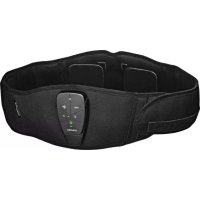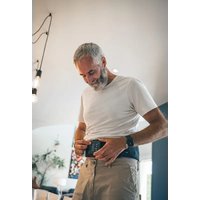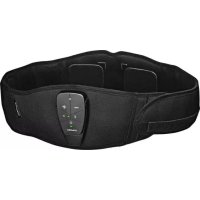
CoreBelt 3.0 - Electronic muscle stimulator COMPEX - Free user manual and instructions
Find the device manual for free CoreBelt 3.0 COMPEX in PDF.



| Product type | Electronic muscle stimulator |
| Model | CoreBelt 3.0 |
| Brand | Compex |
| Power supply | Rechargeable lithium-polymer battery 3.7 V / 500 mAh |
| Charging | Via USB cable (recommended 5V/1A power adapter), approximately 2 hours |
| Channels | Two independent and individually adjustable channels |
| Pulse shape | Constant rectangular current with compensation, max charge 36 µC per pulse |
| Programs | Tone abs, reduce waist size, sculpt abs, strengthen lower back, relax back, massage back, strengthen core, combined active training programs |
| Mobile app | Compatible with iOS ≥12 and Android ≥8, control via Bluetooth Low Energy |
| Electrodes | 4 adhesive electrodes 8x8 cm, reusable up to 15 sessions |
| Belt | Adjustable S/M (65-85 cm) and L/XL (85-114 cm), hand washable |
| Connectivity | Bluetooth 4.0, 2.4 GHz band, standard range |
| Safety | Automatic shutdown, overcurrent protection, electrical isolation, CE and FCC certification |
| Operating conditions | 0°C to +40°C, 15% to 75% relative humidity (non-condensing) |
| Storage | -20°C to +45°C, 75% RH max |
| Stimulator maintenance | Clean with a soft cloth and alcohol-based detergent without solvent |
| Belt maintenance | Hand wash only, do not iron, do not tumble dry |
| Spare parts and repairability | No user-serviceable parts. Contact Compex customer service in case of malfunction |
| Kit contents | Stimulator, belt, 4 electrodes, USB cable, travel bag, quick start guide, safety instructions |
| Warranty | See included manual (standard 3-year warranty expected) |
Frequently Asked Questions - CoreBelt 3.0 COMPEX
User questions about CoreBelt 3.0 COMPEX
0 question about this device. Answer the ones you know or ask your own.
Ask a new question about this device
Download the instructions for your Electronic muscle stimulator in PDF format for free! Find your manual CoreBelt 3.0 - COMPEX and take your electronic device back in hand. On this page are published all the documents necessary for the use of your device. CoreBelt 3.0 by COMPEX.
USER MANUAL CoreBelt 3.0 COMPEX
Contraindications....3
Warnings 3
Cautions and Precautions....3
-
INTENDED USE......6
-
CONTENTS OF KITS....7
-
DEVICE OBJECTIVES/PROGRAMS......8
-
DEVICE FUNCTION....9
Device Description....9
Belt Description....10
Charging the Device....13
Downloading the App....13
Positioning the Electrodes and the Stimulator on the Belt....14
Starting a Session 16
Selecting and Starting a Program......18
End Of a Session....18
-
FAQ....19
-
MAINTENANCE 20
Guarantee 20
Stimulator Maintenance....20
Belt Maintenance....20
Electrodes Maintenance 21
Conditions For Storage/Transport and Use 22
Disposal....22
- TECHNICAL SPECIFICATIONS......23
General Information......23
Neurostimulation 23
Radio Frequency Specification......23
Information about Electromagnetic Compatibility (EMC)....23
Standards/Regulations 24
- EMC TABLE 25

SAFETY WARNING
It is strongly recommended to read these instructions, the contra-indications and safety measures carefully before using the device.
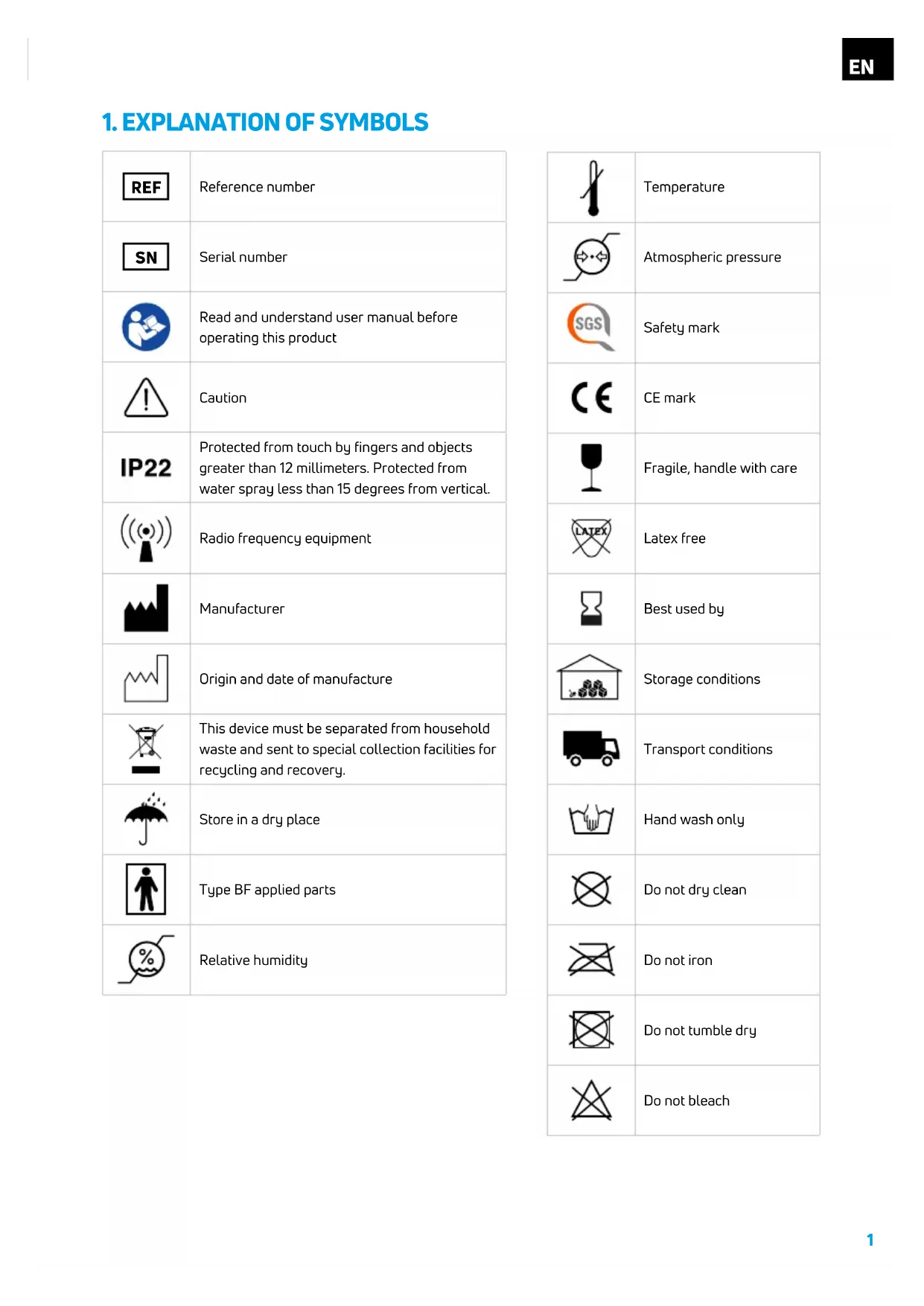
1. EXPLANATION OF SYMBOLS
 | Reference number |
 | Serial number |
 | Read and understand user manual before operating this product |
 | Caution |
 | Protected from touch by fingers and objects greater than 12 millimeters. Protected from water spray less than 15 degrees from vertical. |
 | Radio frequency equipment |
 | Manufacturer |
 | Origin and date of manufacture |
 | This device must be separated from household waste and sent to special collection facilities for recycling and recovery. |
 | Store in a dry place |
 | Type BF applied parts |
 | Relative humidity |
| [IVY43] | Temperature |
| [5067] | Atmospheric pressure |
 | Safety mark |
 | CE mark |
| [K0HT] | Fragile, handle with care |
 | Latex free |
 | Best used by |
| [X06D] | Storage conditions |
| [Z00T] | Transport conditions |
 | Hand wash only |
 | Do not dry clean |
| [830Z] | Do not iron |
| [BHKW] | Do not tumble dry |
| [SBTG] | Do not bleach |
 | Do not wring |
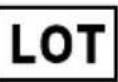 | Lot number |
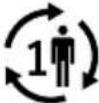 | Single user |
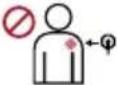 | Do not place electrodes on broken skin |
 | Do not use while driving or operating machinery |
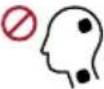 | Stimulation should not be applied transcerebrally or over the anterior neck region |
| [BH6A] >0.1w/cm^2 | Do not exceed 0.1 Watts/cm2 |
| Keep electrodes separated during treatment | |
| Do not use if package is damaged | |
| Clean electrode application area with soap and water, rinse thoroughly with water only | |
| Remove the plastic from the grid pattern side | |
| Stick the electrodes grid side down in line with the outlines | |
| Remove the plastic cover from the black side of the electrodes | |
| Place the belt around the waist |
 | Start the session |
 | After session turn stimulation device off |
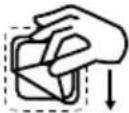 | Remove the belt from the waist and replace the plastic cover on the black side of the electrodes |
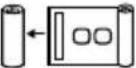 | Fold the belt |
 | Store everything back in the pouch |
2. IMPORTANT INFORMATION
CONTRAINDICATIONS
- IMPLANTED ELECTRONIC DEVICES. Do not use the device if you have a cardiac stimulator, implanted defibrillator or other implanted electronic/electrical device. This could cause an electrical shock, burns, electrical interference or death.
- ELECTRODE PLACEMENT. Do not apply electrostimulation to any area other than the Abdomen or Lower back
• STIMULATION ACROSS THE TORSO. Do not apply stimulation across the torso (one electrode placed on the front of the torso and one electrode placed on the back); the electrical current passing through the torso can cause potentially fatal heart rhythm disturbances
WARNINGS
- DO NOT MODIFY. No changes to the equipment are allowed.
- HUMID ENVIRONMENT. Do not apply stimulation in the bath or shower or sauna. Do not immerse the device in the water during stimulation.
- FLAMMABLE OR EXPLOSIVE ENVIRONMENT. Do not use the device in places where there is a risk of fire or explosion, such as oxygen-rich environments, close to flammable anaesthetics, etc.
- ELECTROSURGICAL EQUIPMENT OR DEFIBRILLATORS. Simultaneous connection of a user to a high frequency surgical Medical Electrical Equipment may result in burns at the site of the stimulator electrodes and possible damage to the stimulator.
- SHORTWAVE OR MICROWAVE. Do not use the stimulator within a meter of shortwave or microwave devices, because this could alter the current generated by the stimulator. If in doubt when using the stimulator near another device, contact the manufacturer of the relevant device.
- ELECTRONIC SURVEILLANCE EQUIPMENT. Do not apply stimulation near electronic surveillance equipment (e.g. cardiac monitors, ECG alarms), as there is a risk they may not work properly whilst the electrical stimulation device is being used.
- ELECTROMAGNETIC RADIATION. Do not use the stimulator in an environment where other devices are being used that intentionally radiate electromagnetic energy in an unshielded manner.
- CONNECTION. Connect to this device only items and equipment that have been specified in the instruction for use as part of the Medical Electrical System or that have been specified as being compatible with the Medical Electrical System.
- RADIO FREQUENCY COMMUNICATION. Portable radio frequency communications equipment should be used no closer than 30 cm (12 inches) to any part of the Compex device, including cables specified by the manufacturer. Otherwise, degradation of the performance of this equipment could result.
- EQUIPMENT ADJACENT OR STACKED. Use of this equipment adjacent to or stacked with other equipment should be avoided because it could result in improper operation. If such use is necessary, this equipment and the other equipment should be observed to verify that they are operating normally.
- DAMAGED DEVICE OR ACCESSORIES. Never use the device or any accessory if they are damaged. Carefully inspect the device, connectors and garment before each use.
- ACCESSORIES. Only use this device with accessories recommended by Compex. Using other accessories can harm the performance of the device, cause stronger electromagnetic emissions, or reduce the electromagnetic immunity of the device.
-
MALFUNCTION WHEN CHARGING. Immediately disconnect the charging cable if the device temperature is raised, if there is an abnormal smell, or if smoke is coming from the system.
-
CHARGING IN A CONFINED SPACE. Do not recharge the device in a confined space (carry case, drawer etc.). This results in a risk of fire.
- DRIVING OR OPERATING MACHINERY. Do not apply stimulation whilst driving, operating machinery, or any other activity, during which electrical stimulation or involuntary muscle contraction could cause injury.
- SLEEP. Do not apply stimulation whilst asleep.
- ALTITUDE. Do not use the stimulator at an altitude higher than 3000 meters. This could cause the device to malfunction.
• ELECTRODE PERSONAL USE. Use of electrode on multiple people can lead to infection. - DISEASES. If you have suspected or diagnosed cardiopathy, epilepsy, serious arterial circulation disorders, abdominal or inguinal hernia, cancer, or need to use the product for rehabilitation or physiotherapy, you must consult your physician prior to use.
• STIMULATION NEAR METAL. Avoid using stimulation near metal; this increases the risk of discomfort and burns. Remove jewelry, piercings, belt clips or any other removable metal object in the stimulation area. - OPERATING CONDITIONS. This unit should be operated at +0^ to +40^ and at 15% to 75& of Relative Humidity. The unit should be stored at -20^ to +45^ and maximum 75% of Relative Humidity. For transport, temperature can go up to +60^ .
- SERVICE PARTS. There are no user-serviceable parts inside the unit. If a malfunction occurs, discontinue use immediately and consult dealer for repair service.
CAUTIONS AND PRECAUTIONS
- PREGNANCY. The safety of electrical stimulation during pregnancy or over the uterus during menstruation has not been demonstrated.
- VASOVAGAL ATTACK. Always start an initial stimulation session (first electrostimulation experience) when seated or lying down. In rare situations, very nervous individuals can experience a vasovagal attack, which consists of a feeling of weakness and can lead to fainting. This is not serious, but should it occur, stimulation must be stopped, lay down with legs raised, until the feeling of weakness has disappeared (between 5 and 10 minutes).
- LOSS OF SENSATION. Proceed with caution if stimulation is applied to areas of the skin whose level of sensation is lower than normal. Do not apply stimulation to a person who cannot express themselves.
- LEAKAGE. If there is leak from a component, take steps to ensure the liquid/gas does not come into contact with skin or eyes. Should this occur, wash the affected area with water and consult a doctor.
- CHILDREN. This device and its accessories must be kept out of the reach of children.
- FOREIGN OBJECTS. Do not let foreign objects (soil, water, metal, etc.) enter the device or battery compartment.
- HEAT OR COLD GENERATING DEVICES. The use of heat or cold generating devices (e.g. electric blankets, heating pads or ice packs) can affect the performance of electrodes or alter the circulation/sensitivity of the user, with an increased risk of injury.
- INTERNAL BLEEDING. Proceed with caution if you are prone to internal bleeding; for example, after an injury or a fracture.
- POST-SURGERY. Proceed with caution after recent surgery.
• STIMULATION OF HEALTHY SKIN. Only apply stimulation to healthy skin. If this instruction is not followed, stimulation can worsen disorders caused by lesions or skin diseases of any type. - INSTRUCTIONS FOR ELECTRODES. See the usage, expiry date and storage instructions displayed on the bag of electrodes.
-
SIZE OF ELECTRODES. Caution should be exercised with current densities more than 2mA/cm2.
-
CLEANING THE SKIN. For best results, wash and clean the skin to remove all traces of grease, and dry it, before placing the electrodes.
- APPLICATION OF THE ELECTRODES. Apply the electrodes so that their entire surface is in contact with skin.
- POSITIONING OF ELECTRODES. Position electrodes as shown in the documentation. Compex will not be held responsible for any consequences resulting from electrodes being positioned differently.
- MOVING ELECTRODES. Always stop the stimulator before moving or removing electrodes.
- EFFECTIVENESS OF ELECTRODES. Never use a set of adhesive electrodes for more than 15 sessions, because the contact quality between the electrode and skin, which is essential for the user's comfort and effective stimulation, gradually reduces.
- SKIN IRRITATION. Some people, with very sensitive skin, may experience redness under the electrodes after a session. Generally, this redness is totally harmless and usually disappears after 10 to 20 minutes. However, never start another stimulation session on the same area if the redness is still visible.
- BATTERY. In case of device unused with battery embedded, it is recommended to connect the device at least once every 3 months to allow battery recharge.
3. INTENDED USE
Your Compex device is an electrostimulator which stimulates nerve fibers by electrical impulses transmitted via electrodes. The electrical impulses produced by the device allow various types of nerve fibers to be stimulated:
Motor nerves to stimulate a muscular response, referred to as electrical muscle stimulation (EMS), available in Corebelt 1.0, 3.0 and 5.0 for the purpose of improving or facilitating muscle performance and relaxation.
1. Intended user population
The Compex and its accessories are used by adults and are designed for healthy muscle stimulation with the aim of improving or facilitating muscle performance.
The user should be able to:
- Read and understand the user's manual, indications, contraindications and warnings of the device
- Sense auditory and visual signals
2. Intended use environment
The device should be used indoors and may be used by a non-specialist at any appropriate indoor location e.g. his/her home, work or gym.
3. Intended body part
The device is intended to be used on the abdominal area and low back and should be used only on healthy skin.
- CONTENTS OF KITS
| Corebelt 1.0 Corebelt 3.0 Corebelt 5.0 | ||||||
| REF QTY REF QTY REF QTY | ||||||
| StimulatorIt sends impulses via the belt andthe electrodes to the muscles tocontract or relax them. | 15-01511 | 15-01521 | 15-01531 | |||
| BeltIt adapts to the waist size andallows for correct electrodeplacement. | 12-0151BLT-xx | 1 | 12-0152BLT-xx | 1 | 12-0153BLT-xx | 1 |
| Bag of electrodes (8x8 cmelectrodes)They must be placed on the beltbefore wearing it. They are indirect contact with the skin andallow the impulse to be sent tothe muscles. | 82-02501 | 82-02501 | 82-02501 | |||
| USB cableIt connects to any USB charger,it allows to charge the battery ofthe stimulator. It can take up to 2hours to fully charge it. | 6011631 | 6011631 | 6011631 | |||
| Travel pouchIt allows the stimulator, the beltand the accessories to be neatlystowed away and transported. | 12-03291 | 12-03301 | 12-03311 | |||
| Quick start guideIt gives the general information onhow to operate the device. | 14-08841 | 14-08841 | 14-08841 | |||
| Warnings leafletIt informs about the risks and theprecautions to be aware of whenusing the device. | 14-08831 | 14-08831 | 14-08831 | |||
| App to downloadIt gives a full control of the device. | Yes | Yes | Yes | |||
 |  |  |  |  |  | |
| ≥ iOS12 | ≥ Android 8 | ≥ iOS12 | ≥ Android 8 | ≥ iOS12 | ≥ Android 8 | |
5. DEVICE OBJECTIVES/PROGRAMS
| Corebelt 1.0 Corebelt 3.0 Corebelt 5.0 | |||
| Ab Objectives (only front electrodes used) | |||
| I want to tone my abs | • | • | |
| I want to reduce my waist | • | • | |
| I want to sculpt my abs | • | • | |
| Lower Back Objectives (only back electrodes used) | |||
| I want to reinforce my lower back | • | • | |
| I want to relax my back | • | ||
| I want to massage my sore back | • | ||
| Core Objectives (front and back electrodes used) | |||
| I want to reinforce my core stability | • | • | |
| I want to work hard to get result 1* | • | • | |
| I want to work hard to get result 2* | • | ||
| Programs | |||
| P1 Work my abs (only front electrodes used) | • | ||
| P2 Reinforce my core stability (front and back electrodes used) | • | ||
On average, a session lasts 20min and the product should be used 3 times per week to achieve your result. For more information on the Objectives, follow the app's guidance.
* These objectives combine muscle stimulation and active workout at the same time.
6. DEVICE FUNCTION
DEVICE DESCRIPTION
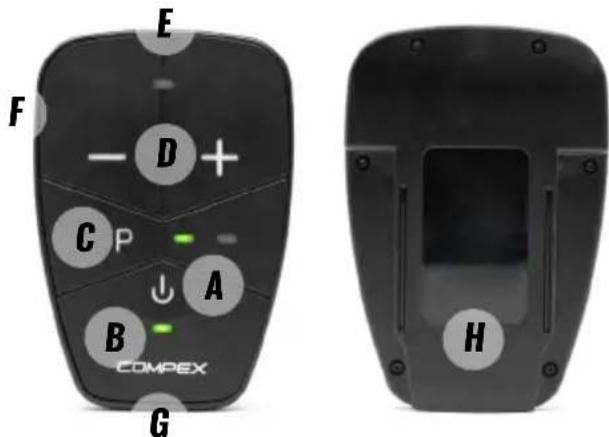
The stimulator is connected to the belt and is capable of operating several functions. Some functions can also be controlled via the app.
text_image
E F - D + C P ↓ A B COMPEx G HA. On/off button or Pause button during stimulation
B. Power and battery LED indicator (see status afterwards)
C. Program button (only available on Corebelt 1.0), to select the program P1 or P2
P1 first LED solid green
P2 first and second LED solid green
D. +/- intensity buttons, to increase or decrease the stimulation intensity
E. Stimulation LED indicator (see status afterwards)
F. Charger socket, plug in the USB cable to charge the device
G. Sockets for the belt connector
H. Guide to insert the stimulator in the belt, slide the device into the belt holster
Device LED indicator
| Power and battery LED indicator Stimulation LED indicator | |
| LED solid green: Device ON LED solid yellow: Stimulation active | |
| LED solid yellow, turns solid green when fully charged: Device charging | LED blinking yellow once: Intensity increase or decrease |
| LED blinking green: Device low battery LED blinking yellow (burst): Max intensity reached | |
| When charging, LED blinking red: temperature too low or too high to charge the stimulator | - |
| LED blinking red: Program paused due to open lead - | |
| LED alternating green/red: Device ready for pairing - | |
| LED solid red then off: Error status - | |
BELT DESCRIPTION
text_image
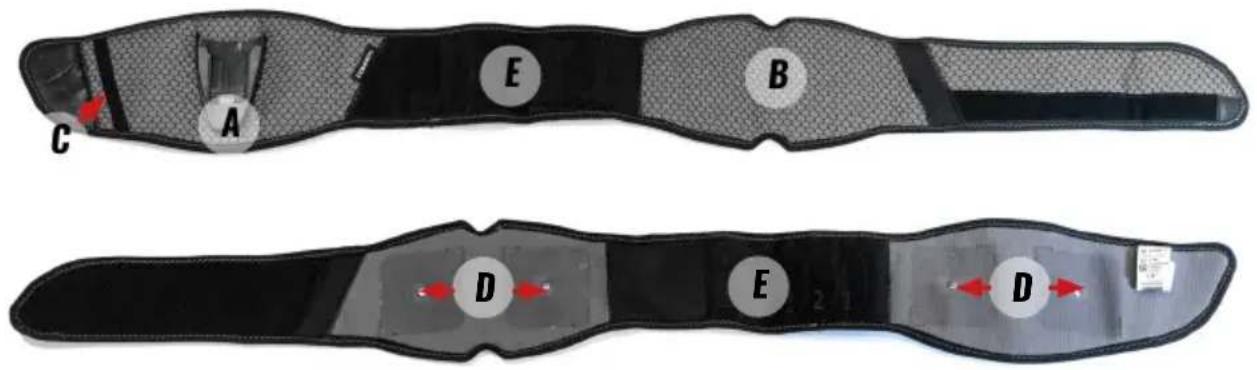
A B C D E DA. Holster
B. Notches to facilitate the positioning of the belt on the back
C. Elastic strap to avoid having any loose ends of the belt hanging down
D. Metallic pins, electrodes must be positioned over these metal pins
E. Self-fastening area to adjust the size of the belt
Belt size setup
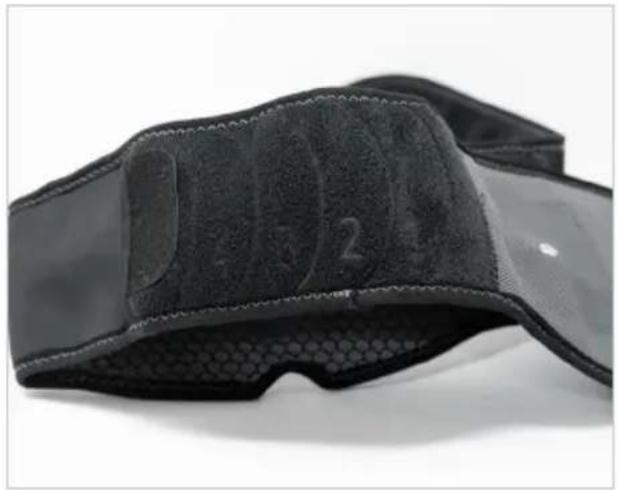
Setup the size of your belt by measuring your waist circumference and seeing which belt number it matches to.
Tips: How to measure the waist circumference?
Stand up straight, place the tape measure at the level of your belly button and wrap it around your waist. Hold the tape measure against your body, not too tight, and take a reading.
Belt size S/M
| Waist circumference Attachment area | |
| 65 - 67cm 0 | |
| 67 - 72cm 1 | |
| 72 - 78cm 2 | |
| 78- 84 cm 3 | |
| 84 - 85cm 4 |
Belt size L/XL
| Waist circumference Attachment area | |
| 85 -87cm 0 | |
| 87-94 cm 1 | |
| 94 - 100cm 2 | |
| 100 - 107cm 3 | |
| 107-113cm 4 | |
| 113-114cm 5 |
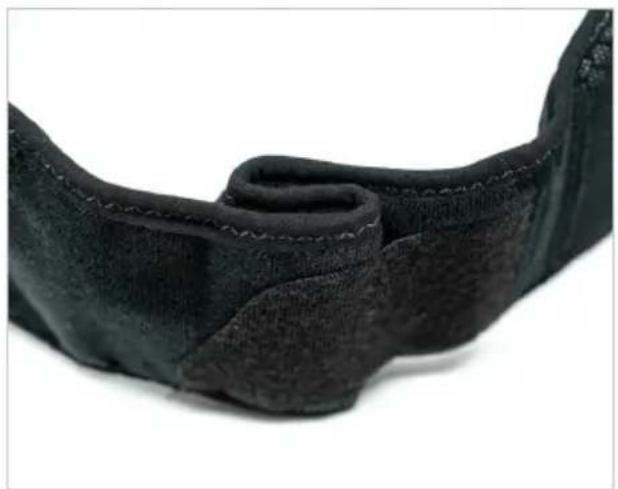
Adjust the belt by positioning the internal attachment on belt number found on the previous step.
natural_image
Close-up of a black textured wrist strap with dotted pattern, no visible text or symbols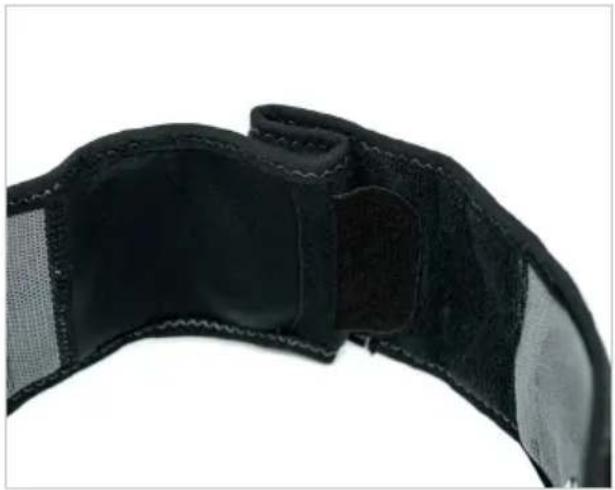
natural_image
Close-up of a black athletic belt with visible banding and stitching (no text or symbols)Then adjust the other side external attachment and bend the belt to get a S-like shape.
natural_image
Close-up of a black textured fabric or leather strap with visible stitching and folds (no text or symbols)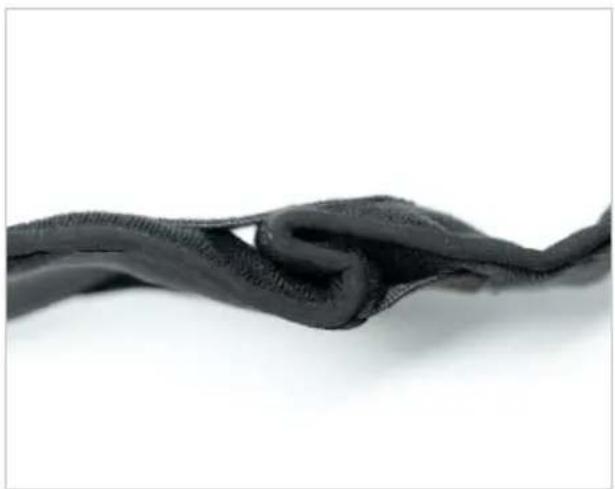
natural_image
Close-up of a black, knitted fabric or mesh material against a white background (no text or symbols visible)Without electrodes, find and touch your spinal column with your fingers, then place the center of the back belt on your spinal column. The notches on the belt should facilitate the positioning.
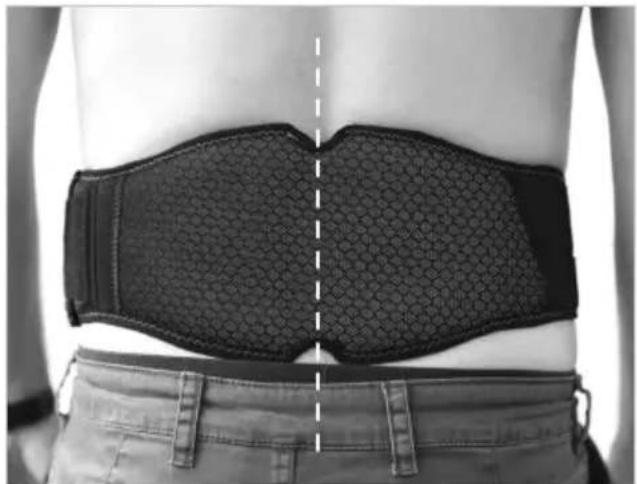
natural_image
Back view of a person wearing a black textured belt with a dashed vertical line dividing the torso (no text or symbols visible)Position the front of the belt and tighten and close from the right.
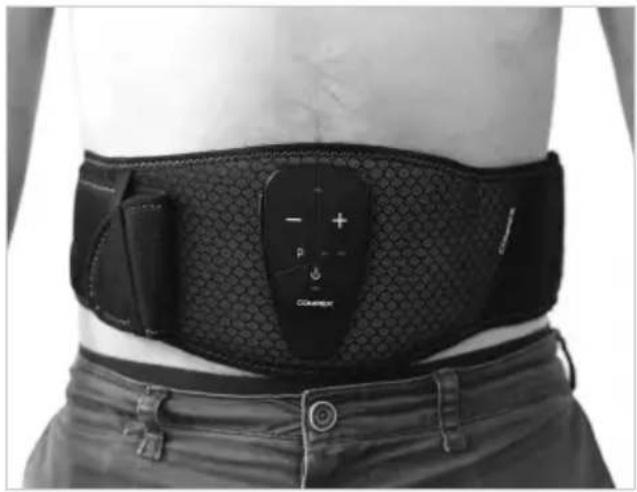
On the front, the plastic belt holster must be centered on your belly button. If not, remove the belt and restart from the beginning to fine tune the belt adjustment.
natural_image
Person wearing a black medical or fitness device with a labeled patch, showing no visible text or symbols on the body.Once done, do not change these settings unless your body shape changes.
CHARGING THE DEVICE
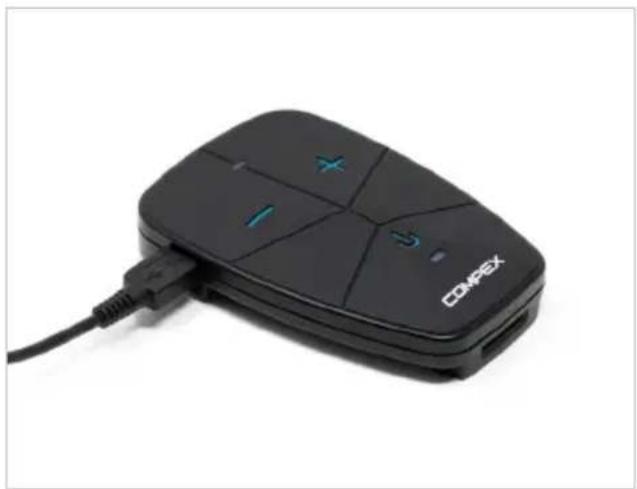
Remove the stimulator from the belt before recharging it. Connect the USB cable to a wall plug charge or a PC and then connect it to the stimulator. While charging the power/battery LED indicator is solid yellow and turns solid green when fully charged. It is strongly recommended to fully charge the battery before its first use to improve its performance and life span.
If the device is not going to be used for over 3 months, ensure that the battery is fully charged.
natural_image
Black OOPEX remote control device with visible ports and cable (no text or symbols on device body)DOWNLOADING THE APP
For Corebelt 1.0, 3.0 and 5.0 you can download and use the app to access all the features of the device.
text_image
Download on the App Store
text_image
GET IT ON Google Play≥ iOS12 ≥ Android 8

Compatibility
Your smartphone must support Bluetooth Low Energy feature and be compatible with ≥ iOS12 and ≥ Android 8 operating system in order to use the Corebelt app
POSITIONING THE ELECTRODES AND THE STIMULATOR ON THE BELT
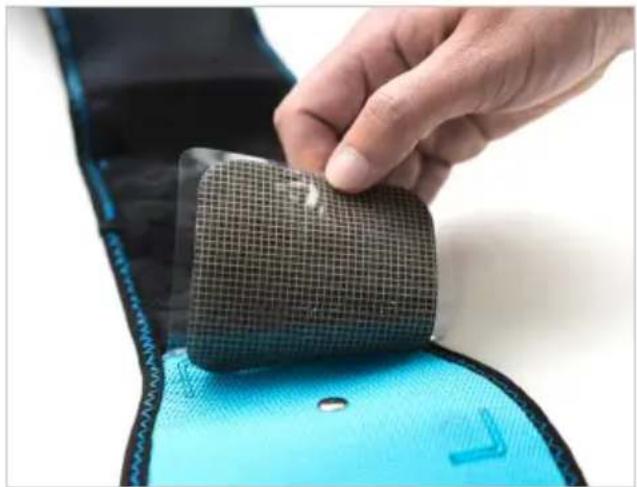
The double sticky sides electrodes should be positioned on the belt according to the placement markings outlined on the belt.
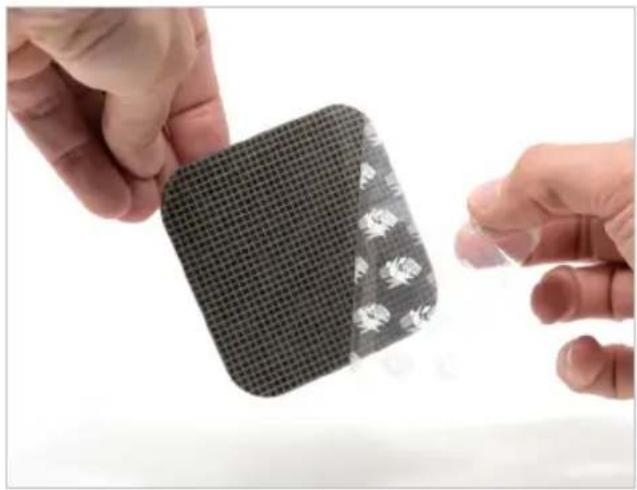
Open the pack of electrodes, remove the plastic from the grid pattern side.
natural_image
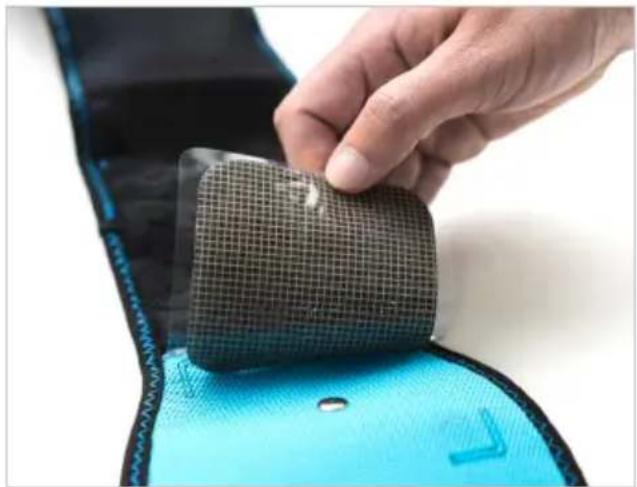
Close-up of two hands holding a small grid-patterned square electronic device (no visible text or symbols)Stick the electrodes grid side down in-line with the outlines.
natural_image
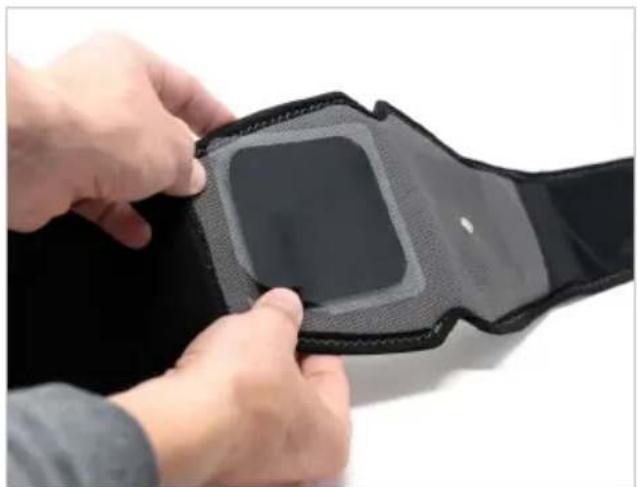
Close-up of a hand pressing a black mesh component onto a blue cushion (no text or symbols visible)At this point the visible side of the electrodes should be plain black.
natural_image
Close-up of hands adjusting a black wristband with a square patch (no text or symbols visible)We recommend placing the four electrodes, two on the front and two on the back, even if you stimulate only the abs or only the low back.
Make sure that the metallic pins are completely covered by the electrodes.

Only use this device with electrodes recommended by Compex.
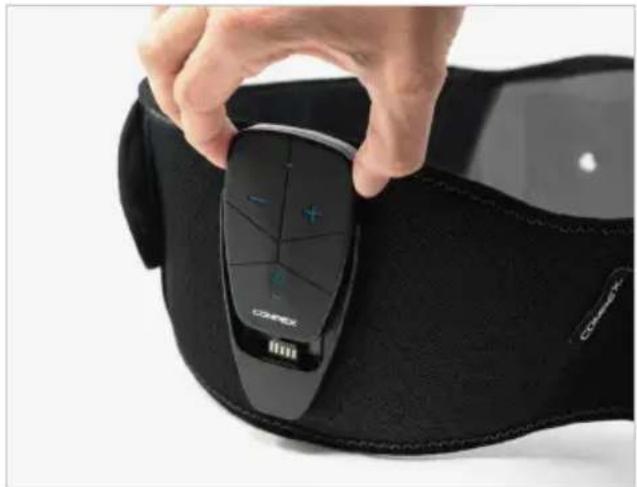
Slide the stimulator into the belt holster. Make sure that the connector is well inserted in the stimulator.
natural_image
Close-up of a hand holding a black COMEX-branded wristwatch with a plus button, against a plain background (no text or symbols visible)STARTING A SESSION
Make sure that you have already set up your belt size before starting the session. If not, see section Belt size setup.
Remove the plastic cover from the black side of the electrodes.
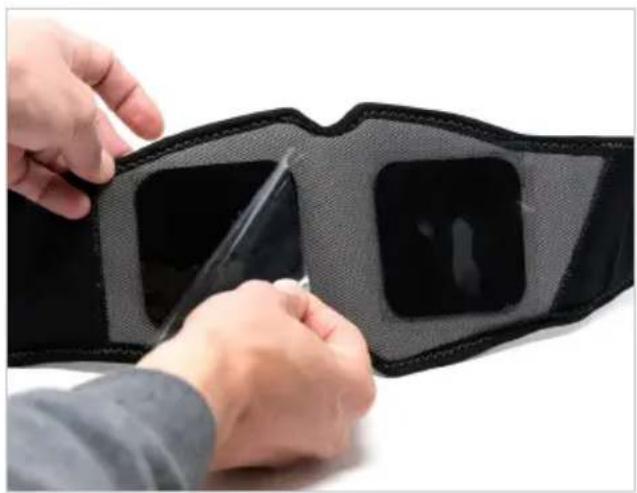
natural_image
Close-up of hands adjusting a black and gray fitness belt with a zipper (no text or symbols visible)Position the back of the belt on your lower back. To do so, find and touch your spinal column with your fingers, then place the back belt center on your spinal column. The notches on the belt should facilitate the positioning.
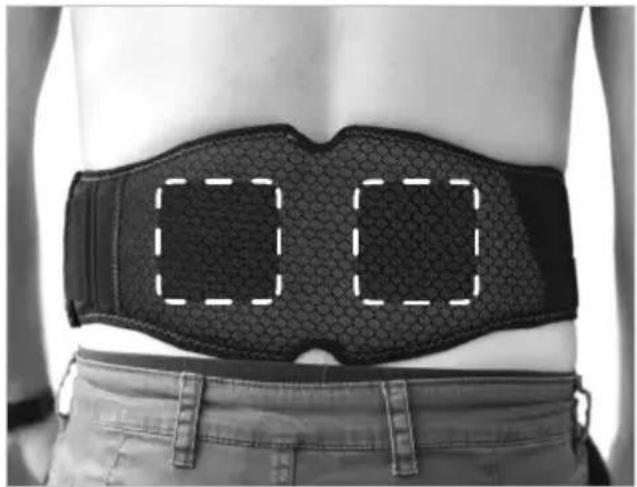
natural_image
Person wearing a black medical sutured belt with dashed rectangular outlines on the back (no text or symbols)Then stretch the belt around your waist. The front electrodes should be positioned on each side of your belly button.
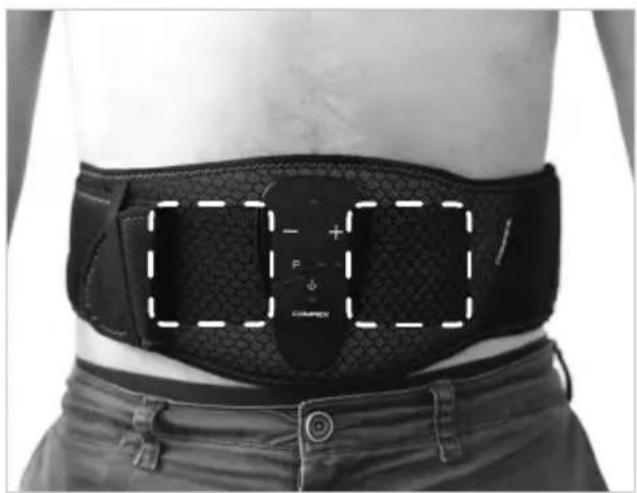
natural_image
Person wearing a black medical or fitness device belt with a highlighted rectangular overlay (no text or symbols visible)Close the belt with the other self-fastening side of the belt. To avoid having any loose ends of the belt hanging down, you can attach the end of the belt to the self-fastening area and slide it under the elastic strap.
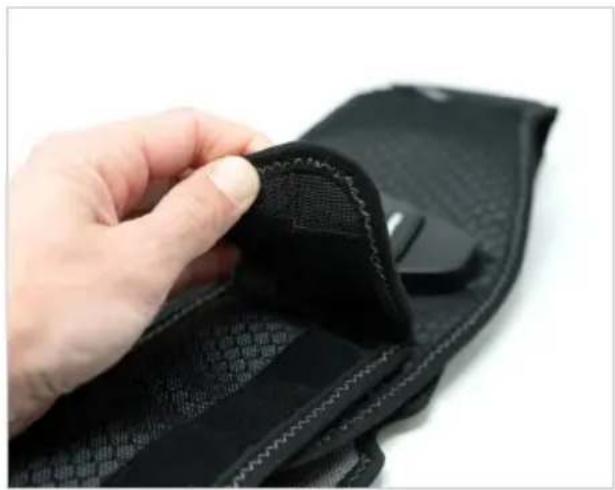
natural_image
Close-up of a hand adjusting a black textured fabric with a mouse on top (no visible text or symbols)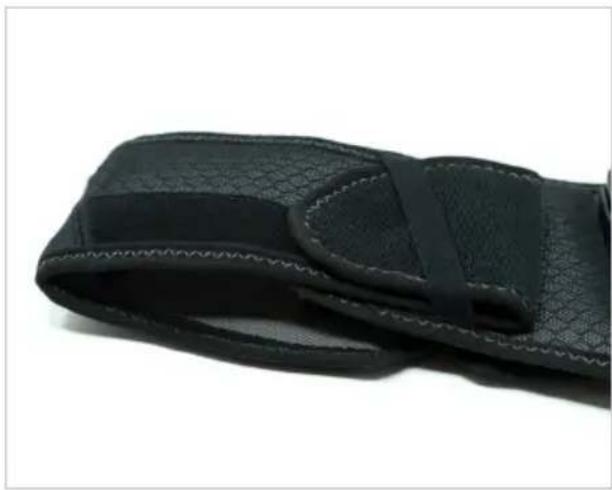
natural_image
Close-up of a black textured wrist strap with visible straps and stitching (no text or symbols)Make sure the electrodes are firmly pressed against your skin.
To switch on the device press on the on/off button.
SELECTING AND STARTING A PROGRAM
For Corebelt 1.0, 3.0 and 5.0 download the app and follow the instruction of the app.
text_image
Download on the App Store
text_image
GET IT ON Google Play≥ iOS12 ≥ Android 8
If preferred, while stimulating, you can take the control of the program directly via the stimulator.
By pressing the + or - button you increase or decrease the intensity. To pause the program briefly press the on/off button. To restart it press the + button.
For Corebelt 3.0 and 5.0
You can also start a session without the app. In this case the default program loaded is "Reinforce my core stability" which stimulates the abs and the low back at the same time. Front and back electrodes are used for this program.
For Corebelt 1.0
You can also start a session without the app. In this case press the P button to select P1 or P2 program. When selected, increase the intensity until the desired level by pressing the + button. Make sure to increase the intensity during the contraction phase (the strong phase). If you want to decrease the intensity just press the - button. To pause the program briefly press the on/off button. To restart it press the + button.
P1 program: Work my Abs → use front electrodes
P2 program: Reinforce my core stability → use front and back electrodes
The P1 program stimulates only the abs and thus only the front electrodes are used. The P2 program stimulates the abs and the low back at the same time. In this case all the electrodes back and front are used.
Tips in order to get visible results:
- Increase the intensity to your maximum tolerance level, or in other words, the highest setting you can bear with reasonable comfort. If you experience pain or discomfort, stop your session immediately.
- Progress in intensity during a session as well as from one session to another.
• Perform at least 3 sessions per week for 6 weeks.
END OF A SESSION
At the end of a session, switch off the device by pressing the on/off button and remove the belt from your waist. Leave the stimulator and the electrodes on the belt but make sure to replace the plastic cover on the black side of the electrodes and to store everything back in the pouch.
7. FAQ
Muscle soreness
- As with a normal physical workout, muscle stim can produce muscle soreness. This is normal and should disappear after one or two days. Avoid performing a new session if you are experiencing muscle soreness.
Skin irritation
- Some people, with very sensitive skin, may experience redness under the electrodes after a session. Generally, this redness is totally harmless and usually disappears after 10 to 20 minutes. However, never start another stimulation session on the same area if the redness is still visible.
- If electrodes are worn they may cause some skin irritation and must be replaced.
Stimulation does not produce the usual sensation
- Check that all settings are correct and check electrodes are properly positioned.
- Change the position of the electrodes slightly.
Stimulation causes discomfort
- Electrodes lose their adhesive capacity and no longer provide suitable contact with skin. Replace electrodes.
• Electrodes are worn and must be replaced. - Change the position of the electrodes slightly.
• Make sure the metallic pins are clean.
Power and battery LED behavior
- LED blinking red Program paused due to open connection, i.e. one or more electrodes are not in contact with the skin.
- LED blinking green Device has a low battery, please recharge it.
The stimulator is not working
- Try to charge the stimulator. If after this, the stimulator still doesn't switch on please contact Compex customer service or go to www.compex.com.
Serious incident
- If you experience any serious incident with the device, please contact the Compex customer service.
Error message for Corebelt 1.0, 3.0 and 5.0
- All system messages (error messages) generated by the device and displayed in the app are self-explanatory.
Reset to factory settings
- If you experience any issue when pairing the device with your smartphone (i.e. not able to pair the device with the smartphone), try to reset the device to the factory settings. This will clean the device of all paired links. To do so:
- Make sure the device is turned on and out of stimulation.
- Press and hold first the - and then the + intensity button.
- While keeping both buttons pressed, wait (3 seconds) until the device restarts.
8. MAINTENANCE
GUARANTEE
See the attached leaflet.
STIMULATOR MAINTENANCE
Your stimulator does not require calibration or periodic maintenance. However, when needed (at least once every two months) clean with a soft cloth and solvent-free alcohol-based detergent. Use as little liquid as possible to clean the device. Do not disassemble the stimulator or the belt as they contain high-voltage components which could cause electrocution. If your stimulator or belt contains parts that appear to be worn or faulty, please contact Compex customer service.
There are no user-serviceable parts inside the unit. If a malfunction occurs, discontinue use immediately and contact Compex customer service.
BELT MAINTENANCE
Your belt can be hand washed only. It is recommended to wash it at least every two months. Before washing it with a mild soap, make sure that the stimulator and the electrodes have been removed. Avoid immersing the holster in the water and follow the label instruction of the belt when washing it.
 | Hand wash only |
 | Do not dry clean |
 | Do not iron |
 | Do not tumble dry. Dry the belt on a flat surface, avoid any hot surface as the belt contains plastic part. Ensure the belt is completely dry before using it. |
 | Do not bleach |
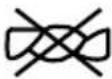 | Do not wring |
Belt material: Polyester
ELECTRODES MAINTENANCE
The longevity and efficacy of the electrodes depend on different parameters like type of skin, electrodes care and storage, number of sessions.
Please make sure that your skin is clean and free of lotion, cream or oils before applying the electrodes on your skin.
After the session you can leave the electrodes on the belt but make sure to place the plastic cover on the black part of the electrodes and to store everything back in the pouch.
Electrodes need to be replaced periodically because the contact quality between the electrode and the skin, which is essential for the user's comfort and effective stimulation, gradually reduces.
For hygiene reasons, you should have your own set of electrodes.
CONDITIONS FOR STORAGE/TRANSPORT AND USE
| Long term storage Transport Use | |||
| Temperature -20°C to | +45°C-4°F to +113°F | -20°C to +60°C-4°F to +140°F | 0°C to +40°C32°F to +104°F |
| Relative humidity max | 75%,not includingcondensation | max 75%,not includingcondensation | 15% to 75%,not includingcondensation |
| Atmospheric pressure | from 700 hPa to1060 hPa | from 700 hPa to1060 hPa | from 700 hPa to1060 hPa |
It takes 2 hours to warm up the device from the minimum storage temperature to a 20^ C / 68^ F ambient temperature or to cool down the device from the maximum storage temperature to a 20^ C / 68^ F ambient temperature.
DISPOSAL
Batteries must be disposed of in accordance with national regulatory requirements in force. Any product bearing the WEEE label (a crossed-out wheeled bin) must be separated from household waste and sent to special collection facilities for recycling and recovery.
9. TECHNICAL SPECIFICATIONS
GENERAL INFORMATION
Rechargeable Lithium polymer (LIPO) battery (3.7 V / 500 mAh).
Recommended AC/DC Wall mount adapter: Model SMI5-5-V-I38 / 5V-1A / Multi-Blade Included / Supplier CUI Inc.
Product and accessories expected service life: 3 years
Electrode shelf life: refer to electrodes bag
NEUROSTIMULATION
All the electrical specifications are supplied with an impedance from 500 to 1000 ohms per channel.
Channels: two independent and individually adjustable channels, electrically isolated from each other.
Impulsion form: constant rectangular current with pulse compensation to eliminate any direct current component to prevent residual polarization at skin level.
Maximum electrical charge per impulsion: 36 microcoulombs (2 x 18 C, compensated).
Standard pulse rise time: 4 s (20%-80% of maximum intensity).
NMES programs:
Pulse energy increment, manual adjustment of stimulation energy from 0 to 200 energy by minimum increments of 1 energy.
Waveform: VMS
Intensity range: 0 to 62 [mA] +/- 10%
Pulse duration: 200 or 300 [us] +/- 10%
Frequency range: 3 to 55 [Hz] +/- 10%
RMS intensity range: 0 to 11.3 [mA] (500 to 1000 ohms).
Frequency Band transmission: 2400–2483.5 MHz
Modulation type: GFSK
Data rate: up to 2Mbps 500kHz deviation at 2Mbps
Effective radiated power: +6dBm
INFORMATION ABOUT ELECTROMAGNETIC COMPATIBILITY (EMC)
The stimulator is designed to be used in typical domestic environments approved in accordance with the safety standard EMC EN 60601-1-2.
This device emits very low levels in the radio frequency (RF) interval and is therefore not likely to cause interference with nearby electronic equipment (radios, computers, telephones, etc.).
The stimulator is designed to withstand foreseeable disturbances originating from electrostatic discharge, magnetic fields from the power supply or radio frequency emitters.
However, it is not possible to guarantee that the stimulator will not be affected by powerful RF (radio frequency) fields originating, for example, from mobile phones.
For more detailed information about electromagnetic emissions and immunity, please contact Compex.
The stimulator complies with part 15 of the FCC Rules.
STANDARDS/REGULATIONS
To ensure your safety, the stimulator has been designed, manufactured and distributed in accordance with the requirements of the Low Voltage Directive 2014/35/EU and the FDA 21 CFR 820 21 CFR Part 820 – Quality system regulation.
It complies also to 60601-1, 60601-2-10, 60601-1-11, 60601-1-6, 60601-1-2 standards.
10. EMC TABLE
The Compex stimulator needs special precautions regarding EMC and needs to be installed and put into service according to the EMC information provided.
• RF emissions CISPR 11 Group 1
• RF emissions CISPR 11 CLASS B
- IMMUNITY test level
| GUIDANCE AND MANUFACTURER'S DECLARATION – ELECTROMAGNETIC EMISSIONS | ||
| The Compex stimulator is intended for use in the electromagnetic environment specified below. The customer or the user of the Compex stimulator should assure that it is used in such an environment. | ||
| EMISSION TESTS COMPLIANCE | ELECTROMAGNETIC ENVIRONMENT - GUIDANCE | |
| Radiated Emissions CISPR 11 Group 1 | The Compex uses RF energy only for its internal function. Therefore, its RF emissions are very low and are not likely to cause any interference in nearby electronic equipment. | |
| Conducted Emissions CISPR 11 Class B | ||
| Harmonic emissions IEC 61000-3-2 Class A | The Compex is suitable for use in all establishments, including domestic establishments and those directly connected to the public low-voltage power supply network that supplies buildings used for domestic purposes. | |
| Voltage fluctuations IEC 61000-3-3 Complies | ||
| GUIDANCE AND MANUFACTURER'S DECLARATION - ELECTROMAGNETIC IMMUNITY | |||
| The Compex stimulator is intended for use in the electromagnetic environment specified below. The customer or the user of the Compex stimulator should assure that it is used in such an environment. | |||
| IMMUNITY TEST IEC 60601 TEST LEVEL COMPLIANCE LEVEL | ELECTROMAGNETIC ENVIRONMENT - GUIDANCE | ||
| Electrostatic discharge (ESD) IEC 61000-4-2 | ±8kV contact ±2, 4, 8, 15kV air | ±8kV contact ±2, 4, 8, 15kV air | Floors should be wood, concrete or ceramic tile. If floors are covered with synthetic material, the relative humidity should be at least 30%. |
| Electrical fast transient/ burst IEC 61000-4-4 | ±2kV for power supply lines ±1kV for input/output lines | ±2kV (power lines) Not Applicable (I/O lines) | Mains power quality should be that of a typical domestic environment. |
| Surge IEC 61000-4-5 | ±0.5, 1kV Line to Line (or Neutral) ±2kV line(s) to earth | ±0.5, 1kV Line to Line Not Applicable (Line to Earth) | Mains power quality should be that of a typical domestic environment. |
| Voltage dips, short interruptions and voltage variations on power supply input lines IEC 61000-4-11 a | 0% UT (100% dip in UT) for 0,5 cycle0% UT (100% dip in UT) for 1 cycle70% UT (30% dip in UT) for 25 cycles0% UT (100% dip in UT) for 5 sec | 0% UT (100% dip in UT) for 0,5 cycle0% UT (100% dip in UT) for 1 cycle70% UT (30% dip in UT) for 25 cycles0% UT (100% dip in UT) for 5 sec | Mains power quality should be that of a typical domestic environment. If the user of the Compex stimulator requires continued operation during power mains interruptions, it is recommended that the Compex stimulator be powered from an uninterrupted power supply or a battery. |
| Power frequency (50/60Hz) magnetic field IEC 61000-4-8 | 30 A/m 30 A/m | Power frequency magnetic fields should be at levels characteristic of a typical location in a typical domestic environment. | |
| a UT is the a.c mains voltage prior to application of the test level. | |||
| IMMUNITY TEST | IEC 60601 TEST LEVEL | COMPLIANCE LEVEL | ELECTROMAGNETIC ENVIRONMENT - GUIDANCE |
| Conducted RF IEC 61000-4-6Radiated RF IEC 61000-4-3 | 3 Vrms b150 kHz to 80 MHz6 Vrms a in ISM bands9 V/m710 to 780 MHz5.24 to 5.785 GHz10 V/m80 MHz to 2.7 GHz27 V/m385 MHz28 V/m450 to 930 MHz1.72 to 2.45 GHz | 3 Vrms6 Vrms9 V/m10 V/m27 V/m28 V/m | Portable and mobile RF communications equipment should be used no closer to any part of the Compex stimulator, including cables, than the recommended separation distance calculated from the equation applicable to the frequency of the transmitter.Recommended separation distanced = 1.2 √Pd = 1.2 √P 80 MHz to 800 MHzd = 2.3 √P 800 MHz to 2.5 GHzwhere P is the maximum output power rating of the transmitter in watts (W) according to the transmitter manufacturer and d is the recommended separation distance in meters (m).Field strengths from fixed RF transmitters, as determined by an electromagnetic site survey, should be less than the compliance level in each frequency range.Interference may occur in the vicinity of equipment marked with the following symbol: |
| NOTE 1 At 80 MHz and 800 MHz, the higher frequency range applies.NOTE 2 These guidelines may not apply in all situations. Electromagnetic propagation is affected by absorption and reflection from structures, objects and people. | |||
| a Field strengths from fixed transmitters, such as base stations for radio (cellular/cordless) telephones and land mobile radios, amateur radio, AM and FM radio broadcast and TV broadcast cannot be predicted theoretically with accuracy. To assess the electromagnetic environment due to fixed RF transmitters, an electromagnetic site survey should be considered. If the measured field strength in the location in which the Compex stimulator is used exceeds the applicable RF compliance level above, the Compex stimulator should be observed to verify normal operation. If abnormal performance is observed, additional measures may be necessary, such as reorienting or relocating the Compex stimulator.b Over the frequency range 150 kHz to 80 MHz, field strengths should be less than 3 V/m. | |||
| RECOMMENDED SEPARATION DISTANCES BETWEEN PORTABLE AND MOBILE RF COMMUNICATIONS EQUIPMENT AND THE COMPEX STIMULATOR | |||
| The Compex stimulator is intended for use in an electromagnetic environment in which radiated RF disturbances are controlled. The customer or the user of the Compex stimulator can help prevent electromagnetic interference by maintaining a minimum distance between portable and mobile RF communications equipment (transmitters) and the Compex stimulator as recommended below, according to the maximum output power of the communications equipment. | |||
| RATED MAXIMUM OUTPUT POWER OF TRANSMITTER W | SEPARATION DISTANCE ACCORDING TO FREQUENCY OF TRANSMITTER M | ||
| 150 KHZ TO 80 MHZ D = 1.2 √P | 80 MHZ TO 800 MHZ D = 1.2 √P | 800 MHZ TO 2,5 GHZ D = 2.3 √P | |
| 0,01 0,12 0,12 0,23 | |||
| 0,10,38 0,38 0,73 | |||
| 11,2 1,2 2,3 | |||
| 10 3,8 3,8 7,3 | |||
| 100 12 12 | 23 | ||
| For transmitters rated at a maximum output power not listed above, the recommended separation distance d in meters (m) can be estimated using the equation applicable to the frequency of the transmitter, where P is the maximum output power rating of the transmitter in watts (W) according to the transmitter manufacturer. NOTE 1 At 80 MHz and 800 MHz, the separation distance for the higher frequency range applies. NOTE 2 These guidelines may not apply in all situations. Electromagnetic propagation is affected by absorption and reflection from structures, objects and people. | |||
CONTACT INFORMATION
DJO France S.A.S
natural_image
Close-up of a black textured wrist strap with dotted pattern, no visible text or symbols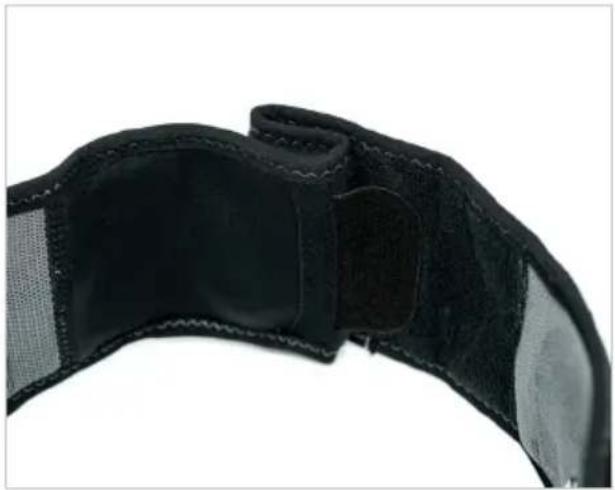
natural_image
Close-up of a black athletic belt with visible banding and patch, no text or symbols presentnatural_image
Close-up of a black textured fabric or leather strap with visible stitching and folds (no text or symbols)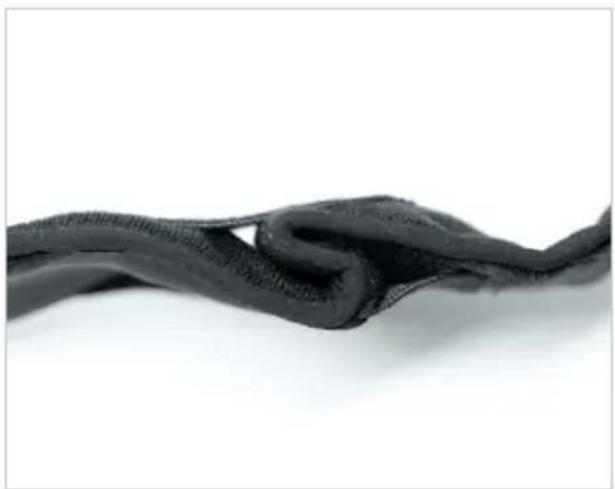
natural_image
Close-up of a dark, knitted fabric or mesh material against a white background (no text or symbols visible)natural_image
Back view of a person wearing a black textured belt with a dashed vertical line dividing the torso (no text or symbols visible)natural_image
Person wearing a black medical or fitness device with a labeled patch, showing no visible text or symbols on the body.natural_image
Black OOPEX remote control device with visible ports and cable (no text or symbols on device body)TÉLÉCHARGEMENT DE L'APPLICATION
natural_image
Close-up of two hands holding a small grid-patterned square electronic device (no visible text or symbols)natural_image
Close-up of a hand pressing a black mesh component onto a blue cushion (no text or symbols visible)natural_image
Close-up of hands adjusting a black wristband with a square patch (no text or symbols visible)natural_image
Close-up of a hand holding a black COMEX-branded wrist strap device (no visible text or symbols on the device itself)DÉBUTER UNE SÉANCE
natural_image
Close-up of hands adjusting a black and gray fitness belt with a zipper (no text or symbols visible)natural_image
Back view of a person wearing a black textured belt with dashed rectangular outlines (no text or symbols)natural_image
Person wearing a black medical or fitness device with a dashed rectangular overlay highlighting a measurement or location (no text or symbols visible)natural_image
Close-up of a hand adjusting a black textured fabric or cushion with a small object visible (no text or symbols)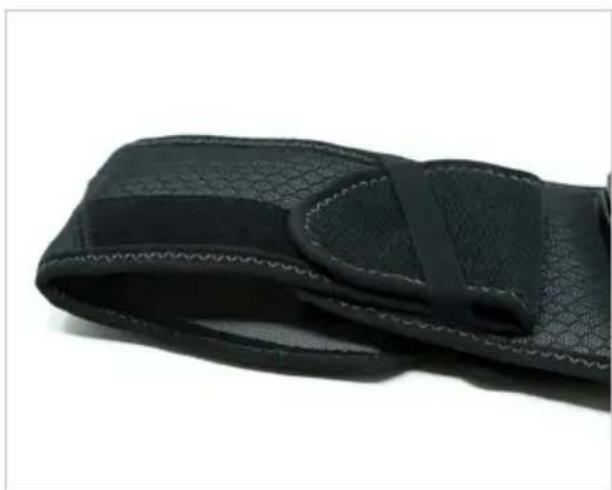
natural_image
Close-up of a black textured fabric or cushion with a visible strap, against a white background (no text or symbols)text_image
Download on the App Store
text_image
GET IT ON Google Play≥ iOS12 ≥ Android 8
natural_image
Close-up of a black textured wrist strap with dotted pattern, no visible text or symbols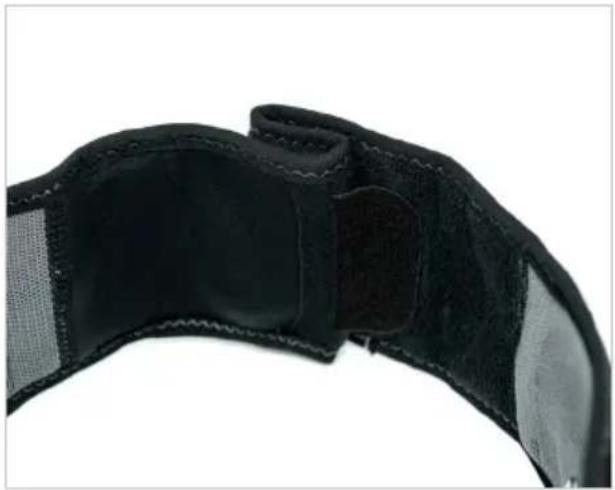
natural_image
Close-up of a black athletic belt with visible banding and stitching (no text or symbols)natural_image
Close-up of a black textured fabric or leather strap with visible stitching and folds (no text or symbols)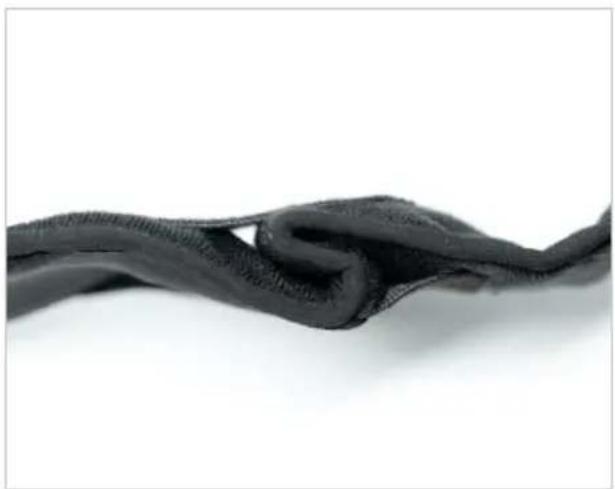
natural_image
Close-up of a black, knotted fabric or mesh material against a white background (no text or symbols visible)natural_image
Back view of a person wearing a black textured belt with a dashed vertical line dividing the torso (no text or symbols visible)natural_image
Person wearing a black medical or fitness device with visible buttons and measurement markings (no text or symbols on the device itself)natural_image
Black OOPEX remote control device with visible buttons and cable (no text or symbols on device body)natural_image
Close-up of two hands holding a grid-patterned square electronic device (no visible text or symbols)natural_image
Close-up of a hand pressing a black mesh component onto a blue athletic shoe (no text or symbols visible)natural_image
Close-up of hands adjusting a black wristband with a square patch (no text or symbols visible)natural_image
Close-up of a hand holding a black COMEX-branded wrist strap device (no visible text or symbols on the device itself)natural_image
Person wearing a black medical or fitness belt with a digital display overlay (no text or symbols on the belt itself)natural_image
Close-up of a hand holding a black textured fabric patch, with a computer mouse visible on the side (no text or symbols)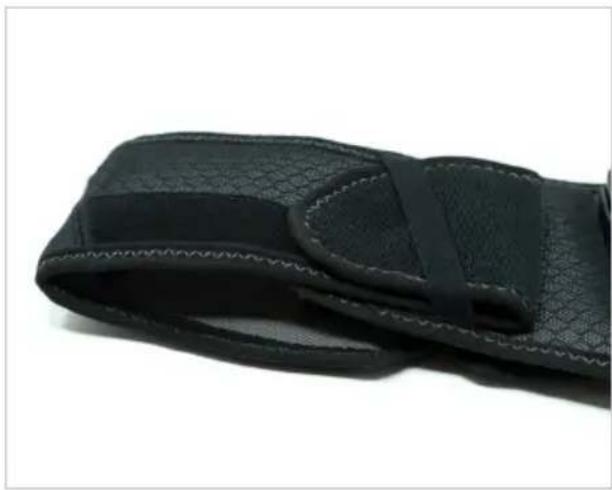
natural_image
Close-up of a black textured wrist strap with visible straps and stitching (no text or symbols)text_image
Download on the App Store
text_image
GET IT ON Google Play≥ iOS12 ≥ Android 8
text_image
E F - D + C P ↓ A B COMPEX G Hnatural_image
Close-up of a black textured wrist strap with dotted pattern, no visible text or symbols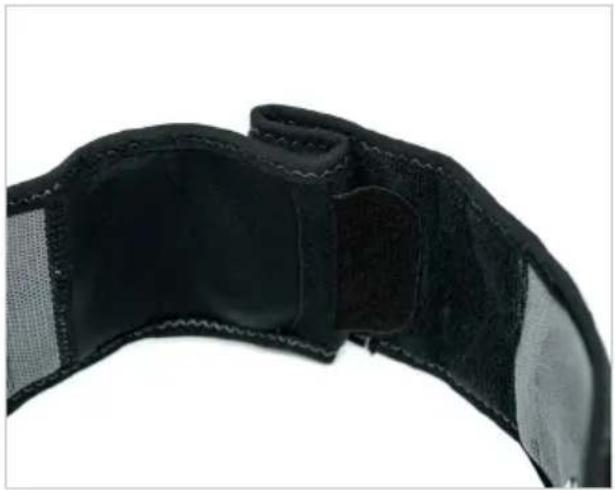
natural_image
Close-up of a black athletic belt with visible banding and stitching (no text or symbols)natural_image
Close-up of a black textured fabric or leather strap with visible stitching and folds (no text or symbols)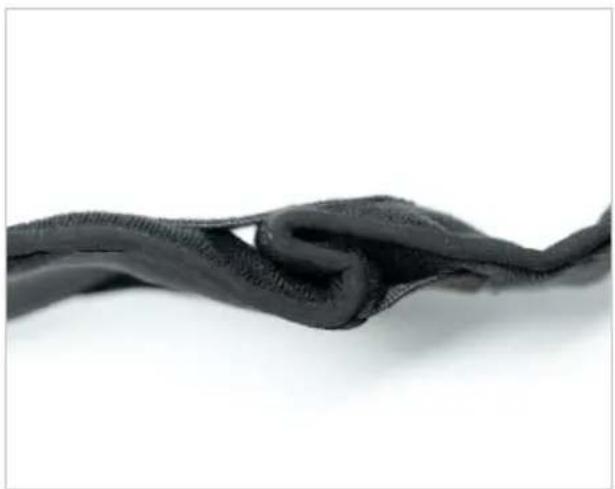
natural_image
Close-up of a black, knitted fabric or mesh material against a white background (no text or symbols visible)natural_image
Back view of a person wearing a black textured belt with a dashed vertical line dividing the torso (no text or symbols visible)natural_image
Person wearing a black medical or fitness device with visible buttons and measurement markings (no text or symbols on the device itself)natural_image
Black OOPEX remote control device with visible ports and cable (no text or symbols on device body)DOWNLOAD DELL'APP
text_image
Download on the App Store
text_image
GET IT ON Google Play≥ iOS12 ≥ Android 8

Compatibilità
natural_image
Close-up of two hands holding a grid-patterned square electronic device (no visible text or symbols)natural_image
Close-up of a hand pressing a black mesh component onto a blue and black athletic cushion (no text or symbols visible)natural_image
Close-up of hands adjusting a black wristband with a square patch (no text or symbols visible)natural_image
Close-up of a hand holding a black OPEX-branded wearable device with a touchscreen display (no visible text or symbols on the device itself)AVVIO DI UNA SESSIONE
natural_image
Close-up of hands adjusting a black and gray athletic belt with a zipper (no text or symbols visible)natural_image
Back view of a person wearing a black textured belt with dashed rectangular outlines (no text or symbols)natural_image
Person wearing a black medical or fitness device with a digital display overlay (no text or symbols visible)natural_image
Close-up of a hand adjusting a black textured fabric with a small object visible (no text or symbols)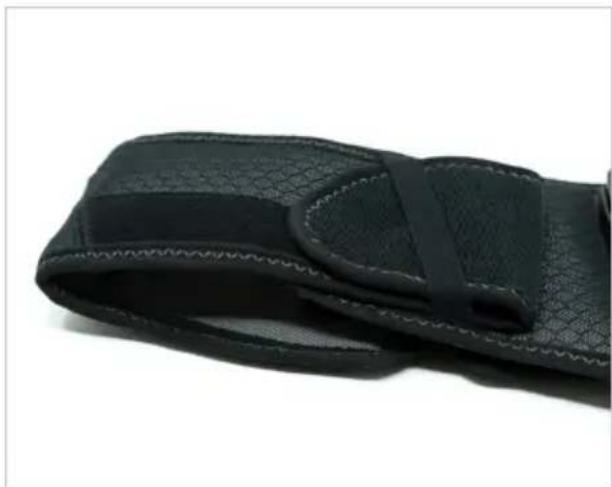
natural_image
Close-up of a black textured fabric or wrist strap with visible stitching and straps (no text or symbols)text_image
Download on the App Store
text_image
GET ON Google Play≥ iOS12 ≥ Android 8
natural_image
Close-up of a black textured wrist strap with visible mesh texture and measurement markings (no text or symbols)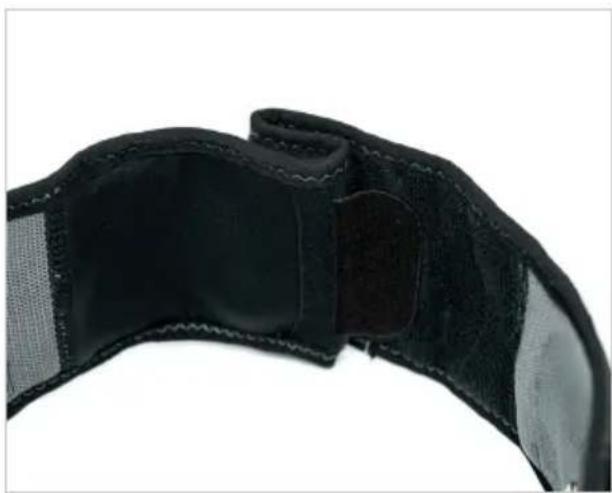
natural_image
Close-up of a black athletic belt with textured grip and side patches (no text or symbols visible)natural_image
Close-up of a black textured fabric or cushion with a curved seam, against a white background (no text or symbols visible)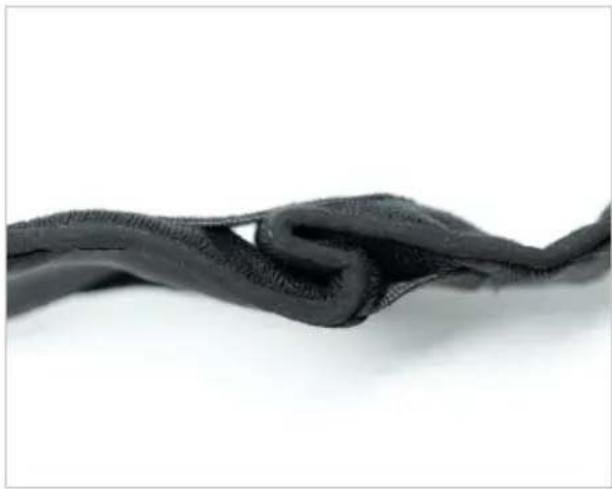
natural_image
Close-up of a black, knitted fabric or mesh material against a white background (no text or symbols visible)natural_image
Back view of a person wearing a black textured belt with a dashed vertical line dividing the lower back (no text or symbols visible)natural_image
Back view of a person wearing a black medical or fitness device with a visible 'CO2elexix' patch, no text or symbols on the device itself.natural_image
Black COMEX remote control device with visible buttons and cable (no text or symbols on device body)APP HERUNTERLADEN
text_image
Download on the App Store
text_image
GET IT ON Google Play≥ iOS12 ≥ Android 8

Kompatibilität
natural_image
Close-up of two hands holding a small grid-patterned square electronic device (no text or symbols visible)natural_image
Close-up of a hand pressing down on a blue and black athletic shoe with a mesh material (no text or symbols visible)natural_image
Close-up of hands adjusting a black wristband with a square patch (no text or symbols visible)natural_image
Close-up of a hand holding a black COMEX-branded fitness tracker device (no visible text or symbols on the device itself)natural_image
Close-up of hands adjusting a black textured belt with a small inset showing a square opening (no text or symbols visible)natural_image
Back view of a person wearing a black textured belt with dashed rectangular outlines (no text or symbols)natural_image
Person wearing a black medical or fitness device with a digital display overlay (no text or symbols visible)natural_image
Close-up of a hand adjusting a black textured fabric or cushion, with a mouse partially visible (no text or symbols)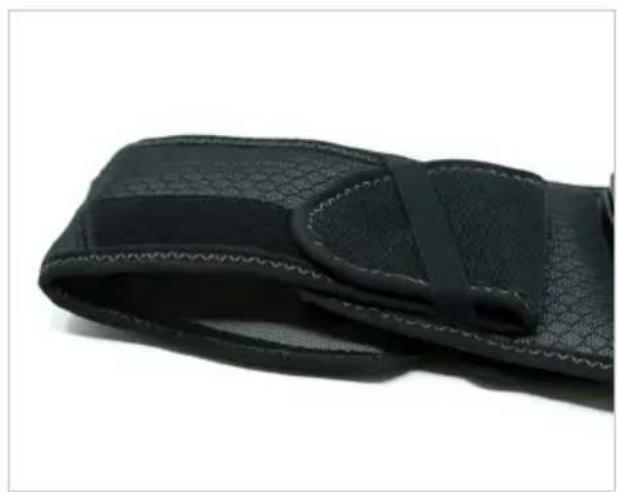
natural_image
Close-up of a black textured fabric or cushion with a visible gap and band (no text or symbols)text_image
Download on the App Store
text_image
GET ON Google Play≥ iOS12 ≥ Android 8
De app downloaden....173
De elektroden en stimulator op de riem positioneren....174
BESCHRIJVING VAN HET APPARAAT
natural_image
Close-up of a black textured wrist strap with visible mesh texture and measurement markings (no text or symbols)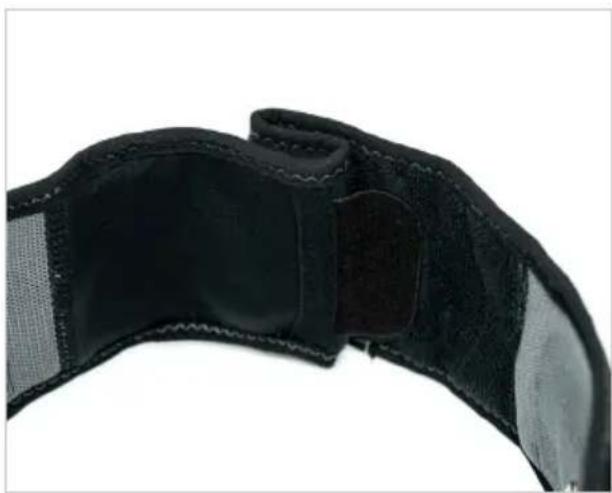
natural_image
Close-up of a black athletic belt with visible straps and shoulder details (no text or symbols)natural_image
Close-up of a black textured fabric or cushion with visible folds and stitching (no text or symbols)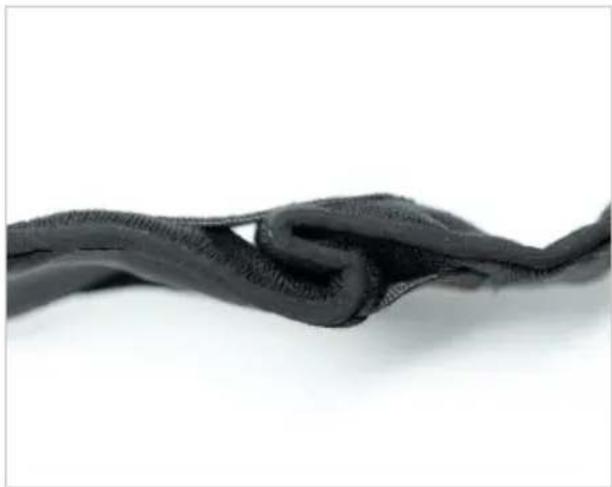
natural_image
Close-up of a black, knitted fabric or mesh material against a white background (no text or symbols visible)natural_image
Back view of a person wearing a black textured belt with a dashed vertical line dividing the torso (no text or symbols visible)natural_image
Back view of a person wearing a black medical or fitness device with a visible 'CO2elexix' patch, no text or symbols on the device itself.HET APPARAAT OPLADEN
natural_image
Black COMEX remote control device with visible buttons and port, no text or symbols on the device itselfDE APP DOWNLOADEN
natural_image
Close-up of two hands holding a small grid-patterned square electronic device (no text or symbols visible)natural_image
Close-up of a hand pressing a black mesh component onto a blue athletic shoe (no text or symbols visible)natural_image
Close-up of hands adjusting a black wristband with a square patch (no text or symbols visible)natural_image
Close-up of a hand holding a black COMEX-branded fitness tracker device (no visible text or symbols on the device itself)EEN SESSIE STARTEN
natural_image
Close-up of hands adjusting a black and gray athletic belt with a zipper (no text or symbols visible)natural_image
Back view of a person wearing a black bandage with a dashed rectangular overlay on the back (no text or symbols visible)natural_image
Person wearing a black medical or fitness device with a digital display overlay (no text or symbols visible)natural_image
Close-up of a hand holding a black textured fabric patch, with a mouse partially visible on the side (no text or symbols)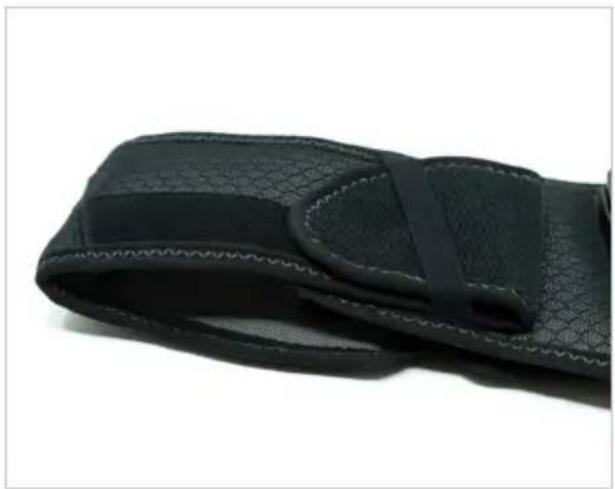
natural_image
Close-up of a black textured fabric wrist strap with visible stitching and straps (no text or symbols)text_image
Download on the App Store
text_image
GET IT ON Google Play≥ iOS12 ≥ Android 8
text_image
E F - D + C P ↓ A B COMPEX G Hnatural_image
Close-up of a black textured wrist strap with dotted pattern, no visible text or symbols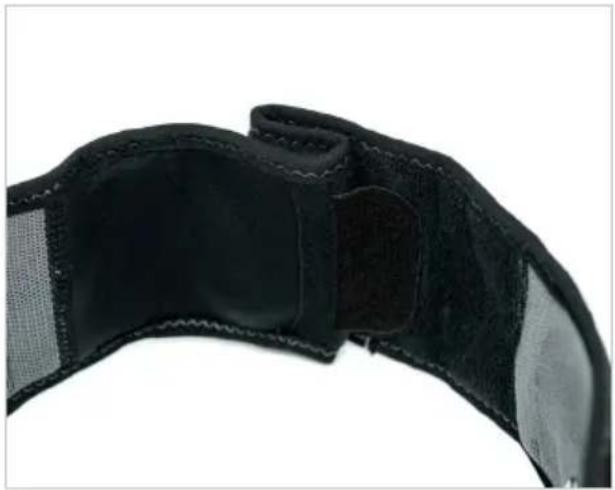
natural_image
Close-up of a black athletic belt with visible banding and stitching (no text or symbols)natural_image
Close-up of a black textured fabric or leather strap with visible stitching and folds (no text or symbols)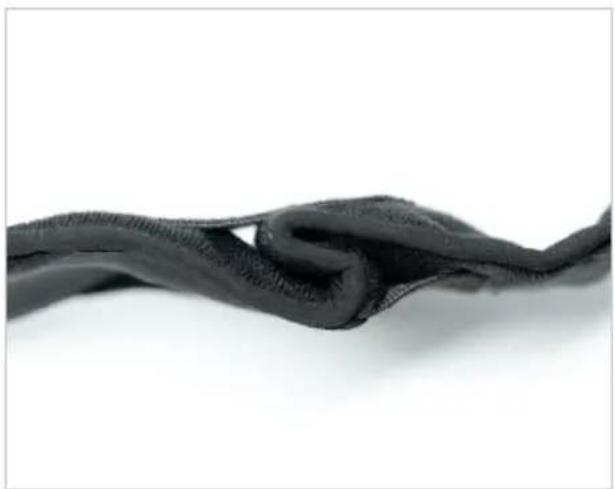
natural_image
Close-up of a black, knotted fabric or mesh material against a white background (no text or symbols visible)natural_image
Back view of a person wearing a black textured belt with a dashed vertical line dividing the back (no text or symbols visible)natural_image
Back view of a person wearing a black medical or fitness device with a visible 'CO2elexix' patch, no text or symbols on the device itself.natural_image
Black COMEX remote control device with visible buttons and port, no text or symbols on the device itselftext_image
Download on the App Store
text_image
GET IT ON Google Play≥ iOS12 ≥ Android 8

Compatibilidade
natural_image
Close-up of two hands holding a small grid-patterned square electronic device (no visible text or symbols)natural_image
Close-up of a hand pressing a black mesh component onto a blue cushion (no text or symbols visible)natural_image
Close-up of hands adjusting a black wristband with a square patch (no text or symbols visible)natural_image
Close-up of a hand holding a black COMEX-branded fitness tracker device (no visible text or symbols on the device itself)INICIAR UMA SESSÃO
natural_image
Close-up of hands adjusting a black and gray athletic belt with a zipper (no text or symbols visible)natural_image
Back view of a person wearing a black textured belt with dashed rectangular outlines (no text or symbols)natural_image
Person wearing a black medical or fitness device belt with a dashed rectangular overlay and control buttons (no text or symbols visible)natural_image
Close-up of a hand adjusting a black textured fabric or cushion with a small object visible (no text or symbols)
natural_image
Close-up of a black textured fabric or cushion with a visible strap, against a white background (no text or symbols)text_image
Download on the App Store
text_image
GET IT ON Google Play≥ iOS12 ≥ Android 8
natural_image
Close-up of a black textured wrist strap with dotted pattern, no visible text or symbols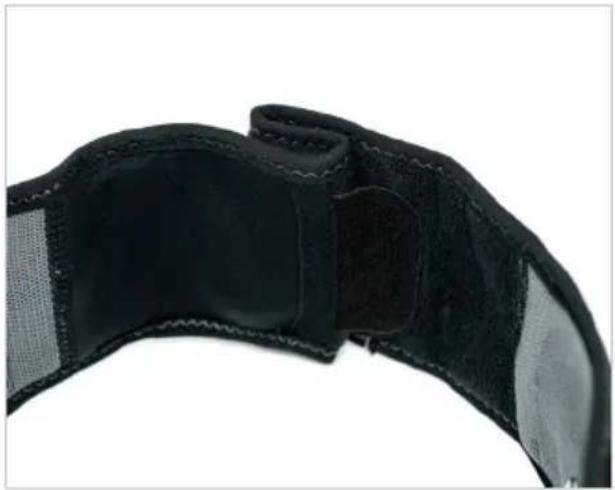
natural_image
Close-up of a black athletic belt with visible banding and stitching (no text or symbols)natural_image
Close-up of a black textured fabric or leather strap with visible stitching and folds (no text or symbols)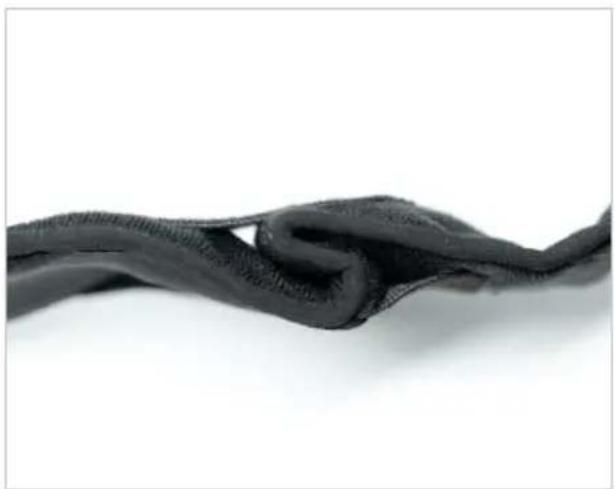
natural_image
Close-up of a black, knotted fabric or mesh material against a white background (no text or symbols visible)natural_image
Back view of a person wearing a black textured belt with a dashed vertical line dividing the torso (no text or symbols visible)natural_image
Back view of a person wearing a black medical or fitness device with a visible 'CO2elexix' patch, no text or symbols on the device itself.natural_image
Black OOPEX remote control device with visible ports and cable (no text or symbols on device body)LADDA NER APPEN
text_image
Download on the App Store
text_image
GET IT ON Google Play≥ iOS12 ≥ Android 8

Kompatibilitet
natural_image
Close-up of two hands holding a small grid-patterned square electronic device (no visible text or symbols)natural_image
Close-up of a hand pressing a black mesh pad onto a blue athletic shoe (no text or symbols visible)natural_image
Close-up of hands adjusting a black athletic belt with a square patch (no text or symbols visible)natural_image
Close-up of a hand holding a black COMEX-branded wristwatch with a plus button, no visible text or symbols on the device itself.STARTA EN SESSION
natural_image
Close-up of hands adjusting a black and gray fitness belt with a zipper (no text or symbols visible)natural_image
Back view of a person wearing a black textured belt with dashed rectangular outline (no text or symbols)natural_image
Person wearing a black medical or fitness device with a dashed box highlighting a measurement area (no text or symbols visible)natural_image
Close-up of a hand holding a black textured fabric patch, partially covered by a computer mouse (no visible text or symbols)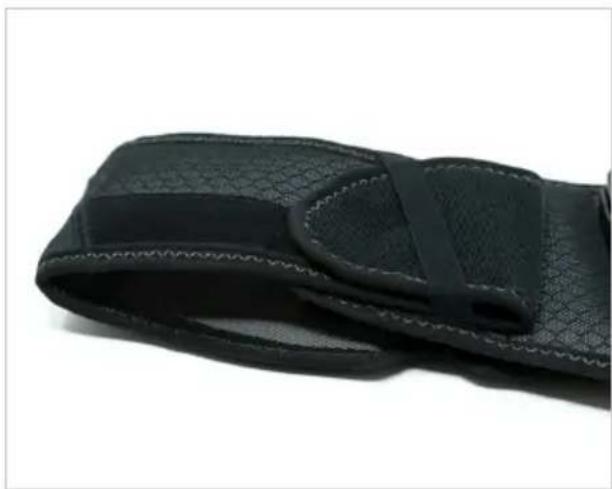
natural_image
Close-up of a black textured wrist strap with a visible strap band (no text or symbols)text_image
Download on the App Store
text_image
GET IT ON Google Play≥ iOS12 ≥ Android 8
- UKK....275
- HUOLTO 276
- TEKNISET TIEDOT....279
- EMC-TAULUKKO 281

TURVALLISUUSVAROITUKSET
1. SYMBOLIEN SELITYS
natural_image
Close-up of a black textured wrist strap with dotted pattern, no visible text or symbols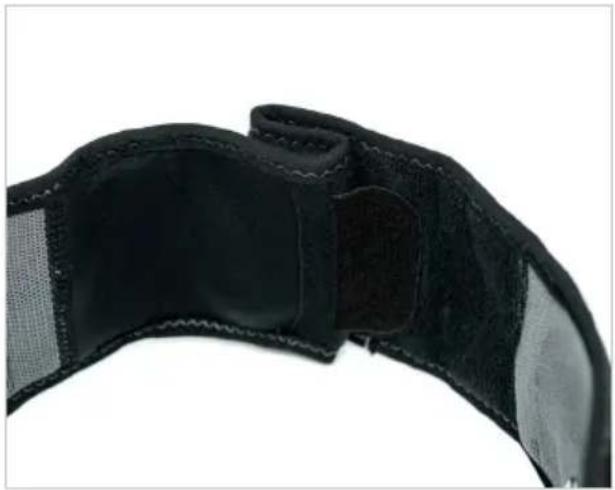
natural_image
Close-up of a black athletic belt with visible banding and stitching (no text or symbols)natural_image
Close-up of a black textured fabric or leather strap with visible stitching and folds (no text or symbols)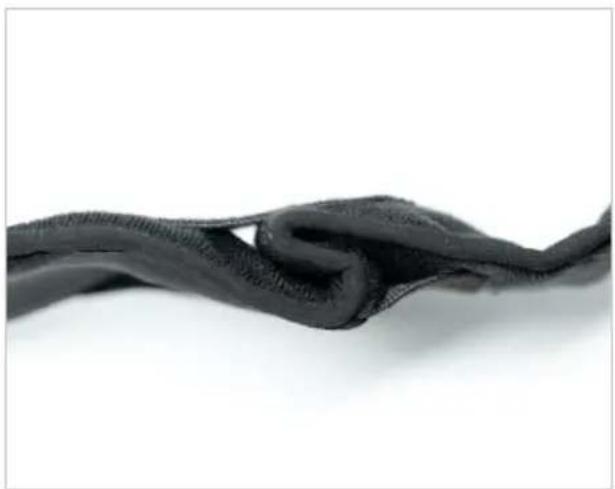
natural_image
Close-up of a dark, knotted fabric or mesh material against a white background (no text or symbols visible)natural_image
Back view of a person wearing a black textured waist strap, with a dashed vertical line indicating measurement or alignment (no text or symbols present)natural_image
Person wearing a black medical or fitness device with visible buttons and measurement markings (no text or symbols on the device itself)natural_image
Black OOPEX remote control device with visible ports and cable (no text or symbols on device body)LADATAAN SOVELLUSTA
text_image
Download on the App Store
text_image
GET IT ON Google Play≥ iOS12 ≥ Android 8

Yhteensopivuus
natural_image
Close-up of two hands holding a grid-patterned square electronic device (no visible text or symbols)natural_image
Close-up of a hand pressing a black mesh component onto a blue athletic shoe (no text or symbols visible)natural_image
Close-up of hands adjusting a black wristband with a square patch (no text or symbols visible)natural_image
Close-up of a hand holding a black COMEX-branded wristwatch with a plus button, no visible text or symbols on the device itself.ISTUNNON ALOITUS
natural_image
Close-up of hands adjusting a black and gray fitness belt with a zipper (no text or symbols visible)natural_image
Back view of a person wearing a black textured belt with dashed rectangular outlines (no text or symbols)natural_image
Person wearing a black medical or fitness device with a dashed box highlighting a measurement area (no text or symbols visible)natural_image
Close-up of a hand holding a black textured fabric patch, partially covered by a computer mouse (no visible text or symbols)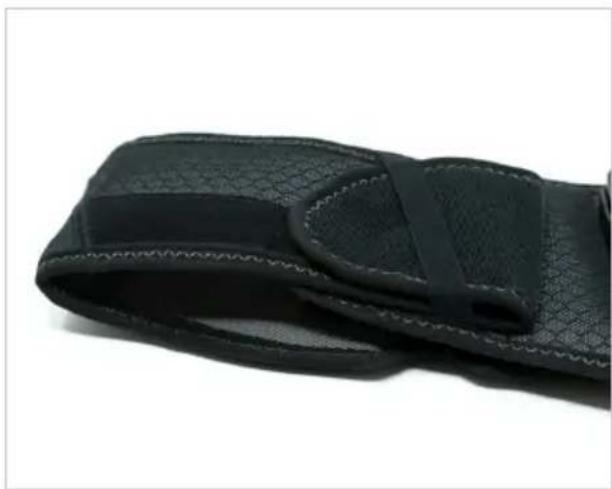
natural_image
Close-up of a black textured wrist strap with visible straps and stitching (no text or symbols)natural_image
Close-up of a black textured wrist strap with dotted pattern, no visible text or symbols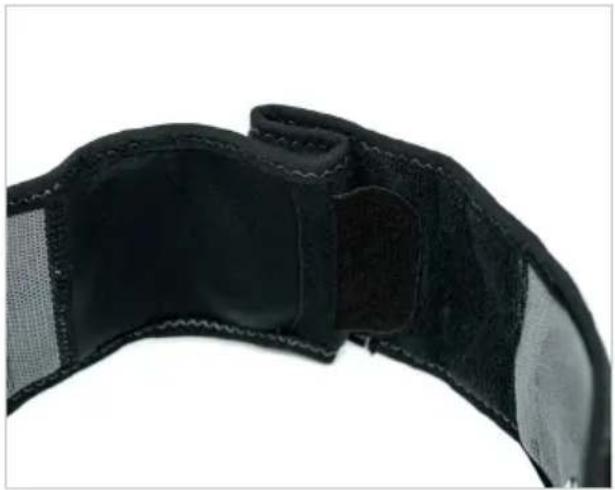
natural_image
Close-up of a black athletic belt with visible banding and stitching (no text or symbols)natural_image
Close-up of a black textured fabric or leather strap with visible stitching and folds (no text or symbols)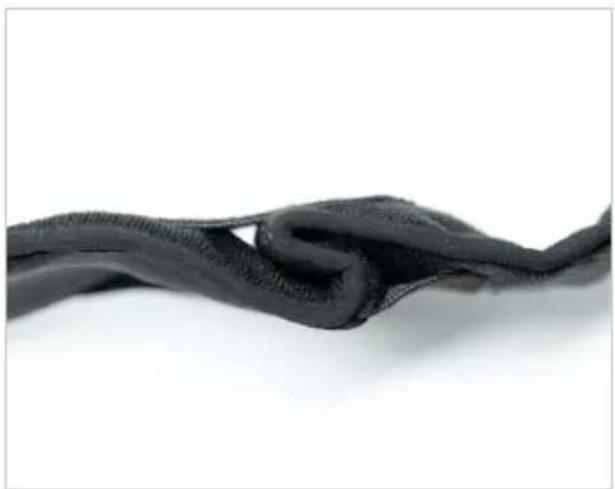
natural_image
Close-up of a dark, knotted fabric or mesh material against a white background (no text or symbols visible)natural_image
Back view of a person wearing a black textured waist strap, with a dashed vertical line indicating measurement or alignment (no text or symbols present)natural_image
Back view of a person wearing a black medical or fitness device with a visible 'CO2elexix' patch, no text or symbols on the device itself.natural_image
Black OOPEX remote control device with visible ports and cable (no text or symbols on device body)DOWNLOADING AF APPEN
text_image
Download on the App Store
text_image
GET IT ON Google Play≥ iOS12 ≥ Android 8

Kompatibilitet
Din smartphone skal understøtte Bluetooth Low Energy-funktionen og være kompatibel med ≥ iOS12 og ≥ Android 8-operativsystemet for at kunne bruge Corebelt Appen.
PLACERING AF ELEKTRODERNE OG STIMULATOREN PÅ BÆLTET
natural_image
Close-up of two hands holding a small grid-patterned square electronic device (no visible text or symbols)Stick elektrodernes gitterside ned på linje med konturerne.
natural_image
Close-up of a hand pressing a black mesh component onto a blue cushion (no text or symbols visible)natural_image
Close-up of hands adjusting a black wristband with a square patch (no text or symbols visible)natural_image
Close-up of a hand holding a black COMEX-branded fitness tracker device (no visible text or symbols on the device itself)START AF EN SESSION
natural_image
Close-up of hands adjusting a black and gray fitness belt with a zipper (no text or symbols visible)natural_image
Person wearing a black medical sutured belt with dashed rectangular outlines on the back (no text or symbols)natural_image
Person wearing a black medical or fitness device with a dashed box highlighting a measurement area (no text or symbols visible)natural_image
Close-up of a hand adjusting a black textured fabric with a computer mouse (no visible text or symbols)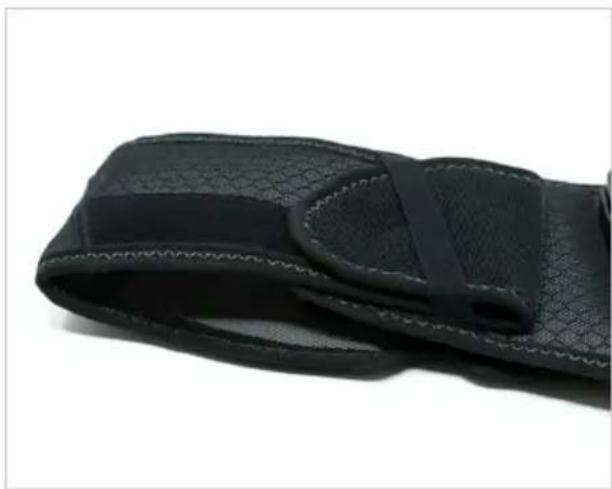
natural_image
Close-up of a black textured wrist strap with visible straps and stitching (no text or symbols)Sørg for, at elektroderne er trykket godt ind imod din hud.
text_image
Download on the App Store
text_image
GET IT ON Google Play≥ iOS12 ≥ Android 8
Modulationstype: GFSK
Datahastighed: op til 2 Mbps 500 kHz afvigelse ved 2 Mbps
natural_image
Close-up of a black textured wrist strap with dotted pattern, no visible text or symbols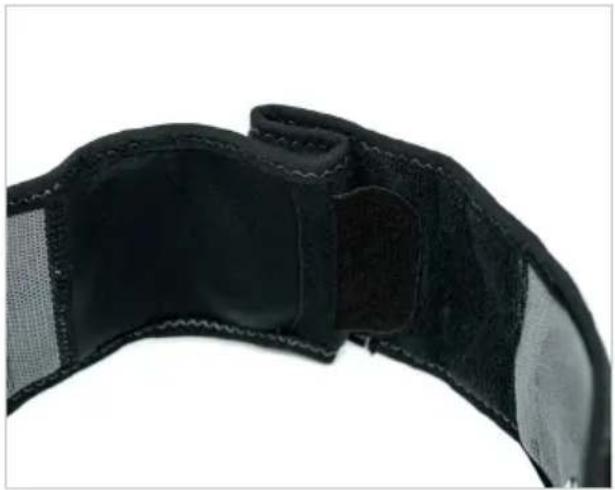
natural_image
Close-up of a black athletic belt with visible banding and stitching (no text or symbols)natural_image
Close-up of a black textured fabric or leather strap with visible stitching and folds (no text or symbols)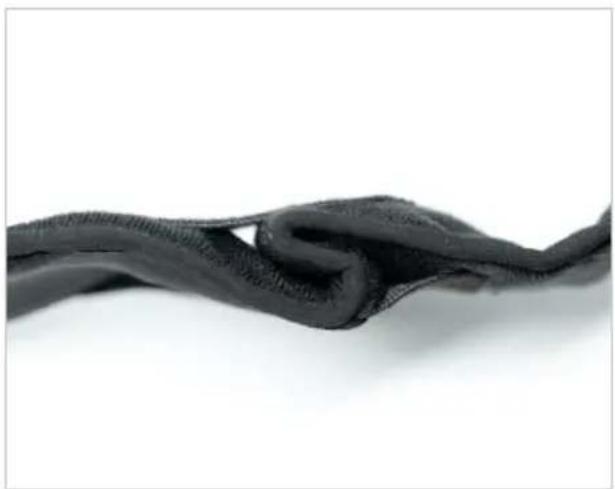
natural_image
Close-up of a dark, knotted fabric or mesh material against a white background (no text or symbols visible)natural_image
Back view of a person wearing a black textured belt with a dashed vertical line dividing the torso (no text or symbols visible)natural_image
Back view of a person wearing a black medical or fitness device with a visible 'CO2elexix' patch, no text or symbols on the device itself.natural_image
Black OOPEX remote control device with visible ports and cable (no text or symbols on device body)LASTE NED APP
text_image
Download on the App Store
text_image
GETION Google Play≥ iOS12 ≥ Android 8

Forenlighet
natural_image
Close-up of two hands holding a small grid-patterned square electronic device (no visible text or symbols)natural_image
Close-up of a hand pressing a black mesh component onto a blue cushion (no text or symbols visible)natural_image
Close-up of hands adjusting a black wristband with a square patch (no text or symbols visible)natural_image
Close-up of a hand holding a black COMEX-branded wristwatch with a plus button, against a plain background (no text or symbols visible)STARTE EN ∅KT
natural_image
Close-up of hands adjusting a black textured belt with square cutouts (no text or symbols visible)natural_image
Person wearing a black textured belt with dashed rectangular outline on the back (no text or symbols)natural_image
Person wearing a black medical or fitness device with a dotted rectangular overlay and 'GARREV' label (no readable text or symbols on the device itself)natural_image
Close-up of a hand holding a black textured fabric or cushion, with a small object visible on the right (no text or symbols)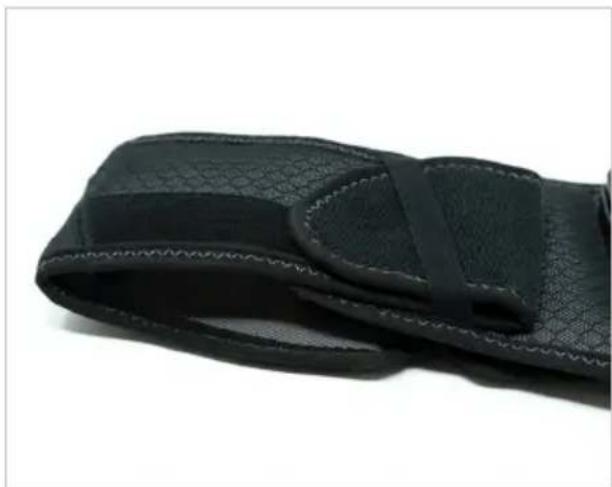
natural_image
Close-up of a black textured fabric or wrist strap with a visible gap and band (no text or symbols)Pass på at du trykker på elektrodene i huden.
text_image
Download on the App Store
text_image
GET IT ON Google Play≥ iOS12 ≥ Android 8
Hvis ønskelig, mens du stimulerer, kan du ta kontrollen over programmet direkte via stimulatoren.