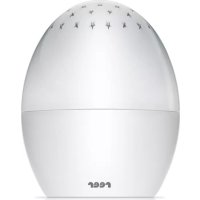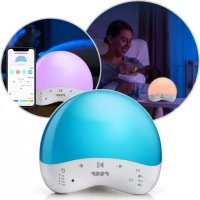
MyMagicSmartLight 52470 - Night lamp Reer - Free user manual and instructions
Find the device manual for free MyMagicSmartLight 52470 Reer in PDF.



| Product type | Night light with sound and lullabies |
| Brand | Reer |
| Model | MyMagicSmartLight 52470 |
| Power supply | AC adapter 100-240 V~ 50/60 Hz, output 5 V / 600 mA max (USB-C cable included) |
| Connectivity | WiFi IEEE 802.11 b/g/n 2.4 GHz and Bluetooth 4.0 |
| App compatibility | Smart Life for Android 5.0+ and iOS 9.0+ |
| Voice assistant | Compatible with Alexa and other voice assistants (via the app) |
| Brightness | 145 lm ± 10%, continuously adjustable |
| Light color | Multicolor adjustable via the app |
| Built-in sounds | 25 sounds: 10 nature, 7 animals, 8 sleep |
| Timer | Auto-off: 30, 60, 120 or 240 minutes |
| Scheduling function | Customizable routines (sleep, wake) via the app |
| Child safety | Key lock from the app |
| Range | Unlimited (within WiFi network) |
| Cable length | 1.50 m |
| Operating temperature | -9 °C to +40 °C |
| Care and cleaning | Unplug before cleaning; use a slightly damp cloth; do not immerse in water; no chemicals |
| Safety | Do not open the device or adapter; do not use with a damaged cable; keep out of reach of children (min. distance 1 m); do not place in bed |
| Spare parts and repairability | Light source non-replaceable; repairs only by a specialist |
| Warranty | See conditions with the retailer; keep proof of purchase |
| Box contents | Night light, AC adapter, USB-C cable, user manual |
| Weight | Approx. 400 g (estimate) |
Frequently Asked Questions - MyMagicSmartLight 52470 Reer
User questions about MyMagicSmartLight 52470 Reer
0 question about this device. Answer the ones you know or ask your own.
Ask a new question about this device
Download the instructions for your Night lamp in PDF format for free! Find your manual MyMagicSmartLight 52470 - Reer and take your electronic device back in hand. On this page are published all the documents necessary for the use of your device. MyMagicSmartLight 52470 by Reer.
USER MANUAL MyMagicSmartLight 52470 Reer
text_image
M + ▶|| - 30° 60° 120° 240°DE MyMagicSmartLight Einschlaflicht
GB MyMagicSmartLight Sleeplight
Instruction manual, item no.: 52470
| Contents. | 08 |
| Technical data. | 08 |
| General safety instructions. | 09 |
| Safety instructions for installation. | 09 |
| Device description. | 09 |
| Control and functions. | 10 |
| Connection with a smart device. | 10 |
| Control via the Smart Life app. | 11 |
| Cleaning and maintenance | 12 |
| Troubleshooting | 12 |
| Privacy | 12 |
| Warranty | 12 |
| Environmental protection | 12 |
| Declaration of Conformity | 12 |
FR Content
natural_image
Line drawing of a rectangular electronic component with two leads and a ventilation grille (no text or symbols)
natural_image
Line drawing of a USB cable with two connectors (no text or symbols)text_image
< reer MyMagicSmartLight ...2
text_image
Modus +3
text_image
Geräusche ◀ ▷ ▶ ←4
text_image
Licht Farbmodus5
Congratulations on the purchase of your new reel MyMagicSmartLight with sounds and lullabies.
Your smart night light can be controlled directly via the device, using a mobile phone app and with various voice assistants such as Alexa. In the app you can create custom sleep and wake-up schedules and choose from a variety of different light colours. You can also see which sounds your little one is listening to at any time.
We're confident you'll enjoy the quality of our product for a long time to come. Please take a few minutes to read through the safety instructions carefully. You will only be able to use the MyMagicSmartLight with confidence if all of the points mentioned here have been checked. Please keep the instruction manual in a safe place for future reference.

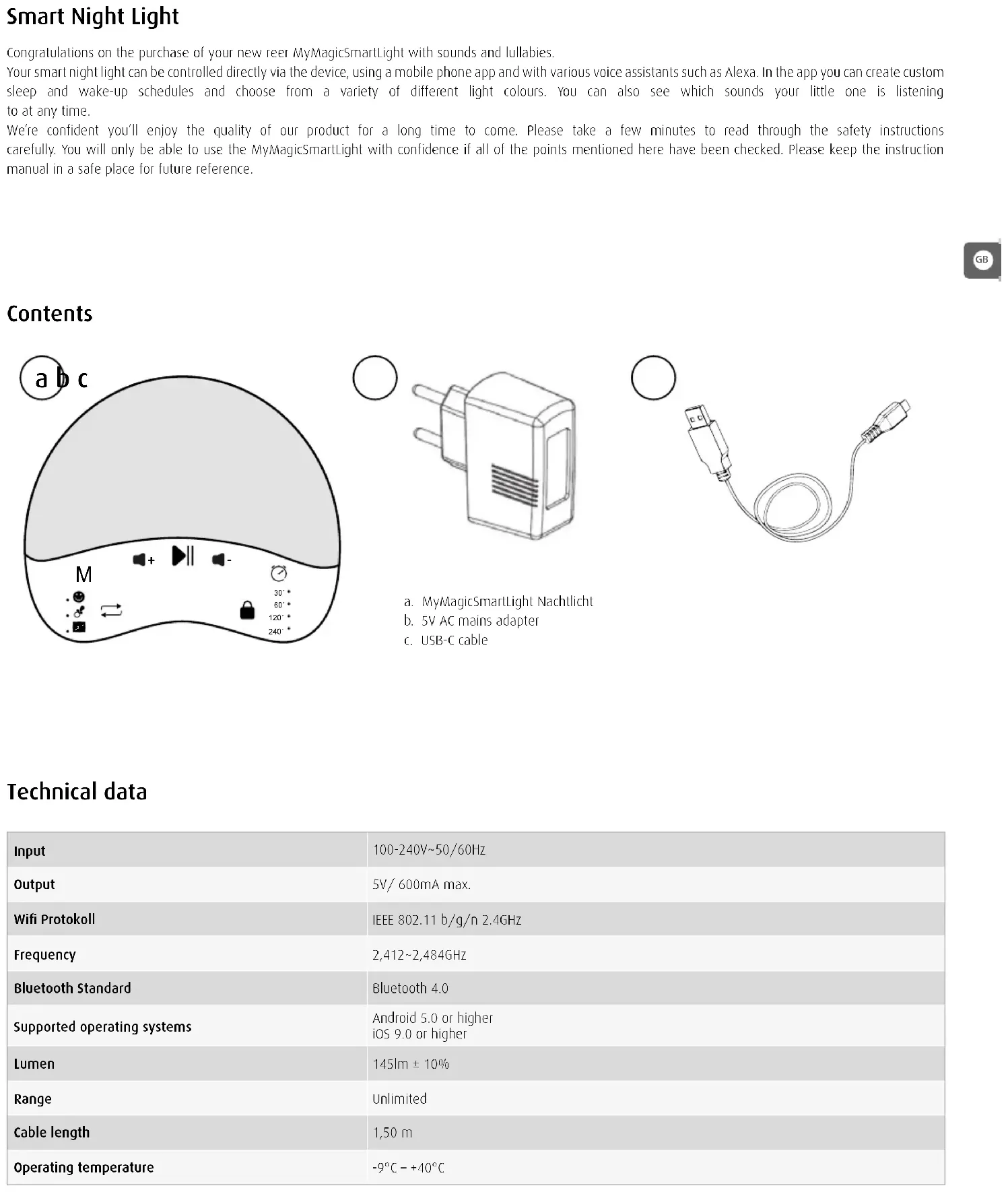
Contents
text_image
a b c M + - 30°* 60°* 120°* 240°*
natural_image
Line drawing of a rectangular electronic component with two leads and a ventilation grille (no text or symbols)
natural_image
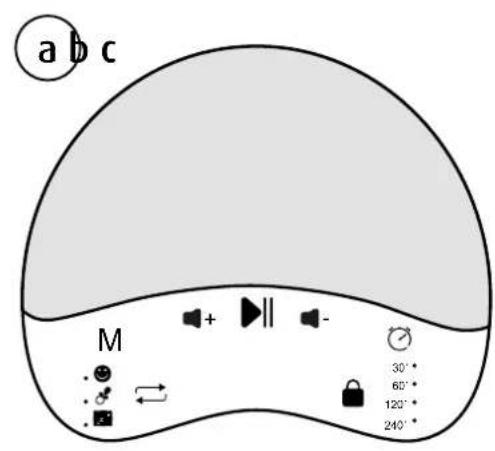
Line drawing of a USB cable with two connectors (no text or symbols)a. MyMagicSmartLight Nachtlicht
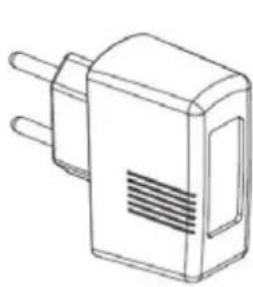
b. 5V AC mains adapter
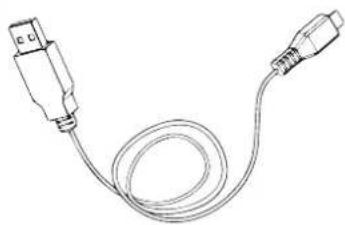
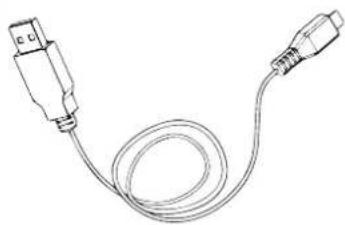
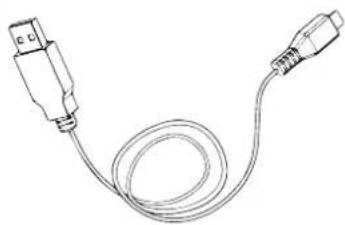
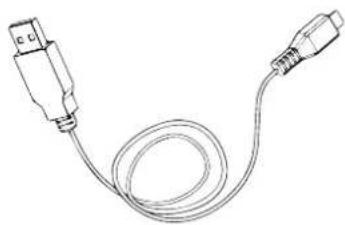
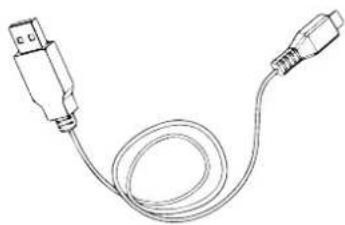
c. USB-C cable
Technical data
| Input | 100-240V~50/60Hz |
| Output | 5V/ 600mA max. |
| Wifi Protokoll | IEEE 802.11 b/g/n 2.4GHz |
| Frequency | 2,412~2,484GHz |
| Bluetooth Standard | Bluetooth 4.0 |
| Supported operating systems | Android 5.0 or higherIOS 9.0 or higher |
| Lumen | 145lm ± 10% |
| Range | Unlimited |
| Cable length | 1,50 m |
| Operating temperature | -9°C - +40°C |
General safety instructions
! Check the unit for visible damage before each use. If you detect any damage, do not use the unit.
! Only use the supplied chargers and mains adapters. Make sure that the operating voltage of the power outlet matches that of the mains adapter. Check - especially when travelling abroad - that the local mains voltage matches the voltage specified on the units and/or mains adapters.
Except for the battery compartment cover, never open the units or mains adapters, as there is a risk of electric shock. If a unit does not work correctly, please do NOT try to fix the problem yourself. Please contact your dealer in the case of any problems.
! Avoid bringing the battery and/or electrical connection contacts on the units into contact with metal objects.
! This product is not a toy! Do not allow children to play with the unit.

Safety instructions for installation
! The power lead must be secured out of the reach of children to avoid any risk of strangulation. Do not use extension cables.
! DO NOT place the device in the vicinity of radio transceivers or microwaves. Radiant emissions from these devices can significantly affect radio reception.
! Do not use the units near water or in humid places. Do not submerge the units in water.
!Do not rinse the units under running water.
!Avoid extreme heat and direct sunlight
! The socket used for connecting the mains adapter must be located close to the device and kept freely accessible at all times.
! Disconnection from the mains supply is only allowed if the mains adapter is disconnected from the power socket.
! The light source of this light cannot be replaced; when the light source has reached the end of its life, the whole light has to be replaced.
! ONLY use the included USB-C cable and AC power adapter. In order to ensure adequate brightness, make sure that the power adapter has an output of DC5V and a minimum of 1A.
! DO NOT install or operate near extreme heat sources, moisture or corrosive substances.
! Do not use the light if it has a damaged cable or other damage, or after a malfunction has occurred.
! Always place the night light out of your child's reach (minimum distance: 1 metre).
!Never place the night light inside the crib, cot or playpen.
Device description
text_image
Night light control Automatic switch-off timer M Sound control 30°* 60°* 120°* 240°* WiFi Reset USB-C input Wi-Fi ON/OFF/ pairControl and functions
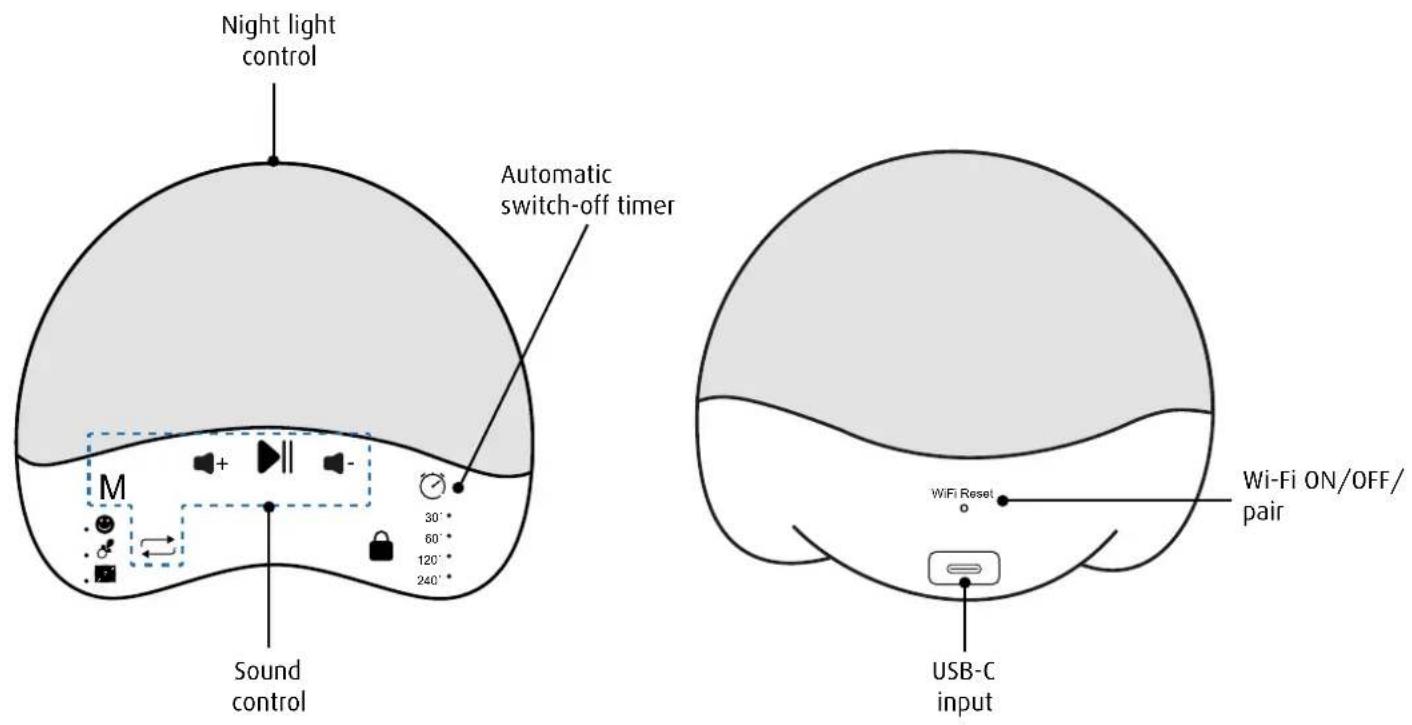
All of the controls can be customised in the Smart Life app.

Sound mode:
Repeated short press: Switch between the 3 sound modes: Nature → Animal → Sleep.

Sound selection:
Repeated short press: Switch between the sounds in each mode: 10 nature sounds / 7 animal sounds / 8 sleep sounds.

Play / Pause:
Short press: Play or pause the music function.


Increase volume:
Repeated short press: Increase volume step by step (16 levels).

Decrease volume:
Repeated short press: Decrease volume step by step (16 levels).

Night light control:
Short press: Switch the night light on or off.
Press and hold for 2 seconds: Change the brightness as desired.

Automatic switch-off timer:
Repeated short press: Activate timer / Set the desired time span (30 min. → 60 min. → 120 min. → 240 min. → cancel). When the time is up, the sound, night light and display will turn off automatically.
Press and hold for 2 seconds: The activated timer is cancelled. The timer display will turn off.

Wi-Fi connection:
Short press: Switch the Wi-Fi on or off.
Press and hold: Change to pairing mode:
- flashing blue → pairing
- red light → connection failed / offline
- blue light → connected
Connection with a smart device
Make sure your mobile device is connected to a secure 2.4 GHz network and that Bluetooth is activated.
- Download and install the Smart Life app from the App Store or Google Play Store.
- Open the app and select "Create a new account" if you don't have one already, or sign in with your existing account.
- Connect the light using the power adapter supplied. It will automatically switch to pairing mode (Wi-Fi indicator flashes blue).
- Press the blue plus symbol in the upper right corner of the app to add the device.
- The light has been identified and can now be added. Press "Add".
- Enter the Wi-Fi network you would like to connect the device to and enter the Wi-Fi password.
- After successfully adding the night light, press "Finish" and you will be taken to the night light's main menu.
Control via the Smart Life app
The Smart Life app allows you to control the device using your smart device and adjust the control.
1
text_image
< reer MyMagicSmartLight ...2
text_image
Modus ⊕3
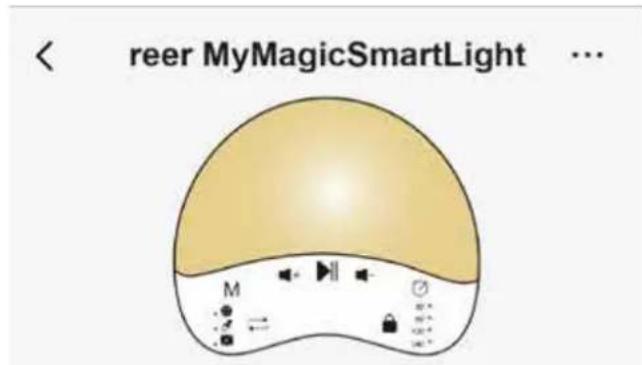
Here you can see which night light colour is currently set and which sound is currently playing.
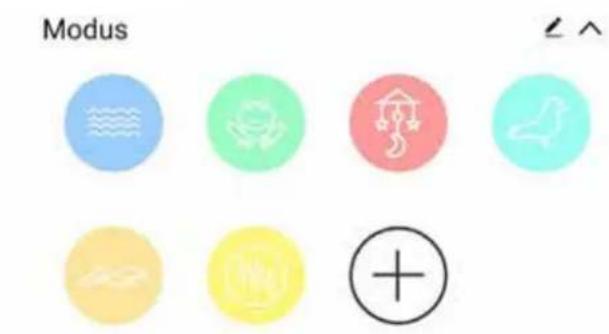
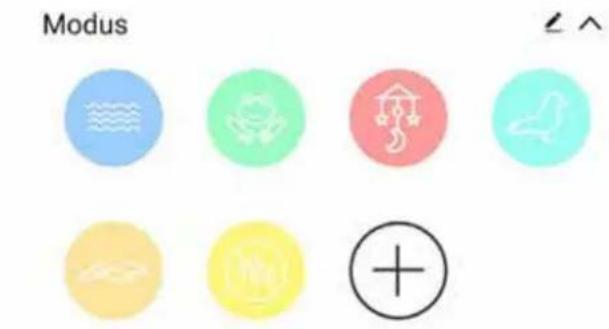
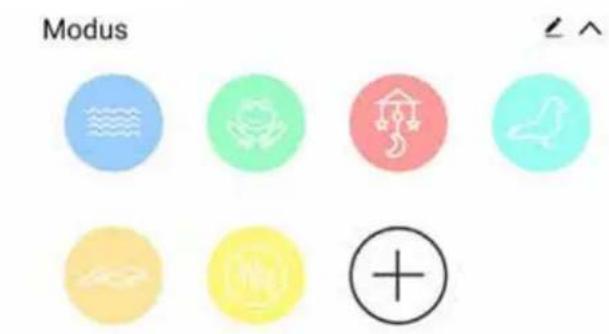
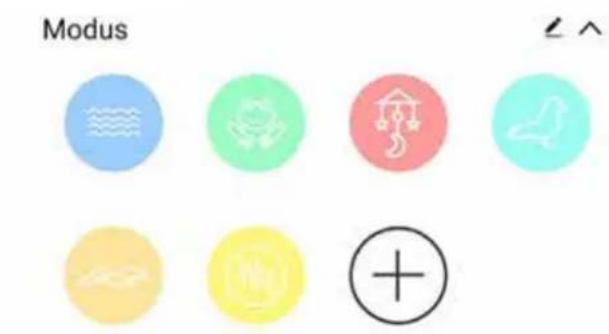
2. Mode:
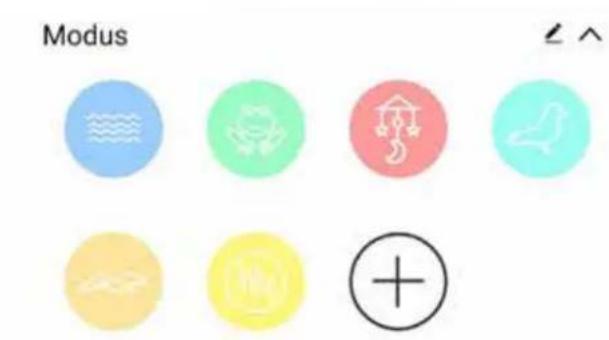
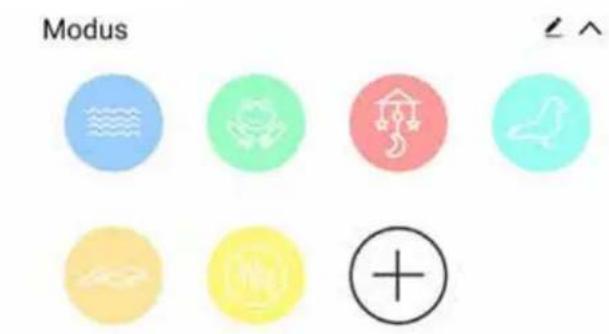
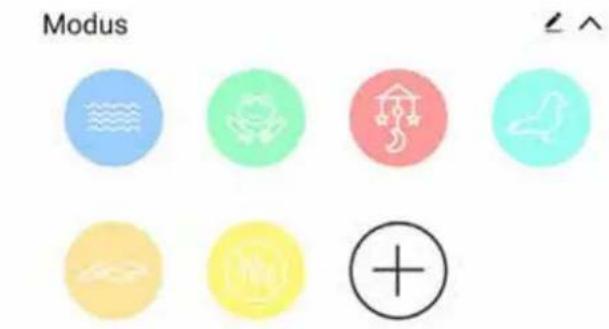
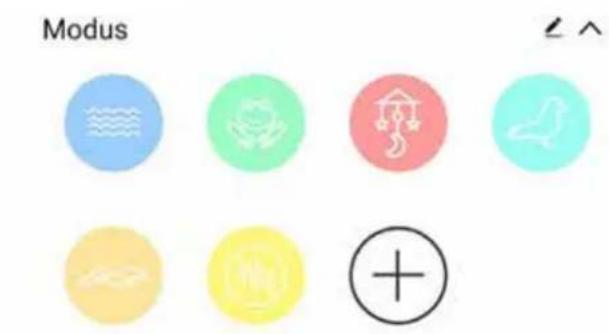
Here you can choose from the 7 pre-set modes with light and sounds or create 5 custom modes. You can create personal modes by opening the mode function and then pressing the round plus symbol (+).
If you decide that you no longer like a mode, you can easily remove it by clicking on the edit icon ↗.
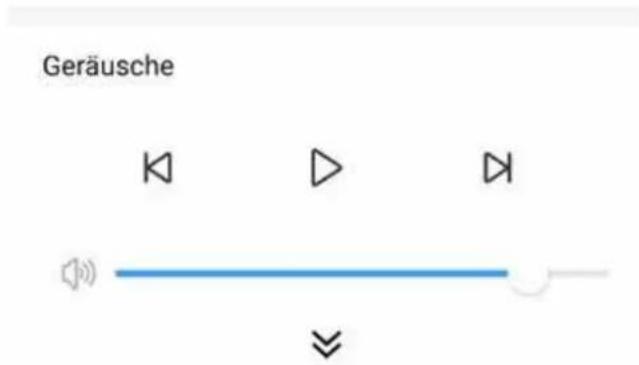
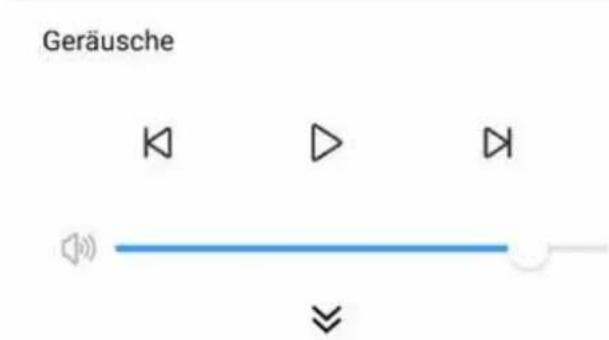
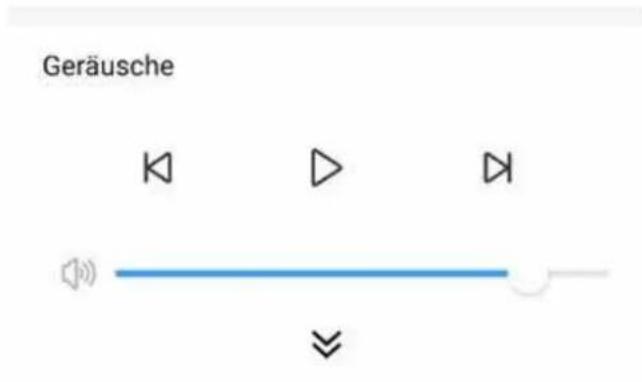
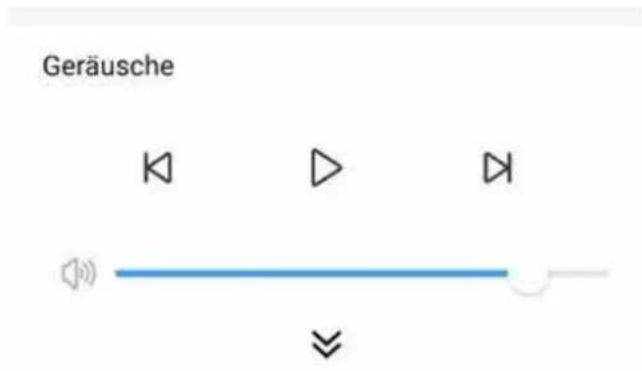
3. Sounds:
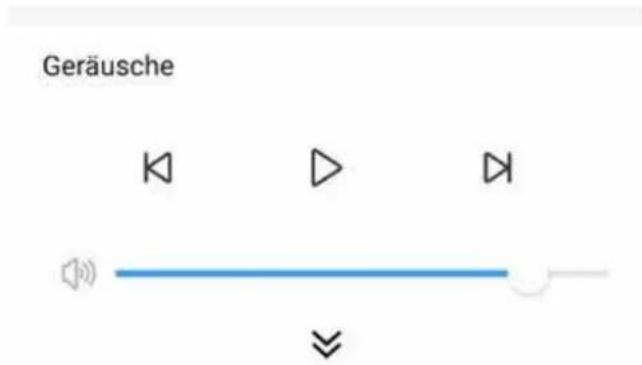
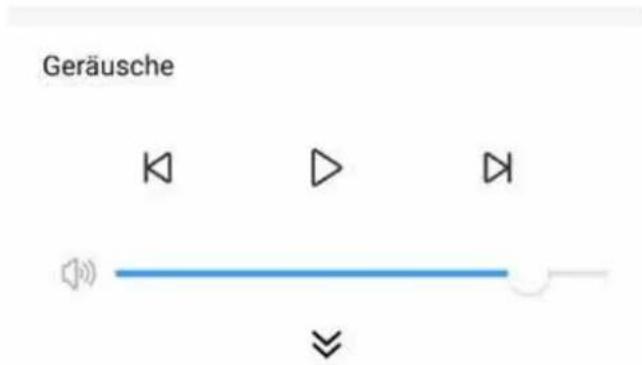
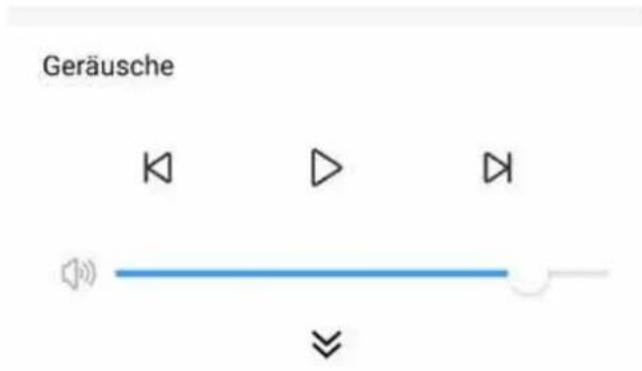
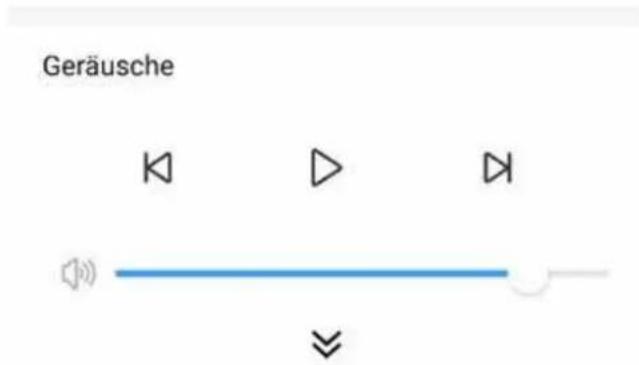
Choose from one of the 25 pre-installed sounds and nature soundscapes and control the playback.
The volume can be controlled with the slider.
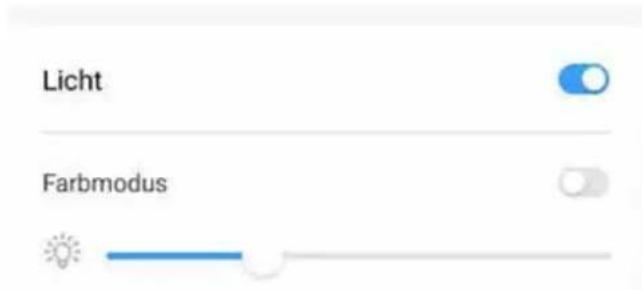
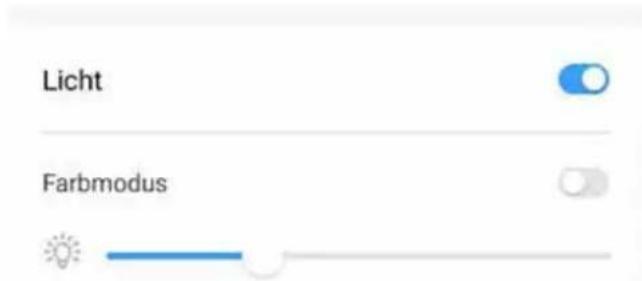
4. Light:
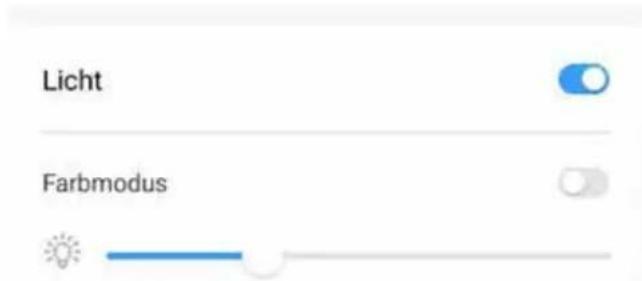
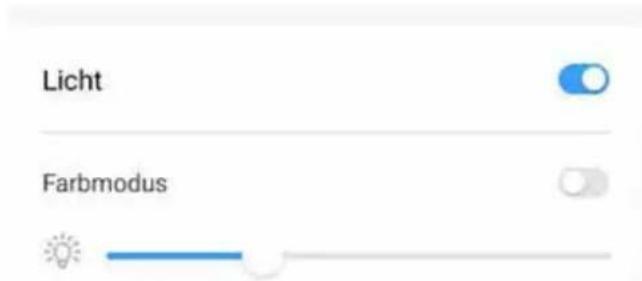
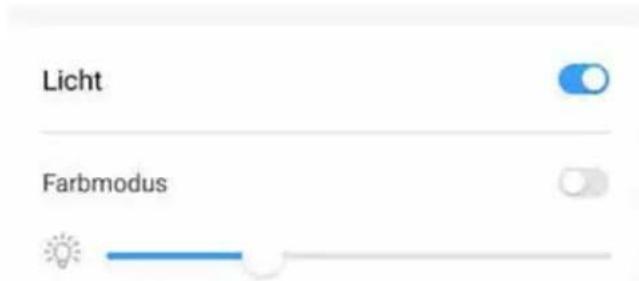
Here you can switch on the light and change its brightness and colour.
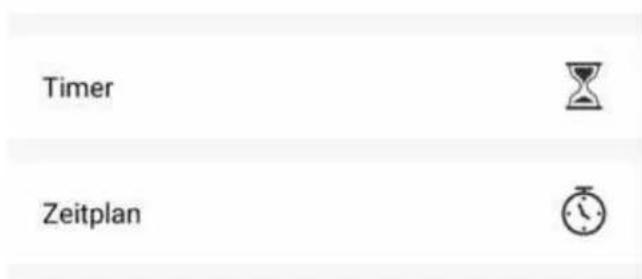
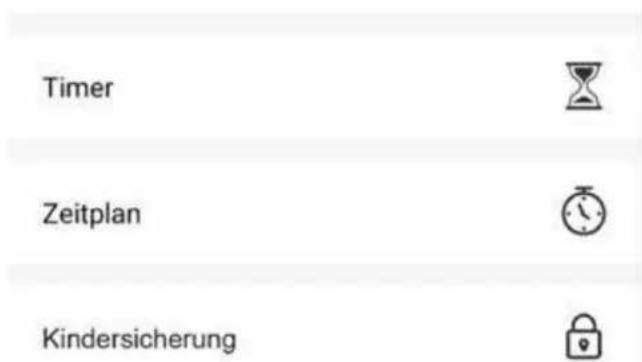
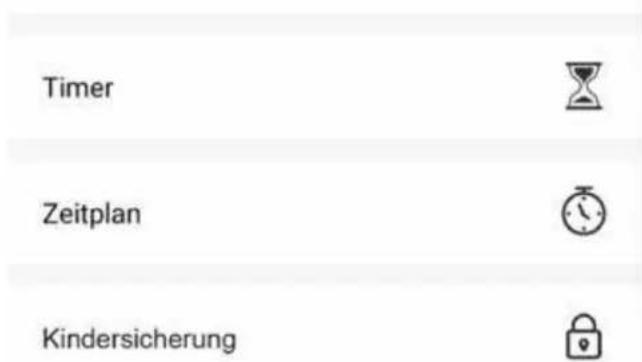
5. Timer:
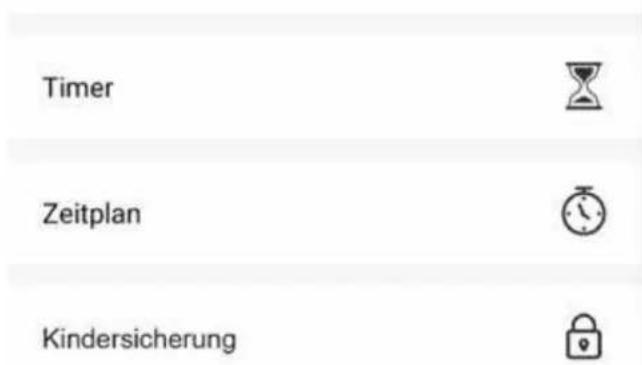
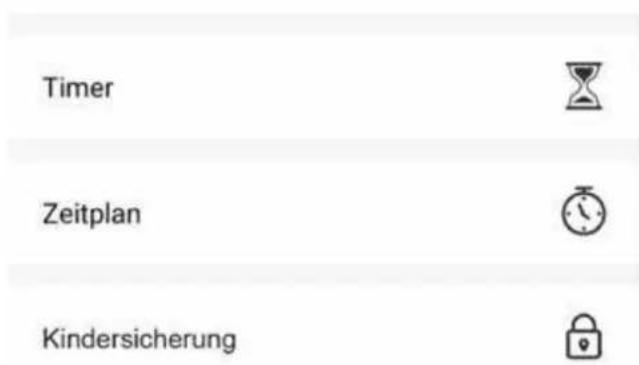
The timer will switch the device off after the set time.
6. Schedule:
The Schedule function allows you to configure a time for the device to switch on and which functions are to be stored in the device. For example, you could set up a wake-up routine that gently wakes your child with light and soft sounds.
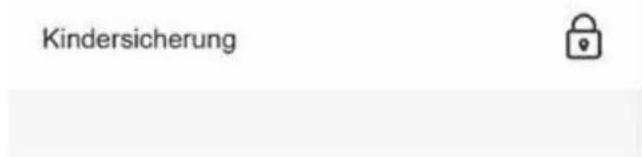
7. Child lock:
The child lock function ensures that only you can set or change the functions of the device. This deactivates the buttons on the device. This function can only be switched on and off in the app.
Caution! The child lock will switch off if the device has been disconnected from the power supply.
Share:
In the settings menu of the night light, you have the option to "Share device". After following the steps, you will receive a link to share. When the other person opens the link, they will be asked for their login data. If this person doesn't have an account yet, they will first have to create a new account. Then the night light will be automatically connected.
Alternatively, it is also possible to log in to a single account on up to 200 devices to enable use from different mobile devices.

Cleaning and maintenance
Always disconnect the mains adapters from the wall power socket before cleaning the unit. Only use a slightly dampened cloth. Do not submerge the unit in water. Do not use chemical detergents. This product does not require any special maintenance. Repairs to the unit must be carried out by skilled personnel only.
Troubleshooting
| Problem Action | |
| I can't switch to pairing mode (Wi-Fi indicator is not flashing blue). | The indicator is red: Press and hold the Wi-Fi button until the indicator flashes blue to manually switch to pairing mode.The indicator is OFF: Press the Wi-Fi button briefly to switch on. It will switch to pairing mode automatically. |
| I haven't received a verification code. | Make sure you entered your email address correctly when you registered.Check if the email is in your spam folder.If you still haven't received a code after several attempts, please contact reer customer service. |
| I can't connect to the Wi-Fi network / the Wi-Fi connection is unstable. | Make sure your smart device is connected to a secure 2.4 GHz network.Make sure you have entered the correct Wi-Fi password.Set up the lamp within the signal range of the router.Avoid obstacles such as metal doors and windows, multiple walls, etc. |
| I can't connect my light to the Smart Life app. | Make sure your phone and light are connected to the same secure 2.4 GHz Wi-Fi network.Follow the steps outlined in “Connecting to the smart device” to try again. |
| Can I control the light without the app? | Yes, the app merely offers additional functions. The light also works perfectly without a connection to a smartphone. |
| The light does not come on after it has been connected. | Make sure that the light is plugged into an appropriate socket.Check that the light is switched on. |
| The control panel is not responding. | Operate the light with dry hands.Disconnect the power supply to restart the light. |
Privacy
You can read the privacy policy in the Smart Life app under Settings -> Privacy policy management -> Privacy policy.
Warranty
Please retain your receipt, the user manual and item number. Warranty claims or claims from promises of guarantee must be processed by the dealer. The technical specification, information and characteristics of the product described herein have been compiled to the best of our knowledge and belief and are correct at the time of printing. Any information provided by reer should be correct and authoritative. Nevertheless, reer does not accept liability for potential errors in this document and reserves the right to make changes to the product design and/or specifications without prior notice. Reproduction and disclosure of information contained in this copyright-protected document, in any form or by any means - graphical, electronic or mechanical by photocopying, recording on tape or storage in a data retrieval system (even in part), require prior written consent from reer.
Environmental protection
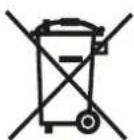
At the end of its useful life, this product must not be disposed of with normal household waste. Owners of old devices have a duty to hand them in to a collection point for the recycling of electronic devices. Please contact your local council to find out more about an appropriate disposal centre. It may be possible to hand in small devices with a maximum edge length of less than 25 cm at an electrical retailer. Batteries and battery packs must be removed from the device before handing it over, provided that this is possible without causing damage, and separately disposed of at a collection point for batteries and battery packs. The relevant symbol on the product, in the user manual or on the packaging refers to these duties.
Declaration of Conformity
natural_image
Line drawing of a rectangular electronic component with two leads and a ventilation grille (no text or symbols)
natural_image
Line drawing of a USB cable with two connectors (no text or symbols)a. MyMagicSmartLight Nachtlicht
b. 5V AC bloc d'alimentation
c. câble USB-C
Données techniques
text_image
< reer MyMagicSmartLight ...2
text_image
Modus ⊕③
text_image
Geräusche ◀ ▷ ▶4
text_image
Licht Farbmodus5
text_image
Timer Zeitplan7
natural_image
Line drawing of a white electrical outlet with two leads and a ventilation grille (no text or symbols)

natural_image
Line drawing of a USB cable with two connectors (no text or symbols)a. MyMagicSmartLight Nachtlicht
b. 5V AC alimentatore
c. cavo USB-C
Dati tecnici
| Input | 100-240V~50/60Hz |
| Output | 5V/ 600mA max. |
| Protocollo WiFi | IEEE 802.11 b/g/n 2.4GHz |
| Frequenza | 2,412~2,484GHz |
| Standard Bluetooth | Bluetooth 4.0 |
| Sistema operativo supportato | Android 5.0 o successiviIOS 9.0 o successivi |
| Lumen | 145lm ± 10% |
| Copertura | Senza limiti |
| Lunghezza cavo | 1,50 m |
| Temperatura di esercizio | -9°C - +40°C |

text_image
< reer MyMagicSmartLight ...2
text_image
Modus ⊕3
text_image
< reer MyMagicSmartLight ...2
text_image
Modus +3
text_image
Geräusche ◀ ▷ ▶4
text_image
Licht Farbmodus5
natural_image
Line drawing of a small electrical plug with two leads and a side cover (no text or symbols)
natural_image
Line drawing of a USB cable with two connectors (no text or symbols)a. MyMagicSmartLight Nachtlicht
b. 5V AC netvoedingsadapter
c. USB-C-kabel
Technische gegevens
| Input | 100-240V~50/60Hz |
| Output | 5V/ 600mA max. |
| Wifi-protocol | IEEE 802.11 b/g/n 2.4GHz |
| Frequentie | 2,412~2,484GHz |
| Bluetooth Standard | Bluetooth 4.0 |
| Ondersteunde besturingsystemen | Android 5.0 of hogerIOS 9.0 of hoger |
| Lumen | 145lm ± 10% |
| Bereik | Onbegrensd |
| Kabellengte | 1,50 m |
| Bedrijfstemperatuur | -9°C - +40°C |
text_image
< reer MyMagicSmartLight ...2
text_image
Modus ⊕3
text_image
Geräusche ◀ ▷ ▶ ←4
text_image
Licht Farbmodus5
text_image
< reer MyMagicSmartLight ...2
text_image
Modus ⊕3
text_image
Geräusche ◀ ▷ ▶4
text_image
Licht Farbmodus5
natural_image
Line drawing of a small electrical plug with two leads and a side cover (no text or symbols)
natural_image
Line drawing of a USB cable with two connectors (no text or symbols)a. MyMagicSmartLight Nachtlicht
b. 5V AC napájecí adaptér
c. USB-C kabel
Technické údaje
text_image
< reer MyMagicSmartLight ...2
text_image
Modus +③