EasyManual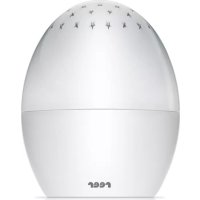
Starlino 52100 - Night lamp Reer - Free user manual and instructions
Find the device manual for free Starlino 52100 Reer in PDF.


User questions about Starlino 52100 Reer
0 question about this device. Answer the ones you know or ask your own.
Ask a new question about this device
Download the instructions for your Night lamp in PDF format for free! Find your manual Starlino 52100 - Reer and take your electronic device back in hand. On this page are published all the documents necessary for the use of your device. Starlino 52100 by Reer.
USER MANUAL Starlino 52100 Reer
Instructions for use, Art. no.: 52100
natural_image
Symbol of a trash bin with crossed lines and a solid black rectangle below (no text or labels)We would like to thank you for choosing the Starlino nightlight from reer. It gently accompanies your child as they fall asleep with a changing starry sky. We are sure you and your family will enjoy the quality of our product for many years to come.
Contents
General safety instructions. . . . . . . . 10
Scope of delivery, Technical data ..... 11
Before first use 11
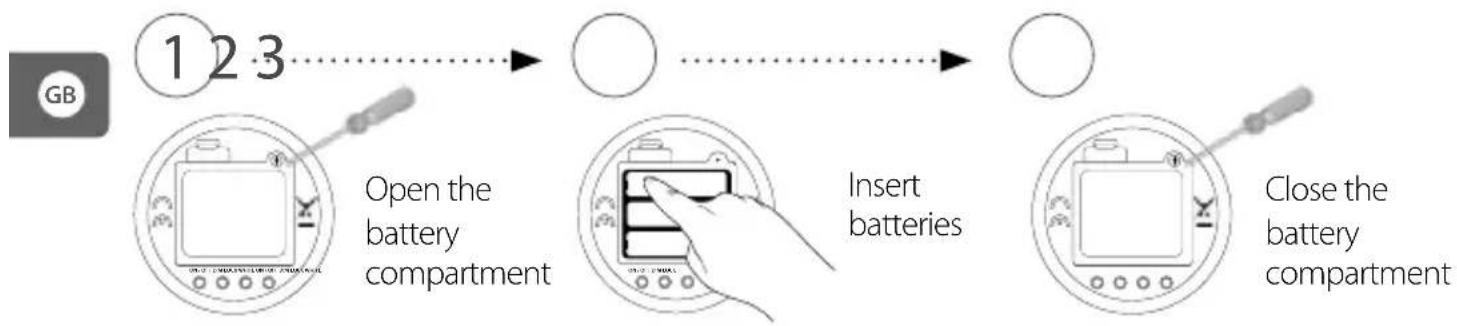
Installing the battery ..... 12
Star projection ..... 12
Functions 13
Setting the timer 13
Cleaning and maintenance ..... 14
Disposal instructions ..... 14
Warranty,Troubleshooting ..... 15
General safety instructions

Please read the instructions carefully prior to installing or using this device. Otherwise, the item's safety functions could be impaired. Please keep the instructions in a safe place for future reference.
IMPORTANT:
You will only be able to use the Starlino with confidence if all of the following points mentioned have been checked.
- Please use the product only for its intended purpose.
- Check the unit for visible damage before each use. If you detect any damage, do not use the unit.
- Do not use the device near water or in humid areas.
- Avoid extreme heat and direct sunlight.
- Do not subject the device to physical shocks.
- Children should not use the device without adult supervision.
- Except for the battery compartment cover, never open the unit, as there is a risk of electric shock. If a unit does not work correctly, please do NOT try to fix the problem yourself. Please contact your dealer regarding any problems.
- Avoid bringing the battery and/or electrical connection contacts on the unit into contact with metal objects.
- Keep the battery out of the reach of children. Risk of swallowing!
- Used batteries should not be thrown away with domestic waste and must be properly disposed of.
- The batteries included must not be recharged or reloaded by other means and may not be disassembled, exposed to sources of fire or short-circuited.
Scope of delivery
- 1x Starlino star projector
- 1x Instruction manual
•Batteries not included
GB
Technical data
-
3 x AAA batteries (not included)
•Nominal output: 0.5 W
•Nominal voltage: 4.5 V -
Bulb type: 3 × LED
•Lifetime of LED: approx. 50,000 hours
•Protection category: IP00
Before first use
text_image
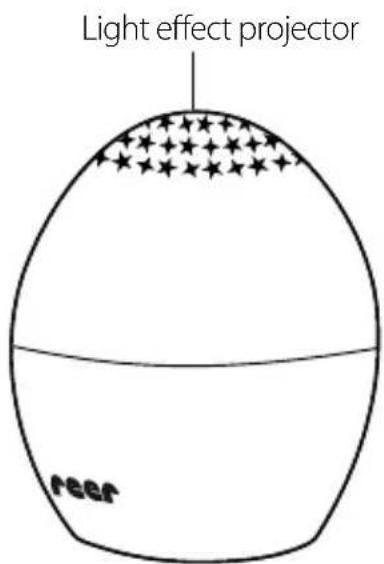
Light effect projector Peer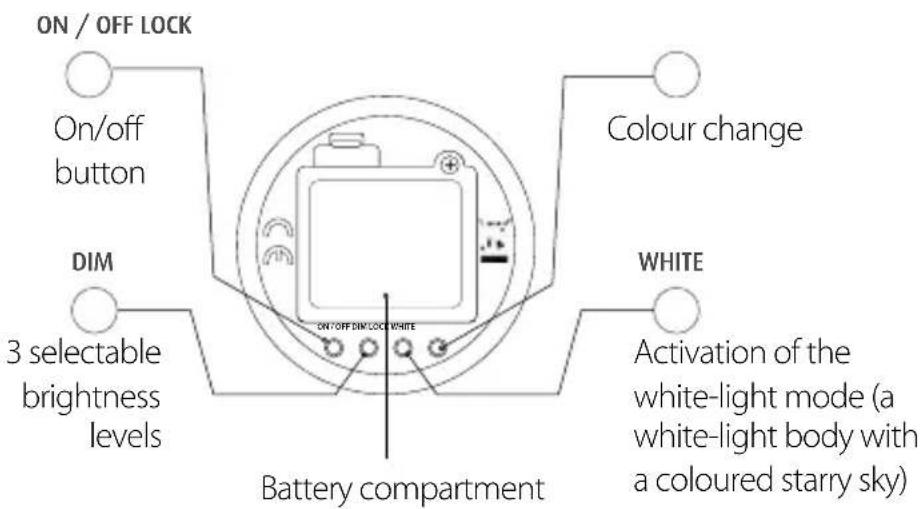
text_image
ON / OFF LOCK On/off button Colour change DIM 3 selectable brightness levels ON/OFF DIM/LOCK WHITE Battery compartment WHITE Activation of the white-light mode (a white-light body with a coloured starry sky)Installing the battery
flowchart
graph LR
    A["GB"] --> B["1 2 3"]
    B --> C["Open the battery compartment"]
    C --> D["Insert batteries"]
    D --> E["Close the battery compartment"]
ATTENTION: Do not use batteries of different types or used and new batteries together. Batteries must be inserted with the correct polarity.
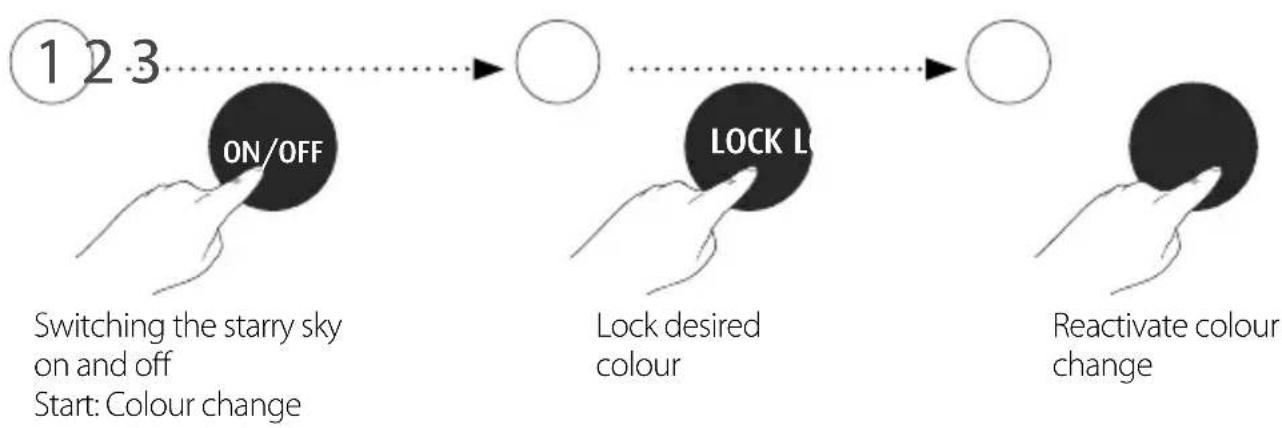
Star projection \*
flowchart
graph LR
    A["Switching the starry sky on and off\nStart: Colour change"] --> B["ON/OFF"]
    B --> C["LOCK L"]
    C --> D["Lock desired colour"]
    D --> E["Reactivate colour change"]
* The starry sky changes between colour combinations of red, green and blue.
Functions
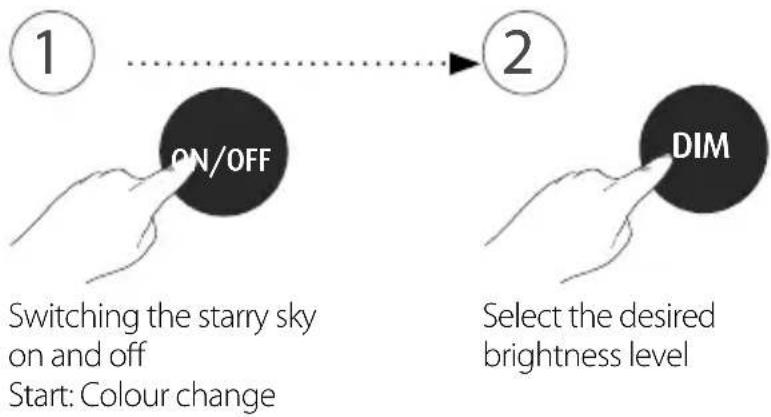
DIM function
* The starry sky changes between colour combinations of red, green and blue.
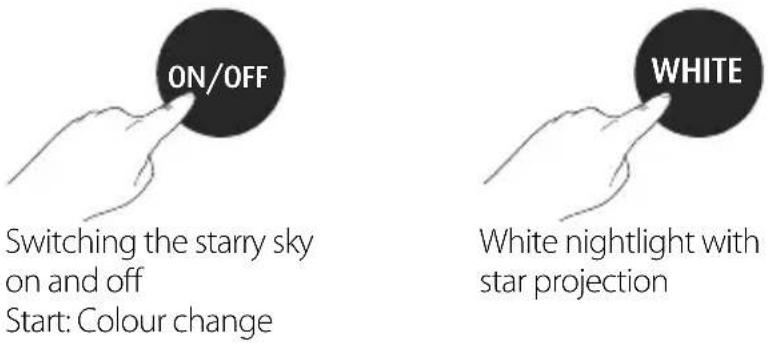
WHITE function
flowchart
graph LR
    A["1"] --> B["ON/OFF"]
    B --> C["2"]
    D["Switching the starry sky on and off\nStart: Colour change"] --> E["DIM"]
    F["Select the desired brightness level"] --> E
text_image
ON/OFF Switching the starry sky on and off Start: Colour change WHITE White nightlight with star projection
Setting the timer
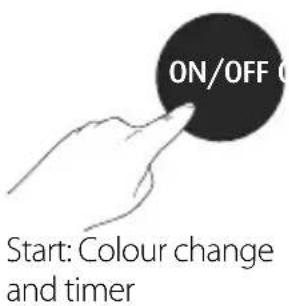
The timer is preprogrammed and starts when the light is switched on. The star projector automatically shuts off after 30 minutes. To deactivate the timer, press the ON / OFF button again.
text_image
ON/OFF Start: Colour change and timer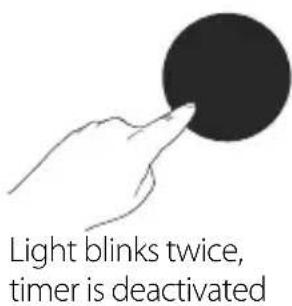
text_image
Light blinks twice, timer is deactivated
Cleaning and maintenance
A soft, dry cloth or alcohol pad is recommended for cleaning. The projection nightlight is not water-proof and thus must not be immersed in water or be directly exposed to damp. This product does not require any special maintenance. Repairs to the unit may only be carried out by a specialist.
Disposal instructions
natural_image
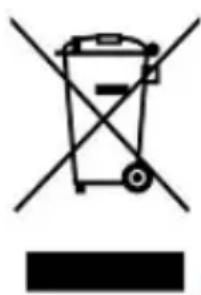
Symbol of a trash bin with crossed lines indicating no waste or restriction, and a solid black rectangle below (no text or labels)General: Old electronic equipment must not be disposed of with domestic waste. At the end of its life, this equipment must be disposed of properly in accordance with statutory regulations. Batteries/rechargeable batteries must not be disposed of with domestic waste. Consumers have a legal obligation to dispose of batteries properly. For this purpose, batteries can be disposed of for free in designated containers in shops, at mail-order warehouses and at communal collection points. Used batteries contain valuable raw materials, which can be reused. This is a valuable contribution towards environmental conservation. Batteries/rechargeable batteries containing hazardous substances are marked with the symbol shown here to indicate that they must not be disposed of with domestic waste.
Warranty
Please retain your receipt, the instruction manual and product number. Claims under warranty or other promises of guarantee shall be processed by the dealer alone. All technical data, information and characteristics of the product described herein were compiled to the best of our knowledge and belief, and are correct at the time of publication. The information provided by reer should be correct and reliable. Nevertheless, reer does not accept liability for potential errors in this document and reserves the right to make changes to the product design and/or specifications without prior notice. Reproduction and disclosure of the information contained in this copyright-protected document, in any form or by any means—graphical, electronic or mechanical, by photocopying, recording on tape or a data retrieval system—require prior written consent from reer (even for parts of such information).
Troubleshooting
The nightlight does not switch on
Please check the power connection or replace the batteries.