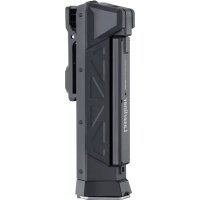
NovaMaster 800 - Flashlight Laserliner - Free user manual and instructions
Find the device manual for free NovaMaster 800 Laserliner in PDF.

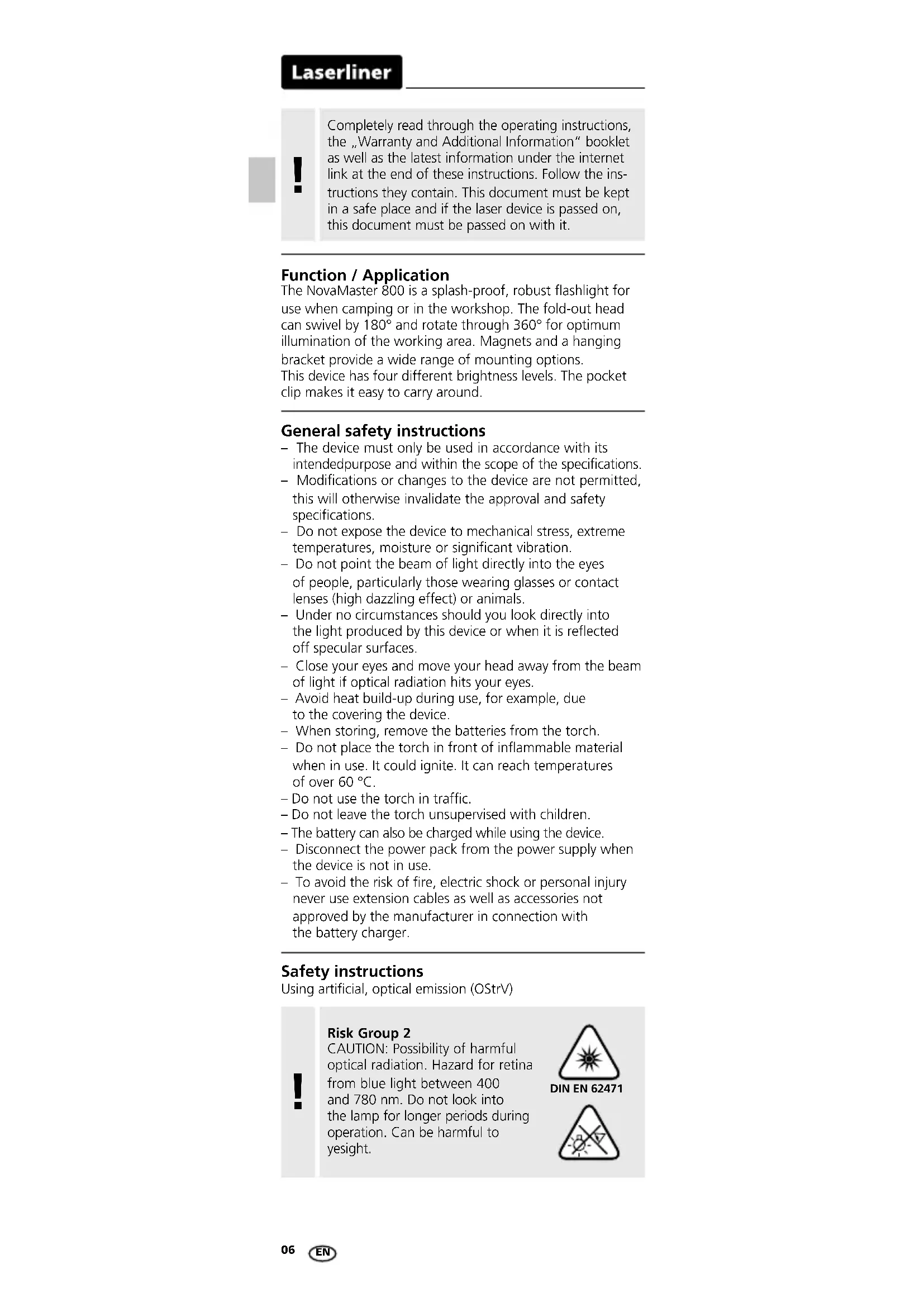


| Product Type | Rechargeable flashlight |
| Brand | Laserliner |
| Model | NovaMaster 800 |
| Dimensions (L x H x D) | 65 x 190 x 65 mm |
| Total weight | 264 g |
| Power supply | Li-ion battery pack 3.7 V / 2.6 Ah |
| Charging port | USB Type-C |
| Charging time | About 2.5 hours |
| Charging indicator | Red LED while charging, green at 100% |
| Brightness levels | Low (100 lm), Medium (200 lm), High (400 lm), Boost (800 lm) |
| Runtime per mode | Low: ~50 h, Medium: ~10 h, High: ~4 h, Boost: ~0.05 h |
| Light source | COB-LED |
| Protection type | IP65 (water jet proof) |
| Head adjustability | Tiltable 180° and rotatable 360° |
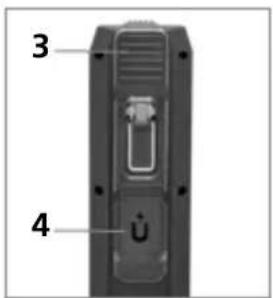
| Integrated mounts | Strong magnets, hanging bracket, pocket clip |
| Battery status indicator | 4 LEDs on the bottom (25% to 100%) |
| Operating temperature | -22 °C to 55 °C |
| Storage temperature | -30 °C to 60 °C |
| Care and cleaning | Clean with a slightly damp cloth, no solvents |
| Safety instructions | Do not look directly into the beam; keep magnets 30 cm away from implants |
Frequently Asked Questions - NovaMaster 800 Laserliner
User questions about NovaMaster 800 Laserliner
0 question about this device. Answer the ones you know or ask your own.
Ask a new question about this device
Download the instructions for your Flashlight in PDF format for free! Find your manual NovaMaster 800 - Laserliner and take your electronic device back in hand. On this page are published all the documents necessary for the use of your device. NovaMaster 800 by Laserliner.
USER MANUAL NovaMaster 800 Laserliner


Laserliner
| DE | 02 |
| EN | 06 |
| NL | 10 |
| DA | 14 |
| FR | 18 |
| ES | 22 |
| IT | 26 |
| PL | 30 |
| FI | 34 |
| PT | 38 |
| SV | 42 |
| NO | 46 |
Laserliner
!
2 Akkuleistung
1 LED: < 25%
2 LED's: 25–50%
3 LED's: 50–75%
4 LED's: 75–100%
3 Akku laden
Completely read through the operating instructions, the „Warranty and Additional Information“ booklet as well as the latest information under the internet link at the end of these instructions. Follow the instructions they contain. This document must be kept in a safe place and if the laser device is passed on, this document must be passed on with it.
Function / Application
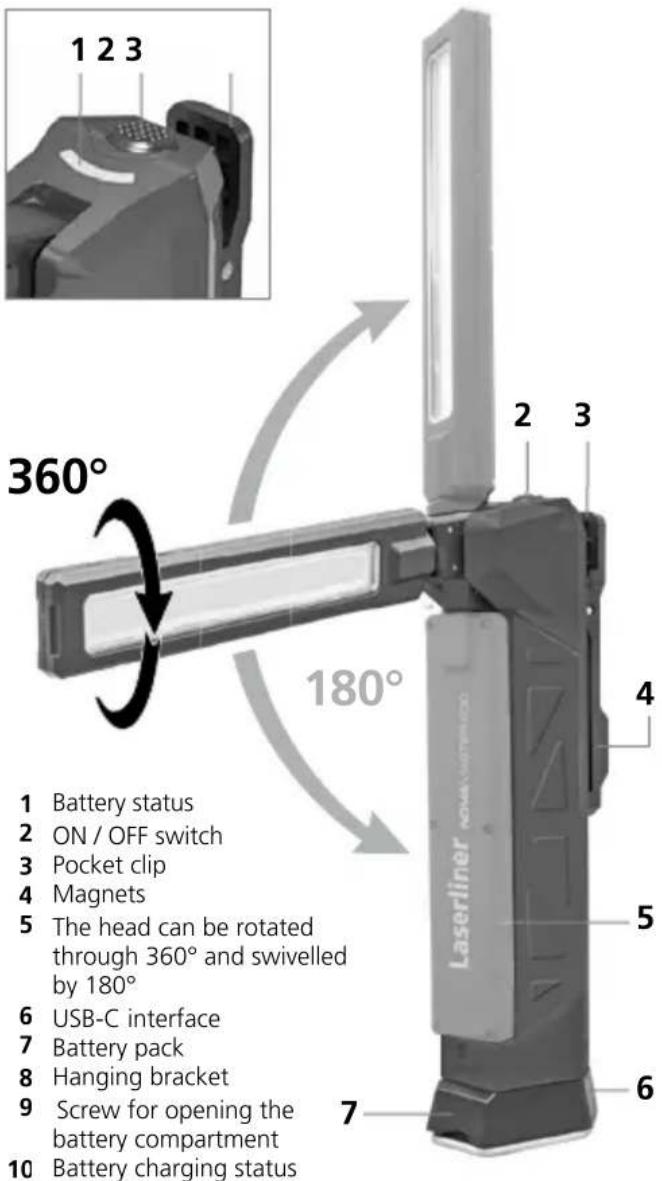
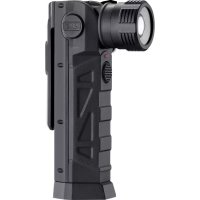
The NovaMaster 800 is a splash-proof, robust flashlight for use when camping or in the workshop. The fold-out head can swivel by 180° and rotate through 360° for optimum illumination of the working area. Magnets and a hanging bracket provide a wide range of mounting options. This device has four different brightness levels. The pocket clip makes it easy to carry around.
General safety instructions
- The device must only be used in accordance with its intended purpose and within the scope of the specifications.
- Modifications or changes to the device are not permitted, this will otherwise invalidate the approval and safety specifications.
- Do not expose the device to mechanical stress, extreme temperatures, moisture or significant vibration.
- Do not point the beam of light directly into the eyes of people, particularly those wearing glasses or contact lenses (high dazzling effect) or animals.
- Under no circumstances should you look directly into the light produced by this device or when it is reflected off specular surfaces.
- Close your eyes and move your head away from the beam of light if optical radiation hits your eyes.
- Avoid heat build-up during use, for example, due to the covering the device.
- When storing, remove the batteries from the torch.
- Do not place the torch in front of inflammable material when in use. It could ignite. It can reach temperatures of over 60 °C.
- Do not use the torch in traffic.
- Do not leave the torch unsupervised with children.
– The battery can also be charged while using the device. - Disconnect the power pack from the power supply when the device is not in use.
- To avoid the risk of fire, electric shock or personal injury never use extension cables as well as accessories not approved by the manufacturer in connection with the battery charger.
Safety instructions
Using artificial, optical emission (OStrV)

Risk Group 2
CAUTION: Possibility of harmful optical radiation. Hazard for retina from blue light between 400 and 780 nm. Do not look into the lamp for longer periods during operation. Can be harmful to yesight.
DIN EN 62471

Safety instructions
Danger – powerful magnetic fields
- Powerful magnetic fields can adversely affect persons with active medical implants (e.g. pacemaker) as well as electromechanical devices (e.g. magnetic cards, mechanical clocks, precision mechanics, hard disks).
- With regard to the effect of powerful magnetic fields on persons, the applicable national stipulations and regulations must be complied with such as BGV B11 §14 "electromagnetic fields" (occupational health and safety - electromagnetic fields) in the Federal Republic of Germany.
- To avoid interference/disruption, always keep the implant or device a safe distance of at least 30 cm away from the magnet.
Laserliner
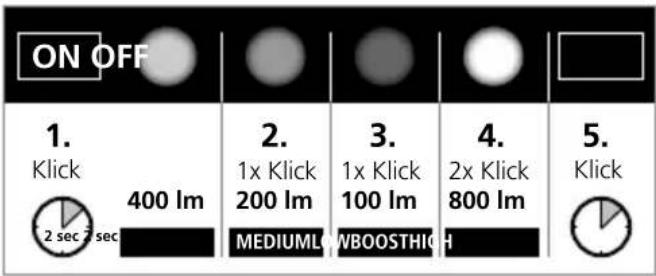
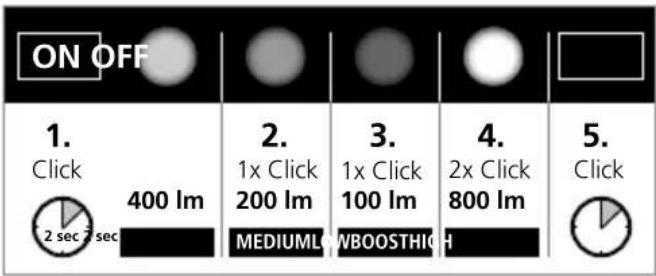
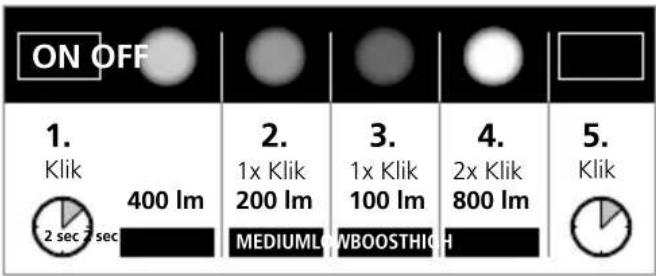
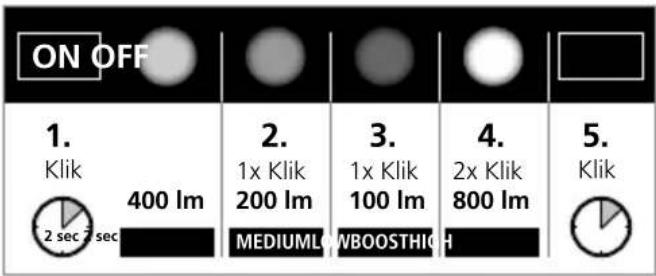
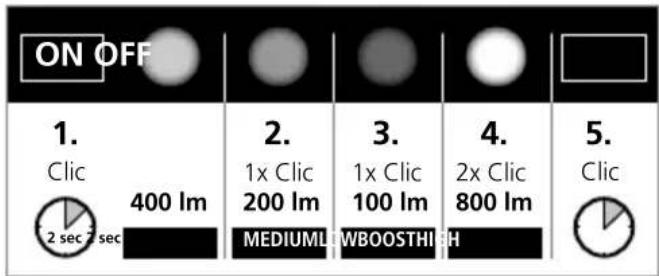
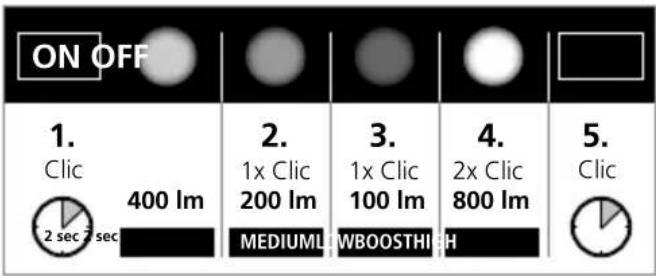
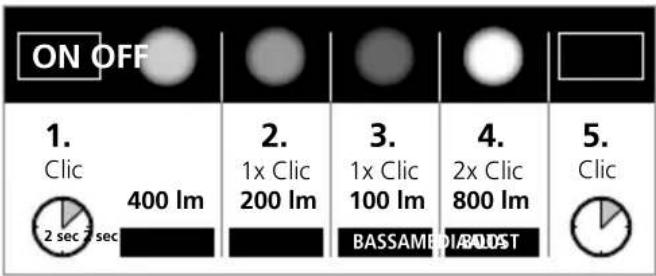
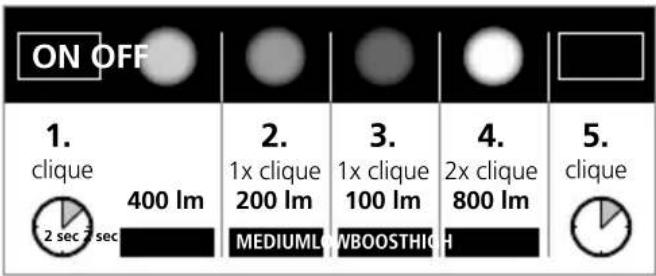
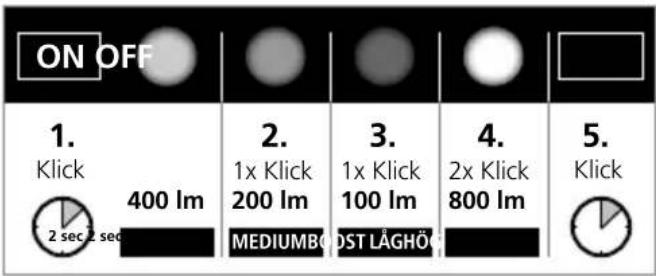
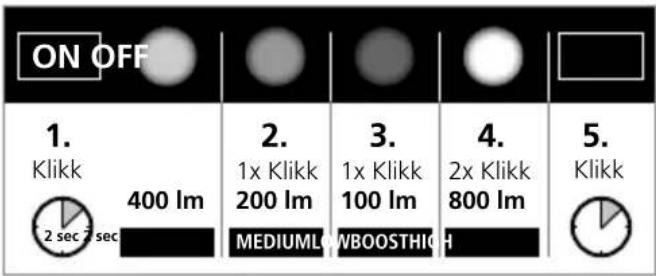
1 Light levels
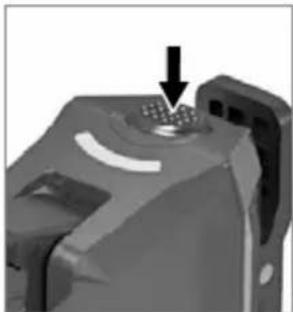
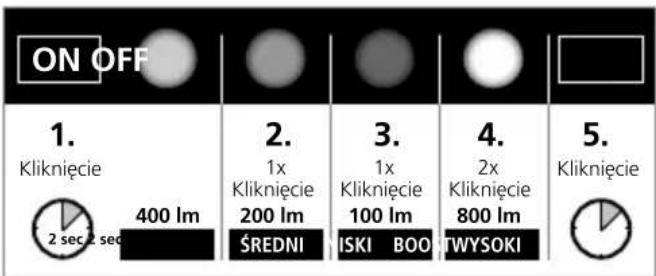
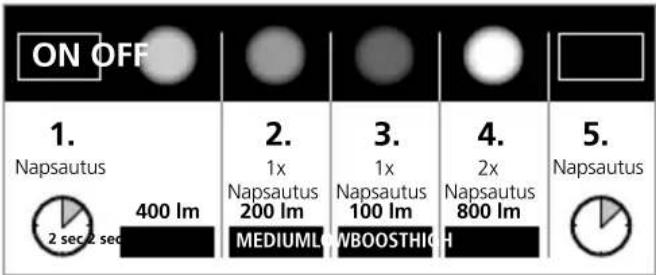
- Click: hold the button down for 1 or 2 seconds: Switch on / light level: high mode
- Click Medium mode
- Click: Low mode
- Double click: boost mode
5.Click: hold down for 1 or 2 seconds: switch off
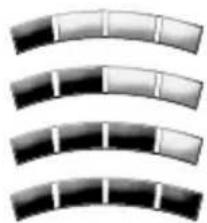
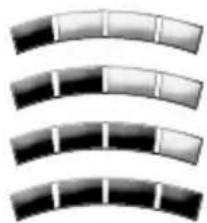
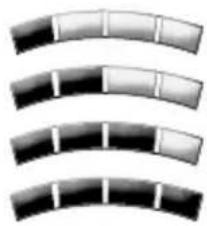
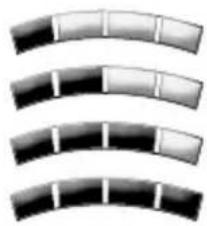
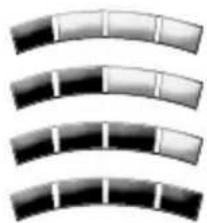
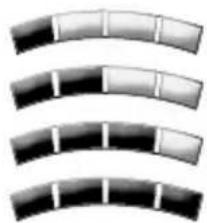
2 Battery status
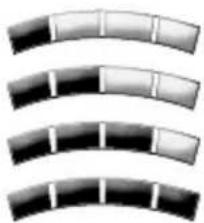
1 LED: < 25%
2 LEDs: 25–50%
3 LEDs: 50–75%
4 LEDs: 75–100%
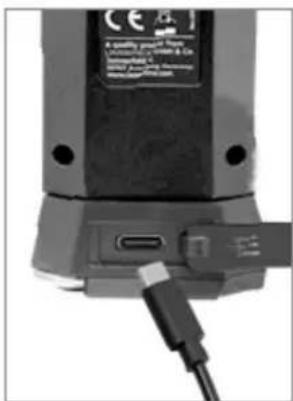
3 Battery charging
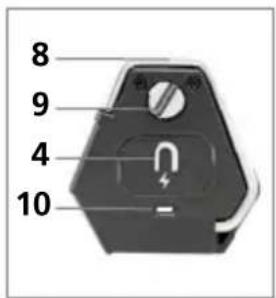
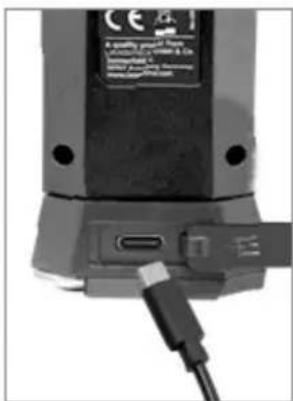
- Remove rubber cover
- Connect the device to a power source using the USB-C interface and USB-C cable.
- Stop charging when the battery charge display on the base of the device lights up green.
Red LED: charging Green LED: battery fully charged
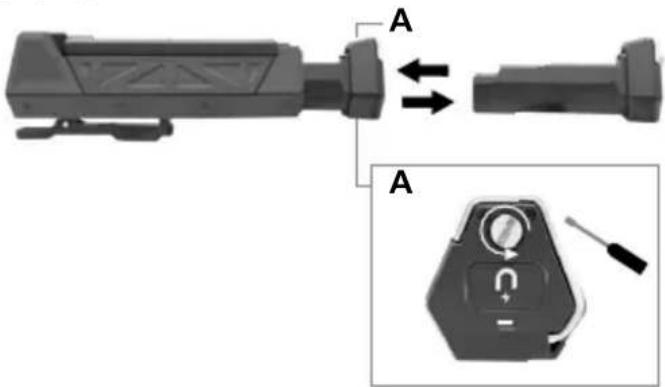
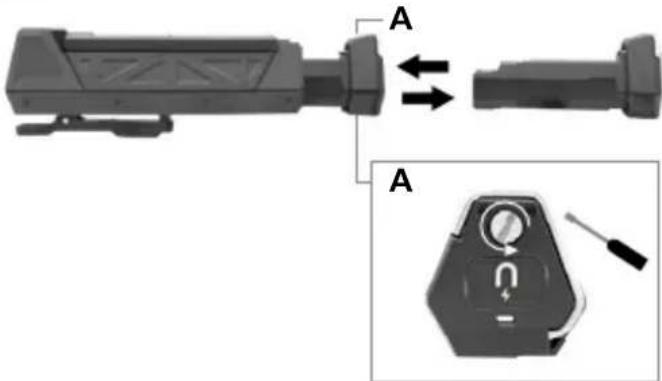
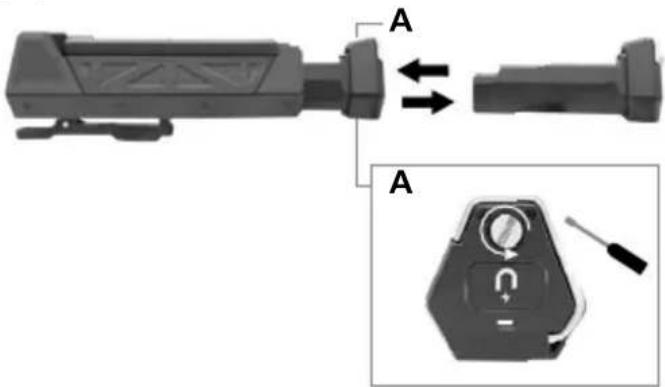
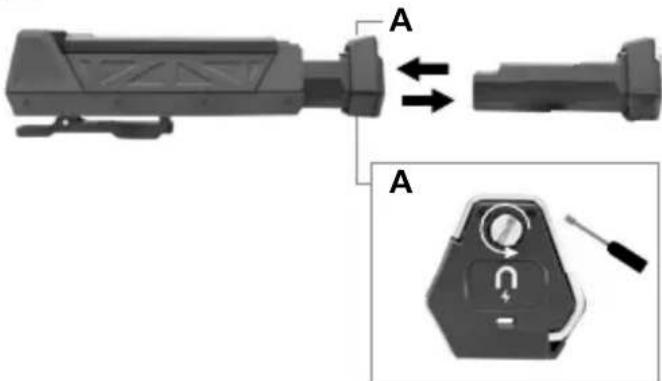
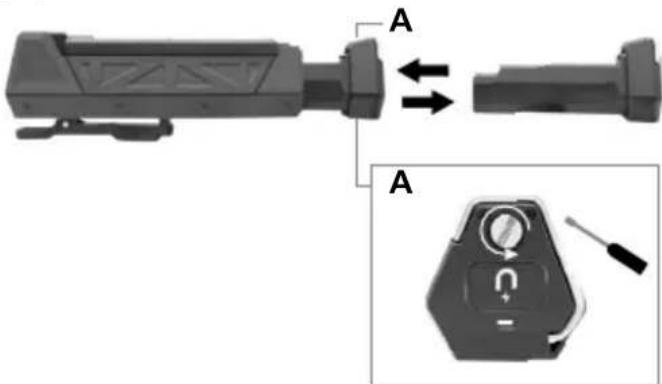
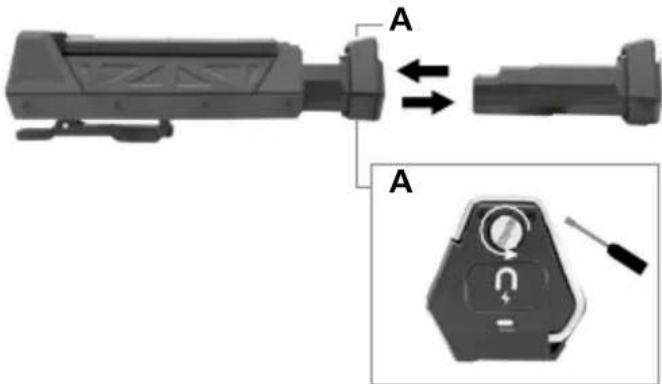
4 Remove the battery pack
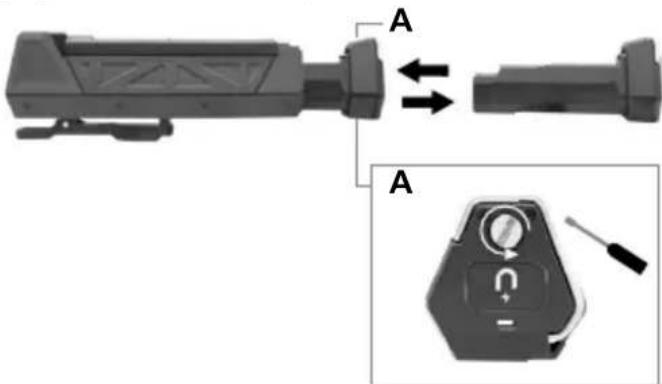
Information on maintenance and care
Clean all components with a damp cloth and do not use cleaning agents, scouring agents and solvents. Remove the battery(ies) before storing for longer periods. Store the device in a clean and dry place.
Technical Data
(Subject to technical changes without notice. Rev.21W38)
| Luminosity low / medium / high / boost | 100 / 200 / 400 / 800 lm |
| Duration low / medium / high / boost | approx. 50 / 10 / 4 / 0,05 hours |
| Charging time approx. 2.5 hours | |
| Power supply Li-ion battery pack 3.7V / 2.6Ah | |
| LED chip COB-LED | |
| Degree of protection IP 65 | |
| Connections Type C USB | |
| Operating conditions -22 °C ... 55 °C | |
| Storage conditions -30°C ... 60°C | |
| Dimensions (W x H x D) 65 x 190 x 65 mm | |
| Overall weight 264 g | |
EU directives and disposal
This device complies with all necessary standards for the free movement of goods within the EU.
This product is an electric device and must be collected separately for disposal according to the European Directive on waste electrical and electronic equipment.
Further safety and supplementary notices at:
www.laserliner.com/info

Laserliner

2 Accustatus
1 LED: < 25%
2 LEDs: 25–50%
3 LEDs: 50–75%
4 LEDs: 75–100%
3 Accu laden
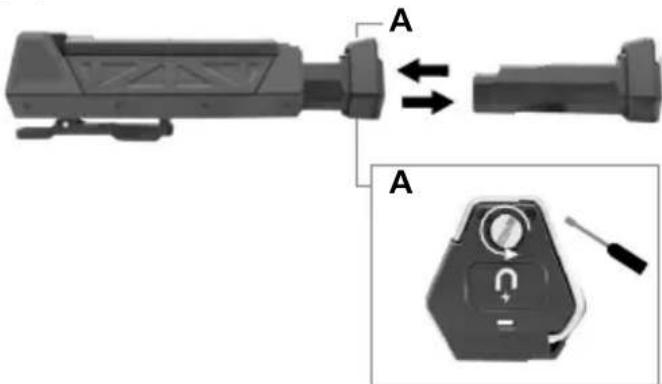
4 Accupack eruit nemen
2 Akkustatus
1 LED: < 25%
2 LED: 25–50%
3 LED: 50–75%
4 LED: 75–100%
4 Tag batteripakken ud
4 Retirer le pack de piles rechargeables
3 Cargar la batería
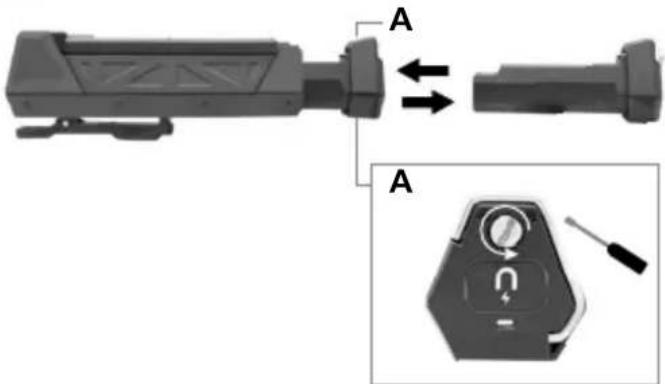
4 Retire la batería
2 Akun tila
1 ledi: < 25%
2 lediä: 25–50%
3 lediä: 50–75%
4 lediä: 75–100%
3 Akun lataaminen
4 Irrota akkupaketti
2 Estado da bateria
1 LED: < 25%
2 LED's: 25–50%
3 LED's: 50–75%
4 LED's: 75–100%
4 Remover o pacote de bateria
2 Batteristatus
1 LED: < 25%
2 LED: 25–50%
3 LED: 50–75%
4 LED: 75–100%
4 Ta ur batteripaket
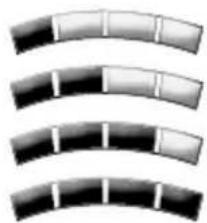
2 Status batteripakke
1 LED: < 25%
2 LED's: 25–50%
3 LED's: 50–75%
4 LED's: 75–100%
3 Lade batteripakke
- Ta av gummidekselet.
- Koble apparatet til strømkilden med USB-C grensesnittet og USB-C kabelen.
- Avslutt oppladingen när batteripakkens ladeindikator på undersiden av apparatet lyser grønt.
LED rød: lades opp.
LED grønn: Batteripakken er fullstendig oppladet
4 Ta ut batteripakken
SERVICE


Umarex GmbH & Co. KG
-Laserliner-


- LASERLINER
- 2 AKKULEISTUNG
- 3 AKKU LADEN
- FUNCTION / APPLICATION
- GENERAL SAFETY INSTRUCTIONS
- SAFETY INSTRUCTIONS
- RISK GROUP 2
- 1 LIGHT LEVELS
- 2 BATTERY STATUS
- 3 BATTERY CHARGING
- 4 REMOVE THE BATTERY PACK
- INFORMATION ON MAINTENANCE AND CARE
- EU DIRECTIVES AND DISPOSAL
- 2 ACCUSTATUS
- 3 ACCU LADEN
- 4 ACCUPACK ERUIT NEMEN
- 2 AKKUSTATUS
- 4 TAG BATTERIPAKKEN UD
- 4 RETIRER LE PACK DE PILES RECHARGEABLES
- 3 CARGAR LA BATERÍA
- 4 RETIRE LA BATERÍA
- 2 AKUN TILA
- 3 AKUN LATAAMINEN
- 4 IRROTA AKKUPAKETTI
- 2 ESTADO DA BATERIA
- 4 REMOVER O PACOTE DE BATERIA
- 2 BATTERISTATUS
- 4 TA UR BATTERIPAKET
- 2 STATUS BATTERIPAKKE
- 3 LADE BATTERIPAKKE
- 4 TA UT BATTERIPAKKEN
- SERVICE
- UMAREX GMBH & CO. KG
Brand : Laserliner
Model : NovaMaster 800
Category : Flashlight