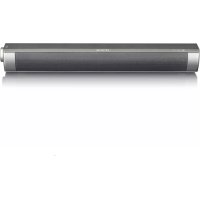
ISB020 - Soundbar Ices - Free user manual and instructions
Find the device manual for free ISB020 Ices in PDF.


| Product type | Soundbar |
| Brand | Ices |
| Model | ISB020 |
| Dimensions (W x D x H) | 400 x 55 x 60 mm |
| Weight | 0.6 kg |
| Output power | 5 W x 2 (stereo) |
| Impedance | 4 Ohms |
| Frequency response | 100 Hz – 18 kHz |
| Power supply | DC 5 V (via micro USB) |
| Built-in battery | Lithium-ion 3.7 V, 1800 mAh |
| Bluetooth version | Bluetooth 3.0 |
| Supported Bluetooth profiles | HSP, HFP, A2DP, AVRCP |
| Playback modes | Bluetooth, line input (AUX), TF card (microSD) |
| Volume control | Rotary knob |
| LED indicators | Blue (Bluetooth/playback), Red (charging) |
| Voice notifications | English (Power On, Bluetooth, Line In, etc.) |
| Low battery protection | Low Battery alert then auto shut-off |
| Safety | Do not expose to water, do not open, avoid heat sources |
| Maintenance | Clean with a dry cloth, do not use liquids |
| Operating temperature | Temperate climate only |
| Warranty | Compliant with European laws, contact the retailer |
Frequently Asked Questions - ISB020 Ices
User questions about ISB020 Ices
0 question about this device. Answer the ones you know or ask your own.
Ask a new question about this device
Download the instructions for your Soundbar in PDF format for free! Find your manual ISB020 - Ices and take your electronic device back in hand. On this page are published all the documents necessary for the use of your device. ISB020 by Ices.
USER MANUAL ISB020 Ices
natural_image
Black rectangular electronic device with a metallic handle and control knob (no visible text or symbols)USER MANUAL ISB-020
GEBRUIKERSHANDLEIDING ISB-020
Before using this product, read and follow all warnings and instructions.
-
The apparatus shall not be exposed to dripping or splashing and make sure that no objects filled with liquids, such as vases, shall be placed on or near the apparatus.
-
To completely disconnect the power input, the mains plug of the apparatus shall be disconnected from the mains, as the disconnect device is the mains plug of apparatus.
-
The mains plug of the apparatus should not be obstructed OR should be easily accessed during intended use.
-
Battery shall not be exposed to excessive heat such as sunshine, fire or the like.
-
A minimum distance of 10cm around the apparatus is needed for sufficient ventilations.
-
The ventilation should not be impeded by covering the ventilation openings with items such as newspapers, table-cloths, curtains etc.
-
No naked flame sources such as lighted candles should be placed on the apparatus.
-
Attention should be drawn to the environmental aspects of battery disposal.
-
The apparatus can only be used in moderate climates, extremely cold or warm environments should be avoided.
-
The rating label has been marked on the bottom panel of the apparatus.
-
This device is not intended for use by people (including children) with physical, sensory or mental disabilities, or a lack of experience and knowledge, unless they're under supervision or have received instructions about the correct use of the device by the person who is responsible for their safety.
-
This product is intended for household use only and not for commercial or industrial use.
-
Make sure the unit is adjusted to a stable position. Damage caused by using this product in an unstable position or by failure to follow any other warning or precaution contained within this user manual will not be covered by warranty.
-
Never remove the casing of this apparatus.
-
Never place this apparatus on other electrical equipment.
-
Do not use or store this product in a place where it is subject to direct sunlight, heat, excessive dust or vibration.
-
Do not clean this product with water or other liquids.
-
Do not block or cover the slots and holes in the product.
-
Do not push foreign objects into the slots or holes in the product.
-
Do not allow children access to plastic bags.
-
Please check that the voltage on the type plate of your appliance corresponds with your house electricity supply (type plate is located on the back of the unit).
-
Protect the power cord from being walked on or pinched, particularly at plugs, convenience receptacles, and the point where they exit from the apparatus.
-
Only use attachments/accessories specified by the manufacturer.
-
Refer all servicing to qualified service personnel. Servicing is required when the apparatus has been damaged in any way, such as the power supply cord or the plug, when liquid has been spilled or objects have fallen into the apparatus, when the apparatus has been exposed to rain or moisture, does not operate normally, or has been dropped.
-
Do not use a damaged power cord or plug or a loose outlet. Doing so may result in fire or electric shock.

WARNING
- Never remove the casing of this device.
- Never place this device on other electrical equipment.
NOTICE
If at any time in the future you should need to dispose of this product please note that: All batteries and accumulators need to be removed from this product (Removal of Waste Batteries and Accumulators).
Always bring your product to a professional to remove the built-in battery.
SPECIFICATION
- Output Power: 5W x 2
- Unit Size: 40mm x 2
- Impedance: 4 Ohm
- Battery: 3.7V 1800mAh
- Power Supply: DC 5V
- Frequency Response: 100Hz-18KHz
- Dimensions: 400 (W) x 55 (D) x 60 (H) mm
- Weight: 0.6 kg

USER'S MANUAL SPEAKER
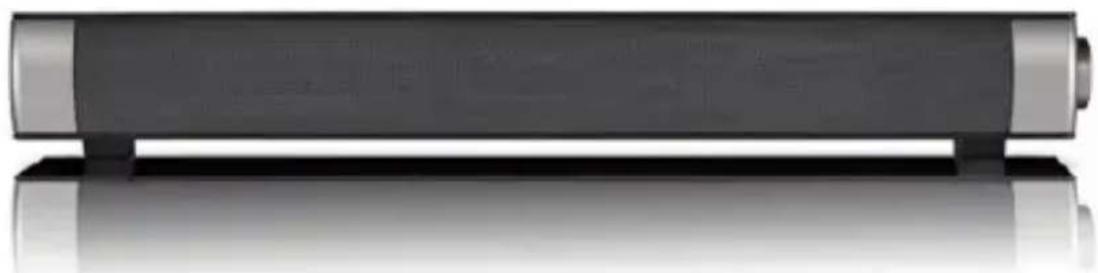
natural_image
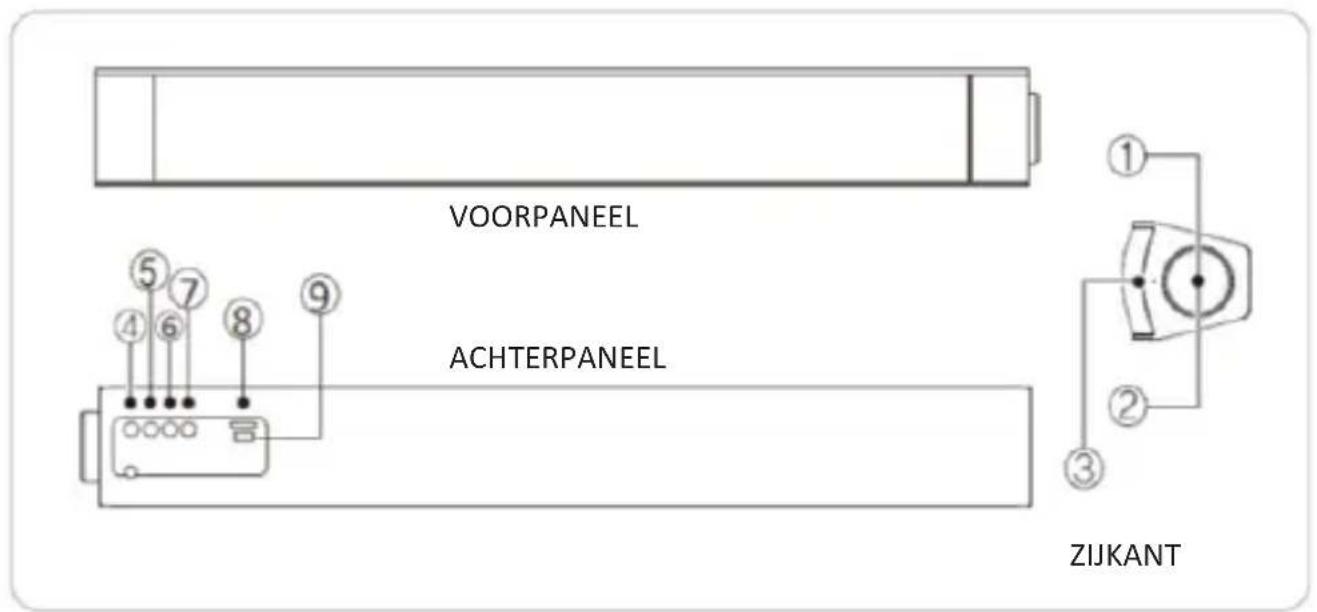
Exterior view of a modern cylindrical electronic device with metallic edges and reflective surface (no text or symbols visible)COMPONENTS & FUNCTION
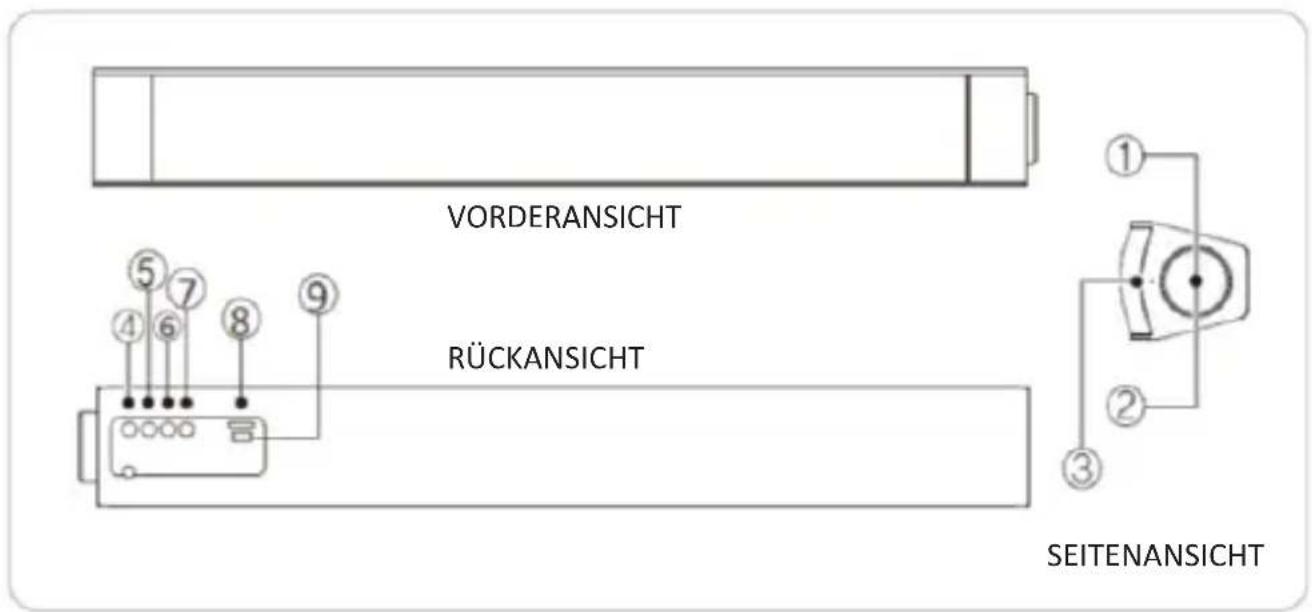
PLS KINDLY CHECK THE FUNCTION INDICATOR BEFORE USE THE SPEAKER SYSTEM
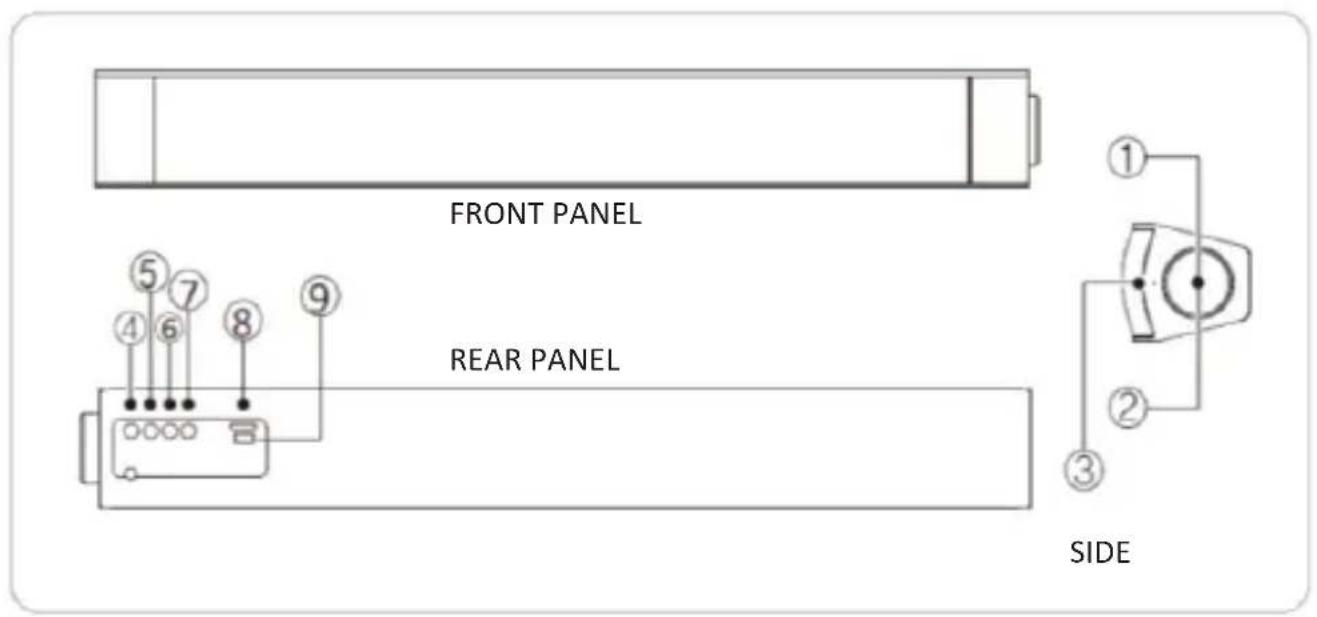
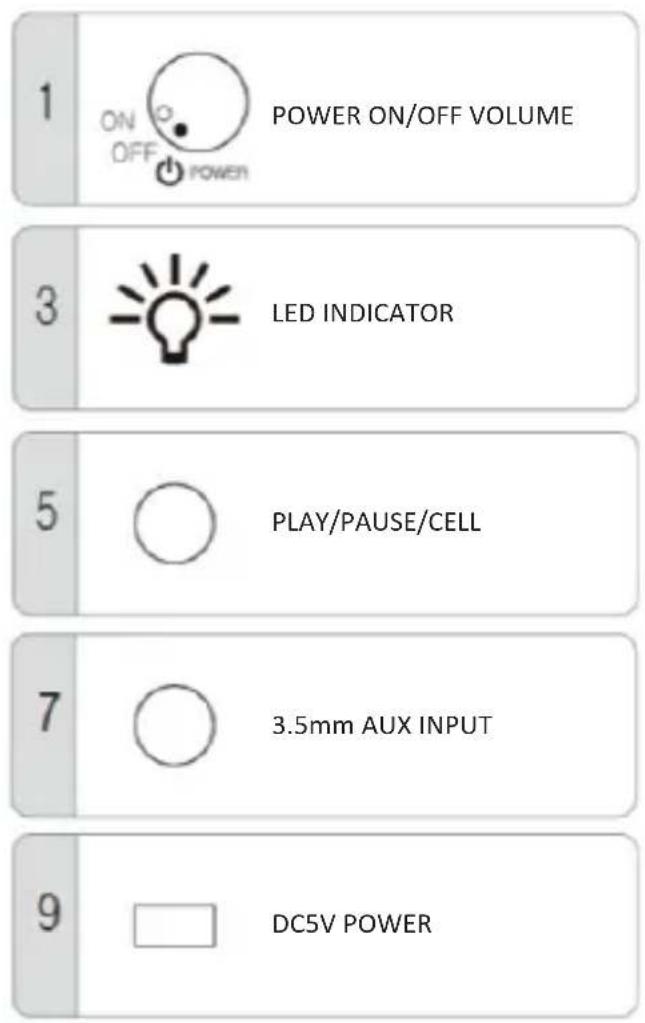
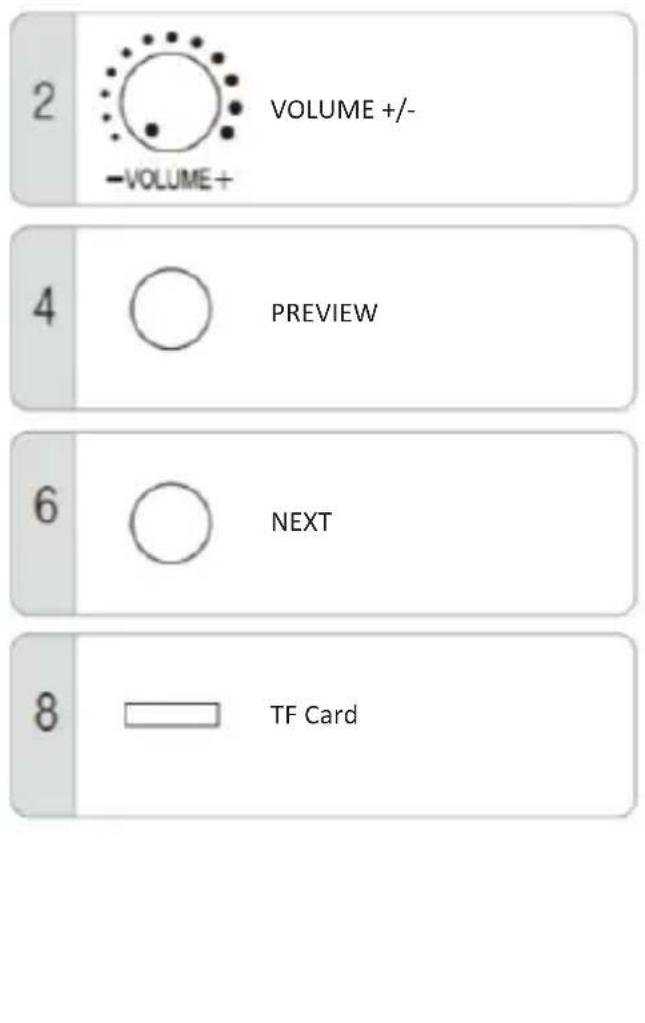
HOW TO USE THE ISB-020
1. BLUETOOTH MODE
1.1 Bluetooth version: Bluetooth 3.0 specifications, support HSP, HFP, A2DP, AVRCP format, English language notification, Bluetooth pairing name: ICES ISB-020
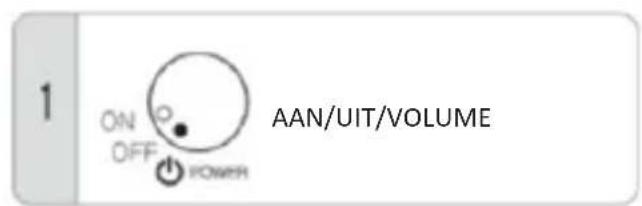
1.2 Rotate the volume knob to turn on the machine, then blue color Bluetooth LED indicator light on, with notification sound: POWER ON.
1.3 BLUETOOTH LED light flash by 100ms speed, use your mobile phone sourcing "ICES ISB-020" name, then connect and pairing it. If need password, then type "0000". After connected, the blue LED indicator light on and the notification sound: BLUETOOTH. Then play music by bluetooth mode, the blue LED indicator light flash slowly by a 1000ms speed. When smartphone paired this machine again, it will connect automatically.
1.4 When play music by Bluetooth mode, there is phone call, speaker will stop play music and enter into voice call mode automatically.
1.5 When you disconnect the Bluetooth, there is notification sound indicate "DISCONNECT", and the speaker will enter into detective mode.
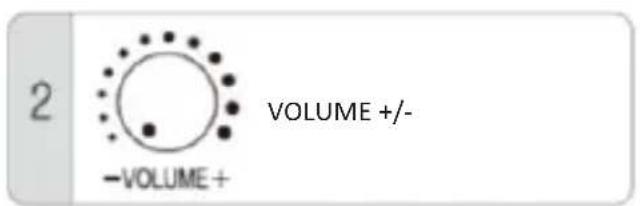
1.6 Rotate the volume knob to make the volume up and down.
2. LINE IN MODE
2.1 Connect the speaker by stereo cable, speaker will enter into Line in mode, and notification sound "LINE IN". Then use your smartphone or other connected device to play music.
2.2 AUX IN mode, Blue LED light on.
2.3 Disconnected the stereo cable, speaker enter Bluetooth mode automatically.
2.4 Rotate the volume knob to make the volume up and down.
3. TF CARD MODE
3.1 Turn on the speaker, speaker enter Bluetooth mode automatically, then insert TF card, speaker will enter TF card play mode. But before Turn on the speaker, insert the TF card, then power on, speaker will enter into: CARD mode
3.2 When play the music, blue LED light on and flash slowly by 1000ms speed, when pause the speaker, LED light will stop flash, just keep on.
4. REMARK
The maximum sample rate of MP3 track is 44.1 KHz.
5. CHARGING
5.1 Use the micro USB to USB power cable to connect speaker and PC or 5V adaptor, then start charge, the red LED indicator Light on.
5.2 When charge full, the red LED indicator light turn off.
6. LOW POWER PROTECTION
When battery power is lower than 3.3V over than 15s, there is warning sound: LOW BATTERY. And then battery power is lower than 3.1v over than 15s, speaker's notification sound is "POWER OFF" then turn off.
7. OPERATION
| NAME | MODE | ||
| BLUETOOTH | TF CARD | AUX | |
| CELL/PLAY/PAUSE | CLICK PLAY/PAUSE, CHANNEL CHANGE, LONG PRESS CHANGE TO OTHER MODE | CLICK PLAY/PAUSE, CHANNEL CHANGE, LONG PRESS CHANGE TO OTHER MODE | CLICK PLAY/PAUSE, CHANNEL CHANGE, LONG PRESS CHANGE TO OTHER MODE. |
| PREVIEW CLICK | TO PREVIEW | CLICK TO PREVIEW, LONG PRESS TO BACK | NO FUNCTION |
| NEXT CLICK TO NEXT | CLICK TO NEXT, LONG PRESS TO FWD | NO FUNCTION | |
This product operates at 2400 - 2483.5 MHz and is designated only to be used inside a normal household environment. This product is suited for this purpose within all EU counties.
GUARANTEE
ICES offers service and warranty in accordance to European law, which means that in case of repairs (both during and after the warranty period) you should contact your local dealer.
Important note: It is not possible to send products that need repairs to ICES directly.
Important note: If this unit is opened or accessed by a non-official service center in any way, the warranty expires.
This device is not suitable for professional use. In case of professional use, all warranty obligations of the manufacturer will be voided.
DISCLAIMER
Updates to Firmware and/or hardware components are made regularly. Therefore some of the instruction, specifications and pictures in this documentation may differ slightly from your particular situation. All items described in this guide for illustration purposes only and may not apply to particular situation. No legal right or entitlements may be obtained from the description made in this manual.
DISPOSAL OF THE OLD DEVICE
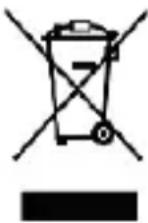
This symbol indicates that the relevant electrical product or battery should not be disposed of as general household waste in Europe. To ensure the correct waste treatment of the product and battery, please dispose them in accordance to any applicable local laws of requirement for disposal of electrical equipment or batteries. In so doing, you will help to conserve natural resources and improve standards of environmental protection in treatment and disposal of electrical waste (Waste Electrical and Electronic Equipment Directive).
CE MARKING

Products with the CE marking comply with the EMC Directive (2014/30/EU) and the Low Voltage Directive (2014/35/EU) issued by the Commission of the European Community.
Hereby, Lenco Benelux BV, Thermiekstraat 1a, 6361 HB Nuth, The Netherlands, declares that this product is in compliance with the essential requirements and other relevant provisions of Directive 1999/5/EC.
The declaration of conformity may be consulted at www.ices-electronics.com
SERVICE
For more information and helpdesk support, please visit www.ices-electronics.com Lenco Benelux BV, Thermiekstraat 1a, 6361 HB, The Netherlands.
VEILIGHEIDSINSTRUCTIES
natural_image
Exterior view of a modern cylindrical electronic device with metallic edges and reflective surface (no text or symbols visible)ONDERDELEN & FUNCTIES
CONTROLEER A.U.B. DE FUNCTIEINDICATOR VOORDAT U HET LUIDSPREKERSYSTEEM IN GEBRUIK NEEMT
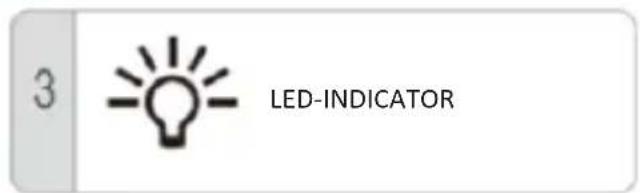
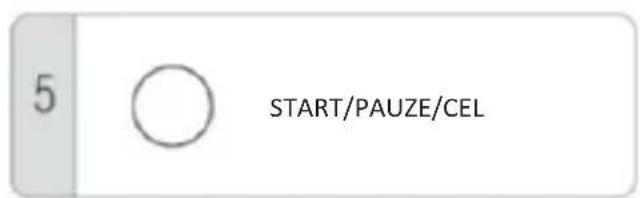
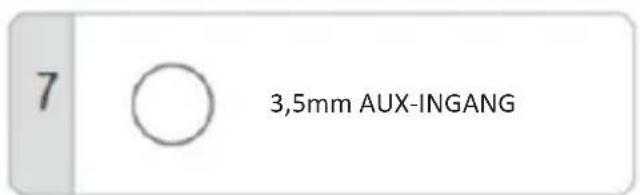
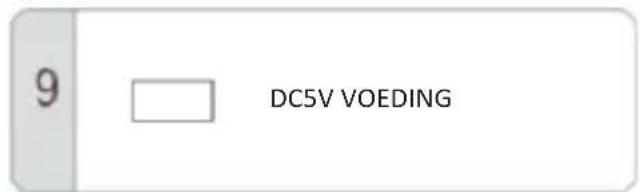
6. BESCHERMING TEGEN LAAG VERMOGEN
natural_image
Exterior view of a modern cylindrical electronic device with metallic edges and reflective surface (no text or symbols visible)ELEMENTE UND FUNKTION
BITTE ÜBERPRÜFEN SIE DIE FUNKTIONSANZEIGE, BEVOR SIE DAS LAUTSPRECHERSYSTEM VERWENDEN
natural_image
Exterior view of a modern office building (no signage)COMPOSANTS ET FONCTIONS
VÉRIFIEZ L'INDICATEUR DE FONCTION AVANT D'UTILISER L'ENCEINTE.
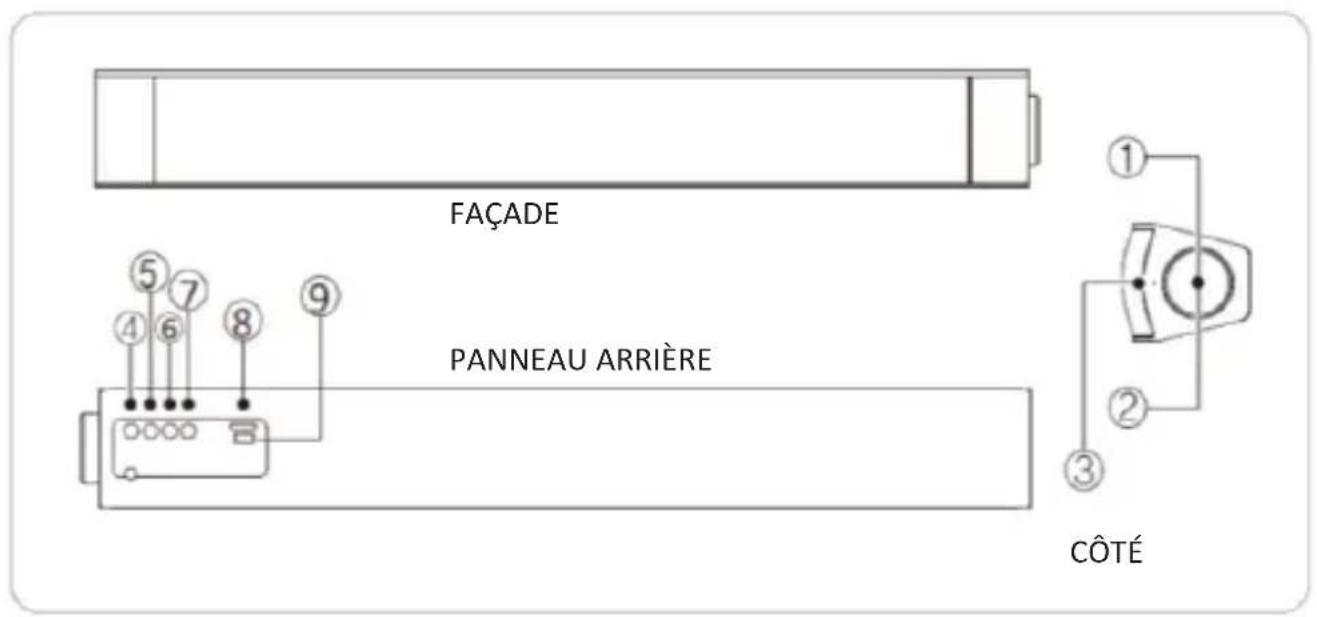
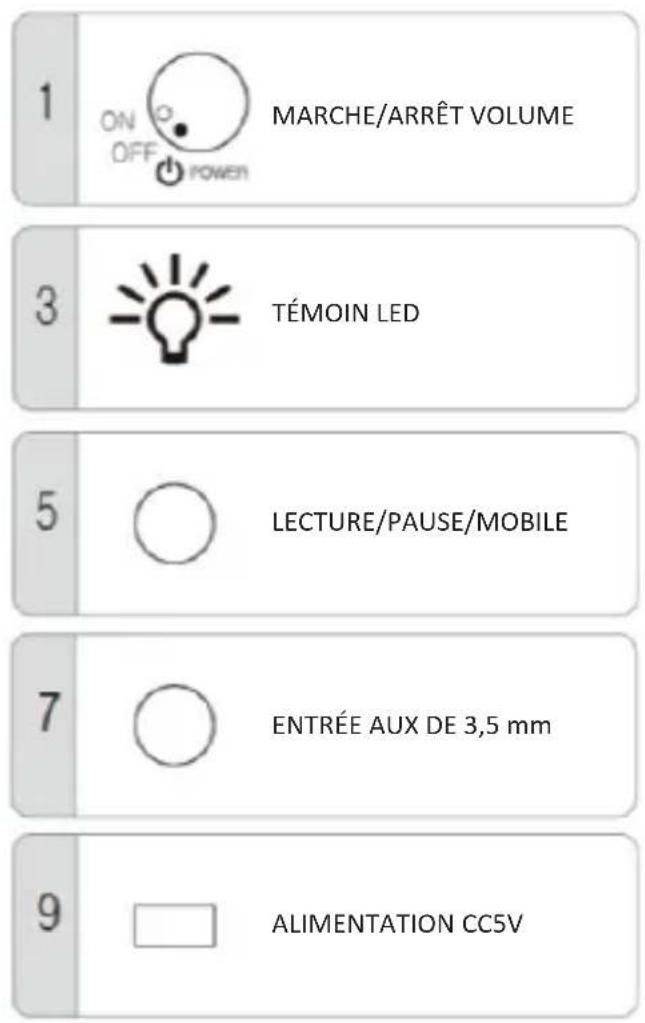
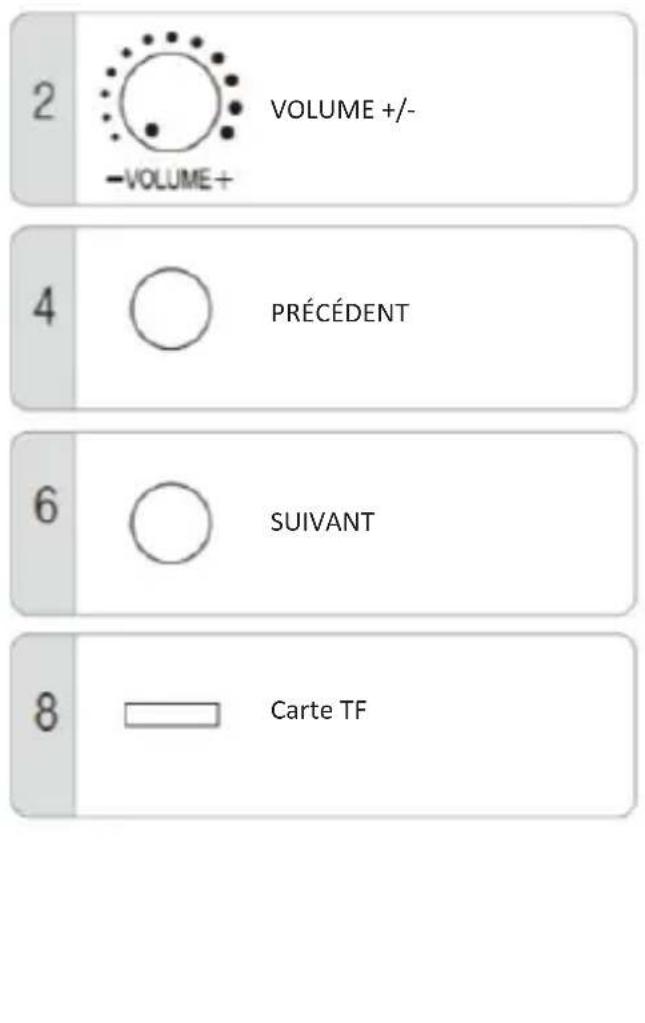
COMMENT UTILISER LE ISB-020
1. MODE BLUETOOTH
natural_image
Exterior view of a modern office building (no signage)


- WARNING
- NOTICE
- SPECIFICATION
- COMPONENTS & FUNCTION
- HOW TO USE THE ISB-020
- BLUETOOTH MODE
- LINE IN MODE
- TF CARD MODE
- REMARK
- CHARGING
- LOW POWER PROTECTION
- OPERATION
- GUARANTEE
- DISCLAIMER
- DISPOSAL OF THE OLD DEVICE
- CE MARKING
- SERVICE
- VEILIGHEIDSINSTRUCTIES
- ONDERDELEN & FUNCTIES
- BESCHERMING TEGEN LAAG VERMOGEN
- ELEMENTE UND FUNKTION
- COMPOSANTS ET FONCTIONS
- COMMENT UTILISER LE ISB-020
- MODE BLUETOOTH
Brand : Ices
Model : ISB020
Category : Soundbar