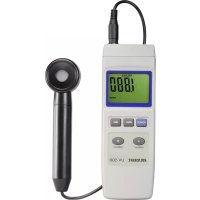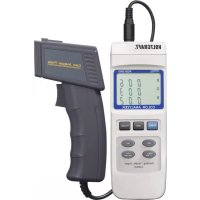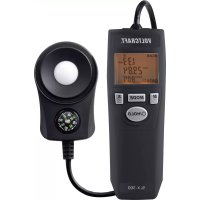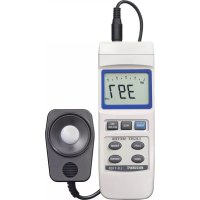
VOLTCRAFT LX1108 - Detector

LX1108 - Detector VOLTCRAFT - Free user manual and instructions

Find the device manual for free LX1108 VOLTCRAFT in PDF.

📄 46 pages English EN 💬 AI Question
Notice VOLTCRAFT LX1108 - page 18
View the manual : Français FR Deutsch DE English EN

Download the instructions for your Detector in PDF format for free! Find your manual LX1108 - VOLTCRAFT and take your electronic device back in hand. On this page are published all the documents necessary for the use of your device. LX1108 by VOLTCRAFT.
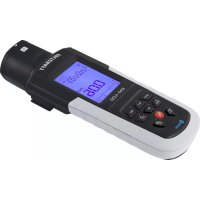
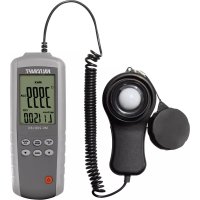
USER MANUAL LX1108 VOLTCRAFT

These Operating Instructions accompany this product. They contain important information on setting up and using your Voltage Detector. You should refer to these instructions, even if you are buying this product for someone else.

Please retain these Operating Instructions for future use!

Abmessungen (LxBxH) 200mm x 68mm x 30mm

Messtoleranzen

In purchasing this Voltcraft® product, you have made a very good decision for which we should like to thank you.

You have acquired an above-average quality product from a brand family which has distinguished itself in the field of measuring, charging and network technology by particular competence and permanent innovation.

With Voltcraft®, you will be able to cope even with difficult tasks as an ambitious hobbyist just as much as a professional user. Voltcraft® offers you reliable technology at an extraordinarily favourable cost-performance ratio.

We are certain: your investment in a Voltcraft product will at the same time be the start of a long and profitable co-operation.

We wish you much enjoyment with your new Voltcraft® product!

Table of contents

Page

Introduction 18

Intended Use 19

Safety instructions 20

Scope of Delivery. 21

Controls 22

Starting operation 23

Making a measurement 24

RS232-Interface. 26

Maintenance and Cleaning 27

Disposal of flat batteries 28

Troubleshooting 29

Disposal 29

Technical Data and Measurement Tolerances 30

Intended use

The Luxmeter is a digital measuring instrument which can measure light intensity in Lux units and in Foot-candle (Fc).

A graded filter can be selected for various light sources, in order to measure the actual strength of light.

Measurements are made via aOTO-element with a filter, that separates the visible light spectrum in order to be measured. The resulting measurements are shown in an LCD bar display as a value ranging from 0 to 400000 Lux.

The momentary value can be held or the the minimum/maximum values stored.

A series interface is available. A 9-V block battery (type 1604A) is required for operation.

Measurements must not be carried out under unfavourable ambient conditions.

The following are unfavourable ambient conditions:

  • excessive dampness or humidity
  • dust or combustible gases, vapours or solvents
  • Electrical storms or stormy conditions and strong electrostatic fields, etc

Use other than that described above will lead to damaging the product.

No part of the product may be modified or converted!

The safety instructions should be observed without fail!

Safety instructions

VOLTCRAFT LX1108 - Safety instructions - 1

Please read through the operating instructions completely before setting up the system; they include important information necessary for correct operation.

The guarantee will lapse if damage is incurred as a result of non-compliance with the operating instructions! We shall not be held liable for any consequential damage or loss!

We do not accept any liability for personal injury or damage to property caused by incorrect handling or non-observation of the safety instructions! In such cases the guarantee will lapse.

This device left the factory in perfect condition in terms of safety engineering.

To maintain this status and ensure safe operation, you, as the user, must comply with the safety instructions and warnings contained in these instructions for use. The following symbols and notices must be observed:

VOLTCRAFT LX1108 - Safety instructions - 2

Note! Read the operating instructions!

An exclamation mark in a triangle indicates important information in these operating instructions which are to be followed strictly.

VOLTCRAFT LX1108 - Safety instructions - 3

This equipment is CE-tested and thus meets the EMC directive 89/336/EEC and the low-voltage directive 73/23/EEC.

For reasons of safety and official registering (CE) altering or converting this unit yourself is not permitted.

Measuring devices and their accessories are not toys and should be kept away from children!

In commercial institutions, the accident prevention regulations of the Employer's Liability Insurance Association for Electrical Systems and Operating Materials are to be observed.

In schools, training centres, computer and self-help workshops, handling of measuring instruments must be supervised by trained personnel in a responsible manner.

Do not switch the measuring instrument on immediately after it has been taken from a cold to a warm environment. The condensation water generated could destroy the device. Allow the device to reach room temperature before switching it on.

Do not leave the packaging material lying around carelessly. Plastic film and/or bags, polystyrene parts, etc. can be dangerous in the hands of children.

You should also heed the safety instructions in each chapter of these instructions.

Scope of delivery

Luxmeter

Light sensor

Operating instructions

Operating controls

See fold-out section

1 Function buttons
2 Operational buttons
3 3/4-digit LCD with bar display
4 Connection for the light-sensor
5 RS232-Interface
6 Battery compartment at rear
7 Light-sensor (white cap)

Display symbols

HOLD Momentary reading is held

PEAK The highest reading is held continuously

REC Storage of readings for minimum and maximum values is made

VOLTCRAFT LX1108 - Display symbols - 1

An under-line means that it is "below measurement range"

VOLTCRAFT LX1108 - Display symbols - 2

An upper-line means that it is "above measurement range"

VOLTCRAFT LX1108 - Display symbols - 3

Battery replacement symbol; please replace the batteries immediately to avoid measuring errors!

x100/x10 The displayed readings must be multiplied

FL Value filter for fluorescent lights.

Hg Value filter for mercury vapour lamps

Na Value filter for sodium vapour lights

LUX Standard unit for light strength (lm/qm)

Ft-cd Standard English unit for light strength (lm/qft)

Button functions

POWER Power switch; to switch the unit on and off

HOLD This holds the momentary measurement, and when pressed longer activates the PEAK function.

REC Storing mode for minimum and maximum values

Lux/FC Switch to change between the two measurement scales

"RANGE" Button for selecting the value range switch

ZERO Reset button for 40 Lux range

SOURCE Selects the value filter for the corresponding light source

Initial operation

Inserting the batteries

Before using the Luxmeter for the first time a 9V block battery must be installed. Battery installation is described in the "Maintenance and Cleaning" section.

Connecting the light sensor

A light sensor with cover is included with this device. Connect the 4-pin plug of the light sensor to the "INPUT" on the measuring device so that the flat side of the plug is facing down towards the bottom of the unit. Make sure that the plug is firmly inserted otherwise inaccurate measurements will be made.

Remove the corrugated protective covering on the sensor before making any measurements.

Making measurements

VOLTCRAFT LX1108 - Making measurements - 1

Make sure you are a safe distant from hot sources of light. There is risk of burning!

Never stare directly into a bright light source. This could cause damage to your eyes

The Luxmeter has various extra functions that ease operation and handling.

These extra functions are:

Auto power OFF function

In order to avoid that the operating life of the battery is shortened unnecessarily, an automatic switch-off function has been implemented. The device will be automatically turned off if no button is pressed for longer than 10 minutes. You can switch the device back on with the "Power" button.

The Auto-Power-OFF function is deactivated as soon as you go into "REC" mode.

HOLD/Peak function

Pressing the "HOLD" button holds the measurement made at that moment. Press again to switch back to the continuous measuring mode.

A Peak has also been built in to measure continuous peak values. Press the "HOLD" button for 2-3 seconds to go to this mode. "HOLD" appears on the display. Only the momentary highest value will be displayed. Press the "HOLD" button again for 2-3 seconds to go out of this mode.

REC MAX./MIN. function

By pressing the "REC" button you can save the maximum and minimum values. Pressing the "REC" button again and again will display each value one after the other. The corresponding function will appear in the display

The stored information is deleted when the device is turned off or by keeping the "HOLD" button pressed down.

Press the "HOLD" button again for 2-3 seconds to go out of this mode.

Zero reset

To increase measuring accuracy in lower scales (40 Lux) the value input can be reset.

Switch the Luxmeter to the 40 Lux range, close the sensor's corrugated protective cap and press the "ZERO" button. The display will be rest to "0.00".

Changing the measuring scale

The Luxmeter can give readings based on two different scales.

When turned on the device automatically indicates values in Lux (=lm/sm = lumen per square metre).

By pressing the "Lux/Fc" button you can change the scaling in display to "Foot-Candle" (Ft-cd = lm/qft = lumen per square foot).

Making measurements

Proceed as follows for the measurement:

  • Press the "POWER" key to switch the measuring equipment on. A functional check will first be made.
  • Press the "SOURCE" button to select the appropriate value filter.

  • "Operational status (no symbol displayed)" for lamps. sunlight or unknown light source,

  • "FL" for fluorescent lamps,
  • "Hg" for mercury vapour lamps
  • "Na" for sodium vapour lamps.

You can switch between functions by continuously pressing the button

  • Place the sensor under the light source that is to be measured.
  • Using the "RANGE" button select the appropriate measuring scale. A dash line is displayed if the value is over or under the given range (upper line = over measuring range; lower line = under measuring range).
  • After completing measurements press the "POWER" button for approx. 2 seconds. The meter will then turn itself off.
  • There is a fold-out stand on the rear of the Luxmeter. A socket is also included to mount the device on a stand.

RS232-Interface

The Luxmeter is installed with a serial interface for exchanging data with a computer. This can be found on the right hand side under the lid. The interface is in the form of a 3.5mm jack plug socket and requires a compatible data cable, which is an optional extra.

The data cable is made up of the following:

Jack plug 3.5 mm mono 9 pin Sub-D socket for PC
Middle contact > Pin 4
Outer contact > Pin 2
Between Pin 2 and Pin 5 a 2,2 KOhm resistance is necessary.

The serial data signal is made up of 16 Bits in the following order:

Each data bit has the following function:

D0 End signal
D1 to D8 Measuring values (D1 = lowest digit, D8 = highest digit). If 1234 is displayed then the bit rate is: "00001234"
D9 Decimal point (DP) is in the relevant position; 0= no DP; 1=1DP; 2=2DP; 3=3DP
D10 Polarity; 0=positive; 1=negative
D11+D12 Units shown in display; 15 = Lux; 16 = Ft-cd
D13 Data bits for over-run display = 1; under-cut = 2
D14 4
D15 Start symbol

The RS232 data format is: 9600, N, 8, 1

Maintenance and cleaning

The Luxmeter is maintenance-free apart from the need to replace the batteries and cleaning it once in a while. Use a clean, lint-free, anti-static and dry cloth to clean the device. Do not use any abrasive or chemical agents or detergents containing solvents.

Replacing the battery

If the battery symbol appears in the display, the batteries have to be replaced as soon as possible to prevent inaccurate measurements.

Proceed as follows to replace the batteries:

  • Switch off the measuring instrument.
  • Loosen the battery compartment screw on the back off the unit, and slide the lid off in the direction of the arrow.
  • Replace the flat batteries with new one of the same type (1604A).
  • Close the Luxmeter again carefully in the reverse order.

Do not leave flat batteries in the device. Even batteries protected against leaking can corrode and thus release chemicals which may be detrimental to your health or destroy the battery compartment.

Disposal of flat batteries.

You, as the ultimate consumer, are bound by law (Battery order) to return used batteries and accumulators; disposing of them in the household waste is prohibited!

VOLTCRAFT LX1108 - Disposal of flat batteries. - 1

Batteries/accumulators containing hazardous substances are marked by the symbols alongside. These symbols also indicate that it is prohibited to dispose of these batteries in the household waste.

The heavy metals concerned are: Cd = cadmium, Hg = mercury, Pb = lead.

You can return flat batteries/accumulators free of charge to the collection points in your community, our branches or anywhere else where batteries or accumulators are sold.

Troubleshooting

In purchasing the Luxmeter you have acquired a product which has been designed to the state of the art and is operationally reliable.

Problems and disturbances may, however, still arise.

For this reason, the following is a description of how you can eliminate possible malfunctions yourself.

Always adhere to the safety instructions!

Fault Possible cause
The measuring device Is the battery dead? does not work. Check the charge condition of the battery.The battery dead? Check condition of the battery.
No measuring value is Inco being displayed; only Check the sensor (protective cap?!) dashes is visible.Correct measuring range? Check the sensor (protective cap?!) and change the area.
No measured value alteration.Is the HOLD function active?

VOLTCRAFT LX1108 - Always adhere to the safety instructions! - 1

Repairs other than those just described should only be performed by an authorised electrician.

Disposal

If the device has reached the end of its operational life, please dispose of accordingly.

Technical Data and Measuring Tolerances

Technical Data

Display 3/4-digit LCD

Sensor Photo-Diode with Filter

Spectrum 470 to 690 nm according to the

CIE Standard

Battery 1x 9V Block battery (006P, MN1604)

Current consumption ............approx. 8mA

Operating temperature . 0^ to 50^

Rel. air humidity < 80% (non-condensing)

Temp. for gar. accuracy +18^ to +28^

Weight (without batteries).....approx. 280 g

Dimensions (LxWxH) 200mm x 68mm x 30mm

Measurement tolerances

Accuracy of measurement in ± (\% of the reading (= rdg)+ temperature coefficient). The accuracy is valid for 1 year at a temperature of +23^ + /5^ , and at a relative humidity of less than 80% , non-condensing, and a colour temperature of up to 2856^ .

Temperature coefficient: + / - 0,5% every ^ C difference from the given environmental temperature.

Measurement rangeDisplay area Accuracy Resolution
40.00 Lux 0 ~ 40,00 0.01 Lux400.0 Lux 36,0~ 4000 0.1 Lux4000 Lux 360~ 40000 1 Lux400000 Lux±(3% + 0,5%from Measure-Range)>100000 Lux not specified100 Lux
Measurement areaDisplay area AccuracyResolution
4,000 Fc 0 ~ 3,40.00 Fc 3,35 ~ 37,20 0.01 Fc 400.0 Fc 33,5 ~ 372,0 0.1 Fc 4000 Fc 335 ~ 3720 1 Fc 40000 Fc 930 ~ 37200 10 Fc±(3% + 0,5% from Measure-Range) >9300 FC not specified

Light spectrum of the sensor

VOLTCRAFT LX1108 - Measurement tolerances - 1

F Introduction

Cher(e) client(e),

Dimensions (L x l x h). 200mm x 68mm x 30mm

Copyright 2014 by Voltcraft

VOLTCRAFT LX1108 - F Introduction - 1

This is a publication by Conrad Electronic SE, Klaus-Conrad-Str. 1, D-92240 Hirschau (www.conrad.com).

All rights including translation reserved. Reproduction by any method, e.g. photocopy, microfilming, or the capture in electronic data processing systems require the prior written approval by the editor. Reprinting, also in part, is prohibited. This publication represents the technical status at the time of printing.

Copyright 2014 by Voltcraft

VOLTCRAFT LX1108 - Legal notice - 1

Information legales

Copyright 2014 by Voltcraft

V4_1114_01/HK

Manual assistant
Powered by ChatGPT
Waiting for your message
Product information

Brand : VOLTCRAFT

Model : LX1108

Category : Detector