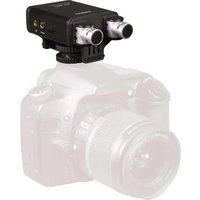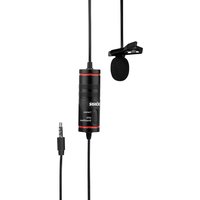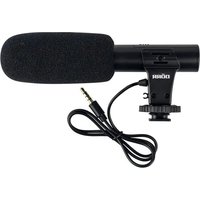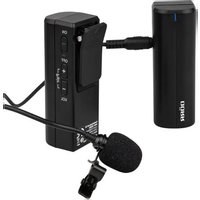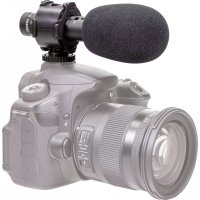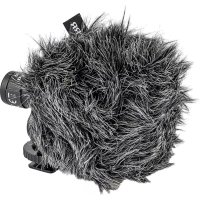
CV01 - Microphone Dörr - Free user manual and instructions
Find the device manual for free CV01 Dörr in PDF.



User questions about CV01 Dörr
0 question about this device. Answer the ones you know or ask your own.
Ask a new question about this device
Download the instructions for your Microphone in PDF format for free! Find your manual CV01 - Dörr and take your electronic device back in hand. On this page are published all the documents necessary for the use of your device. CV01 by Dörr.
USER MANUAL CV01 Dörr
natural_image
Technical line drawing of a mechanical component with concentric rings and a central shaft (no text or symbols)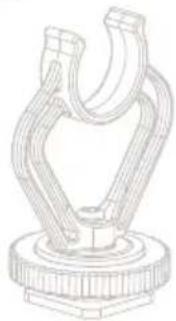
natural_image
Technical line drawing of a mechanical clamp or bracket component (no text or symbols)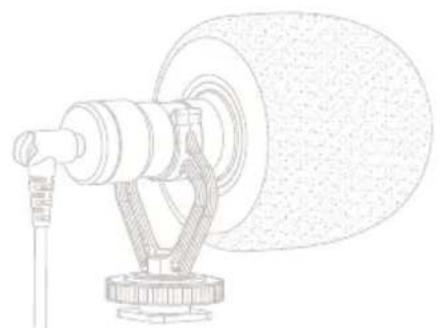
natural_image
Technical line drawing of a mechanical device with a cylindrical component and attached bracket (no text or symbols)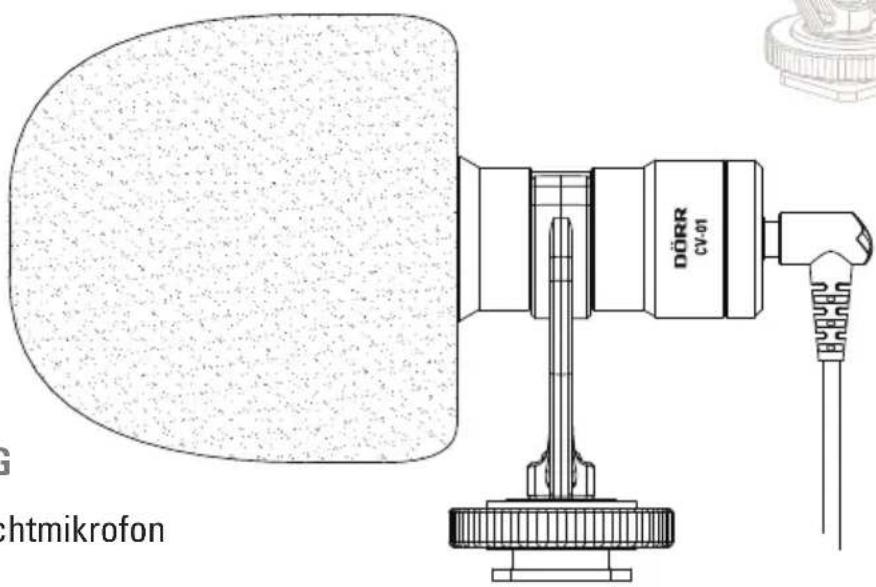
text_image
DÖRR CV-01 ichtmikrofonCV-01 Universal Directional Mono Microphone
FR NOTICE D'UTILISATION
CV-01 Microphone Directionnel Universel Mono
natural_image
Technical line drawing of two types of electrical connectors or tools (no text or symbols present)TEILEBESCHREIBUNG NOMENCLATURE NOMENCLATURA
text_image
1 2 3 4 5 6 6a 7 7a 7b 8a 8 8b LEEDSCHILDING NOMENZATIONtext_image
Technical diagram showing assembly of a device with labeled components and directional arrows indicating assembly steps.natural_image
Diagram showing a device connected to a smartphone via cable, with no visible text or symbols10.2 ROHS KONFORMITÄT
THANK YOU for choosing this DÖRR quality product.
Please read the instruction manual and safety hints carefully before first use. Keep this instruction manual together with the device for future use. If other people use this device, make this instruction manual available. This instruction manual is part of the device and must be supplied with the device in case of sale.
DÖRR is not liable for damages caused by improper use or the failure to observe the instruction manual and safety hints.
01 | ⚠️ SAFETY HINTS
- Protect the device from rain, moisture, direct sunlight and extreme temperatures.
- Do not operate or touch the device with wet hands.
- Protect the device against impacts and against dropping.
- Do not attempt to repair the device by yourself. When service or repair is required, contact qualified service personnel.
- Only operate with the supplied original connection cables.
• People with physical or cognitive disabilities should use the device with supervision. - People with cardiac pacemakers, defibrillators or any other electrical implants should maintain a minimum distance of 30~cm , as the device generates magnetic fields.
- This device is not a toy. To prevent accidents and suffocation keep the device, the accessories and the packing materials away from children and pets.
- Protect the device against dirt. Never use aggressive cleansing agents or benzine to clean the device. We recommend a soft, slightly damp microfiber cloth to clean the outer parts of the device. Before cleaning make sure to take off from power device.
- Store the device in a dust-free, dry and cool place.
- If the device is defective or without any further use, dispose of the device according to the Waste Electrical and Electronic Equipment Directive WEEE. For further information, please contact your local authorities.
02 | PRODUCT DESCRIPTION
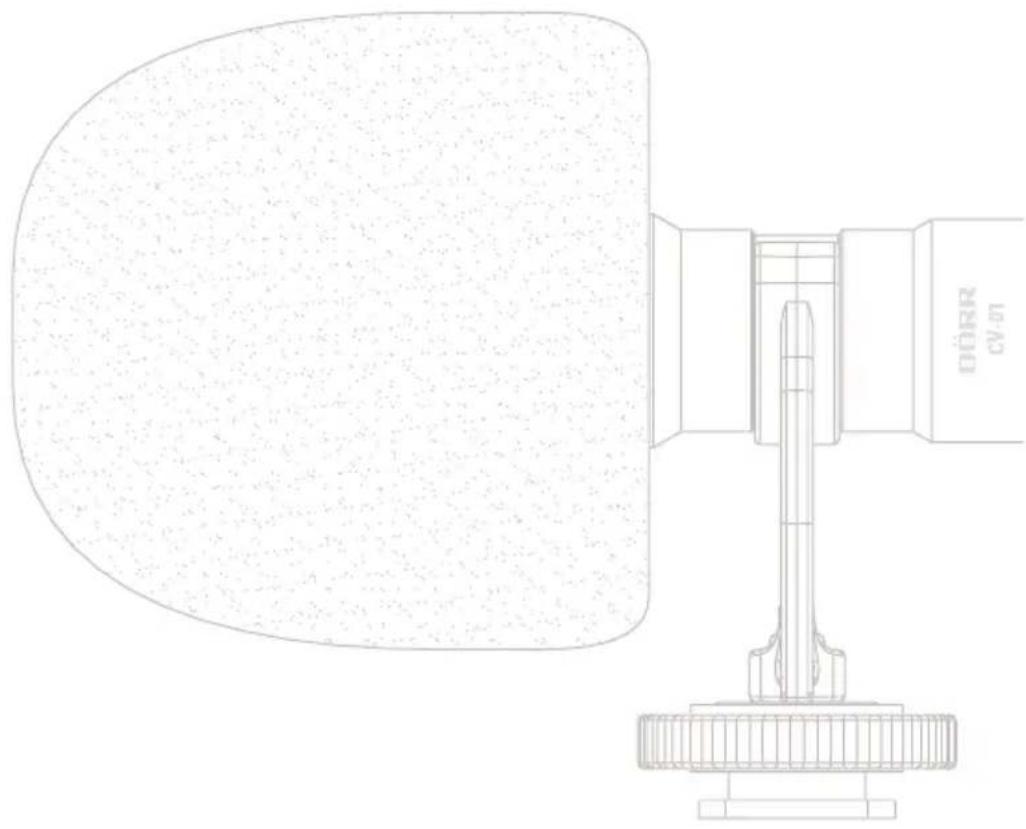
The DÖRR CV-01 Universal Directional Microphone optimizes the sound quality of your video or voice recordings. The compact and lightweight cardioid condenser microphone offers a clear and balanced sound and effectively reduces annoying background noises. Suitable for smartphones and tablets (iOS and Android) with headphone jack, as well as cameras and camcorders with hot shoe and external microphone jack.
- Plug-in-Power supply via the connected recording device
• High-quality and robust aluminum housing - Anti-shock microphone mount absorbs camera noises and other vibrations
• Universal hot shoe mount with 14 inch tripod mount - Dead Kitten windshield minimizes annoying wind and ambient noises
• Including two connection cables with TRS or TRRS mini-jack plug 3.5 mm - Supplied with bag
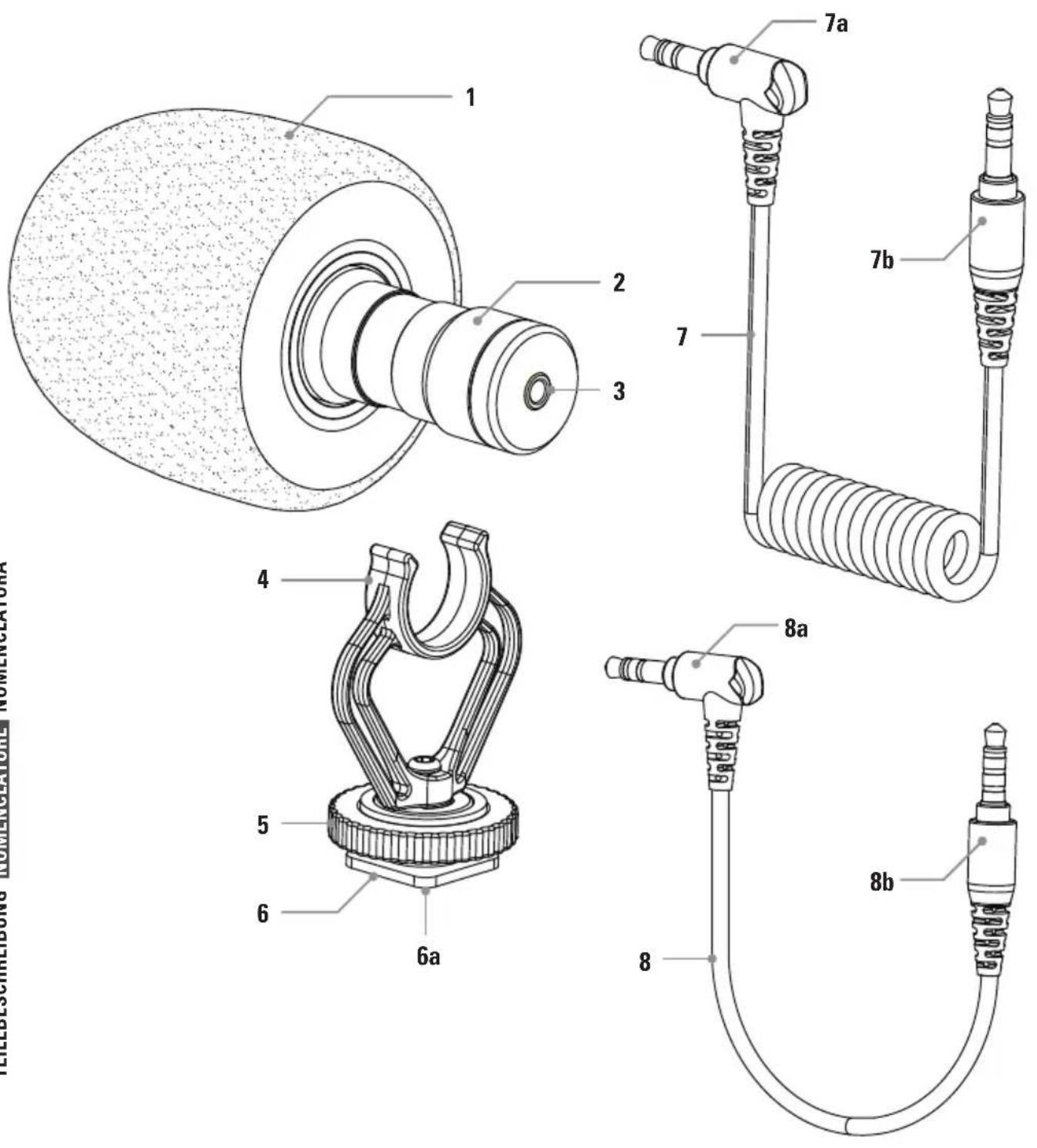
1 Dead Kitten
2 Microphone
3 3.5 mm audio jack
4 Shock Mount
5 Locking screw
6 Universal hot shoe
6a) ¼ inch tripod mount
7 Spiral connection cable to camera
7a) TRS angle mini-jack plug 3.5 mm (mono, three-pole)
to microphone
7b) TRS mini-jack plug 3.5 mm (mono, three-pole)
to camera
8 Straight connection cable to smartphone
8a) TRRS angle mini-jack plug 3.5 mm (mono, three-pole)
to microphone
8b) TRRS mini-jack plug 3.5 mm (mono, four-pole)
to smartphone
04 | USE OF THE CONNECTION CABLES/OPERATION
PLEASE NOTE
To ensure proper operation, always use the two supplied connection cables as described below.
ATTENTION
Please note that using the microphone increases the battery consumption of your smartphone or camera.
04.1 WITH CAMERA, CAMCORDER OR OTHER AUDIO/VIDEO RECORDING DEVICES
For using the DÖRR CV-01 microphone with a camera, camcorder or other audio/video recording devices, please use the supplied spiral connection cable (7) with TRS mini-jack plug.
Always plug the TRS angle mini-jack plug (7a) into the audio jack (3) of the microphone. Plug the TRS mini-jack plug (7b) into the microphone jack of your camera or your recording device (please refer to manual of the recording device.
7a > Microphone 7b > Recording device

natural_image
Line drawing of a coiled spring with a connector (no text or symbols)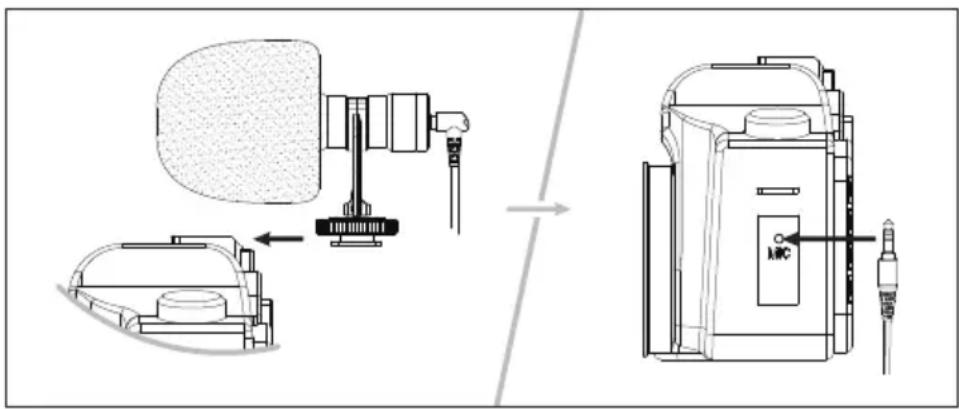
text_image
Technical diagram showing assembly of a device with labeled parts and directional arrows indicating assembly steps.Slide the universal hot shoe (6) into the hot shoe mount of your camera/camcorder and turn the locking screw (5) down until microphone holds tight on the camera. Connect your camera/camcorder with the microphone like described above, using the spiral connection cable (7). Start the video recording at your camera/camcorder (please refer to manual of the recording device).
NOTE
With the 1/4 inch tripod mount (6a) underneath the universal hot shoe (6) the microphone can be mounted onto a tripod or an audio boom. For this purpose a longer connection cable with 3.5 mm mini-jack plug
is recommended (optionally available in specialized electronic stores).
04.2 WITH SMARTPHONE OR TABLET (ANDROID AND iOS)
For using the DÖRR CV-01 microphone with a smartphone or a tablet (Android and iOS), please use the supplied straight connection cable (8) with TRRS mini-jack plugs.
Always plug the TRRS angle mini-jack plug (8a) into the audio jack (3) of the microphone. Plug the TRRS mini-jack plug (8b) into the headphone jack of your smartphone or your tablet (please refer to manual of the recording device).

text_image
8a > Microphone 8b > Smartphone/tablet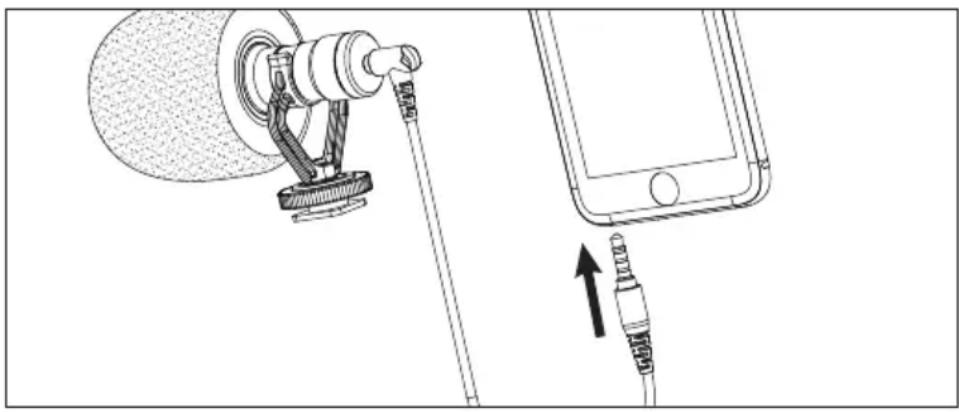
natural_image
Diagram showing a device connected to a smartphone via cable, with an upward arrow indicating cable movement (no text or symbols present)Connect your smartphone/tablet with the microphone like described above, using the straight connection cable (8). Start the App for video or voice recording at your smartphone/tablet (please refer to manual of the recording device).
NOTE
To avoid sound interferences while recording caused by built-in cellular mobile module, we recommend to activate the Offline-Mode at your smartphone. While Live-Streaming, the WLAN can remain active as it has no influence on the sound signal of the microphone.
PLEASE NOTE
To hear the sound when playing the video or audio recording, please unplug the 3.5mm mini-jack plug (8b) from your smartphone/tablet.
05 | CLEANING AND STORAGE
Never use aggressive cleansing agents or benzine to clean the device. We recommend a soft, slightly damp microfiber cloth to clean the outer parts of the device. Before cleaning make sure to take off from power device. Store the device in a dust-free, dry and cool place. This device is not a toy – keep it out of reach of children. Keep away from pets.
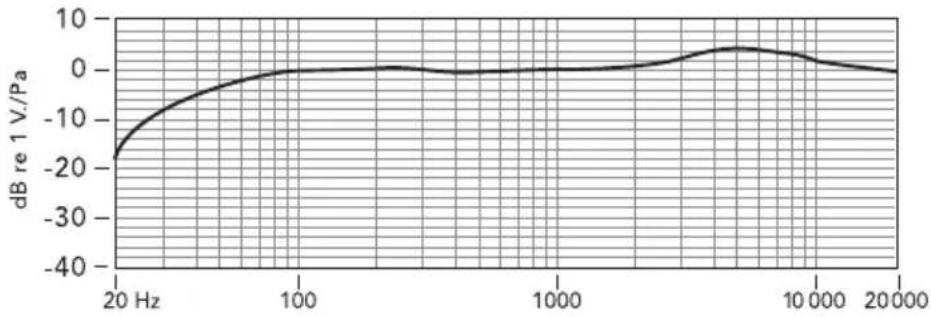
line
| Frequency (Hz) | dB re 1 V./Pa | | -------------- | ------------- | | 20 | -20 | | 100 | 0 | | 1000 | 0 | | 10000 | 0 | | 20000 | 0 |07 | POLAR PATTERN
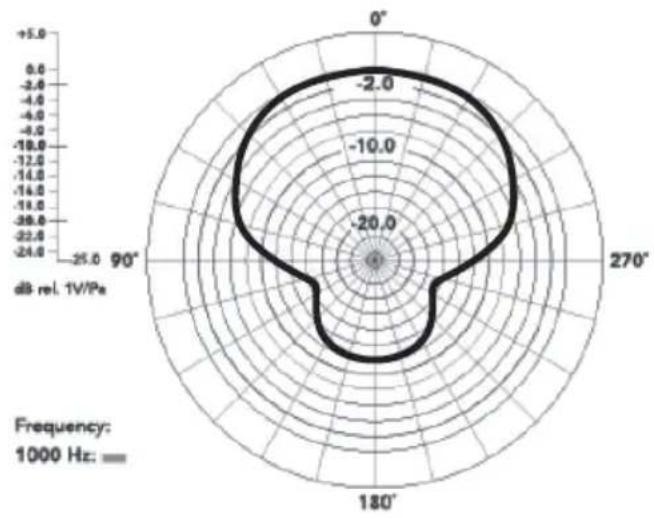
radar
| Angle | Value | |-------|-------| | 0° | -2.0 | | 90° | -10.0 | | 270° | -2.0 |08 | TECHNICAL SPECIFICATIONS
| Type (transducer) Electret condenser microphone | |
| Polar pattern Cardioid | |
| Frequency response 35 Hz – 18 kHz ± 3 dB | |
| Sensitivity -42 dB ± 1 dB, 0 dB re 1 V/Pa @ 1 kHz | |
| Signal to noise ratio (SNR) 76 dB SPL | |
| Impedance approx. 2000 Ω | |
| Power supply Plug-in-Power supply via the connected recording device | |
| Power consumption 2 V/min. 0,1 mA max. 0,7 mA | |
| Connection cables 3.5 mm TRS spiral connection cable to cameras | |
| 3.5 mm TRRS connection cable to smartphones | |
| Material housing Aluminum | |
| Material shock mount Plastic | |
| Dimensions microphone Length approx. 80 mm, ø 22 mm | |
| Dimensions shock mount | approx. 55 x 42 mm |
| Weight | approx. 65 g |
1x CV-01 microphone
1x Shock mount
1x Dead kitten windshield
1x 3.5 mm TRS spiral connection cable
1x 3.5 mm TRRS connection cable
1x Bag
1x Instruction manual
10
DISPOSAL, CE MARKING

10.1 WEEE INFORMATION
The Waste Electrical and Electronic Equipment Directive (WEEE Directive) is the European community directive on waste electrical and electronic equipment, which became European law in February 2003. The main purpose of this directive is to prevent electronic waste. Recycling and other forms of waste recovery should be encouraged to reduce waste. The symbol (trash can) on the product and on the packing means that used electrical and electronic products should not be disposed of with general household waste. It is your responsibility to dispose of all your electronic or electrical waste at designated collection points. Disposing of this product correctly will help to save valuable resources and it is a significant contribution to protect our environment as well as human health. For more information about the correct disposal of electrical and electronic equipment, recycling and collection points please contact your local authorities, waste management companies, your retailer or the manufacturer of this device.
10.2 ROHS CONFORMITY
This product is compliant with the European directive 2011/65/EU of June 08, 2011 for the restriction of use of certain hazardous substances in electrical and electronic equipment (RoHS) and its amendments.
CE
10.3 CE MARKING
The CE marking complies with the European directives.
natural_image
Technical line drawing of a mechanical component with no visible text or symbolstext_image
Technical diagram showing assembly of a device with labeled components and directional arrows indicating assembly steps.natural_image
Diagram showing a device connected to a smartphone via cable, with no visible text or symbolsDimensions microphone
Dimensions fi xation du microphone
Poids
Matière plastique
10.3 CE MARQUAGE CONFORMITÉ EUROPÉENNE CE
text_image
Diagram illustrating the assembly of a device with labeled components and directional arrows indicating process flow.natural_image
Diagram showing a device connected to a smartphone via cable, with no visible text or symbolsnatural_image
Line drawing of a mechanical tool with coiled spring and connector (no text or symbols)text_image
Technical diagram showing assembly of a device with labeled parts and directional arrows indicating assembly steps.natural_image
Diagram showing a device connected to a smartphone via cable, with no visible text or symbols1x Supporto anti-shock
1x "Dead kitten" parabrezza
10.2 CONFORMITÀ A ROHS
natural_image
Line drawing of two types of electrical probes with no text or symbols