CWA-120 - Microphone Dörr - Free user manual and instructions
Find the device manual for free CWA-120 Dörr in PDF.


| Product type | Compact XY stereo condenser microphone |
| Brand | Dörr |
| Model | CWA-120 |
| Category | Microphone |
| Directional characteristic | XY mode (90°), directional (0°), stereo (120°) |
| Frequency range | 35 Hz - 20 kHz |
| Signal-to-noise ratio (SNR) | 78 dB SPL |
| Sensitivity | -33 dB re 1 V/Pa @ 1 kHz |
| Output impedance | Approximately 200 Ω |
| Power supply | 2 AAA batteries (not included) |
| Dimensions (L x W x H) | 95 mm x 55 mm x 50 mm |
| Weight | 78 g |
| High-pass filter | Two-stage (low frequency reduction) |
| Attenuation (PAD) | -10 dB |
| Gain | Adjustable via adjustment screw |
| Indicator light | Green (on), red (low battery) |
| Included accessories | Windscreen, in-ear earphone, 3.5 mm mini TRS cable, case, manual |
| Cleaning | Slightly damp microfiber cloth, no solvents |
| Safety | Do not open, avoid shocks and humidity, keep away from children |
Frequently Asked Questions - CWA-120 Dörr
User questions about CWA-120 Dörr
0 question about this device. Answer the ones you know or ask your own.
Ask a new question about this device
Download the instructions for your Microphone in PDF format for free! Find your manual CWA-120 - Dörr and take your electronic device back in hand. On this page are published all the documents necessary for the use of your device. CWA-120 by Dörr.
USER MANUAL CWA-120 Dörr
TEILEBESCHREIBUNG
BEDIENUNG
THANK YOU for choosing this DÖRR quality product.
Please read the instruction manual and safety hints carefully before first use. Keep this instruction manual together with the device for future use. If other people use this device, make this instruction manual available. This instruction manual is part of the device and must be supplied with the device in case of sale.
DÖRR is not liable for damages caused by improper use or the failure to observe the instruction manual and safety hints.
SAFETY HINTS
• Make sure to use the device only with appropriate, high-quality batteries. Please remove batteries when device is not in use for a long period of time.
- Protect the device from rain, moisture, direct sunlight and extreme temperatures.
- Do not operate or touch the device with wet hands.
- Protect the device against impacts. Do not use the device if it has been dropped. In this case a qualified electrician should inspect the device before you use it again.
- Do not attempt to repair the device by yourself. Risk of electric shock! When service or repair is required, contact qualified service personnel.
- Keep away from high-voltage equipment or devices that emit strong electromagnetic fields to avoid sound interferences.
• People with physical or cognitive disabilities should use the device with supervision.
- People with cardiac pacemakers, defibrillators or any other electrical implants should maintain a minimum distance of 15 to 20 cm, as the device generates magnetic fields.
- This device is not a toy. To prevent accidents and suffocation keep the device, the accessories and the packing materials away from children and pets.
- Protect the device against dirt. Never use aggressive cleansing agents or benzine to clean the device. We recommend a soft, slightly damp microfiber cloth to clean the outer parts of the device.
- Store the device in a dust-free, dry and cool place.
- If the device is defective or without any further use, dispose of the device according to the Waste Electrical and Electronic Equipment Directive WEEE. For further information, please contact your local authorities.
▲ BATTERY HINTS
Only use high-quality batteries of popular brands. Only operate the device with type AAA batteries or rechargeable batteries. When inserting the batteries, please note correct polarity. Please remove batteries when device is not in use for a longer period. Do not charge the batteries – risk of explosion! In case of contact with battery acid rinse the affected area immediately with water and contact a doctor. Do not dispose of batteries in household waste.
PRODUCT DESCRIPTION
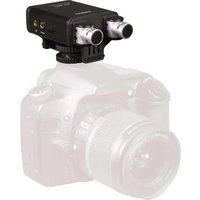
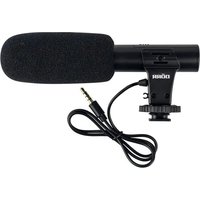
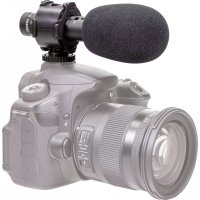
The DÖRR CWA-120 XY stereo condenser microphone offers high-class stereo recordings in broadcast quality together with your DSLR camera, system camera or video camera.
The large signal-to-noise ratio (signal-to-noise ratio SNR) and its high sensitivity ensure a full, clear and true stereo sound for interviews, documentaries, live action, vocal and music recordings.
PRODUCT FEATURES
- Compact XY stereo condenser microphone
- For use with DSLR cameras, system cameras and video camera
- Adjustable polar pattern (directional, XY mode, stereo)
- Two-step high pass filter
• PAD switch for volume and noise attenuation (-10 dB) - Adjustable amplification
• Supplied with in-ear headphones for monitoring your recording - Rubber mounted and vibration-free bracket: absorbs camera noise and other vibrations
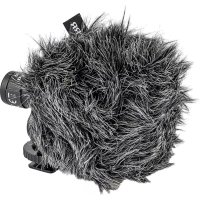
• Supplied with dead kitten to protect against ambient noise and wind
• Universal hot shoe with 1/4 " screw mount
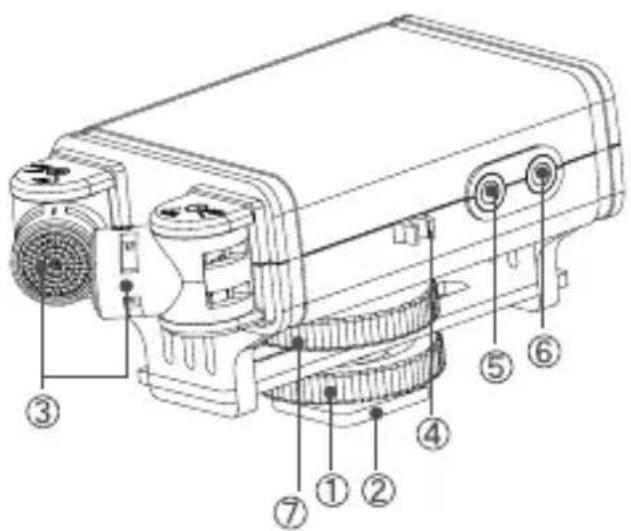
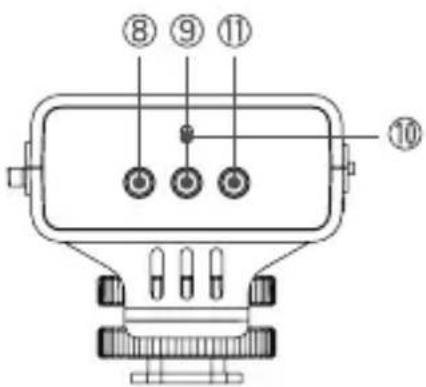
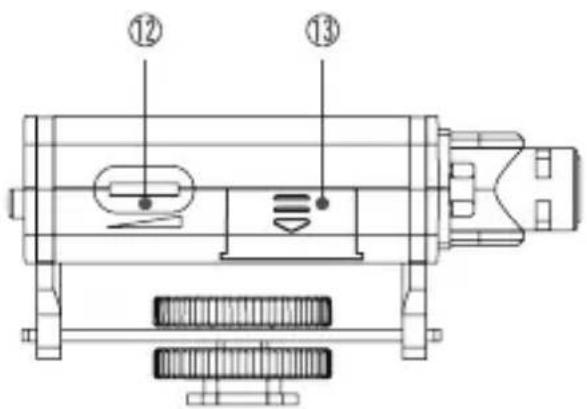
NOMENCLATURE
1 Locking screw
2 Universal hot shoe with 1/4 " screw mount
3 Microphones
4 Cable support
5 Camera socket (Line-Out)
6 Headphone socket
7 Rubber mounted bracket
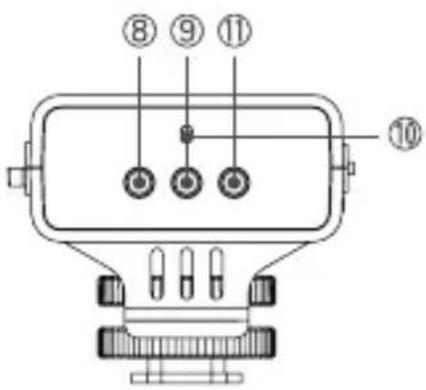
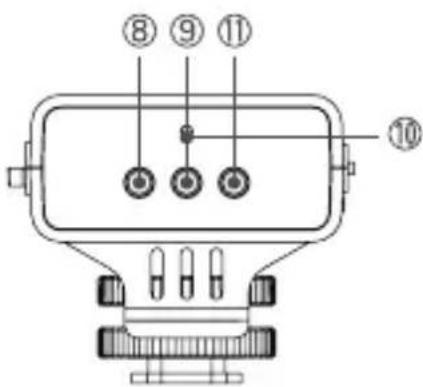
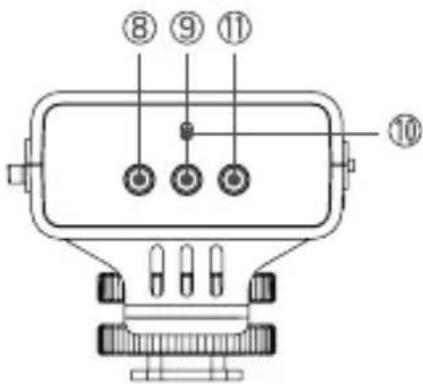
8 Switch high pass filter
9 ON/OFF switch
10 Indicator light
11 PAD switch
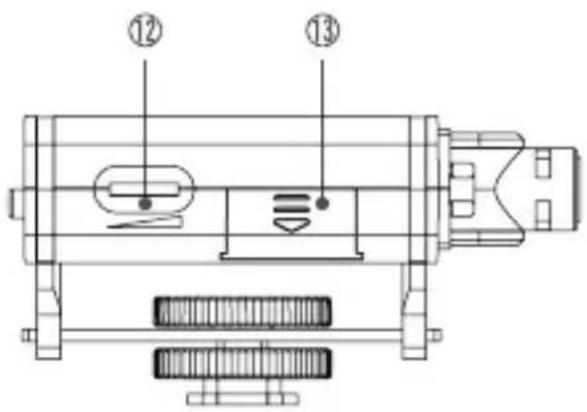
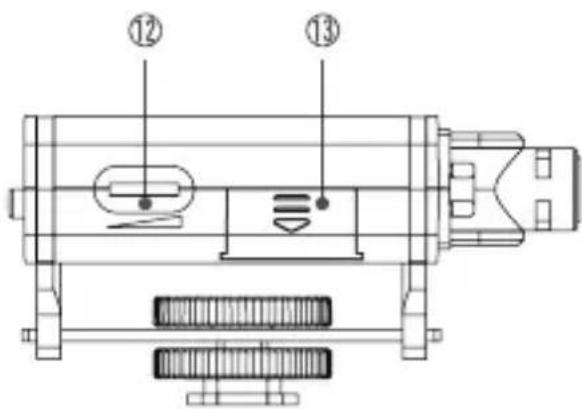
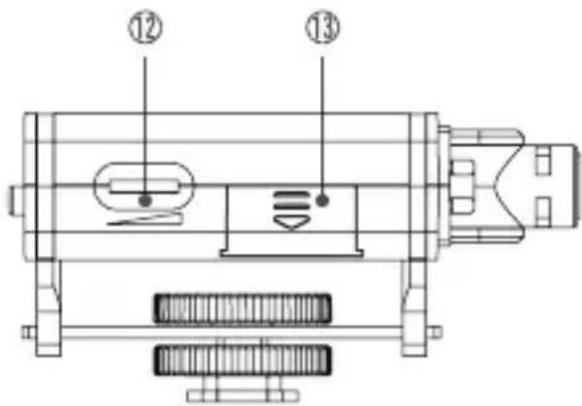
12 Dial amplifier
13 Battery compartment/battery compartment lid
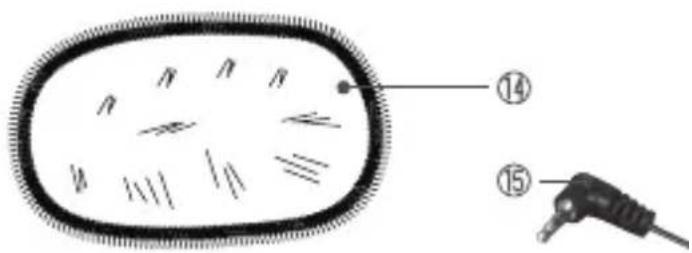
14 Dead kitten
15 Connection cable with 3,5 mm jack
OPERATION
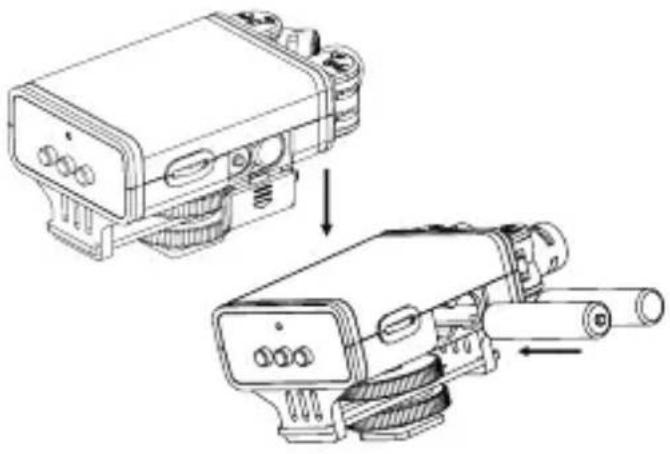
Inserting the Batteries
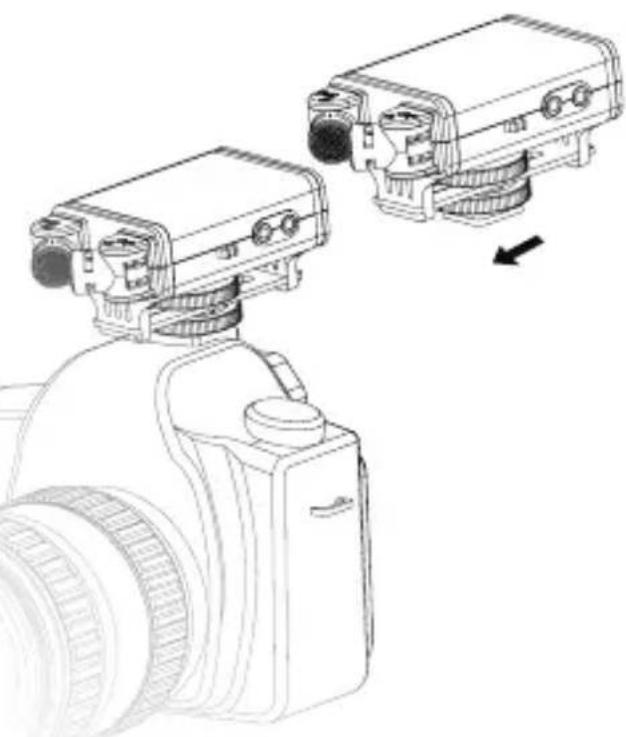
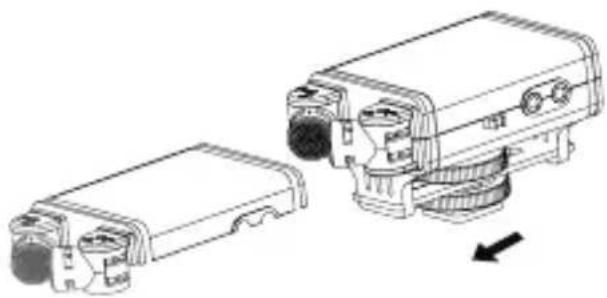
Open the battery compartment (13) by sliding the battery compartment lid in the direction of the arrow.
Insert two AAA batteries (optional) according to the polarity marking in the battery compartment.
Slide the lid back into place.
Mounting on the Camera
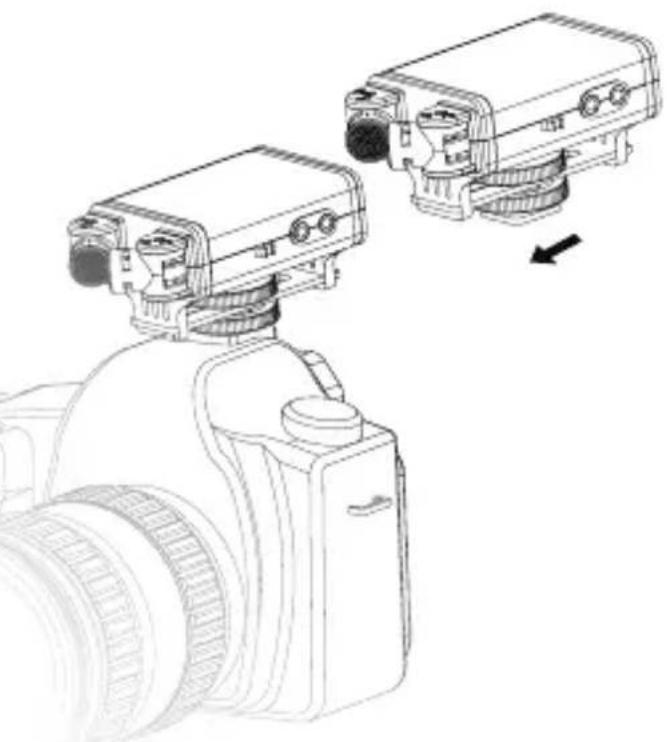
Turn the locking screw (1) upward and slide the universal hot shoe (2) into the hot shoe mount of your camera. Turn the screw (1) down until microphone fits tight on the camera.
With the 1/4 " screw mount (2) the microphone can be mounted on an audio boom alternatively.
For this purpose a longer cable with 3,5 mm jack is recommended (optionally available in specialized electronic stores).
Connection with Camera
Make sure the microphone is turned off (9 = ON/OFF). Insert the connection cable (15) in the line-out socket (5) of the microphone and in the microphone socket (AUDIO IN) of your camera.
Audio Recordings
Turn on the microphone (9 = ON). The indicator light (10) lights up green. The microphone is now ready to record. Start the video recording at your camera.
Setting of the Polar Pattern
Adjust the direction angle of the two microphones according to the sound source.
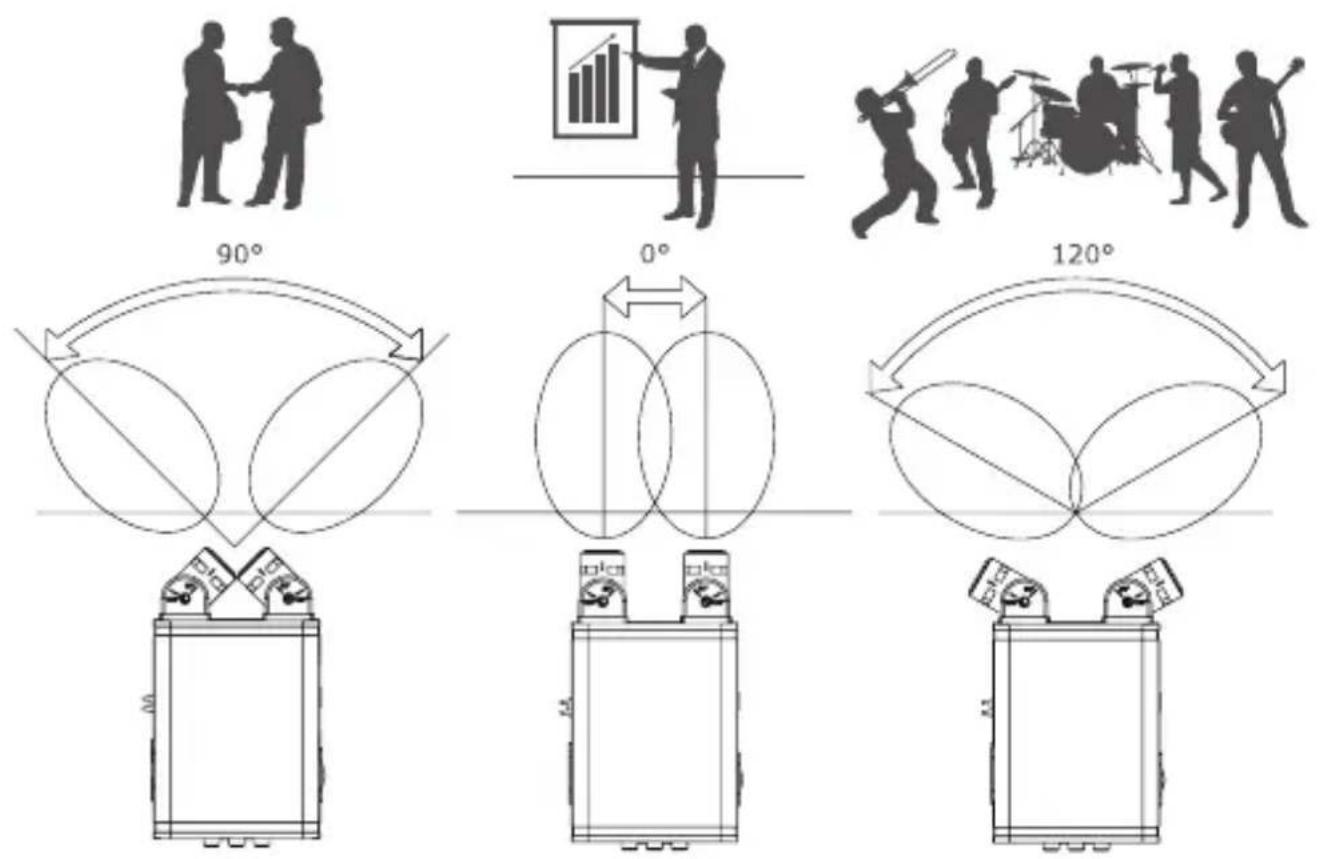
90° position Use this setting when recording e.g. conversations, interviews (XY mode) or at a greater distance to a narrow soundstage (e.g. recording of solo instruments, etc.)
0° position Directional polar pattern. Use this setting when recording a single moderator or a single speaker.
120° position Stereo effect. Use this setting when recording a wide sound-stage such as theater performances, concerts or recordings in a nearby area.
FURTHER FUNCTIONS
Indicator light (10) If the indicator light lights green, the microphone is on and ready to record. If the indicator light flashes red, the batteries are weak and need to be replaced.
PAD switch Use this switch when the sound source is too loud. To avoid an overloading of the recorder, press down the switch to -10 dB. Otherwise leave the switch at 0 dB.
Dial amplifier If the sound source is extremely poor, distorted or too quiet adjust the amplifier (review also below capture „settings on the camera“).
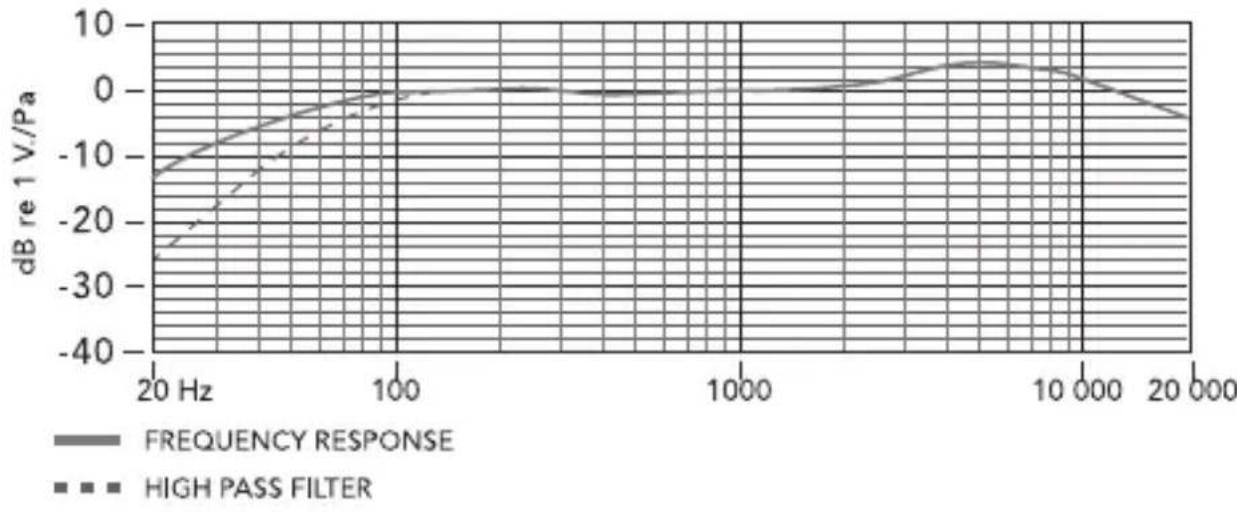
Switch high pass filter (8) The high-pass filter rolls off low-end frequencies to prevent rumbling in the recording. Press down the switch (80 Hz) if the microphone picks up too much ambient noise or camera noise.
RECORDING LEVEL – SETTINGS ON THE CAMERA
At some DSLR and video cameras the recording level can be set via the camera menu. If adjusting the recording level manually, set the level to 75% (3/4) of the loudest sound setting.
Please also refer to the instruction manual of your camera/recorder.
i Tip
It is recommended to make always a test recording. Set the recording level before recording and keep the setting until the end of recording. Changing the settings while recording will lead to differences in the sound.
SPECIFICATIONS
| Type XY stereo condenser microphone |
| Polar pattern XY Mode (90°)/directional (0°)/stereo (120°) |
| Frequency response 35 Hz - 20 kHz |
| Signal to noise ratio (SNR) 78dB SPL |
| Sensitivity -33 dB re 1 V/Pa @ 1 kHz |
| Output impedance app. 200 Ω |
| Earphone impedance app. 32 Ω/65 mW |
| Power supply 2 pcs AAA batteries(not included) |
| Dimensions 95 mm x 55 mm x 50 mm |
| Weight 78 g |
FREQUENCY RESPONSE
CONTENT
Microphone | Dead kitten | In-ear headphones | Connection cable with 3,5 mm jack | Case | Instruction manual
DISPOSAL, CE MARKING

DISPOSAL OF BATTERIES/ACCUMULATORS
Batteries are marked with the symbol of a crossed out bin. This symbol indicates that empty batteries or accumulators which can no longer be charged, should not be disposed of with household waste. Waste batteries may contain harmful substances that can cause damage to health and to the environment. Please use the return and collection systems available in your country for the disposal of the waste batteries.
WEEE INFORMATION
The Waste Electrical and Electronic Equipment Directive (WEEE Directive) is the European community directive on waste electrical and electronic equipment, which became European law in February 2003. The main purpose of this directive is to prevent electronic waste. Recycling and other forms of waste recovery should be encouraged to reduce waste. The symbol (trash can) on the product and on the packing means that used electrical and electronic products should not be disposed of with general household waste. It is your responsibility to dispose of all your electronic or electrical waste at designated collection points. Disposing of this product correctly will help to save valuable resources and it is a significant contribution to protect our environment as well as human health. For more information about the correct disposal of electrical and electronic equipment, recycling and collection points please contact your local authorities, waste management companies, your retailer or the manufacturer of this device.
ROHS CONFORMITY
This product is compliant with the European directive 2011/65/EU of June 08, 2011 for the restriction of use of certain hazardous substances in electrical and electronic equipment (RoHS) and its amendments.
CE MARKING
The CE marking complies with the European directives.
CARACTÉRISTIQUES DU PRODUIT
NOMENCLATURE
UTILISATION
Insertions des piles
Position 90° (Mode XY)
Position 0 °
Position 120°
MARQUAGE CONFORMITÉ EUROPÉENNE CE
UTILIZACIÓN
NOMENCLATURA
UTILIZZO
- TEILEBESCHREIBUNG
- BEDIENUNG
- THANK YOU FOR CHOOSING THIS DÖRR QUALITY PRODUCT
- SAFETY HINTS
- ▲ BATTERY HINTS
- PRODUCT DESCRIPTION
- PRODUCT FEATURES
- NOMENCLATURE
- OPERATION
- INSERTING THE BATTERIES
- MOUNTING ON THE CAMERA
- CONNECTION WITH CAMERA
- AUDIO RECORDINGS
- SETTING OF THE POLAR PATTERN
- FURTHER FUNCTIONS
- RECORDING LEVEL – SETTINGS ON THE CAMERA
- I TIP
- CONTENT
- DISPOSAL, CE MARKING
- DISPOSAL OF BATTERIES/ACCUMULATORS
- WEEE INFORMATION
- ROHS CONFORMITY
- CE MARKING
- CARACTÉRISTIQUES DU PRODUIT
- UTILISATION
- INSERTIONS DES PILES
- POSITION 90° (MODE XY)
- POSITION 0 °
- POSITION 120°
- MARQUAGE CONFORMITÉ EUROPÉENNE CE
- UTILIZACIÓN
- NOMENCLATURA
- UTILIZZO
Brand : Dörr
Model : CWA-120
Category : Microphone