GSH3SVLTC2 - Welding machine Güde - Free user manual and instructions
Find the device manual for free GSH3SVLTC2 Güde in PDF.

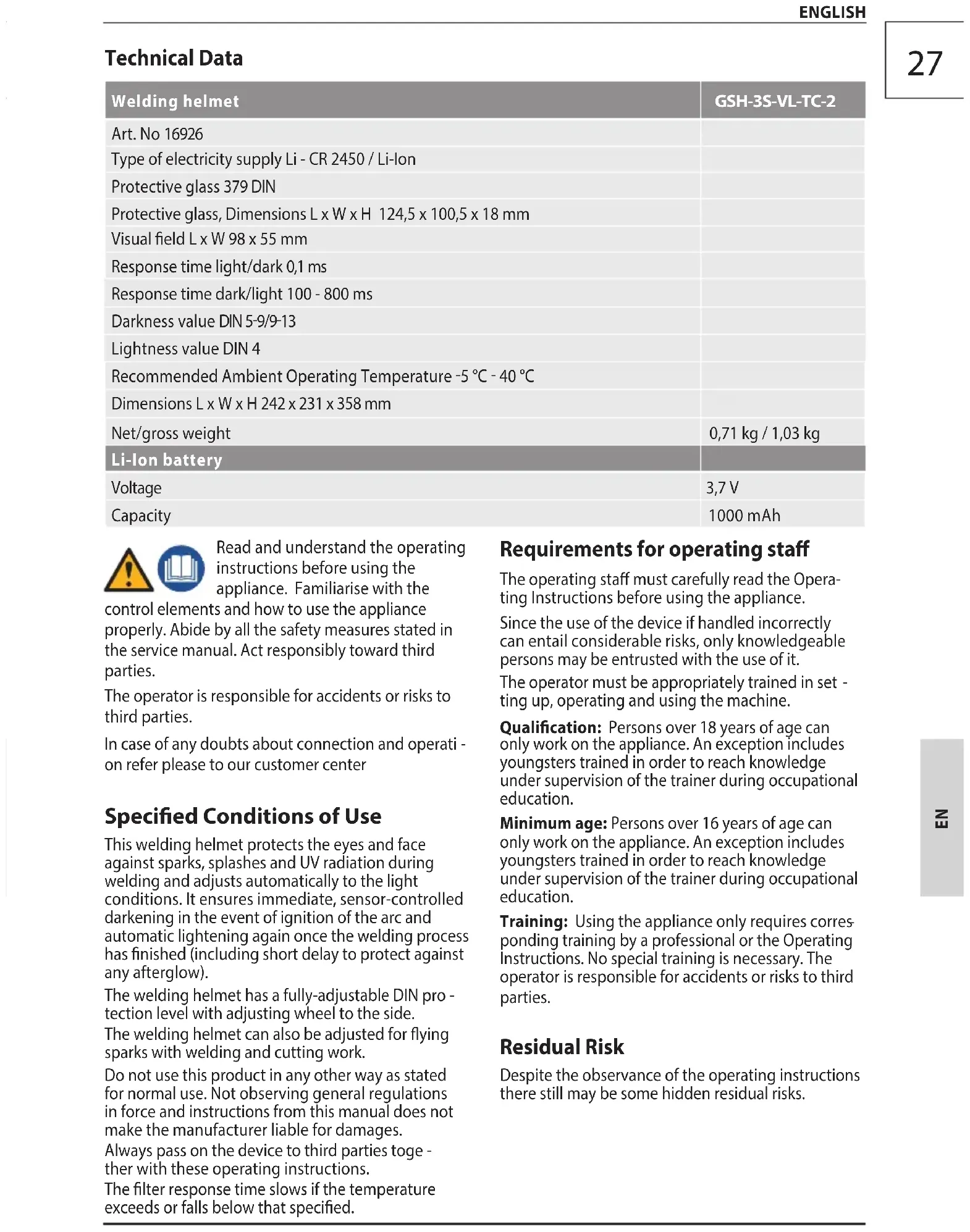


| Product type | Welding mask |
| Model | GSH-3S-VL-TC-2 (Order no. 16926) |
| Brand | Güde |
| Power supply | Li-ion battery 3.7 V / 1000 mAh (also Li-CR 2450 battery) |
| Dimensions (L x W x H) | 242 x 231 x 358 mm |
| Net weight | 0.71 kg |
| Gross weight | 1.03 kg |
| Protective glass | DIN 379 |
| Glass dimensions (L x W x H) | 124.5 x 100.5 x 18 mm |
| Field of view (L x W) | 98 x 55 mm |
| Reaction time light/dark | 0.1 ms |
| Reaction time dark/light | 100 - 800 ms |
| Shade levels | DIN 5-9 / 9-13 |
| Light shade level | DIN 4 |
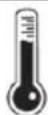
| Operating temperature | -5 °C to +40 °C |
| Main functions | Automatic sensor darkening, continuous sensitivity adjustment, grinding mode (permanent light), shade level adjustment via side knob |
| Maintenance and cleaning | Clean with a soft, dry cloth, pure alcohol or disinfectant. Do not use corrosive products. Do not immerse the ADF filter in water. |
| Safety | UV/IR protection, compliant with DIN EN 166 and DIN EN 379. Not suitable for laser, oxyacetylene, or overhead welding. Do not use if the filter is defective. |
| Spare parts and repairability | Use only original Güde parts. Repairs not described must be carried out by an authorized service. |
| General information | Recommended service life: 5 years. Warranty: 12 months (professional use) / 24 months (consumer). |
Frequently Asked Questions - GSH3SVLTC2 Güde
User questions about GSH3SVLTC2 Güde
0 question about this device. Answer the ones you know or ask your own.
Ask a new question about this device
Download the instructions for your Welding machine in PDF format for free! Find your manual GSH3SVLTC2 - Güde and take your electronic device back in hand. On this page are published all the documents necessary for the use of your device. GSH3SVLTC2 by Güde.
USER MANUAL GSH3SVLTC2 Güde
Translation of the original instructions Welding helmet
natural_image
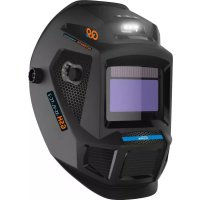
Close-up of a black GSH 3S-VL-TC-2 welding helmet with visible branding and control panel (no text-heavy elements)
GSH-3S-VL-TC-2
16926

ENGLISH Please read the instructions carefully before starting the machine.
GSH-3S-VL-TC-2
16926

natural_image
Close-up of a black GSH-3S-VI-TC-2 robotic helmet with visible branding and control panel (no text or symbols on the helmet itself)DE Inbetriebnahme
EN Starting-up the device
FR Mise en service
natural_image
Abstract gear icon with the number 1 inside, no text or symbols presentDE Inbetriebnahme
EN Starting-up the device
FR Mise en service
IT Messa in funzione
ES Puesta en marcha
NL Inbedrijfstelling
flowchart
graph LR
    A["Left Frame"] --> B["Headset with keyhole icon"]
    B --> C["Right Frame"]
    style A fill:#f9f,stroke:#333
    style C fill:#bbf,stroke:#333
2

flowchart
graph TD
    A["Lock"] --> B["Rotation"]
    B --> C["Left Head with Blue Box"]
    C --> D["Right Head with Closed Lock"]
    D --> E["Rotation"]
    E --> F["Left Head with Black Gear"]
DE Inbetriebnahme
EN Starting-up the device
FR Mise en service
natural_image
Diagram showing a blue gear component being processed into a black helmet, with an inset illustrating the motion of the gear (no text or symbols present)
natural_image
Illustration of a person wearing a full-face shield with a black headband and a green checkmark (no text or symbols)
natural_image
Abstract gear icon with the number 1 inside, no text or symbols presentDE Inbetriebnahme
EN Starting-up the device
FR Mise en service
IT Messa in funzione
ES Puesta en marcha
NL Inbedrijfstelling
natural_image
Exterior view of a modern office building (no signage)
natural_image
Simple diagram of a square with a small irregular shape inside, no text or symbols present.

natural_image
Close-up of a black and white fitness helmet with a screen displaying the screen, no visible text or symbols.


DE Inbetriebnahme
EN Starting-up the device
FR Mise en service
natural_image
Abstract gear icon with a large number 1, no text or symbols present


| 1 | DE InbetriebnahmeEN Starting-up the deviceFR Mise en serviceIT Messa in funzioneES Puesta en marchaNL Inbedrijfstelling | CZ Uvedení do provozuSK Uvedenie do prevádzkyPL UruchomienieHU Üzembe helyezés |
Tönungsstufen des Schutzglases für Lichtbogenschweißen | Tint levels of the protective glass for arc welding | Niveaux d'obscurcissement de la vitre de protection pour le soudage à l'arc | Livelli di tonalità del vetro di protezione per la saldatura ad arco | Niveles de tintado del vidrio protector para la soldadura por arco | Verduisteringsniveaus van het veiligheidsglas voor vlambooglassen | Stupně tónování ochranného skla pro svařování elektrickým obloukem | Úrovne zafarbenia ochranného skla pre zváranie svetelným oblúkom | Stopnie zaciemnienia szkła ochronnego do spawania łukowego | A védöüveg tónusfokozatai ívhegesztéshez
| Stromstärke, Current strength, Intensité de courant, Intensità di corrente, Intensidad de corriente, Stroomsterkte, Intenzita proudu, Intenzita prúdu, Natężenie prądu, Áramerősség A | |||||||||||||
| Schweißprozess | Welding process | Processus de soudage | Processo di saldatura | Proceso de soldadura | Lasproces | Svařovací proces | Zvárací proces | Proces spawania | Hegesztési folyamat | 15 | 30 | 60 | 100 | 150 | 200 | 250 | 300 | 400 | 500 | |||
| 20 | 40 | 80 | 125 | 175 | 225 | 275 | 350 | 450 | |||||
| MMA-Schweißen | welding | Soudage | Saldatura | Soldadura | lassen | svařování | Zváranie | Spawanie | hegesztés | 9 | 10 | 11 | 12 | 13 | ||||||||
| MIG-Stahl | steel | Acier | Acciaio | Acero | staal | ocel | Ocel' MIG | Stal | acél | 10 | 11 12 13 | |||||||||||
| MIG-Aluminium | aluminium | Aluminium | Alluminio | Aluminio | aluminium | hliník | Hliník | Aluminium | aluminium | 10 11 12 | 13 | 14 | ||||||||||
| WIG/TIG, alle Metalle | all metals | tous les métaux | tutti i metalli | todos los metales | alle metalen | všechny kovy | všetky kovy | wszystkie metale | összes fém | 9 | 10 | 11 | 12 | 13 | 14 | |||||||
| MAG CO2-Schweißen | CO2 welding | soudage au CO2 | saldatura CO2 | soldadura por CO2 | CO2-lassen | svařování v atmosfére CO2 | zváranie s CO2 | spawanie w osłonie CO2 | CO2-hegesztés | 10 | 11 | 12 | 13 | 14 | ||||||||
| Plasmaschneiden | Plasma arc cutting | Découpage plasma | Taglio al plasma | Cortar con plasma | Plasmasnijden | Plazmové rezání | Plazmové rezanie | Cięcie plazmowe | Plazmavágás | 5-9 | 10 | 11 | 12 | 13 | ||||||||
DE Inbetriebnahme
EN Starting-up the device
FR Mise en service
natural_image
Abstract gear icon with the number 1 inside, no text or symbols presentDE Inbetriebnahme
EN Starting-up the device
FR Mise en service
natural_image
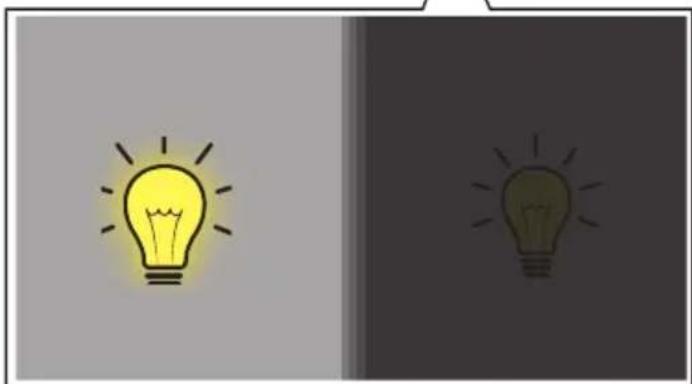
Two identical light bulb illustrations, one yellow and one dark green, with radiating lines on a neutral background (no text or symbols)
natural_image
Two simple lightbulb icons, one yellow and one dark brown, against a gray background (no text or symbols)DE Inbetriebnahme
EN Starting-up the device
FR Mise en service
natural_image
Abstract gear icon with a large number 1, no text or symbols present
natural_image
Abstract gear icon with the number 1 inside, no text or symbols presentDE Inbetriebnahme
EN Starting-up the device
FR Mise en service


Lightness value 4 is active here.
The following darkness values can be set for working:: DIN 9-13
See the table on page 7 for the correct setting.
Setting: „CUT“
Lightness value 4 is active here.
The following darkness values can be set for working:: DIN 5-9
See the table on page 7 for the correct setting.
Setting: „GRIND“
Lightness value 4 is active here.
CAUTION! With this setting the helmet does NOT darken!
Lightness value 4 is being used.
Réglage: „SOUDAGE“
EN Starting-up the device
FR Mise en service
natural_image
Abstract gear icon with the number 1 inside, no text or symbols present
Instelling: „SNIJDEN“
Instelling: „SLIJPEN“
natural_image
Abstract gear icon with the number 1 inside, no text or symbols presentDE Inbetriebnahme
EN Starting-up the device
FR Mise en service
natural_image
Close-up of a black GSH-3S-VI-TC-2 welding helmet with visible branding and control panel (no text or symbols on the helmet itself)

natural_image
Simple line drawing of a glowing light bulb with radiating lines (no text or symbols)DE Inbetriebnahme
EN Starting-up the device
FR Mise en service
natural_image
Silhouette of a welding torch emitting sparks, with motion lines indicating motion (no text or symbols)
natural_image
Close-up of a black industrial fan component with visible blades and red wires, mounted on a mechanical frame (no text or symbols)
natural_image
Exterior view of a black welding helmet with visible internal components and branding (no text or symbols)2
DE Wartung
EN Maintenance
FR Entretien
IT Manutenzione
ES Mantenimiento
NL Onderhoud
cz Údržba
SK Údrzba
PL Konserwacja
HU Karbantartás
natural_image
Battery icon with lightning bolt inside a circular arrow, symbolizing charging or recycling (no text)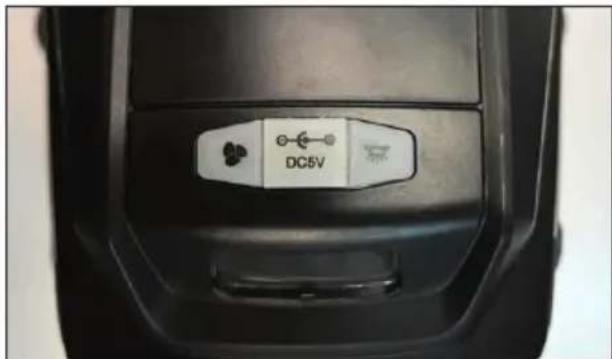

natural_image
Hand inserting a small electronic device into a black device casing (no visible text or symbols)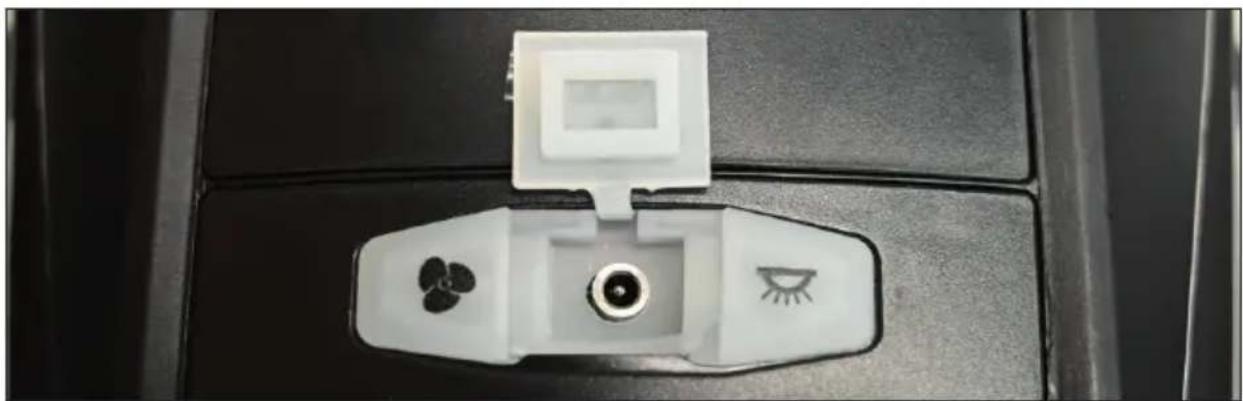
natural_image
Close-up of a white electronic device with three circular indicators on its neck (no text or symbols visible)
natural_image
Two black USB connectors shown side by side, connected by a dashed line (no text or symbols visible)DE Wartung
EN Maintenance
FR Entretien
IT Manutenzione
ES Mantenimiento
NL Onderhoud
cz Údržba
SK Údrzba
PL Konserwacja
HU Karbantartás
2
flowchart
graph LR
    A["CE"] --> B["2x"]
    B --> C["CR 2450"]

natural_image
Close-up of a black plastic clip with an arrow pointing to it, against a blurred background (no text or symbols)
natural_image
Close-up of a mechanical component with a green circular marking and a black handle (no visible text or symbols)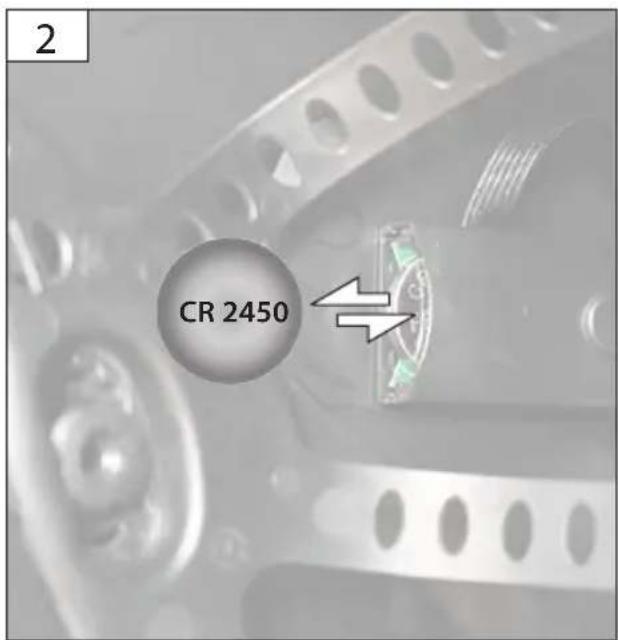
2
DE Wartung
EN Maintenance
FR Entretien
IT Manutenzione
ES Mantenimiento
NL Onderhoud
cz Údržba
SK Údrzba
PL Konserwacja
HU Karbantartás
natural_image
Two identical electronic devices with connected wires, one showing a double-headed arrow (no text or symbols)
natural_image
Illustration of a black electronic device with a green screen and ports, connected to cables (no text or symbols visible)
natural_image
Illustration of a computer monitor with a green screen and black ports, showing a white arrow pointing to the bottom port (no text or symbols present)
natural_image
3D diagram of a device with green screen and black frame, no visible text or symbols
natural_image
Two views of a device with a green cover and an arrow indicating upward motion (no text or symbols)DE Wartung
EN Maintenance
FR Entretien
IT Manutenzione
ES Mantenimiento
NL Onderhoud
cz Údržba
SK Údrzba
PL Konserwacja
HU Karbantartás
2
4
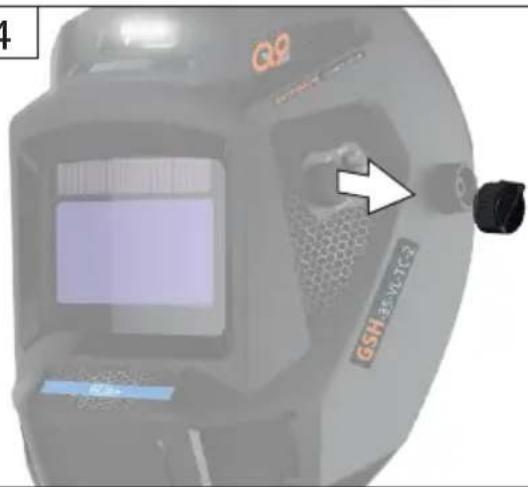
natural_image
Close-up of a GSH 25-VL-TC-2 device with a white arrow pointing to its screen (no readable text or symbols beyond branding)
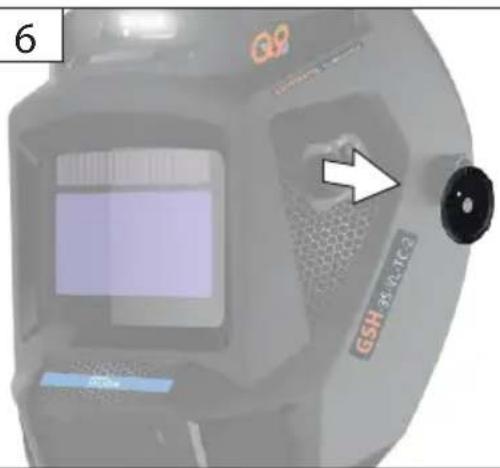
natural_image
Close-up of a GPS scanner device with a white arrow pointing to its side panel (no readable text or symbols)7

natural_image
Close-up of a mechanical component with a white arrow pointing to a black rectangular block (no visible text or symbols)8

2
DE Wartung
EN Maintenance
FR Entretien
IT Manutenzione
ES Mantenimiento
NL Onderhoud
cz Údržba
SK Údrzba
PL Konserwacja
HU Karbantartás
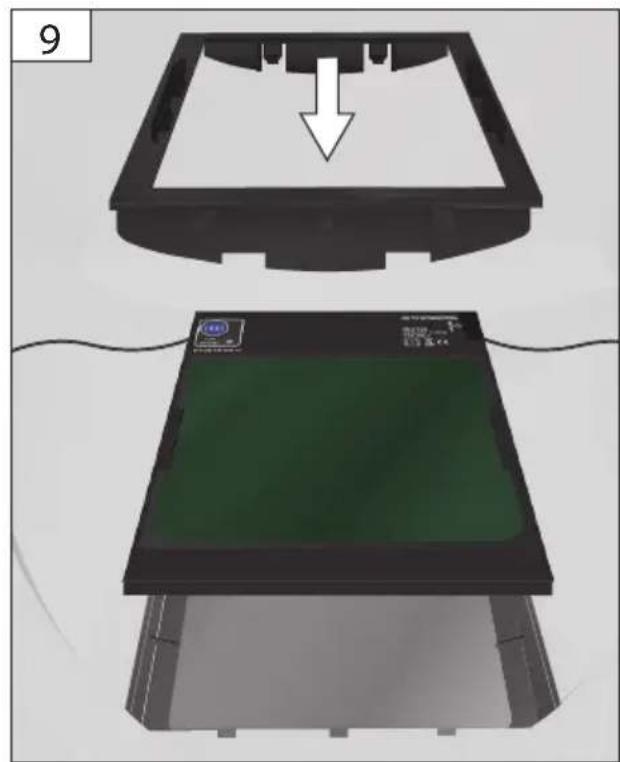
natural_image
Two views of a device with a green screen and a black frame, showing a downward arrow (no text or symbols)
natural_image
3D rendering of a green screen mounted on a black base with a white arrow pointing to it, no text or symbols present.
natural_image
Illustration of a black electronic device with a green screen and connectors, showing a white arrow pointing to it (no text or symbols present)
natural_image
Illustration of a black electronic device with a green screen and connector port, connected to wires (no text or symbols visible)DE Wartung
EN Maintenance
FR Entretien
IT Manutenzione
ES Mantenimiento
NL Onderhoud
cz Údržba
SK Údrzba
PL Konserwacja
HU Karbantartás
2
12
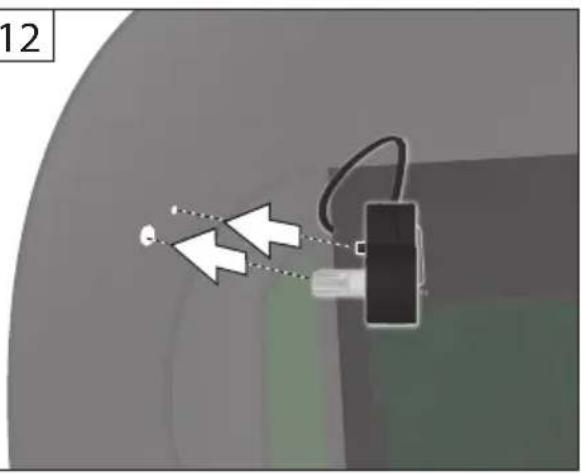
natural_image
Diagram showing a device with two white arrows pointing to it, connected by wires (no text or symbols present)13
14

15


natural_image
Close-up of a black automotive AG/ATM device with hexagonal grille and control panel, showing a green checkmark (no readable text or symbols)3

natural_image
Black and red photo of a handheld electric scooter head with visible exhaust lines and control panel (no text or symbols)
natural_image
Illustration of a hand pressing down on a black helmet with a green checkmark (no text or symbols)2
一

10^ C - 20^ C
Technische Daten
Read and understand the operating instructions before using the appliance. Familiarise with the
control elements and how to use the appliance properly. Abide by all the safety measures stated in the service manual. Act responsibly toward third parties.
The operator is responsible for accidents or risks to third parties.
In case of any doubts about connection and operation refer please to our customer center
Specified Conditions of Use
This welding helmet protects the eyes and face against sparks, splashes and UV radiation during welding and adjusts automatically to the light conditions. It ensures immediate, sensor-controlled darkening in the event of ignition of the arc and automatic lightening again once the welding process has finished (including short delay to protect against any afterglow).
The welding helmet has a fully-adjustable DIN protection level with adjusting wheel to the side.
The welding helmet can also be adjusted for flying sparks with welding and cutting work.
Do not use this product in any other way as stated for normal use. Not observing general regulations in force and instructions from this manual does not make the manufacturer liable for damages.
Always pass on the device to third parties together with these operating instructions.
The filter response time slows if the temperature exceeds or falls below that specified.
Requirements for operating staff
The operating staff must carefully read the Operating Instructions before using the appliance.
Since the use of the device if handled incorrectly can entail considerable risks, only knowledgeable persons may be entrusted with the use of it.
The operator must be appropriately trained in setting up, operating and using the machine.
Qualification: Persons over 18 years of age can only work on the appliance. An exception includes youngsters trained in order to reach knowledge under supervision of the trainer during occupational education.
Minimum age: Persons over 16 years of age can only work on the appliance. An exception includes youngsters trained in order to reach knowledge under supervision of the trainer during occupational education.
Training: Using the appliance only requires corresponding training by a professional or the Operating Instructions. No special training is necessary. The operator is responsible for accidents or risks to third parties.
Residual Risk
Despite the observance of the operating instructions there still may be some hidden residual risks.
Emergency procedure
Conduct a first-aid procedure adequate to the injury and summon qualified medical attendance as quickly as possible. Protect the injured person from further harm and calm them down.
If you seek help, state the following pieces of information
- Accident site,
- Accident type,
- Number of injured persons,
- Injury type(s)
General Safety Rules
WARNING
Read all safety warnings and all instructions.
Failure to follow the warnings and instructions may result in electric shock, fire and/or serious injury.
Save all warnings and instructions for future reference.
Keep your work area clean and tidy. Untidy workplaces and workbenches increase the risk of accidents and injuries.
This appliance is not intended for use by persons (including children) with reduced physical, sensory or mental capabilities, or lack of experience and knowledge, unless they have been given supervision or instruction concerning use of the appliance by a person responsible for their safety. Children should be supervised to ensure that they do not play with the appliance.
The device and packaging are not toys.
Comply with the local injury prevention regulations and safety regulations in the work area.
Please note that permissible uses for the tool could be limited by national regulations.
Do not use accessories which are not specifically designed and recommended by the tool manufacturer.
The product is not suitable for laser welding.
The product is not fireproof.
The welding helmet and the ADF filter must not be exposed to heat or moisture.
Under no circumstances should the housing of the ADF filter be opened without the manufacturer's permission.
Check whether the correct setting has been selected before each use.
Repairs and works specified in these Instructions may only be performed by qualified authorised staff.
Stop the work process at once and contact the retail - ler immediately if the filter does not automatically darken during welding.
Do not use any alcohol, petrol or thinners to clean the ADF filter. Do not place the ADF filter in water.
Replace the ADF filter housing immediately if it is damaged or scratched. This has a negative effect both on visibility and on the protective performance.
Replace the viewing panels immediately if they are broken or scratched. Do not use any hard objects to replace the filter viewing panels.
Mineral-filter-reinforced viewing panels may be installed only together with suitable rear panels.
If the viewing panel and the supporting body do not have the same mechanical marking (F/B), the weaker marking applies for the whole product.
Clean the surfaces of the helmet, ADF filter, sensor and solar cells regularly.
The welding helmet cannot withstand any damage caused by a significant impact, explosion or corrosive liquids.
The service life depends on many factors which vary on a case-by-case basis, such as use, cleaning, storage and maintenance. Regular inspections and replacement in the event of damage are recommended. We recommend a maximum usage duration of five years.
The material the product is made from will age over time. This may, for example, lead to the formation of breaks on the welding helmet. As a result of damage of this kind, the welding helmet is no longer capable of providing effective protection. In this case, the user should replace the welding helmet immediately.
This product may not be used for overhead welding work. If this product is used for overhead welding work, drops of molten metal may burn through the ADF filter and cause injuries to the user
This product may not be used for overhead cutting and grinding work. If this product is used for overhead cutting or grinding work, drops of molten metal may burn through the ADF filter and cause injuries to the user.
If the filter is defective, the user must stop using the welding helmet immediately.
This product is temperature-resistant and of low flammability. If, nonetheless, it comes into direct contact with an open flame or a very hot object, the welding helmet may catch fire or melt. Store and use the welding helmet strictly as described, to reduce such risks.
The ADF filter is an electronic device, which is not waterproof. Ensure that it is kept dry and clean. Do
not store the ADF filter in a moist environment.
Check the filter before each use. As soon as the function and appearance no longer appear to be in the intended condition, you can no longer use the product.
Caution! Never use a product that is damaged! A damaged product does not provide enough protection and may therefore lead to injuries and/or accidents.
Before each use, inspect the safety goggles with regard to damage and service life.
If the filter flickers or the level of darkening no longer corresponds to the default value or if other abnormal working conditions predominate, the welding helmet may no longer be used.
Ensure that this product is not exposed unnecessarily to sunshine.
Use only original accessories and original spare parts. Components for which there are no instructions for exchanging should be replaced by the manufacturer only.
Caution! Using eye protection without a later effect against optical radiation damages the eyes.
Before each use, check whether the eye protection shows the necessary number on the scale.
The welding helmet with automatic darkening is not suitable for laser and gas welding.
Never place the welding helmet on hot surfaces.
Do not open the welding helmet under any circumstances. Repairs and works specified in these Instructions may only be performed by qualified authorised staff.
Ensure that you have set automatic darkening before each welding process.
If the filter does not darken automatically, stop the welding process immediately and contact the manufacturer.
Replace the protective visor if it is scratched or damaged.
The welding helmet does not protect against impacts.
Caution! Materials that come into contact with the wearer's skin may cause allergic reactions in individuals with sensitivities.
Stay alert, watch what you are doing and use common sense when operating a power tool. Do not use a power tool while you are tired or under the influence of drugs, alcohol or medication.
The appliance must not be used if damaged or safety equipment is defective. Replace any worn-out and damaged parts.
The device must not be operated if it is damaged in any way.
Maintain power tools. Check for misalignment or binding of moving parts, breakage of parts and any other condition that may affect the power tool's operation. If damaged, have the power tool repaired before use.
⚠️ Eye protection devices worn to protect against high-speed particles may constitute a hazard for the wearer as a result of the transfer of impact forces if worn over standard prescription glasses.
Caution! Risk of high-speed particles at extreme temperatures.
Should protection against high-speed particles at extreme temperatures be required, the eye protection device selected must feature the letter T right after the letter for the impact intensity, i.e. FT, BT or AT. If the letter for the impact intensity is not followed by the letter T, the eye protection device may be used only to protect against high-speed particles at room temperature.
Before each commissioning, check whether the welding helmet and the protective panel are intact. If the protective panel has any scratches, cracks or unevenness, it must be replaced before use, or it may cause serious injuries.
SYMBOLS

Read the operating instructions to reduce the risk of injury.

The appliance must be stored in a dry place and protected from frost.

Keep the machine out of reach of children.


Keep dry at all times. Never expose tool to rain.
Any damaged or disposed electric or electronic devices must be delivered to appropriate collection centres.
Meaning of the labelling
Safety viewing panel tested in accordance with DIN EN 166:
Explanation:
• External panel: GUEDE F CE
GUEDE = Manufacturer
F = Mechanical strength
(Low-energy impact at 45 m/s)
DIN EN 166 = Testing standard
CE = CE label
• Rear panel: GUEDE 1 F CE
GUEDE = Manufacturer
1 = Optical class
F = Mechanical strength
(Low-energy impact at 45 m/s)
DIN EN 166 = Testing standard
CE = CE label
ADF-tested in accordance with DIN EN 379: 4/5-9/9-13 GUEDE 1/1/1/2/379 CE
Explanation:
4 = Lightness condition
5-9/9-13 = Darkness conditions
GUEDE = Manufacturer
Number 1 = optical class
Number 2 = scattered light class
Number 3 = homogeneity class
Number 4 = angle dependence class
DIN EN 379 = Testing standard
CE = CE label
Welding helmet shell: GUEDE 175 F 500g CE
GUEDE = Manufacturer
EN 175 = Testing standard
B = Mechanical strength (120 m/s)
CE = CE label
Area(s) of application (where appropriate): S, F, B Mass in grams (where appropriate)
| Symbol Protection type | Description of the area of application | |
| S | Increased strength | Mechanical strength |
| F | Low-energy impact | Mechanical strength |
| B | Medium-energy impact | Mechanical strength |
Battery

Risk of fire! Risk of explosion!
Never use damaged, defective or deformed accumulators. Never open or damage the accumulator or let it fall on the ground.
Never charge the battery in an environment with acids and easily flammable materials.
Protect the battery against heat and fire.
Battery to be used at the ambient temperatures between 10^ C and +40^ C only.
Never put the battery on heaters and do not expose it to strong sunlight for a long time.
After being subject to heavy load, let the battery cool down first.
Short circuit - do not bridge the accumulator contacts with metal parts.
The accumulator must be packaged (plastic bag, box) or accumulator contacts must be sealed up for accumulator disposal, transport or storage.
The Güde charger to be used only to charge the battery. There can be malfunction or fire if different chargers are used.
Vapours may leak out in case of unauthorised use or when using a damaged accumulator. Bring fresh air and seek medical advice if experiencing difficulties. Vapours may irritate the respiratory system.
Working Instructions
Accumulators are supplied partially charged and must therefore be fully charged before being used for the first time.
- Charge the accumulator when the appliance is running slowly or stops.
- A li-ion battery may be charged at any time without any shortening of its life. Charging process interrupt-
tion will not damage the accumulator.
- Charging process interruption will not damage the accumulator.
- A significantly shorter operating time of a charged battery means the battery life is over and the battery must be replaced.
Dispose of the batteries in an environmentally friendly manner.
Li-ion batteries are subject to the special disposal obligation. Have any defective batteries disposed of by a specialised shop. The battery must be taken out before the appliance is scrapped. Damaged batteries may harm the environment and your health if toxic vapours or liquids leak out of such batteries. Therefore, never send a defective battery by post, etc. Please contact your local recycling centre.
Dispose of the batteries when discharged. We recommend applying an adhesive tape on the poles to protect them against short circuit. Never open the battery.
MAINTENANCE
Do not use any corrosive cleansing products to clean the helmet housing.
Never bring the UV filter into contact with water. If the device is defective, the repair has to be made exclusively by the customer service. Use only original accessories and original spare parts.
Clean the product with a soft and dry cloth, with a cloth moistened with pure alcohol, or with a cloth moistened with disinfectant.
WARNING The appliance must not be used if damaged or safety equipment is defective. Replace any worn-out and damaged parts.
Only a regularly maintained and treated appliance can serve as a satisfactory aid. Insufficient maintenance and care can lead to unforeseen accidents and injuries.
Storage
The appliance must be stored in a dry place and protected from frost.
Machine to be stored in locked spaces, out of reach of children.
Disposal
The disposal instructions are based on the icons placed on the appliance or its package.
Transport packaging disposal
The packaging protects the machine against damage during transport. Packaging materials are usually chosen based on environment aspects and waste treatment principles and are therefore recyclable. Returning the packaging into material circulation saves raw materials and reduces waste production. Parts of packagings (e.g. foils, styropor®) can be dangerous for children.
Do not dispose of electrical appliances in household waste; use the local collection points. Ask your local authority where the collection points are to be found. If electrical equipment is disposed of in an uncontrolled manner, weathering can lead to dangerous substances entering the groundwater and from there the food chain, or the flora and fauna can be poisoned for years. If you replace the device with a new one, the seller is legally obliged at the least to take back the old one to be disposed of free of charge.
Guarantee
Warranty period of 12 months applies to commercial use and 24 months applies to private use and commences on the day of purchase of the device.
The guarantee solely covers inadequacies caused by material defect or manufacturing defect. Original payment voucher with the sales date needs to be submitted for any claim in the guarantee period.
The guarantee does not cover any unauthorised use such as appliance overloading, use of violence, damage as a result of any unauthorised interference or caused by foreign items. Failing to follow the operating and assembly instructions and common wear are also not included in the guarantee.
Service
Do you have any technical questions? Any claim? Do you need any spare parts or operating instructions? We will quickly help you and without needles bureaucracy at our web pages at www.guede.com in the Servicing part. Please help us be able to help you. In order to identify your device in case of claim we need the serial No., product No. and year of production. All this data can be found on the type label.
Important information for the customer
Please note that returns within or outside the warranty period should always be in the original packaging. This measure effectively avoids unnecessary transport damage and any associated disputed ruling. Your equipment is optimally protected only in the original box, and keeping it in that box will ensure smooth processing.
Seriennummer
Artikelnummer
Baujahr
Failure removal
| Failures Causes Removal | ||
| The protector is contaminated or defective. | Clean or replace the protector. | |
| The filter does not darken regularly and/or flickers. | The arc sensor is not clear. Clean the surface of the arc sensor. | |
| The welding voltage is too low. Set the sensitivity to the maximum. | ||
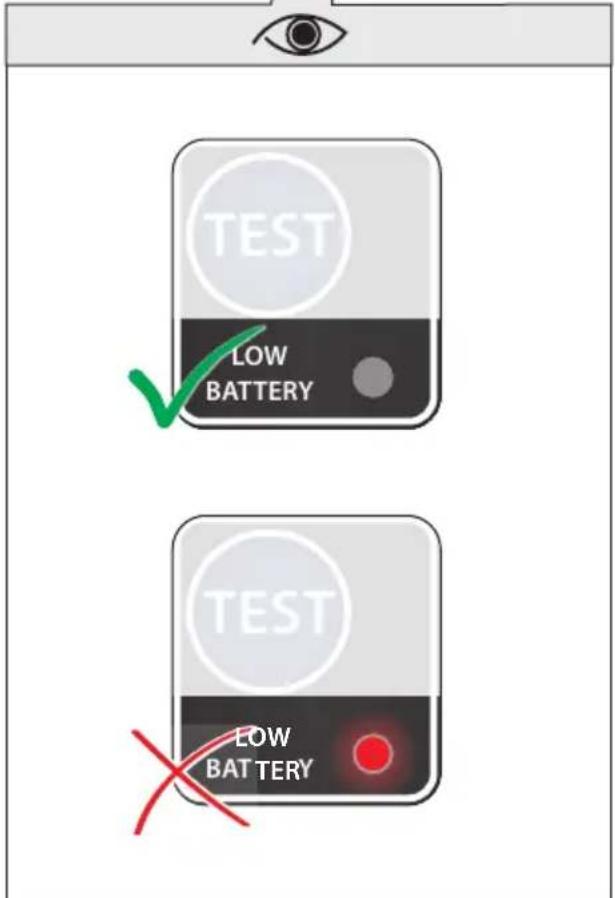
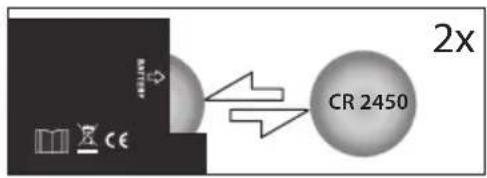
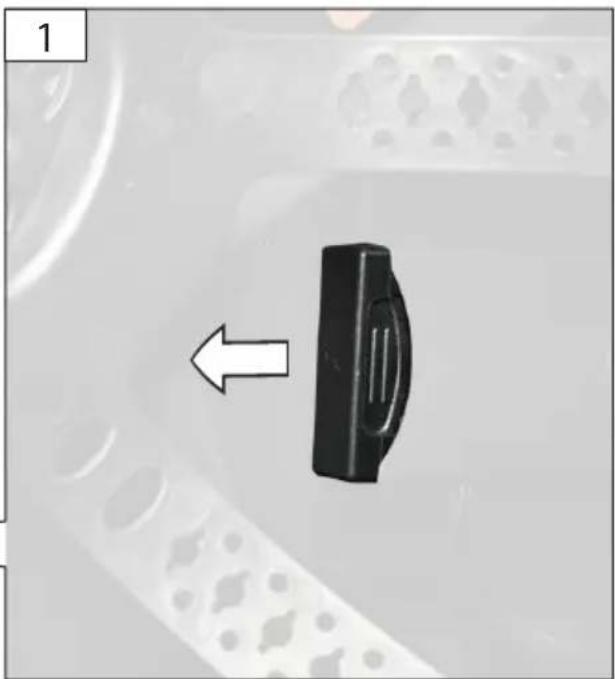
| The battery is too weak. | The battery needs to be replaced (Li - CR 2450) | |
| The response has slowed down. | The environmental temperature is too low/high. | Use the welding helmet only at temperatures between -5 °C and +40 °C |
| The sensitivity is too low. Set the sensitivity to a higher level. | ||
| The protector / protective panel is contaminated. | Clean the protector and the protective panel. | |
| The visibility is poor. | The ambient light is not sufficient. | Introduce more light to your working environment. |
| The wrong darkening level has been set. | Reset the darkening level. | |
| The welding helmet slips | The head band has been set incorrectly. | Reset the head band and tighten it. |
5-9/9-13 = Stany ciemne
GUEDE = Producent
Translation of the EC-Declaration of Conformity
We, hereby declare the conception and construction of the below mentioned appliances correspond - at the type of construction being launched - to appropriate basic safety and hygienic requirements of EC Directives.
In case of any change to the appliance not discussed with us the Declaration expires.
97/68/EC &2016/1628/EU
Emission No.:
2000/14/EC_2005/88/EC
- GSH-3S-VL-TC-2
- DE Inbetriebnahme
- Setting: „CUT“
- Setting: „GRIND“
- CAUTION! With this setting the helmet does NOT darken!
- Réglage: „SOUDAGE“
- Instelling: „SNIJDEN“
- Instelling: „SLIJPEN“
- 2
- DE Wartung
- 3
- Specified Conditions of Use
- Requirements for operating staff
- Residual Risk
- Emergency procedure
- General Safety Rules
- WARNING
- Save all warnings and instructions for future reference.
- SYMBOLS
- Meaning of the labelling
- Explanation:
- Welding helmet shell: GUEDE 175 F 500g CE
- Battery
- Risk of fire! Risk of explosion!
- Working Instructions
- Dispose of the batteries in an environmentally friendly manner.
- MAINTENANCE
- Storage
- Disposal
- Transport packaging disposal
- Guarantee
- Service
- Important information for the customer
- Translation of the EC-Declaration of Conformity
Brand : Güde
Model : GSH3SVLTC2
Category : Welding machine