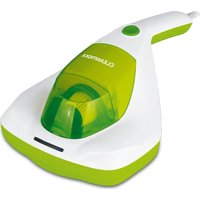
01375 - Vacuum Cleaner Cleanmaxx - Free user manual and instructions
Find the device manual for free 01375 Cleanmaxx in PDF.



User questions about 01375 Cleanmaxx
0 question about this device. Answer the ones you know or ask your own.
Ask a new question about this device
Download the instructions for your Vacuum Cleaner in PDF format for free! Find your manual 01375 - Cleanmaxx and take your electronic device back in hand. On this page are published all the documents necessary for the use of your device. 01375 by Cleanmaxx.
USER MANUAL 01375 Cleanmaxx
natural_image
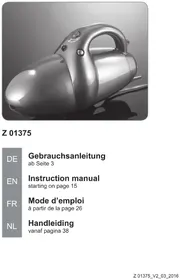
Exterior view of a silver vacuum cleaner (no text or symbols visible)Z 01375

text_image
DE EN FR NLGebrauchsanleitung
ab Seite 3
Instruction manual
starting on page 15
Mode d'emploi
www.service-shopping.de
text_image
Exploded view diagram of a hairless vacuum cleaner with numbered parts labeled 1 through 7natural_image
Black rubber hose with two labeled connectors (A) and (B), no text or symbols on the hose itselfnatural_image
Close-up of a black vacuum cleaner with a coiled cable (no visible text or symbols)natural_image
Close-up of a silver vacuum cleaner with a brush attachment (no visible text or symbols)natural_image
Close-up of a black rubber brush head with textured grip (no text or symbols visible)Oder
natural_image
Black plastic object with a tapered body and side clip, shown in 3D rendering (no text or symbols visible)natural_image
3D rendered image of a black mechanical tool with a curved arrow indicating rotation (no text or symbols)natural_image
Side view of a gray handheld vacuum cleaner with handle and spout (no visible text or symbols)natural_image
Close-up of a black mechanical lever or support structure (no text or symbols visible)natural_image
Close-up of a metallic vacuum cleaner with ventilation grille (no text or symbols visible)natural_image
Close-up of a metallic robotic device with a curved arrow indicating motion or movement (no text or symbols visible)natural_image
Black and white photo of a vacuum cleaner with coiled hose and handle, no visible text or symbolsnatural_image
Close-up of a metallic vacuum cleaner with a circular inset highlighting the lens (no text or symbols visible)natural_image
Close-up of a transparent plastic device with internal components, showing internal structure and lid (no text or symbols visible)natural_image
Close-up of a metallic vacuum cleaner with a circular vent grille (no text or symbols visible)Safety Instructions 16
Items Supplied and Device Overview ____ 18
Before Initial Use 19
Attaching/Changing Accessories 20
Use 22
Cleaning and Storage 24
Troubleshooting 25
Technical Data 25
Disposal 25
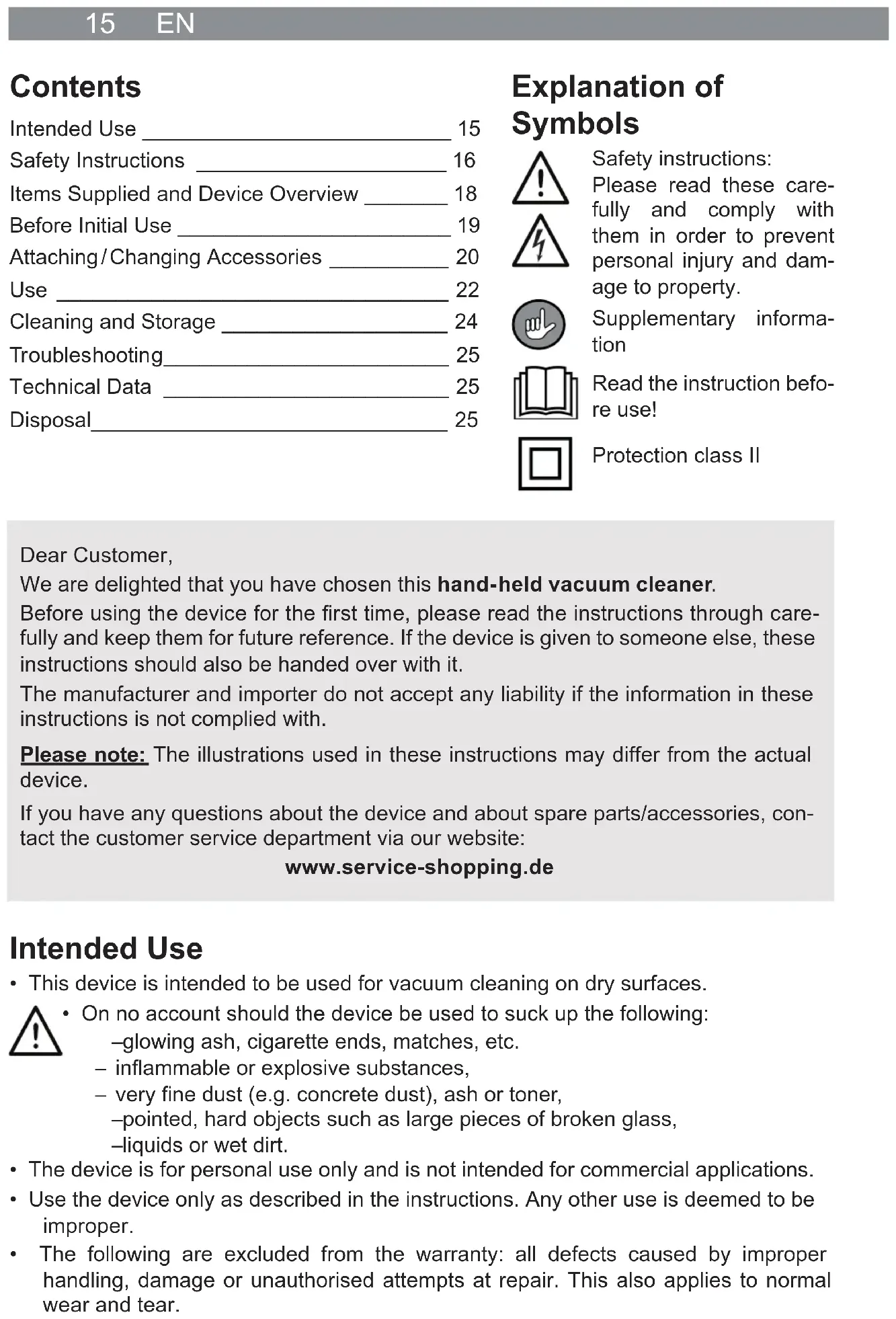
Explanation of Symbols




Safety instructions:
Please read these carefully and comply with them in order to prevent personal injury and damage to property.
Supplementary information
Read the instruction before use!
Protection class II
Dear Customer,
We are delighted that you have chosen this hand-held vacuum cleaner.
Before using the device for the first time, please read the instructions through carefully and keep them for future reference. If the device is given to someone else, these instructions should also be handed over with it.
The manufacturer and importer do not accept any liability if the information in these instructions is not complied with.
Please note: The illustrations used in these instructions may differ from the actual device.
If you have any questions about the device and about spare parts/accessories, contact the customer service department via our website:
www.service-shopping.de
Intended Use
- This device is intended to be used for vacuum cleaning on dry surfaces.

- On no account should the device be used to suck up the following:
—glowing ash, cigarette ends, matches, etc.
– inflammable or explosive substances,
– very fine dust (e.g. concrete dust), ash or toner,
-pointed, hard objects such as large pieces of broken glass,
-liquids or wet dirt.
- The device is for personal use only and is not intended for commercial applications.
- Use the device only as described in the instructions. Any other use is deemed to be improper.
- The following are excluded from the warranty: all defects caused by improper handling, damage or unauthorised attempts at repair. This also applies to normal wear and tear.
Safety Instructions
This device may be used by children aged 8 and over and by people with reduced physical, sensory or mental abilities or a lack of experience and/or knowledge if they are supervised to have received instruction on how to use the device safely and have understood the dangers resulting from this.
■ Children must not play with the device.
- Cleaning and user maintenance may not be performed by children, unless they are older than 8 years of age and are supervised.
■ Children younger than 8 years of age and animals must be kept away from the device and the connecting cable.
Children must be supervised to guarantee that they do not play with and/or injure themselves on the device.
- The device should only be used and stored out of the reach of children and animals. Improper use can lead to injuries and electric shock. The mains cable must also be kept out of the reach of children and animals.
- The device must always be disconnected from the mains power when it is left unattended and before assembling, disassembling or cleaning the device.
- Only ever charge up the rechargeable battery using the adapter which is supplied with the device. Do not charge up any other devices using the charger which is supplied with the device.
■ Never immerse the device, mains cable or plug in water or other liquids and ensure that they cannot fall into water or become wet.
If the device, the connecting cable or the plug of the device is damaged, it must be replaced by the manufacturer or customer service department or a similarly qualified person (e.g. specialist workshop) in order to avoid any hazards.

Danger of Injury
- Keep the device and packaging material away from children and animals. There is a risk of injury and suffocation!
■ The device should not be used if it is damaged.
- Never hold the nozzles close to parts of your body or animals during use. They could become stuck to the device. Should the vacuum cleaner become stuck, switch the device off immediately using the On/Off switch.

Danger of Electric Shock and Fire
The device should only be connected to a properly installed plug socket with safety contacts. The plug socket must also be readily accessible after connection so that the connection to the mains can quickly be isolated. The mains voltage must match the technical data of the device. Only use suitable extension cables whose technical data is the same as that of the device.
- Should the device fall into water, switch off the power supply immediately. Do not attempt to pull the device out of the water while it is still connected to the mains power!
- Never touch the device, mains cable or mains plug with wet hands when these components are connected to the mains power.
■ Switch the device off and pull the mains plug out of the socket
-if you stop working with the device,
—before a thunderstorm,
-if a fault or error occurs while the device is in operation,
-if foreign bodies have found their way into the device.
■ Always pull the mains plug and never the mains cable.
■ Use the device only in closed rooms.
- Do not use the device in rooms containing easily ignitable dust or poisonous and explosive fumes.
- Danger of fire! Do not operate the device in a very damp environment or in the vicinity of combustible material.
Avoiding Damage to Material, Property and the Device
■ Always lay the cable of the adapter in such a way that it does not present a trip hazard.
■ Make sure that the mains cable is not squashed, bent or laid over sharp edges and does not come into contact with hot surfaces.
- Maintain a sufficient distance from heat sources such as hobs or ovens in order not to damage the device. Do not place any naked flames, e.g. burning candles, in the immediate vicinity of the device, cable, rechargeable battery or adapter.
- Do not drop the device or allow it to be knocked violently.
- Do not pull or carry the device by the cable of the adapter.
- Do not expose the device to extreme temperatures, wide temperature variations, moisture, wet conditions or direct sunlight.
- Do not use any caustic or abrasive cleaning agents to clean the device. These can damage the surface.
The device should only be used when it is fully and correctly assembled. The dust container and the filters must be inserted. The filters must not be damaged!
- Do not insert anything into the openings/nozzles of the device and make sure that these do not become clogged.
■ Make sure that you do not suck up any large, bulky objects with the device. They may become jammed and block the flow of air; larger objects should be removed prior to vacuum cleaning.
■ Always switch off the device using the On/Off switch before you pull the mains plug out of the mains socket.
■ Empty the dust container after each use. The filters must also be regularly cleaned in order to prevent overloading of the motor.
■ Only use accessories which are recommended by the manufacturer.
Items Supplied and Device Overview
General Device Overview
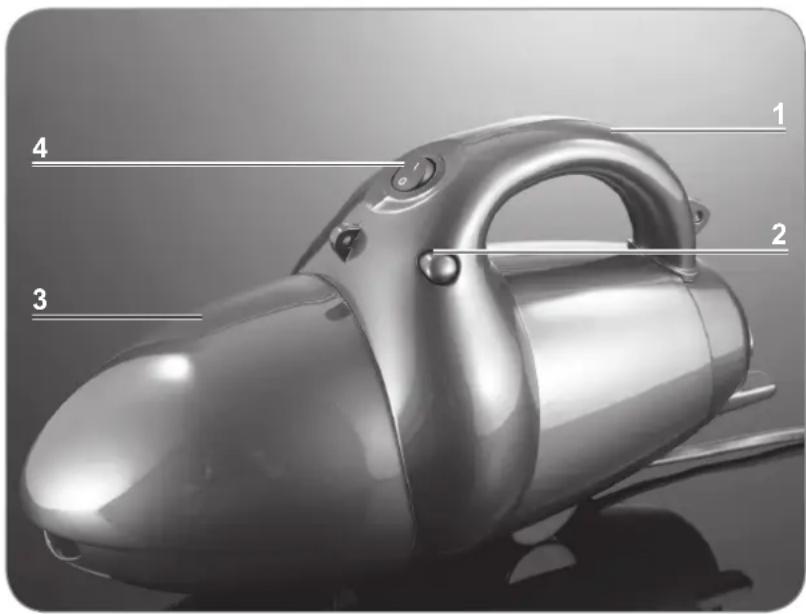
text_image
1 2 3 41 Handle
2 Release button for removing the dust container
3 Dust container
4 On/Off switch
Detailed Overview
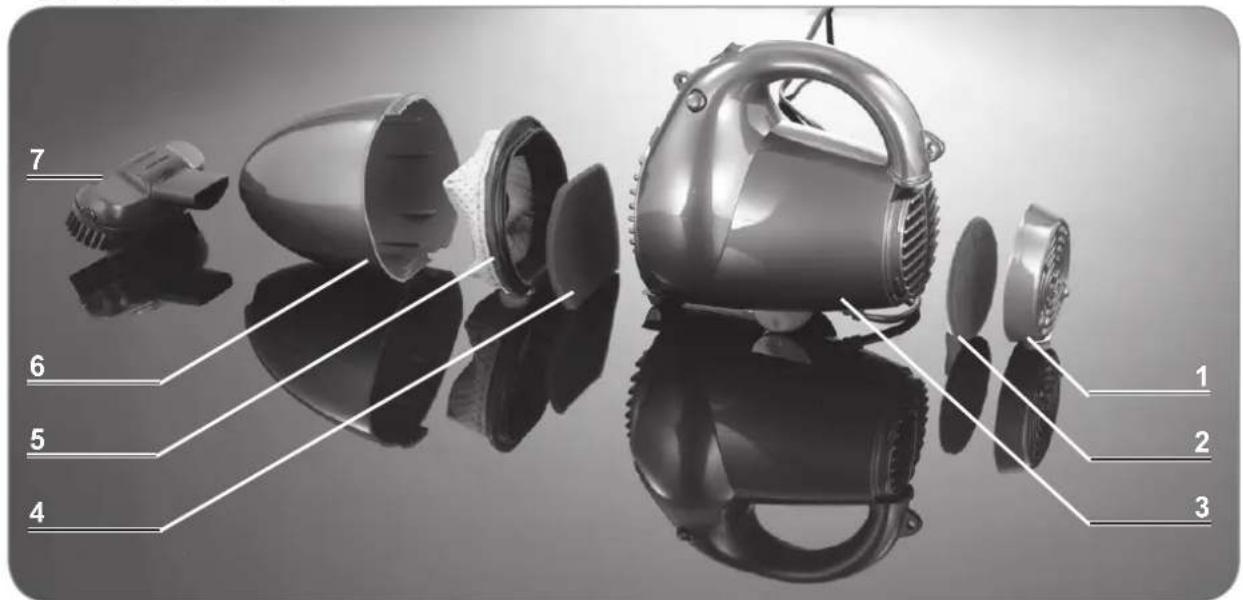
text_image
Exploded view diagram of a hairless vacuum cleaner with numbered parts labeled 1 through 71 Back cover of the housing
2 Exhaust air fi Iter
3 Motor unit
4 Motor fi Iter
5 Dust fi Iter
6 Dust container
7 Upholstery nozzle
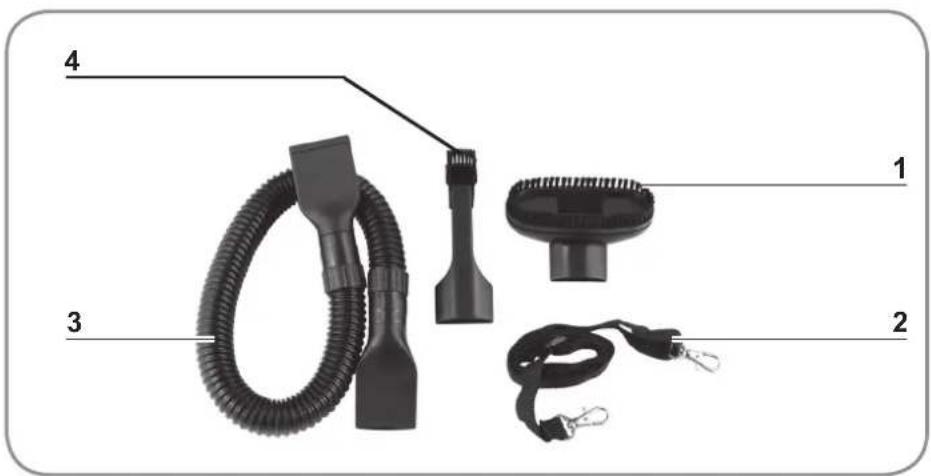
Accessories Overview
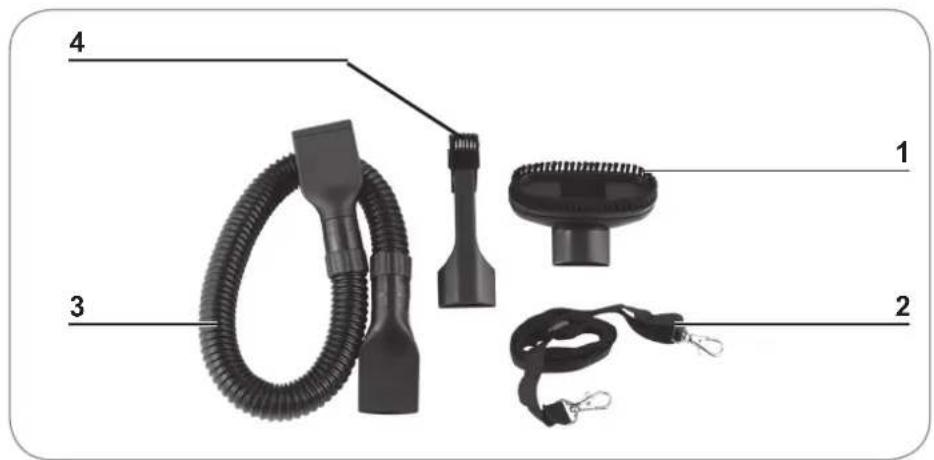
text_image
4 1 3 21 Upholstery nozzle
2 Carrying strap
3 Extension hose / suction hose
4 Crevice and brush nozzle
Before Initial Use

CAUTION!
■ Danger of suffocation! Keep the packaging material away from children and animals.
Unpack all parts and check the items supplied for completeness (see the "Items Supplied and Device Overview" chapter) and transport damage. If you find any damage to the components, do not use them (!), but contact the customer service department.
Attaching/Changing Accessories

CAUTION!
■ Always switch the device off first and pull the mains plug from the mains socket before you change one of the nozzles.
Extension Hose
The extension hose is suitable for getting to places that are difficult to reach. It can be used on its own or serves as an extension for the upholstery nozzle and the crevice and brush nozzle.
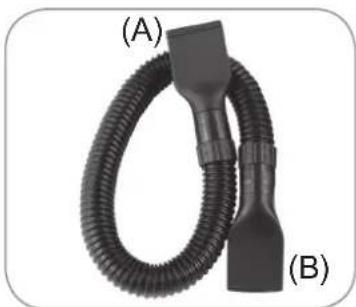
natural_image
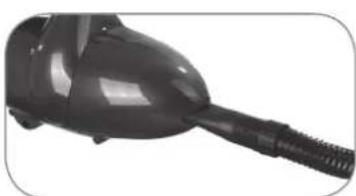
Black rubber hose with two labeled connectors (A) and (B), no text or symbols on the hose itselfThe extension hose has a wide (A) and a narrower (B) connection piece.
natural_image
Close-up of a black vacuum cleaner with a coiled hose (no visible text or symbols)The narrow end is plugged into the suction opening on the hand-held vacuum cleaner.
The wide end serves as a suction opening on its own or as a connection piece for the upholstery nozzle and the crevice and brush nozzle.
Upholstery Nozzle
The upholstery nozzle is suitable for cleaning all kinds of upholstery, e. g. sofas, car seats etc.

The upholstery nozzle can be used on its own or with the extension hose.
natural_image
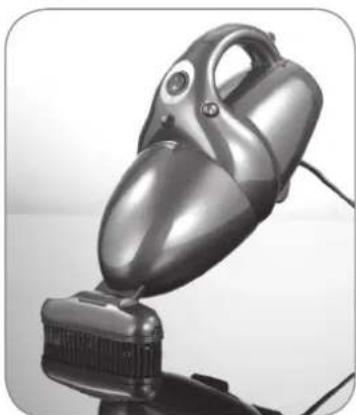
Close-up of a silver vacuum cleaner with a head-mounted cable, mounted on a stand (no visible text or symbols)Plug the upholstery nozzle directly into the suction opening on the hand-held vacuum cleaner.
Or
21 EN
natural_image
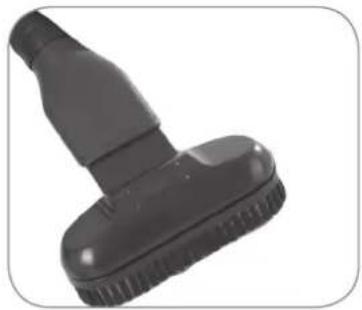
Close-up of a black rubber brush tip with textured base (no text or symbols visible)Plug the upholstery nozzle onto the wide connection piece on the extension hose.
Crevice and Brush Nozzle
natural_image
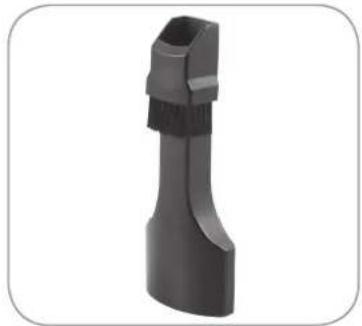
3D rendered image of a black plastic object with a tapered body and protruding neck (no text or symbols visible)The crevice nozzle is suitable for upholstery, cleaning the inside of cars and for all nooks and crannies that cannot be reached with the other nozzles.
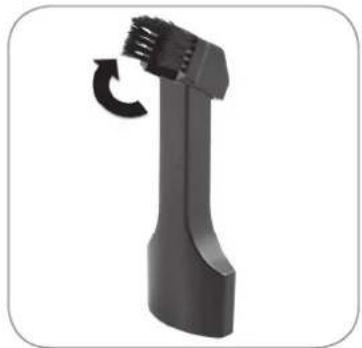
natural_image
Black handheld device with a curved handle and a circular arrow indicating rotation (no text or symbols)Flip up the brush attachment to turn the crevice nozzle into a brush nozzle.
The brush nozzle is suitable for all uneven objects, furniture, lamps, profi les and skirting boards, window ledges, etc.

The crevice and brush nozzle can be used on its own or with the extension hose.
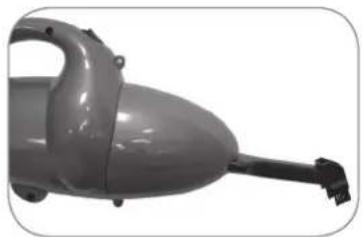
natural_image
Close-up of a gray electric vacuum cleaner with handle and neck (no visible text or symbols)Plug the crevice and brush nozzle directly into the suction opening on the hand-held vacuum cleaner.
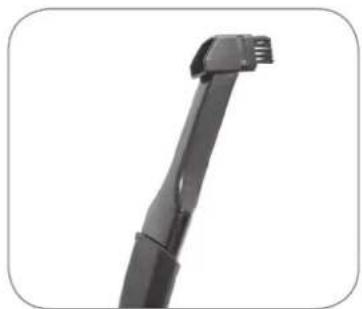
natural_image
Close-up of a black mechanical component with a protruding arm (no visible text or symbols)Or
Plug the crevice and brush nozzle onto the wide connection piece on the extension hose.
Blower Attachment
The blower attachment can be used to easily remove accumulations of dust and dirt as well as liquids.
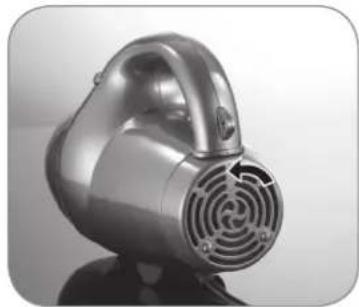
natural_image
Close-up of a metallic vacuum cleaner with circular vented structure (no text or symbols visible)- Remove the back cover of the housing by unscrewing the cover in the anticlockwise direction.
- Remove the exhaust air filter.
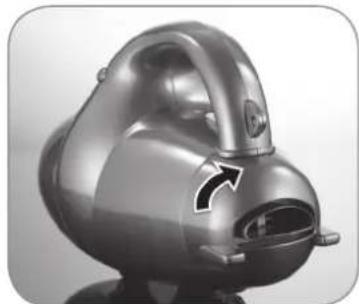
natural_image
Close-up of a metallic robotic device with a curved arrow indicating motion or force (no text or symbols visible)- Screw on the blower attachment by turning it clockwise.
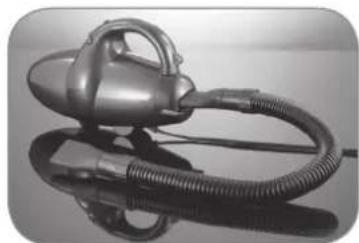
natural_image
Black and white photo of a vacuum cleaner with coiled hose and handle, displayed on reflective surface (no text or symbols visible)- Plug the wide end of the extension hose onto the blower attachment.
Use

CAUTION!
The device must be connected only to a mains socket that has been properly installed. The socket must also be readily accessible after connection. The mains voltage must match the technical data for the device (see the "Technical Data" chapter). Only use suitable extension cables whose technical data is the same as that of the device.
- On no account should the device be used to suck up the following:
–Liquids or wet substances (e. g. wet carpet shampoo)
-Glowing ash, cigarette ends, matches, etc.
- Inflammable or explosive substances
– Very fine dust (e.g. concrete dust), ash or toner
-Pointed, hard objects such as e. g. large pieces of broken glass
- Never hold the nozzles, the suction tube or the suction hose close to parts of your body, hair or animals during use. They could become stuck to the device. If the handheld vacuum cleaner does become stuck, press the On / Off switch immediately to switch off the device.
Before you start vacuuming, remove any large objects on the floor which could block the suction tube, the suction hose or the nozzles. Switch the device off immediately using the On / Off switch if the suction tube or the nozzles become blocked.
- Remove and clean the dust container after each use (see the “Cleaning and Storage” chapter).
- Switch on the vacuum cleaner only when you have checked that all the parts have been completely attached, and that the dust container and the filters have been correctly inserted and are completely dry (for details of how to insert the dust container and the filters, see the “Cleaning and Storage” chapter).

The items supplied include a carrying strap to make it easier to handle the vacuum cleaner during use!
Use as a Hand-Held Vacuum Cleaner
- Attach one of the accessory parts to the hand-held vacuum cleaner if necessary (see the "Attaching / Changing Accessories" chapter).
- Connect the mains plug of the hand-held vacuum cleaner to a mains socket that has been properly installed.
- Hold the hand-held vacuum cleaner firmly by the handle. If necessary, use the carrying strap supplied to carry it.
- Move the On/Off switch to the 1 position to switch on the device. The device will start vacuum cleaning.
- Move the device over the surface which is to be cleaned or guide the previously selected accessory part over the surface which is to be cleaned.
- Move the On / Off switch to the 0 position to switch off the device.
- Empty the dust container regularly and store the vacuum cleaner away after use (see the "Cleaning and Storage" chapter).
Use as a Blower

Please note that air will continue to be sucked in at the suction opening even when you use the blower function! Make sure you do not accidentally suck up any objects!
- Attach the blower attachment to the hand-held vacuum cleaner (see the "Attaching/Changing Accessories" chapter).
- Connect the mains plug of the hand-held vacuum cleaner to a mains socket that has been properly installed.
- Hold the hand-held vacuum cleaner firmly by the handle or use the carrying strap supplied to carry it.
- Move the On/Off switch to the 1 position to switch on the device. The device will start the blowing process.
- Hold the extension hose towards the accumulation of dust and dirt that you want to remove. The dirt will be blown away.
- Move the On / Off switch to the 0 position to switch off the device.
Cleaning and Storage

CAUTION!
■ Make sure that the device is switched off before cleaning it.
- Never immerse the hand-held vacuum cleaner, the mains cable or the mains plug in water or other liquids.
- Only insert the dust container, the exhaust air filter and the motor filter back into the device when they are completely dry after being cleaned with clear water!
- Only ever use cold, clear water to clean the filters. Do not use any cleaning agents to prevent damage to the filters.
- Do not use any corrosive or abrasive cleaning agents to clean the housing. They could damage the surfaces. If necessary, clean the housing using a slightly damp, soft cloth.
Emptying the Dust Container and Cleaning the Dust Filter and Motor Filter
- Hold the device firmly by the handle and keep it as horizontal as possible.
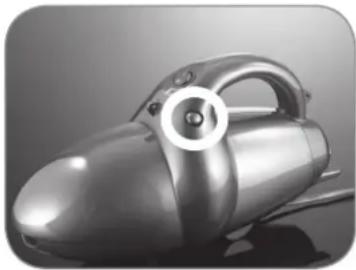
natural_image
Close-up of a metallic vacuum cleaner with a circular button highlighting the handle (no text or symbols visible)- Press the release button and remove the dust container.
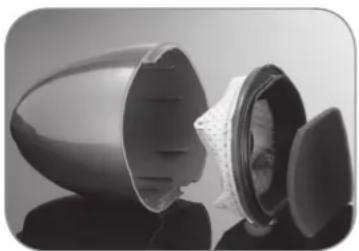
natural_image
Close-up of a black plastic device with internal components, showing layered structure and lid (no text or symbols visible)- Remove the motor fi iter.
-
Remove the dust fi iter from the dust container.
-
Empty the dust container into a rubbish bin.
- Tap the dust fi Iter out over the rubbish bin.
- If necessary, clean the dust container and dust filter with clear, cold water.
- Tap out the motor filter.
- If necessary, also clean the motor filter with clear, cold water.
- Let all parts dry completely before you put them back together.
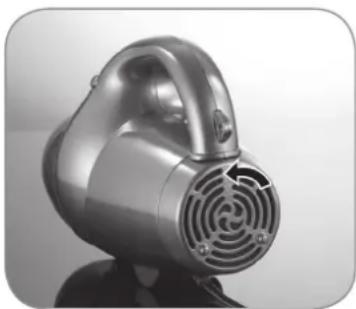
Cleaning the Exhaust Air Filter
natural_image
Close-up of a metallic vacuum cleaner with a circular vent and mesh grille (no text or symbols visible)-
Remove the back cover of the housing by unscrewing the cover in the anticlockwise direction.
-
Remove the exhaust air filter.
- Tap out the exhaust air filter.
- If necessary, also clean the exhaust air filter with clear, cold water.
- Allow the exhaust air filter to dry completely before you insert it again.
Troubleshooting
If the device stops working properly, first check whether you are able to correct the problem yourself.

Do not attempt to repair a defective electrical device yourself!
| Problem Possible cause / solution | |
| The device does not work. | Is the plug inserted in the mains socket correctly?Is the mains socket defective? Try another mains socket.Check the fuse of your mains connection.Is the device switched on? Press the On / Off switch. |
| Low suction force. | Is the dust container full? Empty it.Are the filters heavily clogged? Clean it.Is the suction opening blocked? Switch off the device and remove the blockage.Is the object that you want to suck up too large / too heavy? Remove it by hand. |
| Dust escapes from the device during cleaning. | Check whether the dust container and the filters are correctly inserted. Correct their position if necessary. |
Technical Data
Model number: XL-202
Article number: Z 01375
Voltage supply: 220–240 V\~ 50 / 60 Hz
Output: 800 W
Protection class: II

Customer Service / Importer:
DS Produkte GmbH
Am Heisterbusch 1
19258 Gallin
Germany
Tel.: +49 38851 314650
(Calls subject to a charge. The cost varies depending on the service provider.)
Disposal

The packaging material is recyclable. Please dispose of it in an environmentally friendly manner and take it to a recycling centre.
Dispose of the device in an environmentally friendly manner. It should not be disposed of in the normal domestic waste. Dispose of it at a recycling centre for used electrical and electronic devices.
You can obtain more information from your local authorities.
All rights reserved.
Sommaire
www.service-shopping.de
text_image
Exploded view diagram of a handbag with numbered parts labeled 1 through 7natural_image
Black rubber hose with two labeled connectors (A) and (B), no text or symbols on the hose itselfnatural_image
Close-up of a black vacuum cleaner with a coiled cable (no visible text or symbols)natural_image
Close-up of a silver vacuum cleaner with a brush attachment (no visible text or symbols)natural_image
Close-up of a black rubber brush with a textured handle and pointed tip (no text or symbols visible)ou
natural_image
3D rendered image of a black plastic object with frayed edges and a tapered body (no text or symbols)natural_image
Black handheld device with a curved handle and a circular arrow indicating rotation (no text or symbols)natural_image
Exterior view of a gray electric vacuum cleaner (no text or symbols visible)natural_image
Close-up of a black mechanical component with a protruding arm (no visible text or symbols)natural_image
Close-up of a metallic vacuum cleaner with ventilation grille (no visible text or symbols)natural_image
3D rendered image of a metallic robotic device with a curved arrow indicating motion or force (no text or symbols)natural_image
Black and white photo of a vacuum cleaner with coiled hose and handle, displayed on reflective surface (no text or symbols visible)natural_image
Close-up of a metallic vacuum cleaner with a circular highlight on the side (no text or symbols visible)natural_image
Close-up of a transparent plastic container with internal structure, showing internal components and shading (no text or symbols visible)natural_image
Close-up of a silver vacuum cleaner with a circular vent grille (no text or symbols visible)www.service-shopping.de
Doelmatig gebruik
text_image
Exploded view diagram of a hair dryer with numbered parts labeled 1 through 71 Achterste afdekking van de behuizing
2 Afzuigfi Iter
3 Motoreenheid
4 Motorfi Iter
5 Stoffi Iter
6 Stofreservoir
7 Bekledingzuigmond
Toebehorenoverzicht