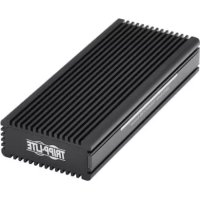
U4571M2NVMEL - External hard drive enclosure Tripp Lite - Free user manual and instructions
Find the device manual for free U4571M2NVMEL Tripp Lite in PDF.


| Product Type | External Enclosure for M.2 NVMe SSD |
| Brand | Tripp Lite |
| Model | U4571M2NVMEL (U457-1M2-NVME-L) |
| Interface | USB 3.2 Gen 2 Type-C (10 Gbps), backward compatible with USB 3.0/2.0/1.1 |
| Supported M.2 SSD Form Factors | 2230, 2242, 2260, 2280 |
| SSD Connector Type | Key B+M (SATA) / Key M / Key B+M (NVMe) |
| Enclosure Material | Aluminum |
| Dimensions (H x W x D) | 20 x 46 x 110 mm (0.78 x 1.81 x 4.33 in) |
| LED Indicator | 1 LED: power/data (blue) + alternate RGB |
| Power Source | USB bus-powered |
| Operating System Compatibility | Windows, Mac, Linux |
| Operating Temperature | 10 to 70 °C (50 to 158 °F) |
| Storage Temperature | 0 to 65 °C (32 to 149 °F) |
| Operating Relative Humidity | 10 to 80% RH |
| Warranty | 1-Year Limited Warranty |
| Package Contents | Adapter, USB-C cable (0.45 m), screwdriver, silicone gel plug, silicone heat dissipation pad, quick start guide |
| Key Features | Fast read/write of files, UASP support (70% faster read, 40% faster write) |
| Handling Precautions | Use an antistatic wrist strap or touch a grounded metal surface before handling the drive |
| Safe Disconnection | Follow the operating system's safe removal procedure to avoid data loss |
Frequently Asked Questions - U4571M2NVMEL Tripp Lite
User questions about U4571M2NVMEL Tripp Lite
0 question about this device. Answer the ones you know or ask your own.
Ask a new question about this device
Download the instructions for your External hard drive enclosure in PDF format for free! Find your manual U4571M2NVMEL - Tripp Lite and take your electronic device back in hand. On this page are published all the documents necessary for the use of your device. U4571M2NVMEL by Tripp Lite.
USER MANUAL U4571M2NVMEL Tripp Lite
USB 3.2 Gen 2 Type-C® to M.2 NVMe SSD Gaming Enclosure Adapter with LEDs
Model: U457-1M2-NVME-L
USB Type-C and USB-C are registered trademarks of USB Implementers Forum
Español 13 • Français 24
Русский 35 • Deutsch 46
WARRANTY REGISTRATION
Register your product today and be automatically entered to win an ISOBAR ^® surge protector in our monthly drawing!
tripplite.com/warranty

1111 W. 35th Street, Chicago, IL 60609 USA tripplite.com/support
Copyright © 2022 Tripp Lite. All rights reserved.
Product Features
- Read, write or transfer files to and from your computer by adding the speed of an M.2 NVMe SSD
• Supports M.2 drive sizes of 2230, 2242, 2260 and 2280 - Supports USB 3.2 Gen 2 data transfer rates up to 10 Gbps and is backwards compatible with USB 3.0, 2.0 and 1.1
- UASP compatible for up to 70% faster read and 40% faster write performance
Package Contents
• U457-1M2-NVME-L
• USB 3.2 Gen 2 (10 Gbps) Type-C Cable (M/M), 1.5 ft. (0.45m)
- Mounting Hardware
- Mini Screwdriver
- Silica Gel Plug
• Heat-Dissipating Silicone Pad
- Quick Start Guide
Optional Accessories
• U420-003-G2 USB 3.2 Gen2 Type-C (10 Gbps) to Type-C Cable, 3 ft. (0.9m)
Standard Installation
Notes:
- HDD/SSD drives are sensitive to static electricity and must be handled properly to prevent the risk of data loss. Always handle your HDD/SSD drive with caution by wearing an anti-static strap (such as Tripp Lite's P999-000) when transporting it or by touching a grounded metal surface to discharge yourself of static electricity prior to picking up the drive.
-
When disconnecting the drive, make sure to go through the proper disconnection steps of your operating system. Removing the drive with improper disconnection can result in data loss or corruption.
-
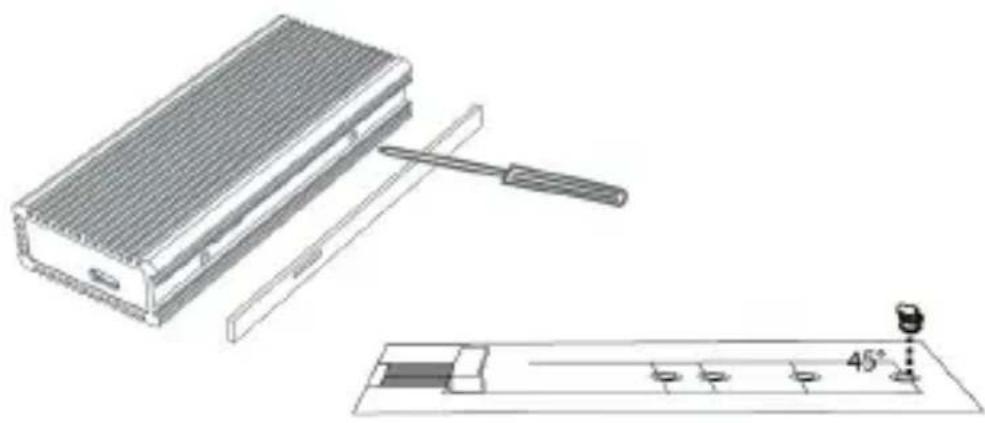
Pull out the hard drive tray and assemble the included silica gel plug into the SSD hole.
natural_image
Technical line drawing of a device with a tool and 45-degree angle indicator (no text or symbols)Standard Installation
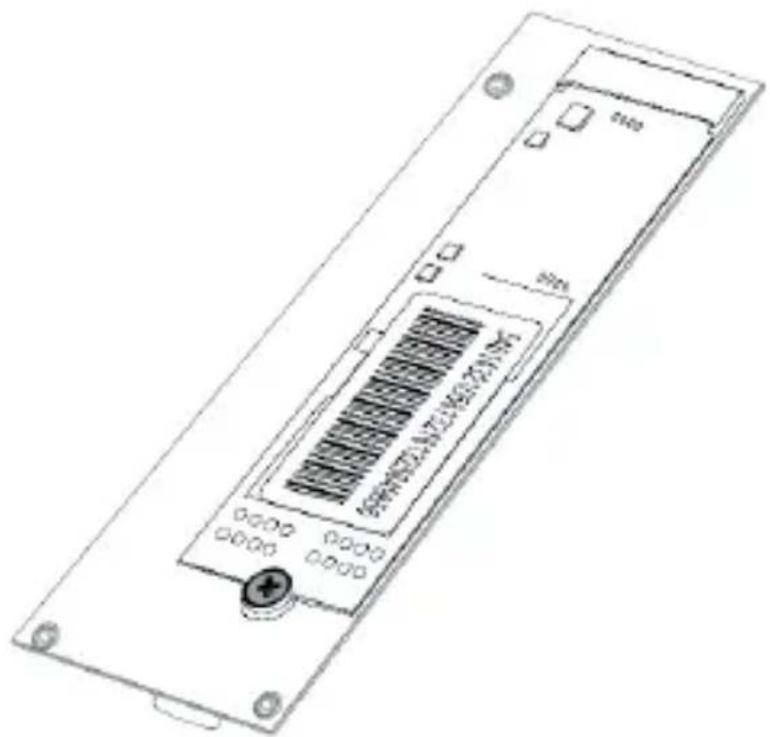
- Place the M.2 SSD onto the card slot and rotate the silica gel plug to lock the SSD into place.
natural_image
Technical line drawing of a rectangular electronic device with internal components and mounting holes (no text or symbols)Standard Installation
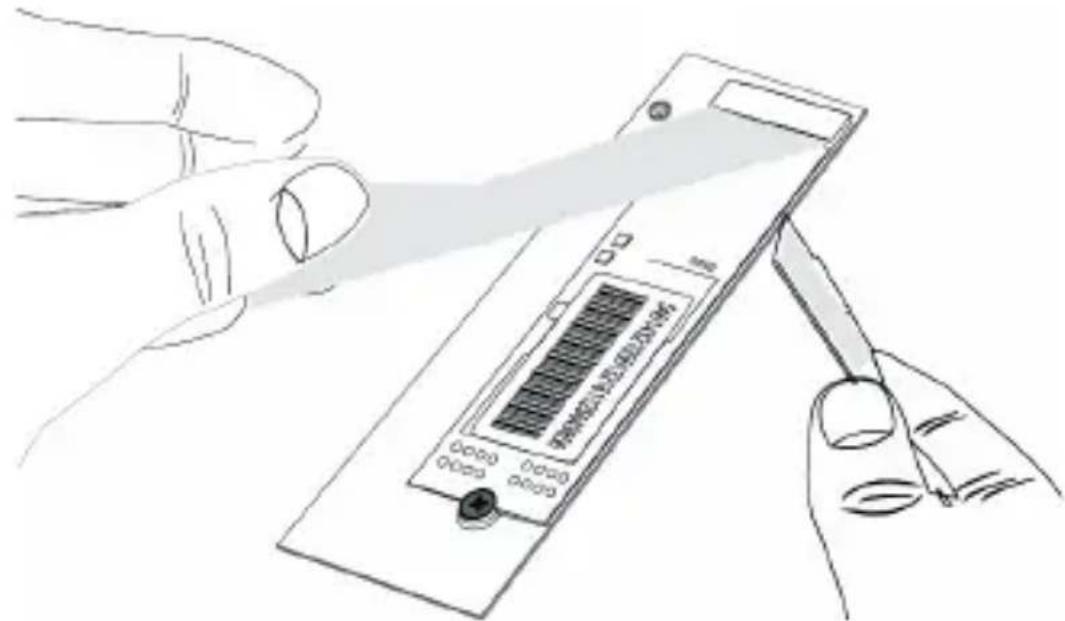
- Peel off the film of the blue heat-dissipating silicone pad, paste the pad on the SSD, then paste the heat-conducting copper sheet on the pad.
natural_image
Line drawing of a hand holding a handheld electronic device with a screen, no text or symbols visibleStandard Installation
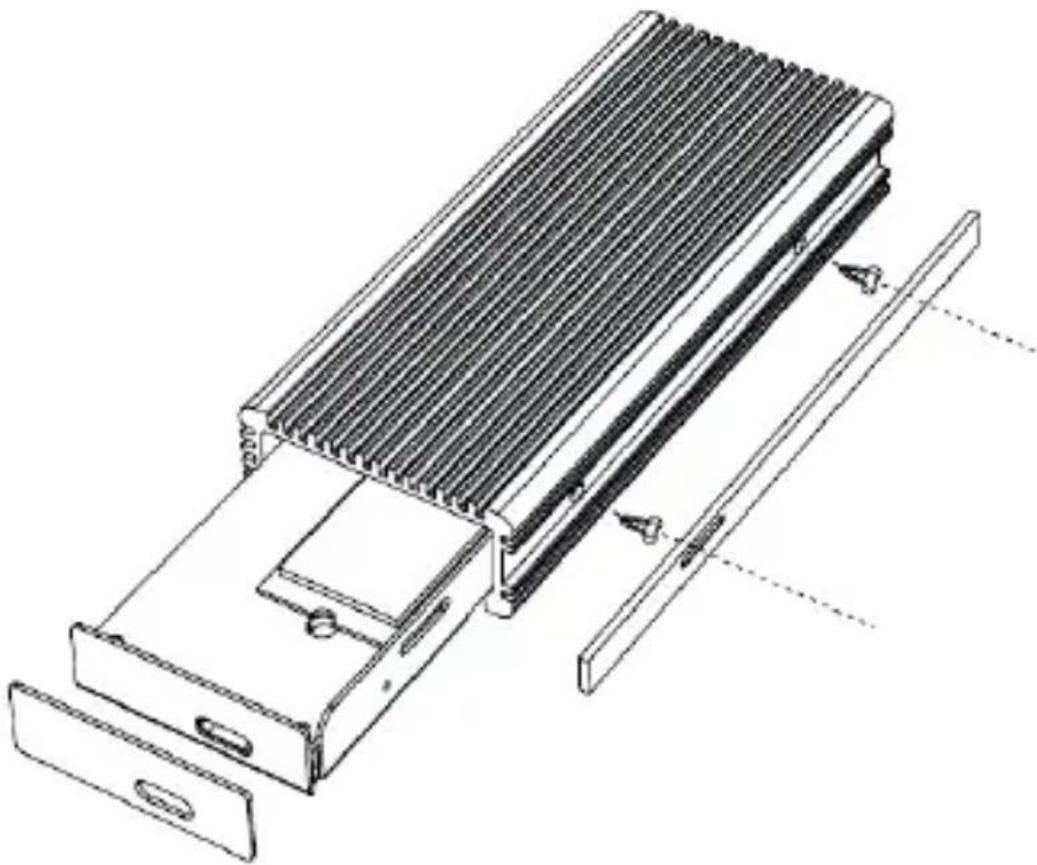
- Secure the tray in place with the included screws. Optionally, paste the faceplate over the LEDs with the acrylic tape side of the plate.
natural_image
Technical line drawing of a heat exchanger or cooling unit with cooling fins and mounting brackets (no text or symbols)Standard Installation
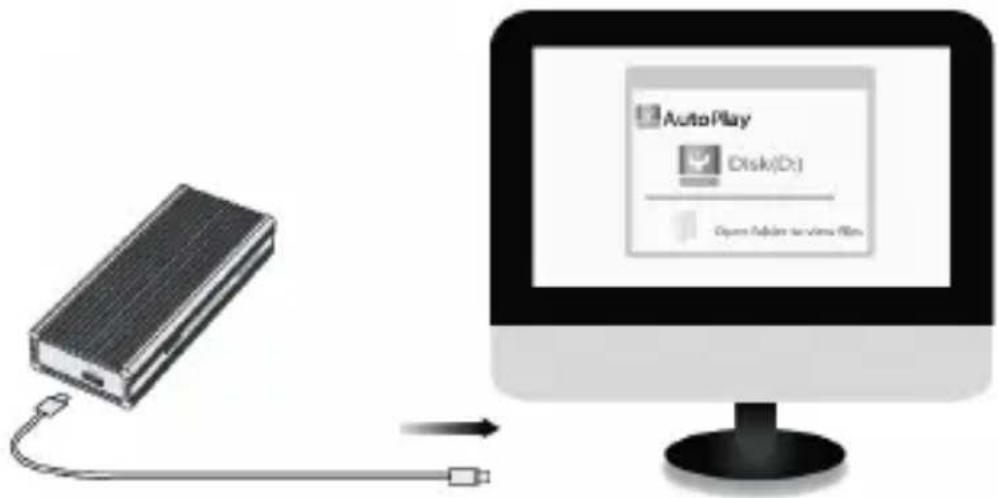
- Connect the included USB-C 3.2 Gen 2 cable to the USB-C port on the adapter and the USB-C port on your computer.
Note: A partitioned SSD will be recognized as "New Drive" after being connected to the computer and can read/write directly. A new SSD will need to be partitioned before it is recognized by the computer.
Specifications
| Input USB-C (Female) | |
| SSD Type B+M Key (SATA) / M Key / B+M Key (NVME) | |
| SSD Size 2230, 2242, 2260, 2280 | |
| USB Specification USB | 3.2 Gen 2 (10 Gbps) |
| LED Description (x1) Power/Data = Blue; RGB alternating | |
| Power Source Hub Powered | |
| Material Aluminum | |
| Operating System Compatibility | Windows, Mac, Linux |
| Operating Temperature Range | 50° to 158°F (10° to 70°C) |
| Storage Temperature Range | 32° to 149°F (0° to 65°C) |
| Relative Humidity Range | 10% to 80% RH |
| Unit Dimensions [H x W x D] | 0.78 x 1.81 x 4.33 in. (20 x 46 x 110 mm) |
Warranty and Product Registration
1-Year Limited Warranty
Seller warrants this product, if used in accordance with all applicable instructions, to be free from original defects in material and workmanship for a period of one (1) year from the date of initial purchase. If the product should prove defective in material or workmanship within that period, Seller will repair or replace the product, at its sole discretion.
THIS WARRANTY DOES NOT APPLY TO NORMAL WEAR OR TO DAMAGE RESULTING FROM ACCIDENT, MISUSE, ABUSE OR NEGLECT. SELLER MAKES NO EXPRESS WARRANTIES OTHER THAN THE WARRANTY EXPRESSLY SET FORTH HEREIN. EXCEPT TO THE EXTENT PROHIBITED BY APPLICABLE LAW, ALL IMPLIED WARRANTIES, INCLUDING ALL WARRANTIES OF MERCHANTABILITY OR FITNESS, ARE LIMITED IN DURATION TO THE WARRANTY PERIOD SET FORTH ABOVE; AND THIS WARRANTY EXPRESSLY EXCLUDES ALL INCIDENTAL AND CONSEQUENTIAL DAMAGES.
(Some states do not allow limitations on how long an implied warranty lasts, and some states do not allow the exclusion or limitation of incidental or consequential damages, so the above limitations or exclusions may not apply to you. This warranty gives you specific legal rights, and you may have other rights which vary from jurisdiction to jurisdiction.)
WARNING: The individual user should take care to determine prior to use whether this device is suitable, adequate or safe for the use intended. Since individual applications are subject to great variation, the manufacturer makes no representation or warranty as to the suitability or fitness of these devices for any specific application.
Warranty and Product Registration
PRODUCT REGISTRATION
Visit tripplite.com/warranty today to register your new Tripp Lite product. You'll be automatically entered into a drawing for a chance to win a FREE Tripp Lite product!*
* No purchase necessary. Void where prohibited. Some restrictions apply. See website for details.
WEEE Compliance Information for Tripp Lite Customers and Recyclers (European Union)
Under the Waste Electrical and Electronic Equipment (WEEE) Directive and implementing regulations, when customers buy new electrical and electronic equipment from Tripp Lite, they are entitled to:
- Send old equipment for recycling on a one-for-one, like-for-like basis (this varies depending on the country)
- Send the new equipment back for recycling when this ultimately becomes waste
Use of this equipment in life support applications where failure of this equipment can reasonably be expected to cause the failure of the life support equipment or to significantly affect its safety or effectiveness is not recommended.
Tripp Lite has a policy of continuous improvement. Specifications are subject to change without notice. Photos and illustrations may differ slightly from actual products.

1111 W. 35th Street, Chicago, IL 60609 USA tripplite.com/support
natural_image
Technical line drawing of a portable electronic device with a tool and a 45-degree angle indicator (no text or symbols present)natural_image
Technical line drawing of a rectangular electronic device with internal components and mounting holes (no text or symbols)natural_image
Line drawing of a hand holding a handheld electronic device with a screen, no text or symbols presentnatural_image
Technical line drawing of a mechanical device with heat dissipation fins and mounting base (no text or symbols)1111 W. 35th Street, Chicago, IL 60609 USA tripplite.com/support
Installation standard
Remarques :
natural_image
Technical line drawing of a device with a tool and 45-degree angle indicator (no text or symbols)Installation standard
natural_image
Technical line drawing of a rectangular electronic device with internal components and mounting holes (no text or symbols)Installation standard
natural_image
Line drawing of a hand holding a handheld electronic device with a screen, no text or symbols presentInstallation standard
natural_image
Technical line drawing of a mechanical device with heat dissipation fins and mounting base (no text or symbols)Installation standard
1111 W. 35th Street, Chicago, IL 60609 USA tripplite.com/support
1111 W. 35th Street, Chicago, IL 60609 USA tripplite.com/support
natural_image
Technical line drawing of a portable electronic device with a tool and 45-degree angle indicator (no text or symbols)natural_image
Technical line drawing of a rectangular electronic device with internal components and mounting holes (no text or symbols)natural_image
Illustration of a hand holding a handheld electronic device with a screen, no visible text or symbols on the device itself.natural_image
Technical line drawing of a heat exchanger or cooling unit with cooling fins and internal components (no text or symbols)1111 W. 35th Street, Chicago, IL 60609 USA tripplite.com/support
22-02-101 934122_RevA
Benutzerhandbuch
1111 W. 35th Street, Chicago, IL 60609 USA tripplite.com/support
natural_image
Technical line drawing of a device with a tool and 45-degree angle indicator (no text or symbols)Standardinstallation
natural_image
Technical line drawing of a rectangular electronic device with internal components and mounting holes (no text or symbols)Standardinstallation
natural_image
Line drawing of a hand holding a handheld electronic device with a screen, no text or symbols presentStandardinstallation
natural_image
Technical line drawing of a mechanical device with heat dissipation and mounting bracket (no text or symbols)Standardinstallation
1111 W. 35th Street, Chicago, IL 60609 USA tripplite.com/support
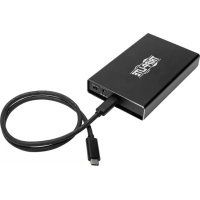
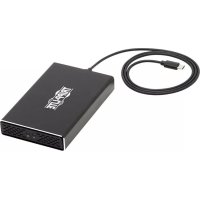
- USB 3.2 Gen 2 Type-C® to M.2 NVMe SSD Gaming Enclosure Adapter with LEDs
- WARRANTY REGISTRATION
- Product Features
- Package Contents
- Optional Accessories
- Standard Installation
- Notes:
- Warranty and Product Registration
- 1-Year Limited Warranty
- PRODUCT REGISTRATION
- WEEE Compliance Information for Tripp Lite Customers and Recyclers (European Union)
- Installation standard
- Remarques :
- W. 35th Street, Chicago, IL 60609 USA tripplite.com/support
- Benutzerhandbuch
- Standardinstallation
Brand : Tripp Lite
Model : U4571M2NVMEL
Category : External hard drive enclosure