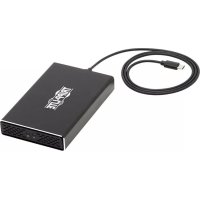
U4572M2SATAG2 - External hard drive enclosure Tripp Lite - Free user manual and instructions
Find the device manual for free U4572M2SATAG2 Tripp Lite in PDF.


| Product Type | External Hard Drive Enclosure |
| Brand | Tripp Lite |
| Model | U4572M2SATAG2 |
| Enclosure Material | Aluminum with cooling vents |
| Connectivity | USB Type-C (USB 3.1 Gen 2, 10 Gbps) |
| Compatible Drive Types | M.2 SATA SSD/HDD (types 2230, 2242, 2260, 2280) |
| Number of Bays | 2 |
| Max Transfer Rate | 10 Gbps (backward compatible with USB 3.0, 2.0, 1.1) |
| Power Supply | Via USB port or DC adapter 5V/2A (not included, plug 3.5×1.3×8 mm) |
| LED Indicator | Blue LED (steady when powered, blinking when active) |
| System Compatibility | All USB operating systems |
| Operating Temperature | 10 to 50 °C |
| Operating Humidity | 10 to 80% RH |
| Package Contents | Enclosure, 0.6 m USB-C cable, mounting screws, screwdriver, rubber feet, manual |
| Care and Cleaning | Clean with a soft, dry cloth. Disconnect before cleaning. |
| Safety | Handle drives with anti-static precautions (wrist strap or grounded metal surface) |
| Warranty | 1-year limited warranty |
| Country of Origin | Not specified |
Frequently Asked Questions - U4572M2SATAG2 Tripp Lite
User questions about U4572M2SATAG2 Tripp Lite
0 question about this device. Answer the ones you know or ask your own.
Ask a new question about this device
Download the instructions for your External hard drive enclosure in PDF format for free! Find your manual U4572M2SATAG2 - Tripp Lite and take your electronic device back in hand. On this page are published all the documents necessary for the use of your device. U4572M2SATAG2 by Tripp Lite.
USER MANUAL U4572M2SATAG2 Tripp Lite
USB Type-C to Dual M.2
SATA SSD/HDD Enclosure
Model: U457-2M2-SATAG2
Espanol 9 • Français 17 • Pycckn 25
WARRANTY REGISTRATION
Register your product today and be automatically entered to win an ISOBAR surge protector in our monthly drawing!
www.triplite.com/warranty


Manufacturing Excellence.
1111 W. 35th Street, Chicago, IL 60609 USA www.triplite.com/support
Copyright © 2019 Tripp Lite. All rights reserved.
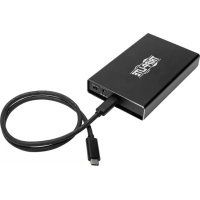
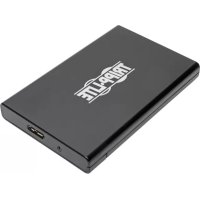
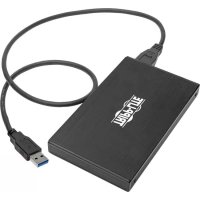
Package Contents
U457-2M2-SATAG2
USB 3.1 Gen 2 (10 Gbps) Type-C Cable (M/M), 2 ft.
Drive Mount Screws (x4)
Enclosure Screws (x4)
Screwdriver
Rubber Feet
Owner's Manual
Product Features
- Create a portable external storage solution for up to two M.2 SATA Hard Disk Drives (HDD) or Solid State Drives (SSD) via the USB-C or Thunderbolt™ 3 port on a computer or laptop
UASP-compatible for up to 70% faster performance when connected to a UASP-enabled host controller
Supports USB 3.1 Gen 2 data transfer rates up to 10 Gbps; backward compatible with USB 3.0, 2.0 and 1.1
Supports 2230, 2242, 2260 and 2280 M.2 (NGFF) SATA drive types - Compliant with SATA III (6 Gbps), SATA II (3 Gbps) and SATA I (1.5 Gbps) drives
- Tested with 2.5" SATA HDDs and SSDs up to 2 TB; will support higher capacity drives when available
- Slim aluminum design provides durability and is perfect for travel; tucks into laptop bag when not in use
Product Features
- Aluminum housing with vents allows heat to dissipate and passively cool the drive to help prevent drive failure and data loss
- Plug-and-play—no external power supply, software or drivers required
- 5V 2A DC power supply port provides additional power, if needed (power supply not included)
System Requirements
- Computer with available USB Type-C port; USB 3.1 Gen 2 (10 Gbps) port required to achieve maximum speeds
- UASP-enabled host controller required to achieve UASP performance
2.5" SATA HDD or SSD with 9.5 mm maximum height - Compatible with all USB-enabled operating systems
Optional Accessories
- U420-003-G2 USB 3.1 Gen 2 (10 Gbps) Cable, USB Type-C (M/M), 3 ft.
Powering the Unit
DC-In: In most cases, enough power is provided via the USB computer connection. In the event additional power is needed, a user-supplied power adapter can be used between the DC-In port on the unit and a wall outlet.
Note: the U457-2M2-SATAG2 is compatible with 5V 2A power supplies that use a 3.5 × 1.3 × 8 mm output plug with a positive tip and negative sleeve.
Installation
Notes:
- HDD/SSD drives are sensitive to static electricity and must be handled properly to avoid the risk of data loss. Always handle your HDD/SSD drive with caution by wearing an anti-static strap (such as Tripp Lite P999-000) or by touching a grounded metal surface to discharge yourself of static electricity prior to touching or handling the drive.
- When disconnecting a connected drive, follow the proper disconnection steps of your operating system to safely disconnect. Removing the drive prior to proper disconnection can result in loss or corruption of data stored on the drive.
-
If your SATA drive has not yet been formatted, format it using your computer's disk management utility in order to copy and access files.
-
Slide the USB to SATA drive tray out of the drive enclosure.
- Connect up to two 2.5" HDD/SSD to the SATA connectors on the drive tray.
- Insert the provided drive mount screws between the drive mount holes on the top and side of the drive tray and the drive. Fasten the screws using the included screwdriver.
- Slide the USB to SATA connector piece with the installed hard drive back into the drive enclosure.
- Using the included enclosure screws, secure the drive tray by matching up and affixing the screws into place on the bottom of the drive enclosure with the included screwdriver so the tray is firmly in place. To prevent possible sliding, adhere the included rubber feet over the screw holes.
- Connect the included USB 3.1 Gen 2 Cable to the USB Type-C port on the unit and the USB Type-C port on your computer.
Installation
- Slide the ON/OFF switch on the front plate to "ON".
Note: In the event additional power is needed, a DC-In jack has been provided. The power supply is not included. See "Powering the Unit" section for DC-In information.
- The enclosure is now ready to use. The blue LED light will illuminate solid to indicate power and will blink when reading/writing data.
Specifications:
| Drive Connection 22-Pin SATA Data + Power | |
| USB Connection USB Type-C | |
| LED Blue: Power and Data Access | |
| Maximum Data Transfer Rate 10 Gbps | |
| Max Drive Capacity Tested up to 2 TB | |
| Operating Temperature 50° to 122°F (10° to 50°C) | |
| Operating Humidity 10% to 80% RH | |
USB Type-C and USB-C are trademarks of USB Implementers Forum
Warranty and Product Registration
1-Year Limited Warranty
TRIPP LITE warrants its products to be free from defects in materials and workmanship for a period of one (1) year from the date of initial purchase. TRIPP LITE's obligation under this warranty is limited to repairing or replacing (at its sole option) any such defective products. To obtain service under this warranty, you must obtain a Returned Material Authorization (RMA) number from TRIPP LITE or an authorized TRIPP LITE service center. Products must be returned to TRIPP LITE or an authorized TRIPP LITE service center with transportation charges prepaid and must be accompanied by a brief description of the problem encountered and proof of date and place of purchase. This warranty does not apply to equipment, which has been damaged by accident, negligence or misapplication or has been altered or modified in any way.
EXCEPT AS PROVIDED HEREIN, TRIPP LITE MAKES NO WARRANTYES, EXPRESS OR IMPLIED, INCLUDING WARRANTYES OF MERCHANTABILITY AND FITNESS FOR A PARTICULAR PURPOSE.
Some states do not permit limitation or exclusion of implied warranties; therefore, the aforesaid limitation(s) or exclusion(s) may not apply to the purchaser.
EXCEPT AS PROVIDED ABOVE, IN NO EVENT WILL TRIPP LITE BE LIABLE FOR DIRECT, INDIRECT, SPECIAL, INCIDENTAL OR CONSEQUENTIAL DAMAGES ARISING OUT OF THE USE OF THIS PRODUCT, EVEN IF ADVISED OF THE POSSIBILITY OF SUCH DAMAGE.
Specifically, TRIPP LITE is not liable for any costs, such as lost profits or revenue, loss of equipment, loss of use of equipment, loss of software, loss of data, costs of substitutes, claims by third parties, or otherwise.
Product Registration
Visit www.triplite.com/warranty today to register your new Tripp Lite product. You'll be automatically entered into a drawing for a chance to win a FREE Tripp Lite product!*
- No purchase necessary. Void where prohibited. Some restrictions apply. See website for details.
FCC Notice, Class B
This device complies with part 15 of the FCC Rules. Operation is subject to the following two conditions: (1) This device may not cause harmful interference, and (2) this device must accept any interference received, including interference that may cause undesired operation.
Note: This equipment has been tested and found to comply with the limits for a Class B digital device, pursuant to part 15 of the FCC Rules. These limits are designed to provide reasonable protection against harmful interference in a residential installation. This equipment generates, uses and can radiate radio frequency energy and, if not installed and used in accordance with the instructions, may cause harmful interference to radio communications.
Warranty and Product Registration
However, there is no guarantee that interference will not occur in a particular installation. If this equipment does cause harmful interference to radio or television reception, which can be determined by turning the equipment off and on, the user is encouraged to try to correct the interference by one or more of the following measures:
- Reorient or relocate the receiving antenna.
- Increase the separation between the equipment and receiver.
- Connect the equipment into an outlet on a circuit different from that to which the receiver is connected.
- Consult the dealer or an experienced radio/TV technician for help.
Any changes or modifications to this equipment not expressly approved by Tripp Lite could void the user's authority to operate this equipment.
WEEE Compliance Information for Tripp Lite Customers and Recyclers (European Union)
Under the Waste Electrical and Electronic Equipment (WEEE) Directive and implementing regulations, when customers buy new electrical and electronic equipment from Tripp Lite they are entitled to:
- Send old equipment for recycling on a one-for-one, like-for-like basis (this varies depending on the country)
- Send the new equipment back for recycling when this ultimately becomes waste
Use of this equipment in life support applications where failure of this equipment can reasonably be expected to cause the failure of the life support equipment or to significantly affect its safety or effectiveness is not recommended.
Tripp Lite has a policy of continuous improvement. Specifications are subject to change without notice.


1111 W. 35th Street, Chicago, IL 60609 USA www.triplite.com/support
1111 W. 35th Street, Chicago, IL 60609 USA www.triplite.com/support
1111 W. 35th Street, Chicago, IL 60609 USA www.triplite.com/support
PykoBODCTBO N0Ib30BaTeJia
KopnucдяжecTKoroДиcka/TBepdOTeIbHOroHaKOpNITeЯ cpa3bemamn USB 3.1 Gen 2 (10 T6nt/c)USB Type-Cn Dual M.2 SATA
Mодenvь:U457-2M2-SATAG2
English 1 · Espanol 9 · Francais 17
EAC


PPOPMN MACHUMT KINCHETTA.
1111 W. 35th Street, Chicago, IL 60609 USA
www.triplite.com/support
Oxpanyetca abTOpcknmpaBOM © 2019 Tripp Lite. Iepeneuatka zanpeuaetc.
CopejxmoeynakoBkn
U457-2M2-SATAG2
Ka6eBcpa3bemamn USB 3.1 Gen 2 (107uT/c) Type-C (wTekep/wTekep), dInHa 0,6 M
BnntbI dIy KpennHn HocuTeTn (4 wt.)
- Kopnychbie BnHTbI (4 wt.)
- OTBepTka
- Pe3HOBbIe HOXKU
PykoBoDCTBO nOJIb30BaTeIa
XapakTepnCTnKn n3delen
- Co3daIte nopTaTnBHeoe BHeuHHee xpaHnIInIe Ira DByx JecTkX DnCKOB (HDD) M.2 SATA nnn TBepeTeJIbHbIX HakOnITeJe (SSD) uepe3 nopT USB-C or Thunderbolt" 3 ctaunohapHoro nn NopTaTnBHorO KOMNbIOTePa
Cobmectmocb npotokonom UASP oecneuBaet noBbiueHne 6bictpoJeCTBnaHa BeiunHy do 70% npn noKIOUeHnn KxOCT-KoHTpOJIpepy cnoidepkkou UASP - Пдерхка Итэрфейca USB 3.1 Gen 2 co ckopocтампердач даньхdo 10 Гnt/c;образная сOBmecTUMOCtс сИнтэрфейсами USB 3.0, 2.0 n 1.1
-Полдержka дисьтпа 2230,2242,2260 n 2280 M.2 (NGFF) SATA - CoBmectnmoctb c duckamn SATA III (6 76nt/c), SATA II (3 76nt/c) n SATA I (1,5 76nt/c)
Cobmectmoctb c 2,5-IOHMOBbIMn JecTKMn Dnckamn (HDD) n TBepdoTeNbHbIMn HakoNTeJIaMn (SSD) emKoCTbIo do 2 Tb noTbePxaetcpe3yIbTaTAMn NcblTaHni; noDeprkKa dNCKOB 60nbweemKOCTu 6ydt ObecneuBaTc npn NOBHeHH TaKOBbIX - I3aHna aIbOMnHeBa KaHCTpyKcua OToNuaeTc TaOIOBceHocTbU NJealbHO IOxOHT B KaueCTBe DOpOxHOrO yCTpOInCTBa, JeRKO NOMEuaCb B Cymky Ira NopTaTINBHO KOMNbIOTepa B To BpeM, KOrDa OHO He IcNoIb3yeTc
XapakTepnCTnKn n3deleny
- AnomnneBbI KOpNc C BeHTnlaUOnHbIMN OTBepCTnMn OBeCneuNbAeT B03MOxHoCTb paccenHn Tepna n naccNBHO OXnaJdeHn HaKoNTeJI B0 N36eKaHne erO BbIXoJa I3 cTPOI NOTePn DaHHbx
- Поклоченье по Тхонори Plug-and-Play — OTCyTCTBNE Heo6xOIMOCTN BO BHeHem
нточнке ппаня, рограмном обесneyени ппдраьерax
Pa3bem nHTaHnnoctoHHoro ToKa (5 B / 2 A) o6ecneuBaet dOnonHntbHoe nHTaHne B clyuae Heo6xOIMOCTu (NCTOCHNK nHTaHnHe BXoNTB KOMnIeKT NOCTaBKn)
CnCTeMHbIe Tpe6ObaHnA
- Komlbótep co Cbo6oHbIM nopTom USB Type-C; Дя обспчЕня MaKcMaJIbHbIX ckopocTei Tpe6yeTcH anuue nopta USB 3.1 Gen 2 (10 Γ6nt/c)
- Дя обесенья 6ыстордъг,празусмOTpeHHOrO CTaHdApTom UASP,тpe6yetc xoct-KoHTpoJIner c noДержКоU ASP
2,5-IOIMOBBI JKeCTKIN DnCK SATA nIu TBepDoTeNbHbI INCK BbICOToH He 6Oone 9,5 MM - CoBMeCTUMOCTb CO BCEMN OCHOBHbIMN TINaMNI ONEpaUHOHHbIX CNCTEm, npEynycMaTpnuBaIOUcIMN INCNoIb3OBAHne pa3beMoB USB
OпциональнBLEKOMПLEKTKUOUINE
- Ka6eIb U420-003-G2 USB 3.1 Gen 2 (10Γ6nt/c), cpa3beMaMn USB Type-C (uTekep/ uTekep), dInHa 0,9 M
Питанноустpoиства
Bxod noctoHHoro ToKa: B 60nbHnHCTBe CnyaEB DoCTaTOOHoe NITaHne o6ecneuNBAeTcyepe3 USB-pa3bem KOMNbIOTepa. B cnyae nOte6HOCTn B DOnOJIHTeINbHOM NITaHNNBO3MOxHNO IcNoIb3OBaHHe 6Ioka NITaHn (B KOMPNEKT NOCTABKN He BXoINT), BKIOUaEMORMeJy BXoHNbIM pa3bemOM NocToHHoro TOKa yCTpOietBa HnACTEHNO p03eTKoN.
PpimcHne. UcpoCTBO moJ. U457-025-SATAG2 cOBMeTmo c6Iokamn PntaHna 5 B/2A, mMeIOUmm BBIXoHoi pa3bem c pa3Mepamn 3,5x1,3x8 MM cIIIOCObIM HakoHeuHKOM mMHycOBoi Fnlb3Oi.
yctahOBka
Птумецanya:
XeCTKne DNCKN / TBepDToTeBHeIe HAKOniTeHn (HDD/SSD) yUBCNTBHeI K BO3DeIcTBIO CTaTNUeCKOro 3JIeKTPuueCTBa I Tpe6yIOT HaIeJxAJeero 06paIeHn BO n36ExKaHne 0TepI DaHHbIX. Ppi O6paIeHn C XeCTKm/TBepDToBHeIM DNCKOM (HDD/SSD) Heo6xoIIMO cO6IIOaTb OCTOpOXHOCTb: ppi nepeBO3Ke 06a3aTeNbHO CNeDuET HaDeBaTb HA Hero aHTNCtATNUeCKn peMeIooK (HaNPUMep, Tripp Lite P999-000), a NepeI npIKoCHOBeHnEM K HEmy IIIN B3aTmEero B pyKn HaIIeXkIT n36aBUTbcr OT HaKoJIeHHOrO CTaTNUeCKO r3apJa NpyEM KacaHn 3a3eMJIeHHo MeTaIINuieCKoN NOBepxHOCTn.
IpnOTcoeINHeHn DnCKa BbINONHnTE Bce 3TaNbi OTKnIOUeHn, yCTaHOBJIeHHbIe IJNAICNOJIb3yeMoI OepauHnO Hi CNTeMbI N o6ecneuHBAIOUne 6e3oNaChoe OTcoeINHeHne. OTcoeINHeHne DnCKa 6e3 npEiBaPHTeHOrO OTKIOUeHnO T CNTeMbI MoKeT PnIBEcTI K NOTepe Hnn NobpeXdEHnO XpaHnIXxHa HEM DaHHbIX.
- EcIN DnCK SATA He otФopMaTIpOBAH, To ero CneIyET otΦopMaTIpOBAt b CnCNoJIb3OBAHHe m yCTaHOBNeHHoHa KOMNbIOTepe yTNInTb Disk Management, o6ecneuBaIoSeKoIIPOBaHHe paIIOB n IOCTyn K HIM.
- BbIDBnHbTe n3 KOpnyca loToK dJa ducka c pa3beMaMu USB n SATA.
2.Поdkлочte do DByx 2,5-ДIOIMOBbIX JecTKnx DNCKOB (HDD)/TBepdTeNbHyX hakonntenei (SSD) K pa3beMaM SATA loTka dny DNCKa. - BCTaBbTe BnHTbl DnKpEnJIeHnHocuTEna (n3 KOMnJIeKTa) MeXy MoHTaXHHbIMN OTBepCTnMn DnA nCKa, pacNoJoxeHHbIMn CBepxU n C6Oky IOTka, N dNcKOM/ HAKONITeIeM. 3aTaNHTe BnHTbl C NOMUbIO OTBePTKn, NOCTABJIeMoB B KOMnJIeKTe.
- BCTaBbTe nepexoHbI pa3bem USB-SATA c yctaHOBHeHHbIM JecTKM DnCKOM 6paTHO B KOpNyc dIy DnCKa.
- CnOMOuBIO KOpNcHbIX BnHTOB, NOCTaBnEmbix B KOMNKeKTe, 3aΦHKnpyIe IOTOK C DnCKOM, COBMECTNB BnHTbI C OTBepCTnMn U yCTaHOBB Nx Ha MeCTO C HnXkHei CTOPOHBI KOpNycA DnIg NsCKa PnI NmOUs OTBepTKn N3 KOMNKeTAtakIM 06pa3OM, YTO6bl IOtOK 6bl JkeTko 3aKpePJIeH. Bo n36eJahne BO3MOXHOrO cMeJeHna PpIKNeIe BXoJaUe B KOMNKeT pe3INHOBbIe HOKKn NOBepx OTBepCTn DnIg BnHTOB.
- ПодсоeДиHITe BxOДЯшь В кOMПнeКТ NOcTаВкn Ka6eNB USB 3.1 Gen 2 K npoty USB Type-C yctpoiCTBa n NopTy USB Type-C Baшero kOMnblTepa.
yctahOBka
- IpebeTe BbIKHouaTeIb On/off Ha nepeHne naHEnB noloxHeNe "ON" ("BKl").
IpmeaHHe. Ha cnyaH Heo6xOIMOCnB DoONHITbHOM 3NEKTPOnHTAHm B KOMNIEKT NOCTABKn BKIOUey H BXODHO pa3bem NocToHHoro TOka. BLOK NITAHM B KOMNIEKT NOCTABKN He BXODNT. INΦOpMaun O BXODHO pa3beme NoCToHHoro TOka npedCTabNeHa B pa3dJe "ITaHne YcTPOINCTBa".
- Kopnyc rOToB K IICNoIb3OBaHnIO. NocToHHo rOpAuN CBeToIDNOHbI INHdNKaTOp CNHn CBeta yKa3bIBaEt Ha HAnuYe NITaHn; BO BpeM CHTbIBaHn/3aINcN DaHHbIX 3TO INHdNKaTOp pa60TaET MmraUoE m peKmE.
TexHnueckne xapaKTepeNCTnKN:
1111 W. 35th Street, Chicago, IL 60609 USA www.triplite.com/support
- USB Type-C to Dual M.2
- SATA SSD/HDD Enclosure
- WARRANTY REGISTRATION
- Package Contents
- Product Features
- System Requirements
- Optional Accessories
- Powering the Unit
- Installation
- Notes:
- Specifications:
- Warranty and Product Registration
- 1-Year Limited Warranty
- Product Registration
- FCC Notice, Class B
- WEEE Compliance Information for Tripp Lite Customers and Recyclers (European Union)
- PykoBODCTBO N0Ib30BaTeJia
- CopejxmoeynakoBkn
- XapakTepnCTnKn n3delen
- XapakTepnCTnKn n3deleny
- CnCTeMHbIe Tpe6ObaHnA
- OпциональнBLEKOMПLEKTKUOUINE
- Питанноустpoиства
- yctahOBka
- Птумецanya:
- TexHnueckne xapaKTepeNCTnKN:
Brand : Tripp Lite
Model : U4572M2SATAG2
Category : External hard drive enclosure