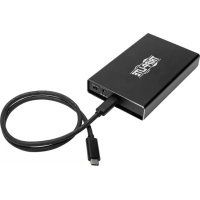
U457025SATAG2 - External hard drive enclosure Tripp Lite - Free user manual and instructions
Find the device manual for free U457025SATAG2 Tripp Lite in PDF.



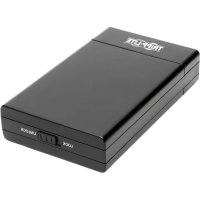
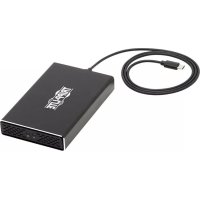
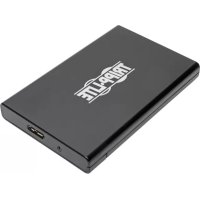
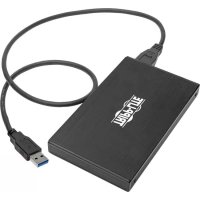
| Product Type | External Hard Drive Enclosure |
| Brand | Tripp Lite |
| Model | U457-025-SATAG2 |
| Host Interface | USB 3.1 Gen 2 (10 Gbps) via USB Type-C |
| Drive Compatibility | 2.5-inch SATA SSD/HDD (max height 9.5 mm) |
| Drive Connector | SATA 22-pin |
| Host Connector | USB Type-C (female) |
| Max Transfer Rate | 10 Gbps |
| Max Tested Capacity | 2 TB |
| Enclosure Material | Aluminum with cooling vents |
| Power | USB bus power (5 V) or DC 5 V 2 A adapter (not included) |
| LED Indicator | Solid white (power), blinking (data access) |
| Operating Systems | All USB-compatible operating systems |
| Operating Temperature | 10 to 50 °C |
| Operating Humidity | 10 to 80 % RH |
| Warranty | 1 year (limited) |
| Included Accessories | USB 3.1 Gen 2 Type-C cable (0.6 m), screws, screwdriver, rubber feet |
| Key Features | Converts a SATA drive into portable external storage; UASP support for enhanced performance; backward compatible with USB 3.0, 2.0, 1.1 |
| Maintenance and Cleaning | Unplug before cleaning; use a soft, dry cloth; avoid liquids |
| Safety | Handle drive with antistatic precautions; safely disconnect via system before removal |
| Spare Parts and Repairability | No user-serviceable parts; contact Tripp Lite for service |
Frequently Asked Questions - U457025SATAG2 Tripp Lite
User questions about U457025SATAG2 Tripp Lite
0 question about this device. Answer the ones you know or ask your own.
Ask a new question about this device
Download the instructions for your External hard drive enclosure in PDF format for free! Find your manual U457025SATAG2 - Tripp Lite and take your electronic device back in hand. On this page are published all the documents necessary for the use of your device. U457025SATAG2 by Tripp Lite.
USER MANUAL U457025SATAG2 Tripp Lite
Register your product for quicker service and ultimate peace of mind.
You could also win an ISOBAR6ULTRA surge protector—a \$100 value!
www.tripplite.com/warranty


Manufacturing Excellence.
1111 W. 35th Street, Chicago, IL 60609 USA www.tripplite.com/support
Copyright © 2017 Tripp Lite. All rights reserved.
Package Contents
• U457-025-SATAG2
• USB 3.1 Gen 2 (10 Gbps) Type-C Cable (M/M), 2 ft.
- Drive Mount Screws (x4)
• Enclosure Screws (x4)
- Screwdriver
- Rubber Feet
- Owner's Manual
Product Features
- Turn your 2.5" SATA Hard Disk Drive or Solid State Drive into a portable external storage solution
- UASP-compatible for up to 70% faster performance when connected to a UASP-enabled host controller
• Supports USB 3.1 Gen 2 data transfer rates up to 10 Gbps; backward compatible with USB 3.0, 2.0 and 1.1 - Compliant with SATA III (6 Gbps), SATA II (3 Gbps) and SATA I (1.5 Gbps) drives
- Tested with 2.5" SATA HDDs and SSDs up to 2 TB; will support higher capacity drives when available
- Slim aluminum design provides durability and is perfect for travel; tucks into laptop bag when not in use
- Aluminum housing with vents allows heat to dissipate and passively cool the drive to help prevent drive failure and data loss
- Plug-and-play; no external power supply, software or drivers required
System Requirements
- Computer with available USB Type-C port; USB 3.1 Gen 2 (10 Gbps) port required to achieve maximum speeds
- UASP-enabled host controller required to achieve UASP performance
- 2.5" SATA HDD or SSD with 9.5 mm maximum height
- Compatible with all USB-enabled operating systems
Optional Accessories
- U420-003-G2 USB 3.1 Gen 2 (10 Gbps) Cable, USB Type-C (M/M), 3 ft.
Powering the Unit
DC-In: In most cases, enough power is provided via the USB computer connection. In the event additional power is needed, a user-supplied power adapter can be used between the DC-In port on the unit and a wall outlet.
Note: the U457-025-SATAG2 is compatible with 5V, 2A power supplies that use a 3.5 x 1.3 x 8 mm output plug with a positive tip and negative sleeve.
Installation
Notes:
- HDD/SSD drives are sensitive to static electricity and must be handled properly to avoid the risk of data loss. Always handle your HDD/SSD drive with caution by wearing an anti-static strap (such as Tripp Lite P999-000) or by touching a grounded metal surface to discharge yourself of static electricity prior to touching or handling the drive.
- When disconnecting a connected drive, follow the proper disconnection steps of your operating system to safely disconnect. Removing the drive prior to proper disconnection can result in loss or corruption of data stored on the drive.
-
If your SATA drive has not yet been formatted, format it using your computer's disk management utility in order to copy and access files.
-
Slide the USB to SATA drive tray out of the drive enclosure.
- Connect your 2.5" HDD/SSD to the SATA connector on the drive tray.
- Insert the provided drive mount screws between the drive mount holes on the top and side of the drive tray and the drive. Fasten the screws using the included screwdriver.
- Slide the USB to SATA connector piece with the installed hard drive back into the drive enclosure.
- Using the included enclosure screws, secure the drive tray by matching up and affixing the screws into place on the bottom of the drive enclosure with the included screwdriver so the tray is firmly in place. To prevent possible sliding, adhere the included rubber feet over the screw holes.
- Connect the included USB 3.1 Gen 2 Cable to the USB Type-C port on the unit and the USB Type-C port on your computer.
Installation
- Slide the ON/OFF switch on the front plate to "ON".
Note: In the event additional power is needed, a DC-In jack has been provided. The power supply is not included. See “Powering the Unit” section for DC-In information.
- The enclosure is now ready to use. The white LED light will illuminate solid to indicate power and will blink when reading/writing data.
Specifications:
| Drive Connection 22-Pin SATA Data + Power | |
| USB Connection USB Type-C | |
| LED White: Power and Data Access | |
| Maximum Data Transfer Rate 10 Gbps | |
| Max Drive Capacity Tested up to 2 TB | |
| Operating Temperature 50° to 122° F (10° to 50°C) | |
| Operating Humidity 10% to 80% RH | |
USB Type-C and USB-C are trademarks of USB Implementers Forum
Warranty and Product Registration
1-Year Limited Warranty
TRIPP LITE warrants its products to be free from defects in materials and workmanship for a period of one (1) year from the date of initial purchase. TRIPP LITE's obligation under this warranty is limited to repairing or replacing (at its sole option) any such defective products. To obtain service under this warranty, you must obtain a Returned Material Authorization (RMA) number from TRIPP LITE or an authorized TRIPP LITE service center. Products must be returned to TRIPP LITE or an authorized TRIPP LITE service center with transportation charges prepaid and must be accompanied by a brief description of the problem encountered and proof of date and place of purchase. This warranty does not apply to equipment, which has been damaged by accident, negligence or misapplication or has been altered or modified in any way.
EXCEPT AS PROVIDED HEREIN, TRIPP LITE MAKES NO WARRANTIES, EXPRESS OR IMPLIED, INCLUDING WARRANTIES OF MERCHANTABILITY AND FITNESS FOR A PARTICULAR PURPOSE.
Some states do not permit limitation or exclusion of implied warranties; therefore, the aforesaid limitation(s) or exclusion(s) may not apply to the purchaser.
EXCEPT AS PROVIDED ABOVE, IN NO EVENT WILL TRIPP LITE BE LIABLE FOR DIRECT, INDIRECT, SPECIAL, INCIDENTAL OR CONSEQUENTIAL DAMAGES ARISING OUT OF THE USE OF THIS PRODUCT, EVEN IF ADVISED OF THE POSSIBILITY OF SUCH DAMAGE.
Specifically, TRIPP LITE is not liable for any costs, such as lost profits or revenue, loss of equipment, loss of use of equipment, loss of software, loss of data, costs of substitutes, claims by third parties, or otherwise.
Product Registration
Visit www.triplite.com/warranty today to register your new Tripp Lite product. You'll be automatically entered into a drawing for a chance to win a FREE Tripp Lite product!*
* No purchase necessary. Void where prohibited. Some restrictions apply. See website for details.
FCC Notice, Class B
This device complies with part 15 of the FCC Rules. Operation is subject to the following two conditions: (1) This device may not cause harmful interference, and (2) this device must accept any interference received, including interference that may cause undesired operation.
Note: This equipment has been tested and found to comply with the limits for a Class B digital device, pursuant to part 15 of the FCC Rules. These limits are designed to provide reasonable protection against harmful interference in a residential installation. This equipment generates, uses and can radiate radio frequency energy and, if not installed and used in accordance with the instructions, may cause harmful interference to radio communications.
Warranty and Product Registration
However, there is no guarantee that interference will not occur in a particular installation. If this equipment does cause harmful interference to radio or television reception, which can be determined by turning the equipment off and on, the user is encouraged to try to correct the interference by one or more of the following measures:
- Reorient or relocate the receiving antenna.
- Increase the separation between the equipment and receiver.
- Connect the equipment into an outlet on a circuit different from that to which the receiver is connected.
- Consult the dealer or an experienced radio/TV technician for help.
Any changes or modifications to this equipment not expressly approved by Tripp Lite could void the user's authority to operate this equipment.
WEEE Compliance Information for Tripp Lite Customers and Recyclers (European Union)
Under the Waste Electrical and Electronic Equipment (WEEE) Directive and implementing regulations, when customers buy new electrical and electronic equipment from Tripp Lite they are entitled to:
- Send old equipment for recycling on a one-for-one, like-for-like basis (this varies depending on the country)
- Send the new equipment back for recycling when this ultimately becomes waste
Use of this equipment in life support applications where failure of this equipment can reasonably be expected to cause the failure of the life support equipment or to significantly affect its safety or effectiveness is not recommended.
Tripp Lite has a policy of continuous improvement. Specifications are subject to change without notice.


1111 W. 35th Street, Chicago, IL 60609 USA
www.tripplite.com/support
1111 W. 35th Street, Chicago, IL 60609 EE UU www.tripplite.com/support
1111 W. 35th Street, Chicago, IL 60609 EE UU www.tripplite.com/support
1111 W. 35th Street, Chicago, IL 60609 USA www.tripplite.com/support
1111 W. 35th Street, Chicago, IL 60609 USA
www.tripplite.com/support
1111 W. 35th Street, Chicago, IL 60609 USA
www.tripplite.com/support

Manufacturing Excellence
1111 W. 35th Street, Chicago, IL 60609 USA
www.tripplite.com/support
17-03-177 93-36C8_revA
Brand : Tripp Lite
Model : U457025SATAG2
Category : External hard drive enclosure