DR1000 - Radio HAMA - Free user manual and instructions
Find the device manual for free DR1000 HAMA in PDF.



User questions about DR1000 HAMA
0 question about this device. Answer the ones you know or ask your own.
Ask a new question about this device
Download the instructions for your Radio in PDF format for free! Find your manual DR1000 - HAMA and take your electronic device back in hand. On this page are published all the documents necessary for the use of your device. DR1000 by HAMA.
USER MANUAL DR1000 HAMA
6.2Gestiondes favors
8.4Gestiondes favors
2.1 Explanation of warningsymbolsandnotes. 31
2.2 Package contents. 31
- Safety instructions. 32
-
Information and notes before getting started 32
-
Setting up the radio and accessories 33
5.1Rearview. 33
5.2 Front view 34
- Operating concept 35
6.1 Generaloperation 35
6.2 Managingfavourites. 36
- Getting started 37
7.1 Connecting andoperatingtheradio. 37
- Navigation and controls 38
8.1Controloptions. 38
8.2Timesettings. 38
8.3Screendisplay. 38
8.4Managingfavourites. 38
9.DAB radio. 39
9.1Stationlist. 39
9.2Fullscan. 3 9
10.FM radio. 39
11. Alarm clock 40
- System settings 41
12.1 Standbyscreen 41
12.2Timesettings 41
12.3Screendisplay. 41
12.4Languageselection. 41
12.5SWversion. 41
12.6Factorysettings. 41
- Technical data 42
2.Introduction
Thank you for choosing a Hama product. Take your time and read the following instructions and information completely. Please keep these instructions in a safe place for future reference. If you sell the device, please pass these operating instructions onto thenewowner.
2.1 Explanation of warning symbols and notes
Risikofelectricshock

This symbol indicates a risk of electric shock from touching product parts carrying hazardous voltage.
Warning

This symbol is used to indicate safety instructions or to draw your attention to specific hazards and risks.
Note

Thisssymbolisusedtoindicateadditiona informationorimportantnotes.
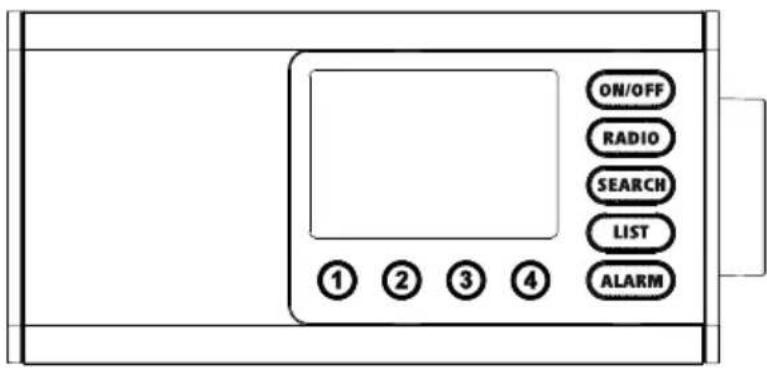
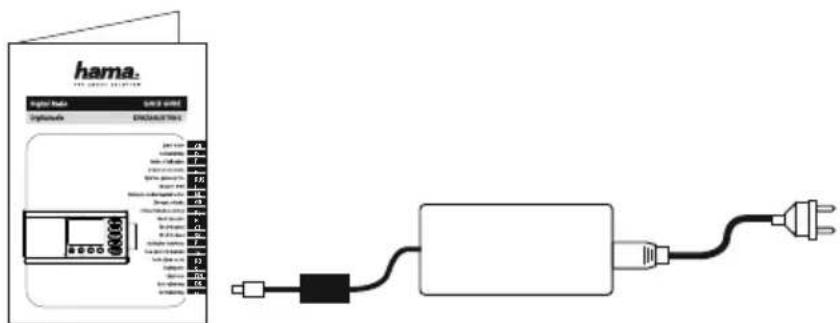
2.2Packagecontents
- D R1000digitalradio
- Powersupplyunit(12V/1A)
- O peratinginstructions

3.Safetyinstructions
- T heproductisintendedforprivate,non-commercialuseonly.
- Protect the product from dirt, moisture and overheating and use it in dry rooms only.
- As with all electrical products, this device should be kept out of the reach of children.
- D o n otdroptheproductanddonotexposeittoanymajorshocks.
- Do not operate the product outside the power limits specified in the technical data.
- Keep the packaging material out of the reach of children due to the risk of suffocation.
- Dispose of packaging material immediately in accordance with the locally applicable regulations.
- Do not modify the device in any way. Doing so voids the warranty.
- Do not use the product in the immediate vicinity of heaters, other heat sources or in direct sunlight.
- Do not use the product in areas in which electronic products are not permitted.
- O nlyusethearticleundermoderateclimaticconditions.
T heproductisintendedonlyforuseinsidebuildings. - Do not use the product in a damp environment and avoid splashing water.
- Route all cables so that there is no risk of tripping.
- D o n otbendorcrushthecable.
- A lwayspulldirectlyontheplugwhendisconnectingthecable, neveronthecableitself.
Risikofelectricshock

- Do not open the device or continue to operate it if it becomes damaged.
- Do not use the product if the AC adapter, adapter cable or power cable is damaged.
- Do not attempt to service or repair the product yourself. Leave any and all service work to qualified experts.
Warning

- Highboundpressure!
- There is a risk of hearing damage.
- To prevent any loss of hearing, avoid listening at loud volumes for prolonged periods.
- Always keep the volume at a sensible level. Loud volumes, even over short periods, can cause hearingloss.
- Using this product limits your perception of ambient noise. For this reason, do not operate any vehiclesormachines while usingthisproduct.
4. Information and notes before getting started
Note - Optimising reception

- Try various different positions if necessary to get the best reception.
5. Setting up the radio and accessories
5.1 Rearview
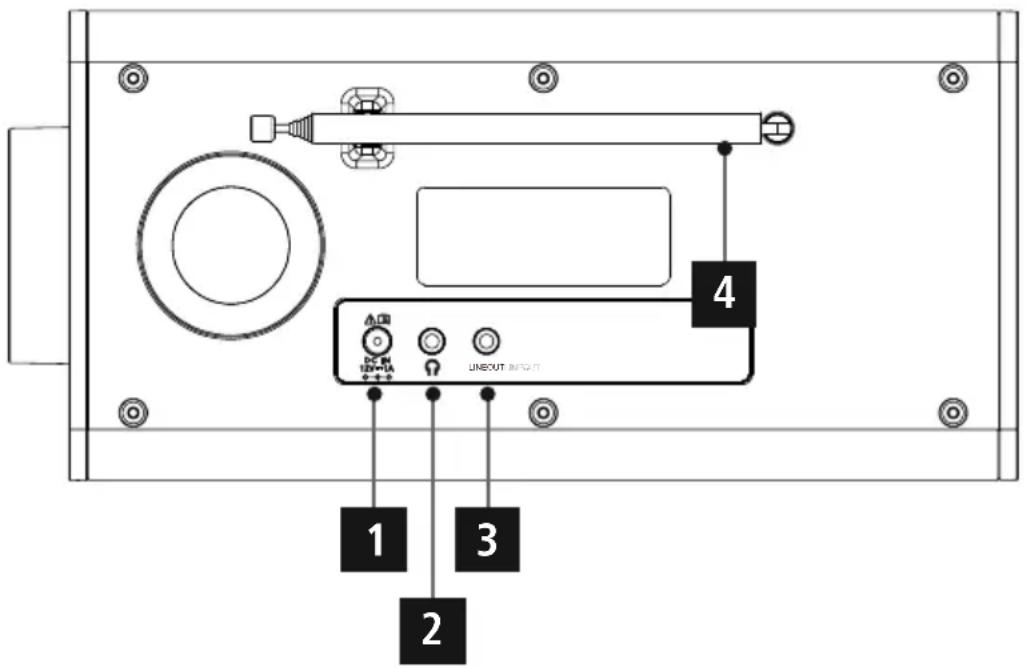
No. DesignationFunction
| 1MainsconnectionConnectionoftheenclosedmainsadaptertothepowersupply | |
| 2Headphonejack(3.5mm) | Analogueconnectionwithwiredheadphoneswitha 3 .5mmjack connection |
| 3LineOut(3.5mm) | Analogueconnectionwithexternalloudspeakersandotheraudio devicesviaa 3 .5mmaudiocable |
| 4AntennaAntennaforreceivingDAB/FMsignals | |
5.2Frontview
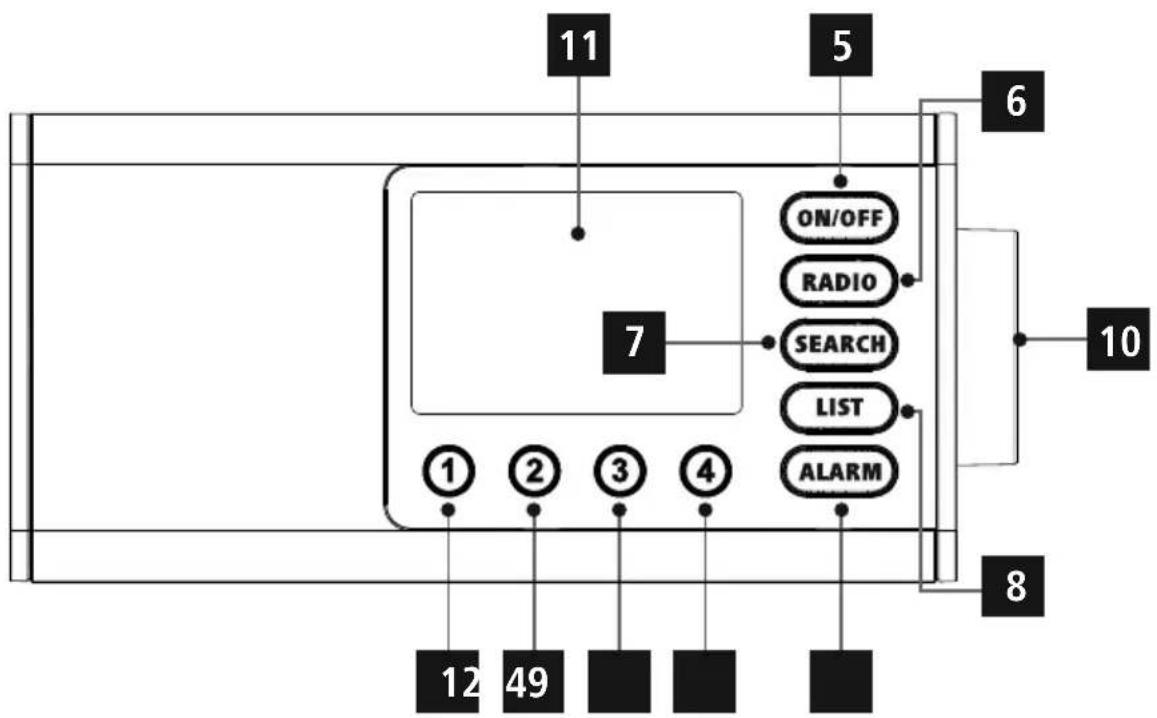
No.ButtonDesignation
1Favoure button1
2Favoure button2
3Favountobutton3
4Favoured button4
5OnOp#tion
6RadionuBback
7 SEARCH Automaticstationsearch
8Callupstation list
9Calibration settings
10Navigation/OK/Volume
11Display
6.Operatingconcept
6.1 General operation
| IconDesignationFunction | ||
| HandsymbolPressonce | ||
| HandsymbolPressmultipletimes | ||
| HandsymbolPressrepeatedly | ||
| HandsymbolHoldfor3 seconds | ||
| ButtonDesignationFunction | ||
| NAVIGATE | Rotarycontroller Navigation | ·N avigationforwardsinthecurrenmentmenu ·N avigationbackwardsinthecurrenmentmenu ·R educesthevolumeofthecurrentplayback ·I ncreasesthevolumeofthecurrentplayback |
| Rotarycontroller OKbutton | ·C onfirmationbuttonforopeningthemenuorfunctioncurrently highlighted | |
| ON/OFF | On/Offbutton | ·S witchingtheradioonandoff ·Long button press (approx. 8 seconds): Opens the Settings menu |
| RADIO | Radiobutton | ·C hangesthecontentssshowninthestationinformation ·Long button press (approx. 3 seconds): Changes to FM mode ·Open menus are closed and the radio returns to the playback screen |
| SEARCH | Automaticstation search | ·A utomaticstationsearch |
| LIST | Call up station list | ·O pensthestationlist(DAB/DAB+) |
| ALARM | Alarmbutton | ·O pensthealarmsettings ·L ongbuttonpress:Activates/deactivatesalarm1 |
6.2 Managing favourites
| ButtonDes | gnationFunction | |
| ① | [1]button | • Short button press: Access favourite storage space 1 for currentplaybackmode • Longbuttonpress: Savethecurrentstationofavourite storagespace1 |
| ② | [2]button | • Short button press: Access favourite storage space 2 for currentplaybackmode • Longbuttonpress: Savethecurrentstationofavourite storagespace2 |
| ⋮ | ||
| ④ | [4]button | • Short button press: Access favourite storage space 4 for currentplaybackmode • Longbuttonpress: Savethecurrentstationofavourite storagespace4 |
7. Gettingstarted
7.1 Connecting andoperatingtheradio
Warning

- Only operate the product from an approved socket that is connected to the public power supply. The socketmustbeinstalledclosetotheproductandmustbeasilyaccessible.
- Disconnect the product from the power supply using the On/Off switch - if this is not available, unplug the power cord from the socket.
- If using a multi SOCKET power strip, make sure that the total power consumption of all connected devices does not exceed the power strip's maximum throughput rating.
-
If you will not be using the product for a prolonged period, disconnect it from mains power.
-
The power supply unit is suitable for mains voltages between 100 and 240V and can therefore be used on virtually any AC power grid. Please note that a country-specific adapter may be necessary.
- You can find an appropriate selection of Hama products at www.hama.com.
1
2
3
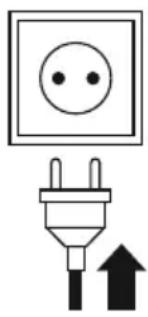
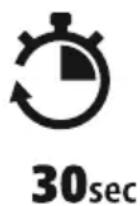
Once the product has been connected to mains power, initialisation takes place. Theradiostartsup.
NAVIGATIONANDCONTROLS
8.Navigationandcontrols
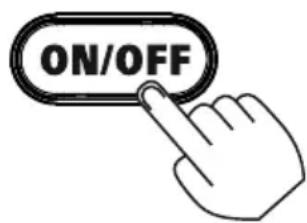
Once the radio has been initialised for the first time, switch it on using the ON/OFF button (Power button) if required to start the product setup process. Below, the relevant steps are explained in brief. Further information can be found in therelevant detailed sections.
8.1Controoptions
Pleaseseetheoperatingconceptforinformationontheradio'sgeneraloperation.
Theradiocanbeusedwiththefollowingcontroloptions:
1.Controlementsonthedevic
8.2Timesettings
Theradioallwsthetimetobedisplayedin12-hour(am/pm)or24-hourformat.
8.3 Screen display
Three different presentations of the display content are supported. Here, you can switch between complete text display, image and text display and full image with subtitles.
8.4Managingfavourites
To save the station currently playing as a favourite, press any favourites button for 3 seconds. With a brief press on a favourites button, you can reselect any previously saved favourite.
9.DABradio
This radioreceives all common digital radio frequencies in the range of 174MHz to 240MHz (band III, channels 5A to 13F). The automatic DAB station search starts automatically when DAB mode is started for the first time. As soon as this has been completed, the current station list is displayed. Pressingoneofthebuttonsallowsyoutoaccessthefollowing.
9.1Stationlist
The station list offers a complete display of all radio stations that were found during the last complete search.
Navigate to the desired station you want to call up and confirm this selection. The radio will now start playingthecorrespondingstation.
For stations that are currently no longer available, a ? appears at the front.
9.2Fullscan
If the location of other radio changes or new stations can be received, it is advisable to perform the station search again. The entire frequency range is searched again and the station list is updated.
10.FMradio
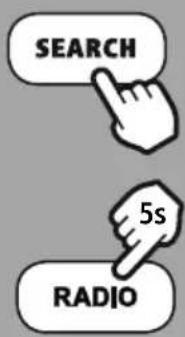
- If any of the stations you are looking for is not available on DAB, you can still listen to the station on FM. To set FM reception, press and hold the [RADIO] (6) for approx. 5 seconds.
- The FM station setting option appears, which you can operate using the controller. Turning the controllerslowlyadjuststhefrequencyinstepsof0.05MHz.
Turnthecontrollerfastertoadjustthefrequencyinstepsof0.5MHz. - Once you have found the station you want, confirm by the setting by pressing the rotary controller.
- The display shows "FM" in the first line to indicate the reception of FM radio. Thesetfrequencycanalsobebassignedtoa s hortcutbutton(see10).
- If you wish to adjust the frequency, press the rotary controller (10) again to activate the frequency setting.


ALARMCLOCK
11.Alarmclock
Theradiohastwoindividuallyadjustablealarmtimes.
12.1 Settings
Alarm 1 and Alarm 2 are configured identically and allow two separate alarm times to be saved.
Press [ALARM] (9) to open the Settings menu. Select Alarm 1 or 2 using the rotary controller (10). Confirmyourselectionbypressingrotarycontroller(10).
Step1
Turning the rotary controller (10) allows you to switch between "ON" (alarm active) and "OFF") (alarm inactive). If you select "OFF", the setup process is terminated and you are taken back to the alarm menu's startscreen
Step2
Turn the rotary controller to select the time in hours. Confirm the selection by pressing the rotary controller (10). Next, repeat the setting process to configure the alarm time in minutes.
Step3
Now select which days the alarm is to be active on. The following options are available for this:
a)Daily ThealarmisactivefromMondaytoSunday
b)Once Thealarmisonlyactiveonce,i.e. assoonasthesetalarmtimenextarrives.
c) Mon-Fri The alarm is active from Monday to Friday
d)Sat-Sun ThealarmisactivefromSaturdaytoSunday
e) Select days This selection takes you to a drop-down menu in which you can choose the required day (Monday to Sunday). Once a day is selected, this is indicated by a symbol(√)
Step4
Nowchoosewhetheryouwishtobewokenbyanalarm(Sound)ortheradio(Radio).Ifyouchoose
Radio, you can select from Favourites 1 and 2 that are saved on the shortcut buttons.
Step5
You can set the volume at which the alarm sound should be played. This setting makes it irrelevant how loudyoulast listened totheradio.
Note

ALARMtakesyoubacktothepreviousstep.
The alarm setting process is now complete. As soon as the alarm goes off, you can activate the snooze function by pressing therotary controller button. Repeatedlypressingtherotarycontroller(10)allowsyou to changethesnoozeit.ALARMdeactivatesthealarm.
Note

You can activate and deactivate alarm 1 again by pressing and holding [ALARM] (9). This shortcut functionalsoworksiftheradioisinstandbymode.
Ifthealarmisactive, thealarmsymbolappearsontheleftnexttothetime. Iftheradioisswitchedoff, thealarmsymbolisdisplayedonthelleftnexttothedate.
The symbol for alarm 2 appears on the right-hand side accordingly. Alarm 2 cannot be activated via a shortcutbutton.

SYSTEM SETTINGS
12. System settings
To access the system settings, ensure that the radio is switched on.
ThenholdtheON/OFFbuttondownfor8 seconds.
12.1 Standbyscreen
Select a brightness setting for the display that is to be used in standby mode.
12.2Timesettings
Theradioallowsthetimetobedisplayedin12-hour(am/pm)or24-hourformat.
12.3 Screen display
Three different presentations of the display content are supported. Here, you can switch between complete text display, image and text display and full image with subtitles.
12.4Languageselection
Oneoftheavailablessystemlanguagescanbeselectedhere.
12.5SWversion
Theradio'scurrentsoftware v ersionisdisplayed.
12.6Factorysettings
This function allows you to reset your radio to the factory settings on the software side. Confirm the prompt with "YES" to start the process.
Note

Resettingtothefactorydefaultsettingscanremedysomeproblemsandmalfunctions. However, all settings made previously, such as equaliser presets, station presets and network profiles, willbe permanentlydeleted.
13. Technicaldata
| Technicaldata | |
| Display4.0"(10.16cm)TFT | |
| Loudspeaker | Full-range loudspeaker (5W RMS) |
| Power supply | 12.0V== 1.0A 12.0W |
| Languages supported | Dutch,French,English |
| Packaging contents | Digital radio, power supply unit |
| Audioconnections | |
| OutputsHeadphone3.5mm,LineOut |
| sources | Favourites | |
| DAB/DAB+ (174.928- 2 39.2MHz) | ✓ | 4 |
| FM (87.5- 1 08MHz) | ✓ | |
hama
HamaGmbH& Co K G 86652Monheim/Germany
Service& Support

www.hama.com

+499091502-0