233702 - Refrigerator Arktic - Free user manual and instructions
Find the device manual for free 233702 Arktic in PDF.



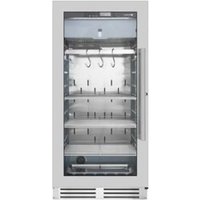
| Product type | Professional glass-door refrigerator |
| Brand | Arktic |
| Model | 233702 |
| Dimensions (W x D x H) | 686 x 568 x 686 mm |
| Net weight | 57 kg |
| Power supply | 220-240 V ~ 50 Hz |
| Power consumption | 160 W |
| Rated current | 1.4 A |
| Temperature range | 2 °C to 6 °C |
| Refrigerant | R600a (50 g) |
| Capacity | 120 L |
| Interior lighting | LED 2 W |
| Noise level | < 60 dB(A) |
| Climate class | 4 |
| Protection class | I (mandatory grounding) |
| Maximum load per shelf | 8 kg |
| Door | Glass |
| Usage | Professional (catering, shops) |
| Installation | Free space of at least 10 cm around the appliance |
| Cleaning | Damp cloth with mild detergent; do not use water jet or steam cleaner |
| Safety | Automatic defrost; do not obstruct air inlets/outlets |
| Repairability | Repairs only by qualified personnel; spare parts available through the dealer |
Frequently Asked Questions - 233702 Arktic
User questions about 233702 Arktic
0 question about this device. Answer the ones you know or ask your own.
Ask a new question about this device
Download the instructions for your Refrigerator in PDF format for free! Find your manual 233702 - Arktic and take your electronic device back in hand. On this page are published all the documents necessary for the use of your device. 233702 by Arktic.
USER MANUAL 233702 Arktic
COUNTERTOP DISPLAY SHOWCASES
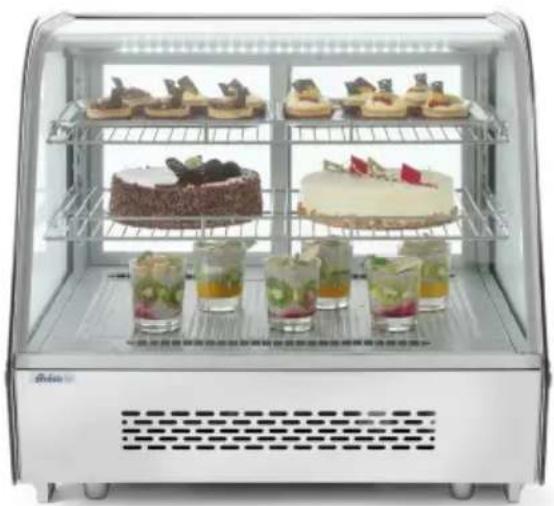
natural_image
Exterior view of a modern glass display case containing various dessert and drink items (no visible text or labels)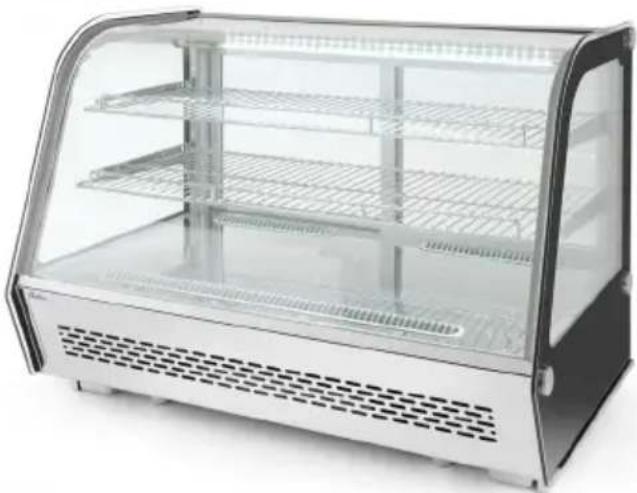
natural_image
Exterior view of a modern glass appliance with tiered shelves and ventilation grilles (no text or symbols visible)Item: 233702
233719
GB: You should read this user manual carefully before using the appliance.
GB: Keep these instructions with the appliance.
natural_image
Simple line drawing of a house with an arrow pointing left, labeled 'INDOOR' below (no other text or symbols)GB: For indoor use only.


Thank you for purchasing this Arktic appliance. Read this manual carefully, paying particular attention to the safety regulations outlined below, before installing and using this appliance for the first time.
Safety regulations
- This appliance is intended for commercial use only.
- Only use the appliance for the intended purpose it was designed for as described in this manual.
- The manufacturer is not liable for any damage caused by incorrect operation and improper use.
- Keep the appliance and electrical plug away from water and other liquids. In the event the appliance falls into water, immediately remove the power plug from the socket. Do not use the appliance until it has been checked by a certified technician. Failure to follow these instructions will cause life threatening risks.
- Never attempt to open the housing of the appliance by yourself.
- Do not insert objects into the housing of the appliance.
- Do not touch the plug with wet or damp hands.
- DANGER OF ELECTRIC SHOCK! Do not attempt to repair the appliance by yourself, repairs are only to be conducted by qualified personnel.
- Never use a damaged appliance! When it's damaged, disconnect the appliance from the socket and contact the retailer.
- WARNING! Do not immerse the electrical parts of the appliance in water or other liquids.
- Never hold the appliance under running water.
- Regularly check the power plug and cord for any damage. When damaged it must be replaced by a service agent or similarly qualified person in order to avoid danger or injury.
- Make sure the cord does not come in contact with sharp or hot objects and keep it away from open fire. Never pull the power cord to unplug it from the socket, always pull the plug instead.
- Make sure that the power cord and/or extension cord do not cause a trip hazard.
- Never leave the appliance unattended during use.
- WARNING! As long as the plug is in the socket the appliance is connected to the power source.
- Turn off the appliance before unplugging it from the socket.
- Connect the power plug to an easily accessible electrical socket so that in case of emergency the appliance can be unplugged immediately.
- Never carry the appliance by the cord.
- Do not use any extra devices that are not supplied together with the appliance.
- Only connect the appliance to an electrical outlet with the voltage and frequency mentioned on the appliance label.
-
Never use accessories other than those recommended by the manufacturer. Failure to do so could pose a safety risk to the user and could damage the appliance. Only use original parts and accessories.
-
This appliance should not be operated by persons with reduced physical, sensory or mental capabilities, or persons that have a lack of experience and knowledge.
- This appliance should, under any circumstances, not be used by children.
- Keep the appliance and its power cord out of reach of children.
- WARNING: ALWAYS switch off the appliance and unplug from power socket before cleaning, maintenance or storage.
Special Safety Regulations
- This appliance is designed for short-time storage and display of packaged foodstuffs such as foods, ingredients, beverages, including wine. This appliance is capable of continuously maintaining the temperature of foodstuffs within prescribed limits at chilled operating temperature.
- Do not store any other materials in the appliance. Do not place any dangerous products, such as fuel, alcohol, paint, flammable or explosives, etc. inside or near the appliance. No medicine is allowed to keep inside the appliance.
- Products put in the appliance must be already pre-cooled. Otherwise, moisture evaporating while cooling food products can condensate inside the cooling compartment, which is natural and does not indicate any malfunction of the appliance.
- This appliance must be installed, commissioned and services by a qualified or trained person. And this appliance is intended to be used by trained or qualified personnel such as kitchen or bar staff.
- WARNING: Do not use mechanical devices or other means to accelerate the defrosting process, other than those recommended by the manufacturer.
- WARNING: Do not damage the refrigerant circuit.
CAUTION! RISK OF FIRE! The refrigerant used is R600a. It is a flammable refrigerant which is environmentally friendly. Although it is flammable, it does not damage the ozone layer and does not increase the greenhouse effect. The use of this coolant has, however, led to a slight increase in the noise level of the appliance. In addition to the noise of the compressor, you might be able to hear the coolant flowing around the system. This is unavoidable, and does not have any adverse effect on the performance of the appliance. Care must be taken during the transportation and setting up of the appliance that no parts of the cooling system are damaged. Leaking coolant can damage the eyes.
- WARNING: Keep all ventilation openings in the appliance enclosure clear of obstruction. Provide sufficient ventilation in the surrounding structure when building-in. Never block the air flow suction and air outlet in order to keep air circulation.
- WARNING: Do not use electrical appliances inside the food storage compartments of the appliance, unless they are of the type recommended by the manufacturer.
- Place the appliance on a clean, stable, dry, level surface only.
- Keep the appliance away from any hot surfaces and open flames. Protect the appliance against heat, dust, direct sunlight, moisture, dripping and splashing water.
- During use, keep 10cm around the appliance free for ventilation.
- Do not use hard utensils on the glass surface. Do not use water jets or steam cleaners during cleaning, do not immerse the whole appliance in water as the parts will get wet and electric shock might be resulted.
- Do not place articles on top of the appliance. Do not place objects with open sources of fire (e.g. candles) on top or beside the appliance. Do not place objects filled with water (e.g. vases) on or near the appliance.
- Never cover the appliance during use. This may cause a fire hazard.
- Do not wash the appliance with water. Washing can cause leakages and increase the risk of electric shock.
- Do not make any additional openings on the appliance. Do not install any gadgets in the appliance.
- Do not overload the racks inside to avoid damage. Max. loading of each rack is about 8kg.
- Do not attempt to climb up to the top of the appliance.
Installing the appliance
- The appliance should not be tipped over an angle of 5^ . After installing the appliance, wait for 2 hours before connecting it to the electrical power supply to switch on. The same applies if the appliance is moved at a later date.
- The appliance must always be installed in a dry environment.
- When installing, leave at least 10 cm clearance to the rear and to the left and right for adequate ventilation. Leaving less room for ventilation may affect the efficiency.
- We strongly recommend to install the appliance in a place with good natural ventilation to increase ventilation properties.
Electrical components and other dangers
- No other appliances should be plugged into the same socket as with this appliance.
- Do not place any dangerous products, such as fuel, alcohol, paint, flammable or explosives, etc. inside or near the appliance as it may result a fire hazard.
- Do not store any medications in the appliance.
- Wait about 5 minutes before switch on the appliance again after the appliance has been switched off or unplugged from the electrical power supply.
- Do not wash the appliance with water. Washing can cause leakage and increase the risk of electric shock. No any parts/accessories can be under dishwasher.
Intended use
• This appliance is intended for professional use.
- This appliance is designed only to keep food or beverages, under cool state and to display them for retail sale in restaurants, canteens, other commercial enterprises such as bakeries, butcheries, supermarkets, etc. Any other use may lead to damage of the appliance or personal injury.
- Operating the appliance for any other purpose shall be deemed a misuse of the device. The user shall be solely liable for improper use of the device
Grounding installation
This appliance is classified as protection class I and must be connected to a protective ground. Grounding reduces the risk of electric shock by providing an escape wire for the electric current. This appliance is fitted with a power cord that has a grounding wire and grounded plug. The plug must be plugged into an outlet that is properly installed and grounded.
Different operation parts

Preparation before using for the first time
- Remove all protective packaging and wrapping.
- Check for the completeness of the product. In case of incomplete delivery and damages. Please contact supplier (See == > Warranty).
- Clean all components as described (See ==> Cleaning and Maintenance).
- Place all the racks inside the appliance.
Note: Due to manufacturing residues, the appliance may emit a slight odor in the first few cycles. This is normal and does not indicate any defect or hazard. Make sure the appliance is well ventilated.
Operation
- Connect the power cord to the appliance inlet at the back of the appliance first, then connect power plug to a suitable electrical power outlet.
• Leaving the appliance for running some hours to reach the cooling temperature before placing the beverage or food inside the appliance.

-
Digital temperature controller (at the back of the appliance) operation:
1) Setting the temperature -
Press SET to enter into the setting mode. The set temperature is displayed.
- Press or to increase or decrease the set temperature.
- Press SET again to confirm the setting and exit. Then, inside cabinet temperature is displayed. Note:
- If no button is pressed within 10 seconds. The newly set temperature will be stored.
- The temperature setting range from 2°C to 6°C. The actual temperature inside the appliance can be affected by the ambient temperature.
- Keep the door open time as short as possible in order to keep a cool temperature inside.
2) Illumination inside the cabinet
- Press to switch ON the light. Press again to switch OFF the light.
3) Refrigerant LED indicator
- During the cooling operation (compressor enabled), this refrigerant LED indicator will lights up constantly.
- After the inside cabinet reach the set temperature, the refrigerant LED indicator will flashes continuously.
- When defrost start, the refrigerant LED indicator light off.
4) Defrost LED indicator
- During the defrost operation, this defrost LED indicator will lights up constantly.
- After the defrost operation, defrost LED indicator will lights off.
Cleaning and Maintenance
Attention: Always unplug the appliance from the electrical power outlet before cleaning & maintenance.
Cleaning
- The exterior and interior surfaces can be cleaned with a damp cloth and a little detergent.
-
Racks can be removed and washed in water.
-
Do not use water jet or steam cleaner for cleaning and do not push the appliance under the water.
- No any parts can be cleaned in the dishwasher.
- Clean the appliance regularly.
| Parts How to clean Remark | ||
| All accessories such as racks, rack holders, etc. | - Soak in warm, soapy water for about 10 to 20 minutes.- Rinse under running water thoroughly. | Dry all parts well at last. |
| External glass surfaces | - Wipe clean with a soft cloth and a little neutral detergent. Make sure no water or moisture enters inside the of the appliance. | |
| Interior glass surfaces | - Remove any food deposits.- Wipe clean with a soft cloth and a little mild detergent. Make sure no water or moisture enters inside the of the appliance. | |
| Glass door |
Putting the appliance out of reach for a long period of time
- Attention: Always unplug the appliance from the electrical power outlet.
-
Remove all the food and beverage inside the appliance.
-
Clean the appliance as described in Cleaning. (See ==> Cleaning).
- Store the appliance in a cool, clean place and keep out of reach of the children.
Troubleshooting
If the appliance does not function properly, please check the below table for the solution. If you are still unable to solve the problem, please contact the supplier/service provider.
| Problems Possible cause Possible solution | ||
| The appliance does not start cooling after connect to electrical power supply. | Thermal cut-out activated | Contact with the supplier/service provider for repair. |
| The compressor is defective. | ||
| The power plug/inlet is not connected properly with the power supply. | Check the connection and make sure all the connections are correctly connected. | |
| Cooling is not enough. | The appliance is under strong sunlight radiation or close to a heat source. | Move the appliance a new location to avoid direct sunlight. |
| The doors are not properly closed or the sealing gasket is defective. | Close the doors properly. | |
| Too much food is placed inside the appliance. | Place less food inside the appliance. | |
| Surrounding ventilation is insufficient. | Check that if sufficient ventilation is provided by allowing at least 10cm away from other objects or wall. | |
| Too much noise | The appliance is not placed horizontally. | Check to make sure the appliance is placed horizontally. |
| The appliance touches surrounding wall or other objects. | Check to make sure that at least 10cm away from other objects or wall. | |
| There are some loose parts inside the appliance. | Contact with the supplier/service provider for repair. | |
| LED lamp is not light up The | LED is defective | Contact with the supplier/service provider for repair. |
Technical specification
| Item no. 233702 233719 | ||
| Operating voltage and frequency 220-240V~ /50 Hz | ||
| Rated input power 160W | ||
| Rated current 1,4A | ||
| Setting temperature Setting from 2°C to 6°C | ||
| Net weight (approx.) 57kg 66kg | ||
| Protection class Class I | ||
| Climate class 4 | ||
| Refrigerant used and injection quantity | R600a / 50g R600a / 65g | |
| Power of the light 2W (LED) 2,5W (LED) | ||
| Noise level < 60 dB (A) | ||
| Colour | Black | |
| Inside cabinet capacity | 120L 160L | |
| Outer dimension | 686x568x(H)686mm | 850x568x(H)686mm |
Remark: Technical specification is subjected to change without prior notification.
Circuit diagram (Item 233702, 233719)

flowchart
graph TD
    A["Defrost probe"] --> B["Thermostat probe"]
    C["Digital Temperature Controller"] --> D["Display panel"]
    E["Fan Motor"] --> F["Lamp"]
    G["Overload Protector"] --> H["Compressor"]
    I["PTC"] --> J["M"]
    K["220-240V~/50Hz"] --> L["Ground"]
    M["Power Supply"] --> N["Electrical Source"]
    O["Inductors"] --> P["Light Bulb"]
    Q["Refrigerator"] --> R["Light Bulb"]
    S["Pressure Gauge"] --> T["Valve"]
Warranty
Any defect affecting the functionality of the appliance which becomes apparent within one year after purchase will be repaired by free repair or replacement provided the appliance has been used and maintained in accordance with the instructions and has not been abused or misused in any way. Your statutory rights are not affected. If the appliance is claimed under warranty, state where and when it was purchased and include proof of purchase (e.g. receipt).
In line with our policy of continuous product development we reserve the right to change the product, packaging and documentation specifications without notice.
Discarding & Environment
When decommissioning the appliance, the product must not be disposed of with other household waste. Instead, it is your responsibility to dispose to your waste equipment by handing it over to a designated collection point. Failure to follow this rule may be penalized in accordance with applicable regulations on waste disposal. The separate collection and recycling of your waste equipment at the time of disposal will help conserve natural resources and ensure that it is recycled in a manner that protects human health and the environment.
For more information about where you can drop off your waste for recycling, please contact your local waste collection company. The manufacturers and importers do not take responsibility for recycling, treatment and ecological disposal, either directly or through a public system.
NL
natural_image
Exterior view of a modern glass appliance with tiered shelves and ventilation grilles (no visible text or symbols)Páφι
- Digitalni regulator temperature (na stražnjoj strani uređaja) za rad:
1) Podešavanje temperature
- Pritisnite SET (POSTAVI) da biste ušli u način postavljanja. Prikazuje se postavljena temperatura.
- Pritisnite ili za povećavanje ili smanjivanje postavljene temperature.
- Ponovno pritisnite SET (POSTAVI) kako biste potvrdili postavku i izašli. Zatim se prikazuje unutarnja temperatura ormarića. Napomena:
- ako se gumb ne pritisne unutar 10 sekundi. Novo postavljena temperatura bit će pohranje-na.
- Temperatura se kreće od 2 °C do 6 °C. Na stvarnu temperaturu unutar uređaja može utjecati okolna temperatura.
LED-indikator odmrzovanja
- Digitalni regulator temperature (na hrbtni strani naprave) deluje:
1) Nastavitev temperature
- Pritisnite NASTAVI za vstop v nastavitveni način. Prikaže se nastavljena temperatura.
- Pritisnite ali , da zvišate ali znižate nastavljeno temperaturo.
- Ponovno pritisnite NASTAVI, da potrdite nastavitev in zapustite funkcijo. Nato se prikaže temperatura v notranjosti omarice.
Opomba:
- Če v 10 sekundah ne pritisnete nobene tipke. Na novo nastavljena temperatura se shrani.
- Nastavitev temperature se giblje med 2 °C in 6 °C. Temperatura v napravi lahko vpliva na dejansko temperaturo.
- Vrata naj bodo odprta čim prej, da bo temperatura ostala v notranjosti.
Hendi Food Service Equipment GmbH
Ehring 15
Hendi Food Service Equipment Romania S.R.L.
PKS Hendi South East Europe SA
5 Metsovou Str.
18346 Moschato, Athens, Greece
Tel: +30 210 4839700
Email: info@pks-hendi.com
Hendi Italia S.R.L.
Via Leonardo da Vinci 4
39100 Bolzano (BZ), Italy
Tel: +39 800 727 438
Email: office.italy@hendi.eu
Hendi HK Ltd.
1208, 12/F Exchange Tower
33 Wang Chiu Road, Kowloon Bay, Hong Kong
Tel: +852 2154 2618
Email: info-hk@hendi.eu
Find Hendi on internet:
www.hendi.eu
www.facebook.com/HendiToolsforChefs
https://www.linkedin.com/company/hendi-tools-for-chefs/
www.youtube.com/HendiEquipment
- GB: Changes, printing and typesetting errors reserved.
- COUNTERTOP DISPLAY SHOWCASES
- Safety regulations
- Special Safety Regulations
- Installing the appliance
- Electrical components and other dangers
- Intended use
- Grounding installation
- Preparation before using for the first time
- Operation
- Cleaning and Maintenance
- Cleaning
- Putting the appliance out of reach for a long period of time
- Troubleshooting
- Warranty
- Discarding & Environment
- Páφι
- Hendi Food Service Equipment GmbH
- Hendi Food Service Equipment Romania S.R.L.
- PKS Hendi South East Europe SA
- Hendi Italia S.R.L.
- Hendi HK Ltd.
- Find Hendi on internet:
Brand : Arktic
Model : 233702
Category : Refrigerator