EasyManual
BNX100XT - Helmet Lindy - Free user manual and instructions
Find the device manual for free BNX100XT Lindy in PDF.



User questions about BNX100XT Lindy
0 question about this device. Answer the ones you know or ask your own.
Ask a new question about this device
Download the instructions for your Helmet in PDF format for free! Find your manual BNX100XT - Lindy and take your electronic device back in hand. On this page are published all the documents necessary for the use of your device. BNX100XT by Lindy.
USER MANUAL BNX100XT Lindy
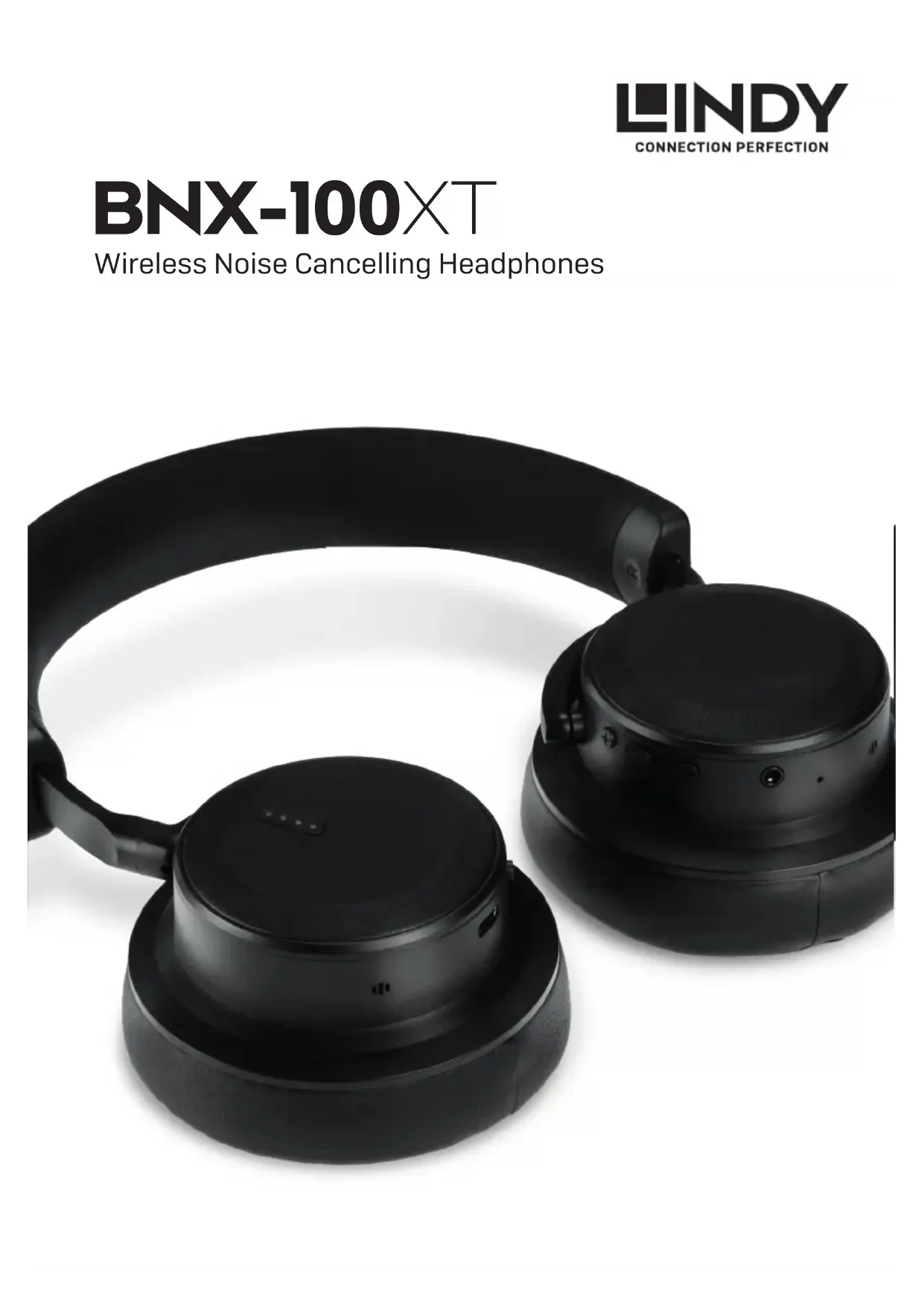
BNX-100XT Wireless Noise Cancelling Headphones2 English Introduction Thank you for purchasing the BNX-100XTs by Lindy. These wireless noise cancelling headphones have been developed to deliver superb quality Hi-Fi sound using advanced aptX® technology without the distraction of annoying background noise. Audio Pass-Through mode allows the user to let in outside noise and voices on demand without having to remove the BNX-100XTs, ideal for ordering in-flight meals, brief work conversations or hearing important announcements. Featuring revolutionary Auto-Pause technology, which pauses audio when the headphones are not worn, and a long-running rechargeable battery life of up to 15 hours, BNX-100XTs provides a continuous flow of your audio for an uninterrupted wireless listening experience, while the included 3.5mm audio cable ensures audio can carry on playing even longer. The BNX-100XTs have been designed to provide optimum audio performance whilst in ANC (Active Noise Cancelling) mode, however they will continue to operate without ANC being active so that you continue to use the headphones even if the battery runs out. Product Contents BNX-100XT Headphones 3.5mm audio cable, 1.5m length 1/4’’ (6.3mm) stereo-plug adapter Dual-plug flight adapter USB Type C charging cable, 80cm length Hard carry EVA case with mesh pouch User manual Features & Benefits Bluetooth 5.0 with aptX® technology allows wire-free crystal clear audio with a range of up to 10m Active Noise Cancellation technology removes up to 95% of external low frequency noise Dynamic Auto-Pause technology* to automatically pause music when the headphones are taken off, and resume when they are put back on Audio Pass-Through mode, at the touch of a button, allows important external sound and voices to be heard through the headphones Up to 15 hours rechargeable battery life for wireless, long lasting music on the go Twin-Pairing Mode allows two devices to be connected simultaneously for uninterrupted audio switching Lightweight, ergonomic design for optimum comfort and performance Simple, responsive push button control *Please note this feature is only available when using bluetooth Important Safety Information
- These headphones include a built-in Lithium Ion 600mAh battery, do not leave unattended whilst charging
- Do not listen to the headphones at high volume for excessive periods as this may damage your hearing
- Discontinue use if you experience any discomfort or irritation from using the headphones
- These headphones must not be worn whilst driving a motor vehicle
- These headphones must not be placed in water or wet locations
- When cleaning the headphones please use a dry cloth Contains small parts which may be a choking hazard. Not suitable for children under age 3.2 3 Left
Wireless Turn wireless on/off Press and hold the Multi-Function Button (7) for 3 seconds. Enter pairing mode From off press and hold the Multi-Function Button (7) for 5 seconds. The Wireless Indicator LED (6) will flash red/blue. Clear pairings From off press and hold the Multi-Function Button (7) until the Wireless Indicator LED (6) flashes purple. Music Playback Play/Pause music Press down the Multi-Function Button (7) once to start playing music and press it again to pause your music. Next/Previous song Quickly double press the Volume Up/Next button (5) to play the next track. To play the previous track, quickly double press the Volume Down/Previous button (8). Adjust volume Press the Volume Up/Next button (5) once to increase the volume. To reduce the volume, press the Volume Down/Previous button (8) once. Press the required button repeatedly to adjust the volume to the desired setting. Call Related Answer a call Press the Multi-Function Button (7) once to answer. End a call Press the Multi-Function Button (7) again to end. Ignore a call Double press the Multi-Function Button (7). Last dialled number redial Press the Multi-Function Button twice in standby status. Overview Right
5. Volume Up / Next Track (Wireless only)
6. Wireless Indicator LED
7. Multi-Function Button (On/Off, Pairing,
Answer/End/Reject Call (Wireless only)
8. Volume Down / Previous Track (Wireless only)
Charging the Battery
1. You can charge BNX-100XTs using the supplied micro USB Type C cable in conjunction with an available USB port on your
computer, TV or using a standard USB power supply. 2. Attach the USB Type C connector to the USB charging port (4) and the USB Type A connector to the corresponding port on your computer, TV or power supply.
3. The battery meter (3) will begin to flash to show that the BNX-100XTs are charging.
4. You can check the status of the battery using the battery meter (3), see below.
5. When all four LEDs are permanently illuminated charging has completed and you can disconnect the USB cable.
25% 50% 75% 100% Notes on charging 1. When the BNX-100XTs battery power is less than 10% in wireless mode, the Bluetooth LED will blink red and the BNX-100XTs will also beep approximately every 5 minutes. If ANC is activated, the battery indicator will also blink blue once the battery is at less than 25% capacity.
2. If you are using a compatible mobile device, you can also see the status of the BNX-100XTs battery on your device.
3. Before using the BNX-100XTs for the first time, please ensure that the battery is fully charged.
4. Make sure that the BNX-100XTs are fully charged for at least 4 hours prior to initial use.
5. If the battery becomes low or completely flat, please use the supplied 3.5mm cable to create a wired passive connection. Please note ANC cannot be used when the battery is flat. Please Note: These headphones include a built-in Lithium Ion 600mAh battery, do not leave unattended whilst charging. Operation The BNX-100XTs can be used in a number of different configurations to suit your needs; Wired, Wireless, Noise Cancelling and Passive. For optimum audio performance we recommend using the headphones with Noise Cancelling activated. Noise Cancelling 1. Adjust the volume of the BNX-100XTs using the Volume Up (5) or Down (8) controls to ensure the volume is at the correct level and not too high. 2. Switch on the Noise Cancelling feature by sliding the On/Off Switch (1) to On. Inside the switch you will then see a green dot. 3. A quiet hissing sound may occur when ANC is activated. This is known as the "noise floor" of the electronics. This is perfectly normal and not a malfunction of the product. With no audio playback this may be audible, however once audio is played, this can rarely be heard. Audio Pass-Through Mode To activate Audio Pass-Through mode and allow for important background noise or voices to be heard, press the Audio Pass-Through mode button once. The mode is now active. To exit this mode press the Audio Pass-Through mode button once again. Please Note: This feature is only available when noise cancelling is enabled Playback FAQ If audio quality is poor or slow when streaming, or if streaming audio does not work at all, please ensure your audio device supports HSP/ HFP and A2DP If audio can be heard but cannot be controlled (Play/Pause/Next Track/Previous Track), please ensure your source device supports AVRCP4 5 Wireless Operation Pairing 1. Switch on the Wireless function by pressing and holding the Multi-Function Button (7). If a not previously paired device is found within range, the BNX-100XTs will automatically go into pairing mode and the LED indicator will alternately flash blue and red.
2. Enable the Bluetooth function on your mobile phone or tablet.
3. Navigate to the Bluetooth menu of your device and scan/search for new devices.
4. When the BNX-100XTs are found, select and follow the on screen prompts. If you are prompted for a passkey or pin-code, please use 0000.
5. You will see a notification on your portable device confirming that pairing and connection is complete.
6. The battery meter (3) will begin to flash to show that the BNX-100XTs are charging.
7. You can check the status of the battery using the battery meter (3), see below.
Please note: If during wireless use you are suffering from a delay between video and audio playback, this will be due to the Bluetooth transmitter in your source device. To achieve a low latency, the source device’s transmitter must also support aptX Low Latency. Re-pairing after connection
1. Enable the Bluetooth function on your device and ensure the BNX-100XTs are turned on.
2. If connection is not made automatically, go to the Bluetooth device list on your device and select BNX-100XT.
3. The device and BNX-100XTs will now be paired.
Disconnecting 1. To disconnect from the BNX-100XTs, press and hold the Multi-Function Button (7) until the LED Indicator is illuminated red.
2. Alternatively, to disconnect via the portable device, de-activate the Bluetooth function on your portable device.
Twin-Pairing Mode The BNX-100XTs can be paired wirelessly with two separate Bluetooth devices simultaneously for uninterrupted audio switching or for taking calls on one device while another is used for music.
1. Following the Pairing process above, pair with the first device.
Declaration of Conformity
We, LINDY Electronics LTD, hereby declare that the product(s) LINDY BNX-100XT Wireless ANC Headphones No. 73133 conforms to with the requirements of the following EU Directives: EU Directive 2014/30/EU (EMC) EU Directive 2014/35/EU (LVD) EU Directives 2011/65/EU, 2015/863/EU amendment Annex II, Article 13 (RoHS II) The following standards were used to evaluate the product:
Name: Darren N. Casey Position: Managing Director, LINDY Electronics LTD