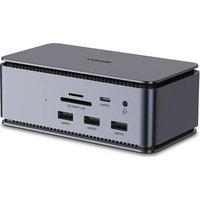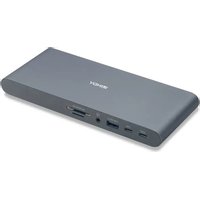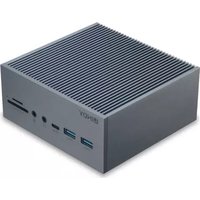
43351 - Other computer accessories Lindy - Free user manual and instructions
Find the device manual for free 43351 Lindy in PDF.



| Product Type | USB-C Docking Station for Laptop |
| Brand | Lindy |
| Model | 43351 / DST-Pro 100 |
| Host Interface | USB 3.2 / 3.1 Gen 1 / 3.0 (Type C), compatible with Thunderbolt 3/4 |
| Number of Supported Screens (Windows) | Up to 3 |
| Number of Supported Screens (Mac) | 1 (multi-screen not supported) |
| Max Resolution 1 Screen (Windows) | 3840x2160 60 Hz (HDMI or DisplayPort) |
| Max Resolution 2 Screens (Windows) | 2x 3840x2160 30 Hz (HDMI+HDMI) or 2x 2560x1440 60 Hz (HDMI+HDMI or HDMI+DP) |
| Max Resolution 3 Screens (Windows) | 3x 1920x1080 60 Hz (HDMI+HDMI+DP) |
| Max Resolution 1 Screen (Mac) | 3840x2160 30 Hz (HDMI or DisplayPort) |
| Video Ports | 2x HDMI, 1x DisplayPort |
| USB Ports | 2x USB 3.2 Type A, 2x USB 3.2 Type C, 2x USB 2.0 Type A |
| Ethernet | Gigabit 10/100/1000 Mbps |
| Card Readers | 1x SD, 1x Micro-SD |
| Audio | 2x 3.5 mm jack (input/output), 1x Optical TOSLINK |
| Power Supply | 20 V 5 A (100 W) with IEC C14 input, includes EU, UK, US, AUS power adapters |
| Charging Power (Power Delivery) | Up to 100 W, PD 3.0 compatible |
| Power Consumption | 25 W |
| Housing Material | Sturdy Aluminum |
| Plug-and-Play | Yes, driverless installation |
| Warranty | 2 years LINDY, free lifetime technical support |
| Package Contents | Docking station, 0.5m USB-C cable, power supply, 4 C13 power cords, manual |
| Safety | Do not open, indoor use, avoid moisture and heat sources |
| Maintenance | Clean with a dry cloth, do not use liquids |
Frequently Asked Questions - 43351 Lindy
User questions about 43351 Lindy
0 question about this device. Answer the ones you know or ask your own.
Ask a new question about this device
Download the instructions for your Other computer accessories in PDF format for free! Find your manual 43351 - Lindy and take your electronic device back in hand. On this page are published all the documents necessary for the use of your device. 43351 by Lindy.
USER MANUAL 43351 Lindy
USB-C Laptop Docking Station
User Manual English
natural_image
Exterior view of a black and silver industrial device labeled 'INDY' with ports and ventilation slots (no readable text beyond branding)No. 43351
lindy.com
Safety Instructions
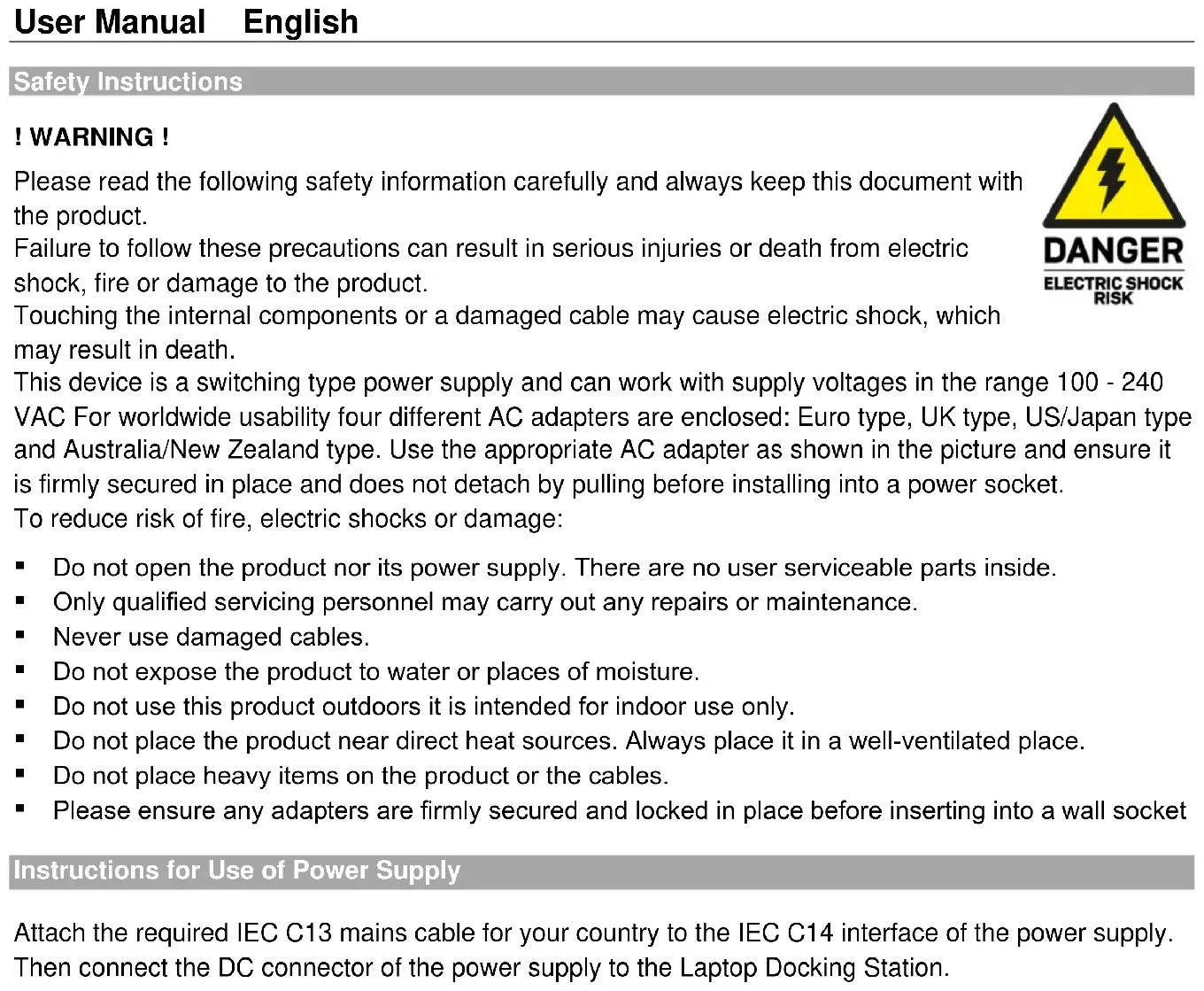
! WARNING !
Please read the following safety information carefully and always keep this document with the product.
Failure to follow these precautions can result in serious injuries or death from electric shock, fire or damage to the product.
Touching the internal components or a damaged cable may cause electric shock, which may result in death.
This device is a switching type power supply and can work with supply voltages in the range 100 - 240 VAC For worldwide usability four different AC adapters are enclosed: Euro type, UK type, US/Japan type and Australia/New Zealand type. Use the appropriate AC adapter as shown in the picture and ensure it is firmly secured in place and does not detach by pulling before installing into a power socket.
To reduce risk of fire, electric shocks or damage:
- Do not open the product nor its power supply. There are no user serviceable parts inside.
■ Only qualified servicing personnel may carry out any repairs or maintenance.
■ Never use damaged cables. - Do not expose the product to water or places of moisture.
- Do not use this product outdoors it is intended for indoor use only.
- Do not place the product near direct heat sources. Always place it in a well-ventilated place.
- Do not place heavy items on the product or the cables.
- Please ensure any adapters are firmly secured and locked in place before inserting into a wall socket
Instructions for Use of Power Supply
Attach the required IEC C13 mains cable for your country to the IEC C14 interface of the power supply. Then connect the DC connector of the power supply to the Laptop Docking Station.

text_image
DANGER ELECTRIC SHOCK RISKIntroduction
Thank you for the Lindy DST-Pro 100. This product has been designed to provide trouble free, reliable operation. It benefits from both a LINDY 2 year warranty and free lifetime technical support. To ensure correct use, please read this manual carefully and retain it for future reference.
The DST-Pro 100 is Lindy's powerhouse docking station. Designed with pros in mind, this product allows for easy, fast, and reliable charging of your device, ensuring you can perform power-hungry tasks with ease. Housed in a robust aluminium body, this dock has been constructed to provide elite performance.
Extended Displays
This docking station comes with HDMI and DisplayPort connections, all with 4k capability. With one extended display connected, you can expect Ultra HD 4k 60Hz. This product is also capable of supporting 4k for dual displays (using HDMI ports) and crisp full HD for triple display setups.
Multifunctional
Providing all the ports and card slot options you would need for a professional-grade workspace, this desktop delivers SuperSpeed USB ports as well as some unique audio connectivity options. Through a single USB-C connection, access four USB Type A ports, two USB-C ports, Card Readers (SD & Micro-SD), separate 3.5mm audio and microphone jacks, two HDMI ports, a DisplayPort, Gigabit Ethernet and an optical TOSLINK output. The TOSLINK output is ideal for connecting high-end audio equipment such as soundbars and with a wired ethernet connection and SuperSpeed data transfer, you can expect to have a blazing fast and reliable desktop experience.
Powerful
With a 100W PSU (Power Supply Unit), this docking station has the capability to ensure your device is always fully charged and ready to deal with power-hungry, demanding tasks. Simply connect your docking station with one USB-C cable and be confident that your laptop is being charged whilst you work. This also leaves more available ports both on your device and docking station for connecting additional USB accessories and peripherals.
Plug-and-Play
This docking station does not require any driver installation. This allows for seamless large-scale implementation and a hassle-free experience.
Package Contents
• USB 3.2 Type C Laptop Docking Station
• USB 3.2 Gen 2 Type C cable (appr. 0.5m)
• 20V 5A IEC C14 Power Supply with DC connector (5.5mm/2.1mm)
• Four C13 mains cables (EU 'Schuko', UK, US, AUS)
- This Manual
Specification
- Host Interface: USB 3.2 / 3.1 Gen 1 / 3.0 (Type C), compatible with Thunderbolt 3/4
- Connects up to 3 displays to your laptop using a DisplayPort and 2 HDMI connections
• Max. resolutions (Windows):
○ Single Display: 3840x2160 60Hz DP or HDMI) - Dual Display: 2x 3840x2160 30Hz (HDMI + HDMI)
- Dual Display: 2x 2560x1440 60Hz (HDMI + HDMI or HDMI + DP)
○ Triple Display: 3x 1920x1080 60Hz (HDMI + HDMI + DP)
• Max. resolution (Mac):
○ Single Display: 3840x2160 30Hz (DP or HDMI)
o Multi-Monitor Display is not supported when using a Mac
• 4 Port USB 3.2/3.1 Gen 1/USB 3.0 5Gbps Hub: 2x USB Type A and 2x USB Type C
• 2 Port USB 2.0 480Mbps Hub: 2x USB Type A
• Supports Gigabit Ethernet 10/100/1000Mbps
• 1x SD and 1x Micro SD slot
- 2x 3.5mm Audio port (1x in, 1x out), 1x TOSLINK (optical)
• Power requirements: 25W
• Supports Power Delivery 3.0
Installation
For multi-monitor installations we strongly recommend using identical monitors to ensure the best compatibility and performance.
Connect the Docking Station to your laptop or tablet using the supplied USB 3.2 Type C cable. Next connect the displays using HDMI and/or DisplayPort cables as required. Finally power on the displays and then connect the supplied PSU to the docking station.
Additional devices and peripherals can then be connected to the Docking Station as required.
Sicherheitshinweise
! GEFAHR !
text_image
GEFAHR GEFAHR EINES STROMSCHLAGSEinführung
• Supporta Gigabit Ethernet 10/100/100Mbps
• 1x slot SD e 1x slot Micro SD
- 2 x porta Audio 3.5mm (1x in, 1x out), 1x TOSLINK (ottico)
• Supporta Power Delivery 3.0
Installazione
WEEE (Waste of Electrical and Electronic Equipment), Recycling of Electronic Products
Europe, United Kingdom
In 2006 the European Union introduced regulations (WEEE) for the collection and recycling of all waste electrical and electronic equipment. It is no longer allowable to simply throw away electrical and electronic equipment. Instead, these products must enter the recycling process. Each individual EU member state, as well as the UK, has implemented the WEEE regulations into national law in slightly different ways. Please follow your national law when you want to dispose of any electrical or electronic products. More details can be obtained from your national WEEE recycling agency.
LINDY declares that this equipment complies with relevant European CE requirements.
LINDY declares that this equipment complies with relevant UKCA requirements.
FCC Certification
This equipment has been tested and found to comply with the limits for a Class B digital device, pursuant to part 15 of the FCC Rules. These limits are designed to provide reasonable protection against harmful interference in a residential installation.
You are cautioned that changes or modification not expressly approved by the party responsible for compliance could void your authority to operate the equipment.
This device complies with part 15 of the FCC Rules.
Operation is subject to the following two conditions:
- This device may not cause harmful interference, and
- This device must accept any interference received, including interference that may cause undesired operation.
The enclosed power supply has passed Safety test requirements, conforming to the US American versions of the international Standard IEC 60950-1 or 60065 or 62368-1.
Tested to comply with
FCC standards.
For home and office use.
No. 43351
nd Edition, September 2022
lindy.com