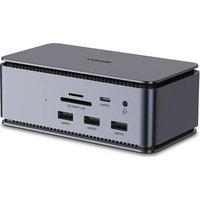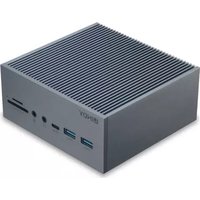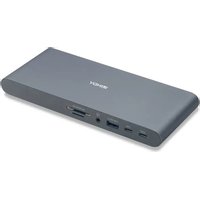
DST-Pro 5K XT - Other computer accessories Lindy - Free user manual and instructions
Find the device manual for free DST-Pro 5K XT Lindy in PDF.


User questions about DST-Pro 5K XT Lindy
0 question about this device. Answer the ones you know or ask your own.
Ask a new question about this device
Download the instructions for your Other computer accessories in PDF format for free! Find your manual DST-Pro 5K XT - Lindy and take your electronic device back in hand. On this page are published all the documents necessary for the use of your device. DST-Pro 5K XT by Lindy.
USER MANUAL DST-Pro 5K XT Lindy
natural_image
Exterior view of a modern silver electronic device with a stand (no visible text or symbols)No. 43349 V2
lindy.com
Safety Instructions
! WARNING !
Please read the following safety information carefully and always keep this document with the product.
Failure to follow these precautions can result in serious injuries or death from electric shock, fire or damage to the product.
Touching the internal components or a damaged cable may cause electric shock, which may result in death.
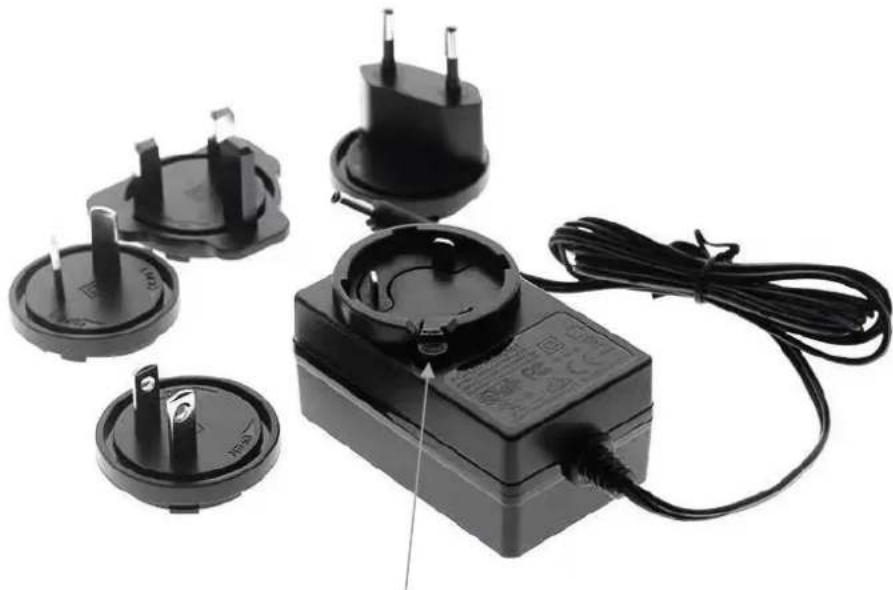
This device is a switching type power supply and can work with supply voltages in the range 100 - 240 VAC For worldwide usability four different AC adapters are enclosed: Euro type, UK type, US/Japan type and Australia/New Zealand type. Use the appropriate AC adapter as shown in the picture and ensure it is firmly secured in place and does not detach by pulling before installing into a power socket.
To reduce risk of fire, electric shocks or damage:
- Do not open the product nor its power supply. There are no user serviceable parts inside.
• Only qualified servicing personnel may carry out any repairs or maintenance.
• Never use damaged cables. - Do not expose the product to water or places of moisture.
- Do not use this product outdoors it is intended for indoor use only.
- Do not place the product near direct heat sources. Always place it in a well-ventilated place.
- Do not place heavy items on the product or the cables.
- Please ensure any adapters are firmly secured and locked in place before inserting into a wall socket
Instructions for Use of Power Supply
Attach the required country adapter to the plug. Push the adapter firmly, twist to the right until the latch secures the adapter. To remove, push the button and twist in the opposite direction.
natural_image
Electrical power adapter with three socket plugs and a connected terminal block (no visible text or symbols)Button

text_image
DANGER ELECTRIC SHOCK RISKIntroduction
Thank you for purchasing the Lindy USB-C Laptop Docking Station. This product has been designed to provide trouble free, reliable operation. It benefits from both a LINDY 2 year warranty and free lifetime technical support. To ensure correct use, please read this manual carefully and retain it for future reference.
This Lindy USB-C Laptop Station features all the interfaces needed for a standard workstation making it a great space saving addition to any hot desk environment and a flexible solution for mobile working. By connecting a single USB 3.2 Type C cable to a notebook you can quickly access a variety of essential ports, which in turn can be connected to up to three displays, keyboard, mouse, speakers/headset, external storage, power supply and LAN. The included 24W PSU is required for full functionality of the Docking Station. With support for USB Power Delivery, a laptop's USB Type C power adapter can be used in addition to provide up to 100W to power & charge the laptop.
Package Contents
• USB-C Laptop Docking Station
• USB 3.2 Gen 1 Type C cable (0.5m)
• 12V 2A Multi-Country Power Supply with DC connector (5.5mm/2.5mm)
- Stand for Docking Station
- This Manual
Specification
• Host Interface: USB 3.2 / 3.1 Gen 1 / USB 3.0 (Type C) with upstream Power Delivery up to 100W
- Connects an HDMI and/or 2 DP displays to your notebook/PC
• Max. resolutions (single display): 5120x2880 60Hz (DP), 3840x2160 60Hz (HDMI)
- Max. resolution for simultaneous use of two displays: 5120x2880 60Hz (DP) and 3840x2160 60Hz (HDMI)
- Max. resolution for simultaneous use of three displays: 3480x2160 30Hz (HDMI) & 4K 60Hz (DP) and 4K 30Hz (DP)
• 4 Port USB 3.2 / 3.1 Gen 1 / USB 3.0 5Gbps Hub: 3x USB Type A and 1x USB Type C
• 1x USB Type C Power Delivery port (PD 3.0 up to 20V / 5A)
• Supports Gigabit Ethernet 10/100/1000Mbps
• 1x SD and 1x Micro SD slot
• 1x Audio Combo port (Audio In/Out)
- Chipsets: VL103R, VL171, 2x VL817 S, VMM5320, RTL8153B, GL3224, HS-100B
- Compatible with computers with USB 3.2/Thunderbolt 3/4 Type C interface and DisplayPort Alternate mode
Installation & Operation
Front:

text_image
HOST USB USB/BC1.2 SD/MICRO SD- Host: Connect a Type C source (i.e. laptop or tablet) using a USB 3.2 / 3.1 Gen 1 or above Type C Male to Male cable. Please Note: Type C source connected must support DisplayPort Alternate mode; it can also be powered from the PD 3.0 port connecting a Type C PD power supply (not included).
• USB: Connect USB Type C devices (support up to 5Gbps). - USB/BC 1.2: Connect USB Type A devices (support up to 5Gbps and Battery Charging 1.2 for fast charging).
• AUDIO: 3.5mm stereo input/output to connect headphones, speakers or microphone.
• SD/MicroSD: Card reader for SD and microSD cards
Rear:

text_image
LAN USB USB DP DP HDMI PD 3.0 DC12V• LAN: Connect to a network LAN using a Cat.5e or above cable.
• USB: Connect USB Type A devices (support up to 5Gbps).
- DP: Connect a DisplayPort monitor using a DisplayPort Male to Male cable.
• HDMI: Connect a HDMI monitor using a HDMI Male to Male cable.
- PD 3.0: Connect a Type C PD power supply (i.e. of your laptop or tablet) to provide power to the host computer.
Please Note: The Type C source connected must support PD, the charging power depends on the PD power supply connected (up to 100W).
- DC 12V: Connect the included 12V 2A Power Supply to give power to the docking station.
Sicherheitshinweise
! GEFAHR !
natural_image
Electrical power plug and terminal block with attached cable, no visible text or symbols
text_image
GEFAHR GEFAHR EINES STROMSCHLAGSEinführung
natural_image
Electrical power strip components including two black plugs, a terminal block, and a cable with wires (no visible text or symbols)Introduction
natural_image
Electrical power plug and terminal block with attached cable, no visible text or symbolsIntroduzione
WEEE (Waste of Electrical and Electronic Equipment), Recycling of Electronic Products
Europe, United Kingdom
In 2006 the European Union introduced regulations (WEEE) for the collection and recycling of all waste electrical and electronic equipment. It is no longer allowable to simply throw away electrical and electronic equipment. Instead, these products must enter the recycling process. Each individual EU member state, as well as the UK, has implemented the WEEE regulations into national law in slightly different ways. Please follow your national law when you want to dispose of any electrical or electronic products. More details can be obtained from your national WEEE recycling agency.
LINDY declares that this equipment complies with relevant European CE requirements.
LINDY declares that this equipment complies with relevant UKCA requirements.
FCC Certification
This equipment has been tested and found to comply with the limits for a Class B digital device, pursuant to part 15 of the FCC Rules. These limits are designed to provide reasonable protection against harmful interference in a residential installation.
You are cautioned that changes or modification not expressly approved by the party responsible for compliance could void your authority to operate the equipment.
This device complies with part 15 of the FCC Rules.
Operation is subject to the following two conditions:
- This device may not cause harmful interference, and
- This device must accept any interference received, including interference that may cause undesired operation.
The enclosed power supply has passed Safety test requirements, conforming to the US American versions of the international Standard IEC 60950-1 or 60065 or 62368-1.
Tested to comply with
FCC standards.
For home and office use.
No. 43349 V2
^th Edition, March 2022
lindy.com