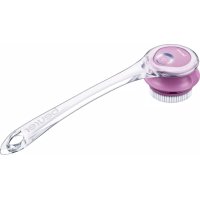
FC 55 - Skin care device BEURER - Free user manual and instructions
Find the device manual for free FC 55 BEURER in PDF.


| Product type | Electric body brush for skin care |
| Brand | Beurer |
| Model | FC 55 |
| Dimensions (device with attachment) | 7.2 x 10 x 10 cm |
| Dimensions (handle) | 39 x 9.7 x 3.9 cm |
| Weight (device with attachment) | Approx. 270 g |
| Weight (handle) | Approx. 140 g |
| Power supply | 100-240 V~, 50/60 Hz, 0.2 A (power adapter) |
| Battery type | Li-ion rechargeable, 800 mAh, 3.7 V |
| Battery life | Approx. 2 hours charging for full use |
| Waterproof rating | IPX7 (waterproof, can be used in the shower or bath) |
| Speeds | 2 levels: slow and fast |
| Main functions | Daily cleansing with cleansing head, gentle exfoliation with peeling head, circulation stimulation |
| Included accessories | 1 body brush, 1 handle, 1 cleansing head, 1 peeling head, 1 power adapter, 1 instruction manual |
| Care and cleaning | Clean the attachments with water after each use; clean the body with a slightly damp soft cloth; replace attachments every 4 months |
| Safety | Do not use on face, intimate areas, damaged or irritated skin; do not use after sunbathing or under steroids |
| Spare parts available | Cleansing head (ref. 605.14), peeling head (ref. 605.15) |
| Warranty | 3 years |
| Recommended use | Domestic/private, not professional |
Frequently Asked Questions - FC 55 BEURER
User questions about FC 55 BEURER
0 question about this device. Answer the ones you know or ask your own.
Ask a new question about this device
Download the instructions for your Skin care device in PDF format for free! Find your manual FC 55 - BEURER and take your electronic device back in hand. On this page are published all the documents necessary for the use of your device. FC 55 by BEURER.
USER MANUAL FC 55 BEURER
natural_image
Close-up of a beurer cleaning brush head with a circular button and textured base (no text or symbols visible)DE Körperbürste
Instructions for use 10
FR Brosse corporelle
Mode d'emploi 18
ES Cepillo corporal
natural_image
Product display of a beurer tool with four circular components and a plug, shown from different angles (no text or symbols visible)3. Zeichenerklärung
natural_image
Illustration of hands connecting a plug to a socket and a separate electrical outlet (no text or symbols)natural_image
Illustration of hands holding a mechanical component with two views showing internal structure (no text or symbols)natural_image
Illustration of a hand holding a container with a brush, showing a curved handle and a striped pattern inside (no text or symbols)8. Anwendung
Read these instructions for use carefully and keep them for later use, be sure to make them accessible to other users and observe the information they contain.
Table of contents
- Getting to know your device....11
- Included in delivery....11
- Signs and symbols....12
- Intended use....12
- Warnings and safety notes.... 12
- Device description 13
- Initial use....13
7.1 Charging the body brush battery 13
7.2 Choosing and fitting a brush attachment.... 14
7.3 Attaching the handle 14 - Use....14
8.1 Cleansing treatment function.... 14
8.2 Exfoliation treatment function 15 - Cleaning and maintenance.... 15
9.1 Cleaning the attachments.... 15
9.2 Cleaning the body brush 15
9.3 Replacing attachments 15 - Disposal 16
- Replacement parts and wearing parts.... 16
- Troubleshooting 16
- Technical data 16
- Warranty/service.... 17

WARNING
- The device is intended only for domestic/private use, not for commercial use.
- This device may be used by children over the age of eight and by people with reduced physical, sensory or mental skills or a lack of experience or knowledge, provided that they are supervised or have been instructed on how to use the device safely and are fully aware of the consequent risks of use.
- Children must not play with the device.
- Cleaning and user maintenance must not be performed by children unless supervised.
- If the mains connection cable of this device is damaged, it must be disposed of. If it cannot be removed, the device must be disposed of.
Dear customer,
Thank you for choosing a product from our range. Our name stands for high-quality, thoroughly tested products for applications in the areas of heat, gentle therapy, blood pressure/diagnosis, weight, massage and air.
With kind regards,
Your Beurer team
1. Getting to know your device
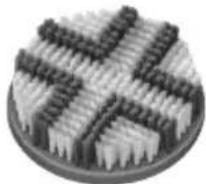
The beurer FC 55 body brush with its rotating brush attachments has been specially developed to cleanse the skin of your body. The body brush has a normal cleansing attachment and an exfoliation attachment. You can gently exfoliate your body and therefore ensure soft and radiant skin by using the exfoliation attachment.
The body brush not only cleanses your skin, it also improves circulation. The body brush is waterproof (protection class IPX7) and can thus also be used in the shower and bath.
The body brush has slow and fast speed settings.
2. Included in delivery
Check that the exterior of the delivery cardboard packaging is intact and make sure that all components are present. Before use, ensure that the device and accessories show no visible damage and all packaging material has been removed. If you have any doubts, do not use the device and contact your retailer or the specified Customer Service address.
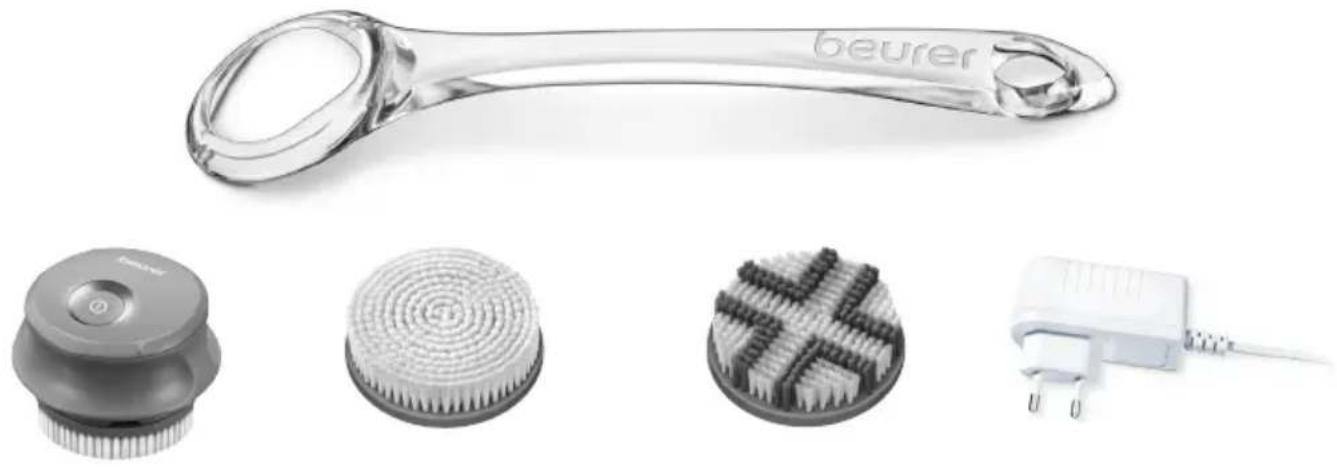
1 x body brush 1 x handle
1 x cleansing attachment 1 x mains adapter
1 x exfoliation attachment 1 x set of these instructions for use
natural_image
Product image showing a beurer tool, four circular filter designs, and a plug (no text or symbols visible)3. Signs and symbols
The following symbols appear in these instructions for use and on the device:
 | WARNINGWarning notice indicating a risk of injury or damage to health |
 | IMPORTANTSafety note indicating possible damage to the device/accessory |
 | Suitable for use in a bath or shower |
 | Observe the instructions for use |
 | The device is double-protected |
 | Disposal in accordance with the Waste Electrical and Electronic Equipment EC Directive – WEEE |
 | Manufacturer |
 | NoteNote on important information |
 | Only use indoors |
 | Dispose of packaging in an environmentally friendly manner |
 | |
 |
4. Intended use
The body brush is suitable only for private use, not for medical or commercial purposes. The body brush must only be used on the human body. Do NOT use the body brush on the face or pubic area. Do NOT use the body brush on animals. The body brush is not suitable for children under 8 years. The body brush is only intended for the purpose described in these instructions for use. The manufacturer is not liable for damage resulting from improper or careless use. Do NOT use the body brush if one or several of the following warnings applies to you.
5. Warnings and safety notes

WARNING
Before using the body brush, read the safety notes through carefully. Non-observance of the following information may result in personal injury or material damage. Store these instructions for use and make them accessible to other users. Make sure you include these instructions for use when handing over the device to third parties.

WARNING
- Danger of suffocation due to packaging material. Keep packaging material away from children.
- Before use, inspect the device and accessories for visible damage. If you have any doubts, do not use the device and contact your retailer or the specified Customer Service address.
- Keep the mains adapter away from water.

WARNING
Do NOT use the body brush
- on broken skin.
-
on open wounds.
-
if you suffer from a skin disease or irritated skin.
- immediately after sunbathing.
- if you are taking medication that contains steroids.
•
Notes on handling batteries
- If your skin or eyes come into contact with fluid from the battery cell, flush out the affected areas with plenty of water and seek medical assistance.
- Risk of explosion! Never throw batteries into a fire.
- Do not disassemble, split or crush the batteries.
- Only use chargers specified in the instructions for use.
- Batteries must be charged correctly prior to use. The instructions from the manufacturer and the specifications in these instructions for use regarding correct charging must be observed at all times.
- Fully charge the battery prior to initial use.
- In order to achieve as long a battery service life as possible, fully charge the battery at least twice a year.

IMPORTANT
Only specialist personnel may perform repairs on electrical devices. Improper repairs may subject users to considerable danger. In the event of a fault or damage, have the device repaired by a certified specialist workshop.
6. Device description
| 1. Handle 4. Cleaning attachment: For daily cleansing | |
| 2. ON/OFF/speed button 5. Exfoliation attachment: For revitalising exfoliation | |
| 3. LED indicator lamp 6. Mains adapter | |
7. Initial use
7.1 Charging the body brush battery
Charge the battery of the body brush for 2 hours before initial operation.

WARNING
Before starting the charging process, make sure that your hands and the mains adapter are dry.
To charge the body brush battery, proceed as follows:
- Ensure that the body brush is switched off.
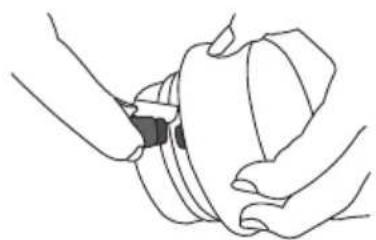
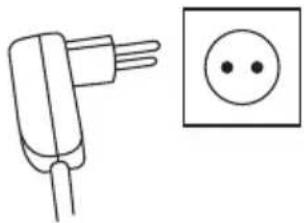
- Connect the body brush to the mains adapter.
natural_image
Line drawing of hands adjusting a mechanical component (no text or symbols)- Insert the mains adapter into a suitable socket.
- While charging is in progress, the LED lights for the ON/OFF/speed button light up alternately in a circle. Once the body brush battery has been fully charged, the LED lights for the ON/OFF/speed button light up permanently.
natural_image
Simple line drawing of a plug and a square socket (no text or symbols)7.2 Choosing and fitting a brush attachment
The device has 2 different attachments.
Cleaning attachment: For daily cleansing
Exfoliation attachment: For exfoliating in the shower and in the bath in order to gently remove excess skin cells
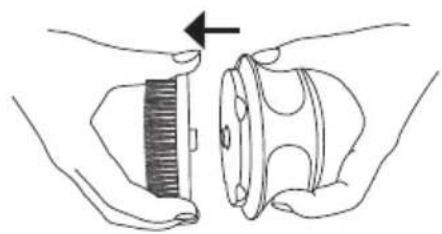
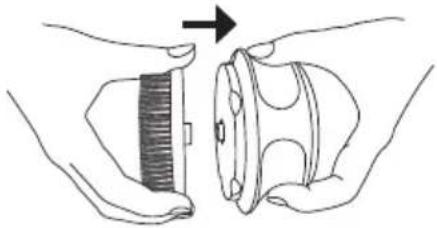
- Carefully fit your desired attachment onto the body brush as shown until you can hear and feel it click into place.
natural_image
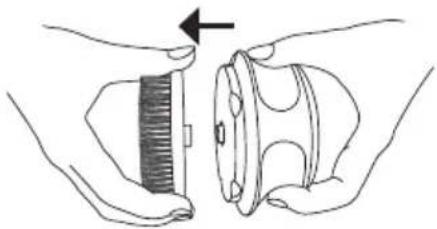
Illustration of hands holding a mechanical component with a gear-like extension, no text or symbols present- To remove the attachment again after use, pull it carefully off the body brush.
natural_image
Illustration of hands holding a mechanical component with a gear-like extension (no text or symbols)7.3 Attaching the handle
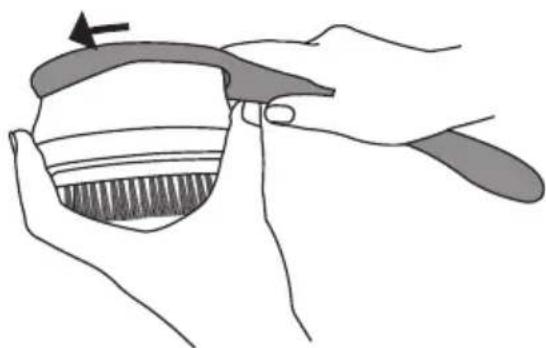
You can optionally also fit a handle onto the body brush. Hard-to-reach areas (e.g. the back) are easier to reach by using the handle.
To fit the body brush onto the handle, screw the body brush into the handle as shown.
natural_image
Illustration of a hand holding a small object with a brush, showing shading and texture (no text or symbols)8. Use
8.1 Cleansing treatment function
The cleansing treatment function using the cleansing attachment is ideally suited to daily cleansing of the skin.
To start the cleansing treatment function, proceed as follows:
-
Ensure that the cleansing attachment is attached to the body brush.
-
To switch on the body brush, press the ON/OFF/speed button. The cleansing attachment starts to rotate. We recommend that you start by using the slow speed setting. To choose the fast speed setting, press the ON/OFF/speed button again.
-
Gently move the body brush in circular motions over your skin. Start with your feet and work upwards from there in the direction of your legs, buttocks, stomach, back, chest, arms and hands. Do NOT use the body brush on the face or in the pubic area. If you have problems reaching your back with the body brush, use the additional handle. If the treatment is unpleasant, stop using the device or reduce the speed setting.
i Note
To ensure comfortable treatment, do not press the rotating brush attachment too firmly on to the skin. Treat each section of skin for a maximum of 20 seconds.
- To end the cleansing treatment function, press the ON/OFF/speed button again. The body brush switches itself off.
8.2 Exfoliation treatment function
The exfoliation treatment function using the exfoliation attachment is ideally suited for gentle exfoliation to remove dead or dry skin cells. Do not carry out treatment more often than 2x a week. Always carry out the exfoliation treatment in the shower or bath.
To start exfoliating, proceed as follows:
- Ensure that the exfoliation attachment is attached to the body brush.
- Moisten the exfoliation attachment.
- Moisten your skin.
- Apply a shower gel or cleansing lotion directly onto the bristles of the exfoliation attachment.
- To switch on the body brush, press the ON/OFF/speed button. The exfoliation attachment starts to rotate. We recommend that you start by using the slow speed setting. To choose the fast speed setting, press the ON/OFF/speed button again.
- Gently move the body brush in circular motions over your skin. Start with your feet and work upwards from there in the direction of your legs, buttocks, stomach, back, chest, arms and hands. Do NOT use the body brush on the face or pubic area. If you have problems reaching your back with the body brush, use the additional handle. If the treatment is unpleasant, stop using the device or reduce the speed setting.
i Note
To ensure comfortable treatment, do not press the rotating brush attachment too firmly on to the skin. Treat each section of skin for a maximum of 20 seconds.
- To end the exfoliation treatment function, press the ON/OFF/speed button again. The body brush switches itself off.
- Cleanse your skin thoroughly with water to remove any residue from your skin.
- Pat your skin dry with a towel and then apply a moisturising cream using even, circular movements.
- Clean the attachment thoroughly with water after each use.
9. Cleaning and maintenance
9.1 Cleaning the attachments

IMPORTANT
Before beginning cleaning, pull the attachment off the body brush.
- Clean the attachment thoroughly with water after each use.
9.2 Cleaning the body brush
- Clean the body brush using only the methods specified.
- Clean the body brush after use with a soft, slightly damp cloth. If it is very dirty, you can also moisten the cloth with a mild soapy solution. Do not use any abrasive cleaning products.
- Protect the body brush from knocks, moisture, dust, chemicals, drastic changes in temperature and nearby sources of heat (ovens, heaters).
9.3 Replacing attachments
- In order to ensure optimum cleansing of your skin, we recommend that you replace the attachments after 4 months of use.
10. Disposal
- The empty, completely flat batteries must be disposed of using specially designated collection boxes, recycling points or electronics retailers. You are legally required to dispose of the batteries.
- Remove the battery from the body brush by removing the covers from the 5 screws and loosening the screws.
- The codes below are printed on batteries containing harmful substances:
Pb = Battery contains lead
Cd = Battery contains cadmium
Hg = Battery contains mercury
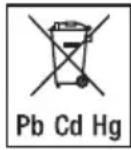
For environmental reasons, do not dispose of the device in the household waste at the end of its service life.
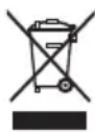
Dispose of the device at a suitable local collection or recycling point in your country. Dispose of the device in accordance with EC Directive – WEEE (Waste Electrical and Electronic Equipment).
If you have any questions, please contact the local authorities responsible for waste disposal.
The device battery must be disposed of separately. The battery must not be disposed of with domestic waste.
For information on disposal, please contact the authorised seller or the public authority responsible for waste disposal.
11. Replacement parts and wearing parts
Available commercially or from the relevant service address (as specified in the service address list).
| Brush type Intended purpose | Replace Item number and/or | order number | |
| Cleansing attachment Daily cleansing After 4 months 605.14 | |||
| Exfoliation attachment | Gentle exfoliation in the shower | After 4 months | 605.15 |
12. Troubleshooting
| Problem Solution | |
| The device does not charge. | Ensure that the mains adapter is connected to a functioning socket. If you have connected everything correctly and the device still fails to charge, contact Customer Services. |
| The device will not switch on. | Charge the device as described in these instructions for use. If it is still not possible to switch on the device, contact Customer Services. |
| The device does not cleanse as well as it did to begin with. | The attachment's bristles are worn. Replace the attachment. If you do not have any replacement attachments, they can be reordered (see "11. Replacement parts and wearing parts"). |
If you cannot find a solution to your problem here, contact our Customer Services.
13. Technical data
| Supply 100 – 240 V~; 50/60 Hz; | 0.2 A |
| Dimensions Device with attachment: 7.2 x 10 x 10 cmHandle: 39 x 9.7 x 3.9 cm | |
| Weight | Device with attachment: approx. 270 gHandle: approx. 140 g |
| Battery:CapacityNominal voltageType designation | 800 mAh3.7 VLithium-ion |
14. Warranty/service
In case of a claim under the warranty please contact your local dealer or the local representation which is mentioned in the list “service international”.
In case of returning the unit please add a copy of your receipt and a short report of the defect.
The following warranty terms shall apply:
- The warranty period for BEURER products is either 3 years or- if longer- the country specific warranty period from date of Purchase.
In case of a warranty claim, the date of purchase has to be proven by means of the sales receipt or invoice.
-
Repairs (complete unit or parts of the unit) do not extend the warranty period.
-
The warranty shall not be valid for damages because of
a. improper treatment, e.g. nonobservance of the user instructions.
b. repairs or tampering by the customer or unauthorised third parties.
c. transport from the manufacturer to the consumer or during transport to the service centre.
d. The warranty shall not be valid for accessories which are subject to normal wear and tear (cuff, batteries etc.).
- Liability for direct or indirect consequential losses caused by the unit are excluded even if the damage to the unit is accepted as a warranty claim.
FRANÇAIS

natural_image
Product display of a beurer tool with four circular components and a plug, shown from different angles (no text or symbols visible)Remarques relatives aux batteries
natural_image
Line drawing of hands holding a mechanical component (no text or symbols)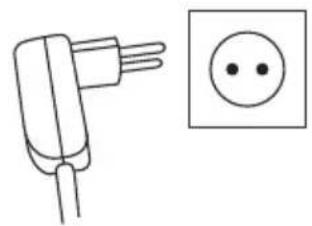
natural_image
Simple line drawing of a plug and a square socket (no text or symbols)natural_image
Illustration of hands holding a mechanical component with an arrow indicating direction (no text or symbols)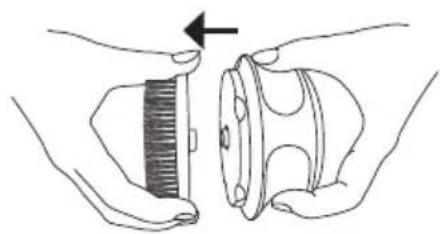
natural_image
Illustration of hands holding a comb and a mechanical component with an arrow indicating rotation (no text or symbols)natural_image
Illustration of a hand holding a toothbrush with a brush applying material (no text or symbols)8. Utilisation
natural_image
Product display of a beurer tool with four circular components and a plug, shown from different angles (no text or symbols visible)3. Símbolos
natural_image
Line drawing of hands adjusting a mechanical component (no text or symbols)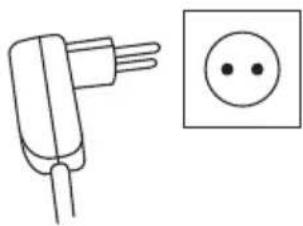
natural_image
Simple line drawing of a plug and a square socket (no text or symbols)natural_image
Illustration of hands holding a small object with a brush, next to a cylindrical container (no text or symbols)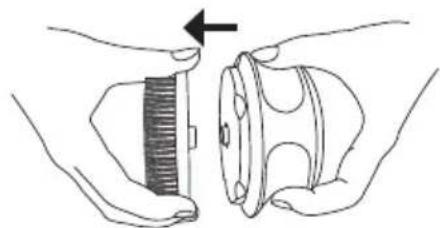
natural_image
Illustration of hands holding a mechanical component with a directional arrow indicating rotation (no text or symbols)natural_image
Illustration of a hand holding a toothbrush with a brush, showing the dental area (no text or symbols)8. Aplicación
8.1 Limpieza
natural_image
Close-up of a transparent glass tool handle with the word 'beurer' engraved on it (no other text or symbols visible)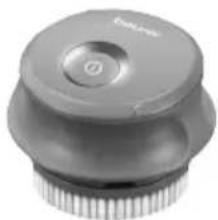
natural_image
Close-up of a gray mechanical component with a circular button and threaded base (no visible text or symbols)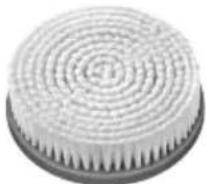

natural_image
Close-up of a white electrical plug with two terminal pins, no visible text or symbolsnatural_image
Line drawing of hands holding a mechanical component (no text or symbols)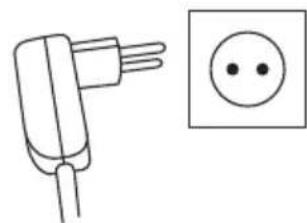
natural_image
Simple line drawing of a plug and a square socket (no text or symbols)natural_image
Illustration of hands holding a mechanical component with an arrow indicating direction (no text or symbols)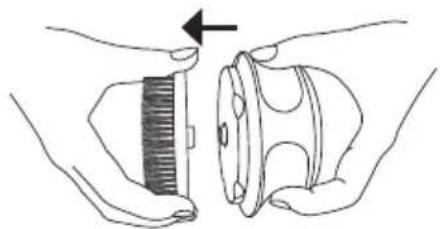
natural_image
Illustration of hands holding a mechanical component with a gear-like element, no text or symbols presentnatural_image
Illustration of a hand holding a small object with a brush, showing shading and texture (no text or symbols)8. Impiego
8.1 Pulizia
natural_image
Product display of a beurer tool and four circular cleaning components (no text or symbols visible)natural_image
Illustration showing hands connecting a plug to a socket and a separate electrical outlet (no text or symbols)natural_image
Illustration of hands holding a mechanical component with two views showing different states (no text or symbols)natural_image
Illustration of a hand holding a small container with a brush, showing a brush tip and an arrow indicating direction (no text or symbols)8. Uygulama
natural_image
Product display of a beurer tool with four circular components and a plug, shown from different angles (no text or symbols visible)natural_image
Line drawing of hands holding a mechanical component (no text or symbols)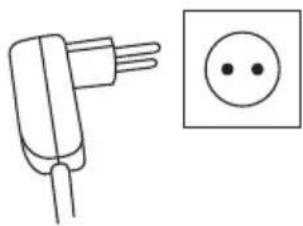
natural_image
Simple line drawing of a plug and a square socket (no text or symbols)natural_image
Illustration of hands holding a small object with a brush, next to a cylindrical component (no text or symbols)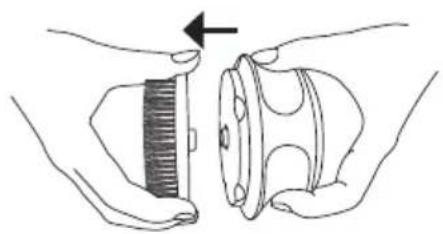
natural_image
Illustration of hands holding a comb and a mechanical component with an arrow indicating rotation (no text or symbols)7.3 Установка ручки
natural_image
Illustration of a hand holding a small container with a lid, showing a curved handle and striped interior (no text or symbols)8. Применение
8.1 Очищение
natural_image
Product display of a beurer tool with four circular components and a plug, shown from different angles (no text or symbols visible)natural_image
Line drawing of hands holding a mechanical component (no text or symbols)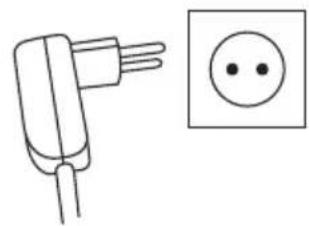
natural_image
Simple line drawing of a plug and a circle (no text or symbols)natural_image
Illustration of hands holding a mechanical component with an arrow indicating direction (no text or symbols)