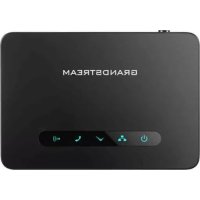
DP760 - DECT repeater GRANDSTREAM - Free user manual and instructions
Find the device manual for free DP760 GRANDSTREAM in PDF.

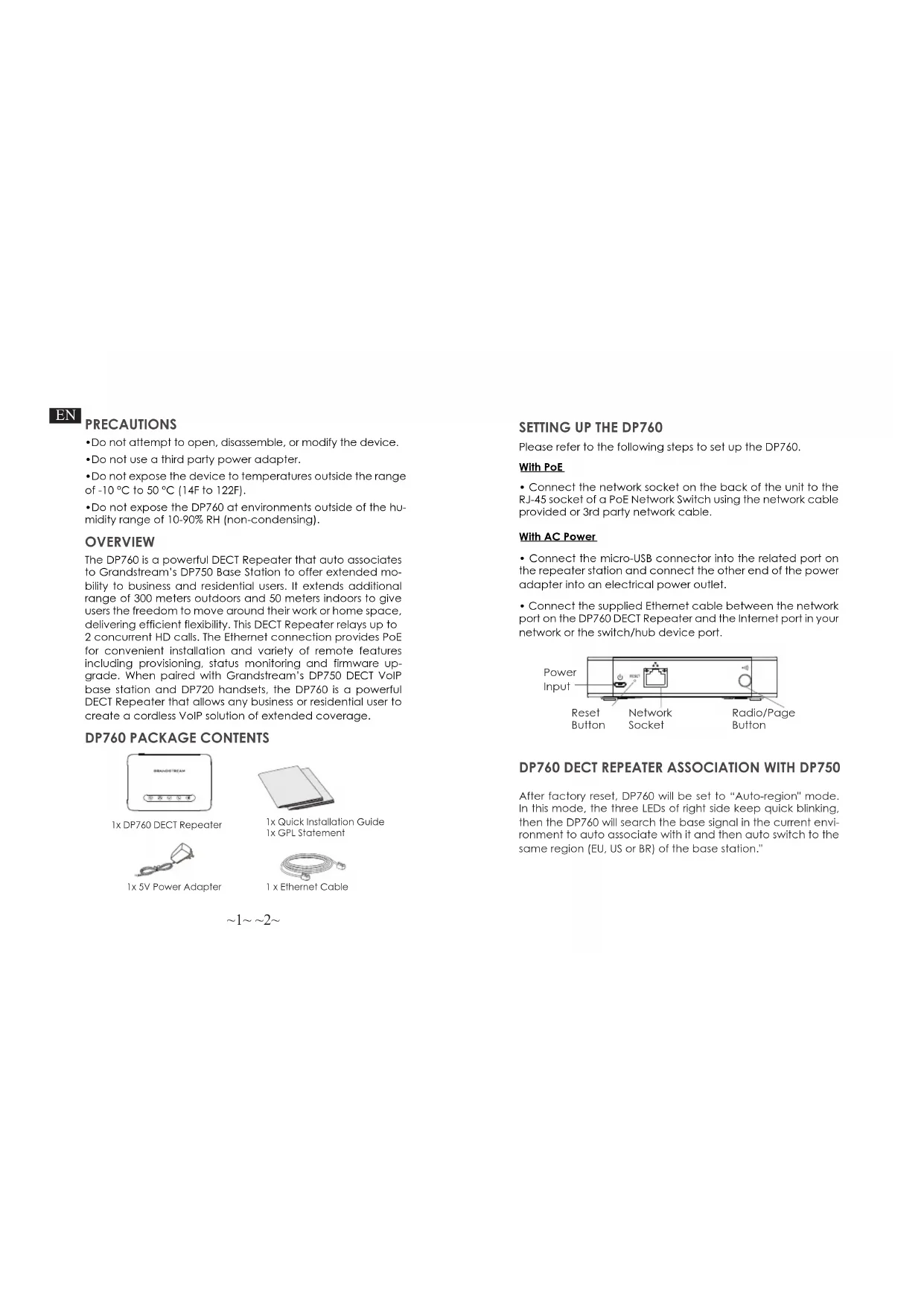


| Product Type | DECT Repeater |
| Brand | Grandstream |
| Model | DP760 |
| Power Supply | PoE (802.3af) or 5V micro-USB power adapter |
| Main Functions | DECT coverage extension up to 300m outdoor / 50m indoor, support for 2 simultaneous HD calls, automatic pairing with DP750 base, management via web interface |
| Connectivity | RJ45 Ethernet port, PoE |
| LED Indicators | LED for network status, DECT pairing |
| Safety | Use appropriate adapter, do not expose to humidity >90% or temperatures outside range -10°C to 50°C |
| Maintenance | Clean with a soft, dry cloth. Do not use abrasive products. |
| Package Contents | DP760 repeater, 5V power adapter, Ethernet cable, quick installation guide, GPL statement |
| Compatibility | Grandstream DP750 base station, DP720 handsets |
Frequently Asked Questions - DP760 GRANDSTREAM
User questions about DP760 GRANDSTREAM
0 question about this device. Answer the ones you know or ask your own.
Ask a new question about this device
Download the instructions for your DECT repeater in PDF format for free! Find your manual DP760 - GRANDSTREAM and take your electronic device back in hand. On this page are published all the documents necessary for the use of your device. DP760 by GRANDSTREAM.
USER MANUAL DP760 GRANDSTREAM
Grandstream Networks, Inc.
126 Brookline Ave, 3rd Floor
Boston, MA 02215. USA
Tel: +1 (617) 566-9300
www.grandstream.com
EU Agent:
Picus Advisors Ltd
Taivalmaki 9F1-02200 Espoo, FINLAND
https://www.picus.fi
Note: For European Union only
DP760
DECT Repeater
Quick Installation Guide
Content
English. 1
简体中文. 7
Espanol. 13
Francais. 19
Deutsch. 25
Italiano. 31
Pycckn 37
Portugues. 43
Polski 49
EN
PRECAUTIONS
- Do not attempt to open, disassemble, or modify the device.
- Do not use a third party power adapter.
- Do not expose the device to temperatures outside the range of -10°C to 50°C (14F to 122F).
- Do not expose the DP760 at environments outside of the humidity range of 10 - 90% RH (non-condensing).
OVERVIEW
The DP760 is a powerful DECT Repeater that auto associates to Grandstream's DP750 Base Station to offer extended mobility to business and residential users. It extends additional range of 300 meters outdoors and 50 meters indoors to give users the freedom to move around their work or home space, delivering efficient flexibility. This DECT Repeater relays up to 2 concurrent HD calls. The Ethernet connection provides PoE for convenient installation and variety of remote features including provisioning, status monitoring and firmware upgrade. When paired with Grandstream's DP750 DECT VoIP base station and DP720 handsets, the DP760 is a powerful DECT Repeater that allows any business or residential user to create a cordless VoIP solution of extended coverage.
DP760 PACKAGE CONTENTS

1x DP760 DECT Repeater
1x5V Power Adapter

1x Quick Installation Guide 1x GPL Statement
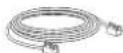
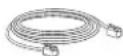
1x Ethernet Cable
$$ \sim 1 \sim \sim 2 \sim $$
SETTING UP THE DP760
Please refer to the following steps to set up the DP760.
With PoE
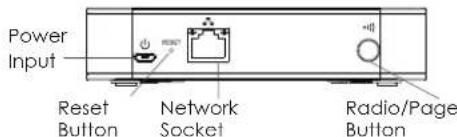
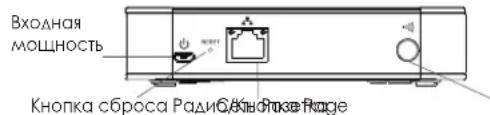
- Connect the network socket on the back of the unit to the RJ-45 socket of a PoE Network Switch using the network cable provided or 3rd partly network cable.
With AC Power
- Connect the micro-USB connector into the related port on the repeater station and connect the other end of the power adapter into an electrical power outlet.
- Connect the supplied Ethernet cable between the network port on the DP760 DECT Repeater and the Internet port in your network or the switch/hub device port.
DP760 DECT REPEATER ASSOCIATION WITH DP750
After factory reset, DP760 will be set to "Auto-region" mode. In this mode, the three LEDs of right side keep quick blinking, then the DP760 will search the base signal in the current environment to auto associate with it and then auto switch to the same region (EU, US or BR) of the base station.
Enabling Repeater Mode on DP750
- Access DP750 Web GUI.
- Navigate to DECT General Settings and set "Enable Repeater Mode" to "Yes".
- Press Save and Apply, then reboot the unit to apply the new settings.
DP760 DECT Repeater Association
Using auto/manual association methods, the DP760 repeater will not be listed on DP750 "DECT Repeater Status" page even if "Repeater Management Mode" is enabled on DP750.
Auto Association
- Please put the DP760 DECT Repeater close to DP750, then power on the DP760.
- After boot up, the association LED will start blinking to indicate that the repeater is searching for nearby base stations.
Note: If all the LEDs remain on, it indicates that the DP760 DECT Repeater has successfully associated with a DP750 Base and is ready for use.
- Open subscription on DP750 Base Station using one of following methods:
Rebooting the Base station.
- Long press on page/subSCRIBE button on the back panel of DP750 for 7 seconds.
-
Access DP750 Web GUI and press subscribe button
-
The DP760 DECT Repeater will automatically pair to DP750. Upon successful association with the DP750 Base Station all LEDs will turn ON.
Notes:
- For auto association, the option "Use manually configured RFPI" under DP760 Web GUI should be disabled (by default disabled).
The association may take up to a few minutes. Time will vary depending on the number of DP760.
Manual Association
- Access the Web GUI of your DP760.
- Navigate to DECT General Settings and set "Use Manually Configured RFPI" to "Yes".
- On "Manually Configured Base RFPI" field, enter DP750 Base Station RFPI address.
Note : The RFPI Address of your DP750 Base Station is available under the Web GUI Status DECT Base Status Base DECT RFPI Address.
- Click Save and Apply to confirm the new settings.
- Go to DECT Repeater Status page and click on "Manual-Lock to xxxxxxxxx".
- The DP760 DECT Repeater will automatically pair to DP750. Upon successful association with the DP750 Base Station all LEDs will turn ON.
Repeater Management Mode on DP750
The repeater management mode on the DP750 allows to associate, dissociate and manage discovered and paired repeater stations from DP750 web GUI.
Enabling Repeater Management Mode on DP750
- Access DP750 Web GUI.
- Navigate to DECT General Settings and set Enable Repeater Management to "Yes".
- Press Save and Apply, then reboot the unit to apply the new settings.
Associating DP760 using Repeater Management Mode on DP750
The repeater management mode displays discovered and paired devices using their name, IP and Mac addresses and also gives the possibility of associating the DP750 Base Station with DP760 DECT Repeater.
- Access DP750 Web GUI.
- Navigate to Status DECT Repeater Status.
- Select the repeater station from "Discovered Devices".
- Click "Link" to associate the base and repeater stations.
Note: The DP760 Repeater stations associated with DP750 Base Station are displayed and available under Status DECT Repeater Status Paired Devices with their status, signal strength, number of active calls and also ability to disconnect them from the paired base station.
DP760 DISSOCIATION
- Using DP760 Web GUI
- Access DP760 Web GUI.
- Navigate to Status DECT Repeater Status and press "Disconnect".
- The DP760 DECT Repeater will be automatically disconnected.
-Using Page Button
Long press on page button on the back panel of DP760 for 7 seconds, it will remove the association values of the previous base station.
- Using Repeater Management Mode on DP750
- Access DP750 Web GUI
- Navigate to Status DECT Repeater Status.
- Select the repeater station from "Paired Devices".
- Click on "Unlink" button to dissociate the repeater from the base station.
When the DP760 Network icon shows a solid blue light (meaning the network is ready), the user can configure the DP760 by navigating to its IP address via browser.
Accessing the Web UI
- Power on DP760 and connect it to the network.
- Connect a computer to same network as DP760.
- Access "Network" directory on the computer.
- Locate "GRANDSTREAM-DECTREPEATER" device and double click on it to access web GUI.
Note: DP760 supports UPnP feature (by default enabled) for auto discovery by computers in same network.
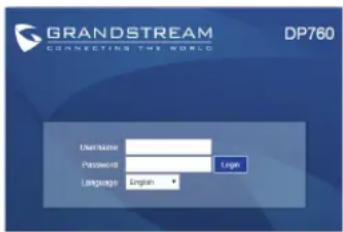
- Enter admin's username and password to access the configuration menu. (Starting HW version 1.3A the default admin username is 'admin' while the admin password is the random password that can be found on the sticker at the back of the unit. For lower hardware versions: the default username and password are: admin/admin).
Refer to online documents and FAQ for more detailed information: http://www.grandsstream.com/our-products
This product is covered by one or more of the U.S. patents (and any foreign patent) counterparts thereof identified at www.cmspatents.com.
ZH注意事项:
ASSOCIATION DU REPETEUR DP760 AVEC DP750
RU MEPbI IPEAOCTOPOXHOCTN
-He nItaTaeB BCKpbBaTb,pa36npaTb HAn H3MeHAtyCTpoiCTBO.
He nCnOaB3yIte aDAnTePntAHTHnCTopoHHNx npOn3BOAnTeAe. He noaBeprat yctpoTcBO BtBN ToemepaTypbl BHe dAmag3oHaOT-10°C Da 50°C (O14F DA 122F).
He noDBepTaDP760B03aEChTBIO BAxHOCTN BHE Anan3OHa B10-90%OTH.BA.(6e3 KOHcHcata)
063OP
DP760-3TO MOUHbI DECT PetpaHcAToP, KOtopb abTomaHeckn cnpraeTc 6a3oBOB CTAHue N DP750 OT KOMnAHn Grandstream, TIO NO3OBAET YACTbHM N KOMMepeCKN IOA3OBATEAM NOAYHb PauchHPeHHyMObuaHocT B. Cero NOMoAUbHO MOKHO NOAYHb DOONAHHTeALHy 3OHy NOKpbTHB 300 MeptOB HA yMue n 50 MeptOB B N OMAeHN, KOtopb DaayT NOA3OBATEAM CBO6OAn NEPEMeuATBCN NO AOMy HAN OFMCY, o6ecneVBAI BIKoCtB. 3OT DECT PetpcaHcTOp NDOeApKnaBcTdo 2X OADOBPeMHBX Bb3OBOD.HCoeAINHeNE EHTemet o6ecneVBAET NIATAHNE PoE AAR yAO6HOn YCTAHOBKn U npBaAENRA P0AAHHbIM YDAIAEHBMIM DYHKUNAEM, BKAOJAR ABtomAHieCKyO HACTPoKY, MOHITOPN CTOCTOHN IN OBHOBAENB CBTPOEHORO nporpaMMHOrO o6ecneHEnB. B COeAHenC DECT VolP bAsOBi CTaUeN DP750 N Ty6kAmn DP720 OT KOMnAHn Grandstream, DP760 CTaHOBHTCB MaUHbIM DECT PetpcaHcAToPOM, KOtopb NO3OBAET AIObIM YCAthbIM N KOMMepeCKN IOA3OBATEAM CO4aBb 6ecnpoAoHoe VoIP peueHIne C YEaINHeHoi 3OHOI NOKpbTHN.
KOMIIAEKTIOCTABKNDP760
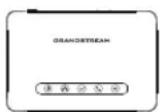

1x DP760 DECT PetpaHcAHTop
1x5B AaCnTeP nHaHn

1X KpatKoe pyKOBOCTBO NOAB3OBATOA
1xGPLANUEH3N
1xKa6eBbEthernet
HACTPOKADP760
Poxayncta, Caeayte Caeayoum Waramd Hactponk DP760.
C PoE
PbAaHcTe CteB0n pa3bEm Ha3aHeN CTOpOHe YCTPOHCTBA K pa3bemy RJ45 ceteBOKOMMYATopa PoE c nOMaIbO cteB0rO KA6eA1 N KCMPAkTA NCTABKN HN CTOpOHHeRc cteB0rO Ka6eA.
CAC NITaHnEM
-NoaKaHHTpe pabM MHKPO-USB B COOTBCTBYOLHH NOpT Ha yCHAnTeAeBHOn CTAHUN H NoKAHOHTe ApyrO KOHeU aADNTepa TINHAR K3AEKTPnueCKO pO3eTKE.
- POKAOYHTE OAHN KOHeu BXOAAUero B KOMNAeKT Cetb KaBeaB INHTepHnopt Ha DECT PetpaHCAItope DP760, a BtoporOH KOHeu BNHTepHnopt BaWee CETn Anp Not HA KOMMyTaTope/ KOHcEHPTaTope.
IPNB3KA DECT PETPAHCANTOPA DP760 C DP750
PnmeHHe: NocBcPOCA K 3aBOaCKM HAcTPOKaM, DP760 nepeAET B peKIM (ABTO-perHO). B 1OM peKIMe TPO CBTeOAnoA c PpAOB CTOPOHb BYT bICrpo MmFtB, DP760 6ydt NCKatb CnHA6BaOBoCTAHUIN AABOTAMHeCKORIOAIOHOHNA a 3aTeM ABOTAMHeCKNepeKIAOHITCB TOXpeIHOH(EC, CIIJA HA ANA HArN) KAK 6a3OBa CTAHUIN
Bkauyehne pexnma petpaHcAraTopa Ha DP750
1.BoaAteBBe6TINDP750
2. NpeHNTe no nTn DECT O6uue Hacptoyn yctaHOBNTe onIO BkIOHTb peKm yCNNTAe Ha "Da".
3. Haxmte CoxpaHtB n PnmeHHTb n 3aTe m nepe3arpy3nte yCTPOINBO, Yo 6bl HOBIE HAcTPOHN BCTYIMN B CNYA.
PnB3Ka DECT PeTpaHcAaTopa DP760
PnHcnoA3OBaHN ABTomatneckoro/pyHoro pexKMOB
accOuaHnn, petpaHCAItoP DP760 He 6ydt otobpaXaTbC H a cTpaHnE DP750 (CoToHHe petpaHCAItoPa DECT),
AaeE cAn Ha DP750 BKAIOueh pexm ynpabAeHHa petpaHCAtopAMn.
ABTomatnuecka npnB3ka
- NocTaBbTe DP760 DECT petpaHcAryTop pAOM c DP750, 3aTEM BkOHTe DP760.
- Nocae 3aRpy3KN, CND PoAkaioHHe 6yDet MIRATb, yTO O3HAeT, TQY OcHAnTeAeNt Ee6a3OBBie CTAHUN.
PnmuMeaHHe: ECAH BCE CINDbI IopAT,TO 3TO 3HQuHT,TO DECT PetpacCaTDP760ycneuHNO npBraH K Ba3E DP750 N TOBOT K ICNOA3OBAHIO.
-
Npeennte K onu nnokaueyn Ha Ba3oBOn CTAHN DP750 c nomouo OdHoro n3 nepeuncaehhbx metoob:
-Nepe3aRpy3nTeBa3OByIOCTaHnIO.
-HaKmTe N ydepkxBaJIe KhoNky page/page/subscribe Ha 3aAHeI nAHeI N DP750 B TeueHnn 7 cekyHd.
BoiAnTe BBe6TINDP750HnKaMmTeKHOHKnYnoAnNcKa -
DECT PetpaHcAITop DP760 DECT aBtOMaTHeCKn coPjKcEICr c DP750. PpN ycNeuHoi npBraKn K Ba3OBoi cTahmnp DP750 BCE CnAbI petpaHcAITopAp 3aropatc.
PnmuMeaHne:
·AABTOMATINHECKORIOADKAIOUeyHNAOUIIIN "NCNOAB3OBaBbpyHyIOCKOHpHpyPiPOBaHHBRIFFPI".
- ACCOUSAJMAKET3aHHTbdoHECKoAusbkHXMHyT.BpeMBydETBapbnpOBaTBcB3aBNCmOCTnOTKAnueCTBaDP760.
PyHn npHB3Ka
1.BouAnTeBBe6TNDP760.
2.ПЕРДНЕ NO ПYN DECT 06LHNE HACTPONK IN YCTAOHBNTOIOIICNOA3OBATB BYHYIO cKaOHnHypnpoBAHHB RFPIHa "Da".
3.Bnoe BpyHyIO cKOHcnpHpynpoBaHHbR FPI 6a3bI BBeAHTERFPI aApec Ba3OBOI CTAHm DP750.
PnmeaHHe: Bb MaKeTe y3HaTb RFPI aDec CBoeB 6a3oBoi CTaHmDP750 nepeAra no nyTH Be6 fNt CtaTyC CtaTyC DECT RFPI aDec DECT 6a3b.
4.ⅢeAkhnteHaCoxpaHHTbIπpImeHHTbAaNOaTBepKAdEHHOBbIXYCTAHOBOK.
5. NpeiAnite Ha ctpaHnUy ctaTyca petpaHcAITopap DECT n Haxmte (ManualLock to xxxxxxxxxxxxx).
6. DECT PetpaHcAToP DP760 DECT aBtOMaTneckn copjxctcC DP750.Pyn yceuHOn npBraKnc B3oBoi ctaHmnpDP750 BCE CnAb petpaHcAToP 3aropatc.
Cnoc63: Pekm ynpabAeHnpeTpaHcAToPOM Ha DP750 Pekm ynpaBAeHn peTpaHCAtOpom Ha DP750 no3BoAeret npB83b8atb, OT83b8atb n ynpaBAy b6HpayKeHHbIMn COpApEHHbIMn petpaCAToPAM npn nomOu B6 FNP DP750.
BkIOueHnepeKmAynpaBaeHHpeTpahcAHTopomHaDP750
1.BoAHTBBe6ΓNDP750.
2.3aHNTeBDECT O6UHe HAcTpoKnN yCTAOHOBHTe BkIOHTb ynpabAAHeHpeTpacAITopOM Ha "Da"
3. Haxmte CoxpaHntb n PnmuMeHntb, 3aTe mpe3arpy3nte yCTpoCTBO AAR BCTynAeHHN NMeHeHHB CNY.
PnB3kD760 npn nomou Pekmay ynpaBHepeTpaHcAToPOM Ha DP750
B pexnme ynpabAeHHaPetpaHcAToPOM oTo6paKaTeCn HnppoMaUaO 6bHApayxehHbX n COnpRkEHHbIX ycTpoCTBax, Hm, IP u Mac aapeca, a Tak JpeoctABAAETc B03MOXHOCTb PnPB83Kn Ba3OB0n CTAHUNDP750 K DECT PetpaHcAToP DY760.
1.BoiHnTE B Be6 IIN DP750.Imr noAba3oBateaNo ymoaAHnIO -"admin",cayauhbl npaoIb No yMOaAHnIO Bb MoKeTe HAIu Ha HAKeKe Ha 3aHeN CTOpOHe ycPiouCTBa.
2.3aHNTe B CoCToHHe CoCToHHe DECT PeTpHaCAtopa.
3. Bb6epnre petpHcAITop n3 cncka "ObHapyKeHHbIe yCtpoNCTBa".
4. LiEAKHnTe no KhONKe "PpINB8aTb" AAR COpRAKeHN8 6a3bl peTpaHCAtTopa.
PpmeHHe: PetpaHcAToBpD760 npBraAHhBe K Ba3oBoi CTaHn DP750 oTo6paXaiOTcN aOCTyHb B CoCToHHe
→ CoctOAHne DECT PetpaHcAToTa → ConpXeHHbIe
yCTPOINCTBa, C OTOBpaKeHNHe Nx COCTOHN, YPOBHN CHINHa, KOANHECTBO AKTNHBIX BBy3OB0B, A TAK KE Bo3MOXHOCTbIO XN 0T8B3NOT CONPpXeHHoB Sa3OB0B CTAHIN.
OTBRA3KA DP760
-Прпnomои Be6 ГДDP760
1.BoNTeBBe6TINDP760
2.3aAHTe B CoCToHHe COCToHHe DECT PetpaHcAToP a HAXMITE OTKIOHTb.
3.YCHANTeAeHAR CTAHUNr DP760 6yET ABOTOMaTHeCKN OTKAIOUeHa.
-Прнnomоин Khonkn Page
HaxKMHTe HApEKPbAaTE KhoNkPyGaHa 3aAHei NaHEM DP760B TceHBe 7 CckHyA, tO AeIcTBNe yAAAT 3HAHeHn npn83Kn PpeBdUyIe 6a3080I cTAHm.