TD631LRF - Binoculars Guide - Free user manual and instructions
Find the device manual for free TD631LRF Guide in PDF.


| Product type | Thermal binoculars with laser rangefinder |
| Brand | Guide |
| Model | TD631LRF |
| Power supply | Rechargeable 18650 battery (included); USB Type-C charger 5V/2A |
| Battery | Lithium 18650 battery, rechargeable |
| Battery life | Approximately 5-10 hours depending on usage |
| Operating temperature | -30°C to 60°C (storage); operating not specified |
| Image modes | White hot, black hot, red hot, iron hot, blue hot |
| Magnification | Digital zoom (multiple levels) |
| Rangefinder | Integrated laser (single and continuous) |
| Connectivity | Built-in Wi-Fi (access point); video output; USB Type-C port |
| Mobile app | TrackIR (download from stores) |
| Special features | Hot spot tracking; picture-in-picture; scene mode (natural, enhanced, highlight) |
| Settings | Brightness, contrast, auto standby (5/10/15 min), auto shut-off (15/30/60 min) |
| Maintenance and cleaning | Clean non-optical surfaces with a soft cloth; lens with special optical paper; avoid solvents |
| Storage | Original packaging box; dry, ventilated, non-corrosive gas environment; recharge battery every 3 months |
| Transport | Protect against rain, shocks; handle with care |
| Safety | Do not point at sun, laser; do not open battery; avoid short circuit; do not expose to water |
| Included accessories | 18650 battery, charger, USB-C cable, carrying bag, eyecup, wrist strap |
| Warranty | Warranty void if unauthorized disassembly |
Frequently Asked Questions - TD631LRF Guide
User questions about TD631LRF Guide
0 question about this device. Answer the ones you know or ask your own.
Ask a new question about this device
Download the instructions for your Binoculars in PDF format for free! Find your manual TD631LRF - Guide and take your electronic device back in hand. On this page are published all the documents necessary for the use of your device. TD631LRF by Guide.
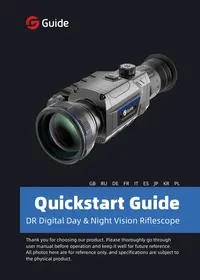
USER MANUAL TD631LRF Guide
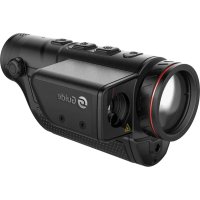
Handheld Thermal Imaging Monocular
Thank you for choosing this product. Please read this Guide carefully before use and keep it properly for future reference.
Pictures for reference only, please refer to the actual product you receive.
- CONTENTS -
GB Quickstart Guide Handheld Thermal Imaging Monocular TD LRF Series 1-16
RU KpaTKoe pyKOBoDCTBO NO 3KcPlyaTaUIN NOpTaTINBHOToTeNIOBn3IOHnO MOHokyIpa cepu TD LRF ....17-35
DE Kurzanleitung Tragbares Wärmebild-Monokular TD LRF-Serie 37-54
FR Guide de l'exploitation rapide sur l'imageur monoculaire thermique portable de série LRF.....55-72
IT Guida Rapida Monoculare Portatile per Imaging Termico Serie TD LRF 73-90
ES Manual de Operación Rápida Monocular Termográcfo Portátil Serie TD LRF 91-108
JP TD LRFシリーベスハンドヘルドサイルイメーヤークイックタートガイド 109-123
KR 蝉在人用电明服奉国大用美中阳
PL Skrocona Instrukcja Obslugi Ręczny Monokular Termowizyjniy Seria TD LRF 141-159
-IMPORTANT
Thank you for choosing this product. Please read this guide before use and keep it for future reference. We hope you'll be satisfied with this product.
This guide is a general guide for a series of products, which means that the specific model you receive may differ from the picture in the guide. Please refer to the actual product you receive.
This user guide is organized for the convenience of users to use and understand our products. We will do our best to ensure the accuracy of the contents of this guide, however, we still cannot guarantee the completeness of the contents thereof. As our products are subject to continuous upgrading, we reserve the right to modify this guide from time to time without prior notice.
This equipment may generate or use radio frequency energy. Changes or modifications to this equipment may cause harmful interference unless the modifications are expressly approved in the instruction manual. The user could lose the authority to operate this equipment if an unauthorized change or modification is made.
This device complies with part 15 of the FCC Rules. Operation is subject to the following two conditions: (1) This device may not cause harmful interference, and (2) this device must accept any interference received, including interference that may cause undesired operation.
The device has been evaluated to meet general RF exposure requirement. The device can be used in portable exposure condition without restriction.
NOTE: This equipment has been tested and found to comply with the limits for a Class B digital device, pursuant to part 15 of the FCC Rules. These limits are designed to provide reasonable protection against harmful interference in a residential installation. This equipment generates, uses and can radiate radio frequency energy and, if not installed and used in accordance with the instructions, may cause harmful interference to radio communications. However, there is no guarantee that interference will not occur in a particular installation. If this equipment does cause harmful
GB RU DE FR IT ES JP KR PL
interference to radio or television reception, which can be determined by turning the equipment off and on, the user is encouraged to try to correct the interference by one or more of the following measures:
- Reorient or relocate the receiving antenna.
- Increase the separation between the equipment and receiver.
- Connect the equipment into an outlet on a circuit different from that to which the receiver is connected.
- Consult the dealer or an experienced radio/TV technician for help.
- The rating information is located at the button of the unit.
DANGER
1) Please charge the battery with the method described in this Guide and follow the charging procedure and precautions. Improper battery charging will cause heating, damage and even physical injury.
2) Do not try to open or disassemble the battery at any time. Once the battery leaks and the spill enters the human eye, wash the eyes with clean water immediately and take medical care.
WARNING
1) When using the equipment, please try to keep it stable and avoid violent shaking.
2) Do not use or store the equipment in an environment that exceeds the allowable operating temperature or storage temperature.
3) Do not directly aim the equipment at high-intensity thermal radiation sources, such as the sun, lasers, spot welding machines, etc..
4) Do not plug the holes on the equipment.
5) Do not knock, throw or vibrate instruments and
GB RU DE FR IT ES JP KR PL
accessories to avoid damage.
6) Do not disassemble the machine by yourself, which may cause equipment damage and loss of warranty rights.
7) Do not use soluble or similar liquids on equipment and cables, which may cause damage to the equipment.
8) Please do not use the equipment in an environment that exceeds the operating temperature of the equipment, which may cause damage to the equipment.
9) Please observe the following measures when wiping this device:
-
Non-optical surface: Use clean and soft cloth to wipe the non-optical surface of the thermographic camera.
-
Optical surface: When using the thermographic camera, please avoid polluting the optical surface of the lens, especially avoid touching the lens with your hands, because the sweat on your hands will leave traces on the lens glass and may corrode the optical coating on the glass surface. When the surface of the optical lens is polluted, use special lens paper to wipe
GB RU DE FR IT ES JP KR PL it carefully.
10) Do not place the battery in a high temperature or near a high-temperature object.
11) Do not short circuit the positive and negative poles of the battery.
12) Do not expose the battery to moisture or water.
13) Do not use non-original adapters or chargers (the contents of the original packaging shall prevail).
! NOTES:
1) Do not expose the equipment to dust or moisture. Avoid water splashing to the equipment when being used in an environment with water. Cover the lens when not using the camera.
2) Please put the camera and all accessories in the special packaging box when not using it.
- LIST OF PARTS -
| Number Items Qty | |
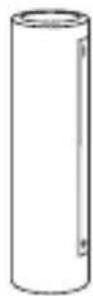
| 1 | 18650 BATTERY 1 PCS |
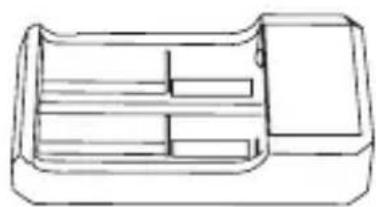
| 2 | 18650 CHARGER 1 PCS |
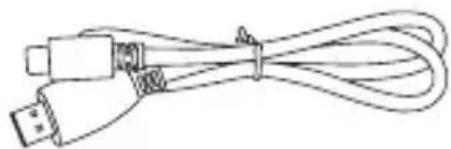
| 3 | USB TYPE-C CABLE 1 PCS |
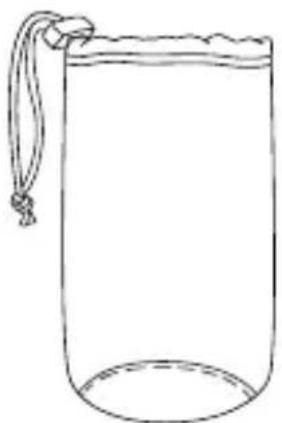
| 4 | CARRYING CASE 1 PCS |
| 5 | EYESHADE 1 PCS |
| 6 | WRIST STRAP 1 PCS |
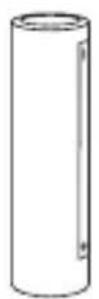
18650 battery
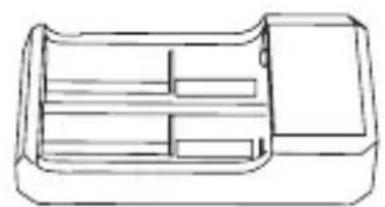
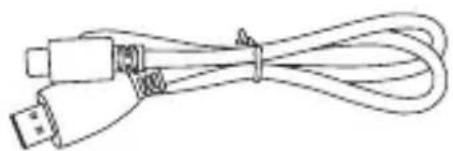
18650 charger USB Type-C cable
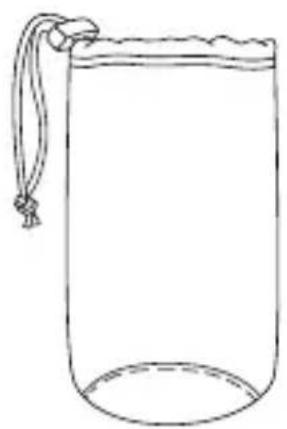
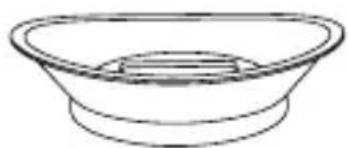

Carrying case Eyeshade
Wrist strap
GB RU DE FR IT ES JP KR PL
- INTRODUCTION TO PRODUCT PARTS -
This Guide is applicable to multiple products of this series, and the illustration just shows general functions.
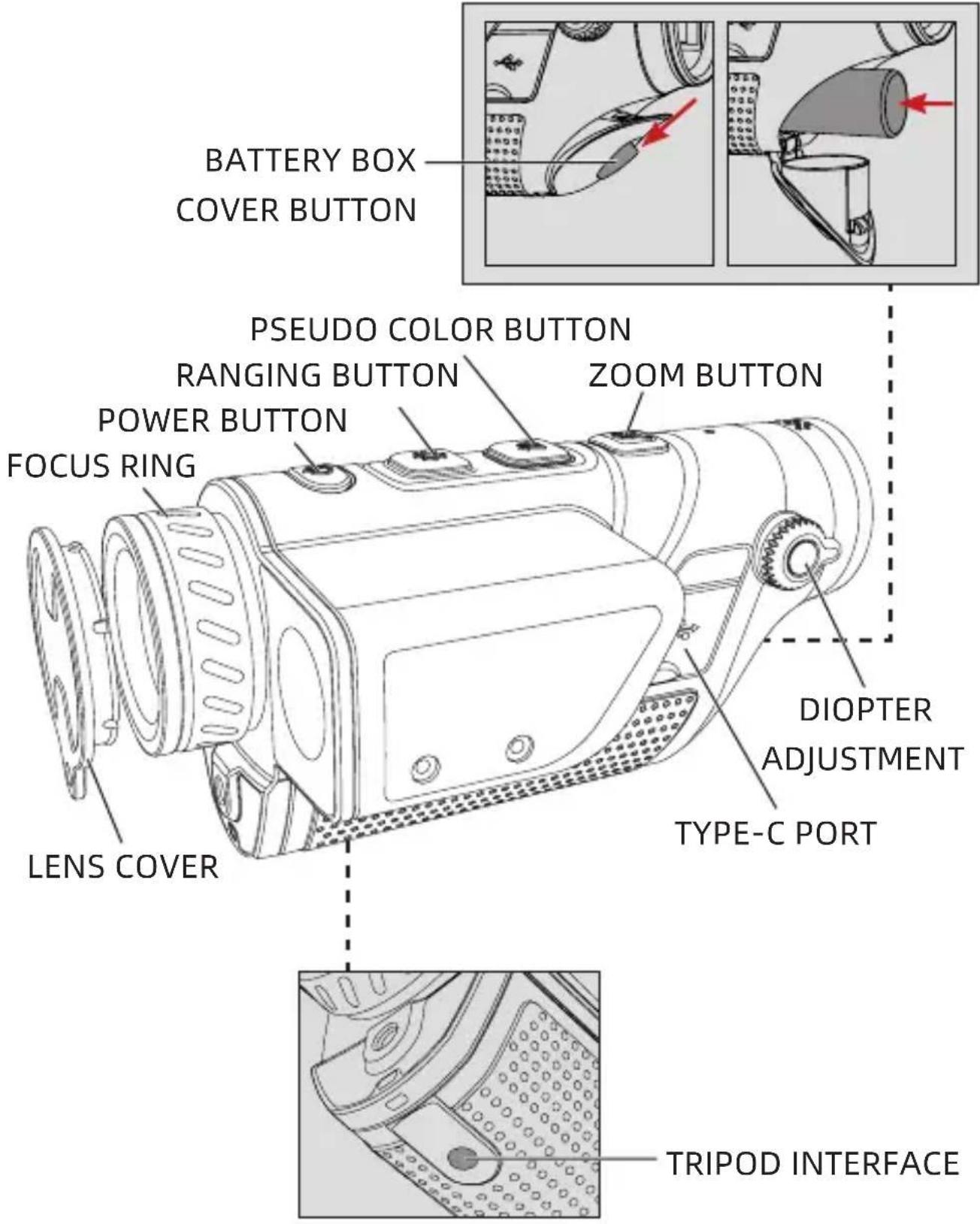
1. FOCUSING RING
Focus the target after the thermographic camera is turned on. The image may appear blurry when the distance to the target changes. Turn the lens focusing ring to refocus until the target image sharpens.
2. LENS COVER
Please cover the lens when not using the product to protect the lens!
3. USB TYPE C PORT
Use the USB cable to connect external power via the external interface to supply power to the product.
The output specification of external power is 5V 2A.
You can also use the video cable to connect the screen to output the thermographic camera image to the external monitor.
4. BATTERY COVER
The battery cover is the entrance of battery disassembly and assembly when the product uses battery.
Press the battery box cover button and slide down to open the battery box cover and place the battery according to the positive and negative labels.
Note: Please place the battery in the direction shown. Do not push in forcibly.
5. TRIPOD INTERFACE
1/4 inches standard interface, supporting PTZ.
- QUICKSTART INSTRUCTIONS -
| Buttons | Current Device Status | Short press Long press | |
| Power button | Power on (No menu display) | Calibration | Display off/ Power off |
| Power off / Power on | |||
| Display off Display on | |||
| Power on (Menu display) | Calibration | Display off/ Power off | |
| Ranging button | Power on (No menu display) | / | Turn on/off ranging Switch ranging mode |
| Power on (Menu display) | Switch menu options to the left | The device stays in the menu state | |
| Pseudo color button | Power on (No menu display) | Switch the pseudo color | Enter the menu setting interface |
| Power on (Menu display) | Adjust the corresponding option value | Exit the menu and save the settings | |
| Zoom button | Power on (No menu display) | Switch the zoom multiple | / |
| Power on (Menu display) | Switch menu options to the right | The device stays in the menu state | |
【BUTTON DESCRIPTION】
1. POWER BUTTON
- Power on
Long press the Power button until the boot screen appears in the eyepiece (the button may be released), then the device is turned on successfully.
- Power off
Manual power-off: Long press the Power button to display the shutdown progress bar and the screen of the device will get blank when 5 progress bars appear, and the shutdown is successful.
Automatic power-off: Within the set automatic power-off time, no operation with any button is needed. After the device reaches the set power-off time, a power-off progress bar will appear automatically. After the 5 progress bars appear, the device will be powered off.
- Display off
Long press the Power button to display the shutdown progress bar. Release the Power button before the 4 progress bars to cancel the shutdown and enter the Display off mode.
- Display on
In Display off mode, long press or short press the
GB RU DE FR IT ES JP KR PL
power button to wake up the screen and the actual function of the button will not be activated.
- Calibration
Short press the power button in startup status to complete the corresponding calibration action. A prompt indicating successful calibration will be displayed at the top of the screen.
2. RANGING BUTTON
When the menu is not displayed, short press the ranging button, and the device does not respond..
When the menu is not displayed, long press the ranging button to switch ranging on (single ranging)-continuous ranging-ranging off-ranging on (single ranging) in turn.
When the menu is displayed, short press the ranging button to move the device menu cursor to the left.
When the menu is displayed, long press the ranging button to keep the device in the menu state.
3. PSEUDO COLOR BUTTON
When the menu is not displayed, short press the Pseudo color button to display pseudo colors, such as white hot, black hot, red hot, iron red, blue hot, and green hot in sequence circularly.
When the menu is not displayed, long press the pseudo color button to enter the menu setting interface.
GB RU DE FR IT ES JP KR PL
When the menu is displayed, short press the pseudocolor button to adjust the corresponding option value. When the menu is displayed, long press the pseudocolor button to exit the menu and save the settings.
4. ZOOM BUTTON
When the menu is not displayed, short press the zoom button to switch the zoom multiple.
When the menu is not displayed, long press the zoom button, and the device does not respond.
When the menu is displayed, short press the zoom button to move the device menu cursor to the right.
When the menu is displayed, long press the zoom button to keep the device in the menu state.
-
Hotspot tracking: When hotspot tracking is turned on, a blue green arc box will be displayed, with a dotted cursor in the middle to track the highest temperature point in the entire image.
-
Wi-Fi: After connection of Wi-Fi, if the mobile can connect to the hotspot of the device side, the user may preview real-time images of the device, remotely control the thermal imager with full functionality, and manage and share image library and files through the mobile
GB RU DE FR IT ES JP KR PL APP.
Note: Search and download the 'TargetIR' APP in the mobile application market, open the APP, and find 'HandHeld-TI-xxxx' in the WLAN settings of the mobile phone, enter the password '12345678', and return to the APP again.
- Working indicator: the working indicator can be turned on or off.
- Video output: the device video output switch can be turned on or off.
- Scene mode: natural, enhanced, and highlighted modes are available. The three modes may save the corresponding detector brightness contrasts respectively.
- P: Modes of Off, Top Left, Top Center, and Top Right are available.
- Screen brightness: the screen brightness may be adjusted at 5 levels, and the screen brightness may be observed and adjusted in real time.
-
Image brightness: the detector brightness may be adjusted at 5 levels, and the image brightness may be observed and adjusted in real time.
Note: The value after brightness adjustment will be saved in the current scene mode. -
Image contrast: the contrast may be adjusted at 5 levels, and the image contrast may be observed and adjusted in real time.
Note: The value after contrast adjustment will be saved in the current scene mode.
- Automatic sleep: Automatic sleep time can be set at 5/10/15min. If no operation is made within the set time, the device will enter the sleep state (set on APP).
- Automatic power off: Automatic power off time can be set at 15/30/60min. If no operation is made within the set time, a countdown to power off will appear and the camera will be powered off when the countdown is over (set on the APP).
- TROUBLESHOOTING -
- The device cannot be powered on
Solution: replace the battery or connect the adapter for power supply
- The screen goes black during use
Solution: short press/long press any button to wake up and light up the screen
- The imaging of the device is blurred in use
Solution: turn the lens for focusing
- STORAGE AND TRANSPORTATION -
The following is about the correct storage and transportation methods of the product. In order to prevent danger and property loss, please read this guide carefully before using the device and strictly observe it during use. Please keep this guide properly after reading.
Storage
- The storage environment of packaged products is -30 ^ C 60 ^ C , the relative humidity is not more than 95% , without condensation and corrosive gas, and is well ventilated and clean indoor.
- Please charge the thermographic camera once every 3 months.
Transportation
The thermographic camera shall be protected from rain, water, inversion, violent vibration and impact during transportation, and shall be handled with care. Throwing is not allowed.
- BAXKHOE ПРIMECHNE -
This equipment may generate or use radio frequency energy. Changes or modifications to this equipment may cause harmful interference unless the modifications are expressly approved in the instruction manual. The user could lose the authority to operate this equipment if an unauthorized change or modification is made.
This device complies with part 15 of the FCC Rules. Operation is subject to the following two conditions: (1) This device may not cause harmful interference, and (2) this device must accept any interference received, including interference that may cause undesired operation.
The device has been evaluated to meet general RF exposure requirement. The device can be used in portable exposure condition without restriction.
NOTE: This equipment has been tested and found to comply with the limits for a Class B digital device, pursuant to part 15 of the FCC Rules. These limits are designed to provide reasonable protection against harmful interference in a residential installation. This equipment generates, uses and can radiate radio frequency energy and, if not installed and used in accordance with the instructions, may cause harmful interference to radio communications. However, there is no guarantee that interference will not occur in a particular installation. If this equipment does cause harmful
GB RU DE FR IT ES JP KR PL
interference to radio or television reception, which can be determined by turning the equipment off and on, the user is encouraged to try to correct the interference by one or more of the following measures:
- Reorient or relocate the receiving antenna.
- Increase the separation between the equipment and receiver.
- Connect the equipment into an outlet on a circuit different from that to which the receiver is connected.
- Consult the dealer or an experienced radio/TV technician for help.
- The rating information is located at the button of the unit.
Onachoctb
1) 3apjkaTe aKKymyIaTOp B COOTBeTCTBn C MeToDOM, yKa3aHHbIM B HaCTOaIeM pyKOBoDcTBe, n co6JIoJaTe IpoUeDpy 3apJKn I 3aMeuHaHn. HEnpaBnIbHna 3apJkA MoKeT Bbl3BaTb HarpeB, NOBpeKdEHe aKKymyIaTOpa, a daJx e TpaBMy ueIOBeKa.
2) Hn B koem clyuae He nbitaTecb BCKpbBaTb nn pa3bnpaTb 6atapeo. Ecnn 6atapey npotekn a N XndKocTb nOpala B rla3a, HeMeJeHNO npomoyTe rla3a YnCToB BODOn n O6paTntecb 3a MeDnCnHcKoN POMOUsbHO.
!празуржденье
1)Держinte устpoистBO кak можно 6олee yctочнвьIMи n36eraite сильно Тяскп пп erо Использовани.
2) He nCnoB3yIe nn XpaHnTe np6Op B cpeDe C TeMnePaTyPo, npeBbIaIoUeN DoNyCTmMyo BeIuHy dIra erO pa6Otbl nn XpaHeHna.
3) He haipablaite npnbop npma Ho nctouHKn HHTeHCNBHO TeNIOBOrO n3nyeHn, TaKne KaK coHNc, Ia3epbl, TOnueHbIe CBapOuHbIe aannapatbl N T. d..
GB RU DE FR IT ES JP KR PL
4) He 3aKpbBaIte OTBepCTnB npn6ope.
5) He ydapayte, 6pocaiTe n Tprcnte npn6op n ero npHaJIeXHocTn Bo n36eXaHne ero noBpeJdeHna.
6) He pa3bpaTe daHbI np6Op caMoCToTeIbHo, UTO MOxET pINBeCTn K erO IOBpeXdEHNIO I NOTepe npaba Ha rapaHTnHbI peMOHT.
7) Избeraite pa6otbI пибopa n ero ka6eЯ c pactворимои anaHIoTHuHOJ XnIDKOCTbU, yTO moKet npNBecTn K nobpeXdEHNIO пибopa.
8) Пожалуноста, He И спользуйт e Данн bи пиборВ срeded c Temперату ро, npeвышаюш e eropapobую Велочину, уTO можeТ пивец n Кповржденю пибopa.
9)При празарни данного пибора собл�дайтследуюше мерbl:
Heontuueckne NOBepxHocTn: npn Heo6xoJIMocTn npotpnte Heontuueckne NOBepxHocTn TeNIOBn30pa YnCTOJ MraKoJ TkaHbU.
B OTHOSeHn ONTNUeCKo NOBepXHOCTn: n36eAaTe 3aRpa3HeHna ONTNUeCKo NOBepxHOCTn OBekTbBa npi NcNoJIb3OBaHn TeNIOBn3Opa, ocObeHNO He npiKacaiTecb K OBekTbBy pyKaMn, Notomy uTo NOT Ha pykax OCTaBNT CLeDbI Ha CTeKlne OBekTbBa mOJKeT
GB RU DE FR IT ES JP KR PL
BbI3BaTb Koppo3nIO ONTNUeCKOTo NOKpbITnHa
CTeKJIaHHoN IOBepxHocTN. EcIn NOBepxHocTB
ONTNUeCKOTo ObBeKTnBa 3aRpy3HeHa,
OCTOPOXHO npoTpnte ee cpeunalbHOJ
ObeptouHO 6yMaRoJ dJa ONTNUeCKNX CTeKOJ.
10) He pa3meaTe 6aTapeB O B yCIOBnX BBICOKo TeMnepaTpybI nI IN B6IIN IpeDMeTOB C BBICOKo TeMnepaTpyoN.
11) He 3aMbikaTe HaKOpOTko NoloxntbHbI n OTPncaTeJbHbI NOJIocbl 6aTapeN.
12) He nomeuTe 6aTaPeH BO BnaJHyO cpeIy IIN BOdy.
13) 3aπpeuaetcηncnoB3OBaTbДЯ 3aprakn HeopnHaJIbHbIe aIaItepbI nII 3aprHbIe yCTpoIcTBa (npoDyKT 3aBnCIT OT φaKTHueCKO npoDyKtВ OpNiHaJIbHOJ yNaKOBKe).
BHMaHne
1) He podbepraTe np6Op BO3DeIcTBIO cpeblc PbIbIO nII BnaJHOI cpebl. Pn IcNoJIb3OBaHIN B cpeIe C BoOJn36eAte 6pbI3r BoDJI Ha np6Op. 3akpoIte KpbIshKy obBeKTInBa, KOrda np6Op He IcNoJIb3YeTcJ.
2) Koɪda DaHbɪŋ prɪbɒp He nCnoJIb3yETc, NOMeCTIte erO n BCE npHaJdJIeXJHoCTn B CpeɪnaJIbHbɪŋ yɪpaKOBɔUHbɪŋ Jʌŋk.
-СпсocК пеДmetов -
| №и.П.Наименоване Кол. | |
| 1 Батуарег 18650 1шт. | |
| 2 Зарадное уст四项 STВО 18650 1шт. | |
| 3 Кабель USB Type-C 1шт. | |
| 4 Сумka对于我们пеньоки 1шт. | |
| 5 Налазник 1шт. | |
| 6 Костевая лentesа 1шт. |
Баразец 18650
3apnHoe yctpoNCTBO 18650
Ka6eIb USB Type-C
CymkaДлЯперehockn
Hara3nK

KncteBaJIeHTa
B HappaBLeHn, Noka3aHHOM Ha pncyHke, He
Haxmaite Ha Hee HacnIbCTBeHHO.
5. INHTeppeicdIpaKIOUeHna STaTnBa
CtahapTbI INTepeic 1/4 IouMa, MoKet PoadepxNBA Tb 06lauHyo 6aHIO.
MeHIO He Bbl3bIBAeTc, KOpOTKO HaXMMte KlaBnUy daIbHOMetpnn, yCTpoiCTBO He pearnpyeT.
MeHIO He BbI3bIBAeTcay, HaxMnte N ydepxKuBaIte KlaBnUy DaIbHOMeTpN, UTO6bl IocLeIoBaTeIbHO BKJIouHTb DaIbHOMeTpNIO (OdINHOUYo DaIbHOMeTpNIO -HeIpepbIBHyIO DaIbHOMeTpNIO - BbIKIQUHTb DaIbHOMeTpNIO - BKJIouHTb DaIbHOMeTpNIO (ODINHOUYo DaIbHOMeTpNIO).
При BBI3OBe MeHIO KOpOTKO HaXMITE KlaBnSy
GB RU DE FR IT ES JP KR PL
1. YcTpoIcTBo He BkIIOUaETcA
Peшен:ЗаменьakKулгОрип NOДКЛHOTb aanTep K nCTOuHky nHTaHn
2. 3KpaH rachet BO BpeMnCpOJb3OBaHn
This equipment may generate or use radio frequency energy. Changes or modifications to this equipment may cause harmful interference unless the modifications are expressly approved in the instruction manual. The user could lose the authority to operate this equipment if an unauthorized change or modification is made.
This device complies with part 15 of the FCC Rules. Operation is subject to the following two conditions: (1) This device may not cause harmful interference, and (2) this device must accept any interference received, including interference that may cause undesired operation.
The device has been evaluated to meet general RF exposure requirement. The device can be used in portable exposure condition without restriction.
NOTE: This equipment has been tested and found to comply with the limits for a Class B digital device, pursuant to part 15 of the FCC Rules. These limits are designed to provide reasonable protection against harmful interference in a residential installation. This equipment generates, uses and can radiate radio frequency energy and, if not installed and used in accordance with the instructions, may cause harmful interference to radio communications. However, there is no guarantee that interference will not occur in a particular installation. If this equipment does cause harmful
GB RU DE FR IT ES JP KR PL
interference to radio or television reception, which can be determined by turning the equipment off and on, the user is encouraged to try to correct the interference by one or more of the following measures:
- Reorient or relocate the receiving antenna.
- Increase the separation between the equipment and receiver.
- Connect the equipment into an outlet on a circuit different from that to which the receiver is connected.
- Consult the dealer or an experienced radio/TV technician for help.
- The rating information is located at the button of the unit.
Gefahr
This equipment may generate or use radio frequency energy. Changes or modifications to this equipment may cause harmful interference unless the modifications are expressly approved in the instruction manual. The user could lose the authority to operate this equipment if an unauthorized change or modification is made.
This device complies with part 15 of the FCC Rules. Operation is subject to the following two conditions: (1) This device may not cause harmful interference, and (2) this device must accept any interference received, including interference that may cause undesired operation.
The device has been evaluated to meet general RF exposure requirement. The device can be used in portable exposure condition without restriction.
NOTE: This equipment has been tested and found to comply with the limits for a Class B digital device, pursuant to part 15 of the FCC Rules. These limits are designed to provide reasonable protection against harmful interference in a residential installation. This equipment generates, uses and can radiate radio frequency energy and, if not installed and used in accordance with the instructions, may cause harmful interference to radio communications. However, there is no guarantee that interference will not occur in a particular installation. If this equipment does cause harmful
GB RU DE FR IT ES JP KR PL
interference to radio or television reception, which can be determined by turning the equipment off and on, the user is encouraged to try to correct the interference by one or more of the following measures:
- Reorient or relocate the receiving antenna.
- Increase the separation between the equipment and receiver.
- Connect the equipment into an outlet on a circuit different from that to which the receiver is connected.
- Consult the dealer or an experienced radio/TV technician for help.
- The rating information is located at the button of the unit.
Danger
This equipment may generate or use radio frequency energy. Changes or modifications to this equipment may cause harmful interference unless the modifications are expressly approved in the instruction manual. The user could lose the authority to operate this equipment if an unauthorized change or modification is made.
This device complies with part 15 of the FCC Rules. Operation is subject to the following two conditions: (1) This device may not cause harmful interference, and (2) this device must accept any interference received, including interference that may cause undesired operation.
The device has been evaluated to meet general RF exposure requirement. The device can be used in portable exposure condition without restriction.
NOTE: This equipment has been tested and found to comply with the limits for a Class B digital device, pursuant to part 15 of the FCC Rules. These limits are designed to provide reasonable protection against harmful interference in a residential installation. This equipment generates, uses and can radiate radio frequency energy and, if not installed and used in accordance with the instructions, may cause harmful interference to radio communications. However, there is no guarantee that interference will not occur in a particular installation. If this equipment does cause harmful
GB RU DE FR IT ES JP KR PL
interference to radio or television reception, which can be determined by turning the equipment off and on, the user is encouraged to try to correct the interference by one or more of the following measures:
- Reorient or relocate the receiving antenna.
- Increase the separation between the equipment and receiver.
- Connect the equipment into an outlet on a circuit different from that to which the receiver is connected.
- Consult the dealer or an experienced radio/TV technician for help.
- The rating information is located at the button of the unit.

Pericolo
This equipment may generate or use radio frequency energy. Changes or modifications to this equipment may cause harmful interference unless the modifications are expressly approved in the instruction manual. The user could lose the authority to operate this equipment if an unauthorized change or modification is made.
This device complies with part 15 of the FCC Rules. Operation is subject to the following two conditions: (1) This device may not cause harmful interference, and (2) this device must accept any interference received, including interference that may cause undesired operation.
The device has been evaluated to meet general RF exposure requirement. The device can be used in portable exposure condition without restriction.
NOTE: This equipment has been tested and found to comply with the limits for a Class B digital device, pursuant to part 15 of the FCC Rules. These limits are designed to provide reasonable protection against harmful interference in a residential installation. This equipment generates, uses and can radiate radio frequency energy and, if not installed and used in accordance with the instructions, may cause harmful interference to radio communications. However, there is no guarantee that interference will not occur in a particular installation. If this equipment does cause harmful
GB RU DE FR IT ES JP KR PL
interference to radio or television reception, which can be determined by turning the equipment off and on, the user is encouraged to try to correct the interference by one or more of the following measures:
- Reorient or relocate the receiving antenna.
- Increase the separation between the equipment and receiver.
- Connect the equipment into an outlet on a circuit different from that to which the receiver is connected.
- Consult the dealer or an experienced radio/TV technician for help.
- The rating information is located at the button of the unit.
Pelicro
This equipment may generate or use radio frequency energy. Changes or modifications to this equipment may cause harmful interference unless the modifications are expressly approved in the instruction manual. The user could lose the authority to operate this equipment if an unauthorized change or modification is made.
This device complies with part 15 of the FCC Rules. Operation is subject to the following two conditions: (1) This device may not cause harmful interference, and (2) this device must accept any interference received, including interference that may cause undesired operation.
The device has been evaluated to meet general RF exposure requirement. The device can be used in portable exposure condition without restriction.
NOTE: This equipment has been tested and found to comply with the limits for a Class B digital device, pursuant to part 15 of the FCC Rules. These limits are designed to provide reasonable protection against harmful interference in a residential installation. This equipment generates, uses and can radiate radio frequency energy and, if not installed and used in accordance with the instructions, may cause harmful interference to radio communications. However, there is no guarantee that interference will not occur in a particular installation. If this equipment does cause harmful
interference to radio or television reception, which can be determined by turning the equipment off and on, the user is encouraged to try to correct the interference by one or more of the following measures:
- Reorient or relocate the receiving antenna.
- Increase the separation between the equipment and receiver.
- Connect the equipment into an outlet on a circuit different from that to which the receiver is connected.
- Consult the dealer or an experienced radio/TV technician for help.
- The rating information is located at the button of the unit.
- 注意事項 -

危険
This equipment may generate or use radio frequency energy. Changes or modifications to this equipment may cause harmful interference unless the modifications are expressly approved in the instruction manual. The user could lose the authority to operate this equipment if an unauthorized change or modification is made.
This device complies with part 15 of the FCC Rules. Operation is subject to the following two conditions: (1) This device may not cause harmful interference, and (2) this device must accept any interference received, including interference that may cause undesired operation.
The device has been evaluated to meet general RF exposure requirement. The device can be used in portable exposure condition without restriction.
NOTE: This equipment has been tested and found to comply with the limits for a Class B digital device, pursuant to part 15 of the FCC Rules. These limits are designed to provide reasonable protection against harmful interference in a residential installation. This equipment generates, uses and can radiate radio frequency energy and, if not installed and used in accordance with the instructions, may cause harmful interference to radio communications. However, there is no guarantee that interference will not occur in a particular installation. If this equipment does cause harmful
GB RU DE FR IT ES JP KR PL
interference to radio or television reception, which can be determined by turning the equipment off and on, the user is encouraged to try to correct the interference by one or more of the following measures:
- Reorient or relocate the receiving antenna.
- Increase the separation between the equipment and receiver.
- Connect the equipment into an outlet on a circuit different from that to which the receiver is connected.
- Consult the dealer or an experienced radio/TV technician for help.
- The rating information is located at the button of the unit.
!
This equipment may generate or use radio frequency energy. Changes or modifications to this equipment may cause harmful interference unless the modifications are expressly approved in the instruction manual. The user could lose the authority to operate this equipment if an unauthorized change or modification is made.
This device complies with part 15 of the FCC Rules. Operation is subject to the following two conditions: (1) This device may not cause harmful interference, and (2) this device must accept any interference received, including interference that may cause undesired operation.
The device has been evaluated to meet general RF exposure requirement. The device can be used in portable exposure condition without restriction.
NOTE: This equipment has been tested and found to comply with the limits for a Class B digital device, pursuant to part 15 of the FCC Rules. These limits are designed to provide reasonable protection against harmful interference in a residential installation. This equipment generates, uses and can radiate radio frequency energy and, if not installed and used in accordance with the instructions, may cause harmful interference to radio communications. However, there is no guarantee that interference will not occur in a particular installation. If this equipment does cause harmful
interference to radio or television reception, which can be determined by turning the equipment off and on, the user is encouraged to try to correct the interference by one or more of the following measures:
- Reorient or relocate the receiving antenna.
- Increase the separation between the equipment and receiver.
- Connect the equipment into an outlet on a circuit different from that to which the receiver is connected.
- Consult the dealer or an experienced radio/TV technician for help.
- The rating information is located at the button of the unit.