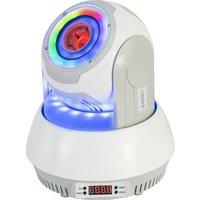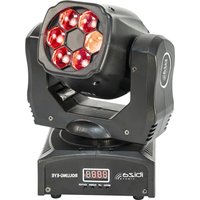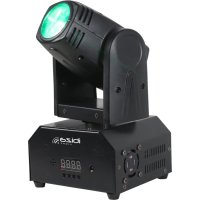
IBIZA SOUND LMH250RC - Lighting

LMH250RC - Lighting IBIZA SOUND - Free user manual and instructions

Find the device manual for free LMH250RC IBIZA SOUND in PDF.

📄 49 pages English EN 💬 AI Question
Notice IBIZA SOUND LMH250RC - page 2
View the manual : Français FR Deutsch DE English EN Nederlands NL Português PT

Download the instructions for your Lighting in PDF format for free! Find your manual LMH250RC - IBIZA SOUND and take your electronic device back in hand. On this page are published all the documents necessary for the use of your device. LMH250RC by IBIZA SOUND.
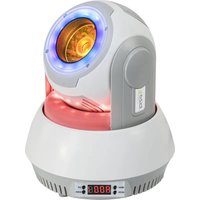
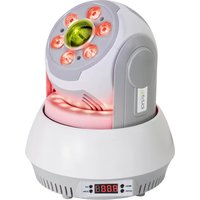
USER MANUAL LMH250RC IBIZA SOUND

  • Please keep this User Guide for future reference. If you sell the unit to another user, be sure that he also receives this instruction booklet.
  • Always make sure that you are connecting to the proper voltage, and that the line voltage you are connecting to is not higher than that stated on the decal or rear panel of the fixture.
  • This product is intended for indoor use only!
  • It is essential that the device is earthed. A qualified person must carry out the electric connection.
  • To prevent risk of fire or shock, do not expose fixture to rain or moisture. Make sure there are no flammable materials close to the unit while operating.
  • The unit must be installed in a location with adequate ventilation, at least 20in (50cm) from adjacent surfaces. Be sure that no ventilation slots are blocked.
  • Always disconnect from power source before servicing or replacing fuse and be sure to replace with same fuse size and type.
  • Secure fixture to fastening device using a safety chain. Never carry the fixture solely by its head. Use its carrying handles.
  • Maximum ambient temperature (Ta) is 104° F (40°C). Do not operate the fixture at temperatures higher than this.
  • In the event of a serious operating problem, stop using the unit immediately. Never try to repair the unit by yourself. Repairs carried out by unskilled people can lead to damage or malfunction. Please contact the nearest authorized technical assistance center. Always use the same type of spare parts.
  • Don’t connect the device to a dimmer pack.
  • Make sure the power cord is never crimped or damaged.
  • Never disconnect the power cord by pulling or tugging on the cord.
  • Avoid direct eye exposure to the light source while it is on.

Disconnect the power cord before replacing a fuse and always replace with the same type fuse. Fuse Replacement With a flat head screwdriver wedge the fuse holder out of its housing. Remove the damaged fuse from its holder and replace with exactly the same type of fuse. Insert the fuse holder back in its place and reconnect power. The fuse is located inside this compartment. Remove using a flat head screwdriver. Fixture Linking You will need a serial data link to run light shows of one or more fixtures using a DMX-512 controller or to run synchronized shows on two or more fixtures set to a master/slave operating mode. The combined number of channels required by all fixtures on a serial data link determines the number of fixtures that the data link can support. Important: Fixtures on a serial/data link must be daisy chained in one single line. Maximum recommended serial data link distance: 100 meters (1640 ft.) Maximum recommended number of fixtures on a serial data link: 32 fixtures Data Cabling To link fixtures together you must use data cables. If you choose to create your own cable, please use data-grade cables that can carry a high quality signal and are less prone to electromagnetic interference. CABLE CONNECTORS Cabling must have a male XLR connector on one end and a female XLR connector on the other end. DMX connector configuration

Termination reduces signal errors. To avoid signal transmission problems and interference, it is always advisable to connect a DMX signal terminator. CAUTION Do not allow contact between the common and the fixture’s chassis ground. Grounding the common can cause a ground loop, and your fixture may perform erratically. Test cables with an ohm meter to check correct polarity and to make sure the pins are not grounded or shorted to the shield or each other.

3-PIN TO 5-PIN CONVERSION CHART

Note! If you use a controller with a 5-pin DMX output connector, you will need to use a 5-pin to 3-pin adapter. The chart below details a proper cable conversion:

1. Connect the (male) 3 pin connector side of the DMX cable to the output (female) 3 pin connector of the controller.

2. Connect the end of the cable coming from the controller which will have a (female) 3 pin connector to the input

connector of the next fixture consisting of a (male) 3 pin connector.

3. Then, proceed to connect from the output as stated above to the input of the following fixture and so on.

Master/Slave Fixture Linking

1. Connect the (male) 3 pin connecter side of the DMX cable to the output (female) 3 pin connecter of the first

2. Connect the end of the cable coming from the first fixture which will have a (female) 3 pin connecter to the input

connecter of the next fixture consisting of a (male) 3 pin connecter. Then, proceed to connect from the output as stated above to the input of the following fixture and so on Often, the set up for Master-Slave and Stand-alone operation requires that the first fixture in the chain be initialized for this purpose via either settings in the control panel or DIP-switches. Secondarily, the fixtures that follow may also require a slave setting. Please consult the '' Operating Instructions» section in this manual for complete instructions for this type of setup and configuration.

4. OPERATING INSTRUCTIONS

4.1 Navigation through the Control Panel

Access control panel functions using the four panel buttons located directly underneath the LCD Display. Button Function <MODE/ESC> Used to access the menu or to return to a previous menu option <UP> <DOWN> Scrolls through menu options in ascending order Scrolls through menu options in descending order <ENTER> Used to select and store the current menu or option within a menu When a menu function is selected, the display will show immediately the first available option for the selected menu function. To select a menu item, press <ENTER>.

Press the <MODE/ESC> button repeatedly until you reach the desired menu function. Use the <UP> and <DOWN> buttons to navigate the menu options. Press the <ENTER> button to select the menu function currently displayed or to enable a menu option. To return to the previous option or menu without changing the value, press the <MODE/ESC> button. After a few seconds, the LED Display will back during operation until another button is pressed.

5. Manual setting menu mode:

Mode Program Description Auto Au-1 Auto program 1 Au-2 Auto program 2 Au-3 Auto program 3 Sound So-1 Sound program 1 ©Copyright LOTRONIC 2015 LMH250-RC Page 4So-2 Sound program 2 So-3 Sound program 3 Speed SP 1—SP9 Speed value for program adjustable Sensitivity Se 1—Se9 MIC value adjustable Silent scene OFF The fixture is open light on music by Sound program ON The fixture is closed light on music by Sound program InFr

AUTO Mode Automatic mode will enable you to run the automatic programs on the product. To turn on Automatic mode:

1. Press <AUTO> on the IRC.

2. Press <+> or <–> to choose between the different auto programs.

SOUND Mode Sound-Active mode will enable the product to respond to the music. To turn on Sound-Active mode:

1. Press <SOUND> on the IRC.

2. Press <+> or <–> to choose between the different SOUND programs.

STROBE Mode To adjust the strobe speed of the automatic program and the sound active program.

1. Press <STROBE> on the IRC.

2. Press <+> or <–> to either increase or decrease the speed of the program.

3. Press <STROBE> again to turn off the strobe.

SPEED Mode To adjust the speed of the automatic program and the sound active program.

1. Press <SPEED> on the IRC.

2. Press <+> or <–> to either increase or decrease the speed of the program.

2. Press <+> or <–> to either increase or decrease sound sensitivity.

2. Press <R>, <G>, <B>, <W> (red, green, blue or white) to choose your color.

3. Press again <R>, <G>, <B>, <W> (red, green, blue or white) to close your color.

2. Press <1> to adjust PAN movement mode, press <2> to adjust TILT movement mode,

3. Press <+> or <–> to change the movement direction. repress <+> or <–> to position.

4, Press <UNIT> again, exit the present UNIT mode.

5. Manual setting menu mode:

Mode Program Description Auto Au-1 Auto program 1 Au-2 Auto program 2 Au-3 Auto program 3 Sound So-1 Sound program 1 ©Copyright LOTRONIC 2015 LMH250-RC Page 28So-2 Sound program 2 So-3 Sound program 3 Speed SP 1—SP9 Speed value for program adjustable Sensitivity Se 1—Se9 MIC value adjustable Silent scene OFF The fixture is open light on music by Sound program ON The fixture is closed light on music by Sound program InFr

AUTO Mode Automatic mode will enable you to run the automatic programs on the product. To turn on Automatic mode:

1. Press <AUTO> on the IRC.

2. Press <+> or <–> to choose between the different auto programs.

SOUND Mode Sound-Active mode will enable the product to respond to the music. To turn on Sound-Active mode:

1. Press <SOUND> on the IRC.

2. Press <+> or <–> to choose between the different SOUND programs.

STROBE Mode To adjust the strobe speed of the automatic program and the sound active program.

1. Press <STROBE> on the IRC.

2. Press <+> or <–> to either increase or decrease the speed of the program.

3. Press <STROBE> again to turn off the strobe.

SPEED Mode To adjust the speed of the automatic program and the sound active program.

1. Press <SPEED> on the IRC.

2. Press <+> or <–> to either increase or decrease the speed of the program.

2. Press <+> or <–> to either increase or decrease sound sensitivity.

2. Press <R>, <G>, <B>, <W> (red, green, blue or white) to choose your color.

3. Press again <R>, <G>, <B>, <W> (red, green, blue or white) to close your color.

2. Press <1> to adjust PAN movement mode, press <2> to adjust TILT movement mode,

3. Press <+> or <–> to change the movement direction. repress <+> or <–> to position.

4, Press <UNIT> again, exit the present UNIT mode.

Termination reduces signal errors. To avoid signal transmission problems and interference, it is always advisable to INPUT COMMON DMX + DMX- Resistance 120 ohm 1/ 4w between pin 2 (DMX-) and pin 3 (DMX+) of the last fi t ©Copyright LOTRONIC 2015 LMH250-RC Page 45connect a DMX signal terminator. CAUTION Do not allow contact between the common and the fixture’s chassis ground. Grounding the common can cause a ground loop, and your fixture may perform erratically. Test cables with an ohm meter to check correct polarity and to make sure the pins are not grounded or shorted to the shield or each other.

3-PIN TO 5-PIN CONVERSION CHART

Note! If you use a controller with a 5-pin DMX output connector, you will need to use a 5-pin to 3-pin adapter. The chart below details a proper cable conversion:

1. Connect the (male) 3 pin connector side of the DMX cable to the output (female) 3 pin connector of the controller.

2. Connect the end of the cable coming from the controller which will have a (female) 3 pin connector to the input

connector of the next fixture consisting of a (male) 3 pin connector.

3. Then, proceed to connect from the output as stated above to the input of the following fixture and so on.

Master/Slave Fixture Linking

1. Connect the (male) 3 pin connecter side of the DMX cable to the output (female) 3 pin connecter of the first

2. Connect the end of the cable coming from the first fixture which will have a (female) 3 pin connecter to the input

connecter of the next fixture consisting of a (male) 3 pin connecter. Then, proceed to connect from the output as stated above to the input of the following fixture and so on Often, the set up for Master-Slave and Stand-alone operation requires that the first fixture in the chain be initialized for this purpose via either settings in the control panel or DIP-switches. Secondarily, the fixtures that follow may also require a slave setting. Please consult the '' Operating Instructions» section in this manual for complete instructions for this type of setup and configuration.

5. Manual setting menu mode:

Mode Program Description Auto Au-1 Auto program 1 Au-2 Auto program 2 Au-3 Auto program 3 Sound So-1 Sound program 1 So-2 Sound program 2 So-3 Sound program 3 Speed SP 1—SP9 Speed value for program adjustable Sensitivity Se 1—Se9 MIC value adjustable Silent scene OFF The fixture is open light on music by Sound program ON The fixture is closed light on music by Sound program InFr

AUTO Mode Automatic mode will enable you to run the automatic programs on the product. To turn on Automatic mode:

1. Press <AUTO> on the IRC.

2. Press <+> or <–> to choose between the different auto programs.

SOUND Mode Sound-Active mode will enable the product to respond to the music. To turn on Sound-Active mode:

1. Press <SOUND> on the IRC.

2. Press <+> or <–> to choose between the different SOUND programs.

STROBE Mode To adjust the strobe speed of the automatic program and the sound active program.

1. Press <STROBE> on the IRC.

2. Press <+> or <–> to either increase or decrease the speed of the program.

3. Press <STROBE> again to turn off the strobe.

SPEED Mode To adjust the speed of the automatic program and the sound active program.

1. Press <SPEED> on the IRC.

2. Press <+> or <–> to either increase or decrease the speed of the program.

2. Press <+> or <–> to either increase or decrease sound sensitivity.

2. Press <R>, <G>, <B>, <W> (red, green, blue or white) to choose your color.

3. Press again <R>, <G>, <B>, <W> (red, green, blue or white) to close your color.

2. Press <1> to adjust PAN movement mode, press <2> to adjust TILT movement mode,

3. Press <+> or <–> to change the movement direction. repress <+> or <–> to position.

4, Press <UNIT> again, exit the present UNIT mode.

Imported from China by LOTRONIC SA – Avenue Zénobe Gramme 11 – 1480 Saintes - Belgium ©Copyright LOTRONIC 2015 LMH250-RC Page 49

Manual assistant
Powered by ChatGPT
Waiting for your message
Product information

Brand : IBIZA SOUND

Model : LMH250RC

Category : Lighting