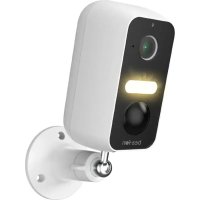
USER MANUAL Safer 3L Bea-fon
Bildsensor: 1/2.9" 3Megapixel CMOS
64/128-bit WPA/WPA2, WPA-PSK/WPA2-PSK, WPS
Max. Sendeleistung Wlan 2,4G:0,045W (16,5dBm)
Website: www.beafon.com
Modell: SAFER 3L/BEASH-3L-W/Snap 11X
Articlebeschreibung: IP battery Camera
Bay Area Compliance Laboratories Corp. Room 417, Building 2, hengqi business center, No. 175 huayuandou street, Hangzhou, China hat folgende EU-Baumusterprüfbescheinigungen (Zertifikat Nr.: AOC RKSA220627001-02 / AOC RKSA220627001-03) bzw. Shenzhen UONE Test Co., LTD. Unit 4B, Building B4, China Merchants Guangming Science Park, Tourist Road 3009, Guangming New District, Shenzhen, RoHS-Zertifikat (Report Nr.: U00905220524615E-R1) ausgestellt.
Applicable Standards Test Report Number
IEC 62321-1:2013, IEC 62321-2:2021
IEC 62321-3-1:2013
IEC62321-4:2013+A1:2017,IEC 62321-5:2013
IEC 62321-6:2015, IEC 62321-7-1:2015
IEC 62321-7-2:2017,IEC 62321-8:2017
U00905220524615E-R1
https://ipc-eu.ismartlife.me
Please note the EU General Data Protection Regulation (GDPR)
Surveillance and privacy laws vary by jurisdiction.
Before using this product, review all relevant laws in your jurisdiction to ensure that your use does not violate any applicable laws
Bea-fon Mobile GmbH assumes no responsibility for the consequences of false using.
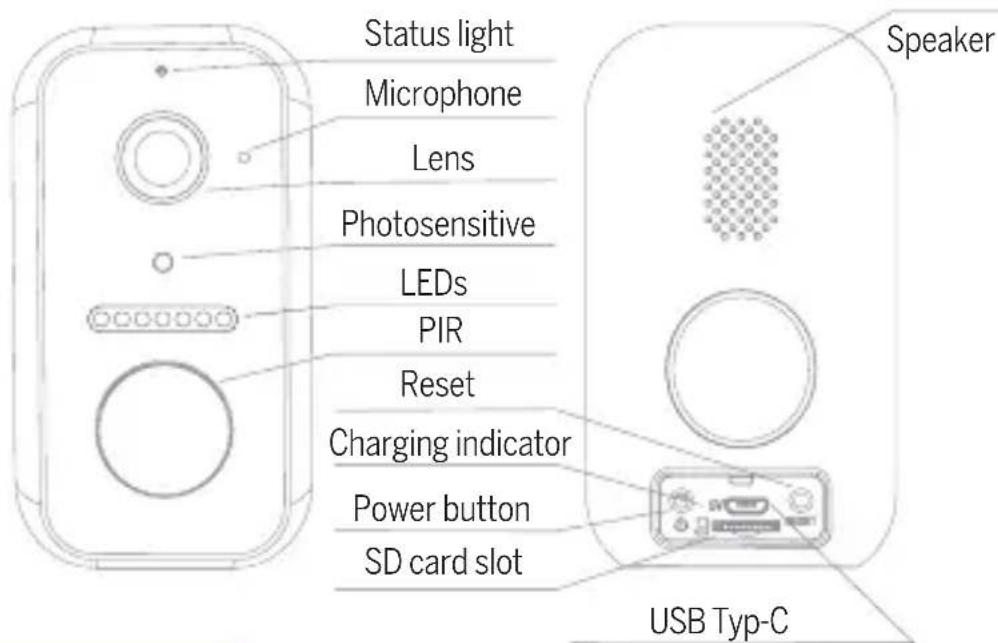
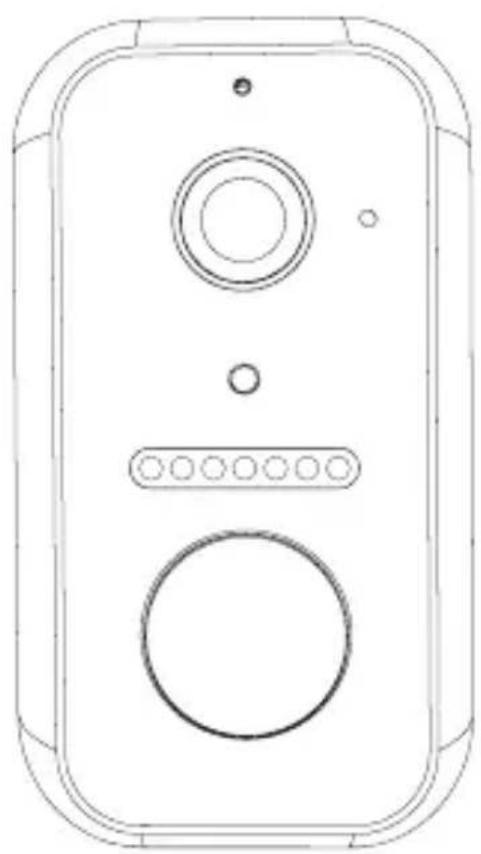
Description
Power Port DC 5V +-10%
Power on/off Press the button to activate the doorbell
Status light Solid red light on: the camera is turning on or malfunctional
- Blinking red light: awaiting WiFi connection
(slowly blinking) connecting the WiFi (quickly blinking)
- Blinking blue light: currently connecting
- Solid blue light on: the camera runs correctly
Microphone Captures sound for your video
SD card slot Supports local SD Card storage (Max.128G)
Reset Press and hold on for 5 seconds to reset the camera
Charging indicator Red indicator solids on: battery is charging Blue indicator solids on: charging completed
Battery capacity 9600mAh
Install
1. Bracket (B) Installation
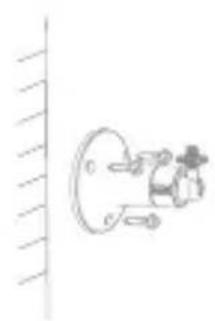
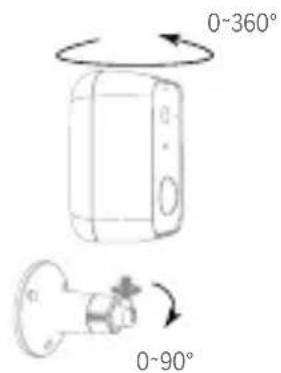
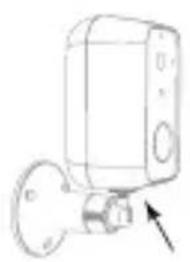
After adjusting your camera angle, please lock this screw
Fix the bracket on the wall.
Install the camera in the bracket and lock it with the screw.
Connect
Download
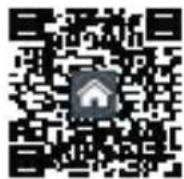
Beafon Home App is available for both iOS and Android OS. Search the name „Beafon Home" in App Store or Google Play, or scan the QR-Code to download the App.
Support


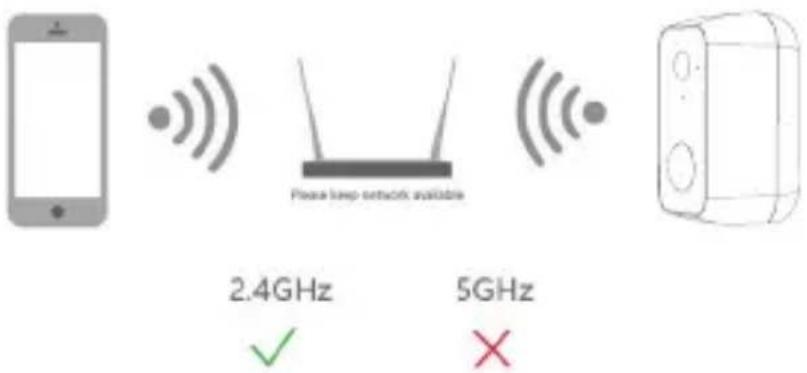
Set up router
The router supports the 2.4GHz WiFi (doesn't support the 5GHz). Before connecting to the WiFi network, please set the parameters of the router, and record the SSID and password of your WiFi.
Registration
Step 1
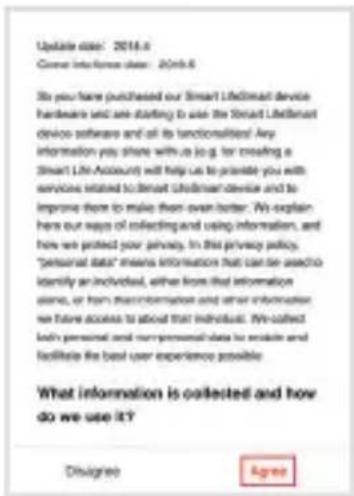
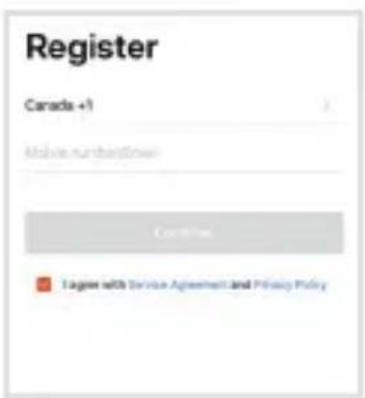
Open the Beafon Home App, click „Register“, read the „Privacy Policy“ and click „Agree“.
Step 2
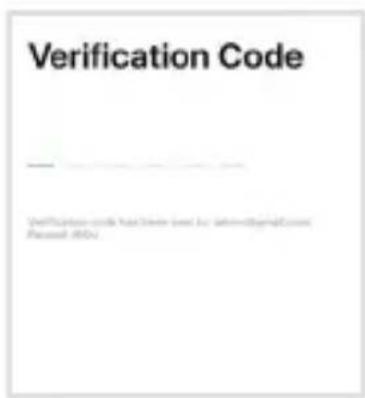
Input a legal and valid Mobile number or Email address and click "Continue". Input Verification Code, then log in the app.
QR Code Configuration
Step 1
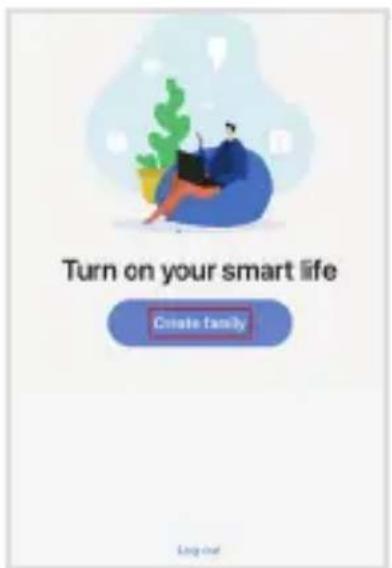
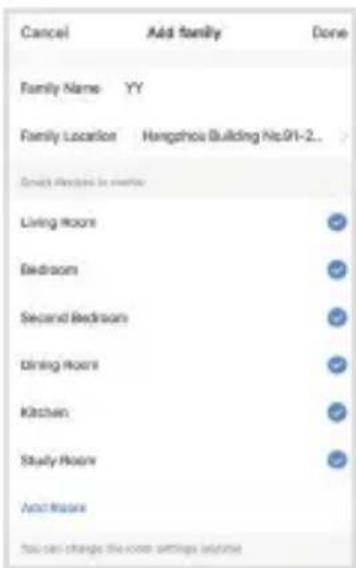
Open the BeafonHome App, click „Create family“, and you can customize the Family name and related settings.
Step 2
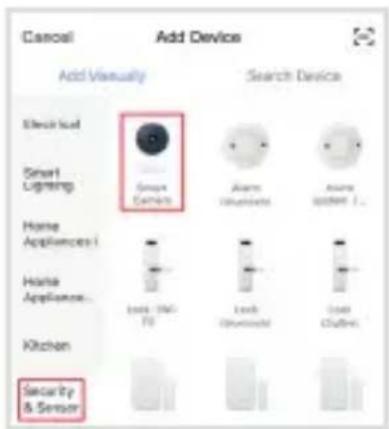
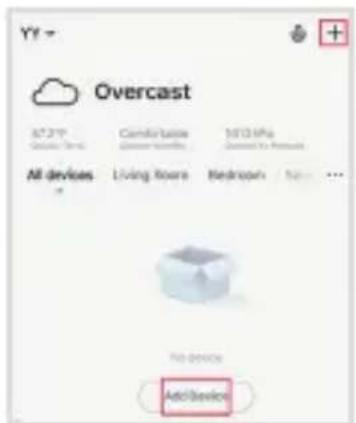
Continue to click „Security & Sensor“ >> „Smart Camera“, and then choose „Add Device“ or „+“, ready to add camera.
Step 3
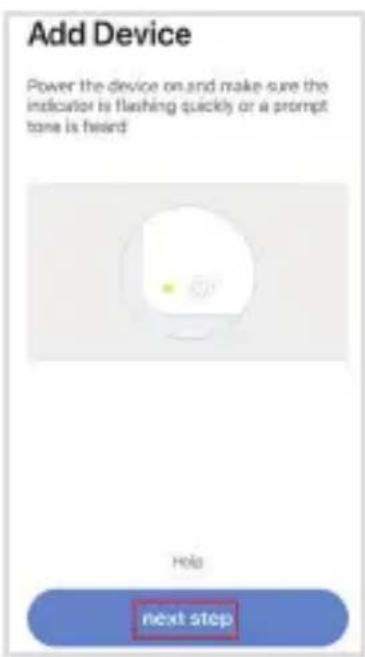
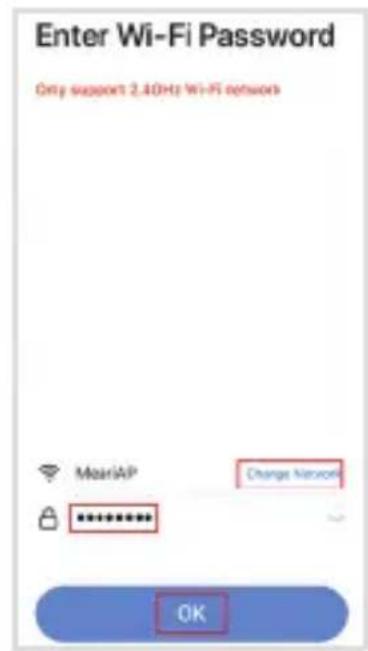
In „Add Device“ this interface, continue to click „next step“, and then you should input your WiFi's passwords.
Note:
- Camera only supports 2.4GHz WiFi network.
- The number of bits in the ssid and passwords of the router should not exceed 24 digits.
Step 4
In this interface, you should scan the QR code in your phone with the camera, when the camera comes out „dong dong dong". And you can complete the configuration about 30s.
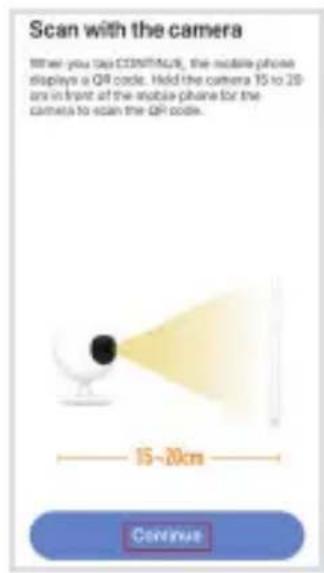
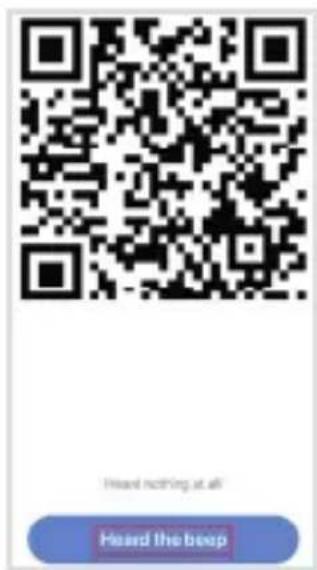
Step 5
When connecting, you should make sure your router, mobile, and camera are as close as possible. When camera added successfully, click , you could also DIY the camera's name.
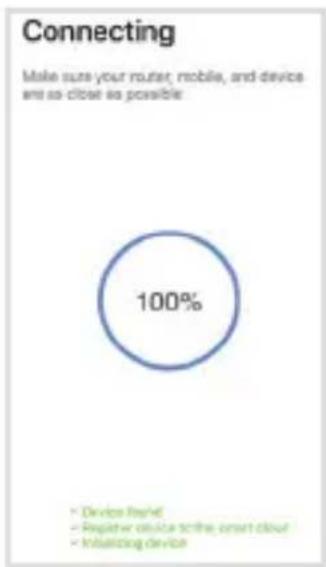
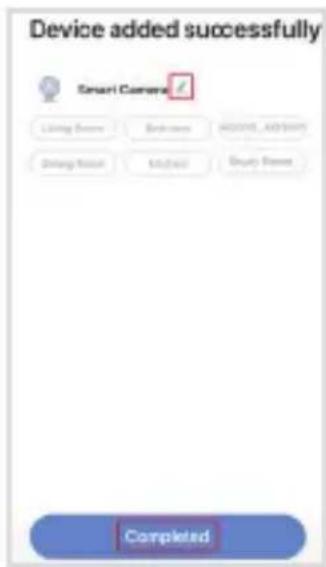
Settings
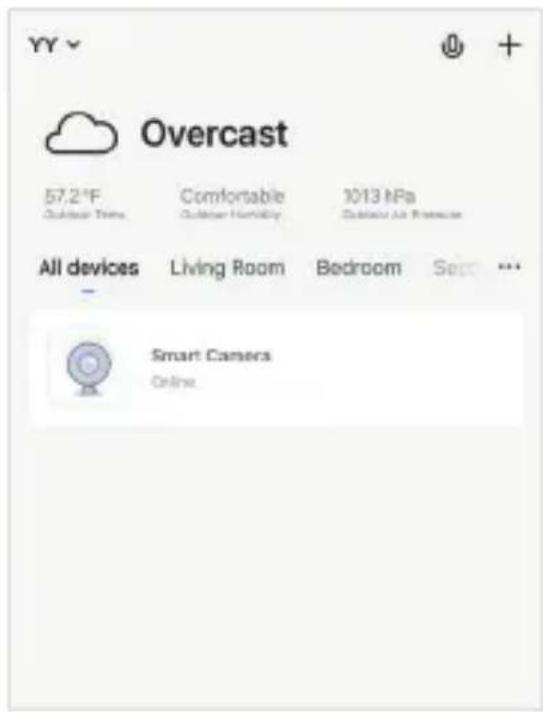
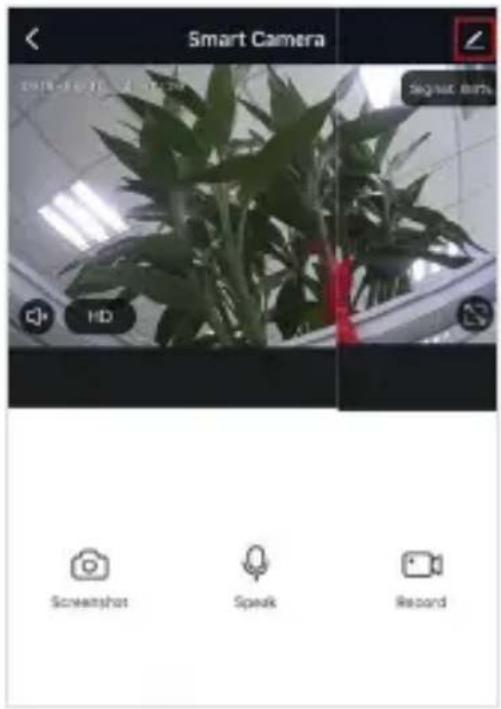
In „SAVER 3L“ interface, click „myu can set the camera common functions.
Settings
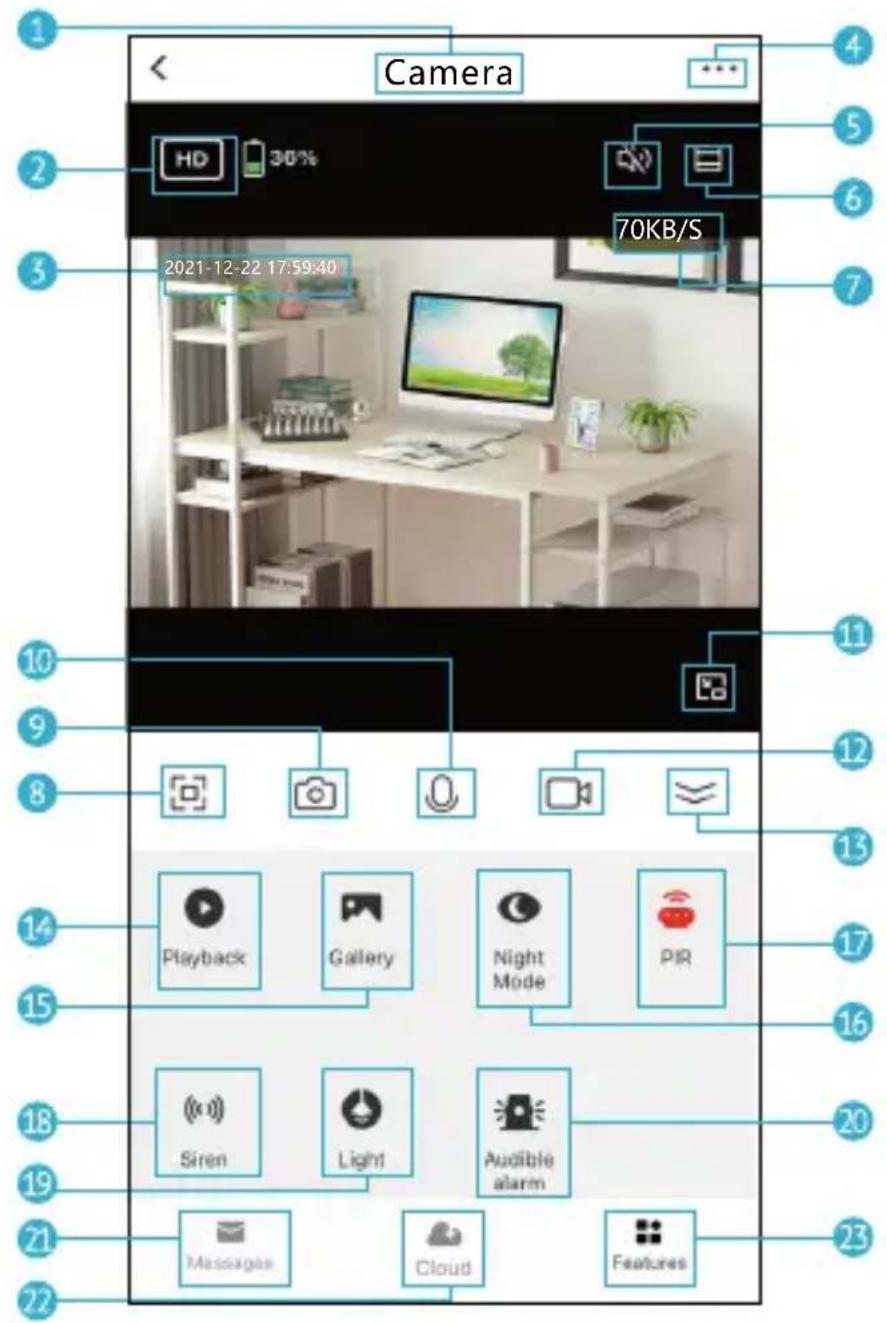
Settings
- Camera Name
- Switch Video Quality
- Time Stamp
- Edit Camera Settings
- Sound Switch
- Zoom in
- Real-time rate
- Full Screen Mode
- Screenshot: Take a screenshot and save it to gallery
- Two-Way Audio: Press and hold to talk. Release to listen
- Zoom out to windowed mode
- Record: Record a video clip and save it to gallery
- Fold/unfold the function bar
- Playback: Watch the videos saved on the Micro SD card
- Gallery: The folder where screenshots and videos are saved
- Night Mode: Switch IR night vision mode
- PIR: Receive the notification when human is detected; and you can adjust sensitivity
- Siren: Turn on to make sound to warning
- Light: Turn on/turn off the light
- Audible alarm: When the alarm is triggered (human is detected), camera will make sound and light
- Messages: View alarm notifications
- Cloud: Watch the videos saved on the Cloud Server (Subscription Required)
- Features: Function tab
FAQ
Q: The device cannot be previewed properly?
A: Check whether the network is normal, you can place the camera close to the router, and if not, it is recommended to reset the device and add it again.
Q: Why is it still in the list of devices after resetting?
A: The reset device only resets the network configuration of the camera, but cannot change the configuration on the App, remove the camera, and must be deleted by the App.
Q: How to cut the camera network to other router?
A: First remove and reset the device on the App and then configure the device again by the App.
Q: Why doesn't the camera identify the SD card?
A: It is recommended to plug in SD card after power cut. Confirm whether the SD card is normally available and the format is FAT32. And the TF card can't be identified when the internet environment is not good.
Q: Why I can't get the notifications with my cell phone App?
A: Please confirm that the App has been running on the phone, and the relevant reminder function has been opened; Message notification and authority confirmation in the mobile phone system have been opened.
Functions
Remote wake-up
The camera will be in a sleep mode to save power; you can have a preview in App.
Full-duplex audio
You can see and hear the vistor in your App from the camera.
PIR
When the camera detects someone stopping by, it sends an alarm message to your cell phone.
Low battery alarm
When the battery power is lower than your set, the App will send a notification to your mobile phone.
Record
Using SD card or Opening the Cloud-Storage Service, to keep recording for every moment.
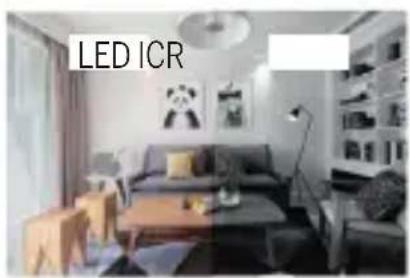
Day & Night
Powerful night vision means no interruptions, even in complete darkness.
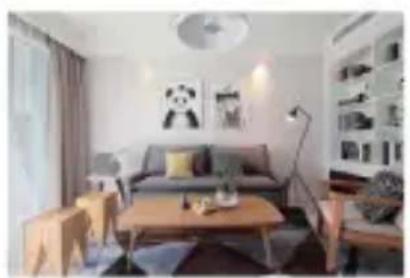
Day Night
General safety instructions
Read the instructions before using for the first time!
- Do not operate the device beyond the specified temperature, humidity, or power source values.
- Mount the device securely on vertical surfaces (solid walls / doors) that are not prone to vibrations or shocks. Avoid excessive moisture, strong dust, and aggressive vapors.
- Do not install the devices in the vicinity of heat sources such as radiators, stoves or in the vicinity of entertainment electronics devices (e.g. TVs, stereo receivers, amplifiers).
- Handle the device carefully. Do not hit or shake as this may damage the device.
- Do not try to open or repair the device yourself - it is essential that you contact your dealer!
- In the event of disposal, the device must be disposed of separately from household waste in an environmentally friendly manner (old device collection point for electronics / batteries) (in accordance with the Electrical and Electronic Equipment Act)
- Use only a mild detergent and wipe gently with a soft cloth. Do not use strong or abrasive cleaning agents.
IMPORTANT: Only private areas may be recorded with the camera (picture and sound)! Any orientation in public space is strictly forbidden within the meaning of the law!
Detailed technical data
Camera
Image Sensor: 1/2.9" 3Megapixel CMOS
Resolution: 2304(H) × 1296(V) = Super HD
Shutter Speeds: 1/25~1/100s
Exposure: Color 0.1Lux @F2.0 Black/White 0.01Lux @F2.0
Infrared night sensor: up to 10 meters
Post Mode: Automatic (ICR) - Color/Black & White
Contrast: DWDR (Digital Wide Dynamic Range)
Lens: 3.2mm @F2.0 130° wide angle
Video & audio
Compression: H.264
Bit rate: 32Kbps~2Mbps
Audio: integrated speaker and micro 2-way
Siren: 90dB (+-10%)
Network
Alarm trigger: intelligent motion detection
Connection protocols: HTTP, DHCP, DNS, TCP/IP
Connection: 2.4G Wi-Fi (IEEE802.11b/g/n)
Supported software: from iOS 9, from Android 5
Security: Encrypted connection AES128
64/128-bit WPA/WPA2, WPA-PSK/WPA2-PSK, WPS
Max. transmission power WiFi: 2,4G = 0.045W (16.5dBm)
Battery & motion detector (PIR)
Capacity: 9600mAh
Standby current consumption: 200 - 800 A (average)
Current consumption: 150-200mA (infrared LED off)
Standby: up to 10 months
Battery life: up to 3 months (varies depending on settings,
usage and temperature)
Motion detector PIR: max.9 meters
PIR Angle: 120°
General
Operating temperature: -20 to 50^
Power supply: DC 5V/1A
Energy consumption: Max. 2W
Protection class: IP65 = protection against water jets from any direction
Storage: MicroSD card slot (Max.128GB)
Dimensions: 57x63x100mm
Net weight: approx. 258g
Manufacturer:Beafon Mobile GmbH
Enzing 4, 4722 Peuerbach, Austria
Importer: Bea-fon Mobile GmbH
Website: www.beafon.com;
Model: SAFER 3L / BEASH-3L-W / Snap 11X
Item description: IP battery camera
Bay Area Compliance Laboratories Corp. Room 417, Building 2, hengqi business center, No. 175 huayuandou street, Hangzhou, China hat folgende EU-Baumusterprüfbescheinigungen (Zertifikat Nr.: AOC RKSA220627001-02 / AOC RKSA220627001-03) and Shenzhen UONE Test Co., LTD. Unit 4B, Building B4, China Merchants Guangming Science Park, Tourist Road 3009, Guangming New District, Shenzhen, RoHS-Zertifikat (Report Nr.: U00905220524615E-R1)
The object of the declaration described above is in compliance with the relevant Union harmonization legislation:
EU Directive 2014/30/EU, EU Radio Equipment Directive 2014/53/EU (RED) and RoHS Directive(EU) 2015/863 amending Annex II to Directive 2011/65/EU
The manufacturer/importer is solely responsible for issuing this declaration of conformity:
Test standards:
EMC Directive 2014/30/EU
| Harmonized Standards Test Report Number |
| EN 50130-4_2011+A1:2014 | RKSA220627001-01A |
| EN 55032:2015+A1:2020 |
| EN 55035:2017+A11:2020 |
| EN IEC 61000-3-2:2019+A1:2021 |
| EN 61000-3-3:2013+A2:2021 |
Radio Equipment Directive 2014/53/EU
| Essential Requirement Harmonized Standards Test Report Number |
| EMC | ETSI EN 301489-1 V2.2.3 (2019-11)ETSI EN 301489-17 V3.2.4 (2020-09) | RKSA220627001-02 |
| Radio ETSI EN 300 328 V2.2.2. (2019-07) RKSA220627001-01B |
| Health EN IEC 62311:2020 RKSA220627001-01C | |
| Safety EN 62368-1:2020+A11:2020 RKSA220627001-02 | |
RoHS Directive(EU) 2015/863 amending Annex II to Directive 2011/65/EU
Applicable Standards Test Report Number
IEC 62321-1:2013, IEC 62321-2:2021
IEC 62321-3-1:2013
IEC62321-4:2013+A1:2017,IEC 62321-5:2013
IEC 62321-6:2015, IEC 62321-7-1:2015
IEC 62321-7-2:2017, IEC 62321-8:2017
U00905220524615E-R1
For the correctness:

https://ipc-eu.ismartlife.me Supports browser view (WebRTC)
bea·f·o·n
Smart Home
SAFER 3L
Manual
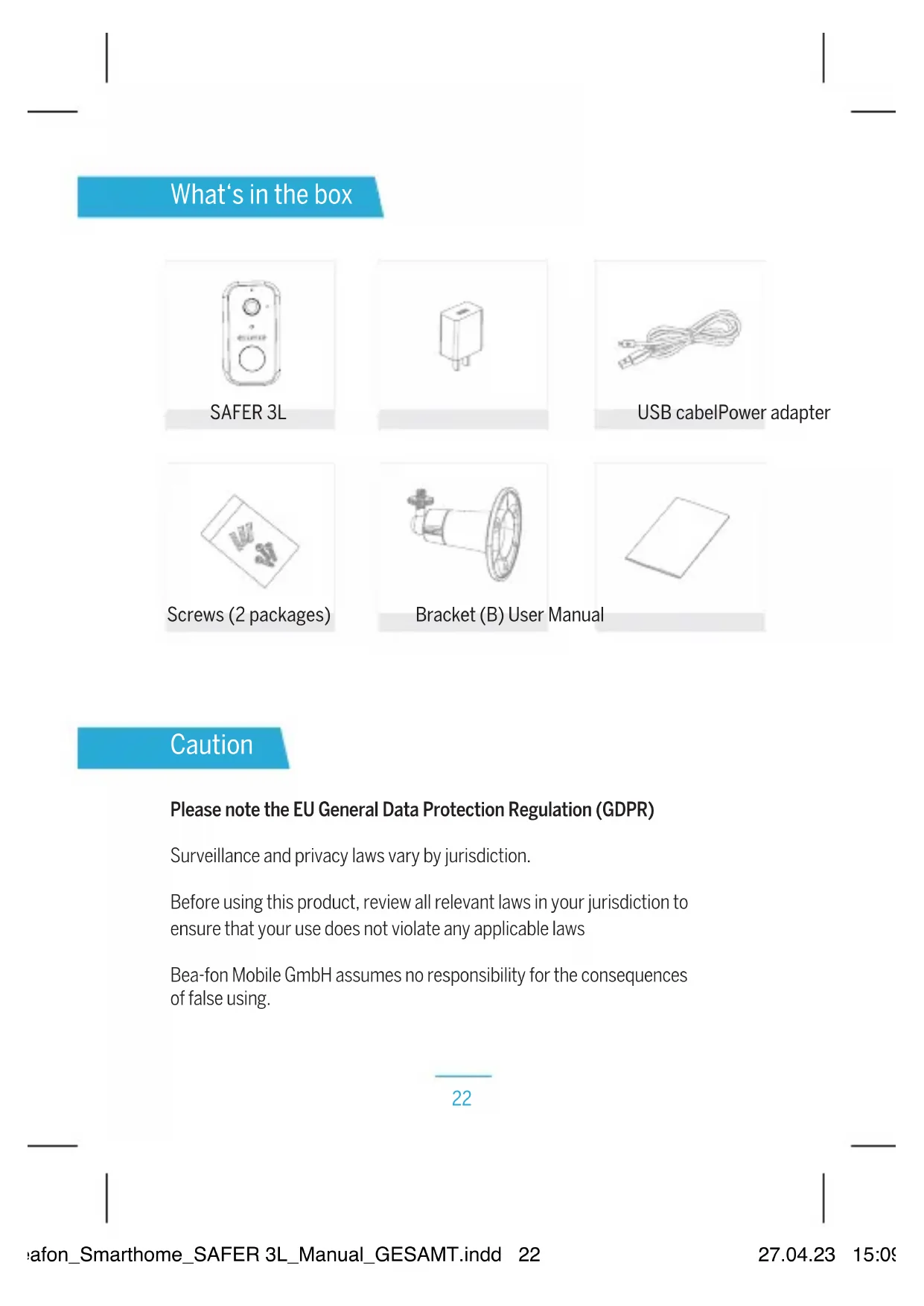
Que incluye la caja
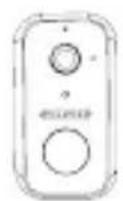
SAFER 3L
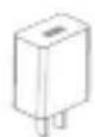
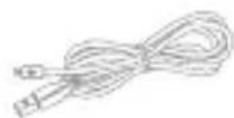
Cable USBAdaptador de corrente
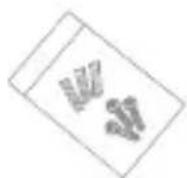
Tornillos (2 paquetes)
Resolution: 2304 (H) x 1296 (V) = Super HD
Velocidades de obturacion: 1/25~1/100s
64/128 bits WPA/WPA2, WPA-PSK/WPA2-PSK, WPS
Applicable Standards Test Report Number
IEC 62321-1:2013, IEC 62321-2:2021
IEC 62321-3-1:2013
IEC62321-4:2013+A1:2017,IEC 62321-5:2013
IEC 62321-6:2015, IEC 62321-7-1:2015
IEC 62321-7-2:2017, IEC 62321-8:2017
U00905220524615E-R1
Para la correccion:

ReinHard Handgruber, COO
Image Sensor: 1/2.9“3Megapixel CMOS
Resolution: 2304(H) x 1296(V) = Super HD
Shutter Speeds: 1/25~1/100s
Exposure: Color 0.1Lux @F2.0 Black/White 0.01Lux @F2.0
Infrared night sensor: up to 10 meters
Post Mode: Automatic (ICR) - Color/Black & White
Contrast: DWDR (Digital Wide Dynamic Range)
Lens: 3.2mm @F2.0 130° wide angle °
Video e audio
Compression: H.264
Bit rate: 32Kbps~2Mbps
Audio: integrated speaker and micro 2-way
Siren: 90dB (+-10%)
Rete
Alarm trigger: intelligent motion detection
Connection protocols: HTTP, DHCP, DNS, TCP/IP
Connection: 2.4G Wi-Fi (IEEE802.11b/g/n)
Supported software: from iOS 9, from Android 5
Security: Encrypted connection AES128
64/128-bit WPA/WPA2, WPA-PSK/WPA2-PSK, WPS
Max. transmission power WiFi: 2,4G = 0.045W (16.5dBm)
Standby current consumption: 200-800μA (average)
Current consumption: 150-200mA (infrared LED off)
Standby: up to 10 months
Battery life: up to 3 months (varies depending on settings,
usage and temperature)
Motion detector PIR: max.9 meters
PIR Angle: 120°
Generale
Sito web: www.beafon.com;
Modello: SAFER 3L / BEASH-3L-W / Snap 11X
Bay Area Compliance Laboratories Corp. Room 417, Building 2, hengqi business center, No.175
Test Co., LTD. Unit 4B, Building B4, China Merchants Guangming Science Park, Tourist Road 3009,
Guangming New District, Shenzhen, RoHS-Zertifikat (Report Nr.: U00905220524615E-R1).
Applicable Standards Test Report Number
IEC 62321-1:2013, IEC 62321-2:2021
IEC 62321-3-1:2013
IEC62321-4:2013+A1:2017,IEC 62321-5:2013
IEC 62321-6:2015, IEC 62321-7-1:2015
IEC 62321-7-2:2017, IEC 62321-8:2017
U00905220524615E-R1
Per la correttezza:

ReinHard Handgruber, COO
WPA/WPA2 64/128 bits, WPA-PSK/WPA2-PSK, WPS
Alimentation: DC 5V/1A
Dimensions: 57x63x100mm
Site Internet: www.beafon.com;
Modèle: SAFER 3L / BEASH-3L-W / Snap 11X
Bay Area Compliance Laboratories Corp. Room 417, Building 2, hengqi business
Building B4, China Merchants Guangming Science Park, Tourist Road 3009, Guangming
New District, Shenzhen, (Report Nr.: U00905220524615E-R1)
Applicable Standards Test Report Number
IEC 62321-1:2013, IEC 62321-2:2021
IEC 62321-3-1:2013
IEC62321-4:2013+A1:2017,IEC 62321-5:2013
IEC 62321-6:2015, IEC 62321-7-1:2015
IEC 62321-7-2:2017, IEC 62321-8:2017
U00905220524615E-R1
Pour la justesse:

- Camera Name
- Switch Video Quality
- Time Stamp
- Edit Camera Settings
- Sound Switch
- Zoom in
- Real-time rate
- Full Screen Mode
- Screenshot: Take a screenshot and save it to gallery
- Two-Way Audio: Press and hold to talk. Release to listen
- Zoom out to windowed mode
- Record: Record a video clip and save it to gallery
- Fold/unfold the function bar
- Playback: Watch the videos saved on the Micro SD card
- Gallery: The folder where screenshots and videos are saved
- Night Mode: Switch IR night vision mode
- PIR: Receive the notification when human is detected; and you can adjust sensitivity
- Siren: Turn on to make sound to warning
- Light: Turn on/turn off the light
- Audible alarm: When the alarm is triggered (human is detected), camera will make sound and light
- Messages: View alarm notifications
- Cloud: Watch the videos saved on the Cloud Server (Subscription Required)
- Features: Function tab
Veelgestelde Vragen
64/128-bits WPA/WPA2, WPA-PSK/WPA2-PSK, WPS
Maximaal zendvermogen WiFi 2.4G:0,045W (16,5dBm)
Batterij & Bewegingsmelder (PIR)
Website: www.beafon.com;
Model: SAFER 3L / BEASH-3L-W / Snap 11X
Item description: IP battery camera
Bay Area Compliance Laboratories Corp. Room 417, Building 2, hengqi business center, No. 175 huayuandou street, Hangzhou, China hat folgende EU-Baumusterprüfbescheinigungen (Zertifikat Nr.: AOC RKSA220627001-02 / AOC RKSA220627001-03) and Shenzhen UONE Test Co., LTD. Unit 4B, Building B4, China Merchants Guangming Science Park, Tourist Road 3009, Guangming New District, Shenzhen, RoHS-Zertifikat (Report Nr.: U00905220524615E-R1)
The object of the declaration described above is in compliance with the relevant Union harmonization legislation:
EU Directive 2014/30/EU, EU Radio Equipment Directive 2014/53/EU (RED) and RoHS Directive(EU) 2015/863 amending Annex II to Directive 2011/65/EU
The manufacturer/importer is solely responsible for issuing this declaration of conformity:
Test standards:
EMC Directive 2014/30/EU
| Harmonized Standards Test Report Number |
| EN 50130-4_2011+A1:2014 | RKSA220627001-01A |
| EN 55032:2015+A1:2020 |
| EN 55035:2017+A11:2020 |
| EN IEC 61000-3-2:2019+A1:2021 |
| EN 61000-3-3:2013+A2:2021 |
Radio Equipment Directive 2014/53/EU
| Essential Requirement Harmonized Standards Test Report Number |
| EMC | ETSI EN 301489-1 V2.2.3 (2019-11)ETSI EN 301489-17 V3.2.4 (2020-09) | RKSA220627001-02 |
| Radio ETSI EN 300 328 V2.2.2. (2019-07) RKSA220627001-01B |
| Health EN IEC 62311:2020 RKSA220627001-01C | |
| Safety EN 62368-1:2020+A11:2020 RKSA220627001-02 | |
Applicable Standards Test Report Number
IEC 62321-1:2013, IEC 62321-2:2021
IEC 62321-3-1:2013
IEC62321-4:2013+A1:2017,IEC 62321-5:2013
IEC 62321-6:2015, IEC 62321-7-1:2015
IEC 62321-7-2: 2017, IEC 62321-8: 2017
U00905220524615E-R1
https://ipc-eu.ismartlife.me
Supports browser view (WebRTC)