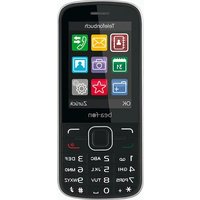
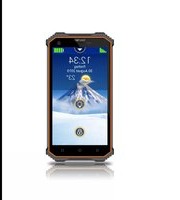
C150 - Smartphone Bea-fon - Free user manual and instructions
Find the device manual for free C150 Bea-fon in PDF.


Pick your language and provide your email: we'll send you a specifically translated version.
| Product Type | Smartphone |
| Brand | Bea-fon |
| Model | C150 |
| Dimensions (H x W x D) | 14.5 x 7.3 x 1.0 cm |
| Weight | 150 g |
| Display Size | 3.5 inches |
| Display Resolution | 320 x 480 pixels |
| Battery Capacity | 1500 mAh |
| Camera (Rear) | 2 MP |
| Camera (Front) | VGA |
| Internal Storage | 64 MB |
| Memory Card Slot | microSD up to 32 GB |
| Operating System | Proprietary OS |
| Connectivity | GSM, Bluetooth 2.1, mini USB |
| Audio Jack | 3.5 mm |
| Battery Type | Li-Ion, removable |
| Charging Time | 2-3 hours |
| Standby Time | Up to 300 hours |
| Talk Time | Up to 6 hours |
| SIM Card Type | Mini SIM |
| Languages Supported | English, French, German, Spanish, Italian, Dutch, Portuguese, Polish, Russian, Chinese |
| Manual Languages | English (available for download) |
Frequently Asked Questions - C150 Bea-fon
How do I insert the SIM card?
Power off the device. Remove the back cover and battery. Insert the SIM card into the slot with the gold contacts facing down and the cut corner aligning with the slot. Replace the battery and cover.
How to charge the battery?
Connect the charger to a power outlet and plug the mini USB end into the device. A battery icon will appear on the screen. Charging time is approximately 2-3 hours.
How to take a screenshot?
This device does not support screenshot functionality due to its basic operating system.
What is the maximum memory card size?
The device supports microSD cards up to 32 GB for storing photos, music, and files.
How to set up the alarm?
Go to Menu > Organizer > Alarm. Select 'Add' or 'New Alarm', set the time, and choose repeat options. Press 'Save' to activate.
How to clean the phone?
Use a soft, slightly damp cloth to wipe the exterior. Do not use abrasive cleaners or immerse in water. Keep the charging port and speaker grilles dry.
Why is the phone not turning on?
Ensure the battery is charged. Try a hard reset by removing the battery, waiting 30 seconds, and reinserting it. If the problem persists, contact support.
How to reset the phone to factory settings?
Go to Menu > Settings > Factory Reset. Enter the default PIN (usually 0000 or 1234) and confirm. This will erase all user data.
Can I use the phone while charging?
Yes, you can use the phone while charging, but it may extend the charging time.
Where can I download the user manual?
Visit notice-facile.com and search for 'Bea-fon C150'. The manual is available in PDF format for free download.
User questions about C150 Bea-fon
0 question about this device. Answer the ones you know or ask your own.
Ask a new question about this device
No questions yet. Be the first to ask one.
Download the instructions for your Smartphone in PDF format for free! Find your manual C150 - Bea-fon and take your electronic device back in hand. On this page are published all the documents necessary for the use of your device. C150 by Bea-fon.
USER MANUAL C150 Bea-fon
Manual assistant
Powered by Anthropic
Waiting for your message
Product information
Brand : Bea-fon
Model : C150
Category : Smartphone