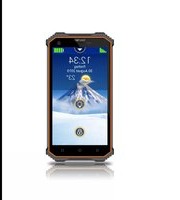
SL160 - Smartphone Bea-fon - Free user manual and instructions
Find the device manual for free SL160 Bea-fon in PDF.


Pick your language and provide your email: we'll send you a specifically translated version.
| Product Type | Smartphone |
| Brand | Bea-fon |
| Model | SL160 |
| Display Size | 4.0 inches (approx.) |
| Dimensions (H x W x D) | 124 x 64 x 12 mm (approx.) |
| Weight | 120 g (approx.) |
| Battery Capacity | 1500 mAh (removable) |
| Talk Time | Up to 8 hours |
| Standby Time | Up to 300 hours |
| Operating System | Simple OS (proprietary) |
| Network Compatibility | 2G GSM (850/900/1800/1900) |
| SIM Card Type | Mini-SIM (standard) |
| Memory Card Slot | microSD up to 32 GB |
| Camera | 2 MP rear camera |
| Audio Jack | 3.5 mm stereo |
| USB Port | Micro USB 2.0 |
| Power Supply | 5V, 500 mA charger (included) |
| Main Functions | Call, SMS, camera, music player, FM radio, torch, SOS button |
| Care & Cleaning | Wipe with dry cloth, avoid liquids |
| Safety | Use only approved accessories, keep away from heat |
| Spare Parts & Repairability | Battery and back cover replaceable |
| General Information | Designed for seniors, large buttons, loud speaker |
Frequently Asked Questions - SL160 Bea-fon
How do I insert the SIM card and battery?
Remove the back cover, insert the SIM card with gold contacts facing down, then insert the battery and replace cover.
How do I charge the device?
Connect the included Micro USB cable to the phone and a USB power adapter. Plug into a wall outlet. The battery icon will show charging.
How can I adjust the volume?
Use the volume keys on the side of the phone during calls or media playback.
How do I use the SOS button?
Press and hold the SOS button on the back for 3 seconds to send an alert to programmed emergency contacts.
Why is the phone not turning on?
Ensure the battery is charged and properly inserted. Try pressing and holding the power button for 10 seconds.
How do I transfer contacts?
Contacts can be stored on the SIM card or phone memory. Use the Copy from SIM option in Contacts menu.
Can I install apps?
This phone uses a proprietary OS and does not support third-party app stores. Pre-installed apps only.
How do I set the date and time?
Go to Menu > Settings > Date & Time. Set manually or enable auto-update from network.
What type of memory card does it support?
It supports microSD cards up to 32 GB for storing photos, music, and files.
Is the battery removable?
Yes, the battery is removable. Turn off the phone, remove back cover, and lift out the battery.
User questions about SL160 Bea-fon
0 question about this device. Answer the ones you know or ask your own.
Ask a new question about this device
No questions yet. Be the first to ask one.
Download the instructions for your Smartphone in PDF format for free! Find your manual SL160 - Bea-fon and take your electronic device back in hand. On this page are published all the documents necessary for the use of your device. SL160 by Bea-fon.
USER MANUAL SL160 Bea-fon
Manual assistant
Powered by Anthropic
Waiting for your message
Product information
Brand : Bea-fon
Model : SL160
Category : Smartphone