EasyManual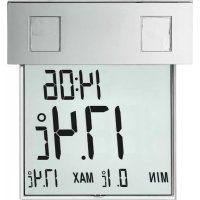
Vision Solar 30.1035 - Thermometer TFA - Free user manual and instructions
Find the device manual for free Vision Solar 30.1035 TFA in PDF.



User questions about Vision Solar 30.1035 TFA
0 question about this device. Answer the ones you know or ask your own.
Ask a new question about this device
Download the instructions for your Thermometer in PDF format for free! Find your manual Vision Solar 30.1035 - TFA and take your electronic device back in hand. On this page are published all the documents necessary for the use of your device. Vision Solar 30.1035 by TFA.
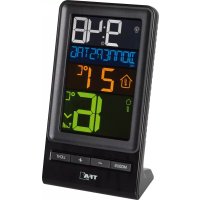
USER MANUAL Vision Solar 30.1035 TFA
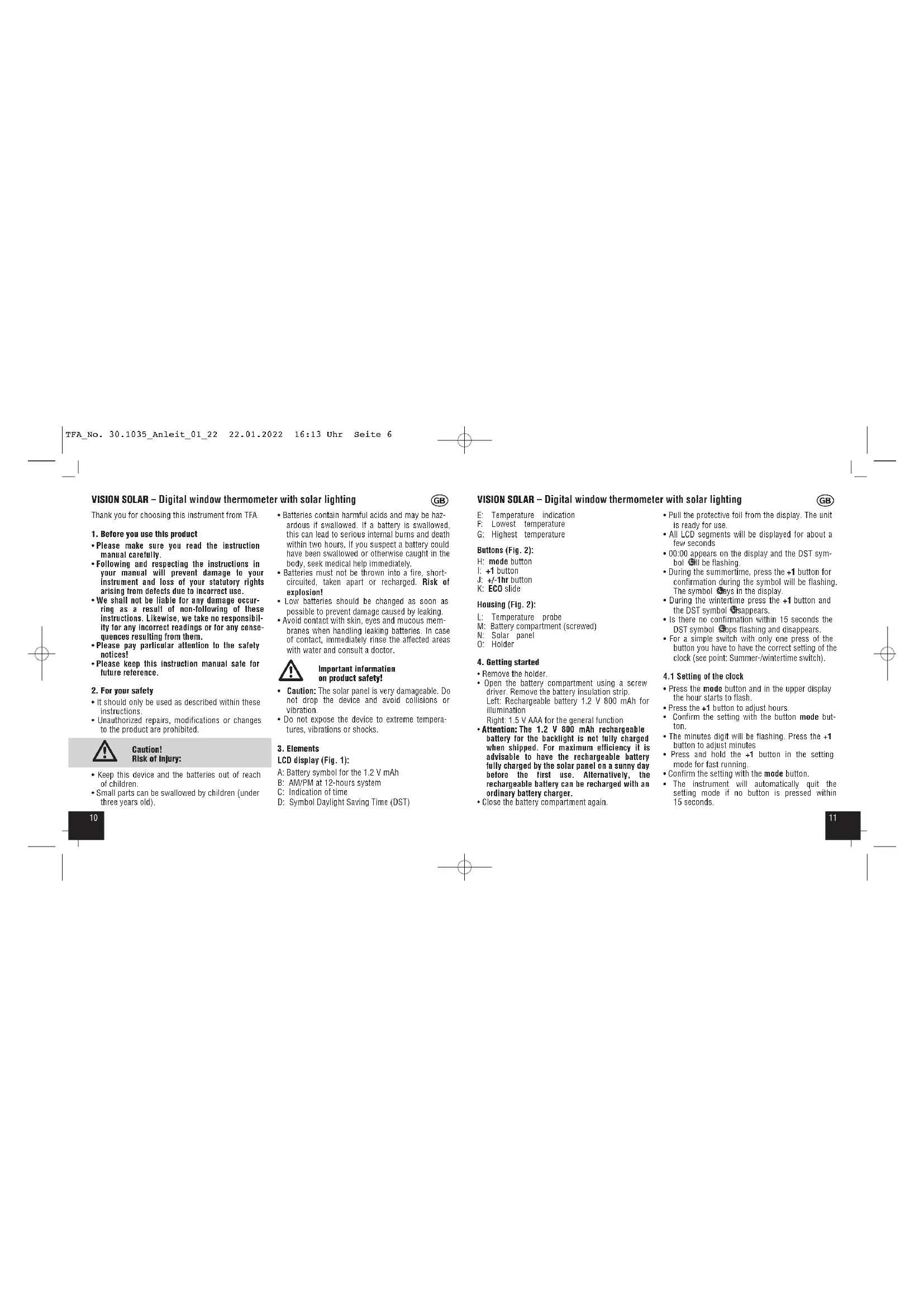
E: Temperature indication F: Lowest temperature G: Highest temperature Buttons (Fig. 2): H: mode button I: +1 button J: +/-1hr button K: ECO slide Housing (Fig. 2): L: Temperature probe M: Battery compartment (screwed) N: Solar panel O: Holder
- Open the battery compartment using a screw driver. Remove the battery insulation strip. Left: Rechargeable battery 1.2 V 800 mAh for illumination Right: 1.5 V AAA for the general function
- Attention: The 1.2 V 800 mAh rechargeable battery for the backlight is not fully charged when shipped. For maximum efficiency it is advisable to have the rechargeable battery fully charged by the solar panel on a sunny day before the first use. Alternatively, the rechargeable battery can be recharged with an ordinary battery charger.
- Close the battery compartment again.
- Pull the protective foil from the display. The unit is ready for use.
- All LCD segments will be displayed for about a few seconds
- 00:00 appears on the display and the DST sym- bol will be flashing.
- During the summertime, press the +1 button for confirmation during the symbol will be flashing. The symbol stays in the display.
- During the wintertime press the +1 button and the DST symbol disappears.
- Is there no confirmation within 15 seconds the DST symbol stops flashing and disappears.
- For a simple switch with only one press of the button you have to have the correct setting of the clock (see point: Summer-/wintertime switch).
4.1 Setting of the clock
- Press the mode button and in the upper display the hour starts to flash.
- Press the +1 button to adjust hours.
- Confirm the setting with the button mode but- ton.
- The minutes digit will be flashing. Press the +1 button to adjust minutes
- Press and hold the +1 button in the setting mode for fast running.
- Confirm the setting with the mode button.
- The instrument will automatically quit the setting mode if no button is pressed within 15 seconds. VISION SOLAR – Digital window thermometer with solar lighting
Thank you for choosing this instrument from TFA.
1. Before you use this product
- Please make sure you read the instruction manual carefully.
- Following and respecting the instructions in your manual will prevent damage to your instrument and loss of your statutory rights arising from defects due to incorrect use.
- We shall not be liable for any damage occur- ring as a result of non-following of these instructions. Likewise, we take no responsibil- ity for any incorrect readings or for any conse- quences resulting from them.
- Please pay particular attention to the safety notices!
- Please keep this instruction manual safe for future reference.
- It should only be used as described within these instructions.
- Unauthorized repairs, modifications or changes to the product are prohibited. Caution! Risk of injury:
- Keep this device and the batteries out of reach of children.
- Small parts can be swallowed by children (under three years old).
- Batteries contain harmful acids and may be haz- ardous if swallowed. If a battery is swallowed, this can lead to serious internal burns and death within two hours. If you suspect a battery could have been swallowed or otherwise caught in the body, seek medical help immediately.
- Batteries must not be thrown into a fire, short- circuited, taken apart or recharged. Risk of explosion!
- Low batteries should be changed as soon as possible to prevent damage caused by leaking.
- Avoid contact with skin, eyes and mucous mem- branes when handling leaking batteries. In case of contact, immediately rinse the affected areas with water and consult a doctor. Important information on product safety!
- Caution: The solar panel is very damageable. Do not drop the device and avoid collisions or vibration.
- Do not expose the device to extreme tempera- tures, vibrations or shocks.
- Due to the heat emission (depending on insula- tion) and the protected location of your window it is possible that the temperature displayed is high- er than the outdoor temperature at a free un- sheltered location directly over the ground.
- Direct sunshine falsifies the measurement.
5. Care and maintenance
- For a very good function keep the solar panel always clean. Clean it with a soft cloth and maybe a little glass- or display cleaner. Do not use solvents or scouring agents.
- Remove the batteries if you do not use the pro- duct for a long period of time.
5.1 Battery replacement
- Change the battery, when the functions of the instrument become weak.
- Insert a new battery 1,5 V AAA (right: for the general function 1 x 1.5 V AAA) in the battery compartment. Make sure that the polarity is cor- rect (marking on the battery compartment cover).
Problems Solution No display / ➜ Ensure that the Incorrect indication battery polarity is correct (1.5 V AAA) ➜ Change the battery (1.5 V AAA) No illumination ➜ Make sure no objects cover the solar panel ➜ See point: Illumination
This product and its packaging have been manufac- tured using high-grade materials and components which can be recycled and reused. This reduces waste and protects the environment. Dispose of the packaging in an environmentally friendly manner using the collection systems that have been set up. Disposal of the electrical device Remove non-permanently installed bat- teries and rechargeable batteries from the device and dispose of them sepa- rately. This product is labelled in accordance with the EU Waste Electrical and Elec- tronic Equipment Directive (WEEE). This product must not be disposed of in ordinary household waste. As a con- sumer, you are required to take end-of- life devices to a designated collection point for the disposal of electrical and electronic equipment, in order to ensure environmentally-compatible disposal. VISION SOLAR – Digital window thermometer with solar lighting
4.2 Change of the temperature unit °C/°F
- Press the +1 button to change between °C (Cel- sius) or °F (Fahrenheit) as temperature unit.
- If you choose Fahrenheit as temperature unit, the time will be shown automatically in 12 hours system. AM or PM appears on the display.
4.3 Summer- / wintertime switch
- When the time appears on the display press the +/-1hr button and summertime changes in to wintertime and vice versa (+/-1 hour).
- Please pay attention to the correct setting at the startup procedure.
4.5 Maximum and minimum temperatures
- The maximum and minimum values are auto- matically reset: The maximum temperature at 8:00 and minimum temperature at 20:00 o'clock. Please insert the actual time to activate this function.
4.6 Temperature probe
- The black pin is the temperature probe. Please take care of it and do not break it. The tempera- ture probe has no adjusting function. It only measures the temperature.
- The supplied battery will be recharged in an envi- ronmentally friendly manner by the solar cells.
- Please consider when choosing a location that the solar panel needs at least 8 - 10 hours of light per day to guarantee a long-term sufficient power supply. The thermometer is provided with a light sensor to turn on the light automatically at dark between 5 until 9 o’clock and 19 until 23 o’clock. Avoid the proximity of artificial light such as street light.
- With the ECO slide is it possible to turn the time controlled illumination on (ON) or off (OFF).
- If the ECO mode is not active the illumination will turn on automatically as soon as the solar panel indicates darkness.
- When the battery symbol appears on the display, the voltage of the rechargeable battery is low and the back light function can be temporarily disabled, until the power supply by the solar cells is sufficient again.
- Fix the holder with the adhesive outside at the window. Remove the protective foil at first. Please clean the window glass before. Now you can hang up and demount the thermometer very easily.
TFA Dostmann GmbH & Co.KG,Zum Ottersberg 12, 97877 Wertheim, GermanyNo part of this manual may be reproduced withoutwritten consent of TFA Dostmann. The technical dataare correct at the time of going to print and maychange without prior notice.The latest technical data and information about thisproduct can be found in our homepage by simplyentering the product number in the search box.www.tfa-dostmann.de 01/22 VISION SOLAR – Digital window thermometer with solar lighting
The return service is free of charge. Observe the current regulations in place! Disposal of the batteries Batteries and rechargeable batteries must never be disposed of with house- hold waste. They contain pollutants such as heavy metals, which can be harmful to the environment and human health if disposed of improperly, and valuable raw materials such as iron, zinc, manganese or nickel that can be recovered from waste. As a consumer, you are legally obliged to hand in used batteries and rechargeable batteries for environmentally friendly disposal at retailers or appropriate collection points in accordance with national or local regulations. The return service is free of charge. You can obtain addresses of suitable collection points from your city council or local authority. The names for the heavy metals con- tained are: Cd=cadmium, Hg=mercury, Pb=lead. Reduce the generation of waste from batteries by using batteries with a longer lifespan or suitable rechargeable batteries. Avoid littering the environment and do not leave batteries or battery-containing electrical and electronic devices lying around carelessly. The separate collec- tion and recycling of batteries and rechargeable batteries make an impor- tant contribution to relieving the impact on the environment and avoiding health risks. WARNING! Damage to the environment and health through incorrect disposal of the batteries!