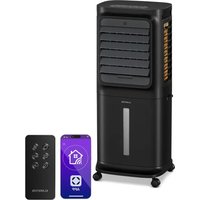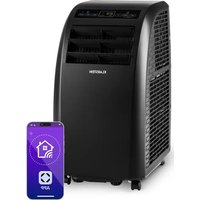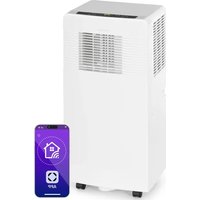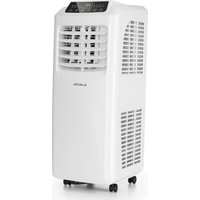
Kraftwerk Eco Smart 11 - Air Conditioning Klarstein - Free user manual and instructions
Find the device manual for free Kraftwerk Eco Smart 11 Klarstein in PDF.



User questions about Kraftwerk Eco Smart 11 Klarstein
0 question about this device. Answer the ones you know or ask your own.
Ask a new question about this device
Download the instructions for your Air Conditioning in PDF format for free! Find your manual Kraftwerk Eco Smart 11 - Klarstein and take your electronic device back in hand. On this page are published all the documents necessary for the use of your device. Kraftwerk Eco Smart 11 by Klarstein.
USER MANUAL Kraftwerk Eco Smart 11 Klarstein
KRAFTWERK ECO SMART 11
Klimaanlage
Air Conditioner
Climatiseur
Aire acondicionado
text_image
QR code image containing encoded data, no visible human-readable textINHALTSVERZEICHNIS
Technische Daten 3
text_image
Technical diagram of a portable air conditioner unit with labeled parts in Chinesetext_image
Diagram of a multi-tiered air conditioner unit with numbered labels pointing to different panel sections.natural_image
Line drawing of a wall-mounted air conditioner unit with a 50cm dimension label (no text or symbols on the device itself)text_image
Diagram of a smart home control panel with numbered labels and icons for connectivity, power, audio, and wireless connections.text_image
Diagram showing four steps of a door opening and cooling system with directional arrows indicating movement.
natural_image
Simple diagram with a rectangle, a vertical dashed line, an oval shape, and a black dot connected by lines (no text or symbols)Member of Berlin Brands Group
Handwerkerstr. 11
15366 Dahlwitz-Hoppegarten
Deutschland
natural_image
Symbol of a trash bin crossed with a diagonal line, no text or numbers presentBerlin Brands Group UK Ltd
PO Box 1145
Oxford, OX1 9UW
United Kingdom
Congratulations on the purchase of your appliance. Please read the following instructions carefully and follow them to prevent potential damage. We accept no liability for damage caused by disregarding the instructions and improper use. Please scan the QR code to access the latest operating instructions and further information about the product.

text_image
QR code image containing encoded data, no visible human-readable textCONTENTS
Notes on Refrigerant R290 28 Safety Instructions 29 Device Overview 31 Installation 32 Control panel 35 Operation 36 Device Control by Smartphone 40 Draining the Water 42 Fixing the Window Seal 44 Cleaning and Maintenance 46 Troubleshooting 47 Disposal Considerations 48 Declaration of Conformity 48
TECHNICAL DATA
| Product code 10040189, 10040190 | |
| Power supply 220-240 V ~ 50 Hz | |
| Power 1060 W | |
| Cooling capacity 11 500 BTU / 3.3 kW | |
| Air flow rate (max.) 388 m3/h | |
| Dehumidification capacity 33.5 l/h | |
| Refrigerant R290/240 g | |
| WiFi standard | 802.11 b/g/n |
| WiFi frequency | 2.4 GHz |
| WiFi transmission power (max.) | 20 dBm |
NOTES ON REFRIGERANT R290

CAUTION
Risk of fi re! This device contains the fl ammable refrigerant R290. If the refrigerant escapes and is exposed to an external ignition source, there is a risk of fi re.
Warnings
- The air conditioning system must be kept and transported upright. Otherwise, irreparable compressor damage may occur. Leave the unit for at least 24 hours before putting it into operation.
- Switch off the device and disconnect it from the power supply before cleaning.
- Make sure that the product creates a steady stream of air. Ensure the air inlets and outlets are not blocked.
- To prevent leaks, operate this unit on a horizontal surface.
- Any person performing work on a refrigerant circuit should have a current certifi cate from an industry-accredited assessment body. This ensures competence for the safe handling of refrigerants according to an industry-recognised assessment specifi cation.
- If the device stops working, dispose of it properly.
- Store the device in a well-ventilated place when not in use.
- Store the device so that it is not damaged.
- Repairs may only be carried out by the manufacturer or an authorised specialist company.
- Do not damage any components of the refrigerant circuit. Escaping refrigerant may not be noticed because it is odourless.
- Maintenance and repairs must be carried out under the supervision of specialists in the use of flammable refrigerants.
Information for rooms with refrigerant pipes
- Limit the piping to a minimum.
- Be careful not to damage the piping.
- Appliances with fl ammable refrigerants may only be installed in a well-ventilated room.
- Comply with national gas regulations.
- All mechanical connections must be freely accessible for maintenance purposes.
SAFETY INSTRUCTIONS
Special notes
- Only use agents recommended by the manufacturer for defrosting or cleaning.
- Never store the appliance in a room in which there are permanent sources of ignition (e.g. open flames, a switched-on gas appliance or a switched-on electric heater).
- Do not puncture or burn the appliance.
• Note that coolant may be odourless.
Note: Only use the unit in rooms larger than X m ^2 (see table):
| Model X ( m^2 ) | |
| 5000 BTU/h, 7000 BTU/h, 8000 BTU/h 10 m^2 | |
| 9000 BTU/h, 10000 BTU/h, 10500 BTU/h 13 m^2 | |
| 12000 BTU/h, 14000 BTU/h, 16000 BTU/h,18000 BTU/h 18 m^2 |
General safety instructions
- The device is only suitable for indoor use.
- Do not use the product if it needs to be repaired or if it has not been installed properly.
-
Do not use the product in the following areas:
-
near heat sources,
- in areas where oil can splash,
- in areas exposed to direct sunlight,
- in areas where splash water can occur,
-
near bathtubs, in washrooms, near showers or swimming pools.
-
Never insert your fingers or other objects into the ventilation openings. In particular, warn children of the dangers this may cause.
- Ensure that the unit is held vertically during transport and storage so that the compressor is correctly positioned.
- Always turn off the appliance before cleaning and unplug it from the wall outlet.
-
Switch off the appliance before moving it and unplug it from the wall outlet. Move the appliance slowly and carefully.
-
To avoid the risk of fire, do not cover the unit.
- All fan connections must comply with local electrical safety regulations. If necessary, refer to these regulations.
- Supervise children so that they do not play with the unit.
- If the power cord is damaged, it must be replaced by the manufacturer, customer service or a similarly qualified person to avoid danger.
- This equipment may be used by children over the age of 8 and by persons (including children) with limited physical, sensory or mental capabilities and/or lack of experience and knowledge, provided they have been instructed in the use of this equipment by a person responsible for their safety and understand the hazards associated with the use of this equipment. Cleaning and maintenance of the appliance may only be carried out by children under supervision.
- The appliance must be installed in accordance with national wiring regulations.
- Type and voltage of fuses: T, 250 V AC, 2 A or higher.
- Contact customer service for cleaning and maintenance.
- Do not pull the power cord, deform or modify it, or immerse it in water. Incorrect handling of the power cord may result in damage to the equipment and/or electric shock.
• National gas regulations must be observed. - Do not block the ventilation openings.
- Do not operate the appliance solely by inserting or removing the power plug, as this may result in electric shock or fire due to heat.
- Immediately unplug the appliance from the wall outlet if it emits strange noises, odours or smoke.
Instructions for handling damage
- In case of damage to the device, contact the manufacturer, customer service or a similarly qualified person.
- If damage occurs, turn off the power, unplug the power cord, and contact the manufacturer, the service representative, or a similarly qualified person.
- The power cord must be securely earthed.
- If the power cord is damaged, turn off the power to avoid danger and unplug the power cord from the wall outlet. The power cord must be replaced by the manufacturer, customer service or a similarly qualified person.

WARNING
Risk of injury! Repairs to the coolant circuit may only be carried out by trained specialist personnel. Never attempt to repair the unit yourself!
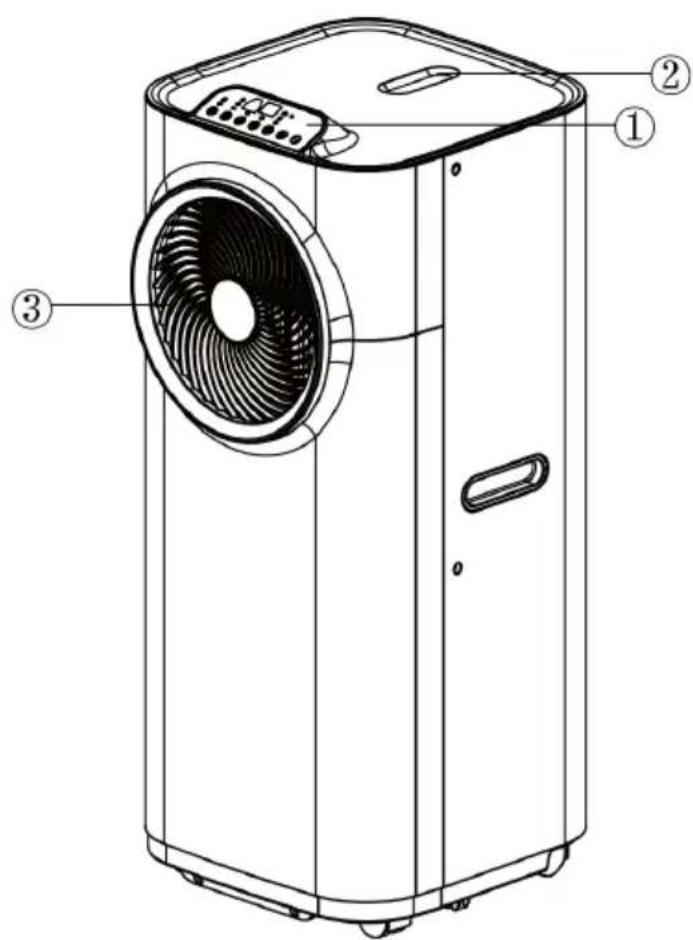
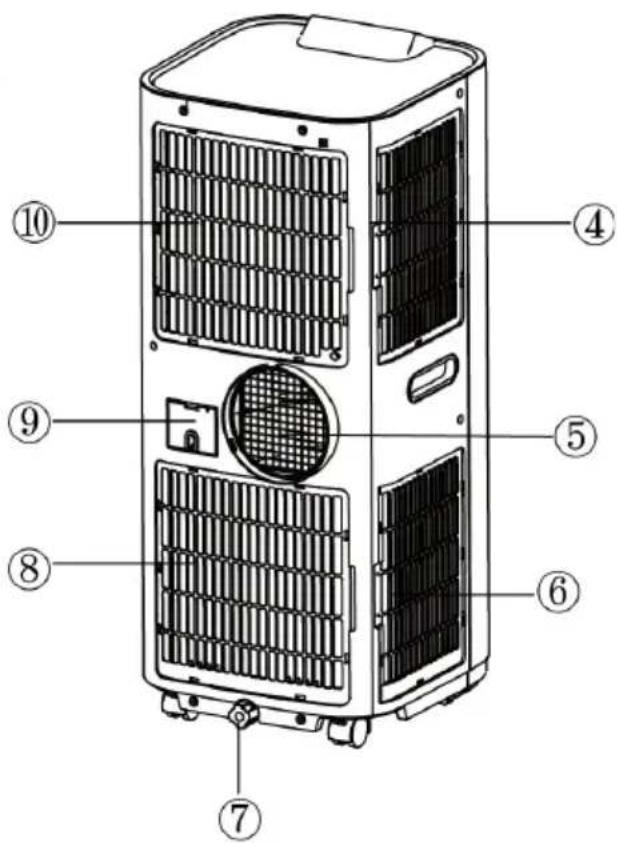
Front side Back side
text_image
Technical diagram of a portable air conditioner unit with labeled parts ①, ②, and ③1 Control panel
2 Retainer for remote control
3 Air outlet
text_image
Diagram of a multi-tiered air conditioner unit with numbered labels pointing to different panel sections.4 Air intake
5 Air outlet
6 Air intake
7 Water plug/water outlet
8 Air intake
9 Cable storage
10 Air intake
Accessories
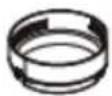
11 Adapter
- connecting piece between unit and exhaust air hose
12 Exhaust air hose
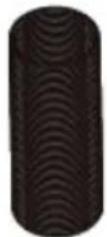
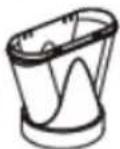
13 Adapter
- for inserting the exhaust air hose into a window spacer or the window opening (the window spacer is not included in the scope of delivery)
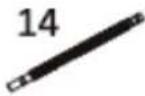
14 Water drainage hose (for permanent water drainage)
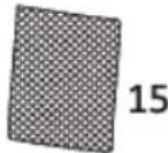
15 Activated carbon filter
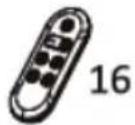
16 Remote control
11
12
13
INSTALLATION
Before you start up your air conditioner, you must install the exhaust hose so that the condensed heat from the unit can be discharged outside.
To install the exhaust hose, pass the end of the hose through an existing window and secure it with the provided adapter. Make sure that the distance between the unit and the window is at least 50 cm.

natural_image
Line drawing of a washing machine mounted on a window, with a 50cm dimension label (no text or symbols beyond the measurement)Installing the exhaust air hose
| Only use the supplied hose and attach the exhaust hose to the back of the air conditioner. | 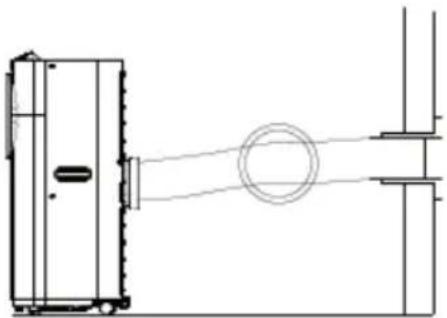 |
| Avoid kinks and bends in the exhaust air hose, otherwise the expelled humid air will accumulate and the unit will overheat and shut down. The correct positioning is shown in the illustrations (right). | 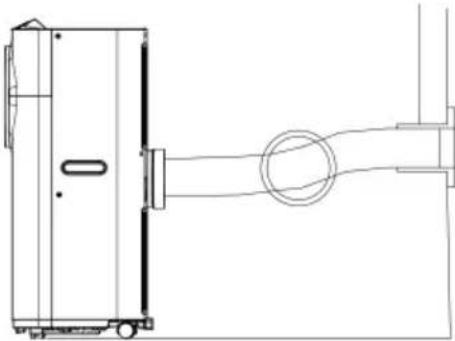 |
| The hose can be extended from 30 cm to 150 cm, but for maximum efficiency the shortest possible length should be used. | 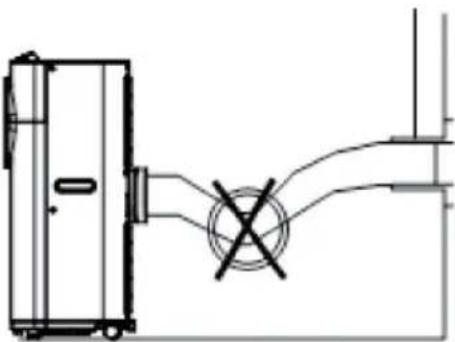 |
| Note: The length of the exhaust air hose is specifically adapted to the specifications of the appliance. Do not replace or extend this with any other hose from your household as this may cause the appliance to malfunction! | 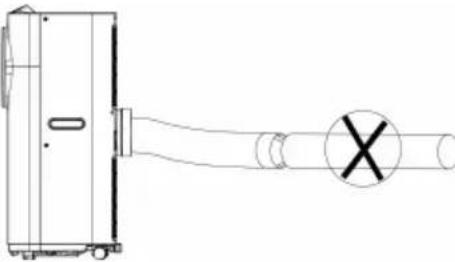 |
Installation of the activated carbon filter
| Remove the plastic filter from the appliance. | 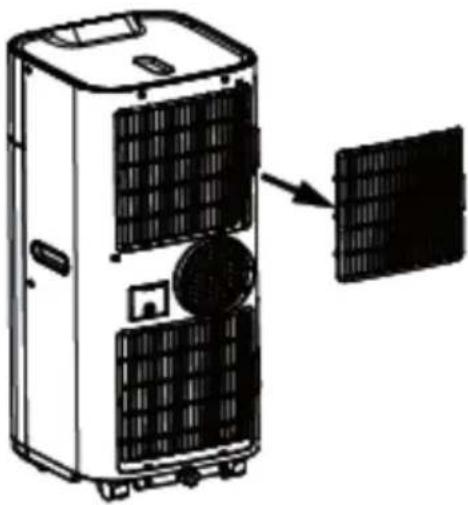 |
| Take the activated carbon filter out of the plastic bag. |  |
| Put the activated carbon filter into the device.Put the plastic filter back into the unit. | 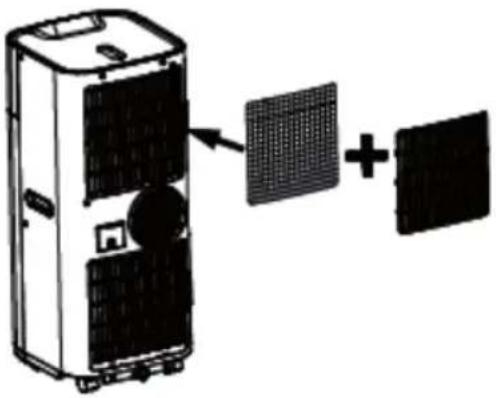 |
CONTROL PANEL
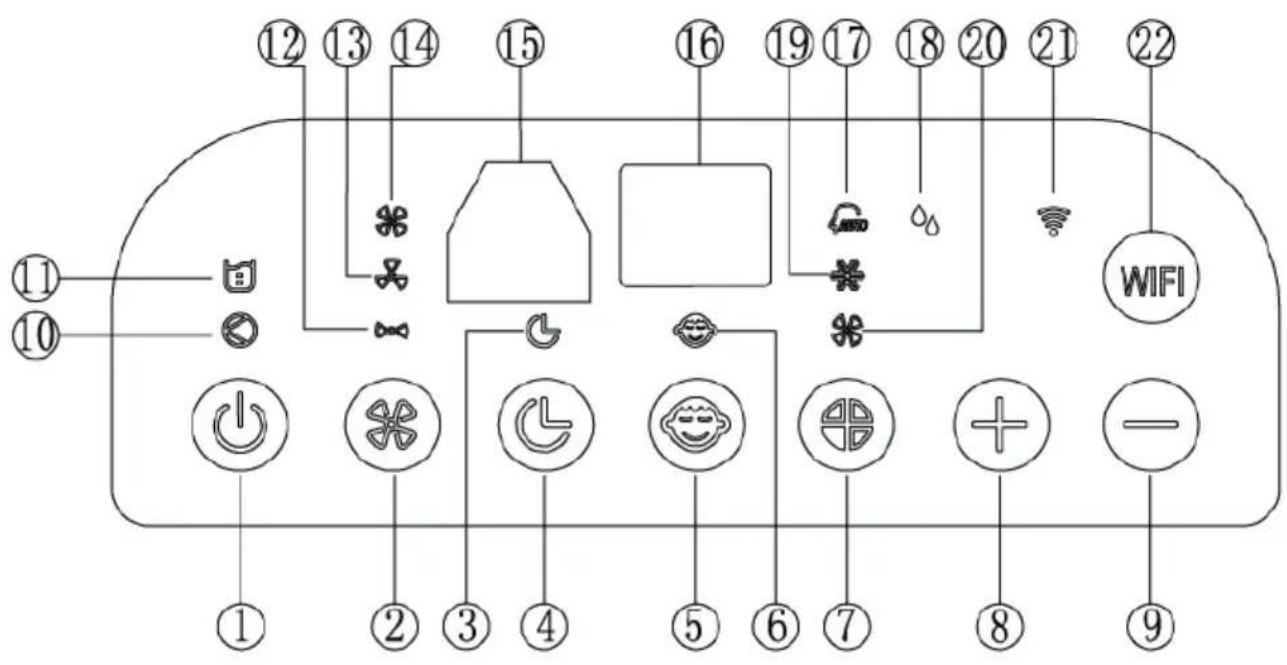
text_image
Diagram of a smart home control panel with numbered labels and icons for connectivity, power, audio, and Wi-Fi.1 On/Off button
2 Fan speed button
3 Timer indicator
4 Timer button
5 Sleep mode button
6 Sleep mode indicator
7 Mode button
8 Temperature [+] button
9 Temperature [-] button
10 Compressor mode indicator
11 "Water tank full" indicator
12 Low fan speed indicator
13 Medium fan speed indicator
14 High fan speed indicator
15 IR receiver for remote control
16 Display
17 Automatic mode indicator
18 Dehumidification mode indicator
19 Cooling mode indicator
20 Fan mode indicator
21 WiFi indicator
22 WiFi mode button
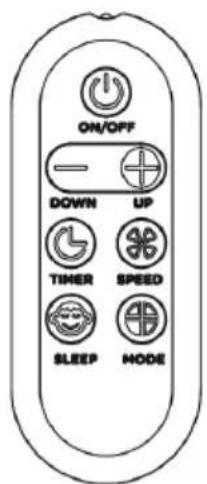
text_image
ON/OFF DOWN UP TIMER SPEED SLEEP MODEAll functions can also be performed with the supplied remote control.
The remote control requires a CR2032 battery for operation.
OPERATION
Switching the unit on/off
Press the On/Off button, the unit starts in automatic mode.
Automatic mode
In automatic mode, the unit can cool or ventilate depending on the ambient temperature and setpoint setting. The unit is preset as follows:
- Default setting in automatic mode: If the ambient temperature is above 25 °C, the unit is in automatic cooling mode and runs according to the set setpoint (default setting: 24 °C). During operation, the "automatic mode" and "cooling mode" indicators light up.
- In automatic cooling mode, the fan speed setting is ineffective, the unit selects the fan speed automatically.
- If the ambient temperature is less than or equal to (<) 25 °C, the unit runs in automatic fan mode. The "automatic mode" and "fan mode" indicators light up. In automatic fan mode, the fan speed can be set manually.
- The indicators of the current functions light up simultaneously. The display shows the room temperature from 0 °C to 50 °C.
- To switch off the device, press the On / Off button again.
Note: To prolong the life of the compressor, please wait at least 3 minutes after switching off the unit before switching it on again.
Setpoint adjustment in automatic cooling mode 18-32 °C
If you set the setpoint to 24^ C, the unit starts cooling at 27^ C (setpoint + 3^ C). It cools down to 25^ C (setpoint + 1^ C) and then switches back to fan mode (low fan speed).
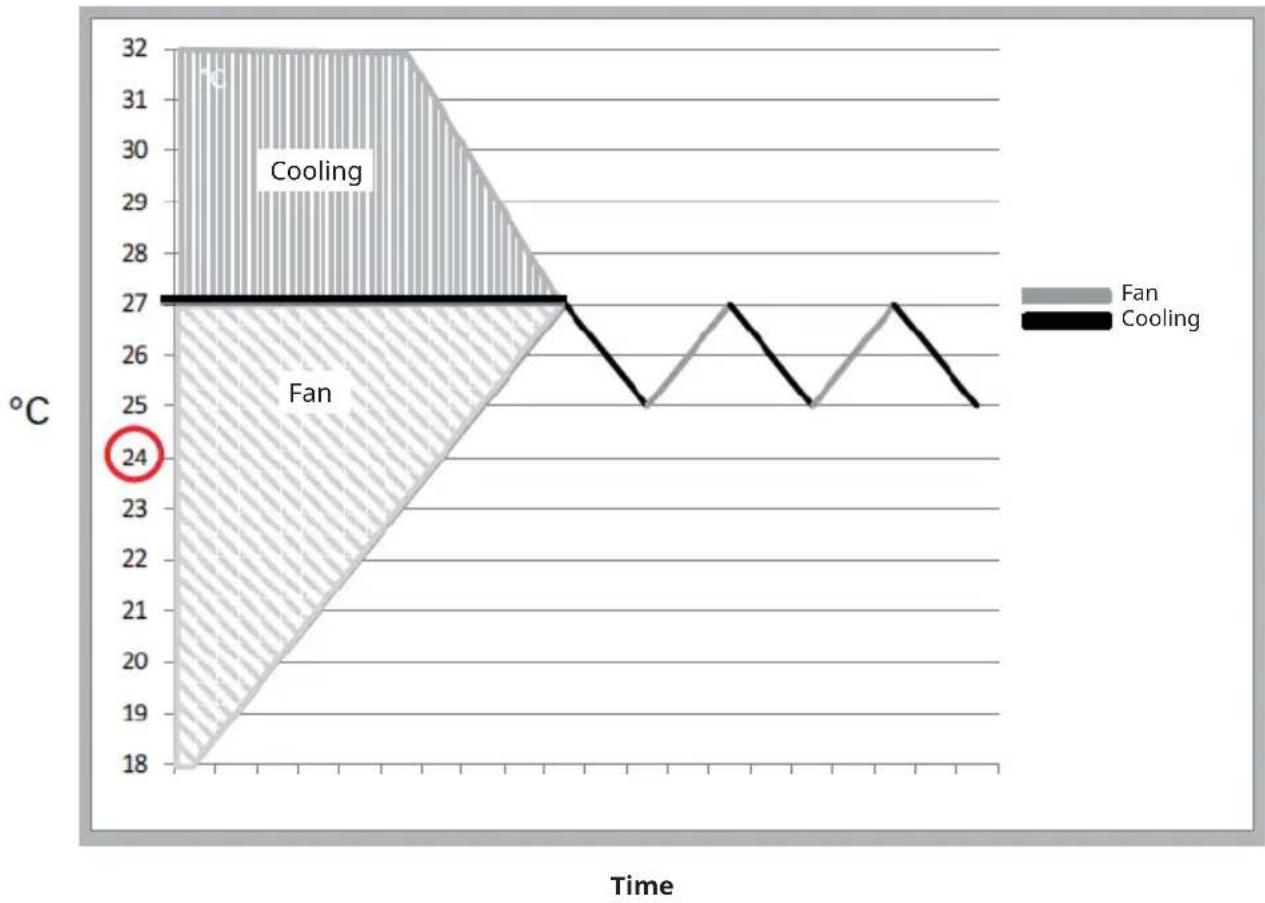
area
| Time | Fan (°C) | Cooling (°C) | |------|----------|--------------| | Start | 18 | 27 | | Peak | 32 | 27 | | Final | 18 | 25 |Note: The cooling system switches off when the ambient temperature is lower than the set temperature. The fan continues to run at the set level. If the ambient temperature rises above the set value, cooling will start up again.
Setting the functions
Press the mode button to select the desired operating mode:
- Automatic mode
- Cooling mode
- Fan mode
• Dehumidification mode (dry).
The indicator of the selected mode lights up.
Setting the temperature
- Press the [+] and [-] buttons to set the desired temperature.
- The display shows the temperature you have set when you press the [+] and [-] button. Otherwise, it always shows the ambient temperature.
- The preset temperature in cooling mode for this unit is 24 °C.
Setting fan speed
- Press the fan speed button to set the desired fan speed: high, medium or low. The indicators for high, medium or low fan speed light up simultaneously.
- When the unit is in automatic mode, it automatically selects the fan speed according to the ambient temperature (the corresponding indicators light up). The fan speed key and the [+] and [-] keys are deactivated.
Setting the timer
- Press the timer button to set the desired operating time (1 to 24 hours), the timer indicator lights up. When the set time is reached, the unit switches off automatically. When you press the timer button, the display shows the hour(s) you have set. If the timer button is not pressed, the unit runs continuously.
- If you press the timer button without switching on the other functions, you can preset the time that the appliance is to be in operation. For example, if you set the timer to "2", the appliance will automatically go into operation after 2 hours.
Sleep mode
- If you press the sleep mode button in cooling mode, the set temperature is increased by 1 °C in the first hour, by another 1 °C in the second hour and then kept at this temperature.
- In sleep mode, the fan runs at a low level. If you press the sleep mode button again, the temperature setting and the fan speed are reset to the originally set values.
- The unit switches off automatically when the unit has been in sleep mode for 12 hours.
Note: Note that sleep mode is not available when the unit is running in automatic mode, fan mode or dehumidification mode. When the unit is operated in sleep mode, the fan shuts down to the lowest level.
Dehumidification mode (dry).
In dehumidification mode (dry), the temperature cannot be set, the fan runs at low speed. When the unit is running in dehumidification mode (dry), the moisture extracted from the air is collected in a tank inside. When the tank is full, the compressor and the engine switch off automatically. At the same time, the "water tank full" indicator lights up. An alarm sounds. When the tank is full, drain the water as described in the section "Draining the Water". You can also use the appliance without having to empty the tank so often by using the "permanent water drainage", see also the section "Draining the Water" for this.
TiO2 mode (photocatalyst)
A photocatalyst is a material that functions as a catalyst (changes the rate of a chemical reaction) when exposed to light. It is helpful in fighting bacteria, mould and bad odours. This function is designed to remain activated as long as the unit is switched on. It is set by default and cannot be controlled via the control panel, the remote control or the smartphone app.
Self-diagnosis
This unit is equipped with a self-diagnostic function that warns you of any faults or malfunctions it detects in the course of its normal operation. Each error that the unit detects during self-diagnosis is signalled by a display: E1, E2, E3 or E5 (according to the respective malfunction of the unit). Should a malfunction occur, please contact the manufacturer, customer service or a specialist company.
WiFi function
See the following section: "Device Control by Smartphone".
DEVICE CONTROL BY SMARTPHONE
If you integrate the device into your home WiFi, you can conveniently operate it via the associated Klarstein app. The app not only allows you to remotely control the device via your smartphone, but also gives you access to recipes and additional information.
Follow these steps to connect your smartphone to your Klarstein device:
- Download the Klarstein app first by scanning the QR code with your smartphone (see below), or download it directly from App Store or Google Play.
- Make sure your smartphone is connected to the same WiFi network that your Klarstein device is to be connected to.
- Open the Klarstein app.
- Sign in to your account. If you do not have an account, sign up in the Klarstein app.
- Follow the instructions from the app.
App Download
Use the scan function of your smartphone to scan the QR code and save the app on your smartphone.
Note: The app provides further information on how to use the app and help on how to connect to your device as soon as you open it for the first time.
| iOS Android | |
 |  |
Troubleshooting connection problems
If your Klarstein device cannot be found in the WLAN, check the following:
- The device is not plugged in. Make sure that your device is plugged into an electric socket.
- The device is not in pairing mode. Make sure that the WiFi indicator (LED) on the smart device control panel is blinking as described in the 'Reset WiFi settings' instruction of your smart device (instructions are usually available on device connection process).
- The WiFi access point does not operate on 2.4 GHz. Make sure that your access point operates on 2.4 GHz band and you have a separate SSID on 2.4 GHz band. If you are not sure about the operating band of your access point, please contact your internet provider company.
Important: please note that if your WiFi router is dual band - operating on both 2.4 GHz and 5 GHz band - you need to separate the SSIDs for each band and use the 2.4 GHz SSID for connection.
-
Firewall settings of your WiFi network; the firewall setting of your WiFi network may not allow the Klarstein app to configure the WiFi settings on your smart device. Please make sure that you are not using a public WiFi network, e.g. airports, dormitories, companies, etc.
-
Different credentials used in smartphone and the app. Make sure that the WiFi credentials entered in the Klarstein app are the same as the ones that your smartphone is connected to.
Following the above mentioned points, if your smart device still fails to connect to the app, please contact us via email for support: appsupport@go-bbg.com
DRAINING THE WATER
During the cooling process, the unit extracts water from the humid air.
When the water tank is full, both the compressor and the motor switch off and the appliance emits a buzzing sound. Press any key to stop the buzzing. The "water tank full" indicator flashes.
To restart the cooling function, empty the water tank as follows:
-
Switch off the air conditioner and do not move it when the water tank is full.
-
Place a container (e.g. a water bowl) under the drain opening.
-
Remove the drain plug and the rubber plug from the drain opening and let the water drain off.
-
When the container is almost full, put the rubber plug back on the drain hole and empty the water tray.
-
Repeat the process until the unit is completely empty.
-
Replace the rubber plug and screw the drain cap tight.
-
Switch the device on. The full water tank or compressor indicator should now stop flashing.
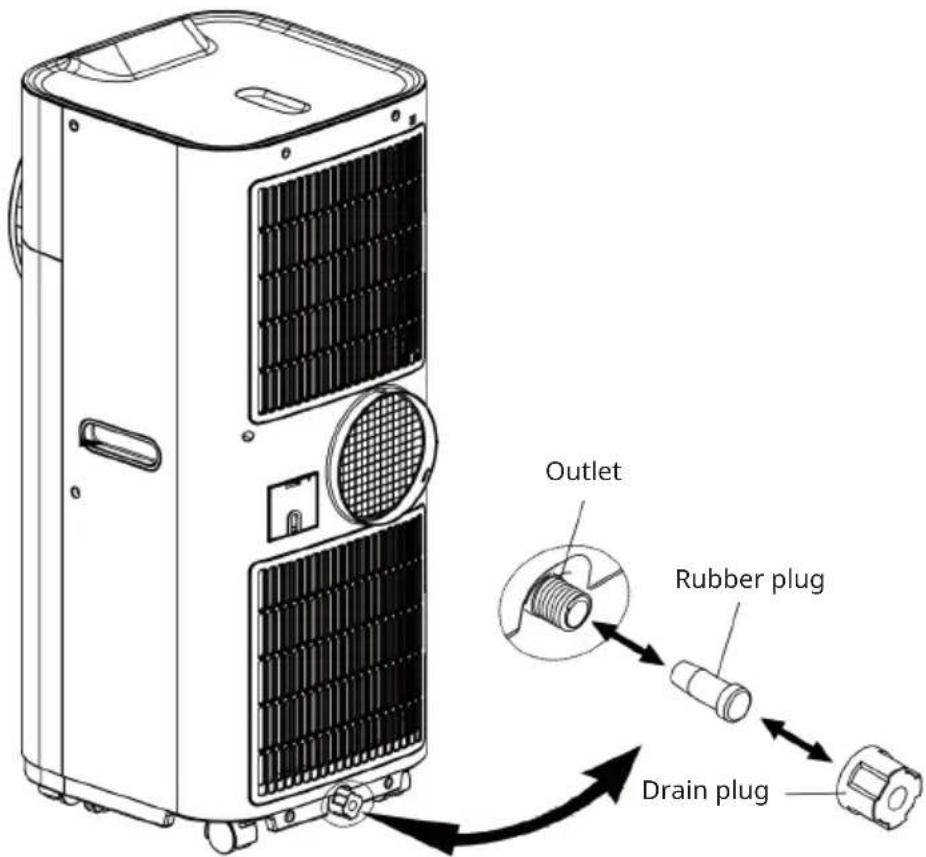
text_image
Outlet Rubber plug Drain plugPermanent water drainage
If you want to use the machine without emptying the water tank, proceed as follows:
- Remove the drain plug and rubber plug and store it well for later use.
- Connect the supplied drain hose to the drain opening as shown and guide the other end into a drain.
- The drain hose can be extended using an extension hose with a suitable connector.
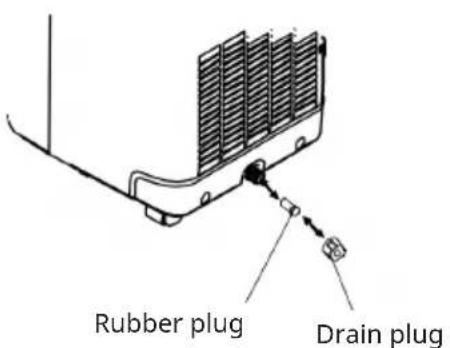
text_image
Rubber plug Drain plug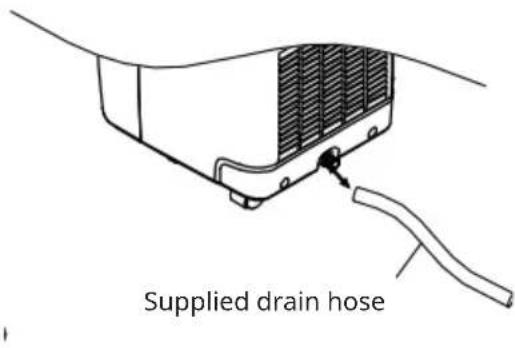
text_image
Supplied drain hoseNotes:
- The drain must be at or below the level of the water outlet of the appliance.
- The "water tank full" indicator does not flash when water is continuously draining.
- If you want to extend the drain hose, you can connect it to another hose (outer diameter OD: 18 mm).
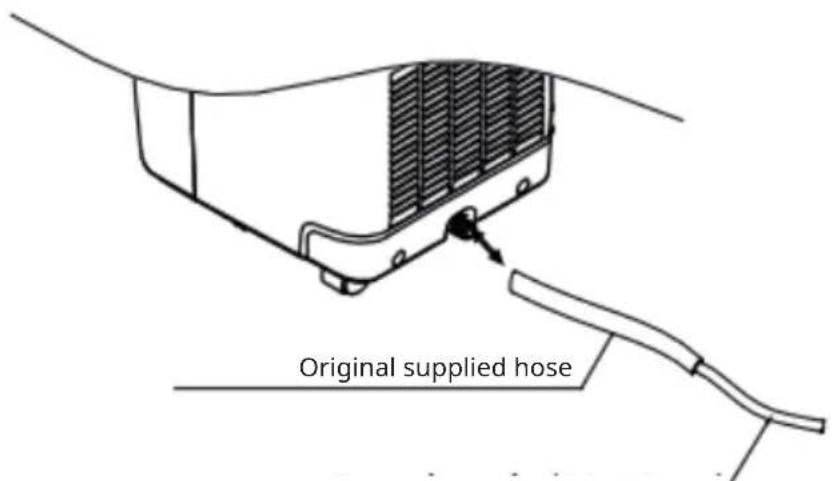
text_image
Original supplied hoseExtension hose (OD: 18 mm)
FIXING THE WINDOW SEAL
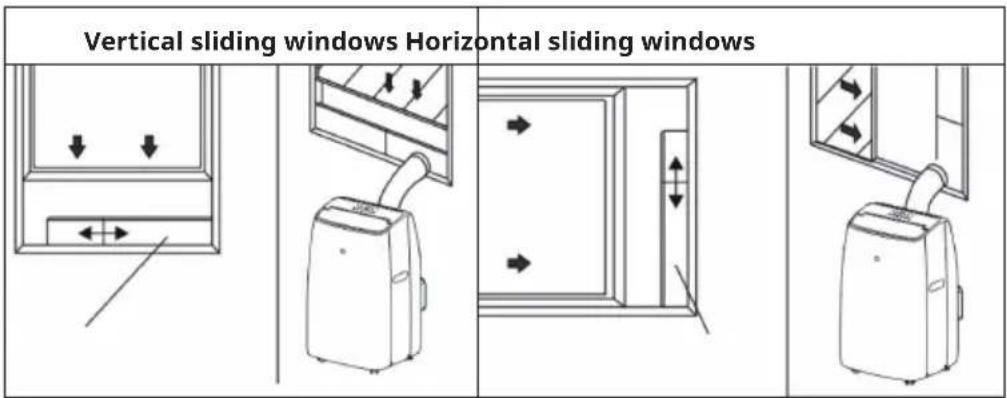
Fixing the sealing frame for sliding windows
The sliding window sealing frame is designed to fit most standard vertical and horizontal windows. However, you may need to change some aspects of the installation for certain types of windows. The sealing frame can be fixed with screws.
text_image
Vertical sliding windows Horizontal sliding windows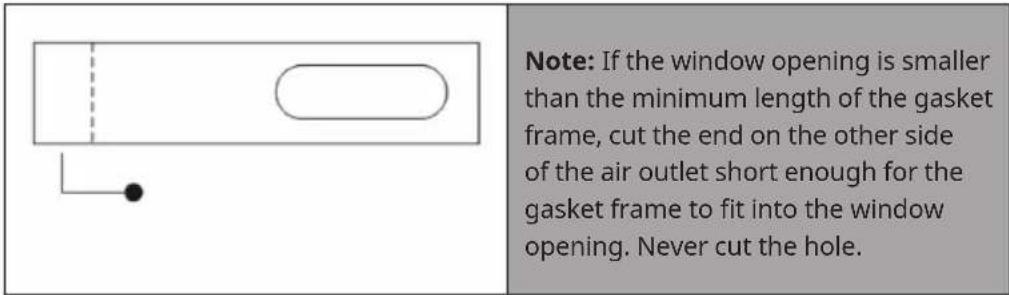
text_image
Note: If the window opening is smaller than the minimum length of the gasket frame, cut the end on the other side of the air outlet short enough for the gasket frame to fit into the window opening. Never cut the hole.Adjusting the sealing frame for sliding windows
| Slide frame (B) into frame (A) and adjust the size of the frame to the width of your window. Lock the locking screw (C) in the holes corresponding to the measured width to ensure that there are no gaps or air pockets between the window and sealing frame after installation. |
Fixing the seal for side-opening windows and roof windows
The installation of the window seal is simple. You can attach the seal to a tilted window, a side-opened window or a roof window. We have chosen a side-opened window for demonstration purposes. It is particularly suitable because the exhaust hose can be attached to the side far down.
The Velcro tape is attached to the three open sides. The side where the window is against the frame is left out. Clean and dry the window frame beforehand so that the tape adheres.
| 123 | ||
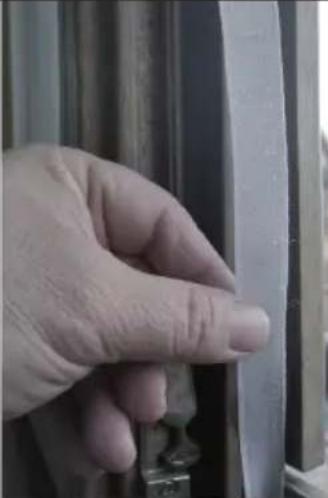 | 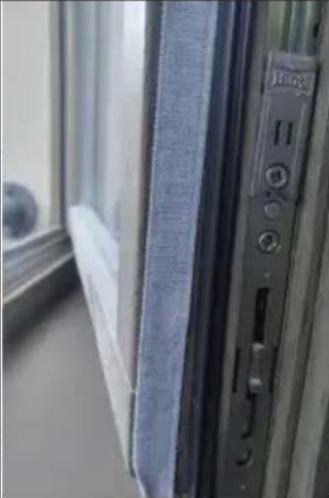 | 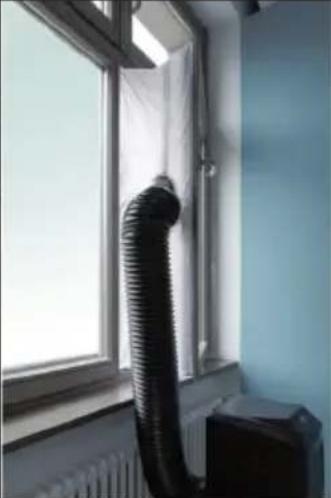 |
| Attach the Velcro tape on the left, on the top and on the bottom of the window frame.We recommend that you cut the tape into strips for each window side first. | Now attach the Velcro tape to the inner window sides. | Stick the window sealing to the Velcro strips on the window frame first (starting with the top), then on the Velcro strips on the window.Push the exhaust air tube of the air conditioner through the hole, which can be adjusted in height and size. |
CLEANING AND MAINTENANCE
• Always disconnect the air conditioner from the power supply before cleaning.
- To increase the efficiency of the air conditioner, it should be cleaned regularly.
Cleaning the housing
- Use a soft, damp cloth to wipe the housing.
- Never use aggressive chemicals, petrol, cleaning agents, chemically treated cloths or other cleaning solutions. These can damage the housing.
Cleaning the filter
Use a hoover or tap the filter lightly to remove loose dust and dirt from the filter, then rinse it thoroughly under running water (not hotter than 40 °C ). Allow the filter to dry thoroughly before reinserting it.
Note: Never operate the unit without the filter.
Storage at the end of the season
- Empty the water tank before running the unit in fan-only mode for a few hours to thoroughly dry the inside of the unit.
- Clean or change the filter.
- Unplug the power cord and stow it away.
- Place the unit in the original box or lid for storage.
TROUBLESHOOTING
| Problem Possible cause / | solution |
| The air conditioner does not start operation. | Is the air conditioner connected to the mains? |
| Is there a power failure? | |
| Is the "compressor"/"water tank full" indicator flashing? | |
| Is the room temperature below the set temperature? | |
| The appliance is not cooling properly. | Is there direct sunlight?Draw any curtains that may be present. |
| Are too many windows or doors open? | |
| Are there too many people in the room? | |
| Is something in the room generating too much heat? | |
| The device does not seem to have any effect. | Is the filter dusty or dirty? |
| Is the air inlet or outlet blocked? | |
| Is the room temperature below the temperature you have set? | |
| The device is very loud. Is | the unit set up unevenly so that vibrations occur? |
| Is the floor under the unit uneven? | |
| The compressor is not running. | It is possible that the overheating protection of the compressor is activated. Just wait until the temperature has dropped. |
Note: Never attempt to repair or disassemble the unit yourself.
DISPOSAL CONSIDERATIONS
natural_image
Symbol of a trash bin crossed with a diagonal line, no text or numbers presentIf there is a legal regulation for the disposal of electrical and electronic devices in your country, this symbol on the product or on the packaging indicates that this product must not be disposed of with household waste. Instead, it must be taken to a collection point for the recycling of electrical and electronic equipment. By disposing of it in accordance with the rules, you are protecting the environment and the health of your fellow human beings from negative consequences. For information about the recycling and disposal of this product, please contact your local authority or your household waste disposal service.
This product contains batteries. If there is a legal regulation for the disposal of batteries in your country, the batteries must not be disposed of with household waste. Find out about local regulations for disposing of batteries. By disposing of them in accordance with the rules, you are protecting the environment and the health of your fellow human beings from negative consequences.
DECLARATION OF CONFORMITY

text_image
CE UK CAManufacturer:
Chal-Tec GmbH, Wallstrasse 16, 10179 Berlin, Germany.
Importer for Great Britain:
Berlin Brands Group UK Ltd
PO Box 1145
Oxford, OX1 9UW
United Kingdom
Hereby, Chal-Tec GmbH declares that the radio equipment type Kraftwerk Eco Smart is in compliance with Directive 2014/53/EU. The full text of the EU declaration of conformity is available at the following internet address: use. berlin/10040189
For Great Britain: Hereby, Chal-Tec GmbH declares that the radio equipment type Kraftwerk Eco Smart is in compliance with the relevant statutory requirements. The full text of the declaration of conformity is available at the following internet address: use.berlin/10040189
Chère cliente, cher client,
text_image
QR code image containing encoded data, no visible human-readable textSOMMAIRE
text_image
Technical diagram of a portable air conditioner unit with labeled parts in Chinesetext_image
Diagram of a multi-tiered air conditioner unit with numbered labels pointing to different panel sections.natural_image
Line drawing of an air conditioner unit mounted on a window, with a 50cm dimension label (no text or symbols beyond the scale)text_image
Diagram of a smart home control panel with numbered labels and icons for connectivity, power, battery, and WiFi.natural_image
Symbol of a trash bin crossed with a diagonal line, no text or numbers presentDÉCLARATION DE CONFORMITÉ

text_image
CE UK CAFabricant :
Chal-Tec GmbH, Wallstraße 16, 10179 Berlin, Allemagne.
Berlin Brands Group UK Ltd
PO Box 1145
Oxford, OX1 9UW
United Kingdom
text_image
QR code image containing encoded data, no visible human-readable textÍNDICE
text_image
Technical diagram of a portable air conditioner unit with labeled parts in Chinesetext_image
Diagram of a multi-tiered air conditioner unit with numbered labels pointing to different panel sections.natural_image
Line drawing of a wall-mounted air conditioner unit with a 50cm height dimension label (no text or symbols on the device itself)text_image
Diagram of a smart home control panel with numbered labels and icons for connectivity, power, battery, and WiFi.natural_image
Symbol of a trash bin crossed with a diagonal line, no text or numbers presentBerlin Brands Group UK Ltd
PO Box 1145
Oxford, OX1 9UW
United Kingdom
text_image
QR code image containing encoded data, no visible human-readable textINDICE
text_image
Technical diagram of a portable air conditioner unit with labeled parts in Chinesetext_image
Diagram of a multi-tiered air conditioner unit with numbered labels pointing to different panel sections.natural_image
Line drawing of a washing machine mounted on a window, with a 50cm dimension label (no text or symbols beyond the measurement)text_image
Diagram of a smart home control panel with numbered labels and icons for connectivity, power, battery, and WiFi.natural_image
Symbol of a trash bin crossed with a diagonal line, no text or numbers presentBerlin Brands Group UK Ltd
PO Box 1145
Oxford, OX1 9UW
United Kingdom