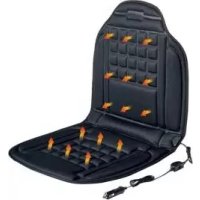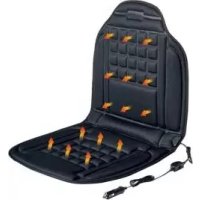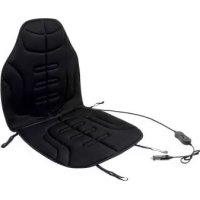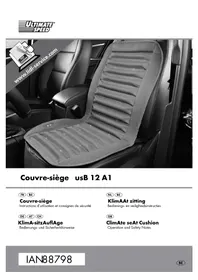
USB 12 A - Car accessory ULTIMATE SPEED - Free user manual and instructions
Find the device manual for free USB 12 A ULTIMATE SPEED in PDF.


| Product type | Ventilated seat cushion for vehicle |
| Brand | Ultimate Speed |
| Model | USB 12 A |
| Dimensions (approx.) | 45 x 45 x 5 cm |
| Weight (approx.) | 500 g |
| Power supply | 12/24 V (cigarette lighter adapter) or 230 V (mains adapter) |
| Power consumption | 12 W |
| Max. input current | 1 A |
| Main functions | Adjustable ventilation with 2 speeds (I/II), on/off with indicator lights |
| Ventilation | Yes, 2 speeds |
| Attachment | Fixing straps passing over the headrest |
| Intended use | Cool the body while driving or at home |
| Care and cleaning | Unplug before cleaning; use a dry or slightly damp cloth with mild detergent |
| Safety | Do not use if wet or damaged; do not fold or place objects on it during operation; keep out of reach of children |
| Warranty | 3 years |
| After-sales service France | 0800 919270, kompernass@lidl.fr |
| After-sales service Belgium | 070 270 171 (0.15 EUR/min), kompernass@lidl.be |
| Package contents | 1 cushion, 1 vehicle adapter 12/24 V, 1 mains adapter, 1 instruction manual |
| Protection class | II (mains adapter) |
Frequently Asked Questions - USB 12 A ULTIMATE SPEED
User questions about USB 12 A ULTIMATE SPEED
0 question about this device. Answer the ones you know or ask your own.
Ask a new question about this device
Download the instructions for your Car accessory in PDF format for free! Find your manual USB 12 A - ULTIMATE SPEED and take your electronic device back in hand. On this page are published all the documents necessary for the use of your device. USB 12 A by ULTIMATE SPEED.
USER MANUAL USB 12 A ULTIMATE SPEED
natural_image
Interior view of a car seat with mesh backrest and side panel, no visible text or symbols on the seat itself.Operation and Safety Notes
FR BE
Before reading, unfold the page containing the illustrations and familiarise yourself with all functions of the device.
GB Operation and Safety Notes Page 25
Introduction......Page 6
WAARSCHUWING! GEVAAR VOOR
Intended use Page 26
Parts description......Page 26
Scope of delivery....Page 26
Important safety instructions......Page 27
Safety instructions for road safety......Page 28
Start-up Page 28
Attaching the seat cover Page 28
Switching on/off/Selecting the fan speed....Page 28
Cleaning and Care....Page 29
Storage Page 29
Disposal Page 29
Technical data......Page 29
Note on EC Declaration of Conformity Page 30
Importer Page 30
Guarantee and Service Page 30
| The following icons / symbols are used in this instruction manual: | |||
 | Please read the operating instructions! Sa :lass II :lass II | ||
 | Observe the warning and safety instructions! |  | Never leave children unsupervised with packaging materials or the device. |
 | Watt (effective power) |  | Caution - Risk of electric shock!Danger to life! |
 | Volt (AC) |  | Risk of loss of life by electric shock from damaged mains lead or mains plug! |
 | Direct current(Type of current and voltage) |  | Dispose of packaging and device in an environmentally-friendly way! |
Climate Seat Cushion USB 12 A1
- Introduction

We congratulate you on the purchase of your new device. You have chosen a high quality product. The instructions for use are part of the product. They contain important information concerning safety, use and disposal. Before using the product, please familiarise yourself with all of the safety information and instructions for use. Only use the unit as described and for the specified applications. If you pass the product on to anyone else, please ensure that you also pass on all the documentation with it.
Intended use
This seat cover is intended for cooling the human body while travelling in a vehicle (in passenger cars and trucks) and in domestic households. This seat cover is not intended to be used for commercial purposes. Any other form of use or any modifications to the seat cover are not permitted and may result in injury and / or damage to the cover. The manufacturer accepts no liability for damage or injury resulting from improper use.
- Parts description
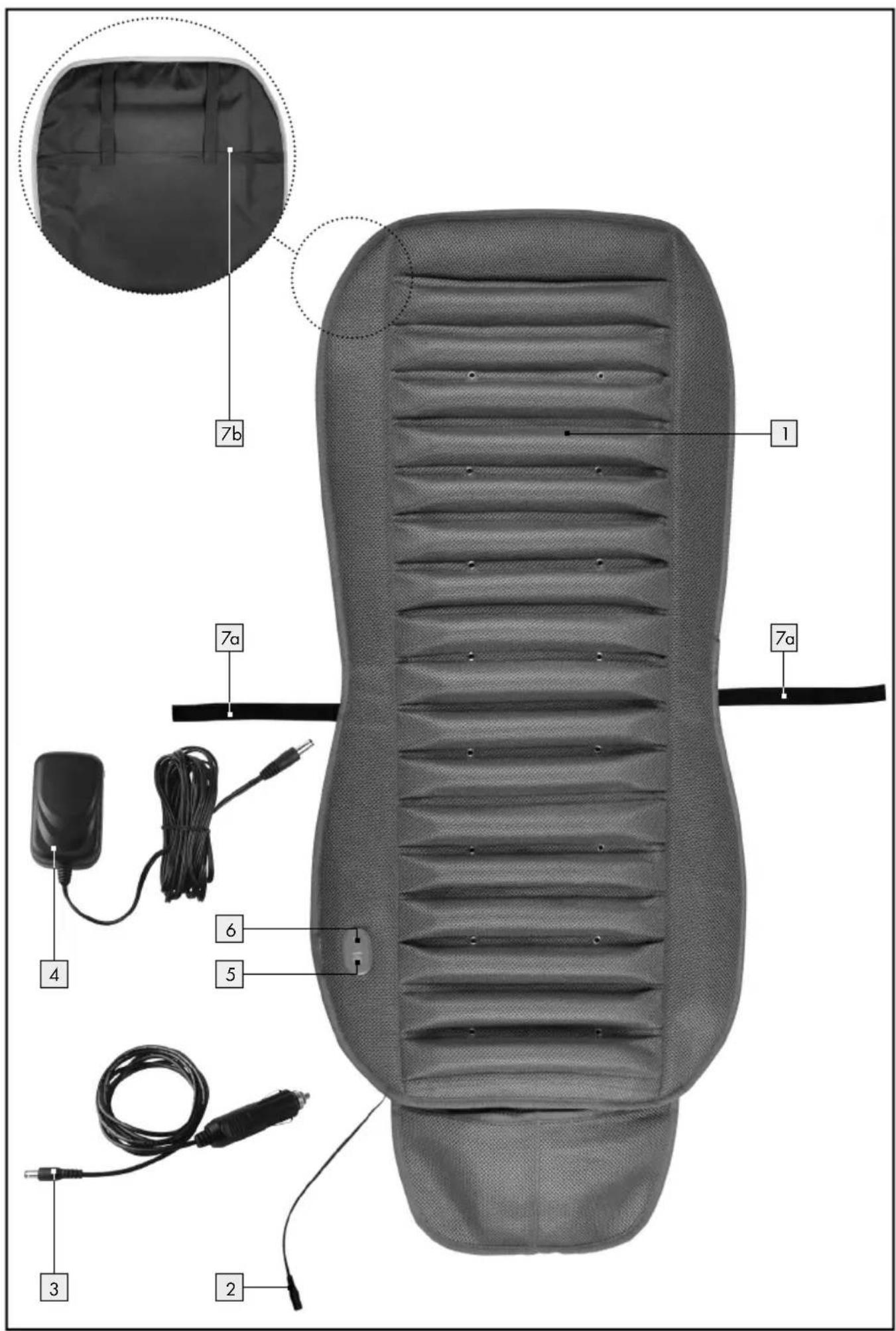
1 Climate Seat Cushion
2 Connection socket
3 12V adapter
4 Mains adapter
5 ON / OFF switch with indicator light (green)
6 Fan speed switch I / II with indicator light (blue)
7a,b Fastening straps
- Scope of delivery
Please check immediately on unpacking that the delivery scope is complete and that the seat cover is in perfect condition.
1 Climate Seat Cushion
1 12/24V car adapter
1 Mains adapter
1 Set of operating instructions
IMPORTANT ADVICE – KEEP THIS SAFE FOR FUTURE USE!

Important safety instructions
Non-compliance with the following instructions may cause personal injury or property damage (electric shock, fire). The following safety and hazard information is intended not only to protect your health and the health of others, but also to protect the seat cover. Please observe these safety instructions and make sure that you pass on this manual together with the seat cover.


RISK OF ACCIDENT AND DAN- GER TO LIFE FOR INFANTS AND CHILDREN! Never leave children
unattended with the packaging material. Danger of suffocation.

WARNING! DANGER OF ELECTRIC
SHOCK! Do not use the seat cover if it is damp.

Do not misuse the mains cable to
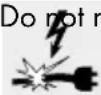
carry or hang up the seat cover or to pull the plug out of the socket. Keep the cable away from heat, oil, and sharp edges. If the mains cable is damaged or severed, do not touch it, and remove the mains plug immediately. Damaged or tangled cables increase the risk of an electric shock.


If you use a cardiac pacemaker, please consult your doctor and the manufacturer of the pacemaker before using this seat cover. Under certain circumstances, the electrical and magnetic fields emitted from this seat cover could interfere with the proper functioning of your heart pacemaker. However, the values are well under the permitted limits.

WARNING! DANGER OF ELECTRIC
SHOCK AND INJURY! Please check the seat cover carefully beforehand every time you use it in order to determine if there are any signs of
wear and tear and / or damage. Do not use the seat cover if you see wear and tear or damage or if it has been used incorrectly.
Children or other individuals who have no experience of or do not know how to use the seat cover - or are restricted in terms of their physical, sensory or mental capacities - must not use the seat cover without supervision or instruction by an individual who is responsible for their safety. Children must never be allowed to play with the seat cover.

RISK OF INJURY! Do not use this

seat cover for helpless persons, infants or persons who are insensitive to
cold (e.g. diabetics, people with disease-related changes to the skin or scarred skin in the area of use, or after taking pain-relieving medication or consuming alcohol).

Ensure that you do not fall asleep
while the seat cover is in operation. Excessively long use can cause skin chills.
■ Repairs must only be carried out by specially trained personnel or at a repair shop authorised by the manufacturer, since special tools are necessary. Improper repairs may result in considerable danger for the user.
If the mains lead of the device is damaged, in order to avoid causing further danger it must be replaced by the manufacturer, a manufacturer-approved repair centre or a suitably qualified person.
- When operating with 12 V, always ensure that the 12 V plug is located firmly and safely in the connection socket of the 12 V connector and that the connection socket is free of dirt. If the contact between plug and socket is inadequate, vibration from the car can cause the power supply to switch on and off in short bursts. This can result in overheating.

Safety instructions for road safety
WARNING! In order not to jeopardise road safety, observe the following points:
- When using in vehicles, make sure that safety devices, side airbags in particular, are not compromised.
- If you have any question about the airbag, read the vehicle's Owner's Manual or ask at your local workshop.

AVOID DAMAGE TO THE SEAT COVER!
Please ensure that you:
- connect the seat cover only to the voltage indicated in the Technical Data,
- do not switch on the seat cover if it is folded or bunched up,
- do not cause any sharp creases in the seat cover,
- do not place any objects, e.g. suitcases or a washing basket, on the seat cover when it is switched on.
This can damage the seat cover.
- Start-up
- Attaching the seat cover
Place the seat cover on the car seat.
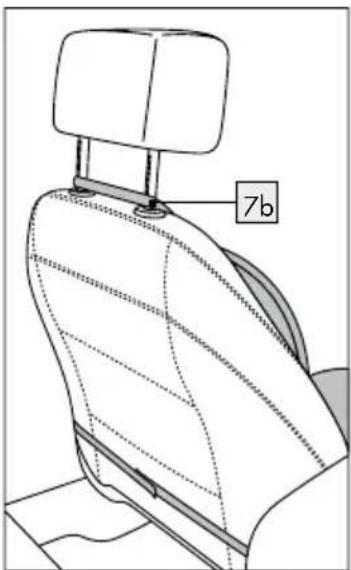
☐ Pull the fastening stroxb of the seat cover over the head rest of the car seat.
□ Carefully attach the seat cover using fastening straps 7a.
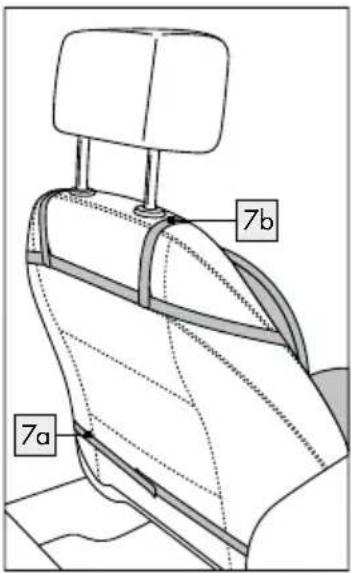
Note: If your vehicle has a side airbag, ensure when attaching the seat cover that the fastening strap 7b is pulled only over the frame of the headrest and not over the top part of the car seat.
- Switching on / off / Selecting the fan speed
When using for the first time, first connect the 12V adapter 3 or the mains adapter 4 to the seat cover by attaching one of them to the connection socket 2.
Plug the mains adapter 4 into a 230 V socket or the 12 V adapter 3 into the 12 V connector in your car.
Switching on:
☐ Press the ON / OFF switch 5. The indicator light illuminates green. The seat cover switches to the high fan speed.
Switching off:
☐ Press the ON / OFF switch 5 again. The indicator light goes out.
Selecting the fan speed
- Set the low fan speed, when required, by pressing the fan speed switch I/II 6. - Set the higher fan speed, when required, by pressing the fan speed switch I/II 6.
Note: The indicator light of the fan speed illuminates blue as soon as the seat cover is switched on.
- Cleaning and Care
WARNING! MORTAL DANGER FROM
ELECTRICSHOCK! Before cleaning the seat cover, always pull the mains adapter 4 out of the socket or the 12 V adapter 3 from the 12 V connection and remove it from the connection socket 2.
DANGER OF ELECTRIC SHOCK!
Reconnect the mains adapter 4 or the 12 V adapter 3 with the seat cover only when the connection socket 2 and the seat cover are completely dry. Otherwise there is a risk of electric shock.
Do not use chemical cleaners or scouring agents for cleaning the seat cover and the connection socket 2. This can damage the seat cover.
Do not fasten the seat cover with clothes pegs or the like to dry it. This can damage the seat cover.
☐ Use a dry, lint-free cloth to cleaning and care for the seat cover and connection socket 2.
☐ You can dampen the cloth and use a little mild liquid detergent to remove more stubborn dirt from the seat cover.
☐ Please note that the seat cover must not be dry-cleaned, bleached, wrung out, machine dried, mangled or ironed.
Storage
☐ Stow the 12/24V and mains adapters 3, 4 in the storage pocket provided at the foot of the seat cover.
☐ If you do not intend to use the seat cover for any length of time, store it in the original packing in a dry place without weighing it down.
☐ To prevent the seat cover from becoming sharply creased, do not place other objects on top of the cover when it is stored.
- Disposal

The packaging and ancillary packing consist of environmentally friendly materials. They can be disposed of at your local recycling facility.
Do not dispose of electrical equipment in the household waste!
In accordance with European Directive 2012 / 19 / EU (covering waste electrical and electronic equipment) and its transposition into national legislation, worn out electrical devices must be collected separately and taken for environmentally compatible recycling.
Contact your local refuse disposal authority for more details of how to dispose of your worn out electrical devices.
- Technical data
Seat cover
Input voltage: 12/24V ---
Input current: max. 1 A
Power input: 12 W
12/24V car adapter:
Output: 12/24V---, 1A
Mains adapter:
Type: GQ15-120100-AG
Input: 100-240V, 50/60Hz, max. 0.5A
Output: 12V, 1A

Protection class: II/

We reserve the right to make technical modifications in the course of product development.
● Note on EC Declaration of Conformity CE
This device conforms, in terms of compliance, with the basic requirements and the other relevant guidelines of EMC Directive 2004 / 108 / EC and the Low Voltage Directive 2006/95/EC. The complete original Declaration of Conformity is available from the importer.
- Importer
KOMPERNASS GMBH
BURGSTRASSE 21
44867 BOCHUM
GERMANY
● Guarantee and Service
The warranty for this appliance is for 3 years from the date of purchase. The appliance has been manufactured with care and meticulously examined before delivery. Please retain your receipt as proof of purchase. In the event of a warranty claim, please make contact by telephone with our Service Department. Only in this way can a post-free despatch for your goods be assured.
The warranty covers only claims for material and manufacturing defects, but not for transport damage, for wearing parts or for damage to fragile components, e.g. buttons or batteries. This product is for private use only and is not intended for commercial use.
The warranty is void in the case of abusive and improper handling, use of force and internal tamper-
ing not carried out by our authorized service branch. Your statutory rights are not restricted in any way by this warranty.
The warranty period will not be extended by repairs made unter warranty. This applies also to replaced and repaired parts. Any damage and defects extant on purchase must be reported immediately after unpacking the appliance, at the latest, two days after the purchase date. Repairs made after the expiration of the warranty period are subject to payment.
GB
Service Great Britain
Tel.: 0871 5000 720
(0,10 GBP / Min.)
e-mail: kompernass@lidl.co.uk
IAN 88798
KOMPERNASS GMBH
BURGSTRASSE21
44867BOCHUM
GERMANY
© by ORFGEN Marketing
Version des informations · Stand van de informatie