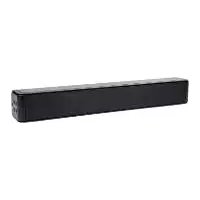
SSB 30 A1 - Soundbar SILVERCREST - Free user manual and instructions
Find the device manual for free SSB 30 A1 SILVERCREST in PDF.



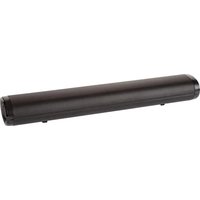
| Product type | Soundbar |
| Brand | SilverCrest |
| Model | SSB 30 A1 |
| Dimensions (W x H x D) | Approximately 554 x 78 x 87 mm |
| Weight (without accessories) | Approximately 1470 g |
| Power supply | Power adapter 18.0 V, 1.6 A |
| Power consumption (operation) | Max. 28 W |
| Power consumption (standby) | Less than 0.5 W |
| Speaker power | 2 x 15 W RMS |
| Bluetooth | Version 5.0, range approx. 10 m |
| Audio inputs | HDMI ARC, optical (Toslink), AUX (3.5 mm jack), USB (type A) |
| USB audio formats | MP3, WAV |
| Max USB capacity | 128 GB (FAT16, FAT32, exFAT) |
| USB output current | 200 mA max. (do not use for charging) |
| Remote control | 2 AAA/LR03 batteries, 1.5 V (included) |
| Operating modes | Bluetooth, HDMI ARC, OPTICAL, AUX, USB |
| Audio settings | CINEMA, MUSIC, DIALOGUE, 3D versions (MOV.3D, MUS.3D, DIAL.3D) |
| Wall mounting | Possible (screws and wall plugs included, max 2 m height) |
| Cleaning | Soft dry cloth, do not use solvents |
| Operating temperature | 0 °C to 35 °C |
| Warranty | 3 years (conditions per manual) |
Frequently Asked Questions - SSB 30 A1 SILVERCREST
User questions about SSB 30 A1 SILVERCREST
0 question about this device. Answer the ones you know or ask your own.
Ask a new question about this device
Download the instructions for your Soundbar in PDF format for free! Find your manual SSB 30 A1 - SILVERCREST and take your electronic device back in hand. On this page are published all the documents necessary for the use of your device. SSB 30 A1 by SILVERCREST.
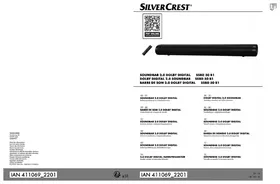
USER MANUAL SSB 30 A1 SILVERCREST
natural_image
Black rectangular TV with a remote control on the left (no visible text or symbols)SOUNDBAR STEREO 2.0 SSB 30 A1 BLUETOOTH® SOUNDBAR SSB 30 A1 BARRE DE SON STÉRÉO 2.0 SSB 30 A1
DE AT SOUNDBAR STEREO 2.0
Operating instructions and safety instructions
NL DE
SOUNDBAR STEREO 2.0
Handeiding
CZ
SOUNDBAR STEREO 2.0
Navač k oblastn a bezpechnosti pokyni
(E8)
BARRA DE SONIDO ESTEREO 2.0
TARGA GMBH
Coasterung 45 59104 Sport
GERMANY
2、本次发行
https://www.targa.gmbh/downloads/conformity/369478_2101.pdf
-
Trademarks ......28
-
Intended use....28
-
Package contents....29
-
Technical specifications ....30
-
Safety instructions ....31
-
Copyright....34
-
Connections and controls ....34
7.1 Remote control....35
- Before you start....36
8.1 Positioning....36
8.1.1 Wall-mounting 37
8.2 Fitting the batteries into the remote control 37
8.3 Connection options / Operating modes....38
8.4 LED indicators ....39
8.4.1 Operating modes....39
8.4.2 Equalizer settings....39
8.4.3 Bass settings, treble settings....39
- Getting started....40
9.1 Switching on the sound bar 40
9.2 Switching the sound bar off 40
9.3 Selecting a mode....40
9.3.1 "HDMI ARC" mode 41
9.3.2 "OPTICAL" mode 41
9.3.3 "BLUETOOTH" mode 42
9.3.4 "USB" mode 43
9.3.5 "AUX" mode 44
9.4 Volume and audio settings....44
9.4.1 Adjusting the volume....44
9.4.2 Muting the sound 44
9.4.3 Adjusting the treble and bass....44
9.4.4 Selecting the audio settings....44
9.4.5 "MOVIE/MOV.3D" audio settings 45
9.4.6 "MUSIC/MUS.3D" audio settings 45
9.4.7 "DIALOG/DIAL.3D" audio settings....45
- Cleaning....45
10.1 Storage when not in use....45
-
Troubleshooting....46
-
Environmental regulations and disposal information....47
-
Conformity....48
-
Warranty and service information....49
Congratulations!
By purchasing the SilverCrest SSB 30 A1 sound bar you have opted for a quality product.
Before first using it, familiarise yourself with the way the sound bar works and read these operating instructions through carefully. Be careful to follow the safety instructions and only use the sound bar as described in the operating instructions and for the applications given.
Keep these operating instructions in a safe place. If you pass the sound bar on to someone else, make sure to give them all the relevant documents with it.
This sound bar fulfils all the standards and directives listed in the EU Declaration of Conformity. The manufacturer is not liable for any damage or problems caused by unauthorized modifications. Only use accessories recommended by the manufacturer. Observe the regulations and laws in the country of use.
1. Trademarks
The Bluetooth ^® wording and its logo are registered trademarks of Bluetooth SIG, Inc. (Special Interest Group). TARGA GmbH is using these marks under license.
The SilverCrest trademark and the SilverCrest brand are the property of their respective owners.
The HDMI ^® wording is a registered trademark of HDMI Licensing LLC.
USB is a registered trademark.
Other names and products may be the trademarks or registered trademarks of their respective owners.
2. Intended use
The SilverCrest SSB 30 A1 sound bar with Bluetooth ^® is a information technology device which is used to playback sound from audio devices. The sound bar may be used only for private purposes, and not for industrial or commercial purposes. The device may not be used outdoors or in tropical climates.
3. Package contents
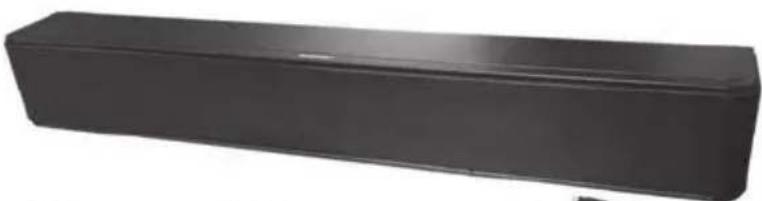
Remove the device and all the accessories from the packaging. Remove the packaging material and check that all components are complete and undamaged. If you find anything missing or damaged, please contact the manufacturer.
A
natural_image
Black rectangular electronic component with rounded ends, no visible text or symbolsC
D
natural_image
Coiled black cable with two USB connectors (no text or symbols visible)E
natural_image
Coiled black cable with connectors, no visible text or symbolsF
natural_image
Black electrical plug with a coiled cable and power outlet, labeled 'B' in the top-left corner (no other text or symbols visible)G
H

|

J

K

| A | SilverCrest SSB 30 A1 sound bar |
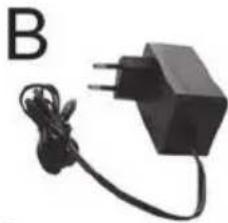
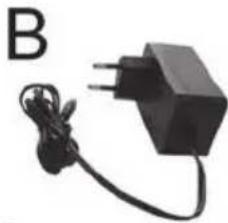
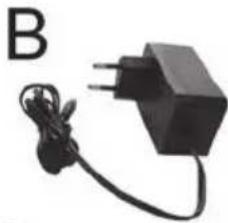
| B | Wall plug power adapter |
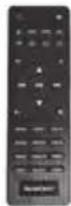
| C | Remote control |
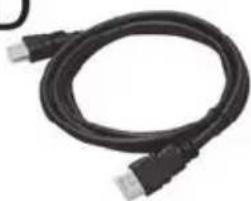
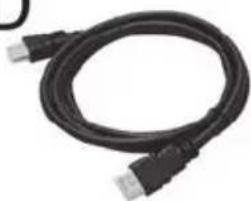
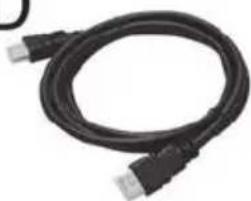
| D | HDMI (ARC) cable |
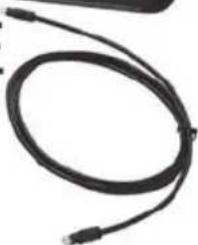
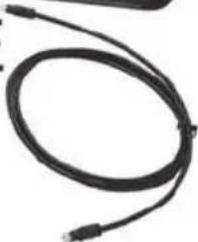
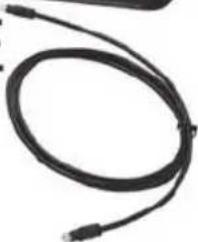
| E | Optical cable (Toslink) |
| F | Adapter cable with 3.5 mm jack to Cinch |
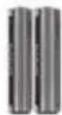
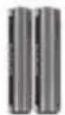
| G | 2 batteries of type AAA/LR03, 1.5 V |
| H | 2 screws (for wall-mounting) |
| I | 2 rawlplugs (for wall-mounting) |
| J | These operating instructions (line-art illustration) |
| K | Quick start guide (line-art illustration) |
| Drilling template (not illustrated) | |
4. Technical specifications
SSB 30 A1
| Input voltage/current 18.0 | V=, 1.6 A |
| Power consumption when on / in standby mode max. 28 W / < 0.5 W | |
| Speakers 2 x 15 W RMS | |
| Audio format at inputs Stereo PCM | |
| AUX IN jack 3,5 mm jac | k |
| Digital input (SPDIF) Optical (Toslink) | |
| HDMI (ARC) cable HDMI ARC jack | |
| USB inputOutput currentFormat structurePlayable audio formatsMax. supported capacity of USB storage device | USB port, type AMax. 200 mA FAT16, FAT 32, exFAT MP3, WAV 128 GB |
| Bluetooth® specification: V 5.0 | |
| Supported profiles: A2DP, AVRCP | |
| Bluetooth® transmission power: max. 10 dBm | |
| Bluetooth® frequency band: 2.402 - 2.480GHz | |
| Bluetooth® range: Approx. 10m | |
| Remote control power supply 2 batteries of type AAA/LR03, 1.5 V | |
| Dimensions (W x H x D) approx. 554 x 78 x 87 mm | |
| Weight without accessories approx. 1470 g | |
| Operating temperature | 0°C to 35°C |
| Operating humidity | 85% rel. humidity |
| Permissible storage conditions | 0°C to 40°C, max. 85% rel. humidity |
Wall plug power adapter
| Vendor, register of commerce number, address | TARGA GmbH / HRN: 12035Coesterweg 45, 59494 Soest, Germany |
| Manufacturer | Dong Guan Reyi Power Electronics Co., Ltd. |
| Type | RY36A180160EU |
| Input voltage / AC input frequency | 230 V~/ 50 Hz |
| Current consumption | 1 A |
| Output power | 28.8 W |
| Output voltage / output current | 18.0 V~, 1.6 A ◇-●+ |
| Average efficiency when in use | 88,7 % |
| Efficiency at low load (10%) | 86,3 % |
| Power consumption at zero load | 0,06 W |
| Safety class | II □ |
The technical data and design may be changed without prior notice.
5. Safety instructions
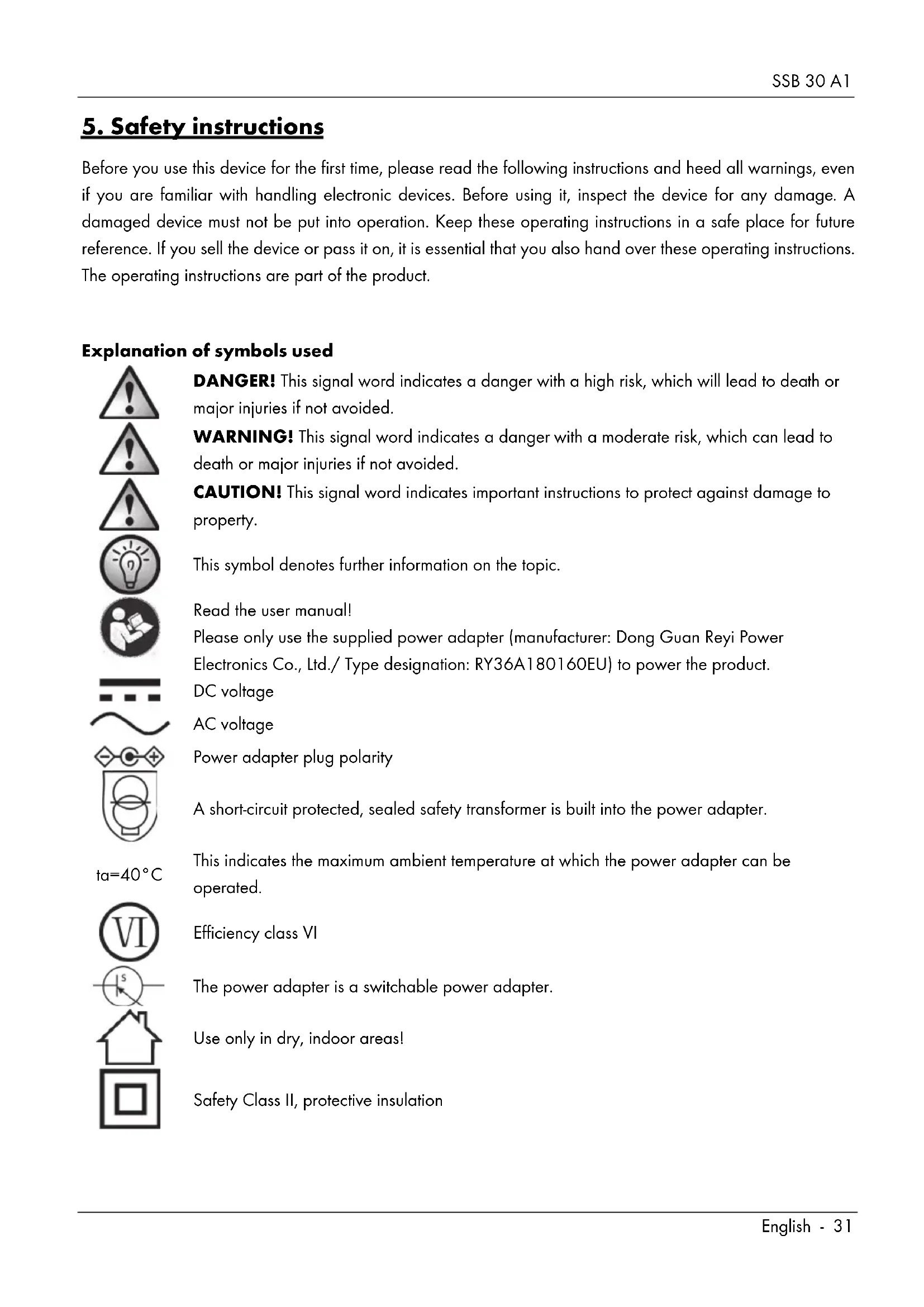
Before you use this device for the first time, please read the following instructions and heed all warnings, even if you are familiar with handling electronic devices. Before using it, inspect the device for any damage. A damaged device must not be put into operation. Keep these operating instructions in a safe place for future reference. If you sell the device or pass it on, it is essential that you also hand over these operating instructions. The operating instructions are part of the product.
Explanation of symbols used

DANGER! This signal word indicates a danger with a high risk, which will lead to death or major injuries if not avoided.
WARNING! This signal word indicates a danger with a moderate risk, which can lead to death or major injuries if not avoided.
CAUTION! This signal word indicates important instructions to protect against damage to property.
This symbol denotes further information on the topic.
Read the user manual!
Please only use the supplied power adapter (manufacturer: Dong Guan Reyi Power Electronics Co., Ltd./ Type designation: RY36A180160EU) to power the product. DC voltage
AC voltage
Power adapter plug polarity
A short-circuit protected, sealed safety transformer is built into the power adapter.
This indicates the maximum ambient temperature at which the power adapter can be operated.
Efficiency class VI
The power adapter is a switchable power adapter.
Use only in dry, indoor areas!
Safety Class II, protective insulation
ta = 40^ C


WARNING! Always make sure that
- contact with water sprays or drops and corrosive liquids is avoided and the device is never operated near water; in particular the device may never be immersed in liquids (also, do not place any objects containing liquids, such as vases or drinks, on or near the device).
• no naked flames (e.g. burning candles) are placed on or near the device.
• no foreign bodies are introduced into the device; - the device is not exposed to any extreme temperature fluctuations as this can cause moisture through condensation and cause short circuits. If the device has been exposed to extreme temperature fluctuations, wait for it to reach the ambient temperature before switching it on (about 2 hours).
- the device is not covered. Heat can accumulate when the device is covered, therefore there is a risk of fire.
• the housing of the device and the power adapter is not opened. This could cause an electric shock.
• the power adapter is not touched with wet hands. This could cause an electric shock. - the mains socket used must be easily accessible at all times as the mains plug of the power adapter is used as a mains separation device.
- the power adapter is disconnected from the mains socket in the event of lightning. There is a risk of fire or damage to property.
• wall-mounting is only allowed up to 2m height only in order to avoid any further risks.
Failure to heed the warnings above may cause injury.

CAUTION! Always make sure that
• the device is not exposed to direct heat sources (e.g. radiators);
• no direct sunlight or bright artificial light reaches the device:
- you keep at least 1 m of space to radio frequency and magnetic sources (e.g. speakers, mobile phones, etc.) to avoid any malfunction. In case of malfunction, install the device at a different place.
• the device is not subjected to excessive shocks or vibrations.
- the USB port (3) may not be used to charge external devices.
Failure to heed the warnings above could result in damage to the device.

WARNING! Batteries
Insert the batteries with the correct polarity. Refer to the diagram inside the battery compartment. Do not attempt to recharge the batteries and do not dispose of the batteries in a fire. Do not mix battery types (old and new or carbon and alkaline, etc.). Remove the batteries when the device is not to be used for an extended period. Improper use may cause explosions and danger to life. Batteries are not toys! If a battery is swallowed, seek medical help immediately. Batteries must never be opened or deformed, as this could result in chemicals leaking out which could cause injuries. If the battery fluid comes into contact with the skin or eyes, rinse immediately with plenty of water and seek medical aid.

DANGER! Personal safety
Electrical devices are not suitable for children. Persons with physical, sensory or mental impairments may also only use electrical devices within the limits of their abilities. Do not allow children or persons with reduced physical, sensory or mental capabilities to use electrical devices unsupervised unless they are instructed accordingly and supervised by a competent person responsible for their safety. Children should always be supervised to ensure that they do not play with the product. The product must not be cleaned or maintained by children. Small parts can represent choking hazards. Keep the packaging out of the reach of these people. Packaging material is not a toy.

There is a risk of suffocation.

WARNING! Cables
Unplug all cables by holding the plugs and never pull on the cables themselves. Never place pieces of furniture or other heavy objects on the cables and take care that they do not become damaged, especially at the plugs and sockets. To avoid damaging them, never install the cables around hot or sharp objects. Never tie knots in cables and do not tie them to other cables. All cables must be positioned so that nobody can trip over them or be obstructed by them.

WARNING! Radio interface
Turn the device off when on board an aircraft, in a hospital, in an operating theatre or in the vicinity of electronic medical equipment. The RF signals may interfere with the functionality of sensitive devices. Keep the device at least 20 cm away from pacemakers, as the RF signals could interfere with the functionality of the pacemaker. The RF signals transmitted can interfere with hearing aids. If wireless mode is switched on, do not place the device near flammable gases or in a potentially explosive area (e.g. a paint shop), as the RF signals transmitted could cause explosions or fire. The range of the radio frequency signals depends on environmental conditions. If data is transmitted via a wireless connection, it can also be received by unauthorized parties. Targa GmbH is not liable for any interference caused to RF or TV signals through unauthorised modification to this device. Furthermore, Targa accepts no liability for replacing any cables or devices that have not been specifically approved by Targa GmbH. The user is solely responsible and liable for remedying any interference caused by such unauthorised modification of this device or for replacing the device.

Servicing / Repair
Repairs are required when this device has been damaged in any way, for example, when the device housing is damaged, when liquids or objects have entered the device or when the product has been exposed to rain or moisture. Repairs are also necessary if the product is not working properly or has been dropped. If you notice any smoke, unusual noise or strange smells, switch off the device immediately and pull the power adapter
out of the power socket. If this occurs, the device should not be used before it has been inspected by authorised service personnel. All repairs must be carried out by qualified service personnel.
Operating environment
The device is not designed for use in environments with high humidity (e.g. bathrooms) or excessive levels of dust. Operating temperature and operating humidity: 0 °C to 35 °C, max. 85 % relative humidity. Please note that caring products for furniture surfaces may contain substances that can damage the rubber feet of the sound bar, so be careful if you have been using this type of products.
Note on mains disconnection
Please remember that the power adapter consumes a small amount of electricity even in standby mode when it is connected to the mains. To fully separate it from the mains, unplug the power adapter from the mains socket.
6. Copyright
All the contents of this user manual are protected by copyright and provided to the reader for information only. Copying data and information without the prior explicit written consent of the author is strictly forbidden. This also applies to any commercial use of the contents and information. All texts and diagrams are up-to-date as of the date of printing. Subject to change without notice.
7. Connections and controls
An illustration of the items and controls and their corresponding numbers can be found on the inside page of the fold-out cover of this user manual. You can keep this page folded out whilst reading the different chapters of these operating instructions. This allows you to refer to the relevant controls at any time.
| 1 | + button (increase volume) |
| 2 | On/Standby button |
| 3 | USB port (not to be used for charging) |
| 4 | Source button (signal source selection) |
| 5 | - button (reduce volume) |
| 6 | left Status LED |
| 7 | right Status LED |
| 8 | Wall-mounting holes |
| 9 | 3.5mm AUX-IN socket |
| 10 | HDMI ARC jack |
| 11 | Optical digital input (Toslink) |
| 12 | Power adapter socket |
7.1 Remote control
You can use the remote control supplied to control the sound bar functions. Please see the chart below for the button functions.

| 13 | Mute button (MUTE) |
| 14 | OPTIC Switch to optical digital input SPDIF |
| 15 | AUX Switch to AUX input |
| 16 | Repeat titles (all titles) in USB mode |
| 17 | Random playback in USB mode |
| 18 | STOP |
| 19 | Subfolder switching (upwards) in USB mode |
| 20 | Play / Pause |
| 21 | Next track |
| 22 | Subfolder switching (downwards) in USB mode |
| 23 | Increase volume |
| 24 | MUSIC Enables the equalizer for music |
| 25 | DIALOG Enables the equalizer for voice playback |
| 26 | DIAL 3D Enables the equalizer for voice playback plus simulated surround sound |
| 27 | TREBLE TREBLE- Default setting |
| 28 | TREBLE+ Amplify treble |
| 29 | BASS+ Amplify bass |
| 30 | Battery compartment (on the back) |
| 31 | BASS- Attenuate bass |
| 32 | BASS BASS- Default setting |
| 33 | TREBLE- Attenuate treble |
| 34 | MOV 3D Enables the equalizer for movie playback plus simulated surround sound |
| 35 | MUS 3D Enables the equalizer for music playback plus simulated surround sound |
| 36 | MOVIE Enables the equalizer for movies |
| 37 | Reduce volume |
| 38 | Previous title |
| 39 | PAIR Enable pairing mode for Bluetooth®/ Undo Bluetooth® pairing |
| 40 | USB Switch to USB input |
| 41 | Repeat title (1 title) in USB mode |
| 42 | Switch to Bluetooth ® |
| 43 | HDMI (ARC) Switch to HDMI ARC input |
| 44 | On/Standby |
8. Before you start
Remove the sound bar and all accessories from the package and remove any plastic films. Verify that you have received all items listed.
8.1 Positioning
The ideal position for your sound bar is centrally under your TV set. You can place the sound bar on a piece of furniture or mount it to the wall.
8.1.1 Wall-mounting
Make sure that you use suitable wall-mounting material.
Tools/mounting material needed (not included in the package):
- Drill (depending on the wall)
- 2 screws and possibly 2 rawlplugs (depending on the wall) to fix to the wall. Please note that the screws must be suitable for the weight of the sound bar. If the screws and rawlplugs provided are not suitable for your specific circumstances, make sure that the dimensions of the screw head and shaft correspond to those provided in order to guarantee safe mounting.
• Phillips screwdriver and possibly other screwdrivers, spirit level, pencil
Before drilling, make sure there are no water or gas pipes or electricity cables in the wall. If necessary, get an expert to mount the device on the wall.
- Drill two holes 400 mm apart. Use the drilling template supplied to make mounting easier.
• If you are using the rawlplugs supplied, use an 8 mm drill bit. - Insert the rawlplugs into the drilled holes.
- Push the screws in until the screw head projects by about 3 mm.
- Connect all the cables you are using to the connections on the sound bar.
- Position the device with the wall mounting holes down onto the screws so that they engage with the vertical holders on the wall mounting system, then secure by tightening the screws.
- Finally, check that the sound bar is firmly fitted to both screws. If necessary, repeat the process. It may be necessary to rotate the screws clockwise or counterclockwise a little.
8.2 Fitting the batteries into the remote control
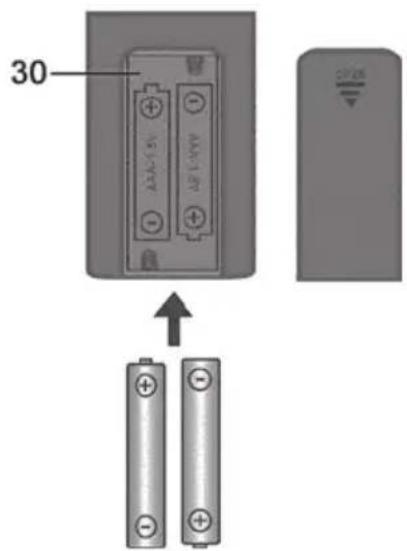
Open the battery compartment (30) on the back of the remote control by sliding the battery compartment cover in the direction of the arrow and removing it. Insert the batteries (2 AAA-type batteries) with the correct polarity (+ and -). The correct polarity is labelled on the batteries and inside the battery compartment (30). Re-insert the cover of the battery compartment (30) and slide it in the opposite direction of the arrow until it locks in place.
8.3 Connection options / Operating modes

CAUTION! Make sure that the sound bar and the devices to be connected are switched off when you connect them. Please also read the user manual for the device to be connected.
The HDMI (ARC) connection only works if all the components connected are ARC-compliant. Use the HDMI (ARC) cable (D) supplied. See also the user manual for the connected device.
The cable used for playback must not exceed a length of 3 metres.
The SSB 30 A1 sound bar lets you play sound and/or music from various sources:
Playback can be controlled using the buttons on the device or the remote control.
You can use the Source button (4) or the remote control to select the operating mode you want. The operating modes and applications can be found in the table below:
| Operating mode / Source | Input Use | Button on remote control | |
| BLUETOOTH^® | — Via wireless connection, e.g. from smartphone | (42) | |
| HDMI ARC HDMI(ARC) (10) | Connection via HDMI (ARC) cable to the HDMI (ARC) jack, e.g. TV or DVD player | HDMI(ARC) (43) | |
| OPTICAL | OPTICAL (1) | Connection via Toslink cable, e.g. TV or digital receiver | OPTIC (14) |
| AUX | AUX (9) | Connection via adapter cable (stereo jack/Cinch), e.g. DVD player or satellite receiver | AUX (15) |
| USB | USB (3) | Connection of USB media, e.g. USB stick to play back audio files (audio formats supported: MP3 and WAV) | USB (40) |
8.4 LED indicators
The 2 status LEDs (6, 7) change their colours depending on the operating mode and sound mode set. They also indicate the current bass and treble settings.
8.4.1 Operating modes
| Mode Left status LED (6) Right status LED (7) | ||
| Standby | red off | |
| Bluetooth® | blue• Flashes during pairing• On after the device is paired | depends on the audio setting (see 8.4.2) |
| HDMI (ARC)cable | white depends on the audio | setting (see 8.4.2) |
| OPTICAL yellow | depends on the audio | setting (see 8.4.2) |
| AUX green depends on the audio | setting (see 8.4.2) | |
| USB | turquoise• Normal playback: on• Repeat playback - 1 title: flashes once• Repeat playback - all titles: flashes twice• Random playback: flashes 3 times | depends on the audio setting (see 8.4.2) |
8.4.2 Equalizer settings
| Mode Left status LED (6) Right status LED (7) | |
| MOVIE depends on the operating mode, (see 8.4.1) yellow | |
| MOV.3D depends on the operating mode, (see 8.4.1) white | |
| MUSIC depends on the operating mode, (see 8.4.1) orange | |
| MUS.3D depends on the operating mode, (see 8.4.1) pink | |
| DIALOG depends on the operating mode, (see 8.4.1) green | |
| DIAL.3D depends on the operating mode, (see 8.4.1) turquoise |
8.4.3 Bass settings, treble settings
Bass and treble adjustment is possible in 5 steps each. The light intensity of the LEDs (6, 7) informs you about the current setting:
• The more intense the luminosity of the left status LED (6), the lower the bass or treble setting.
• The more intense the luminosity of the right status LED (7), the higher the bass or treble setting.
You can adjust the settings by pressing the buttons for the "BASS" setting (29, 31) or the "TREBLE" setting (28, 33). You can use the (27, 32) buttons to reset the values to the average level.
| Mode | Left status LED (6) | Right status LED (7) |
| BASS | red (intensity depends on setting) | red (intensity depends on setting) |
| TREBLE | green (intensity depends on setting) green (intensity depends on setting) | |
9. Getting started

This user manual generally describes using the remote control.
Some basic functions (on/standby, source selection and volume setting) can also be adjusted directly from the sound bar.

The soundbar switches to standby if...
...no Bluetooth connection is established within 10 minutes or if no audio signal is received over the existing Bluetooth connection.
... no audio signal or only a weak audio signal is received for 5 minutes and no buttons are pressed.

In HDMI(ARC) and OPTICAL modes, please note:
If your audio source supports multi-channel playback, you need to switch it to "PCM Stereo" before getting started, as the sound bar will otherwise be unable to output sound. Please refer to the user manual for your audio source.
9.1 Switching on the sound bar
First connect the power adapter (B) to the sound bar and then plug into an easily accessible mains socket. The sound bar has no separate main switch, it goes straight into standby mode. Press the Standby button ⏻ (2, 44) to wake the sound bar up from standby mode.
9.2 Switching the sound bar off
Press the Standby button (2, 44) to switch the sound bar into standby mode. The sound bar has no separate main switch. Please remember that the power adapter (B) consumes a small amount of electricity even in standby mode when it is connected to the mains. To fully separate it from the mains, unplug the power adapter (B) from the mains socket.
9.3 Selecting a mode
Press the relevant button (42, 43, 14, 15, 40) to select the mode you want. Alternatively, you can toggle through the modes by briefly pressing the Source selection button (4) on the sound bar several times.
Now start playback on the connected device and control using the remote control. See the user manual for the playback device.
9.3.1 "HDMI ARC" mode

HDMI (ARC Audio Return Channel) is an extension to the conventional HDMI connection which allows ARC channel audio signals to be transmitted in both directions. In order to use this functionality, all the components used must be ARC-compliant.
Most modern TV sets, games consoles and digital receivers have an ARC output. Please refer to the user manual for the device to be connected.
If the audio transmission does not work, make sure that the HDMI cable and the connection on the source device are ARC-compliant. It is possible that only specific connections on the source device are ARC-compliant.
How to connect the sound bar to a TV set is described below:
- Using an HDMI(ARC)-compliant cable (D, supplied), connect the HDMI(ARC) jack (10) on the sound bar to an HDMI(ARC) output on the TV set. Set the connected device to "PCM Stereo" or "Stereo 2.0".
- Switch the sound bar on using the standby button ⏻ (2, 44).
- Press the "HDMI (ARC)" button (43) to select the HDMI(ARC) input on the sound bar.
- Switch the TV set on, the sound playback will start within a few seconds.

If your TV set supports the CEC protocol, the sound bar can be switched on and off using the TV remote control. If this is the case, the volume can also be controlled via the TV remote control. See the user manual for the TV set.
9.3.2 "OPTICAL" mode

IMPORTANT:
The optical cable (E) connectors are protected by plastic caps on both ends. Before using the cable, these plastic caps have to be removed to prevent damage on the soundbar or TV.
Use this operating mode to play music from the optical digital input (11) for example from a TV on your sound bar (A). The TV must have an optical digital output. Use the optical cable supplied (Toslink cable) to make the connection. Proceed as follows:
- Connect the Toslink cable (E) to the optical digital output of your TV.
- Then connect the Toslink cable (E) to the optical digital input (11) of your sound bar.
- Switch the TV set and sound bar on. Set the connected TV to "PCM Stereo" or "Stereo 2.0".
- Start playing on the TV.
- Press the "OPTIC" button (14) on the remote control to select this mode.
- You can use the volume buttons (23, 37) to adjust the volume to your requirements.
- If you wish, you can change the audio settings using the relevant buttons on the remote control.

See the user manual for the TV set.
9.3.3 "BLUETOOTH" mode

The Bluetooth device name of the sound bar is SSB 30 A1.
If you are prompted for a PIN during the pairing process, enter "0000".
It can take a variable amount of time to establish the connection, depending on the device.
Establishing a connection
- Press the ✕ button (42) to switch to Bluetooth mode.

After switching to Bluetooth mode, the sound bar automatically connects to a paired devices or, if no paired device is found, automatically switches to Bluetooth pairing mode. If the connection to a paired device is lost, the device switches off after approx. 10 minutes.
- If your playback device has not yet been paired with the sound bar, the left status LED (6) flashes blue.
- Start Bluetooth scanning mode on your playback device (e.g. smartphone). It should then find the sound bar under the name "SSB 30 A1".
- Now establish a Bluetooth connection between your playback device and the sound bar.
• After the connection has been established, the left LED (6) goes on blue.

Generally, you should only have to pair once as the playback device saves the name of the sound bar. This means you do not need to pair the devices manually when you establish the connection again.
If you wish to disconnect an existing Bluetooth pairing or switch to pairing mode, press and hold the "PAIR" button (39) on the remote control for about 1 second.
- Now start music playback from the source device. The sound is played back via the sound bar.
- You can use the ▶(20), ▶(21) and ▶(38) buttons on the remote control or your source device to control playback.
- You can use the volume buttons (23, 37) to adjust the volume to your requirements.
Disconnect
The Bluetooth pairing is disconnected if ...
• ... either of the devices is switched off.
• ... Bluetooth is switched off.
• ... the sound bar and source device are beyond the Bluetooth range (approx. 10 metres).
- ...you keep the "PAIR" button (39) on the remote control pressed for about 1 second.
9.3.4 "USB" mode

The sequence of the tracks/folders played is determined by the order in which they are copied to the USB stick.
In this mode, you can use the sound bar to play back audio files stored on a USB storage device, e.g. a USB stick. If connecting a USB hard drive, please note that the maximum current on the sound bar's USB connection is 200 mA. Please also see the user manual for the USB hard drive.

If you want to use a hard drive as a USB playback device, use a Y-cable with a separate power supply to connect it.

Please note there can occasionally be compatibility issues between the USB storage device and the sound bar, meaning only limited functionality is available or it may not function at all. If this happens, try a different USB storage device.
- Connect the USB storage device to the USB port (3) on the sound bar.
- If there is a USB device connected already, press the "USB" button (40) on the remote control to select this mode.
- Use the ▶(20), □(18), ▶(21), ▶(38), △(19) and ▼(22) buttons on the remote control to control the music tracks.
- You can use the volume buttons (23, 37) to adjust the volume to your requirements.
- If you wish, you can change the audio settings using the relevant buttons on the remote control.
Control functions available in "USB" mode:
| Action Function | |
| Press the button (20). | Pause / Resume current track. |
| Press the button (20) if playback was previously paused with the button (18). | Resume playback at beginning of last title played. |
| Press the button (21). | Skip to next track. |
| Press the button (19). | Skip to 1st track of next folder. |
| Press the button (38). | Skip to previous track. |
| Press the button (22). | Skip to 1st track of previous folder. |
- In normal USB mode, all tracks are played once in the order in which they are stored on the USB data medium.
- Press the button (41) to repeat the currently playing track (status LED (6) lights up and then flashes once). Press the button (41) again to disable this function.
- Press the 📄 button (16) to repeat all tracks stored on the storage medium (status LED (6) lights up and then flashes twice). This function is independent of the folder structure on the storage medium. Press the 📄 button (16) again to disable this function.
- Press the DC button (17) to randomly play all tracks stored on the storage medium (status LED (6) lights up and then flashes three times). Press the button (17) again to disable this function.

CAUTION! The USB port (3) must not be used to charge external devices.
9.3.5 "AUX" mode
Use this mode to connect a playback device with a Cinch output, e.g. a DVD player or satellite receiver. Use the adapter cable provided (F).
- Connect the Cinch output from your playback device to the AUX-IN jack (9) on the sound bar.
- Switch the sound bar on using the standby button ⏻ (2, 44).
- Press the "AUX" button (15) on the remote control to select this mode.
- You can use the volume buttons (23, 37) to adjust the volume to your requirements.
- If you wish, you can change the audio settings using the relevant buttons on the remote control.
9.4 Volume and audio settings

All changes of the "BASS" and "TREBLE" audio settings are displayed via the status LEDs (6, 7) for approx. 5 seconds. The status LEDs (6, 7) then switch back to displaying the respective mode. Each change in volume is confirmed by single brief flashing of the status LEDs (6, 7).
9.4.1 Adjusting the volume
You can adjust the volume during playback using the volume buttons (23, 37) on the remote control. Alternatively, you can use the volume buttons (1, 5) on the sound bar. You can also hold the buttons down the change the setting more quickly.
9.4.2 Muting the sound
Press the 📧 button (13) to mute the sound temporarily. The status LEDs (6, 7) flash when the sound is muted.
9.4.3 Adjusting the treble and bass
You can adjust the treble to your requirements using the TREBLE+ (28) and TREBLE- (33) buttons. Press the TREBLE→ (27) button to reset to the default value.
To adjust the bass, press the BASS+ (29) and BASS- (31) buttons. Press the BASS→ (32) button to reset to the default value.
9.4.4 Selecting the audio settings
The sound bar has 6 pre-set audio settings: Press the relevant button (24, 25, 26, 34, 35, 36) to select the audio setting you want. The selected audio setting is displayed in colour by the status LED (7):
| Audio setting Status LED (7) | |
| MOVIE | yellow |
| MOV.3D white | |
| MUSIC | orange |
| MUS.3D | pink |
| DIALOG green | |
| DIAL.3D turquoise | |
9.4.5 "MOVIE/MOV.3D" audio settings
Select the "MOVIE" audio setting to select the sound settings to play back e.g. films or documentaries.
Select the "MOV.3D" audio setting to give the current playback a virtual 3D surround sound.
9.4.6 "MUSIC/MUS.3D" audio settings
Select the "MUSIC" sound setting for optimised music playback.
Select the "MUS.3D" audio setting to give the current playback a virtual 3D surround sound.
9.4.7 "DIALOG/DIAL.3D" audio settings
Select the "DIALOG" audio settings to select the sound settings for voice playback. This setting is recommended for news programmes, among others.
Select the "DIAL.3D" audio setting to give the current playback a virtual 3D surround sound.
10. Cleaning
Switch the device off and unplug it from the mains. To clean it, use a soft, dry cloth. Never use any solvents or cleaners and never an abrasive sponge. Otherwise the sound bar housing can be damaged.
10.1 Storage when not in use

If the sound bar is not to be used for an extended period, store it in a clean, dry and cool place. Also remove the batteries from the remote control to prevent any leaking.
11. Troubleshooting
The sound bar does not power on.
- Check that the power adapter (B) is correctly inserted into the power socket and the sound bar. Connect it properly if not.
- Check whether the used power socket is alive. If necessary, test the device in a different socket that you are certain is working.
No sound
- Check that the correct mode has been selected. Select the correct mode.
- Check the playback volume on the sound bar and the connected playback device.
- In "HDMI ARC" and "OPTICAL" mode: If your audio source supports multi-channel playback, you need to switch it to "PCM Stereo" before getting started, as the sound bar will otherwise be unable to output sound. Please refer to the user manual for your audio source.
- In "HDMI ARC" mode: Check that the HDMI(ARC) cable (D) is correctly inserted into the HDMI ARC jack (10) on the sound bar and the corresponding HDMI ARC connection on the external sound source, e.g. TV set. On a "normal" HDMI connection, the TV set can only receive video and audio signals, but not transmit them.
- In "AUX IN" mode: Check that the adapter cable (F) is correctly inserted into the AUX IN jack (9) on the sound bar and the Cinch output on the external playback device. Also check the volume setting of the external playback device connected via the adapter cable (F).
- In "Optical" mode: Check that the Toslink cable (E) is correctly inserted into the optical digital input (11) of the sound bar and the corresponding jack on the external playback device. If necessary, remove the plastic caps from the connectors.
- In "USB" mode: Check that your USB playback device is formatted with the FAT32 file system and correctly connected and that there are suitable playback files on it. Suitable file formats: MP3 and WAV.
Cannot control the sound bar with the remote control
- The remote control batteries are low or empty. Replace them with new batteries of the same type.
- The distance between the sound bar and the remote control is too great. Move them closer together.
Playback via Bluetooth® does not work
- On your smartphone / tablet, check if there is a Bluetooth® connection established to the SSB 30 A1 sound bar. If necessary, repeat the pairing.
12. Environmental regulations and disposal information
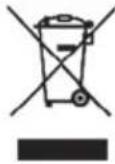 | Devices marked with this symbol are subject to the European Directive 2012/19/EU. All electrical and electronic devices must be disposed of separately from household waste at official disposal centres. Avoid damage to the environment and risks to your personal health by disposing of the device properly. For further information about proper disposal, contact your local government, disposal bodies or the shop where you bought the device. |
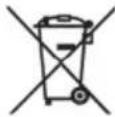 | Respect the environment. Old batteries must not be disposed of with domestic waste. They must be handed in at a collection point for waste batteries. Please note that batteries must be disposed of fully discharged at appropriate collection points for old batteries. If disposing of batteries which are not fully discharged, take precautions to prevent short circuits. |
 | Dispose of all packaging in an environmentally friendly manner. Cardboard packaging can be taken to paper recycling centres or public collection points for recycling. Any film or plastic contained in the packaging should be taken to your public collection points for disposal. |
 | |
| ES/PT | |
 | Only relevant for France:The product is recyclable, but is subject to more restrictive manufacturer responsibility terms and must be collected separately. |
 | Please note the markings on the packaging material when disposing of it, it is labelled with abbreviations (a) and numbers (b), the meanings of which are as follows:1-7: plastic / 20-22: paper and cardboard / 80-98: composite materials. |
 |
| Symbol | Material | Contained in the following packaging elements for this product |
 | Polyethylene terephthalate | - |
 | High density polyethylene | - |
 | Polyvinyl chloride - | |
 | Low density polyethylene | Shrink film containing the batteries. Moulding material for fixing the sound bar in the box, inner plastic bags for sound bar, accessories, cables, wall-fixing material and remote control as well as stickers that seal the gift box. |
 | Polypropylene | - |
 | Polystyrene | - |
 | Other plastics - | |
 | Corrugated cardboard | Sales packaging accessories box |
 | Other cardboard - | |
 | Paper | - |
 | Paper/cardboard/ plastic | - |
 | Paper/cardboard/ plastic/aluminium | - |
13. Conformity

This device has been approved for compliance with the basic and other relevant requirements of the RE Directive 2014/53/EU, the ErP Directive 2009/125/EG and the RoHS Directive 2011/65/EU.
The complete EU Declaration of Conformity is available for download from this link: https://www.targa.gmbh/downloads/conformity/369478_2101.pdf
14. Warranty and service information
Warranty of TARGA GmbH
Dear Customer,
This device is sold with three years warranty from the date of purchase. In the event of product defects, you have legal rights towards the seller. These statutory rights are not restricted by our warranty as described below.
Warranty conditions
The warranty period commences upon the date of purchase. Please keep the original receipt in a safe place as it is required as proof of purchase. If any material or manufacturing faults occur within three years of purchase of this product, we will repair or replace the product free of charge as we deem appropriate.
Warranty period and legal warranty rights
The warranty period is not extended in the event of a warranty claim. This also applies to replaced and repaired parts. Any damage or defects discovered upon purchase must be reported immediately when the product has been unpacked. Any repairs required after the warranty period will be subject to charge.
Scope of warranty
The device was carefully manufactured in compliance with stringent quality guidelines and subjected to thorough testing before it left the works. The warranty applies to material and manufacturing faults. This warranty does not cover product components which are subject to normal wear and which can therefore be regarded as wearing parts, or damage to fragile components such as switches, rechargeable batteries or components made of glass. This warranty is void if the product is damaged, incorrectly used or serviced. To ensure correct use of the product, always comply fully with all instructions contained in the user manual. The warnings and recommendations in the user manual regarding correct and incorrect use and handling of the product must always be observed and complied with. The product is solely designed for private use and is not suitable for commercial applications. The warranty is rendered void in the event of incorrect handling and misuse, if it is subjected to force, and also if any person other than our authorised service technicians interfere with the device. No new warranty period commences if the product is repaired or replaced.
Submitting warranty claims
To ensure speedy handling of your complaint, please note the following:
Before using your product for the first time, please read the enclosed documentation carefully. Should any problems arise which cannot be solved in this way, please call our hotline.
- Always have your receipt, the product article number as well as the serial number (if available) to hand as proof of purchase.
- If it is not possible to solve the problem on the phone, our hotline support staff will initiate further servicing procedures depending on the fault.

Service

Phone: 0800 404 7657
E-Mail: targa@lidl.co.uk

Phone: 1890 930 034
E-Mail: targa@lidl.ie

Phone: 800 62230
E-Mail: targa@lidl.com.mt

Phone: 8009 4409
E-Mail: targa@lidl.com.cy
IAN: 369478_2101

Manufacturer
Please note that the following address is not a service address. First contact the service point stated above.
TARGA GmbH
Coesterweg 45
59494 Soest
GERMANY
Table des matières
natural_image
Black rectangular electronic device with rounded ends, no visible text or symbolsC
D
natural_image
Coiled black cable with two USB connectors (no text or symbols visible)E
natural_image
Coiled black cable with connectors, no visible text or symbolsF
natural_image
Black electrical plug with power outlet and cable, labeled 'B' (no text or symbols on the plug itself)G
H

|

J

K

ta=40 °C

https://www.targa.gmbh/downloads/conformity/369478_2101.pdf
Cher client, chère cliente,
Cher client, chère cliente,
natural_image
Product display of a black air conditioner unit with various cable and accessories (no text or symbols visible)natural_image
Pure electrical circuit lines without any symbolsta=40 °C


WAARSCHUWING! Batterijen
WAARSCHUWING! Kabels
WAARSCHUWING! Radio-interface
natural_image
Black rectangular electronic component with rounded ends, no visible text or symbolsC
D
natural_image
Coiled black cable with two USB connectors (no text or symbols visible)E
natural_image
Coiled black cable with a connector, no visible text or symbolsF
natural_image
Black electrical plug with power outlet and cable, labeled 'B' (no text or symbols on the plug itself)G
H
V
|

J

K

natural_image
Product display of a black air conditioner unit with various cable and accessories (no text or symbols visible)Trieda účinnosti VI
Napájací adaptér je prepínatel'ný.
natural_image
Product display of a black rectangular device with labeled parts including a remote control, USB cable, and various cables (no text or symbols visible)8.1 Positionering....210
8.1.1 Vægmontering 211
ta=40 °C

Service / reparation


- SOUNDBAR STEREO 2.0 SSB 30 A1 BLUETOOTH® SOUNDBAR SSB 30 A1 BARRE DE SON STÉRÉO 2.0 SSB 30 A1
- Congratulations!
- Trademarks
- Intended use
- Package contents
- Technical specifications
- Safety instructions
- Explanation of symbols used
- WARNING! Always make sure that
- CAUTION! Always make sure that
- WARNING! Batteries
- DANGER! Personal safety
- WARNING! Cables
- WARNING! Radio interface
- Servicing / Repair
- Operating environment
- Note on mains disconnection
- Copyright
- Connections and controls
- Remote control
- Before you start
- Positioning
- Wall-mounting
- Fitting the batteries into the remote control
- Connection options / Operating modes
- LED indicators
- Operating modes
- Equalizer settings
- Bass settings, treble settings
- Getting started
- Switching on the sound bar
- Switching the sound bar off
- Selecting a mode
- "HDMI ARC" mode
- "OPTICAL" mode
- IMPORTANT:
- "BLUETOOTH" mode
- Establishing a connection
- Disconnect
- "USB" mode
- "AUX" mode
- Volume and audio settings
- Adjusting the volume
- Muting the sound
- Adjusting the treble and bass
- Selecting the audio settings
- "MOVIE/MOV.3D" audio settings
- "MUSIC/MUS.3D" audio settings
- "DIALOG/DIAL.3D" audio settings
- Cleaning
- Storage when not in use
- Troubleshooting
- The sound bar does not power on.
- No sound
- Cannot control the sound bar with the remote control
- Playback via Bluetooth® does not work
- Environmental regulations and disposal information
- Conformity
- Warranty and service information
- Warranty of TARGA GmbH
- Warranty conditions
- Warranty period and legal warranty rights
- Scope of warranty
- Submitting warranty claims
- Service
- Manufacturer
- Table des matières
- WAARSCHUWING! Batterijen
- WAARSCHUWING! Kabels
- WAARSCHUWING! Radio-interface
- Service / reparation
Brand : SILVERCREST
Model : SSB 30 A1
Category : Soundbar