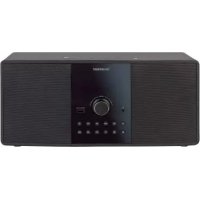
SBMS D30 B1 - Hi-Fi System SILVERCREST - Free user manual and instructions
Find the device manual for free SBMS D30 B1 SILVERCREST in PDF.



| Product Type | Hi-Fi System |
| Brand | SilverCrest |
| Model | SBMS D30 B1 |
| Power Supply | 230 V AC, 50 Hz |
| Power Consumption | 50 W (operation) / < 0.5 W (standby) |
| Music Power Output | 2 x 15 W (RMS) |
| Dimensions (W x H x D) | approx. 376 x 120 x 232 mm |
| Weight | approx. 3,170 g |
| Radio Frequency Band | 87.5 - 108 MHz |
| Preset Stations | 30 |
| Supported Audio Formats | MP3, Audio CD |
| CD Types | Audio CD, MP3 CD, CD-R, CD-RW |
| USB Flash Drive | up to 32 GB (FAT/FAT32), up to 4,000 files, max. 9 subfolders |
| Bluetooth | Version 3.0, A2DP profile |
| Connectors | AUX-IN (2 x Cinch/RCA), Headphone (3.5 mm), Antenna (75 Ω), USB 2.0 |
| Laser Class | 1 |
| Protection Class | II |
| Operating Temperature | 5 °C to 35 °C |
| Storage Temperature | -10 °C to +50 °C |
| Max. Relative Humidity | 85 % (non-condensing) |
| Main Functions | FM Radio, CD Player, USB, Bluetooth, AUX, Equalizer (Pop/Classic/Jazz/Rock), Bass Function, Alarm, Sleep Timer, Playback Programming |
| Accessories Included | Remote control (CR2025 battery included), Power cable, Wire antenna, User manual |
| Warranty | 3 years |
| Care and Cleaning | Use a clean, dry cloth. Do not use aggressive liquids. |
| Safety | Do not open the housing. Keep out of reach of children. Avoid exposure to water and heat. |
Frequently Asked Questions - SBMS D30 B1 SILVERCREST
User questions about SBMS D30 B1 SILVERCREST
0 question about this device. Answer the ones you know or ask your own.
Ask a new question about this device
Download the instructions for your Hi-Fi System in PDF format for free! Find your manual SBMS D30 B1 - SILVERCREST and take your electronic device back in hand. On this page are published all the documents necessary for the use of your device. SBMS D30 B1 by SILVERCREST.
USER MANUAL SBMS D30 B1 SILVERCREST
Operating instructions and safety instructions
M
Bluetooth®-micro-installatie
Deutsch 2
English....30
Français....58
Nederlands 88
Čeština 116
Español 144
Português....172
Inhaltsverzeichnis
natural_image
Front view of a black electronic device with ventilation grilles and control buttons (no visible text or symbols)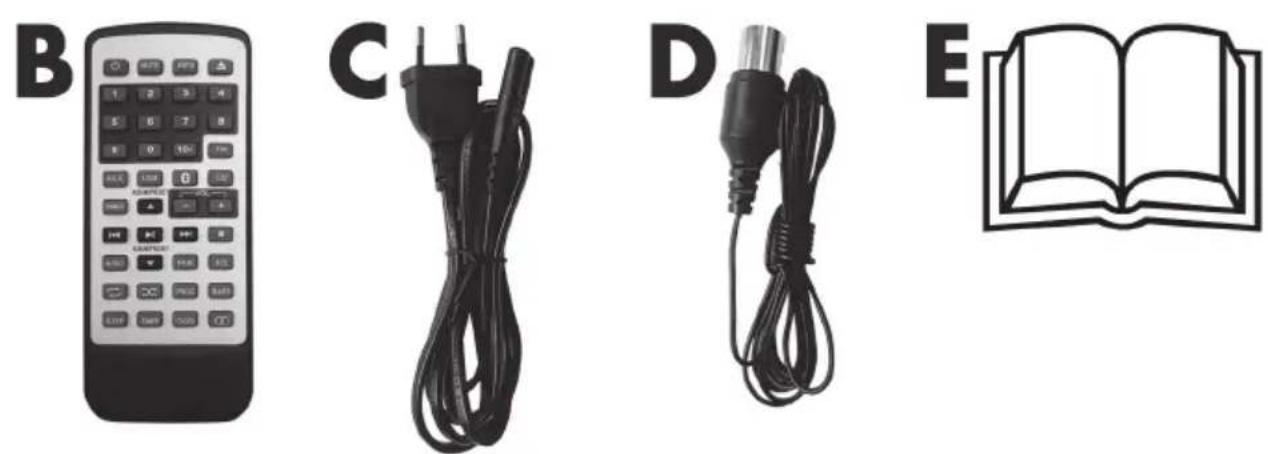
natural_image
Illustration of a remote control with four labeled items: a keypad, two black cables (C and D), and an open book (E), all without any text or symbols.natural_image
Symbol of a trash bin crossed with no text or labels, accompanied by a black rectangular block below (no readable text or symbols)- Trademarks.... 32
- Intended use.... 32
- Package contents 33
- Technical specifications 34
- Safety instructions 35
- Copyright 39
- Overview 40
- Before you start 43
8.1. Activating the remote control battery....43 -
Getting started 43
9.1. Switching the Micro Stereo System on/off....43
9.2. Setting the time....44
9.3. Adjusting the volume.... 44
9.4. Mute 45
9.5. Radio 45
9.6. CD 46
9.7. USB 48
9.8. Programming the playback order 48
9.9.AUX 49
9.10. Bluetooth ^® 50
9.11. Connecting the headphones....50
9.12. Equalizer 51
9.13. Bass function 51
9.14. Display brightness....51
9.15. Sleep timer 51
9.16. Alarm function....52 -
Replacing the remote control battery 53
-
Storage when not in use.... 53
-
Troubleshooting 54
-
Environmental regulations and disposal information ....55
13.1. Disposal of batteries 55
-
Conformity notes....55
-
Warranty and servicing advice ....56
Congratulations!
By purchasing the SilverCrest SMBC 30 A1 Bluetooth ^® Micro Stereo System, hereinafter referred to as the Micro Stereo System, you have opted for a quality product.
Before first using it, familiarise yourself with the way the Micro Stereo System works and read these operating instructions through carefully. Be careful to follow the safety instructions and only use the Micro Stereo System as described in the operating instructions and for the applications given.
Keep these operating instructions in a safe place. If you pass the Micro Stereo System on to someone else, make sure to give them all the relevant documents with it.
1. Trademarks
The Bluetooth ^® wording and its logo are registered trademarks of Bluetooth SIG, Inc. (Special Interest Group). TARGA GmbH is using these marks under license.
USB is a registered trademark.
Other names and products may be the trademarks or registered trademarks of their respective owners.
2. Intended use
This Micro Stereo System is a consumer electronics device. It has been designed to play music and voice. Furthermore, the Micro Stereo System features a CD player and a radio tuner. It also allows playing back audio files from Bluetooth ^® devices and USB memory sticks. The Micro Stereo System has not been designed for corporate or commercial applications. Use the Micro Stereo System for private purposes only. Any use other than that mentioned above does not correspond to the intended use. The Micro Stereo System may also not be used outdoors or in tropical climates. This Micro Stereo System fulfills all that relates to CE Conformity, relevant norms and standards. Any modifications to the Micro Stereo System other than recommended changes by the manufacturer may result in these standards no longer being met. The manufacturer shall not be liable for any damage or malfunctions resulting from such modifications.
Observe the regulations and laws in the country of use.
3. Package contents
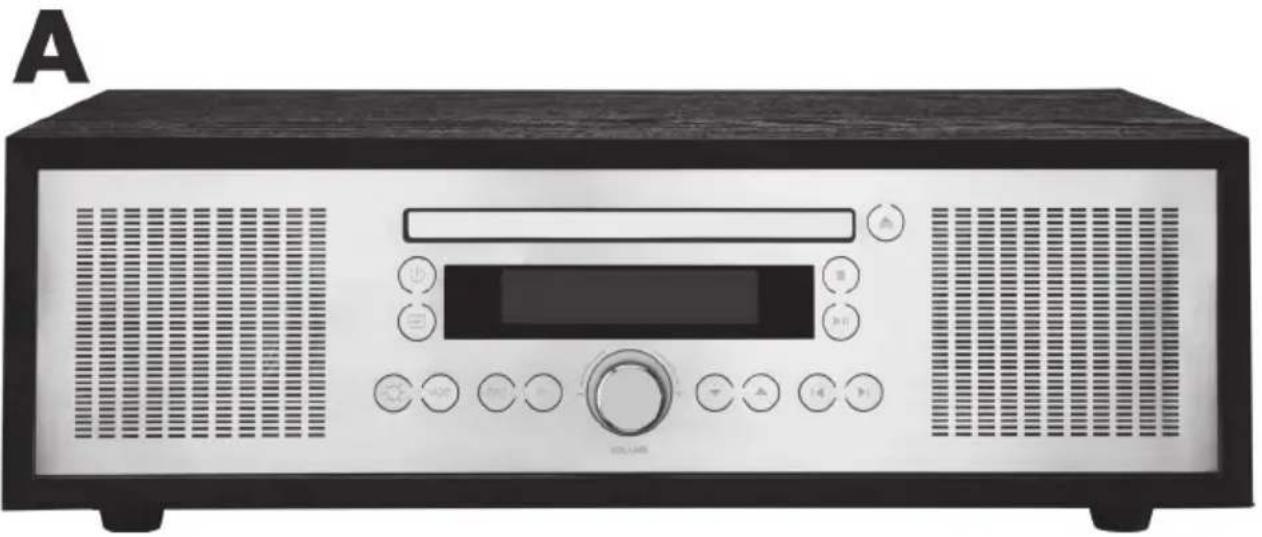
Remove the Micro Stereo System and its accessories from the package and remove all packaging material. Check the packaging for any missing contents. Please contact Customer Service immediately if any items are missing.
natural_image
Front view of a black-and-white electronic device with control panel and speaker grille (no visible text or symbols)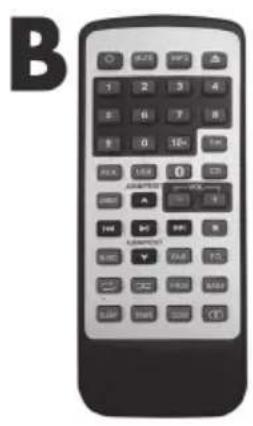
natural_image
Black electrical plug and cable with a C-shaped symbol on the left (no text or labels visible)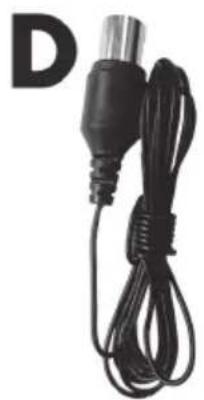
natural_image
Black cable with a metallic connector and a separate letter 'D' in the corner (no text or symbols on the device itself)
natural_image
Simple line drawing of an open book with a large letter 'E' beside it (no text or symbols on the book itself)A SilverCrest SMBC 30 A1 Bluetooth ^® Micro Stereo System
B Remote control
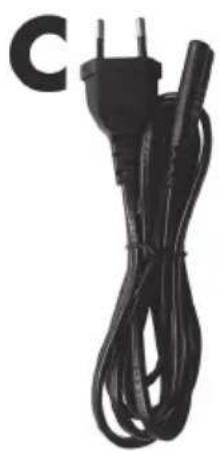
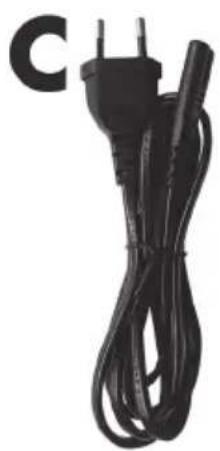
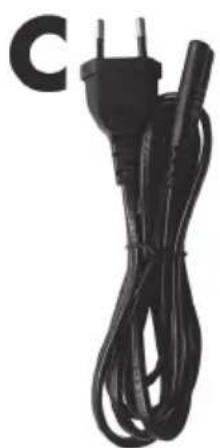
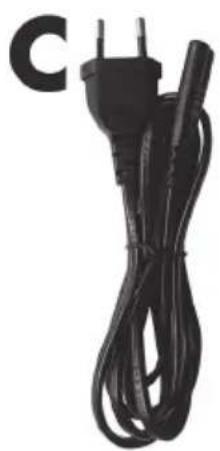
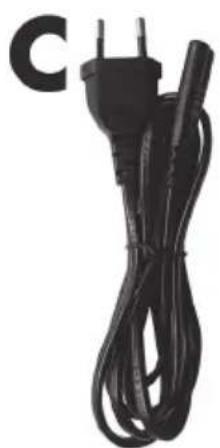
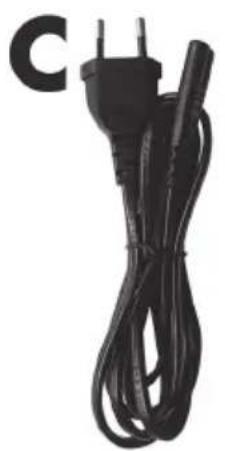
C Power cable
D Wire antenna
E These operating instructions (line-art illustration)
4. Technical specifications
| Model SMBC 30 A1 | |
| Power supply 230V AC, 50 Hz | |
| Operating power consumption 50 W | |
| Standby power consumption < 0.5 W | |
| Music power 2 x 15 W (RMS) | |
| Safety class II | |
| Laser Class 1 | |
| Radio frequency band 87.5 - 108 MHz | |
| Station presets 30 | |
| Audio formats MP3, Audio CD | |
| Supported CD types Audio-CD, MP3-CD, CD-R, CD-RW | |
| USB stick up to 32GB (FAT or FAT32 file system)up to 4,000 filesup to 9 subfolders | |
| Bluetooth® specification 3.0 | |
| Supported profiles A2DP | |
| Connectors and sockets | AUX-IN (2 x Cinch/RCA)Headphones (3.5 mm jack)Antenna input (75 Ohms)USB 2.0 port |
| Operating temperature | 5°C to 35°C |
| Storage temperature | -10°C to +50°C |
| Relative humidity | max. 85% rel. humidity (non-condensing) |
| Dimensions (W x H x D) | approx. 376 x 120 x 232 mm |
| Weight | approx. 3170 g |
The technical data and design may be changed without prior notice.
5. Safety instructions
Before you use the Micro Stereo System for the first time, please read the following notes and heed all warnings, even if you are familiar with handling electronic devices. Keep these operating instructions in a safe place for future reference. If you sell the Micro Stereo System or give it away, pass on the operating instructions at the same time. The User Manual is part of the product.
Explanation of used symbols
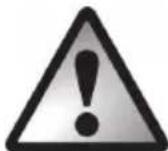
DANGER! This symbol and the word "Danger" denote a potentially dangerous situation. Ignoring it can lead to severe injury or even death.

WARNING! This symbol and the word "Warning" denote important information required for the safe operation of the product and for the safety of its users.
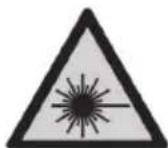
The CD drive in this device is classified as a "Class 1 Laser product". Do not expose yourself to the laser rays.

This symbol denotes further information on the topic.
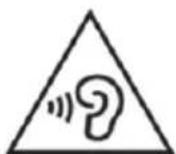
WARNING! Risks associated with high volumes
Be careful when using headphones. Listening to high-volume audio can damage your auditory system. Adjust the volume to the lowest setting before putting on the headphones.
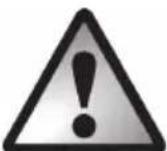
DANGER! Make sure that:
- there is free circulation of air (do not place the device on shelves, on a carpet, on a bed, or anywhere that obstructs the ventilation slots and leave at least 10 cm clearance on all sides);
-
the device is not exposed to direct heat sources (e.g. radiators);
-
no direct sunlight or bright artificial light reaches the device;
- contact with water spray and drops and aggressive fluids is avoided and the device is never operated near water. Also, the device must never be submerged (do not place any items containing liquids, such as drinks, vases, etc. on or near the device);
- the device is never placed near magnetic fields (e.g. speakers);
- no naked flames (e.g. burning candles) are placed on or near the device;
- no foreign bodies can penetrate into the device;
- the device is not subject to major temperature fluctuations as this can cause condensation and short-circuits. If the device has been exposed to strong temperature variations, wait for it to reach the ambient temperature before switching it on (about 2 hours).
- the device should not be subjected to excessive shocks and vibrations;
- the device is not used during thunder and lightning storms. During a thunderstorm, unplug the power cable from the mains socket.
- the mains socket used must be easily accessible at all times. Cables must be laid so they do not present a trip hazard;
Failure to heed the warnings above may result in damage to the device or injury.

DANGER! Children and persons with disabilities
Electrical devices are not suitable for children. People with disabilities should only use electrical devices within the limits of their abilities. Never allow children or persons with disabilities to use electrical devices unsupervised, unless they are instructed accordingly and supervised by a competent person responsible for their safety. Children should always be supervised to ensure that they do not play with the product. Small parts can represent choking hazards. Keep the packaging away from children and persons with disabilities.

There is a risk of suffocation.
DANGER! Cables
Do not hold the power cable with wet hands. There is a risk of electric shock! Unplug all cables by holding the plugs and never pull on the cables themselves. Never place the device, pieces of furniture or other heavy objects on the cables and take care that these do not become trapped, especially at the plugs and sockets. Never tie knots in a cable and do not tie them to other cables. All cables must be laid so that nobody can trip over them or be obstructed by them. A damaged power cable can cause a fire or electric shock. Check the power cable from time to time. Never use adapter plugs or extension cables that do not comply with the current safety regulations in your country, and do not modify any of the power cables or electrical installations yourself!

DANGER! Battery
Insert the battery with the correct polarity. Refer to the diagram inside the battery compartment. Do not attempt to recharge the battery and do not dispose of the battery in a fire. Remove the battery when the remote control is not in use for an extended period. Improper use could cause explosions or leaks.
Batteries must never be opened or deformed, as this could result in chemicals leaking out which could cause injuries. If the battery fluid comes into contact with the skin or eyes, rinse immediately with plenty of water and seek medical aid.
If a battery is swallowed, seek medical help immediately.
WARNING! Do not swallow the battery. Risk of chemical burns!
The remote control supplied contains a coin cell battery. If the coin cell battery is swallowed, it can cause serious internal injury within two hours which can lead to death.
Keep new and used batteries out of the reach of children.
If the battery compartment cannot be closed properly, do not continue using the product and keep it out of the reach of children.
If you think that a battery has been swallowed or has entered into any part of the body, seek immediate medical assistance.
DANGER! Radio interface
Turn the device off when on board an aircraft, in a hospital, in an operating theatre or in the vicinity of electronic medical equipment. The RF signals may interfere with the functionality of sensitive devices. Keep the devices at least 20 cm (8 inches) away from pacemakers or implanted defibrillators, as the RF signals could interfere with their functionality. The RF signals transmitted can interfere with hearing aids. If the wireless mode is switched on, do not place the device near flammable gases or in a potentially explosive area (e.g. a paint shop), as the RF signals transmitted could cause explosions or fire. The range of the radio frequency signals depends on environmental conditions. If data is transmitted via a wireless connection, it can also be received by unauthorised parties. Targa GmbH is not liable for any interference caused to RF or TV signals through unauthorised modification to this device. Furthermore, Targa accepts no liability for replacing any cables or devices that have not been specifically approved by Targa GmbH. The user is solely responsible and liable for remedying any interference caused by such unauthorised modification of this device and for replacing appliances.
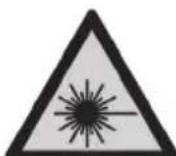
WARNING! Laser Radiation
The CD drive in this device is classified as a "Class 1 Laser product". Never open the device and do not try to repair the device yourself. Inside the housing there are invisible laser rays. Do not expose yourself to the laser rays. There is a danger of injury.
WARNING! Note on mains disconnection
The main power switch [24] located on the back panel of this device does not fully disconnect the device from the mains. The device still consumes electricity in standby mode. Disconnecting the device completely involves removing the power plug from the mains socket. The device should be positioned in such a way that ensures direct and unobstructed access to the mains socket so that the power plug can be immediately pulled out in an emergency situation. To avoid the risk of fire, if the device is not going to be used for an extended period (e.g. during holidays), it should always be disconnected from the mains socket. If there is the risk of a thunderstorm or lightning, disconnect the device from the power supply.
WARNING! Cleaning / Maintenance
Repairs are required when this device has been damaged in any way, for example, when the device housing is damaged, when liquids or objects have entered the device or when the product has been exposed to rain or moisture. Repairs are also necessary if the product is not working properly or has been dropped. If you notice any smoke, unusual noise or strange smells, switch off the device immediately and pull the power cable out of the mains socket. If this occurs, do not continue to use the device and have it checked out by an expert. All repairs must be carried out by qualified service personnel. Never open the housing of the device. Only use a clean, dry cloth for cleaning. Never use aggressive liquids. Do not attempt to open the housing of the device, this will void your warranty.
Operating environment
The device is not designed for use in environments with high humidity (e.g. bathrooms) or excessive levels of dust. Operating temperature and operating humidity: 5 °C to 35 °C, max. 85 % RH.
6. Copyright
All the contents of this operating instructions are protected by copyright and provided to the reader for information only. Copying data and information without the prior explicit written consent of the author is strictly forbidden. This also applies to any commercial use of the contents and information. All texts and diagrams are up-to-date as of the date of printing. Subject to change without notice.
7. Overview
An additional illustration of the items and controls and their corresponding numbers can be found on the inside page of the fold-out cover of this user manual. You can keep this page folded out whilst reading the different chapters of these operating instructions. This allows you to refer to the relevant controls at any time.
Front
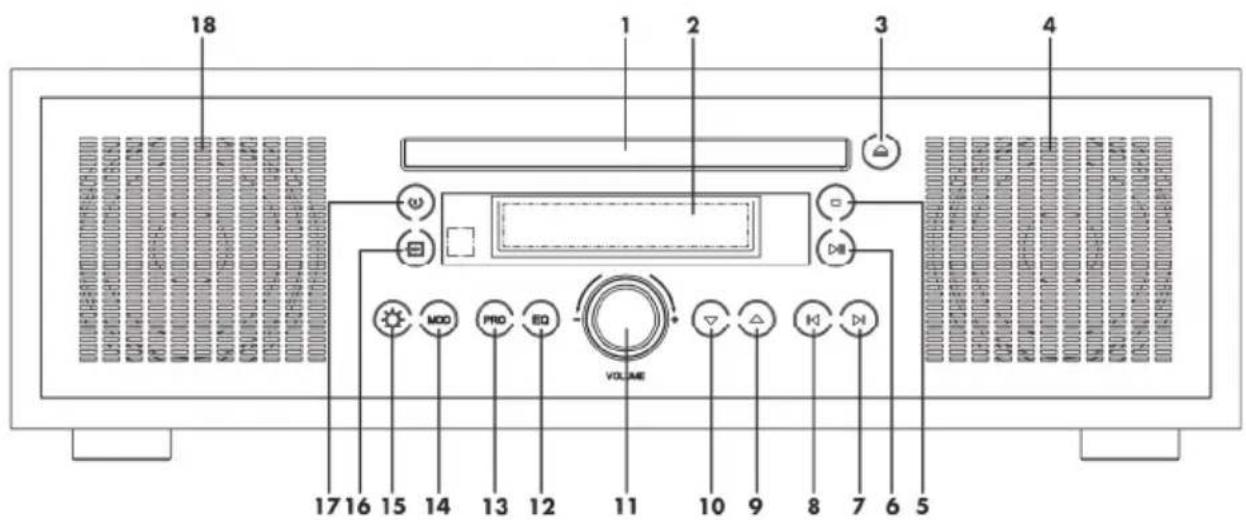
1 CD tray
2 Display
3 Open/close CD tray button
4 Speaker
5 Stop button
6 Play / Pause button
7 ▶I button (Next title)
8 | button (Previous title)
9 ▲ button
10 ▼ button
11 Volume control
12 EQ button (Equalizer)
13 PRO button (Program)
14 MOD button (Mode)
15 DIMMER button
16 Operating mode button
17 On/Standby button
18 Speaker
Back
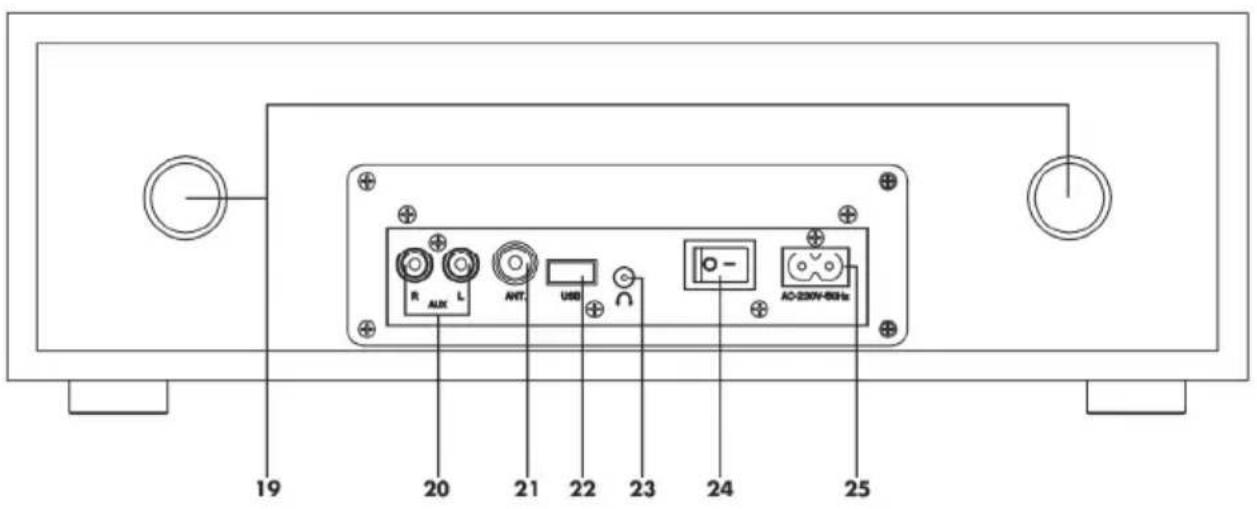
19 Bass reflex speaker opening
20 AUX jack
21 Antenna connector
22 USB port
23 Headphones jack
24 Main power switch
25 Power input
Remote control
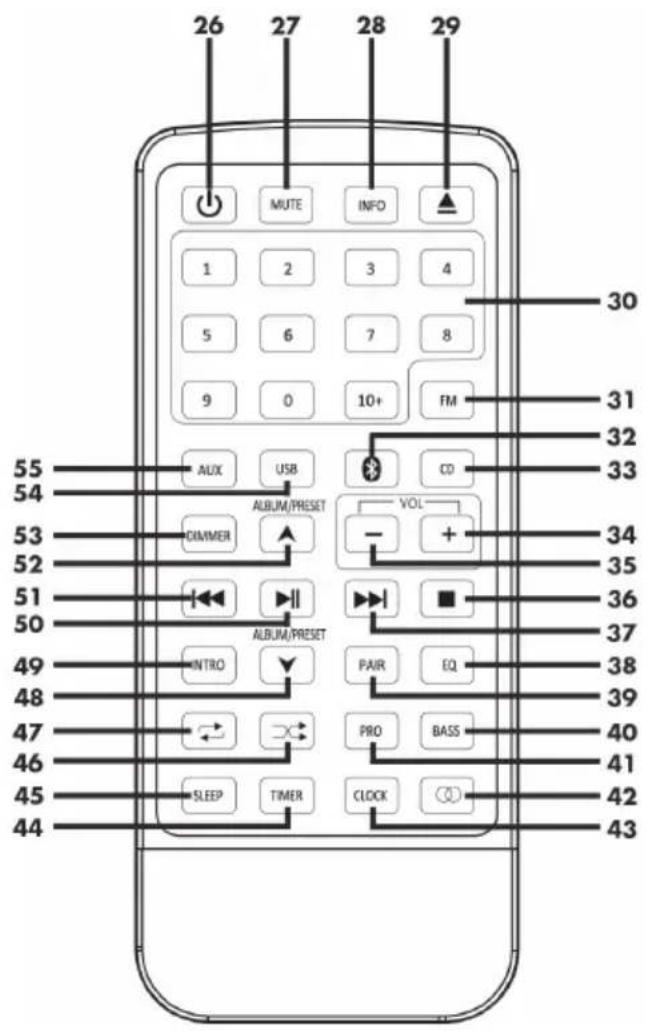
26 On/Standby button
27 MUTE button
28 INFO button
29 Open/close CD tray button
30 Numeric buttons
31 FM button (Radio)
32 * button (Bluetooth)
33 CD button
34 Increase volume button
35 Reduce volume button
36 Stop button
37 ▶▶I button (Next title)
38 EQ button (Equalizer)
39 PAIR button
40 BASS button
41 PRO button (Program)
42 Stereo/Mono button
43 CLOCK button
44 TIMER button
45 SLEEP button
46 Random playback button
47 Repeat button
48 ▼ button
49 INTRO button
50 Play / Pause button
51 ◀◀ button (Previous title)
52 ▲ button
53 DIMMER button
54 USB button
55 AUX button
8. Before you start
- Connect the plug of the power cable [C] supplied into the power input [25] on the back of the Micro Stereo System.
- Plug the mains plug into an easily accessible mains socket.
When laying the power cable [C], make sure it cannot cause a trip hazard.
• Unwind the wire antenna [D] completely.
- Connect the connector of the wire antenna [D] supplied into the antenna connector [21] on the back of the Micro Stereo System.

If you have a fixed roof antenna you can use it instead of the wire antenna [D].
8.1. Activating the remote control battery
Remove the plastic strip from the remote control battery compartment. The remote control is now ready for use.
Please also read the safety instructions for the coin cell battery in the "Safety instructions" chapter.
9. Getting started
9.1. Switching the Micro Stereo System on/off
Toggle the main power switch [24] on the back panel of the Micro Stereo System to "I" to power the Micro Stereo System on. You can turn the device off by toggling the main power switch [24] to "0". As soon as the main power switch [24] is moved to "I", you can press the On/Standby button [17] to power the Micro Stereo System on or switch to standby mode. You can also use the On/Standby button [26] on the remote control.

Please note that all settings will be lost when switching the Micro Stereo System off with the main power switch [24].
9.2. Setting the time
To set the time, proceed as follows:
- Switch the Micro Stereo System standby.
- Keep the CLOCK button [43] on the remote control pressed until the hours display flashes.
- Press the ▲ button [9] or the ▼ button [10] on the Micro Stereo System or the ▲ button [52] or ▼ button [48] on the remote control to set the hours.
- Press the CLOCK button [43] on the remote control. The minutes start flashing.
- Press the ▲ button [9] or the ▼ button [10] on the Micro Stereo System or the ▲ button [52] or ▼ button [48] on the remote control to set the minutes.
- Press the CLOCK button [43] on the remote control to confirm the input.
In standby mode, the Micro Stereo System shows the time on the display [2]. While it is switched on, you can display the time for a few seconds by pressing the CLOCK button [43] on the remote control.
The clock can also be synchronised automatically from the RDS signal of a radio station. Proceed as follows:
- Switch the Micro Stereo System standby.
-
Press the INFO button [28] on the remote control to toggle between "TS ON" and "TS OFF".
TS ON = The clock is synchronised automatically (enabled upon factory delivery).
TS OFF = The clock is not synchronised automatically and must be set manually. -
Switch the Micro Stereo System to Radio mode.
- Tune in a station that broadcasts an RDS signal. This synchronisation may take a few minutes.

If the clock gets synchronised with the wrong time, select "TS OFF" and then set the time manually.
9.3. Adjusting the volume
You can use the Volume control [11] on the Micro Stereo System or the Increase volume [34] or Decrease volume [35] buttons on the remote control to adjust the volume.
The currently set volume level is shown on the display [2].
9.4. Mute
Press the MUTE button [27] on the remote control to mute the sound. "MUTE" appears on the display [2] while the mute function is enabled. Press the MUTE button [27] on the remote control again to resume the sound output.
9.5. Radio
Switch the Micro Stereo System on and press the Operating mode button [16] multiple times until the display [2] reads “FM”, or press the FM button [31] on the remote control.
Automatic station search
The most convenient way to search for and store radio stations is the automatic scan with auto-store. Proceed as follows to start the station search:
- Press and hold the PRO button [13] on the Micro Stereo System or the PRO button [41] on the remote control until the station search begins.
- The automatic station search always starts at the lowest frequency. Now the entire frequency range is scanned for strong stations. As soon as a strong station has been found, the frequency indication on the display [2] briefly stops and the preset where this station has been saved is shown.
• The 30 first found stations are directly saved on the presets 1 to 30.
- When the automatic station search is finished the station stored in preset 1 will be tuned in.
Please note that any station presets used will be overwritten.
Manual station search
Keep the ▶I button [7] or the I◀ button [8] on the Micro Stereo System or the ▶▶I button [37] or I◀◀ button [51] on the remote control pressed for approx. 2 seconds to launch the manual station search up or downwards. The search will stop when the next station has been found and its frequency is shown on the display [2].
Manually tuning a station
Besides the automatic station search, you can also tune in a station manually. This allows you to also tune-in any weaker stations.
To do so, briefly press the ▶I button [7] or I◀ button [8] on the Micro Stereo System or the ▶I button [37] or I◀◀ button [51] on the remote control to increase or reduce the frequency stepwise. The frequency changes 0.1 MHz each step.

Keep the Play/Pause button [6] on the Micro Stereo System or the Play/Pause button [50] on the remote control pressed to toggle the increments from 0.1 MHz to 0.05 MHz. Repeat this procedure to toggle the increments back to 0.1 MHz. "50KHZ" or "100KHZ" will appear on the display [2].
Saving a station manually
You can save up to 30 stations. Proceed as follows:
- Tune in the station that you want to store.
- Press the PRO button [13] on the Micro Stereo System or press the PRO button [41] on the remote control.
• The currently selected preset flashes on the display [2]. - Press the ▲ button [9] or the ▼ button [10] on the Micro Stereo System or the ▲ button [52] or ▼ button [48] on the remote control to select the preset where you want to store the station.
- Press the PRO button [13] on the Micro Stereo System or press the PRO button [41] on the remote control to save.
Please note that any station presets used will be overwritten.
Recalling a saved station
Proceed as follows to recall a saved station:
- Press the ▲ button [9] or the ▼ button [10] on the Micro Stereo System or the ▲ button [52] or ▼ button [48] on the remote control to toggle between the saved stations.
or
- Press the numeric buttons [30] to select a saved station directly.
Stereo/Mono operation
You can receive stations in Stereo or Mono. Press the MOD button [14] on the Micro Stereo System or press the Stereo/Mono button [42] on the remote control to toggle between stereo and mono reception. "STEREO" or "MONO" is briefly shown on the display [2].
9.6. CD
Switch the Micro Stereo System on and press the Operating mode button [16] multiple times until the display [2] reads "DISC", or press the CD button [33] on the remote control.
If no CD has been inserted into the CD tray [1], the display [2] reads "NO DISC".
To play an Audio CD, proceed as follows:
- Press the Open/close CD tray button [3] on the Micro Stereo System or the Open/close CD tray button [29] on the remote control to open the CD tray [1].
- Insert an Audio CD into the CD tray [1].
- Press the Open/close CD tray button [3] on the Micro Stereo System or the Open/close CD tray button [29] on the remote control to close the CD tray [1]. The number of tracks on the Audio CD is shown briefly on the display [2]. Then the first track is played back automatically. Press the INFO button [28] during playback to show the Audio CD total playback time for a few seconds on the display [2].

Instead of an Audio CD you can also use a MP3 CD. When using a MP3 CD, please note the button functions described in chapter "9.7. USB".
The following buttons can be used for this operating mode:
| Button Function | |
| Play/Pause [6] or Play/Pause [50] | Playback |
| Play/Pause [6] or Play/Pause [50] | Pause |
| Stop [5] or Stop [36] | Stop |
| ▶I [7] or ▶▶I [37] | Next title |
| I◀ [8] or I◀◀ [51] | Previous title |
| Keep ▶I [7] or ▶▶I [37] pressed | Fast forward |
| Keep I◀ [8] or I◀◀ [51] pressed | Rewind |
| Random playback [46] | Random playback on/off |
| Press Repeat [47] or MOD [14] once | Repeat playback - 1 title |
| Press Repeat [47] or MOD [14] twice | Repeat playback - full CD |
| Press Repeat [47] three times | Repeat off |
| Press MOD [14] three times | Random playback on |
| Press MOD [14] four times | Random playback off |
| INTRO [49] | INTRO function (all titles on the CD are played for the first 10 seconds) |
| Numeric buttons [30] | Direct title selection |
9.7. USB
Switch the Micro Stereo System on and press the Operating mode button [16] multiple times until the display [2] reads "USB", or press the USB button [54] on the remote control.
If no USB Stick is connected to the USB port [22], the display [2] reads "NO USB".
To play MP3 files from a USB Stick, proceed as follows:
- Connect a compatible USB Stick (see "4. Technical specifications") containing MP3 files to the USB port [22] on the back panel of the Micro Stereo System.
- The number of albums and tracks on the USB stick is shown briefly on the display [2]. Then the first track is played back automatically.
The following buttons can be used for this operating mode:
| Button Function | |
| Play/Pause [6] or Play/Pause [50] | Playback |
| Play/Pause [6] or Play/Pause [50] | Pause |
| Stop [5] or Stop [36] | Stop |
| ▶I [7] or ▶▶I [37] | Next title |
| I◀ [8] or I◀◀ [51] | Previous title |
| Keep ▶I [7] or ▶▶I [37] pressed | Fast forward |
| Keep I◀ [8] or I◀◀ [51] pressed | Rewind |
| ▲ [9] or ▲ [52] | Next album |
| ▼ [10] or ▼ [48] | Previous album |
| Random playback [46] | Random playback on/off |
| Press Repeat [47] or MOD [14] once | Repeat playback - 1 title |
| Press Repeat [47] or MOD [14] twice | Repeat - all contents |
| Press Repeat [47] three times | Repeat off |
| Press MOD [14] three times | Random playback on |
| Press MOD [14] four times | Random playback off |
| INTRO [49] | INTRO function (all titles on the USB stick are played for the first 10 seconds) |
| Numeric buttons [30] | Direct title selection |
9.8. Programming the playback order
You can define the playback order for up to 99 tracks in CD and USB mode. Proceed as follows:
- Switch the Micro Stereo System to CD or USB mode.
- Press the Stop button [5] on the Micro Stereo System or the Stop button [36] on the remote control to stop any running playback.
- Press the PRO button [13] on the Micro Stereo System or press the PRO button [41] on the remote control. "P01 T01" will appear on the display [2] and "T01" flashes. "P01" represents the first title in the programmed order list and "T01" represents the title to be played back.
- Press the ▶I button [7] or the I◀ button [8] on the Micro Stereo System or the ▶▶I button [37] or I◀◀ button [51] on the remote control to select the desired title.
- Press the PRO button [13] on the Micro Stereo System or press the PRO button [41] on the remote control to confirm the selected title.
- Now select the other titles one after the other and confirm each time with the PRO button [13/41].
- Press the Play/Pause button [6] on the Micro Stereo System or the Play/Pause button [50] on the remote control to start playback in the programmed order.
- Press twice the Stop button [5] on the Micro Stereo System or the Stop button [36] on the remote control to erase the programmed order list.
Please note that the programmed title order is also erased when toggling the operating mode, when switching standby or when removing the storage media (CD or USB stick).
9.9. AUX
This operating mode lets you play music from an external audio source via the Micro Stereo System.
Switch the Micro Stereo System on and press the Operating mode button [16] multiple times until the display [2] reads “AUX”, or press the AUX button [55] on the remote control.
- Use a RCA/Cinch cable (not supplied) to connect the external audio source to the AUX jack [20] on the back of the Micro Stereo System.
- Start playback on the external audio source.
- In this operating mode you can adjust the volume both on the external audio source and on the Micro Stereo System.
9.10. Bluetooth®
This operating mode lets you play music from an external Bluetooth ^® audio source (e.g. smartphone or media player) via the Micro Stereo System.
Switch the Micro Stereo System on and press the Operating mode button [16] multiple times until the display [2] reads "BT", or press the ⚙ button [32] on the remote control.
- Use your external Bluetooth ^ audio source to scan for Bluetooth ^ devices. Please also read the User Manual of your external Bluetooth ^ audio source. From the list of found devices, select "SMBC 30 A1" and establish the connection. If you are prompted for a PIN, enter "0000". After the connection has been established, a confirmation beep can be heard.
- Start playback on the external audio source.
- In this operating mode you can adjust the volume both on the external audio source and on the Micro Stereo System.
- You can disconnect the connection on your external Bluetooth® audio source. Please also read the User Manual of your external Bluetooth® audio source. Alternatively, you can keep the Play/Pause button [6] on the Micro Stereo System, or the Play/Pause button [50] or the PAIR button [39] on the remote control pressed to disconnect.
9.11. Connecting the headphones

Set the volume to the lowest level before connecting headphones in order to avoid damaging your hearing. You can then set the volume to the level you want.
Be careful when using headphones. Listening to high-volume audio can damage your auditory system.
Connect the headphones to the headphones jack [23] on the backside of the Micro Stereo System. If the headphones are plugged in, the speakers [4 and 18] are automatically muted.
9.12. Equalizer
The Micro Stereo System has an equalizer with the following preset sound modes: "Pop", "Classic", "Jazz" and "Rock".
During playback, press the EQ button [12] on the Micro Stereo System or the EQ button [38] on the remote control to toggle between the different equalizer settings. The currently set sound mode is shown on the display [2] . If no sound mode is shown, the sound is played back unchanged.
9.13. Bass function
Press the BASS button [40] on the remote control during playback to amplify the bass sound. Press the BASS button [40] on the remote control again to play the sound unchanged. When toggling, "BASS ON" or "BASS OFF" is briefly shown on the display [2]. While the bass function is enabled, "Bass" reads permanently on the display [2].
9.14. Display brightness
Press the DIMMER button [15] on the Micro Stereo System or the DIMMER button [53] on the remote control multiple times to adjust the display [2] brightness step by step.
9.15. Sleep timer
The sleep timer powers the device off automatically after a set time. The sleep timer is available in all operating modes. Proceed as follows to use the sleep timer:
- During playback, press the SLEEP button [45] on the remote control multiple times to toggle between the power off delay times. The following options are available: "SLEEP 90", "SLEEP 60", "SLEEP 30", "SLEEP 15" and "SLEEP 00". The digit indicates the minutes before power off. "SLEEP 00" will disable the sleep timer.
- Stop pressing the button when the desired option is shown. After a few seconds, the selection option disappears from the display [2] and is enabled.
- While the sleep timer is enabled, press the SLEEP button [45] on the remote control once to show the remaining power off delay time.
9.16. Alarm function
You can program the alarm in standby mode. Please note that the clock has to be set properly for this. To set the alarm, proceed as follows:
- While in standby mode, keep the TIMER button [44] on the remote control pressed until the hours display flashes.
- Press the ▲ button [9] or the ▼ button [10] on the Micro Stereo System or the ▲ button [52] or ▼ button [48] on the remote control to set the hours.
- Press the TIMER button [44] on the remote control once. The minutes start flashing.
- Press the ▲ button [9] or the ▼ button [10] on the Micro Stereo System or the ▲ button [52] or ▼ button [48] on the remote control to set the minutes.
- Press the TIMER button [44] on the remote control once. The alarm icon flashes on the display [2].
- Press the ▲ button [9] or the ▼ button [10] on the Micro Stereo System or the ▲ button [52] or ▼ button [48] on the remote control to select the desired alarm sound. The following options are available: "BUZZER", "DISC", "USB" and "FM". When selecting "DISC" or "USB", please make sure that you insert or connect the corresponding storage media (Audio CD, USB stick). If no media for playback can be found, the alarm signal will be the buzzer ("BUZZER").
- Press the TIMER button [44] on the remote control once. The alarm volume level flashes on the display [2].
- Press the ▲ button [9] or the ▼ button [10] on the Micro Stereo System or the ▲ button [52] or ▼ button [48] on the remote control to set the alarm volume.
- Press the TIMER button [44] on the remote control once to confirm the input.
Enabling/disabling the alarm function
If you have already programmed the alarm you can enable or disable it with the set parameters.
To do so, the Micro Stereo System has to be standby. You can show the alarm settings on the display [2]. To do so, press the TIMER button [44] on the remote control once. The parameters are shown one after the other.
While the parameters are being displayed, you can enable or disable the alarm function by pressing twice the TIMER button [44].
The alarm icon appears on the display [2] when the alarm function is enabled. When you disable the alarm function, the alarm icon disappears.
Delaying the alarm signal (Snooze)
Press the TIMER button [44] on the remote control to delay the alarm for approx. 8 minutes. In addition to the alarm symbol the text "ZZZ" will appear on the display [2].
Cancelling the alarm signal
Press the On/Standby button [17] on the Micro Stereo System or the On/Standby button [26] on the remote control to cancel the alarm signal.
10. Replacing the remote control battery

Please also read the safety instructions for the coin cell battery in the "Safety instructions" chapter.
Replace the battery when it is empty. Proceed as follows:
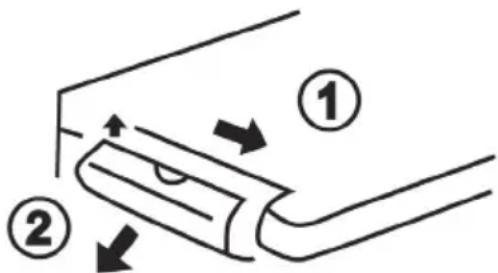
- Press the spring of the battery holder inwards.
- At the same time, pull the battery holder out of the remote control.
- Remove the battery from the battery holder.
- Insert a new CR2025 lithium battery. Always pay attention to the polarity. Note the polarity symbol on the lithium battery and on the battery holder (+ symbol).
- Insert the battery holder carefully into the remote control.
11. Storage when not in use
If you will not be using the Micro Stereo System for a long period of time, unplug it from the mains and store the Micro Stereo System in a dry and cool place. Also remove the battery from the remote control.
12. Troubleshooting
Unable to power the Micro Stereo System on
- Check if the power cable [C] is connected properly to the power input [25] on the back of the Micro Stereo System.
- Check that the mains plug is correctly inserted into the mains socket.
- Check that the main power switch [24] located on the back panel of the Micro Stereo System is switched to "I".
Bad radio reception
- Unwind wire antenna [D] fully and/or move it to a different position.
- Start a new station search.
Device switched on but no sound
- Check the volume setting.
- Please check if you have connected headphones and, if so, disconnect them.
- Please check if the correct operating mode has been selected.
The remote control does not work
- Point the remote control directly at the Micro Stereo System.
- The remote control battery is low or empty. Replace it with a new one of the same type. For more on this, see the "Replacing the remote control battery" chapter.
Audio CD is not played back
- Please check if the Audio CD has been inserted properly into the CD tray.
- Check if the Audio CD is damaged and/or try to play a different Audio CD.
No Bluetooth ^® connection is established
- Please check if the Bluetooth ^ function of your device and of the Micro Stereo System is switched on.
- The distance between the Micro Stereo System and your device is too high, reduce it.
13. Environmental regulations and disposal information
natural_image
Symbol of a trash bin crossed out by two diagonal lines, with a solid black rectangle below (no text or labels)Devices marked with this symbol are subject to the European Directive 2012/19/EU. All electrical and electronic devices must be disposed of separately from household waste at official disposal centres. Avoid damage to the environment and risks to your personal health by disposing of the device properly. For further information about proper disposal, contact your local government, disposal bodies or the shop where you bought the device.
Dispose of all packaging in an environmentally friendly manner. Cardboard packaging can be taken to paper recycling centres or public collection points for recycling. Any film or plastic contained in the packaging should be taken to your public collection points for disposal.
13.1. Disposal of batteries
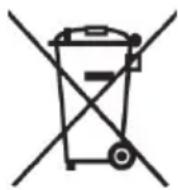
Respect the environment. Old batteries must not be disposed of with domestic waste. They must be handed in at a collection point for waste batteries. Please note that batteries must be disposed of fully discharged at appropriate collection points for old batteries. If disposing of batteries which are not fully discharged, take precautions to prevent short circuits.
14. Conformity notes
This device complies with the basic and other relevant requirements of the EMC Directive 2014/30/EU, the Low-voltage Directive 2014/35/EU, the ErP Directive 2009/125/EC, the R&TTE Directive 1999/5/EC and the RoHS Directive 2011/65/EU.
In order to receive the complete EU declaration of conformity, please send an e-mail to the following e-mail address: ce@targa.de
15. Warranty and servicing advice
Warranty of TARGA GmbH
Dear Customer,
This device is sold with three years warranty from the date of purchase. In the event of product defects, you have legal rights towards the seller. These statutory rights are not restricted by our warranty as described below.
Warranty conditions
The warranty period commences upon the date of purchase. Please keep the original receipt in a safe place as it is required as proof of purchase. If any material or manufacturing faults occur within three years of purchase of this product, we will repair or replace the product free of charge as we deem appropriate.
Warranty period and legal warranty rights
The warranty period is not extended in the event of a warranty claim. This also applies to replaced and repaired parts. Any damage or defects discovered upon purchase must be reported immediately when the product has been unpacked. Any repairs required after the warranty period will be subject to charge.
Scope of warranty
The device was carefully manufactured in compliance with stringent quality guidelines and subjected to thorough testing before it left the works. The warranty applies to material and manufacturing faults. This warranty does not cover product components which are subject to normal wear and which can therefore be regarded as wearing parts, or damage to fragile components such as switches, rechargeable batteries or components made of glass. This warranty is void if the product is damaged, incorrectly used or serviced. To ensure correct use of the product, always comply fully with all instructions contained in the user manual. The warnings and recommendations in the user manual regarding correct and incorrect use and handling of the product must always be observed and complied with. The product is solely designed for private use and is not suitable for commercial applications. The warranty is rendered void in the event of incorrect handling and misuse, if it is subjected to force, and also if any person other than our authorised service technicians interfere with the device. No new warranty period commences if the product is repaired or replaced.
Submitting warranty claims
To ensure speedy handling of your complaint, please note the following:
- Before using your product for the first time, please read the enclosed documentation carefully. Should any problems arise which cannot be solved in this way, please call our hotline.
- Always have your receipt, the product article number as well as the serial number (if available) to hand as proof of purchase.
- If it is not possible to solve the problem on the phone, our hotline support staff will initiate further servicing procedures depending on the fault.

Service

Phone: 020 - 70 49 04 03
E-Mail: service.GB@targa-online.com
Phone: 01-4370121
E-Mail: service.IE@targa-online.com

Phone: 027 78 11 03
E-Mail: service.MT@targa-online.com
Phone: 02 - 20 09 025
E-Mail: service.CY@targa-online.com
IAN: 279334

Manufacturer
Please note that the following address is not a service address. First contact the service point stated above.
TARGA
GmbH
Coesterweg 45
59494 SOEST
GERMANY
Table des matières
natural_image
Front view of a black electronic device with control panel and speaker grille (no visible text or symbols)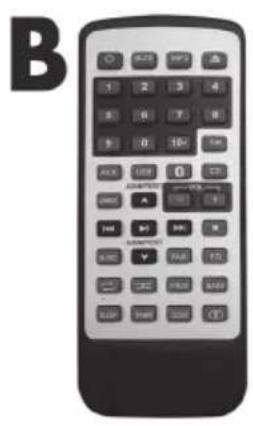
natural_image
Black electrical plug and cable with a C-shaped symbol on the left (no text or labels visible)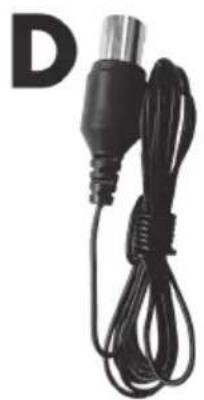
natural_image
Black cable with a metallic connector and a white letter 'D' in the top-left corner (no other text or symbols visible)
natural_image
Simple line drawing of an open book with no text or symbols on the pages50 Touche Lecture/Pause
natural_image
Symbol of a trash bin with crossed lines indicating no waste or discharge, and a solid black rectangle below (no text or labels)Cher client, chère cliente,
Cher client, chère cliente,
natural_image
Front view of a black electronic audio workstation with control panel and speaker grille (no visible text or symbols)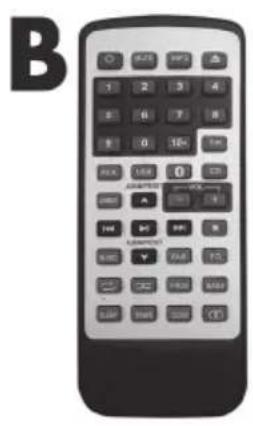
natural_image
Black electrical plug and cord with a C-shaped symbol on the left (no text or labels on the main subject)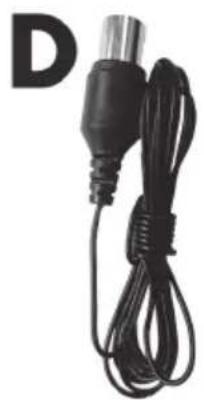
natural_image
Black cable with a metallic connector and a separate letter 'D' in the corner (no text or symbols on the device itself)
natural_image
Simple line drawing of an open book with a large letter 'E' beside it (no text or symbols on the book itself)WAARSCHUWING! Laserstraling
natural_image
Symbol of a trash bin crossed with no text or numbers, representing waste sorting or disposal (no text present)natural_image
Front view of a black electronic audio workstation with control panel and speaker grille (no visible text or symbols)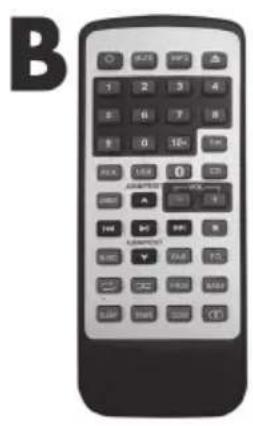
natural_image
Black electrical plug and cable with a C-shaped symbol on the left (no text or labels visible)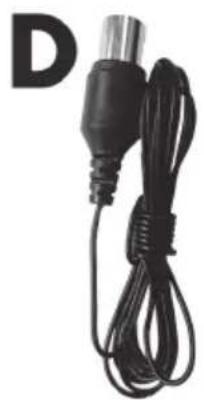
natural_image
Black cable with a metallic connector and a separate letter 'D' in the corner (no text or symbols on the device itself)
natural_image
Simple line drawing of an open book with no text or symbols on the pagesA Mikrosystém SilverCrest SMBC 30 A1 Bluetooth®
B Dálkový ovladač
C Napájecí kabel
D Drátová anténa
natural_image
Symbol of a trash bin crossed with no text or numbers, representing waste sorting or disposal (no text present)natural_image
Front view of a black-and-white electronic device with control panel and speaker grille (no visible text or symbols)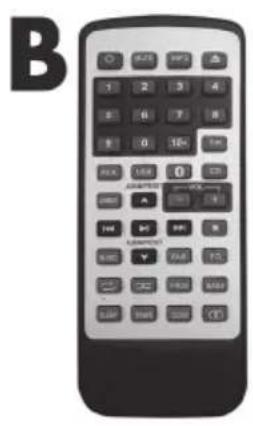
natural_image
Black electrical plug and cord with a C-shaped symbol on the left (no text or labels on the main subject)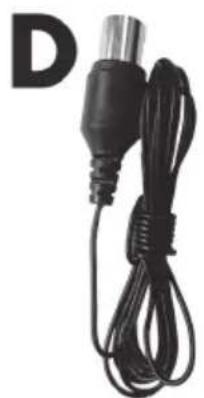
natural_image
Black cable with a metallic connector and a separate letter 'D' in the corner (no text or symbols on the device itself)
natural_image
Simple line drawing of an open book with no text or symbols on the pagesnatural_image
Symbol of a trash bin crossed with no text or numbers, representing waste sorting or disposal (no text present)9.2. Acertar as horas....186
9.3. Ajustar o volume....186
9.4. Cortar o som....187
9.5. Rádio....187
9.6. CD 188
9.7. USB 190
natural_image
Front view of a black-and-white electronic device with control panel and speaker grille (no visible text or symbols)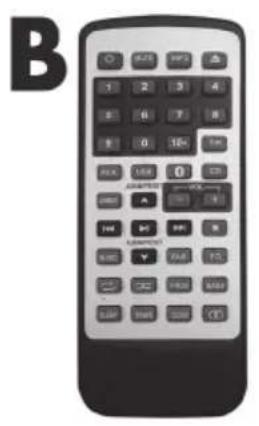
natural_image
Black electrical outlet cable with two leads, no visible text or symbols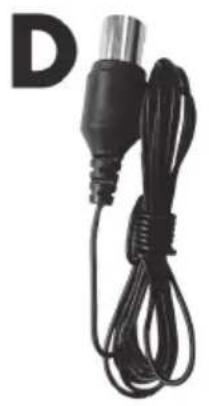
natural_image
Black cable with a metallic connector and a black plastic plug, labeled 'D' in the top-left corner (no other text or symbols visible)
natural_image
Simple line drawing of an open book with no text or symbols on the pages9.2. Acertar as horas
natural_image
Symbol of a trash bin crossed with no text or numbers, representing waste sorting or disposal (no text present)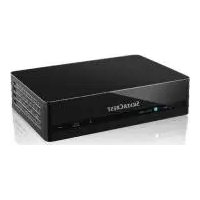

- Inhaltsverzeichnis
- Congratulations!
- Trademarks
- Intended use
- Package contents
- Technical specifications
- Safety instructions
- Explanation of used symbols
- WARNING! Risks associated with high volumes
- DANGER! Make sure that:
- DANGER! Children and persons with disabilities
- DANGER! Cables
- DANGER! Battery
- WARNING! Do not swallow the battery. Risk of chemical burns!
- DANGER! Radio interface
- WARNING! Laser Radiation
- WARNING! Note on mains disconnection
- WARNING! Cleaning / Maintenance
- Operating environment
- Copyright
- Overview
- Back
- Remote control
- Before you start
- Activating the remote control battery
- Getting started
- Switching the Micro Stereo System on/off
- Setting the time
- Adjusting the volume
- Mute
- Radio
- Automatic station search
- Manual station search
- Manually tuning a station
- Saving a station manually
- Recalling a saved station
- Stereo/Mono operation
- CD
- USB
- Programming the playback order
- AUX
- Bluetooth®
- Connecting the headphones
- Equalizer
- Bass function
- Display brightness
- Sleep timer
- Alarm function
- Enabling/disabling the alarm function
- Delaying the alarm signal (Snooze)
- Cancelling the alarm signal
- Replacing the remote control battery
- Storage when not in use
- Troubleshooting
- Unable to power the Micro Stereo System on
- Bad radio reception
- Device switched on but no sound
- The remote control does not work
- Audio CD is not played back
- No Bluetooth ® connection is established
- Environmental regulations and disposal information
- Disposal of batteries
- Conformity notes
- Warranty and servicing advice
- Warranty of TARGA GmbH
- Warranty conditions
- Warranty period and legal warranty rights
- Scope of warranty
- Submitting warranty claims
- Service
- Manufacturer
- Table des matières
- WAARSCHUWING! Laserstraling
- Acertar as horas
Brand : SILVERCREST
Model : SBMS D30 B1
Category : Hi-Fi System