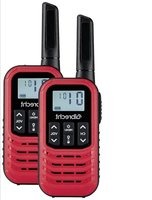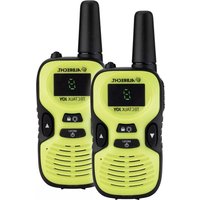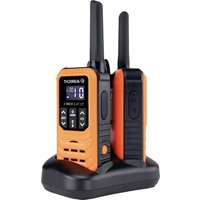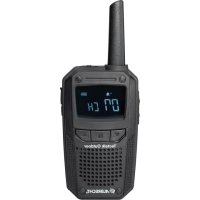
ATR 200 - Talkie Walkie ALBRECHT - Free user manual and instructions
Find the device manual for free ATR 200 ALBRECHT in PDF.



| Product type | Receiver for tour guide system (walkie-talkie receiver) |
| Brand | Albrecht |
| Model | ATR 200 |
| Dimensions (approx.) | 120 x 50 x 30 mm |
| Weight (approx.) | 150 g (with battery) |
| Power supply | Built-in rechargeable battery, charges via micro USB |
| Battery life | Not specified in the manual |
| Frequencies | UHF bands (preprogrammed) |
| Channels | Preprogrammed with channel/CTCSS combinations |
| CTCSS | Yes, sub-tone codes |
| Display | LCD screen: channel, battery level, volume |
| Volume | Adjustable from 0 to 8 |
| Headphone | Required (3.5 mm jack output), no built-in speaker |
| Micro USB port | Yes, for charging |
| Key lock | Yes, dedicated key |
| User guide | 32-page manual available for free download |
| Maintenance and cleaning | Damp cloth, no solvents |
| Safety instructions | Do not open, do not modify, do not use near a radio |
| Warranty | 2-year European warranty |
| CE certification | Compliant with directive 2014/53/EU |
| Spare parts / repairability | Do not repair yourself, contact authorized service center |
Frequently Asked Questions - ATR 200 ALBRECHT
User questions about ATR 200 ALBRECHT
0 question about this device. Answer the ones you know or ask your own.
Ask a new question about this device
Download the instructions for your Talkie Walkie in PDF format for free! Find your manual ATR 200 - ALBRECHT and take your electronic device back in hand. On this page are published all the documents necessary for the use of your device. ATR 200 by ALBRECHT.
USER MANUAL ATR 200 ALBRECHT
- Instructions for Use.... 10
- Controls 11
- Operation.... 12
3.1. Power On/Off 12
3.2. Receive.... 12
3.3. Volume Level 12
3.4. Channel Selection 12
3.5.Battery level display.... 13
3.6. Charging the Device 13 - European 2 years warranty 14
- CE- Declaration of Conformity.... 15
- Disposal of defective electronic items 15
- Where to find service hints and documentation.... 16
1. Instructions for Use
The ATR200 is intended to be used as a receiver for the ALBRECHT Tour Guide System.
Note: Please read these user instructions carefully before using the equipment and retain for future consultation!
Specific Recommendations: I
Clean the device with a damp cloth. Don't use agents and solvent for cleaning.
Do not modify the device in any way. In the event of damage occurring, ensure that the device is checked by a qualified professional.
2. Controls
text_image
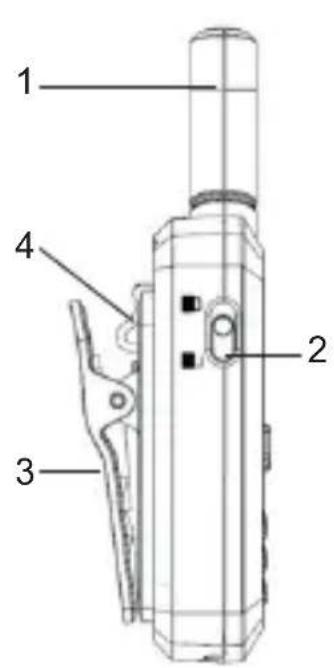
1 2 3 4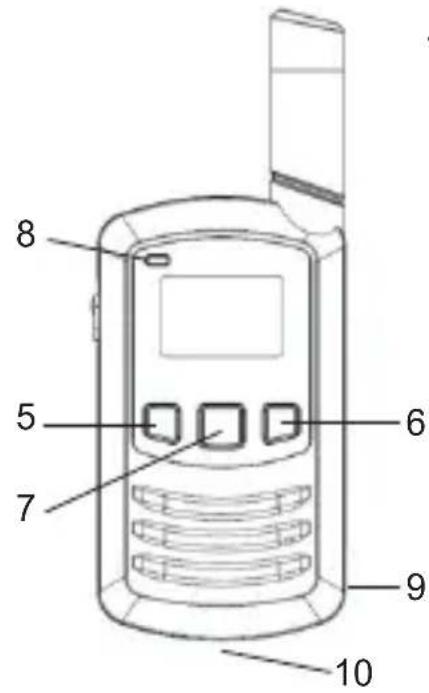
text_image
8 5 7 6 9 10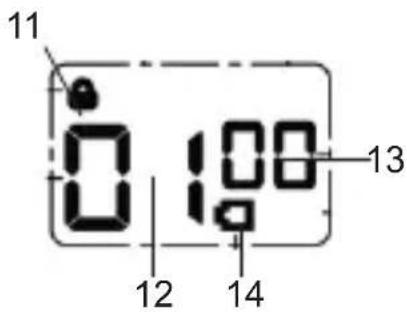
text_image
11 0:100 13 12 14| 1. Antenna 8. LED indicator | |
| 2. Keylock switch 9. 3.5 mm headset jack | |
| 3. Belt attachment 10. Micro USB jack | |
| 4. Belt clip latch 11. Keylock | |
| 5. Down ▼ button 12. Channel Memory Number | |
| 6. Up ▲ button 13. CTCSS/Volume displayed | |
| 7. Power/Menu button 14. Battery level displayed |
11English
3. Operation
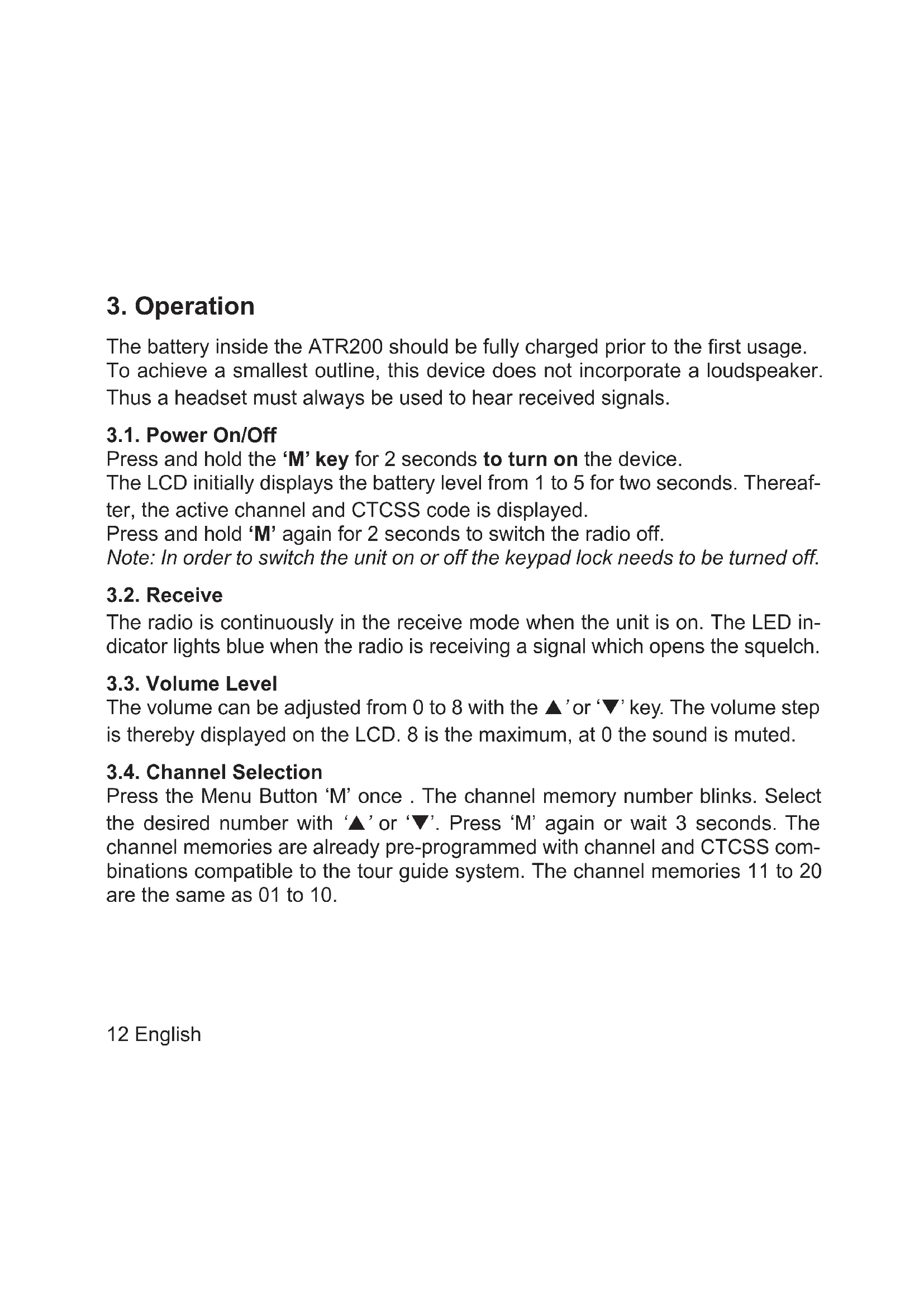
The battery inside the ATR200 should be fully charged prior to the first usage. To achieve a smallest outline, this device does not incorporate a loudspeaker. Thus a headset must always be used to hear received signals.
3.1. Power On/Off
Press and hold the 'M' key for 2 seconds to turn on the device.
The LCD initially displays the battery level from 1 to 5 for two seconds. Thereafter, the active channel and CTCSS code is displayed.
Press and hold 'M' again for 2 seconds to switch the radio off.
Note: In order to switch the unit on or off the keypad lock needs to be turned off.
3.2. Receive
The radio is continuously in the receive mode when the unit is on. The LED indicator lights blue when the radio is receiving a signal which opens the squelch.
3.3. Volume Level
The volume can be adjusted from 0 to 8 with the ▲' or '▼' key. The volume step is thereby displayed on the LCD. 8 is the maximum, at 0 the sound is muted.
3.4. Channel Selection
Press the Menu Button 'M' once. The channel memory number blinks. Select the desired number with '▲' or '▼'. Press 'M' again or wait 3 seconds. The channel memories are already pre-programmed with channel and CTCSS combinations compatible to the tour guide system. The channel memories 11 to 20 are the same as 01 to 10.
12 English
3.5. Battery level display
Whenever the device is turned on, the state of charge (1 to 5) is displayed for two seconds.
If the device is already switched on, the device must be briefly switched off and on again.
3.6. Charging the Device
Connect the Micro-USB jack of the ATR200 with the respective cable to the USB AC- adapter or to another USB Source.
During charging, the status LED lights red. The LED turns off when the battery is fully charged.
4. European 2 years warranty
The distributor, dealer or retail shop warrants to the original retail purchaser of this product that should this product or any part of it, under normal use and conditions, be proven defective in material or workmanship within 2 years from the date of original purchase, such defect(s) will be repaired or replaced with new or reconditioned product (at the company's option) without charge for parts and repair labor. To obtain repair or replacement within the terms of this warranty, the product is to be delivered with proof of warranty coverage (e.g. dated bill of sale), specification of defect(s), to the distributor, dealer or his authorized repair center.
The Company disclaims liability for communications range of this product. The warranty does not apply to any product or part there of which, in the opinion of the company, has suffered or been damaged through alteration, improper installation, mishandling, misuse, neglect, accident, or by removal or defacement of the factory serial number/bar code label(s). The warranty does not apply to accessory parts or problems caused through not authorized or not recommended accessories like of the units like batteries, external power supplies and over voltage caused through external power supplies, light bulbs, broken antennas, broken swivel belt clips, broken or damaged acrylic glass windows and cabinet parts.
Please contact the dealer or person where you have purchased your radio. Alternatively, if you bought the radio in Germany, you can send the radio directly to our service partner (address on the last page)
5. CE- Declaration of Conformity
Hereby, Alan Electronics GmbH declares that the radio equipment type ATR200 / ATT200 is in compliance with Directive 2014/53/EU. The full text of the EU declaration of conformity is available at the following internet address:
http://service.alan-electronics.de/CE-Papiere/

6. Disposal of defective electronic items
The European WEEE Directive does not any more allow to dispose any used electronic items via household trash bins. The local communities will provide containers for disposal of electronic waste. Please use these facilities, it will be your contribution to proper recycling of electronic material, and it is free of charge for you!

7. Where to find service hints and documentation
You can download the latest versions of user manuals and the declaration of conformity from
http://www.service.alan-electronics.de
If you should have a problem, please have a look to the service hints or frequently asked questions (FAQ) before you send your device back to the service center.
Service Address And Technical Hotline (for units sold in Germany)
Contact our service hotline by phone +49 (0) 6103 9481-66 (regular costs for German fixed network) or e-mail at service@alan-electronics.de
Printing errors reserved.