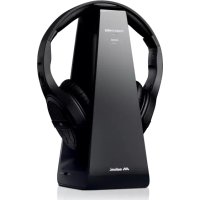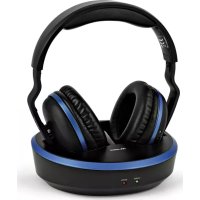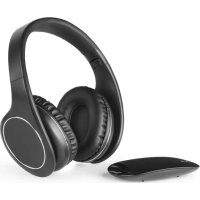
HP Easy Digital - Headphones MELICONI - Free user manual and instructions
Find the device manual for free HP Easy Digital MELICONI in PDF.


| Product Type | RF Wireless Stereo Headset |
| Brand | Meliconi |
| Model | HP Easy Digital |
| Transmission Band | UHF 863-865 MHz |
| Carrier Frequencies | 863.3 MHz and 864.5 MHz (2 channels) |
| RF Output Power | <10 mW e.r.p. |
| Frequency Response | 60 Hz – 14 kHz stereo |
| Distortion | <1% |
| Signal-to-Noise Ratio | ≥70 dB |
| Maximum Transmission Distance | 100 meters (open field) |
| Battery Type | Built-in lithium polymer (non-replaceable) |
| Battery Capacity | 3.7V – 400 mAh |
| Charging Time | Approximately 2-2.5 hours |
| Battery Life | Approximately 8 hours at medium volume |
| Operating Temperature | 0°C to 40°C |
| Connectivity | Optical digital input (Toslink) and 3.5 mm analog jack input |
| Package Contents | Headset, base station, USB-micro USB cable, 3.5 mm audio cable, USB-CC 5V power cord, Toslink optical cable, user manual |
| Maintenance | Clean with a soft dry cloth; do not use solvents |
| Safety | Do not use outdoors/in damp conditions, do not expose to heat, battery non-replaceable |
| Compliance | Directive 2014/53/EU (RED) |
| Support | www.meliconi.com - info@meliconi.com - +39 0266012766 |
Frequently Asked Questions - HP Easy Digital MELICONI
User questions about HP Easy Digital MELICONI
0 question about this device. Answer the ones you know or ask your own.
Ask a new question about this device
Download the instructions for your Headphones in PDF format for free! Find your manual HP Easy Digital - MELICONI and take your electronic device back in hand. On this page are published all the documents necessary for the use of your device. HP Easy Digital by MELICONI.
USER MANUAL HP Easy Digital MELICONI
natural_image
Abstract geometric pattern composed of four dark gray diamond shapes arranged in a symmetrical cross-like design (no text or symbols)meliconi®
natural_image
Line drawing of a modern audio headphones with a separate cover case (no text or symbols)CUFFIA STEREO SENZA FILI CON BASE TRASMITTENTE E INGRESSO AUDIO DIGITALE
STEREO WIRELESS HEADSET WITH TRANSMITTER BASE AND DIGITAL AUDIO INPUT
IT
HP EASY DIGITAL BUNNOLLE
CASQUE (FIG. 1) Description
STATION (FIG. 2) Description
Thank you for choosing a MELICONI product
The HP Easy Digital Meliconi wireless RF stereo headphone system uses advanced wireless audio transmission technology, allowing you to hear high-quality stereo sound from various audio playback devices (TV, Decoder, DVD or Blu-ray device, CD player, Hi-Fi system, radio, PC, etc.), thus giving you complete freedom of movement.
The transmitter can be connected to both audio sources with an optical digital output (Toslink) and to analogue devices, using the traditional audio headphone outlet (3.5 mm jack).
The transmitter signal, able to pass through walls, has a maximum range of 100 metres in open field.
Safety warnings
- Do not use this device outdoors or in damp or humid environments, and do not expose it to drops or splashes of water.
- Do not expose the device to excessive heat sources, for example direct sunlight, fire or the like.
- The product contains a lithium battery that cannot be replaced by the user. If you need to dispose of the product, or when it reaches the end of its life, please consult the "Disposing of the product" section in this manual.
- Before connecting, unplug the appliances from the power supply. To avoid electric shocks, do not tamper with the appliance or attempt to open it. Any repair work should only be carried out by qualified technicians.
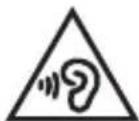
To avoid possible damage to hearing, do not use the headphones at high volume for prolonged periods of time.
Disposal of the product and batteries
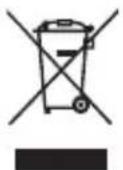
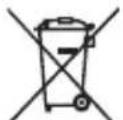
The crossed-out wheeled bin symbol indicates that the product complies with European Directive 2012/19/EU. The product must be disposed of separately from other waste at end-of-life. When no longer in use, it must be taken to an appropriate waste recycling collection centre or given to the retailer. Adequate separate waste collection helps to prevent possible negative impact upon the environment and on health, whilst encouraging the re-use and/or recycling of materials. Unlawful disposal of the product is subject to legal sanctions.
This symbol indicates that the product contains a built-in rechargeable battery that is subject to European Directive 2013/56/EU and cannot therefore be disposed of together with normal household waste.
The product must be taken to an appropriate waste recycling collection centre or given to the retailer.
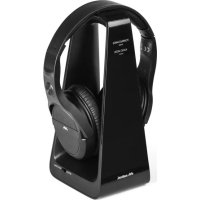
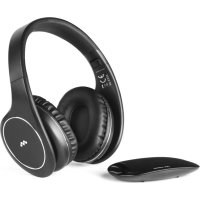
Package contents (image 1)
- HEADPHONES (receiver) Image 1
- BASE (transmitter) Image 2
- Headphone recharging cable (USB-Micro USB)
- Aux audio cable (3.5 mm analogue stereo jack)
- Power supply cord
- Digital optical cable (Toslink)
- Instruction booklet
12
Installation
HEADPHONES (IMAGE 1) Details of elements:
A. Volume control +
B. Volume control -
C. LED light (RED/GREEN/BLUE)
D. On/off button
E. Aux socket (3.5 mm jack analogue audio input)
F. Micro-USB socket for charging batteries
BASE (FIG. 2) Details of elements:
G. Power input (USB-DC 5V)
H. ON-OFF/ CHANNEL CHANGE Switch (B/A/OFF)
I. Aux socket (3.5 mm jack analogue audio input)
L. LED light (RED/BLUE)
M. Toslink socket (optical digital audio input)
Charging the battery of the headset
- The battery must be charged before using the headset.
- To charge the battery, insert one end of the micro-USB cable into the "F" socket of the headset and the other into any USB socket available (PC / SMARTPHONE charger, etc.).
- While the headphones are charging, the "C" led light is lit blue; the light will go out when they are fully charged.
- Do not use or wear the headphones while the battery is charging.
Connecting the charging dock with the audio source
NB: Before making the connections, make sure the audio source (e.g. TV) and the base are switched off (move the "H" switch to OFF).
- Using the dedicated cable (USB-DC 5V), supply power to socket "G" on the base, using any USB socket available.
- Identify the optical digital audio output on the TV or device you wish to connect.
- Take the digital optical cable TOSLINK (6) from the pack and remove the silicone protections from the ends. Using the optical digital cable Toslink, connect the optical audio output of the TV to input "M" (OPTICAL IN) on the base.
- If the TV does not have an optical output, use the 3.5 mm stereo jack audio cable (4) and connect the headset of the TV to input "I" (AUX) on the base.
- Switch on the base (move switch "H" to A or B), and check that the "L" LED light is lit red.
- Switch on the audio source (e.g. TV) and check that the "L" LED light on the base is lit blue.
NOTES:
- For connections to the TV using the digital optical cable Toslink, you may need to enter the menu of the TV, activate the headphone output and select the audio format PCM.
- For analogue connections (3.5 mm jack cable), it is advisable to turn up the volume of the TV; if the audio signal is too weak, the base will not transmit (refer to the user manual of the TV).
- Whilst remaining close to the charging dock, switch on the headphones by pressing down on button "D" for a few seconds, until LED light "C" turns green. Then release.
- Put the headphones on and use the buttons "A" and "B" ONLY to adjust the volume and obtain proper sound reproduction.
To connect the second headset supplied, follow the two steps as described above.
If the LED light "C" remains red, or if the headset does not reproduce the sounds, or there is interference with the audio signal, press the "D" button briefly to pair the base to the headset.
If the problem persists, refer to the "TROUBLESHOOTING" chapter.
Use
For normal use, simply turn the headphones on and off, exclusively by pushing button "D" positioned on the headphones. NOTES: It is possible to use the headphones with a direct connection to the audio source (without the base), by plugging the 3.5 mm jack cable into AUX socket "E".
Technical specifications
| Transmission bandwidth: | UHF 863-865 MHz |
| Carrier frequencies: | 863,3 MHz - 864,5 MHz (2 canales) |
| RF output Power: | <10mW e.r.p. |
| Frequency response: | 60 Hz – 14 KHz stereo |
| Distortion: | <1 % |
| Signal/noise ratio: | ≥70dB |
| Maximum transmission distance: | 100 metres (in free field) |
| Headphone charging time: | about 2-2.5 hours |
| Integrated Lithium Polymer battery (headphones): | 3,7V – 400mAh |
| Operating time of the headphones: | about 8 hours with a fully charged battery, at medium volume |
| Operating temperature: | 0°C-40°C |
Troubleshooting
If the headphones do not produce any sound or if the audio signal is disturbed or is presumed to come from other sources, carry out the following steps:
- Check that all the connections are correct and that the device is operating as described in this manual.
- If the audio feed has been connected using a digital optical cable (Toslink), check that the audio output of your appliance (e.g. TV or decoder) is set to "PCM" or "LPCM". To do this correctly, consult the instruction manual of your TV or decoder.
- If the 3.5 mm jack cable has been used for the audio connection, make sure the device connected plays the sound correctly (even with the cable disconnected), and check that the "L" light is lit blue. If necessary, turn up the output volume on the device.
- urn off the headphones with button "D", move closer to the base unit then turn the headphones on again, checking if the green light "C" comes on.
- If the problem persists, use the "H" switch on the base to try changing channels (A/B); Briefly press the "D" button and make sure the base is paired correctly with the headset ("C" light green).
- Use the "A and "B" buttons to adjust the audio on the headset.
Helpline
If you have any queries regarding HP Easy Digital:
- read this instruction manual carefully, as it will help you solve most problems.
- visit our website: www.meliconi.com
For any questions/problems, you can call our customer TECHNICAL ASSISTANCE on (+39) 02 66012766, or write to us at info@meliconi.com
Simplified EU declaration of conformity
The manufacturer, Meliconi S.p.A., declares that the type of radio equipment marketed as HP Easy Digital Headphones is compliant with Directive 2014/53/EU (RED).
The full text of the EU Declaration of Conformity is available at the following web address:
http://www.meliconi.com/doc/cuffiahpeasydigitalbundle