BPA 600 - Talkie Walkie ALBRECHT - Free user manual and instructions
Find the device manual for free BPA 600 ALBRECHT in PDF.



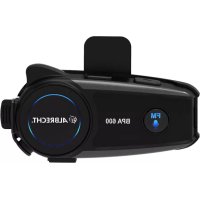
| Product Type | Bluetooth Adapter for Motorcycle Helmet |
| Brand | ALBRECHT |
| Model | BPA 600 |
| Bluetooth Technology | Bluetooth 5.0 (2.402 – 2.480 GHz, 1 mW) |
| Power Supply | Rechargeable lithium-ion battery, charging via USB-C (approx. 2 hours) |
| Charging Port | USB-C |
| Headset Port | Headphone connector (3.5 mm) |
| Auxiliary Input | 2.5 mm for external audio devices |
| Microphone | Wired microphone and boom microphone included |
| FM Radio | Built-in, automatic station search |
| Voice Assistant | Compatible with Siri/Google Assistant via FM button |
| Phone Function | Answer, reject, redial last number |
| Simultaneous Connection | Up to 2 Bluetooth devices |
| Voice Command | Yes |
| Package Contents | BPA 600, USB-C cable, wired microphone, boom microphone, mounting brackets, straps, mounting plate |
| Warranty | 24 months (legal warranty 2 years) |
| Reset | To factory settings (Volume+ and function button simultaneously) |
| Maintenance | Clean with a soft, dry cloth, avoid moisture |
| Safety | Compliant with WEEE directive (electronic waste) |
| Manufacturer | Alan Electronics GmbH, Dreieich, Germany |
Frequently Asked Questions - BPA 600 ALBRECHT
User questions about BPA 600 ALBRECHT
0 question about this device. Answer the ones you know or ask your own.
Ask a new question about this device
Download the instructions for your Talkie Walkie in PDF format for free! Find your manual BPA 600 - ALBRECHT and take your electronic device back in hand. On this page are published all the documents necessary for the use of your device. BPA 600 by ALBRECHT.
USER MANUAL BPA 600 ALBRECHT
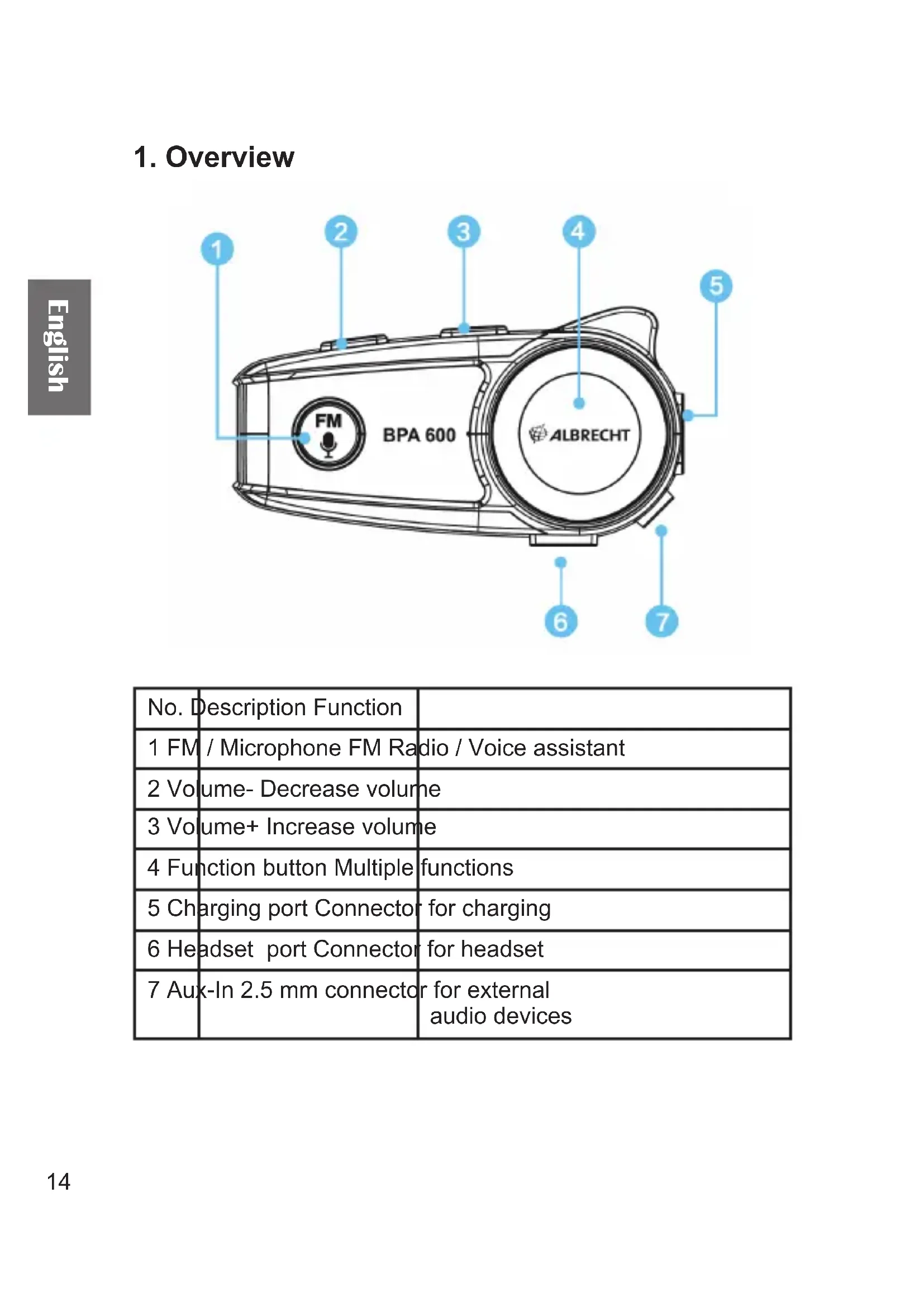
| No. | Description Function | |
| 1 FM / Microphone FM Radio / Voice assistant | ||
| 2 Volume- Decrease volume | ||
| 3 Volume+ Increase volume | ||
| 4 Function button Multiple functions | ||
| 5 Charging port Connector for charging | ||
| 6 Headset port Connector for headset | ||
| 7 Aux-In 2.5 mm connector for external audio devices | ||
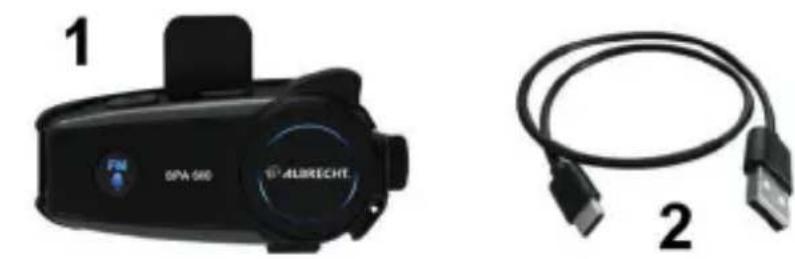
2. Delivery content
- BPA 600 main unit
- USB-C charging cable
- Wired cable microphone
- Boom microphone with helmet earphones
- Clamp for mounting plate
- Velcro tape for microphone installation
- Velcro strap and spacer for helmet earphones
- Mounting plate
- 3M adhesive mount for fixing the base plate to the helmet
- Anti-slip mat for use with clamp bracket
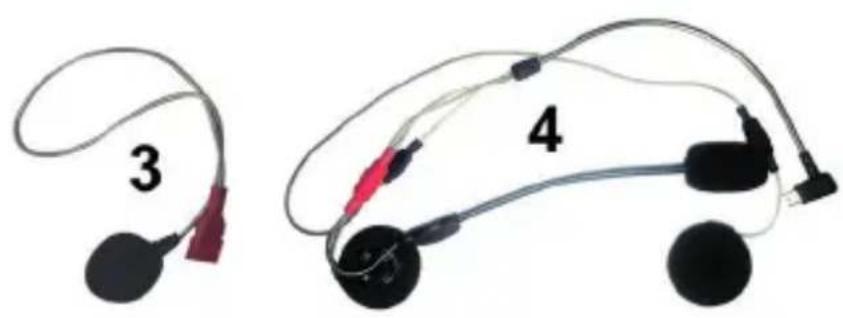
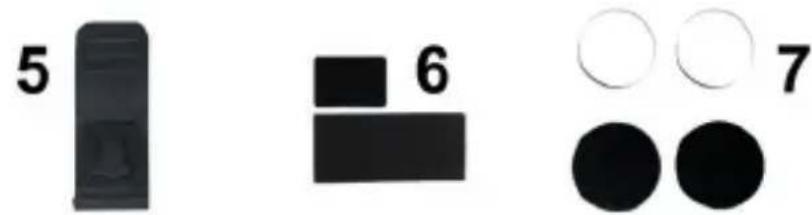
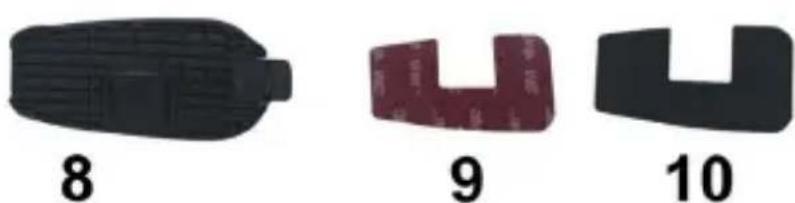
3. Mounting to a helmet
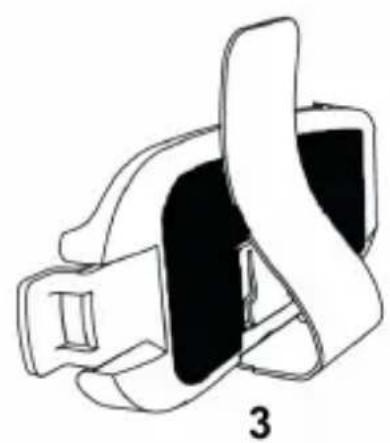
3.1. Mounting by clamp bracket
- Stick the anti-slip mat (10) onto the mounting plate (8)
- Now attach the clamp bracket (5) to the mounting plate
- After installation, you can attach the clamp to any position on your motorcycle helmet.
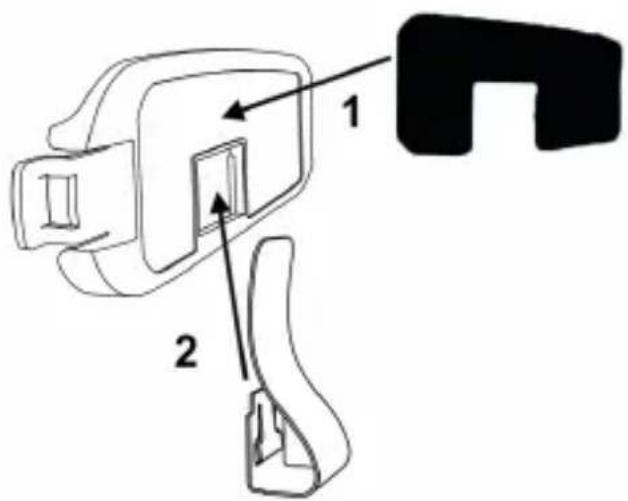
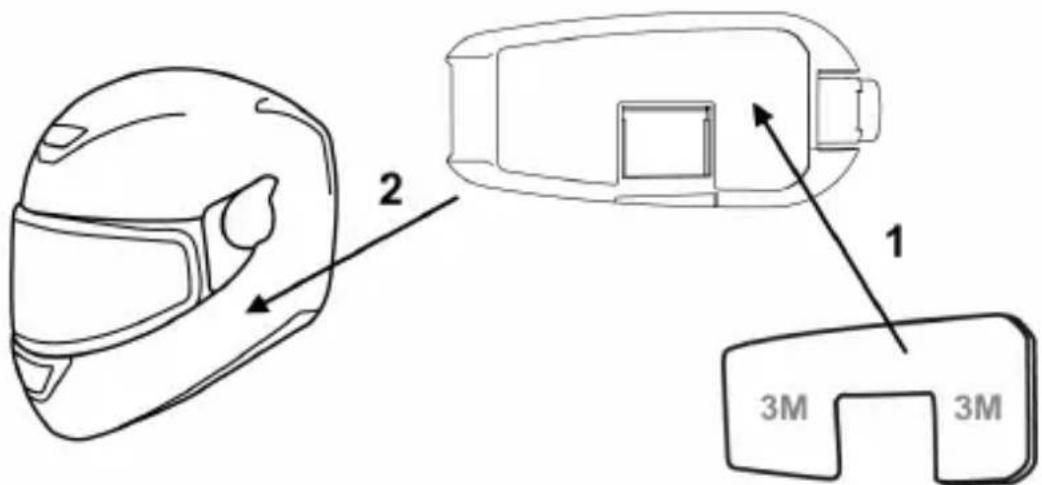
3.2. Mounting by adhesive bracket
- Stick the 3M adhesive pad (9) onto the mounting plate (8).
- Now glue the mounting plate to the side of your motorcycle helmet. The selected location must be clean, grease-free and dry.
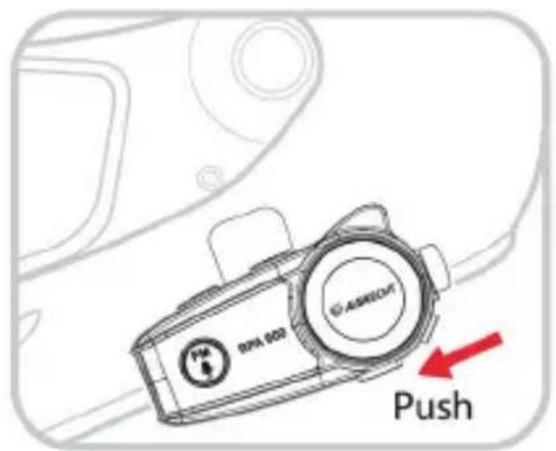
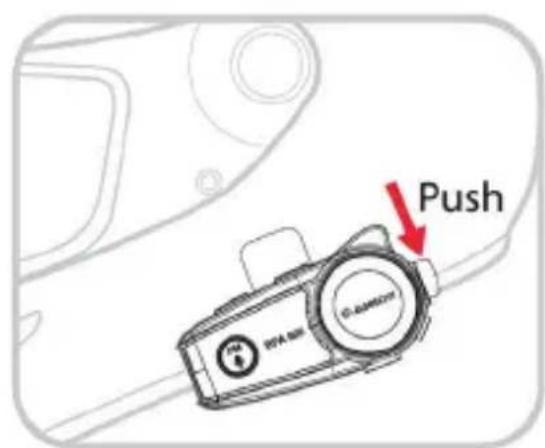
3.3. Attaching / detaching the BPA 600
Hook the bluetooth unit into the mounting plate at the front and then press the rear part into the holder until the unit locks into place.
To detach the unit, press the tab on the rear end of the mounting plate towards the helmet and then pull the unit out of the holder.
4. Turn On/Off
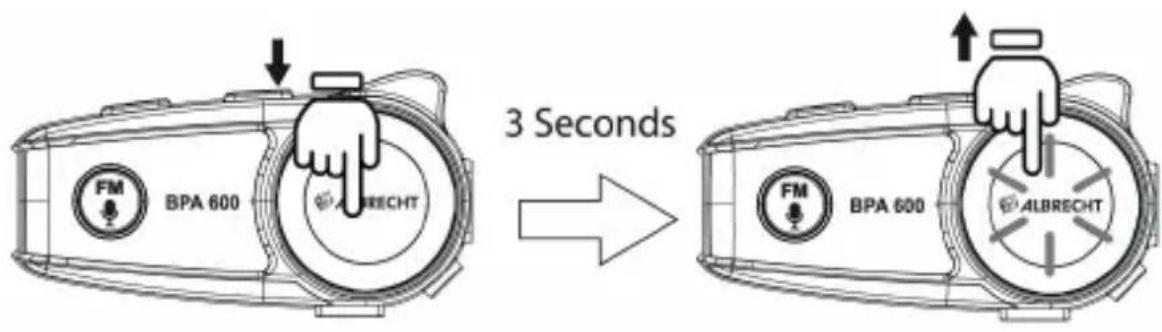
Turn on: long press function button (4) for 3 seconds until the voice announcement „Power On“ is heard and the function button starts flashing blue.
Turn off: Long press function button (4) for 3 seconds until the voice announcement „Power Off“ is heard and the function button fl ashes red.
5. Charging
Please fully charge the BPA 600 before using it for the first time. Connect the USB charging cable to the charging socket (5) of the BPA 600 and use a suitable power source (PC, mains plug, etc.)
During charging, the function key lights up red. When the red light goes out, the unit is fully charged. The complete charging time is approx. 2 hours.
5.1. Checking the battery status
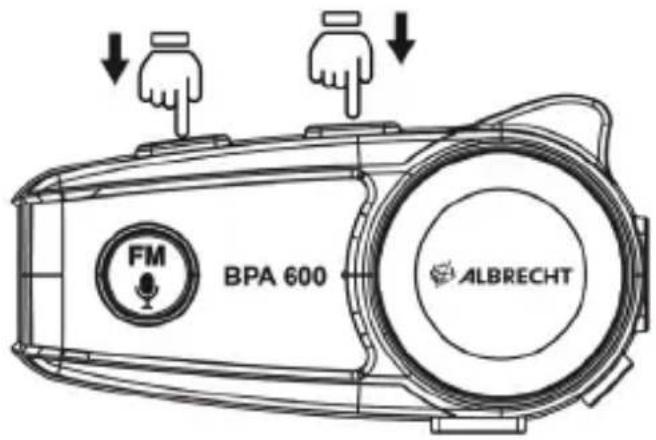
You can check the current battery status at any time by pressing the Volume+ (3) and Volume- (2) keys simultaneously: you will receive a voice prompt.
5.2. Low battery level
If the battery level drops below 10% , the function button will flash red and a voice message will announce power lower than 10% . Please recharge immediately.
6. Bluetooth Pairing/Connection
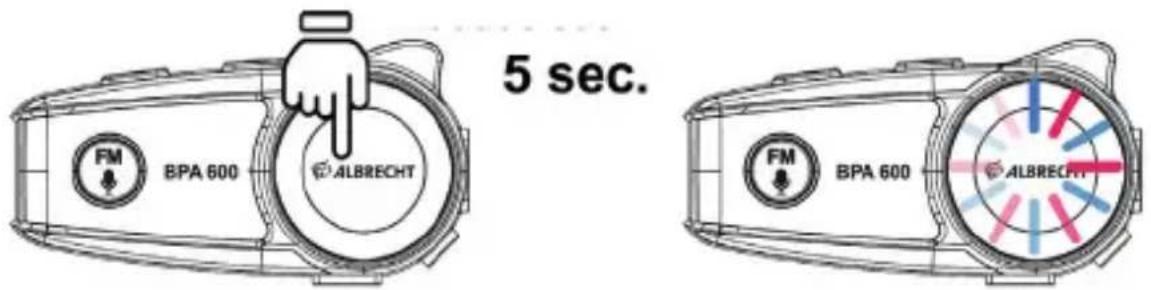
- When the device is off, long press the function button for 5 seconds until it fl ashes red and blue and the voice announcement „Pairing“ is heard.
- Switch on Bluetooth at your cellphone, search for „BPA 600“ and press connect. When the red and blue light changes to blue-and you hear a voice prompt, the pairing is complete.
- The BPA 600 will connect automatically to the last paired unit if you turn it on the next time.
6.1. Second parallell Bluetooth connection
In the first step pair and connect the first Bluetooth device, then turn off the BPA 600. Now pair and connect the second Bluetooth device in the same way and turn off BPA 600 again.
If you now start the BPA 600 again, it will automatically connect to both Bluetooth devices (you hear 2 tones / voice prompts).
6.2. Priority order
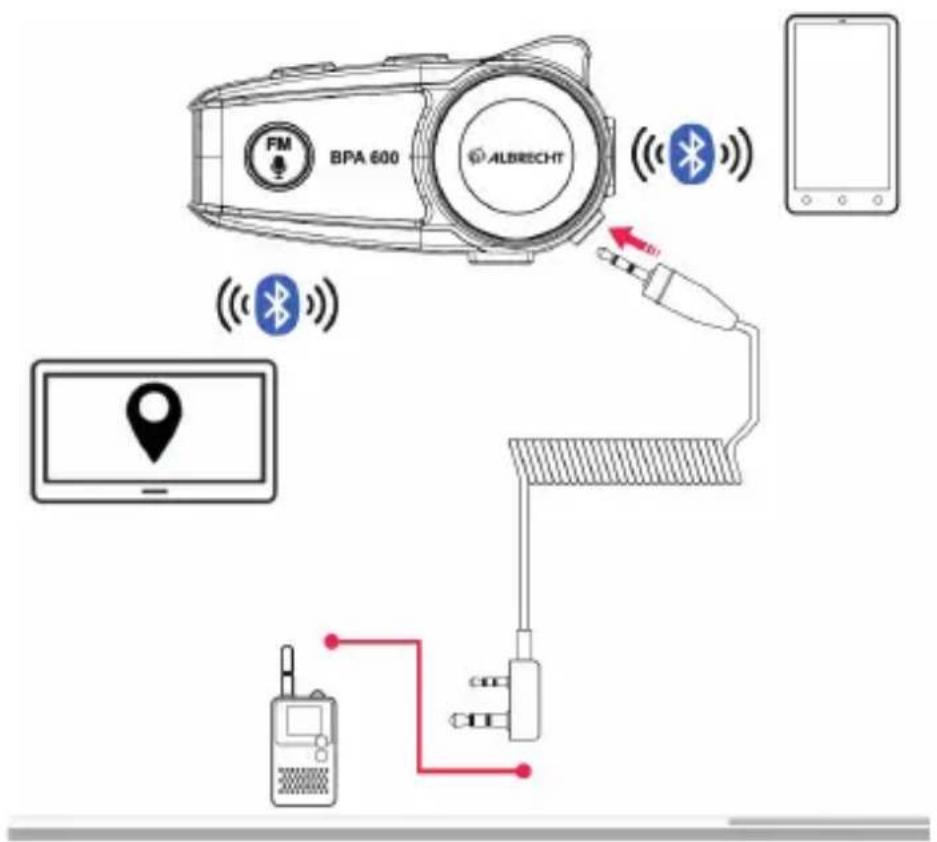
If you would like to connect both a cellphone and GPS navigation system, the pairing order depends on your desired use of them.
Phone calls: We recommend to create a „pairing chain“: first pair the GPS to the BPA 600. Afterwards pair your cellphone to the GPS. This way ensures that your phone calls are not interrupted by GPS announcements.
If you connect both cellphone and GPS directly to the BPA 600, phone calls will be interrupted by GPS announcements.
Mainly music listening: connect both devices directly to the BPA 600. The following priority order applies:
GPS / music from cellphone / external audio source through 2.5 mm AUX-In
7. Telephone function
Answer the phone: When your phone is ringing, push the function button once to answer. To end a call, push function button again to hang up.
Reject a call: When a call comes in, press and hold the function button for about 2 seconds to reject a call.
Redial last phone number: When the device is on, short press function button twice to radial your last called number.
8. Voice control (Siri / Google Assistant)
If you have connected a smartphone which can be controlled by voice (Siri, Google Assistant, etc.), you can activate the voice control by pressing the FM button (1) twice.
Please check the manual of your smartphone for the available functions/comannels/Apps of the voice control.
9. MusicPlayback
You can control the music playback from your Bluetooth device through the BPA 600:
- PAUSE/PLAY: Press the function button or the FM button
- Volume: Short press Volume+Volume- to change the volume
- Next/Previous song: Hold Volume+/Volume- for 2 seconds to go to the next or previous song
10. FM Radio
- Press FM button for 2 seconds to switch to FM mode
- FM volume can be adjusted by pressing Volume+/Volume-
- Long press Volume+Volume- to search for FM stations
Remark: FM radio volume can only be adjusted as long as a Bluetooth device is connected to the BPA 600.
11. Aux-In
Connect an external audio source with a 2.5 mm audio cable to the BPA 600 Aux-In socket. Note that the volume can only be adjusted on the external device.
12. Connection to PMR446 radios
PMR446 radios can be connected to the BPA 600 via the AuxIn socket with an optional connection cable (Albrecht Art.-No. 15531).
13. Factory Reset
To reset the BPA 600 to factory settings, press and hold „Volume +“ and Function button at the same time. After about 3 seconds you will hear a “Beep” tone. All known Bluetooth connections to the BPA 600 are now deleted.
14. Technical information
The device uses a wireless connection of Bluetooth 5.0 standard, emitting radio waves of frequency: 2.402 - 2.480 GHz with a maximum power of 1 mW.
15. Guarantee and Warranty
The seller of this device grants you a legal warranty of two years from the date of purchase of the device. The warranty covers all faults present at the time of purchase, which significantly impair the use of the device.
Alan Electronics GmbH grants a guarantee of 24 months. This includes all faults that should occur due to defective components or faulty functions within the warranty period, but not faults caused by normal wear, such as exhausted batteries, scratches in the display, housing defects, broken antennas, as well as defects due to external influences such as corrosion, overvoltage due to improper external power supply or the use of unsuitable accessories.
Also excluded from the guarantee are faults caused by improper handling of the device.
If you have any guarantee or warranty claims, please contact the dealer where you purchased the device. If you purchased your device in Germany, you can also send the device directly to the service address indicated below to shorten the repair time.
If you send in your device, please do not forget your purchase receipt as proof of the date of purchase and describe the fault that occurred as accurately as possible.
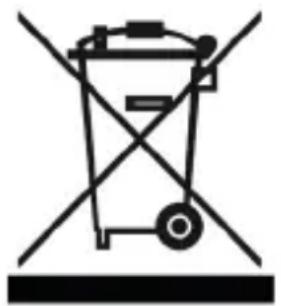
16. WEEE and Recycling
The European laws do not allow any more the disposal of old or defective electric or electronic devices with the household waste. Return your product to a municipal collection point for recycling to dispose of it. This system is financed by the industry and ensures environmentally responsible disposal and the recycling of valuable raw materials.
17. Service Address And Technical Hotline
(for units sold in Germany)
Contact our service hotline by phone +49 (0) 6103 9481 66 (regular costs for German landline) or e-mail service@albrecht-midland.de
18. Conformity Declaration
Hereby, Alan Electronics GmbH declares that the radio equipment type BPA 600 is in compliance with Directive 2014/53/EU. The full text of the EU declaration of conformity is available at the following internet address:
http://service.alan-electronics.de/CE-Papiere/

Printing errors reserved.
Information in this user manual are subject to change without prior notice.