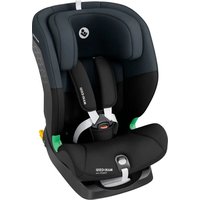
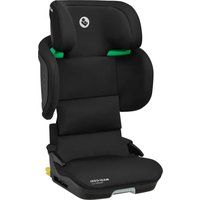
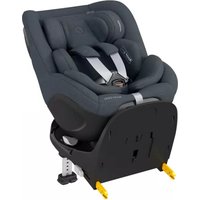
USER MANUAL FamilyFix One iSize MAXI-COSI
USTO'S Grant GPs and Valves
A. 2017
DOI FIRL,901
R.16 F### 2019,75
4452-014, 以下第1(ADC)
(1) 本说明仅供参考。
DOI: http://www.10.10/
www.cuiw.com
31-112 100%
501 249712155
POST-POCK
- 2017年1月1日
电-汽田2018年
FOLAND
014879101
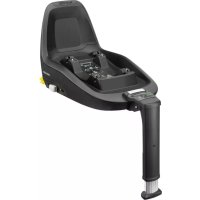
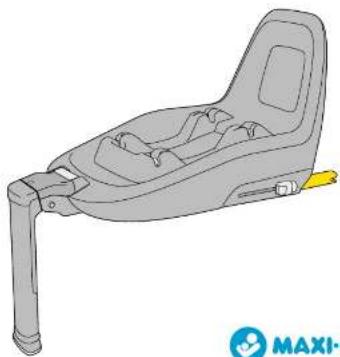
FamilyFix One i-Size

natural_image
3D illustration of a baby car seat with adjustable arm and seatbelt (no text or symbols)
EN Congratulations on your purchase.
For the maximum protection and comfort of your child, it is essential that you need through the entire many places weekly and follow all instructions.
Lap social platform, in the situation that optimal users make users can help them
-
Great Lakes, 2007
-
2017年1月1日
-
In addition, the results of the values are based on the equation 1.2. (Theorem 1.3).
NO Gratulorev mad ditt kien
For unsexual baseline size of notarial kormor, for same diet, or diet must be at male
INDEX




EN 22
FR 26
DE 30
NL 34
IT 38
SV 42
DA 46
FI 50
PL 54
NO 58
NO
Delaje structuring a member for and a cell with a cluster of cells, together for the cell to be seen into the brain. The brain is part of the cell structure.
(1) Produtant (dors for turbandare somfameriile ander a
allate le diethioges, per la seja plasmodulmenta
loganapure, gerar for oseproducededatricular cabre le
alvea originale.



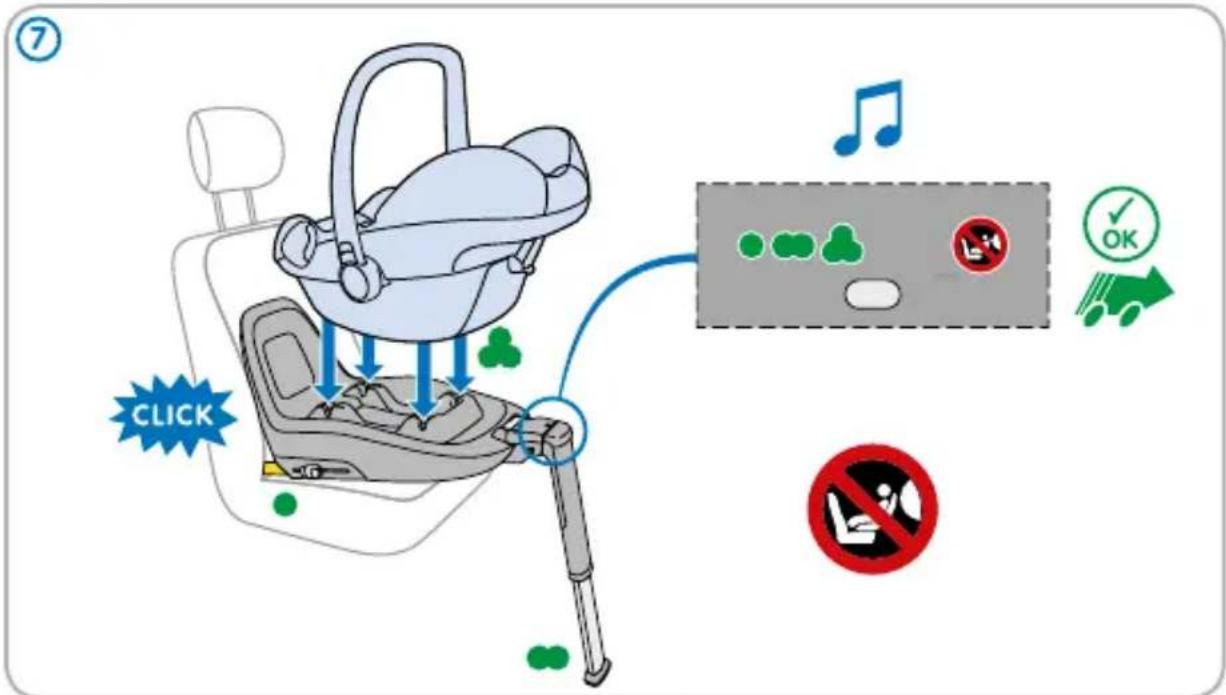
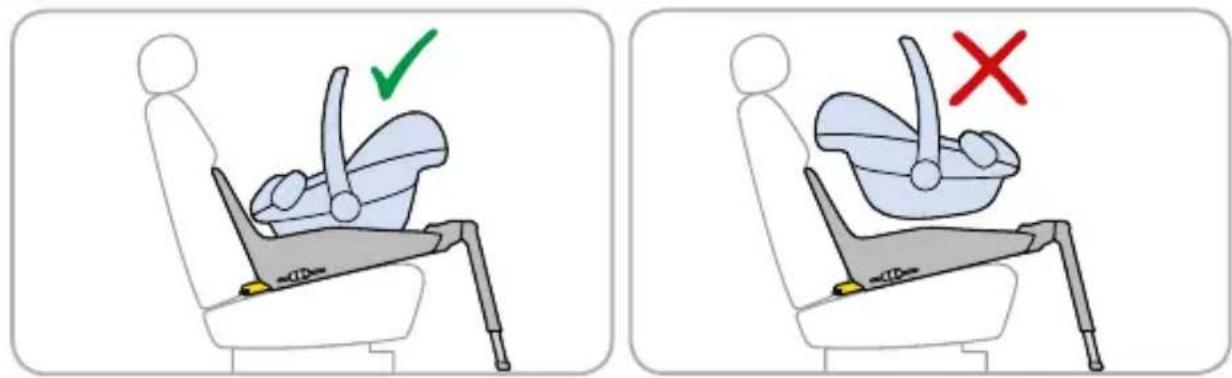
Pearl One i-Size
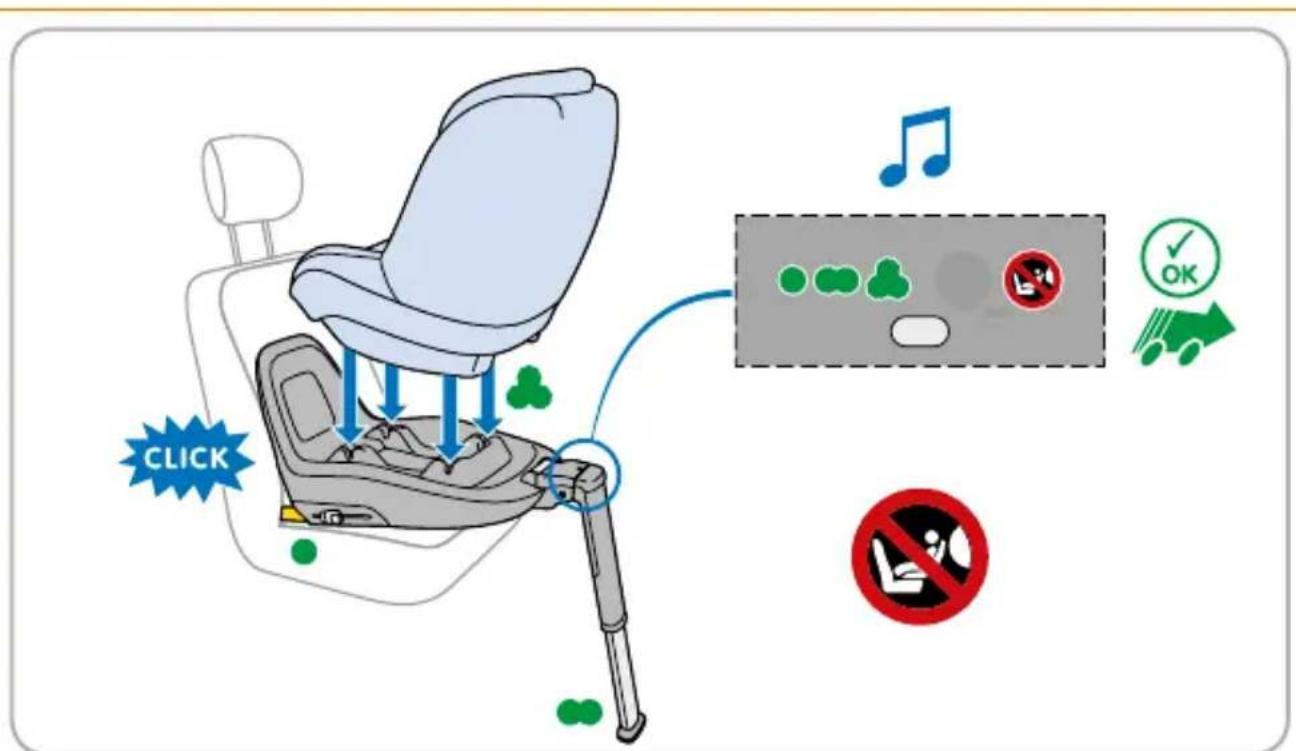
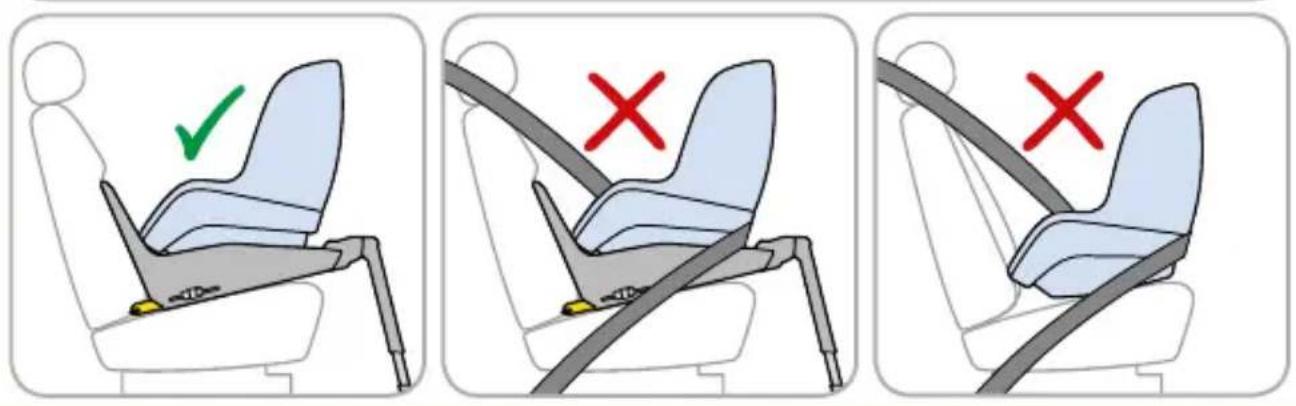

Pearl One i-Size
natural_image
Illustration of a hand interacting with a device, showing green dots and a red circle on the screen (no text or symbols)
TEST
natural_image
Diagram of a car seat with green dots indicating specific positions (no text or symbols present)

• / ∞ / △
NO
Pearl Smart i-Size


Pearl Smart i-Size
Pearl Smart i-Size
natural_image
Diagram of a car seat with green dots indicating specific positions (no text or symbols present)

natural_image
Diagram of a car seat with green markers indicating specific areas (no text or symbols present)



natural_image
Diagram of a car seat with green dots indicating specific areas (no text or symbols present)



EN
Does FamilyFix One i-Size fit your car?
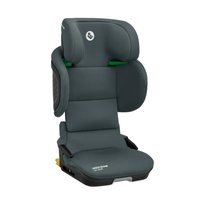
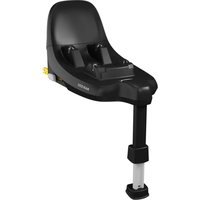
FamilyFix One i-Size is an i-Size (R129) Child Restraint System. It is approved to Regulation No. 129 and fits in most vehicles equipped with ISOFIX, and on all i-Size compatible vehicle seating positions.
FamilyFix One i-Size ISOFIX system gives you:
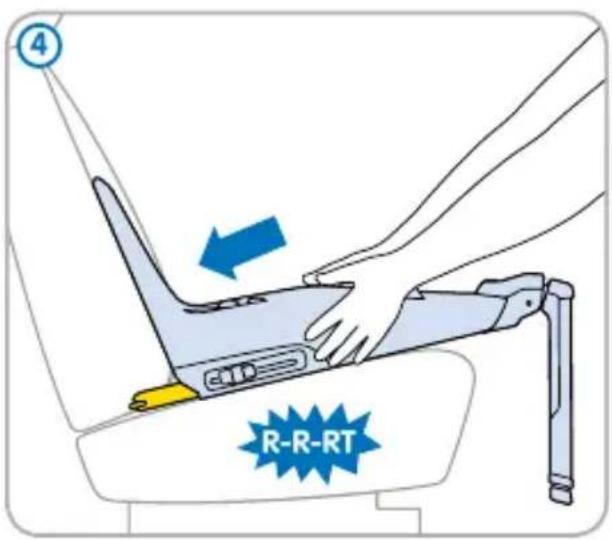
Easier and quicker installation: without a seat belt going through it. Reinforced safety: fixed to vehicle's chassis for a better restraint in the event of impact and triple visual indicators to ensure a correct installation.
This child restraint is classified for "Universal" use and is suitable for fixing into the seat position of the following cars:
| Car | Front passenger (outer) | Rear left/right (outer) | Rear centre |
| Volkswagen Golf 7 | No Yes/Yes No | |
IMPORTANT:
For a complete list of cars, please visit www.maxi-cosi.com/car-fitting-list
Seat positions in other cars may also be suitable to accept this child restraint. If in doubt, consult either the child restraint manufacturer or the retailer.
FR
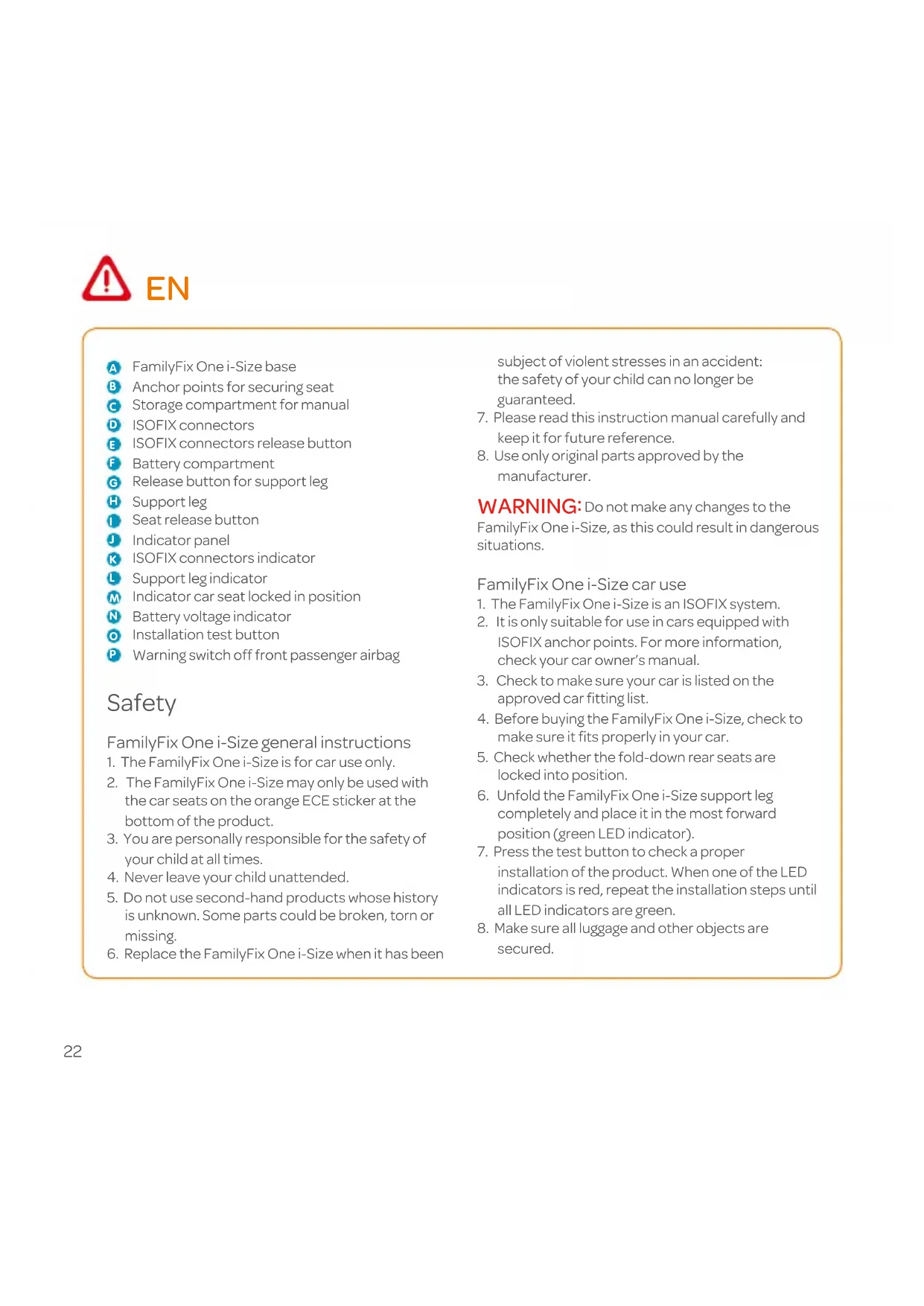
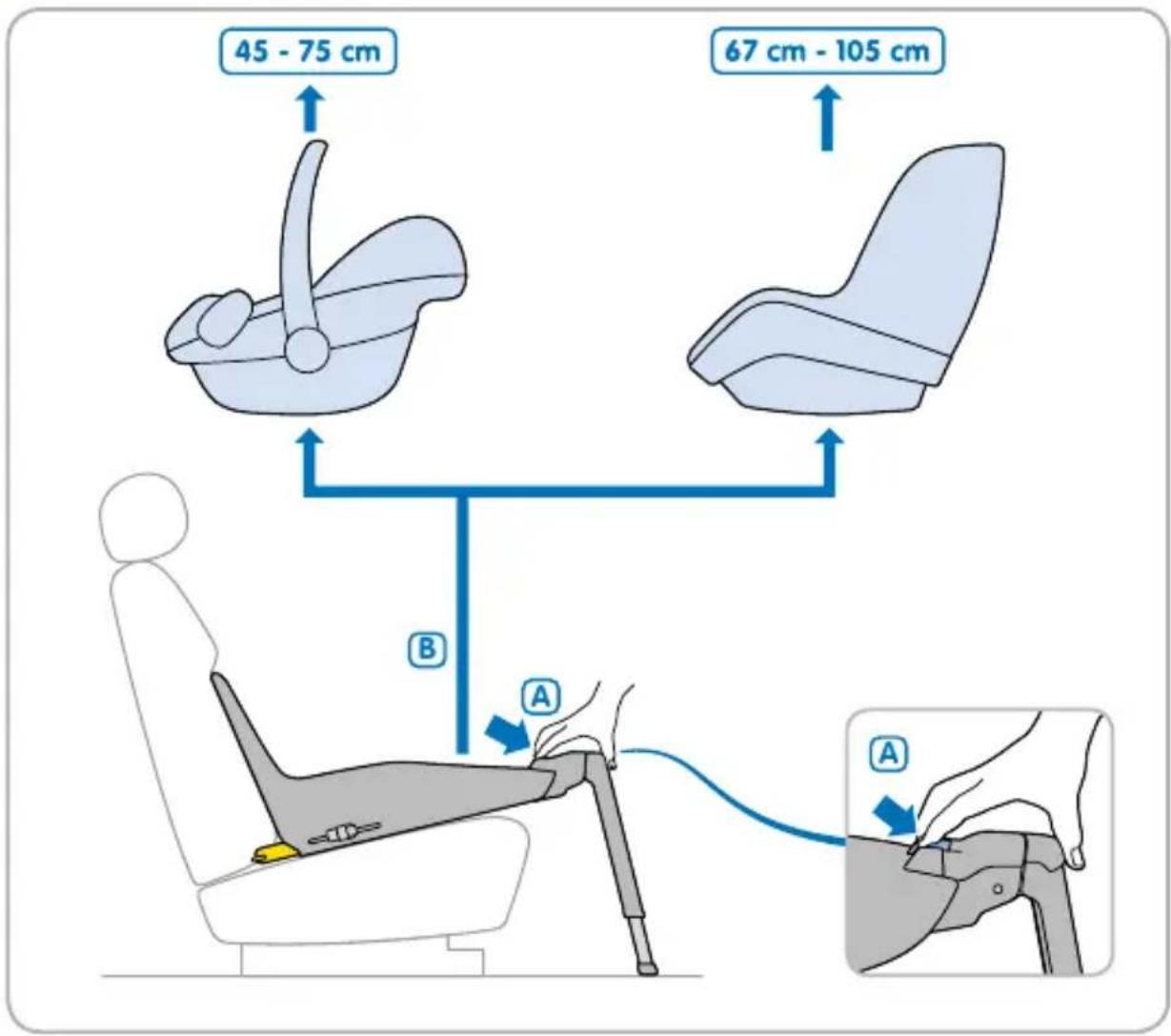
A FamilyFix One i-Size base
B Anchor points for securing seat
Storage compartment for manual
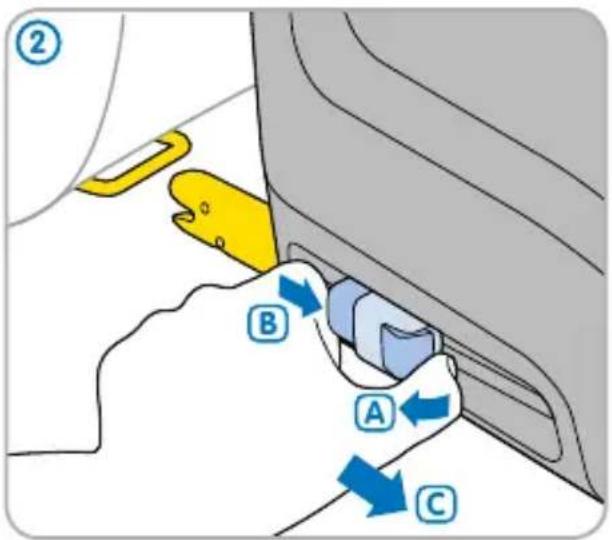
D ISOFIX connectors
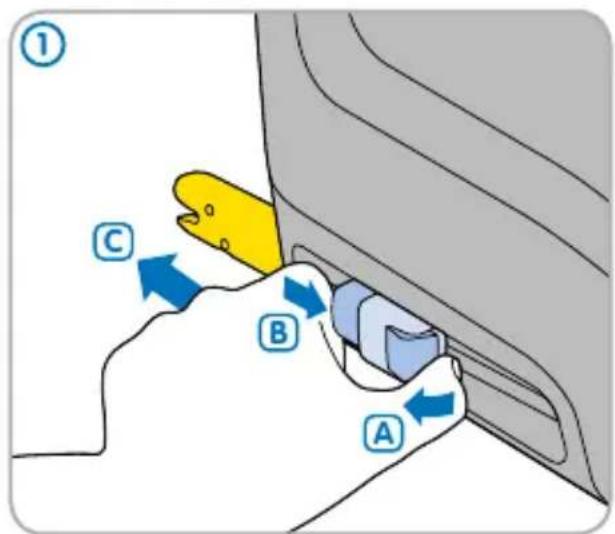
E ISOFIX connectors release button
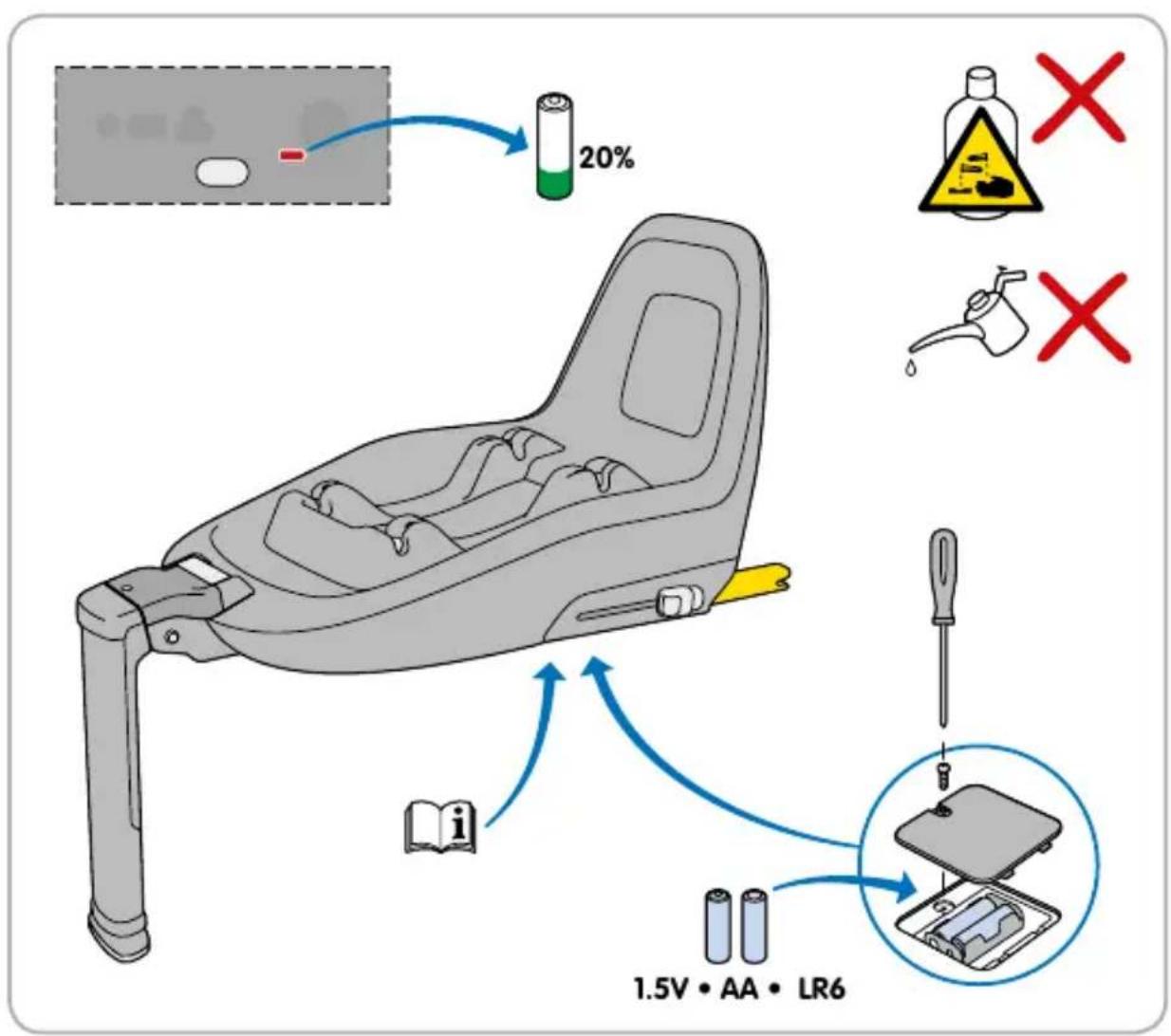
F Battery compartment
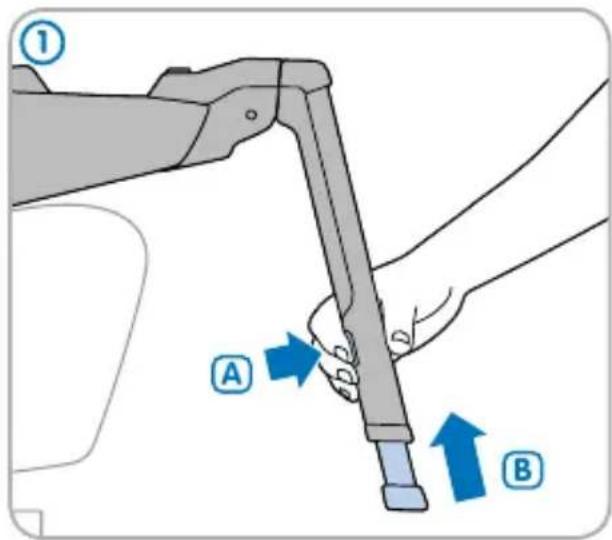
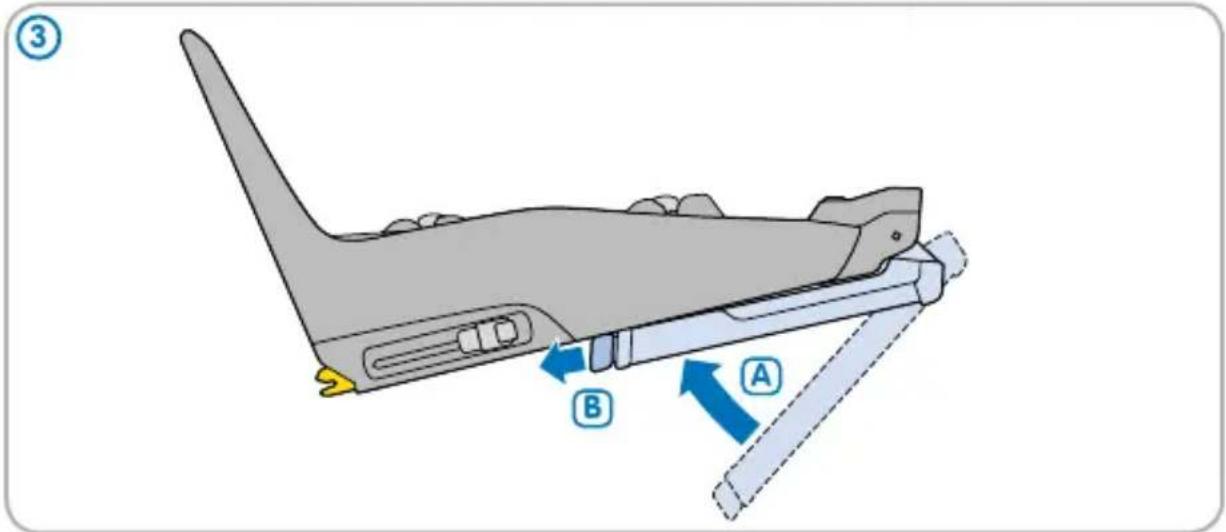
G Release button for support leg
H Support leg
1 Seat release button
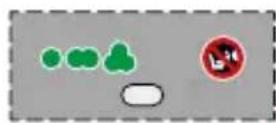
J Indicator panel
K ISOFIX connectors indicator
Support leg indicator
M Indicator car seat locked in position
N Battery voltage indicator
Installation test button
P Warning switch off front passenger airbag
Safety
FamilyFix One i-Size general instructions
- The FamilyFix One i-Size is for car use only.
- The FamilyFix One i-Size may only be used with the car seats on the orange ECE sticker at the bottom of the product.
- You are personally responsible for the safety of your child at all times.
- Never leave your child unattended.
- Do not use second-hand products whose history is unknown. Some parts could be broken, torn or missing.
- Replace the FamilyFix One i-Size when it has been
subject of violent stresses in an accident: the safety of your child can no longer be guaranteed.
- Please read this instruction manual carefully and keep it for future reference.
- Use only original parts approved by the manufacturer.
WARNING: Do not make any changes to the FamilyFix One i-Size, as this could result in dangerous situations.
FamilyFix One i-Size car use
- The FamilyFix One i-Size is an ISOFIX system.
- It is only suitable for use in cars equipped with ISOFIX anchor points. For more information, check your car owner's manual.
- Check to make sure your car is listed on the approved car fitting list.
- Before buying the FamilyFix One i-Size, check to make sure it fits properly in your car.
- Check whether the fold-down rear seats are locked into position.
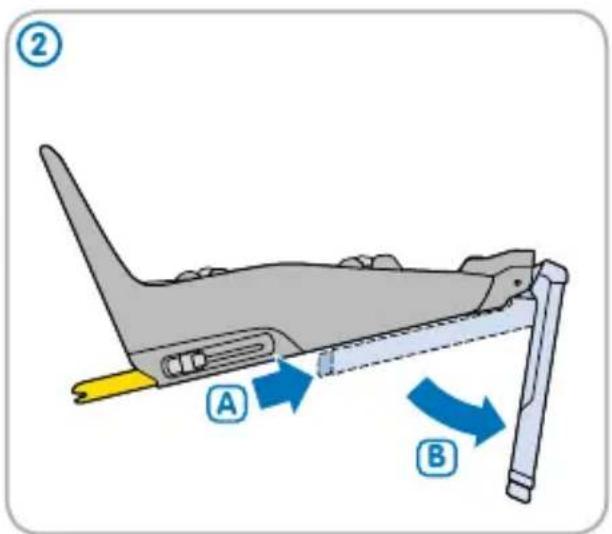
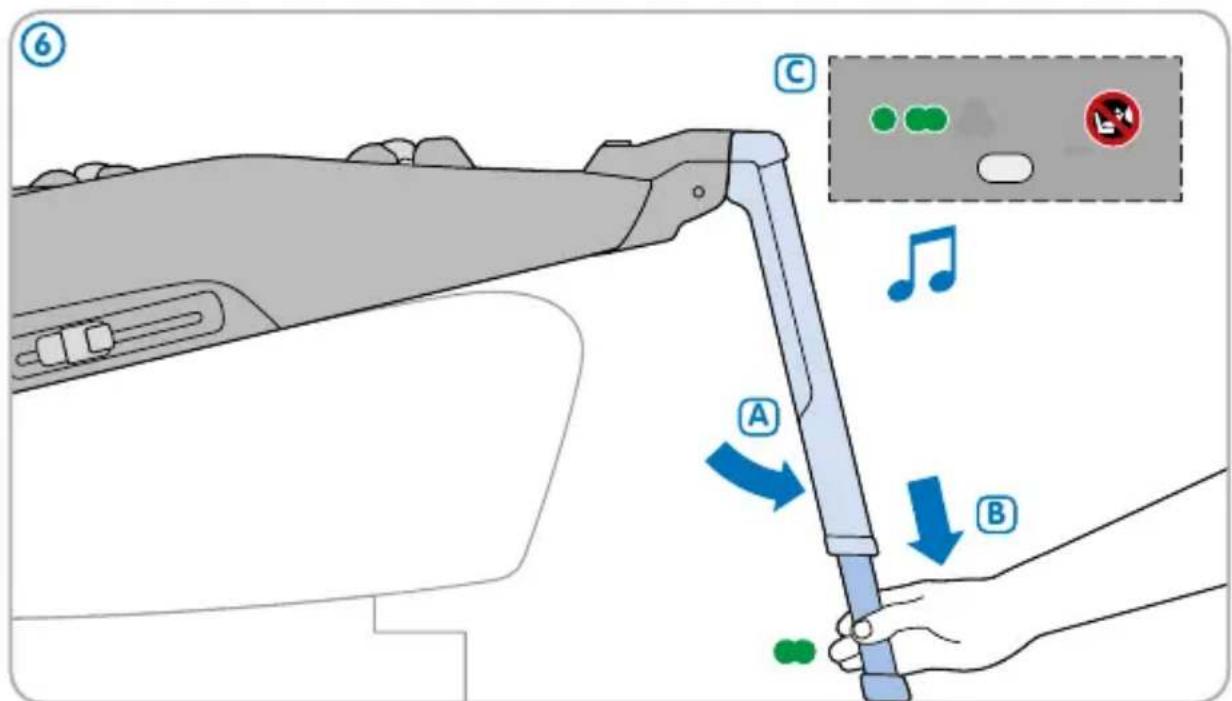
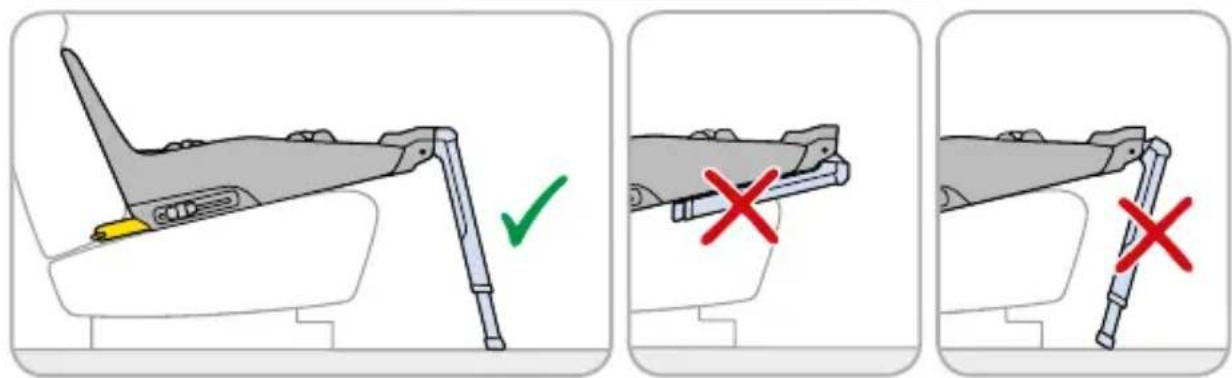
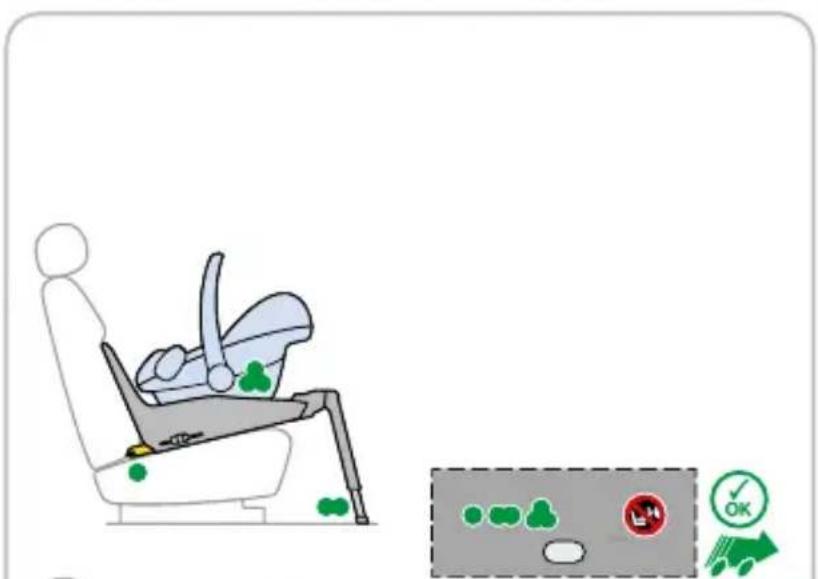
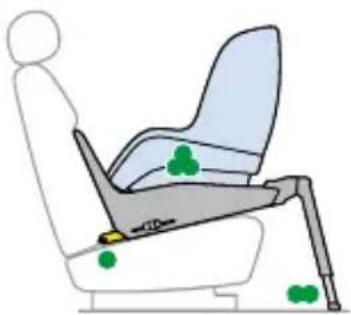
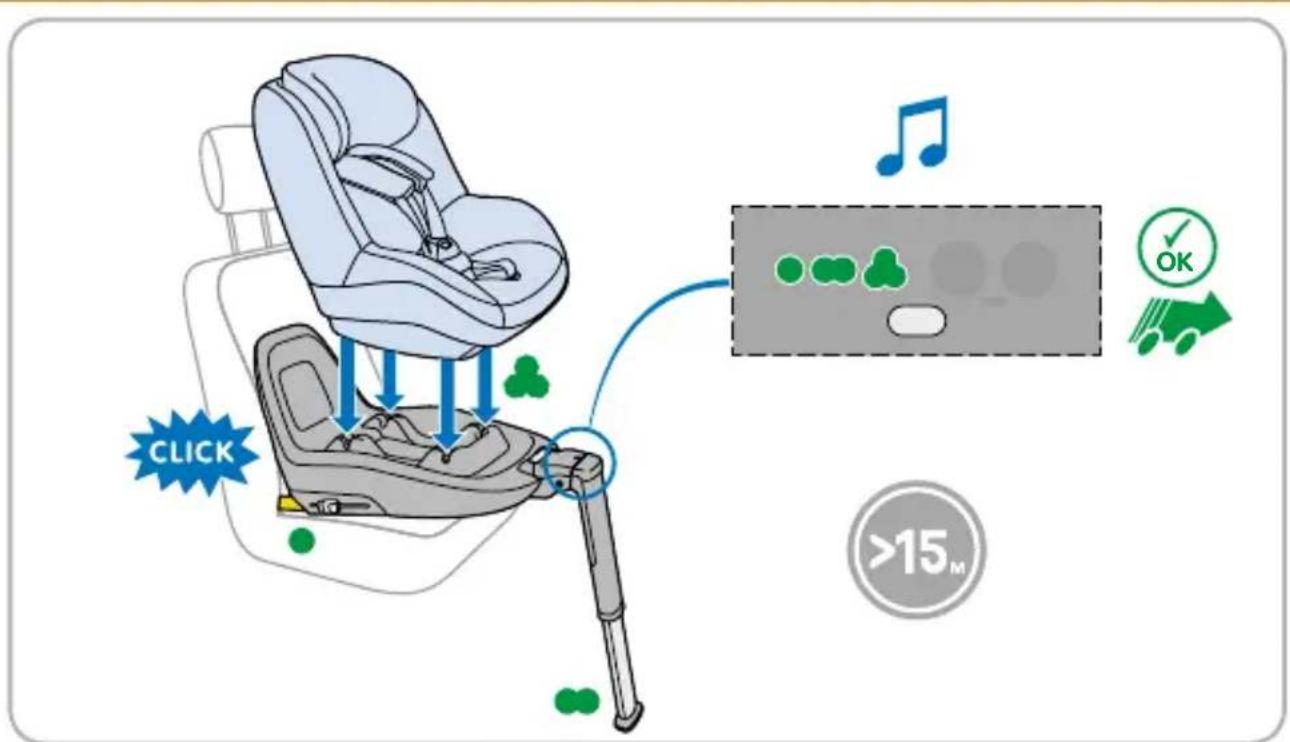
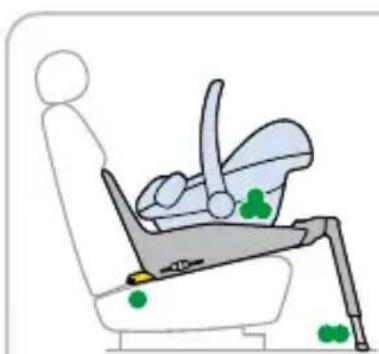
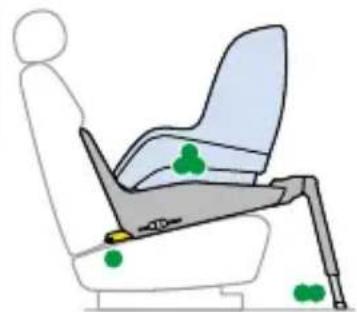
- Unfold the FamilyFix One i-Size support leg completely and place it in the most forward position (green LED indicator).
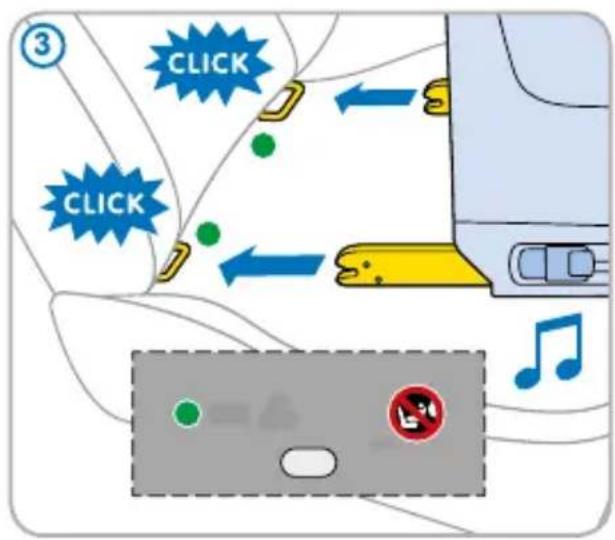
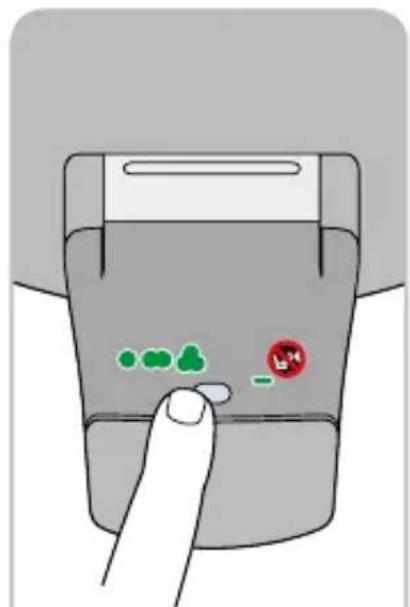
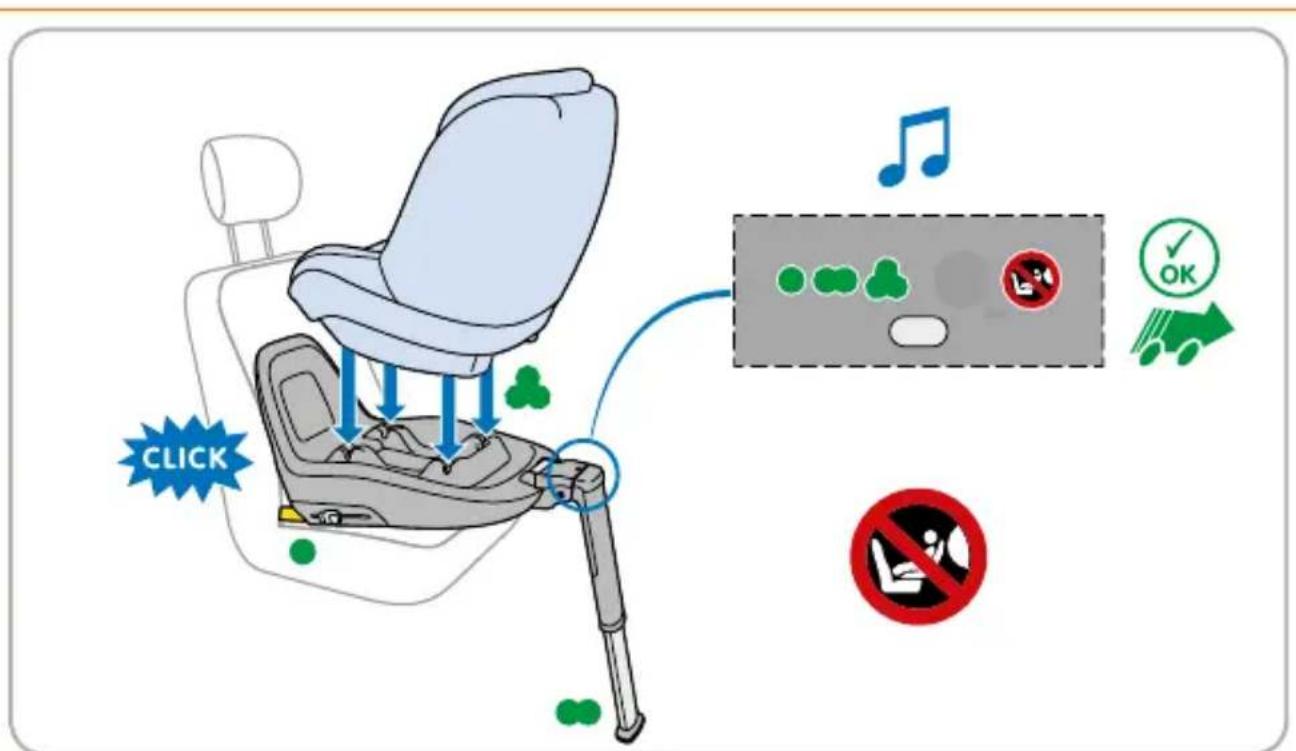
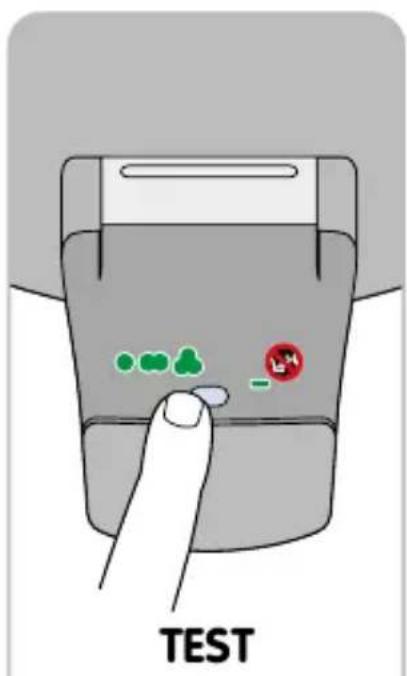
- Press the test button to check a proper installation of the product. When one of the LED indicators is red, repeat the installation steps until all LED indicators are green.
- Make sure all luggage and other objects are secured.
FamilyFix One i-Size maintenance instructions
- Keep the FamilyFix One i-Size clean. Do not use any lubricants or aggressive cleaning agents on this product.
- Press the test button to make sure that the batteries have enough voltage (green LED indicator).
- If the electronic component contains the right battery type but is no longer functioning properly, contact your retailer. The indicators only show whether the product has been installed correctly. If the battery circuit is interrupted after correct installation, the product is still safe.
- Replace old batteries with new, high-quality ones. Pay attention to the plus and minus poles when installing the batteries.
Batteries
- Keep all batteries out of reach of children.
- Only use the recommended type AA / LR6 (1.5 volt) batteries. Do not use rechargeable batteries.
- Never expose this product or the batteries to fire.
- Do not use old batteries or batteries that show signs of leakage or cracks.
- Use only high-quality new batteries.

Environment
Keep all plastic packaging materials out of reach of your child to avoid the risk of suffocation.
For environmental reasons, when you have stopped using this product, we ask that you dispose of the product in the proper waste facilities in accordance with local legislation.
Questions
If you have any questions, contact your local Maxi-Cosi retailer (see www.maxi-cosi.com for contact information). Make sure that you have the following information on hand:
- Serial number on the orange ECE sticker at the bottom of the FamilyFix One i-Size base;
- Car make and model and seat on which the FamilyFix One i-Size is used;
- Age, height and weight of your child.
Warranty
Our 24 months warranty reflects our confidence in the high quality of our design, engineering, production and product performance. We confirm that this product was manufactured in accordance with the current European safety requirements and quality standards which are applicable to this product, and that this product is free from defects on materials and workmanship at the time of purchase. Under the conditions mentioned herein, this warranty may be invoked by consumers in the countries where this product has been sold by a subsidiary of the Dorel Group or by an authorized dealer or retailer.
Our 24 months warranty covers all manufacturing defects in materials and workmanship when used in normal conditions and in accordance with our user manual for a period of 24 months from the date of the original retail purchase by the first end-user customer. To request repairs or spare parts under our warranty for defects in materials and workmanship you must present your proof of purchase, made within the 24 months preceding the service request.
Our 24 months warranty does not apply to defects caused by normal wear and tear, damage caused by accidents, abusive use, negligence, fire, liquid contact or other external cause, damage which is the consequence of failing to comply with the user manual, damage caused by use with another product, damage caused by service by anyone who is not authorized by us, or if the product is stolen or if any label or identification number has been removed from the product or has been changed. Examples
of normal wear and tear include wheels and fabric worn down by regular use and the natural breakdown of colors and materials due to normal aging of the product.
What to do in case of defects:
Should problems or defects arise, your first point of contact is the authorized dealer or retailer recognized by us. Our 24 months warranty is recognized by them ^① . You must present your proof of purchase, made within the 24 months preceding the service request. It is easiest if you get your service request pre-approved by us. If you submit a valid claim under this warranty, we may request that you return your product to the authorized dealer or retailer recognized by us or that you ship the product to us in accordance with our instructions. We will pay for shipment and that you return your product to the authorized dealer or retailer recognized by us or that you ship the product to us in accordance with our instructions. We will pay for shipment and for return freight if all instructions are followed. Damage and/or defects neither covered by our warranty nor by the legal rights of the consumer and/or damage and/or defects with respect to products that are not covered by our warranty can be handled at a reasonable fee.
Rights of the consumer:
A consumer has legal rights pursuant to applicable consumer legislation, which may vary from country to country. The rights of the consumer under applicable national legislation are not affected by this warranty.
Lifetime Warranty:
Under the terms and conditions published on our website www.maxi-cosi.com/lifetimewarranty we offer a voluntary manufacturer's Lifetime Warranty to first users. To claim this Lifetime Warranty you need to register on our website.
This warranty is provided by Dorel Netherlands. We are registered in The Netherlands under company number 17060920. Our trading address is Korendijk 5, 5704 RD Helmond, The Netherlands, and our postal address is P.O. Box 6071, 5700 ET Helmond, The Netherlands.
The names and address details of other subsidiaries of the Dorel group can be found on the last page of this manual and on our website for the brand concerned.
(1) Products purchased from retailers or dealers that remove or change labels or identification numbers are considered unauthorized. Products purchased from unauthorized retailers are also considered unauthorized. No warranty applies to these products since the authenticity of these products cannot be ascertained.

FR
WAARSCHUWING: Verander de FamilyFix