ManualGo.com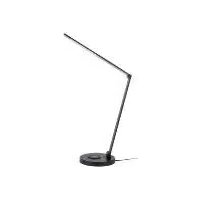
IAN 359829 - Uncategorized Livarno Lux - Free user manual and instructions
Find the device manual for free IAN 359829 Livarno Lux in PDF.



Download the instructions for your Uncategorized in PDF format for free! Find your manual IAN 359829 - Livarno Lux and take your electronic device back in hand. On this page are published all the documents necessary for the use of your device. IAN 359829 by Livarno Lux.
USER MANUAL IAN 359829 Livarno Lux
Operation and safety notes
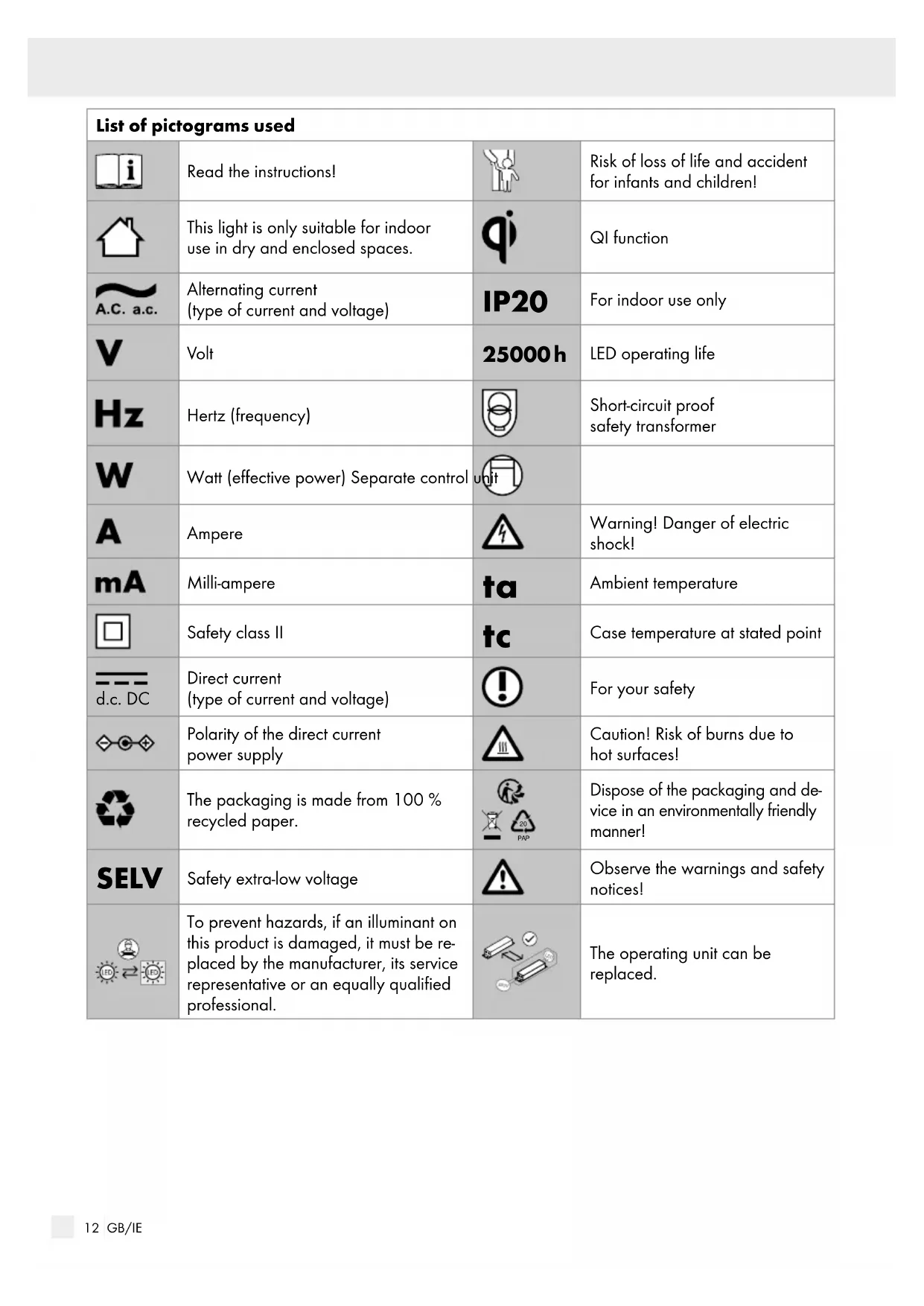
Case temperature at stated point d.c. DC Direct current (type of current and voltage) For your safety Polarity of the direct current power supply Caution! Risk of burns due to hot surfaces! The packaging is made from 100 % recycled paper.
PAP Dispose of the packaging and de- vice i n an environmentally friendly manne
SELV Safety extra-low voltage Observe the warnings and safety notices! To prevent hazards, if an illuminant on this product is damaged, it must be re- placed by the manufacturer, its service representative or an equally qualified professional. The operating unit can be replaced.13 GB/IE Introduction / SafetyList of pictograms used LED Desk lamp Introduction Congratulations on your new product. You have selected a high quality product. The instructions for use are a part of the product. They contain important information about safety, use and disposal. Before using the product, please familiarise yourself with all the operating and safety instructions. Only use the product as described and for the indicated purpose. When passing this product on to others, please be sure to include all its documentation. Before using this product for the first time verify the correct voltage and that all parts are properly installed.
Intended use This light is only suitable for indoor use in dry and enclosed spaces. This device is intended for normal operation. Scope of delivery Check immediately after unpacking that the parts are complete and that the product is in proper condition. 1 LED desk lamp (14155005L / 14155006L) 1 Plug-in transformer 1 Set of operating instructions Parts description
Inductive charging surface
Plug-in transformer Technical data Entire lamp: Model number: 14155005L / 14155006L Operating voltage: 230–240 V∼, 50 Hz Rated power: max. 23 W Protection class: II / IP rating: IP20 LED: LED module: max. 6,2 W USB: Output power: 5 V , 1.0 A Mains adapter: Model number: JF024WR-1200200VH Operating voltage: 100–240 V∼, 50 / 60 Hz Output power: 12 V max. 2,0 A, 24 W max. Protection class: II / QI function: Transmission frequency: 100‒205 kHz QI field strength: less than -5 dBµA/m at 10 m Max. transmission capacity: 5 W Transmission range: ≤ 5 mm This product contains illuminants from energy effici- ency category „F“ (corresponding to Ordinance (EU) 2019/2015). Safety Safety notices Damage due to failure to comply with these operat- ing instructions will invalidate the warranty! We assume no liability for consequential damage! We assume no liability for material damage or personal injury due to improper handling or failure to comply with the safety instructions!14 GB/IE Initial use / Maintenance and cleaning / Disposal
SMALL CHILDREN! Never leave children unattended with the packaging material. The packaging material represents a danger of suffocation. Children frequently underestimate the dangers. This device may be used by children aged 8 years and up, as well as by persons with re- duced physical, sensory or mental capacities, or lacking experience and/or knowledge, when supervised or instructed in the safe use of the device and they understand the associated risks. Do not allow children to play with the device. Cleaning and user maintenance must not be performed by children without supervision. RISK OF INJURY! Do not leave the lamp or packaging material lying unattended. Plastic film or bags, Styrofoam etc. can become dangerous toys for children. Avoid the risk of fatal injury from electric shock Always check the plug-in transformer and the USB connector for possible damage before connecting the light to the mains. In the event of damage, repairs or other prob- lems with the light, please contact the service centre or an electrician. Ensure that the light does not come into contact with water or other liquids under any circum- stances. Never open or insert anything into electrical fittings or equipment (e.g. switches, fitting socket). This will pose a risk of fatal injury from electric shock. Only touch the insulated part of the plug-in transformer when connecting to or disconnecting from the mains supply! The external flexible cord on this lamp is not replaceable; if the cord is damaged the lamp must be disposed of. Before every use, verify the available mains voltage matches the required operating voltage of the light (see “Technical data“). Always disconnect the plug-in transformer from the mains prior to assembly, disassembly, clea- ning, or if the light will not be used for extended periods. Safe working Position the lamp so it is protected from moisture and dirt. Always be attentive! Always pay attention to what you are doing and use common sense. Do not cover the lamp with objects. Excessive heat can result in fire. Do not look into the illuminant from a close distance during operation. Do not use optical instruments to look at the light source (e.g. magnifying glass). In order to disconnect the light completely from the power supply, the plug-in transformer must be removed from the socket. To prevent hazards, if an illuminant on this product is damaged, it must be replaced by the manufacturer, its service representative or an equally qualified professional. Initial use Mounting the light Remove all packaging material from the lamp. Connect the plug-in transformer
Plug the plug-in transformer
into a properly installed power socket. Your lamp is now ready to use. Switching the lamp on / off Press the ON / OFF touch button
to switch the lamp on and off. Safety / Initial use15 GB/IE Initial use / Maintenance and cleaning / Disposal USB connector Your lamp has a USB connector
in the case. With this USB connector
you can op- erate any devices that may be operated using a USB connector. The charging function works during all settings (ON / OFF ). The light is suitable for USB cables up to 5 m long. Inductive charging Note: The smartphone should have at least 5 % charge remaining. Ideally place the smartphone on the charging surface parallel to the inductive surface. The lamp must be plugged into a properly installed plug socket in order for the inductive charging func- tion to be used. Note: Charging is only possible using smartphones with a QI function. Place your smartphone on the inductive charging surface
on the lamp. On the side of the lamp base
there is a status LED
. It does not light up when no smartphone is being charged. It lights up blue if a smartphone is on the inductive charging surface
. Your smartphone is now charging. Setting the light colour You can set three different light colours (warm white, neutral white or cold white) for the lamp using the mode button “M“
The lamp can be dimmed in 6 stages. Note: The lamp has a memory function. When it is switched on again the lamp automatically uses the previously selected dimming level. Maintenance and cleaning DANGER OF ELECTRIC SHOCK! First, unplug the plug-in transformer
HOT SURFACES! Allow the light to cool off completely. Remove the inserted USB plug if necessary. DANGER OF ELECTRIC SHOCK! For electrical safety reasons, never clean the lamp with water or other liquids, or immerse it in water. Do not use solvents, benzene or similar sub- stances. They could damage the light. Only use a dry, lint-free cloth for cleaning. Plug the plug-in transformer
into a properly installed power socket. Disposal The packaging is made entirely of recyclable mate- rials, which you may dispose of at local recycling facilities.