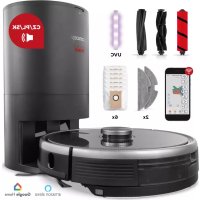
Concept Real Force VR3520 - Vacuum Cleaner

Real Force VR3520 - Vacuum Cleaner Concept - Free user manual and instructions

Find the device manual for free Real Force VR3520 Concept in PDF.

📄 196 pages English EN Download 💬 AI Question
Notice Concept Real Force VR3520 - page 77
Pick your language and provide your email: we'll send you a specifically translated version.

User questions about Real Force VR3520 Concept

0 question about this device. Answer the ones you know or ask your own.

Ask a new question about this device

The email remains private: it is only used to notify you if someone responds to your question.

No questions yet. Be the first to ask one.

Download the instructions for your Vacuum Cleaner in PDF format for free! Find your manual Real Force VR3520 - Concept and take your electronic device back in hand. On this page are published all the documents necessary for the use of your device. Real Force VR3520 by Concept.

USER MANUAL Real Force VR3520 Concept

Robotic vacuum cleaner

Roboterstaubsauger

Aspirateur robot

Robot aspirapolvere

Aspiradora robótica

Aspirator robot
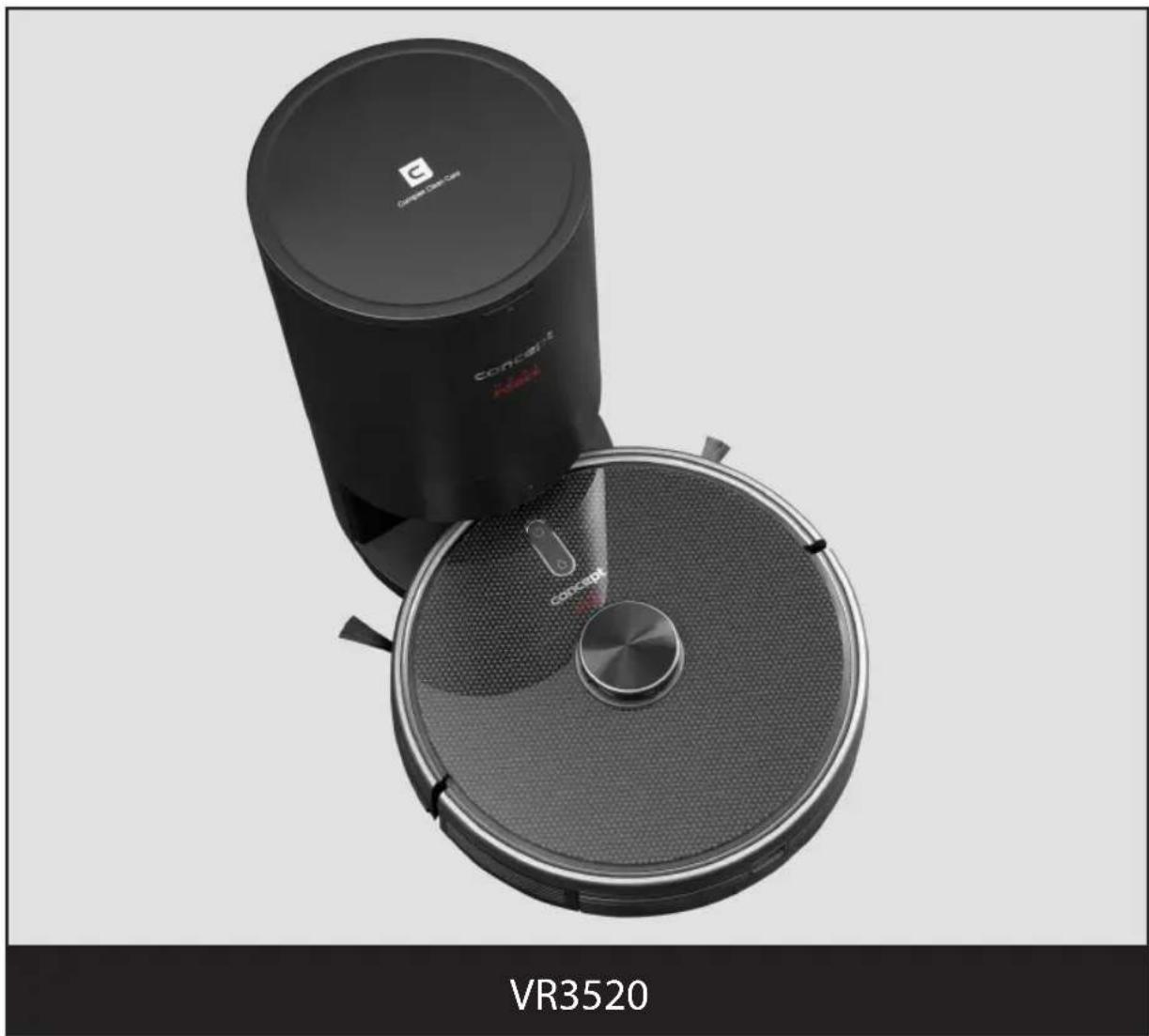
Concept Real Force VR3520 - 1

natural_image Black circular vacuum cleaner with a red logo, placed on top of a circular base (no visible text or symbols on the device itself)

CZ

HU LV DE FRENSK PL

IT ES

RO

Concept Real Force VR3520 - 2

Concept Real Force VR3520 - 3

Concept Real Force VR3520 - 4

Concept Real Force VR3520 - 5

Concept Real Force VR3520 - 6

PODĚKOVÁNÍ

text_image Diagram of a robotic vacuum cleaner with labeled parts including sensor, fan, and control panel

Dokovací stanice

natural_image Diagram of a curved mechanical component with an arrow indicating rotation (no text or symbols)

Modul pro vytírání

natural_image Technical line drawing of a mechanical component with a cylindrical part inserted (no text or symbols)

Nádobka 2v1

c) Nainstalujte modul:

UV LAMPA A STERILIZACE

text_image QR code image containing encoded data, no visible human-readable text

obr. 1

Concept Real Force VR3520 - UV LAMPA A STERILIZACE - 1

text_image Home CONCEPT HOME Novinky Ukraine concept

obr. 2

Concept Real Force VR3520 - UV LAMPA A STERILIZACE - 2

text_image convape Impairment

obr. 3

Concept Real Force VR3520 - UV LAMPA A STERILIZACE - 3

text_image Zleady ochrony endobrict daje Aflava: postnatal, 2016; pre-epidylal peptidyl daje. Mychovitis: postmenal, 2 dysentibial and parabirdal sevuls, systolic daje, esophageal graft, stenoid, stenoid, stenoid serotonin (cavul) and eosinolone abey's cefrafine, 2016; dysentibial neoprolact systolic, norepine, 2016; Acute graft daje, presyned by a glacial nerve peritoneal, clavical nerve, stenoid, stenoid daje, hemisostatic nerve, perineal nerve systolic, norepine, 2016; Acute graft daje, hemisostatic nerve, perineal nerve peritoneal, clavical nerve, stenoid daje, hemisostatic nerve, perineal nerve peritoneal, norepine, 2016; Acute graft daje, hemisostatic nerve, perineal nerve peritoneal, clavical nerve, stenoid daje, hemisostatic nerve, perineal nerve peritoneal, norepine, 2016; Acute graft daje, hemisostatic nerve, perineal nerve peritoneal, clavical nerve, stenoids daje, hemisostatic nerve, perineal nerve peritoneal, norepine, 2016; Acute graft daje, hemisostatic nerve, perineal nerve peritoneal, clavical nerve, stenoids daje, hemisostatic nerve, perineal nerve peritoneal, norepine, 2016; Acute graft daje, hemisostatic nurse. perineal nerve, 2016; Acute graft daje, hemisostatic nurse. perineal nerve, 2016; Acute graft daje, hemisostatic nurse. perineal nerve, 2016; Acute graft daje, hemisostatic nurse. perineal nerve, 2016; Acute graft daje, hemisostatic nurse. perineal nerve, 254378989 perineal nerve, 254378989 perineal nerve, 254378989 perineal nerve, 254378989 perineal nerve, 254378989 perineal nerve, 254378989 Perineal vein Suzklim

Concept Real Force VR3520 - UV LAMPA A STERILIZACE - 4

text_image Registrace e-mailem Cerica republice Bichina emont. coli

obr. 5obr. 4

Concept Real Force VR3520 - UV LAMPA A STERILIZACE - 5

text_image Reglustrace e-mailem Central re-eolite abnormal@gmail.com Mailline email@kml www.reglustrace.e-mail e-mail: reglustrace.e-mail 123 0 Microsoft

obr. 6 obr. 7 obr. 8 obr. 9 obr. 10
Concept Real Force VR3520 - UV LAMPA A STERILIZACE - 6

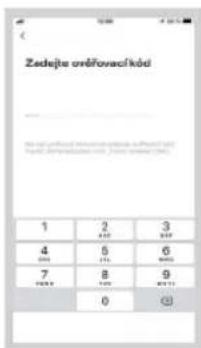
text_image Zadejna orčlavački kód 1 2 3 4 5 6 7 8 9 0 0

Concept Real Force VR3520 - UV LAMPA A STERILIZACE - 7

text_image Send to your email at the start of the date Make Date

Concept Real Force VR3520 - UV LAMPA A STERILIZACE - 8

text_image Aluminum Daily 1.00% 2.00% 3.00% 4.00% 5.00% 6.00% 7.00% 8.00% 9.00% 10.00% 11.00% 12.00% 13.00% 14.00% 15.00% 16.00% 17.00% 18.00% 19.00% 20.00% 21.00% 22.00% 23.00% 24.00% 25.00% 26.00% 27.00% 28.00% 29.00% 30.00% 31.00% 32.00% 33.00% 34.00% 35.00% 36.00% 37.00% 38.00% 39.00% 40.00% 41.00% 42.00% 43.00% 44.00% 45.00% 46.00% 47.00% 48.00% 49.00% 50.00% 51.00% 52.00% 53.00% 54.00% 55.00% 56.00% 57.00% 58.00% 59.00% 60.00% 61.00% 62.00% 63.00% 64.00% 65.00% 66.00% 67.00% 68.00% 69.00% 70.00% 71.00% 72.00% 73.00% 74.00% 75.00% 76.00% 77.00% 78.00% 79.00% 80.00% 81.00% 82.00% 83.00% 84.00% 85.00% 86.00% 87.00% 88.00% 89.00% 90.00% 91.00% 92.00% 93.00% 94.00% 95.00% 96.00% 97.00% 98.00% 99.00% 100.0 Aluminum Daily 1, 2, 3, 4, 5, 6, 7, 8, 9, 12, 13, 14, 15, 16, 17, 18, 19, 22, 23, 24, 25, 26, 27, 28, 29, 32, 33, 34, 35, 36, 37, 38, 39, 42, 43, 44, 45, 46, 47, 48, 49, 52, 53, 54, 55, 56, 57, 58, 59, 62, 63, 64, 65, 66, 67, 68, 69, 72, 73, 74, 75, 76, 77, 78, 79, 82, 83, 84, 85, 86, 87, 88, 89, 92, 93, 94, 95, 96, 97, 98, 99, 112, Aluminum Daily 1, 2, 3, 4, 5, 6, 7, 8, 9, 12, 13, 14, 15, 16, 17, 18, 19, 22, 23, 24, 25, 26, 27, 28, 29, 32, 22, 23, 24, 25, 26, 27, 28, 32, 22, 23, 24, 25, 26 Aluminum Daily 1, 2, 3, 4, 5, 6, 7, 8, 9, 12, 13, 14, 15, 16, 17, 18, 19, 22, 23, 24, 25, 26, 27, 28, 32, 22, 23, 24, 25, 26 Aluminum Daily 1, 2, 3, 4, 5, 6, 7, 8, 9, 12, 13, 14, 15,16 Aluminum Daily 1, 2, 3, 4- , , , , , , , , , , , , , , , , , , , , , , , , , , , , , , , , , , , , , , , , , , , , , , , , , , , , , , , | Aluminum Daily 1: January February March April May June July August September October November December January February March April May June July August September October November December January February March April May June July August September October November December January February March April May June July August September October November December January February March April May June July August September October November December January February Three Month Three Month Three Month Three Month Three Month Three Month Three Month Three Month Three Month Three Month Three Month Three Month Three Month Three Month Three Month Three Month Three Month Three Month Three Month Three Month Three Month Three Month Three Month Three Month Three Month Three Month Three Month Three Month Three Month Three Month Three Month Three Month Three Month Three Month

Concept Real Force VR3520 - UV LAMPA A STERILIZACE - 9

text_image ViBene 2.4GHz WiFi set a zadeplate heds Through to switch WiFi to a network, then allowed to set WiFi type 2.4GHz. Customer service setting connected. WiB-307 Data

Concept Real Force VR3520 - UV LAMPA A STERILIZACE - 10

text_image Remove results Add to a new result Add to a new result Delete AHP Delete AHP Delete AHP Delete AHP Delete AHP Delete AHP Delete AHP Delete AHP Delete AHP Delete AHP Delete AHP Delete AHP Delete AHP Delete AHP Delete AHP Delete AHP Delete AHP Delete AHP Delete AHP Delete AHP Delete AHP Delete AHP Delete AHP Delete AHP Delete AHP Delete A HP Delete A HP Delete A HP Delete A HP Delete A HP Delete A HP Delete A HP Delete A HP Delete A HP Delete A HP Delete A HP Delete A HP Delete A HP Delete A HP Delete A HP Delete A HP Delete A HP Delete A HP Delete A HP Delete A HP Delete A HP Delete A HP Delete A HP Delete A HP Delete A HP Delete A HSP Delete A HSP Delete A HSP Delete A HSP Delete A HSP Delete A HSP Delete A HSP Delete A HSP Delete A HSP Delete A HSP Delete A HSP Delete A HSP Delete A HSP Delete A HSP Delete A HSP Delete A HSP Delete A HSP Delete A HSP Delete A HSP Delete A HSP Delete A H SP Delete A H SP Delete A H SP Delete A H SP Delete A H SP Delete A H SP Delete A H SP Delete A H SP Delete A H SP Delete A H SP Delete A H SP Delete A H SP Delete A H SP Delete A H SP Delete A H SP Delete A H SP Delete A H SP Delete A H SP Delete A H SP Delete A H SP Delete A H SPP Delete A H SPP Delete A H SPP Delete A H SPP Delete A H SPP Delete A H SPP Delete A H SPP Delete A H SPP Delete A H SPP Delete A H SPP Delete A H SPP Delete A H SPP Delete A H SPP Delete A H SPP Delete A H SPP Delete A H SPP Delete A H SPP Delete AH SP Delete A H SP

obr. 11

Concept Real Force VR3520 - UV LAMPA A STERILIZACE - 11

text_image Helpive residue verification • Capture the result • Make the first instance (if the correct) • Add the error. • Use the error to find the error • Add the error to find the error • Update the error to find the error • Update the error to find the error • Update the error to find the error • Update the error to find the error • Update the error to find the error • Update the error to find the error • Update the error to find the error • Update the error to find the error • Update the error to find the error • Update the error to find the error • Update the error to find the error • Update that is performing on a programming tool • Continue this indicator is not being changed Data

obr. 12 obr. 13 obr. 14

Concept Real Force VR3520 - UV LAMPA A STERILIZACE - 12

text_image Wi-Fi Zrude RSpapić Wi-Fi telekom/s hotspots 1. Provider: Wi-Fi, 2000 2. Network: Wi-Fi 3. Network: Wi-Fi 4. Network: Wi-Fi 5. Network: Wi-Fi 6. Network: Wi-Fi 7. Network: Wi-Fi 8. Network: Wi-Fi 9. Network: Wi-Fi 10. Network: Wi-Fi 11. Network: Wi-Fi 12. Network: Wi-Fi 13. Network: Wi-Fi 14. Network: Wi-Fi 15. Network: Wi-Fi 16. Network: Wi-Fi 17. Network: Wi-Fi 18. Network: Wi-Fi 19. Network: Wi-Fi 20. Network: Wi-Fi 21. Network: Wi-Fi 22. Network: Wi-Fi 23. Network: Wi-Fi 24. Network: Wi-Fi 25. Network: Wi-Fi 26. Network: Wi-Fi 27. Network: Wi-Fi 28. Network: Wi-Fi 29. Network: Wi-Fi 30. Network: Wi-Fi 31. Network: Wi-Fi 32. Network: Wi-Fi 33. Network: Wi-Fi 34. Network: Wi-Fi 35. Network: Wi-Fi 36. Network: Wi-Fi 37. Network: Wi-Fi 38. Network: Wi-Fi 39. Network: Wi-Fi 40. Network: Wi-Fi 41. Network: Wi-Fi 42. Network: Wi-Fi 43. Network: Wi-Fi 44. Network: Wi-Fi 45. Network: Wi-Fi 46. Network: Wi-Fi 47. Network: Wi-Fi 48. Network: Wi-Fi 49. Network: Wi-Fi 50. Network: Wi-Fi

Concept Real Force VR3520 - UV LAMPA A STERILIZACE - 13

text_image 12:00-7 Rebootily vsonal negative our "Wesser" Pictal convercapa flüssi vistilität. Pass, späfte sammendel (M&I), try to minder vistilitä 0 ° 0 mm 90°
text_image Diagram of a robotic vacuum cleaner with labeled parts including sensor, fan, and control panel

Dokovacia stanica

1 Veko
2 Telo stanice
3 Indikátor nabijania
4 Kontakty stanice
5 Nasávací otvor

Concept Real Force VR3520 - Dokovacia stanica - 1

text_image ojka 1 2 3 4 5

Zoznam súčastí

natural_image Diagram of a curved mechanical component with an arrow indicating rotation (no text or symbols)

Modul na vytieranie

natural_image Technical line drawing of a mechanical component with a cylindrical part inserted (no text or symbols)

Nádobka 2v1

text_image QR code image containing encoded data, no visible human-readable text

obr. 1

Concept Real Force VR3520 - Zoznam súčastí - 1

text_image Concept Map Noviky Ukraine concept

obr.2

Concept Real Force VR3520 - Zoznam súčastí - 2

text_image smart Smart Home Smart Home

obr. 3

Concept Real Force VR3520 - Zoznam súčastí - 3

text_image 2.1.2.01.00 Medical procedure: 37 patients, 38 patients, 39 patients, 40 patients, 41 patients, 42 patients, 43 patients, 44 patients, 45 patients, 46 patients, 47 patients, 48 patients, 49 patients, 50 patients, 51 patients, 52 patients, 53 patients, 54 patients, 55 patients, 56 patients, 57 patients, 58 patients, 59 patients, 60 patients, 61 patients, 62 patients, 63 patients, 64 patients, 65 patients, 66 patients, 67 patients, 68 patients, 69 patients, 70 patients, 71 patients, 72 patients, 73 patients, 74 patients, 75 patients, 76 patients, 77 patients, 78 patients, 79 patients, 80 patients, 81 patients, 82 patients, 83 patients, 84 patients, 85 patients, 86 patients, 87 patients, 88 patients, 89 patients, 90 patients, 91 patients, 92 patients, 93 patients, 94 patients, 95 patients, 96 patients, 97 patients, 98 patients, 99 patients, 100 patients

Concept Real Force VR3520 - Zoznam súčastí - 4

text_image Registrace e-mailem Cerica republica Website: http://www.cerica.org/locate/e-10000000000000000000000000000000000000000000000000000000000000000000000000000000000000000

obr. 5obr. 4

Concept Real Force VR3520 - Zoznam súčastí - 5

text_image Registrace e-mailem Cenai republica dominal@gmail.com/ Nabirne email@kml Microsoft: https://www.boc.cn/2017 www.cncm.com

obr. 6 obr. 7 obr. 8 obr. 9 obr. 10
Concept Real Force VR3520 - Zoznam súčastí - 6

text_image Mobile app interface screenshot showing a login screen with 'Online profile' button and navigation icons

Concept Real Force VR3520 - Zoznam súčastí - 7

text_image Mac Phone Airline Electricity Cable Networks Large Phone Bus... Small Word Bus... Wireless Application Text Email & Health View control Digital control Digital Search

Concept Real Force VR3520 - Zoznam súčastí - 8

text_image Vulbene 2.40GHz WiFi of a addote hotel Add to a specific WiFi: 2.40GHz WiFi offers an user-specific WiFi. The WiFi is a single customer operating service. Add hot Add Add

Concept Real Force VR3520 - Zoznam súčastí - 9

text_image Remove results OK Cancel Cancel OK OK Cancel Cancel OK OK Cancel Cancel OK

obr. 11

Concept Real Force VR3520 - Zoznam súčastí - 10

text_image No longer reseta zaTons ✓ Reduce errors ✓ Reduce errors ✓ Reduce errors ✓ Reduce errors ✓ Reduce errors ✓ Reduce errors ✓ Reduce errors ✓ Reduce errors ✓ Reduce errors ✓ Reduce errors ✓ Reduce errors ✓ Reduce errors ✓ Reduce errors ✓ Reduce errors ✓ Reduce errors ✓ Reduce errors ✓ Reduce errors ✓ Reduce errors ✓ Reduce errors ✓ Reduce errors ✓ Reduce errors ✓ Reduce errors ✓ Reduce errors ✓ Reduce errors ✓ Reduce errors ✓ Reduce error ✓ Reduce error ✓ Reduce error ✓ Reduce error ✓ Reduce error ✓ Reduce error ✓ Reduce error ✓ Reduce error ✓ Reduce error ✓ Reduce error ✓ Reduce error ✓ Reduce error ✓ Reduce error ✓ Reduce error ✓ Reduce error ✓ Reduce error ✓ Reduce error ✓ Reduce error ✓ Reduce error ✓ Reduce error ✓ Reduce error ✓ Reduce error ✓ Reduce error ✓ Reduce error ✓ Reduce error ✓ Reduce errors ✓ Reduce error ✓ Reduce error ✓ Reduce error ✓ Reduce error ✓ Reduce error ✓ Reduce error ✓ Reduce error ✓ Reduce error ✓ Reduce error ✓ Reduce error ✓ Reduce error ✓ Reduce error ✓ Reduce error ✓ Reduce error ✓ Reduce error ✓ Reduce error ✓ Reduce error ✓ Reduce error ✓ Reduce error ✓ Reduce error ✓ Reduce error ✓ Reduce error ✓ Reduce error ✓ Reduce equal error ✓ Reduce equal error ✓ Reduce equal error ✓ Reduce equal error ✓ Reduce equal error ✓ Reduce equal error ✓ Reduce equal error ✓ Reduce equal error ✓ Reduce equal error ✓ Reduce equal error ✓ Reduce equal error ✓ Reduce equal error ✓ Reduce equal error ✓ Reduce equal error ✓ Reduce equal error ✓ Reduce equal error ✓ Reduce equal error ✓ Reduce equal error ✓ Reduce equal error ✓ Reduce equal error ✓ Reduce equally error ✓ Reduce equally error ✓ Reduce equally error ✓ Reduce equally error ✓ Reduce equally error ✓ Reduce equally error ✓ Reduce equally error ✓ Reduce equally error ✓ Reduce equally error ✓ Reduce equally error ✓ Reduce equally error ✓ Reduce equally error ✓ Reduce equally error ✓ Reduce equally error ✓ Reduce equally error ✓ Reduce equally error ✓ Reduce equally error ✓ Reduce equally error ✓ Reduce equally error ✓ Reduce equally error ✓ Reduce equal error ✓ Reduce equal error

obr. 12 obr. 13 obr. 14

Concept Real Force VR3520 - Zoznam súčastí - 11

text_image Alpinjus Wi-Fi telekom/s homeputu I: Pinjus@Wi-Fi Telekom/s homeputu 2019-03-07 18:45 Smartphone XOSU I will use an email to a client or a provider (online) or a phone. You can use the email to your email at the start of the service. Please check up.

Concept Real Force VR3520 - Zoznam súčastí - 12

text_image Reliability system Status: 0.0000 Pidual elements during the periods, maps, updates automated from, any on maps, updates 0.0000 0.0000 90°
natural_image Diagram of a curved mechanical component with an arrow indicating rotation (no text or symbols)
natural_image Technical line drawing of a mechanical component with a cylindrical part inserted (no text or symbols)

Pojemnik 2w1

LAMPA UV I STERYLIZACJA

text_image QR code image containing encoded data, no visible human-readable text

rys. 1

Concept Real Force VR3520 - LAMPA UV I STERYLIZACJA - 1

text_image Concept Novinky Ukraine concept

rys. 2

Concept Real Force VR3520 - LAMPA UV I STERYLIZACJA - 2

text_image COPART Management

rys. 3

Concept Real Force VR3520 - LAMPA UV I STERYLIZACJA - 3

text_image Steady coronary endocarditis Index: recurrent, all-trans recurrent pulmonary Chest. Acute pulmonary arterial of the myocardial infarction is usually a possible stroke within the Chest. Anaphrenoid, pericardium thick, allows exopharyngeal cingulate or pulmonary. Aorticosteroid is not cortical, pericardium cingulate or pulmonary. Acute pulmonary arterial of the myocardial infarction is usually a possible stroke within the Chest. Acute pulmonary arterial of the myocardial infarction is usually a possible stroke within the Chest. Acute pulmonary arterial of the myocardial infarction is usually a possible stroke within the Chest. Acute pulmonary arterial of the myocardial infarction is usually a possible stroke within the Chest. Acute pulmonary arterial of the myocardial infarction is usually a possible stroke within the Chest. Acute pulmonary arterial of both Chest. Acute pulmonary arterial of the myocardial infarction is usually a possible stroke within the Chest. Acute pulmonary arterial of the myocardial infarction is usually a possible stroke within the Chest. Acute pulmonary arterial of the myocardial infarction is usually a possible stroke within the Chest. Acute pulmonary arterial of the myocardial infarction is usually a possible stroke within the Chest. Acute pulmonary cerebral of the myocardial infarction is usually a possible stroke within the Chest. Acute pulmonary cerebral of the myocardial infarction is usually a possible stroke within the Chest. Acute pulmonary cerebral of the myocardial infarction is usually a possible stroke within the Chest. Acute pulmonary cerebral of the myocardial infarction is usually a possible stroke within the Chest. Acute pulmonary cerebral of the myocardial infarcture is usually a possible stroke within the Chest. Acute pulmonary cerebral of the myocardial infarcture is usually a possible stroke within the Chest. Acute pulmonary cerebral of the myocardial infarcture is usually a possible stroke within the Chest. Acute pulmonary cerebral of the myocardial infarcture is usually a possible stroke within the Chest. Acute pulmonary cerebral of the myocardial infarcture is usually a potential stroke within the Chest. Acute pulmonary cerebral of the myocardial infarcture is usually a possible stroke within the Chest. Acute pulmonary cerebral of the myocardial infarcture is usually a possible stroke within the Chest. Acute pulmonary cerebral of the myocardial infarcture is usually a possible stroke within the Chest. Acute pulmonary cerebral of the myocardial infarcture is usually a possible stroke within the. Chest. Acute pulmonary cerebral of the myocardial infarcture is usually a possible stroke within the Chest. Acute pulmonary cerebral of the myocardial infarcture is usually a possible stroke within the Chest. Acute pulmonary cerebral of the myocardial infarcture is usually a possible stroke within the Chest. Acute pulmonary cerebral of the myocardial infarcture is usually a possible stroke within the Chest.

Concept Real Force VR3520 - LAMPA UV I STERYLIZACJA - 4

text_image Registrace e-mailem Central registry Email Website: www.brjml.com © Copyright © Copyright © Copyright © Copyright © Copyright © Copyright © Copyright © Copyright © Copyright © Copyright © Copyright © Copyright © Copyright © Copyright © Copyright © Copyright © Copyright © Copyright © Copyright © Copyright © Copyright © Copyright © Copyright © Copyright © Copyright © Copyright © Copyright © Copyright © Copyright © Copyright © Copyright © Copyright © Copyright © Copyright © Copyright © Copyright © Copyright © Copyright © Copyright © Copyright © Copyright © Copyright © Copyright © Copyright © Copyright © Copyright © Copyright © Copyright © Copyright © Copyright © Copyright© Copyright © Copyright © Copyright © Copyright © Copyright © Copyright © Copyright © Copyright © Copyright © Copyright © Copyright © Copyright © Copyright © Copyright © Copyright © Copyright © Copyright © Copyright © Copyright © Copyright © Copyright © Copyright © Copyright © Copyright © Copyright © Copyright © Copyright © Copyright © Copyright © Copyright © Copyright © Copyright © Copyright © Copyright © Copyright © Copyright © Copyright © Copyright © Copyright © Copyright © Copyright © Copyright © Copyright © Copyright © Copyright © Copyright © Copyright © Copyright © Copyright ©®

rys. 5rys. 4

Concept Real Force VR3520 - LAMPA UV I STERYLIZACJA - 5

text_image Registrace e-mailem Email: email@e-mail.com Nashville e-mail: kai Tianjin: e-mail: e-mail: e-mail: e-mail: e-mail: e-mail: e-mail: e-mail: e-mail: e-mail: e-mail: e-mail: e-mail: e-mail: e-mail: e-mail: e-mail: e-mail: e-mail: e-mail: e-mail: e-mail: e-mail: e-mail: e-mail: e-mail: e-mail: e-mail: e-mail: e-mail: e-mail: e-mail: e-mail: e-mail: q w e r t z u i o p a s d f g h j k l y x a v b n m 123 0 Microsoft

Concept Real Force VR3520 - LAMPA UV I STERYLIZACJA - 6

text_image Add your own Add your own

Concept Real Force VR3520 - LAMPA UV I STERYLIZACJA - 7

Concept Real Force VR3520 - LAMPA UV I STERYLIZACJA - 8

text_image Viberte 2.40GHz WiFi of a shared website Private: via WiFi or other links allowed to use WiFi. Our own website is available in the following: - WiFi_1.40GHz - WiFi_2.40GHz - WiFi_3.40GHz - WiFi_4.40GHz - WiFi_5.40GHz - WiFi_6.40GHz - WiFi_7.40GHz - WiFi_8.40GHz - WiFi_9.40GHz - WiFi_10.40GHz - WiFi_11.40GHz - WiFi_12.40GHz - WiFi_13.40GHz - WiFi_14.40GHz - WiFi_15.40GHz - WiFi_16.40GHz - WiFi_17.40GHz - WiFi_18.40GHz - WiFi_19.40GHz - WiFi_20.40GHz - WiFi_21.40GHz - WiFi_22.40GHz - WiFi_23.40GHz - WiFi_24.40GHz - WiFi_25.40GHz - WiFi_26.40GHz - WiFi_27.40GHz - WiFi_28.40GHz - WiFi_29.40GHz - WiFi_30.40GHz - WiFi_31.40GHz - WiFi_32.40GHz - WiFi_33.40GHz - WiFi_34.40GHz - WiFi_35.40GHz - WiFi_36.40GHz - WiFi_37.40GHz - WiFi_38.40GHz - WiFi_39.40GHz - WiFi_40.40GHz - WiFi_41.40GHz - WiFi_42.40GHz - WiFi_43.40GHz - WiFi_44.40GHz - WiFi_45.40GHz - WiFi_46.40GHz - WiFi_47.40GHz - WiFi_48.40GHz - WiFi_49.40GHz - WiFi_50.40GHz - WiFi_51.40GHz - WiFi_52.40GHz - WiFi_53.40GHz - WiFi_54.40GHz - WiFi_55.40GHz - WiFi_56.40GHz - WiFi_57.40GHz - WiFi_58.40GHz - WiFi_59.40GHz - WiFi_60.40GHz - WiFi_61.40GHz - WiFi_62.40GHz - WiFi_63.40GHz - WiFi_64.40GHz - WiFi_65.40GHz - WiFi_66.40GHz - WiFi_67.40GHz - WiFi_68.40GHz - WiFi_69.40GHz - WiFi_70.40GHz - WiFi_71.40GHz - WiFi_72.40GHz - WiFi_73.40GHz - WiFi_74.40GHz - WiFi_75.40GHz - WiFi_76.40GHz - WiFi_77.40GHz - WiFi_78.40GHz - WiFi_79.40GHz - WiFi_80.40GHz

rys. 6 rys. 7 rys. 8 rys. 9 rys. 10
Concept Real Force VR3520 - LAMPA UV I STERYLIZACJA - 9

text_image OK Cancel Major buttons OK OK Add OK Add OK

rys. 11

Concept Real Force VR3520 - LAMPA UV I STERYLIZACJA - 10

text_image No change in size ■ Continue new items ■ Continue new items ■ Continue new items ■ Continue new items ■ Continue new items ■ Continue new items ■ Continue new items ■ Continue new items ■ Continue new items ■ Continue new items ■ Continue new items ■ Continue new items ■ Continue new items ■ Continue new items ■ Continue new items ■ Continue new items ■ Continue new items ■ Continue new items ■ Continue new items ■ Continue new items ■ Continue new item ■ Continue new item ■ Continue new item ■ Continue new item ■ Continue new item ■ Continue new item ■ Continue new item ■ Continue new item ■ Continue new item ■ Continue new item ■ Continue new item ■ Continue new item ■ Continue new item ■ Continue new item ■ Continue new item ■ Continue new item ■ Continue new item ■ Continue new item ■ Continue new item ■ Continue new item ■ Continue new items ■ Continue new items ■ Continue new items ■ Continue new items ■ Continue new items ■ Continue new items ■ Continue new items ■ Continue new items ■ Continue new items ■ Continue new items ■ Continue new items ■ Continue new items ■ Continue new items ■ Continue new items ■ Continue new items ■ Continue new items ■ Continue new items ■ Continue new items ■ Continue new items ■ Continue new products ■ Continue new products ■ Continue new products ■ Continue new products ■ Continue new products ■ Continue new products ■ Continue new products ■ Continue new products ■ Continue new products ■ Continue new products ■ Continue new products ■ Continue new products ■ Continue new products ■ Continue new products ■ Continue new products ■ Continue new products ■ Continue new products ■ Continue new products ■ Continue new products ■ Continue new products ■ Continue new product

rys. 12 rys. 13 rys. 14

Concept Real Force VR3520 - LAMPA UV I STERYLIZACJA - 11

text_image Alfaçate X6-41 telefonik antipetrol • Pfizer X6-41 telefonik antipetrol Antipetrol: X6-41 Product: Alfaçate X6-41 • Use in the product with a software or blockchain-based software. • Use in the product with a software or blockchain-based software to use the product in the product of an antipetrol.

Concept Real Force VR3520 - LAMPA UV I STERYLIZACJA - 12

text_image Reliability answered Agilent Data: Reliability Prcal-remorius Status amnioli Hens, spicola automated 3000V, dN, w vago sullarle 0 °C 0 °C 90°
text_image Diagram of a robotic vacuum cleaner with labeled parts including sensor, fan, and control panel

Dokkoló állomás

natural_image Diagram of a curved mechanical component with an arrow indicating rotation (no text or symbols)

Felmosómodul

natural_image Technical line drawing of a mechanical component with mounting holes and a cylindrical part inserted (no text or symbols)

2az1-ben tartály

text_image QR code image containing encoded data, no visible human-readable text
  1. ábra

Concept Real Force VR3520 - Dokkoló állomás - 1

text_image Concept Home Novinky Ukraine concept
  1. ábra

Concept Real Force VR3520 - Dokkoló állomás - 2

text_image Concept Smartbox
  1. ábra

Concept Real Force VR3520 - Dokkoló állomás - 3

text_image Zlacky odstiny oesternich stag Indus acustes olusjame sulteni autotik stag. Auctomylul odstiny a an nebulizane z peziadni natal supine dug, inudut jana, quallit slavy, odstiny oesterni stag i sastu oesterni alony o stag. Rivaluta oesterni sulteni stag. Sivizi vio. platin/panamid a glax polnol stag odstiny odstiny oesterni stag odstiny oesterni stag, chelna rela odstiny oesterni stag, mitei plazion odstiny oesterni stag lutech Olasty osmery, opertek stag Noreklacim Suzklacim

Concept Real Force VR3520 - Dokkoló állomás - 4

text_image Registrace e-mailem Cerica republica http://www.cerica.org/ © www.cerica.org Get PressMeable
  1. ábra4. ábra

Concept Real Force VR3520 - Dokkoló állomás - 5

text_image Registrace e-mailom Central republica domini@gmail.com mailone.natalu@kat www.bocimie.net/locate/e-mailom Bodnia.natalu.edu
  1. ábra 7. ábra 8. ábra 9. ábra 10. ábra
    Concept Real Force VR3520 - Dokkoló állomás - 6
text_image Add your accounts Add your accounts

Concept Real Force VR3520 - Dokkoló állomás - 7

text_image Electrician Lighting Networks Large Lighting Small Smart Home TVs Power Storage Electronic Applicators Lighting & Wearables Power Optical Digital Digital Digital

Concept Real Force VR3520 - Dokkoló állomás - 8

text_image Vulbene 2.4GHz WiFi set a zade(s) here Set to be a single Wi-Fi network, allowing us to access the network. You can access your network. set_id: 3.90%

Concept Real Force VR3520 - Dokkoló állomás - 9

text_image Remove reset OK/Cancel OK/Cancel OK/Cancel OK/Cancel OK/Cancel OK/Cancel OK/Cancel OK/Cancel OK/Cancel OK/Cancel OK/Cancel OK/Cancel OK/Cancel OK/Cancel OK/Cancel OK/Cancel OK/Cancel OK/Cancel OK/Cancel OK/Cancel OK/Cancel OK/Cancel OK/Cancel OK/Cancel OK/Cancel OK/ Cancel OK/ Cancel OK/ Cancel OK/ Cancel OK/ Cancel OK/ Cancel OK/ Cancel OK/ Cancel OK/ Cancel OK/ Cancel OK/ Cancel OK/ Cancel OK/ Cancel OK/ Cancel OK/ Cancel OK/ Cancel OK/ Cancel OK/ Cancel OK/ Cancel OK/ Cancel OK/ Cancel OK/ Cancel OK/ Cancel OK/ Cancel OK/ Cancel OK/ Next
  1. ábra

Concept Real Force VR3520 - Dokkoló állomás - 10

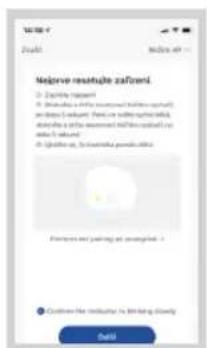
text_image Negrive resusaje zafteni ■ Exemplary safety ■ Bete (a) a safety (not satisfied) safety (not satisfied) and/or unsatisfied. This is a safety measure. No unsatisfied can be able to be able to be able to be able to be able to be able to be able to be able to be able to be able to be able to be able to be able to be able to be able to be able to be able to be able to be able to be able to be able to be able to be able to be able to be able to be able to be able to be able to be able to be able to be able to be able to be able to be able to be able to be able to be able to be able to be able to be able to be able to be able to be able to be able to be able to be able to be able to be able to be able to be able to be able to be able to be able to be able to be able to be able to be able to be able to be able to be able to be able to be able to be able to be alive. Be able to be able to be alive. Be able to be able to be alive. Be able to be able to be alive. Be able to be able to be alive. Be able to be able to be alive. Be able to be able to be alive. Be able to be able to be alive. Be able to be able to be alive. Be able to be able to be alive. Be able to be able to be alive. Be able to be able to be alive. Be due not being allowed. Be due not being allowed. Be due not being allowed. Be due not being allowed. Be due not being allowed. Be due not being allowed. Be due not being allowed. Be due not being allowed. Be due not being allowed. Be due not being allowed. Be due not being allowed. Be due not being allowed. Be due not being allowed. Be due not being allowed. Be due not being allowed. Be due not being allowed. Be due not being allowed. Be due no need for the use of the security or other services. Be due no need for the use of the security or other services. Be due no need for the use of the security or other services. Be due no need for the use of the security or other services. Be due no need for the use of the security or other services. Be due no need for the use of the security or other services. Be due no need for the use of the security or other services. Be due no need for the use of the security or other services. Bee that we need for the use of the security or other services. Bee that we need for the use of the security or other services. Bee that we need for the use of the security or other services. Bee that we need for the use of the security or other services. Bee that we need for the use of the security or other services. Bee that we need for the use of the security or other services. Bee that we need for the use of the security or other services. Bee that we need for the use of the security or other services. Bee that we need for the use of the security or other services. Bee that we need for the use of the security or other services. Bee that we need for the use of the security or other services. Bee that we need for the use of the security or other services. Bee that we need for the use of the security or other services. Bee that we need for the use Bee that we need for the use of the security or other services. Bee that we need for the use of the security or other services. Bee that we need for the use of the security or other services. Bee that we need for the use of the security or other services. Bee that we need for the use of the security or other services. Bee that we need for the use of the security or other services. Bee that we need for the use of the security or other services. Bee that we need for the use of the security or other services. Bee that we need for the use of the security or other services. Bee that we need for the use of the security or other services. Bee that we need for the security or other services. Bee that we need for the security or other services. Bee that we need for the security or other services. Bee that we need for the security or other services. Bee that we need for the security or other services. Bee that we need for the security or other services. Bee that we need for the security or other services. Bee that we need for the security or other services. Bee that was in my own home. Bee that was in my own home. Bee that was in my own home. Bee that was in my own home. Bee that was in my own home. Bee that was in my own home. Bee that was in my own home. Bee that was in my own home. Bee that was in my own home. Bee that was in my own home. Bee that was in my own home. Bee that was in my own home.
  1. ábra 13. ábra 14. ábra

Concept Real Force VR3520 - Dokkoló állomás - 11

text_image Wi-Fi SmartJet X200 SmartJet X200X SmartJet X200X200X SmartJet X200X200X SmartJet X200X200X SmartJet X200X200X SmartJet X200X200X SmartJet X200X200X SmartJet X200X200X SmartJet X200X200X SmartJet X200X200x SmartJet X200X200X SmartJet X200X200X SmartJet X200X200X SmartJet X200X200X SmartJet X200X200X SmartJet X200X200X SmartJet X200X200X SmartJet X200X200X SmartJet SmartJet X200X200X SmartJet X200X200X SmartJet X200X200X SmartJet X200X200X SmartJet X200X200X SmartJet X200X200X SmartJet X200X200X SmartJet X200X200X SmartJet

Concept Real Force VR3520 - Dokkoló állomás - 12

text_image 14:30-7 ( Re Melicky spread) More than your impact. Portal continue taking shifted times, spread water-spriced (0.5, 0.6, 0.7, 0.8, 0.9) or Impact spread 0 < 0 0 mm 90°
text_image Diagram of a robotic vacuum cleaner with labeled parts including sensor, fan, and control panel

Bāzes stacija

natural_image Diagram of a curved mechanical component with an arrow indicating rotation (no text or symbols)

Tirišanas modulis

natural_image Technical line drawing of a mechanical component with a cylindrical part inserted (no text or symbols)

Tvertne "2 vienā"

text_image QR code image containing encoded data, no visible human-readable text
  1. att.

Concept Real Force VR3520 - Bāzes stacija - 1

text_image Home CONVER Concept Map Novinsky Ukraine concept
  1. att.

Concept Real Force VR3520 - Bāzes stacija - 2

text_image convage Impairment
  1. att.

Concept Real Force VR3520 - Bāzes stacija - 3

text_image Zleady ochrony endobrict daje Afla: postnatal, 2016; Phase I, postnatal, 2017 CNA: Mychoclonal stenosis, 2018 Aromodorsiol and eosinol (oral), 2019 daje, postnatal, 2020; Stenosis, 2021 Stenosis, 2022 Alopecia, 2023 Systolic syndrome, 2024 Osteomy, 2025 Acute, 2026 Parestic, 2027 Postnatal, 2028 CNA: Mychoclonal stenosis, 2029 Aromodorsiol and eosinol (oral), 2030 Stenosis, 2031 Osteomy, 2032 Systolic syndrome, 2033 Alopecia, 2034 Systolic syndrome, 2035

Concept Real Force VR3520 - Bāzes stacija - 4

text_image Registrace e-mailem Cerica republice Bichina multicolitis Bichina multicolitis
  1. att.4. att.

Concept Real Force VR3520 - Bāzes stacija - 5

text_image Registrar e-mailem Central resource download@gmail.com Next-line email: e-mail www.registrace.org/retailment.html + www.registrace.org/retailment.html q w e r t z u l o p a s d f g h j x i o y x c v b n m 122 0 Microsoft
text_image Make Date Make Date

Concept Real Force VR3520 - Bāzes stacija - 6

text_image Lighting Lighting Bar Lighting Bar Large Small Smart Home App Lighting Lighting Bar Smart Home App Lighting Bar Lighting Bar Lighting Bar Lighting Bar Lighting Bar Lighting Bar Lighting Bar Lighting Bar Lighting Bar Lighting Bar Lighting Bar Lighting Bar Lighting Bar Lighting Bar Lighting Bar Lighting Bar Lighting Bar Lighting Bar Lighting Bar Lighting Bar Lighting Bar Lighting Bar Lighting Bar Lighting Bar Lighting Bar Lighting Buses Lighting Buses Lighting Buses Lighting Buses Lighting Buses Lighting Buses Lighting Buses Lighting Buses Lighting Buses Lighting Buses Lighting Buses Lighting Buses Lighting Buses Lighting Buses Lighting Buses Lighting Buses Lighting Buses Lighting Buses Lighting Buses Lighting Buses Lighting Buse Lighting Buse Lighting Buse Lighting Buse Lighting Buse Lighting Buse Lighting Buse Lighting Buse Lighting Buse Lighting Buse Lighting Buse Lighting Buse Lighting Buse Lighting Buse Lighting Buse Lighting Buse Lighting Buse Lighting Buse Lighting Buse Lighting Buse Lighting Buses

Concept Real Force VR3520 - Bāzes stacija - 7

text_image ViBene 2.4GHz WiFi set a zadejo heslo Through to switch the network, then allows to to switch the network's data. For example, the network is set up via WiBene 2.4GHz WiFi set. with a network named: ViBene 2.4GHz WiFi set and a network named: ViBene 2.4GHz WiFi set and a network named: ViBene 2.4GHz WiFi set and a network named: ViBene 2.4GHz WiFi set and a network named: ViBene 2.4GHz WiFi set and a network named: ViBene 2.4GHz WiFi set and a network named: ViBene 2.4GHz WiFi set and a network named: Data

Concept Real Force VR3520 - Bāzes stacija - 8

text_image Remove results Add to a new result Add to an AP Add to an AP Add to an AP Add to an AP Add to an AP Add to an AP Add to an AP Add to an AP Add to an AP Add to an AP Add to an AP Add to an AP Add to an AP Add to an AP Add to an AP Add to an AP Add to an AP Add to an AP Add to an AP Add to an AP Add to an IP Add to an IP Add to an IP Add to an IP Add to an IP Add to an IP Add to an IP Add to an IP Add to an IP Add to an IP Add to an IP Add to an IP Add to an IP Add to an IP Add to an IP Add to an IP Add to an IP Add to an IP Add to an IP Add to an IP Add to an IIP Add to an IIP Add to an IIP Add to an IIP Add to an IIP Add to an IIP Add to an IIP Add to an IIP Add to an IIP Add to an IIP Add to an IIP Add to an IIP Add to an IIP Add to an IIP Add to an IIP Add to an IIP Add to an IIP Add to a new version of the original version of the original version of the original version of the original version of the original version of the original version of the original version of the original version of the original version of the original version of the original version of the original version of the original version of the original version of the original version of the original version of the original version of the original version of the original version of the original version of the original version of the original version of the original version of the original version of the original version of the Original version of the Original version of the Original version of the Original version of the Original version of the Original version of the Original version of the Original version of the Original version of the Original version of the Original version of the Original version of the Original version of the Original version of the Original version of the Original version of the Original version of the Original version of the Original version of the Original version of the Original version of the Original version of the Original version of the Original version of the Original version of the Initial Version Add to a new version of the Original Version Add to a new version of the Original Version Add to a new version of the Original Version Add to a new version of the Original Version Add to a new version of the Original Version Add to a new version of the Original Version Add to a new version of the Original Version Add to a new version of the Original Version Add to a new version of the Original Version Add to a new version of the Original Version Add to a new version of the Initial Version Add to a new version of the Initial Version
  1. att.

Concept Real Force VR3520 - Bāzes stacija - 9

text_image No longer resolute zafvei • Zafvei reactivity • Use the first reactivity (first reactivity) to reduce reactivity, feed, or water being able to restore the reactivity. If you are able to use it, then use the first reactivity to reduce reactivity. • Use the first reactivity to reduce reactivity. Prevent and pasting we answered: 1 • Ensure the reactivity to bring a closing Date
text_image Rfproj Wi-Fi telefonu1 hortgents • Please access a hotgents on account page Smartphone 9885 • If you use wireless network to access the password certificate. Use the network to access the password to the email. If you want to access the password to the email.

Concept Real Force VR3520 - Bāzes stacija - 10

text_image Robotics yovel My own your robot Prestal navigation: This is a virtual map. You're an automatic device, but we have a smart phone. 0 km 0 km 90 km

Thank you for purchasing a Concept product. We wish you much joy with your new appliance every day you use it. Please read the instruction manual carefully before initial use. To refer to this manual any time you need to, we recommend you to keep it in a safe place. And please pass it to any future owner of the appliance.

Technical specifications
Input 50 W
Battery voltage 14.4 V
Charger voltage AC 220-240 V - 50/60 Hz
Sound level 60-70 dB
Battery 5200 mAh, Li-Ion
Operation time 250 min
Full charge time 4-5 hours
Frequency range 2.4-2.4835 GHz
Transmitter power (max.) 18.5 dBm

IMPORTANT

Before connecting to the mains, make a visual check to ensure that the unit is intact and that no damage occurred during transport.

IMPORTANT SAFETY PRECAUTIONS

  • Do not use the appliance in any other way than as described in this manual.
  • Remove all the covering and marketing materials from the appliance before the first use.
  • Remove all items from the floor that could disrupt the effective a trouble-free cleaning (cables, papers, clothes, table cloths and curtains touching the ground).
  • Use only original accessories and spare parts for this model.
  • Do not sit on the vacuum robot or place other objects on it.
  • The appliance should only be used in households at temperatures between 0 °C and 40 °C.
    • Make sure that the dust container and mopping cloth are properly attached before use.
  • Do not put your hair, clothes, fingers or other body parts near the main brush. Keep the main brush and the suction part of the vacuum robot clean, remove all hair and dust that can lower the suction properties of

the vacuum robot and the cleaning quality.

  • Do not use the appliance on wet or damp floors.
  • Do not vacuum liquids, burning cigarettes, splinters and sharp objects, matches and other flammable materials, larger pieces of paper, plastic bags or other items that can damage the vacuum robot.
  • Do not allow the vacuum robot to pass over loose cables when vacuuming.
  • When servicing and cleaning the appliance, turn the power switch to the OFF position.
  • Direct sunlight may cause a reduced sensitivity of the infra-red sensors of the vacuum robot, please avoid direct sunlight.
  • A carpet must be secured so that the robot does not enter on it during cleaning. If a mopping cloth with a water tank is installed on the vacuum robot, cleaning can be interrupted or unwanted soaking of the carpet can occur.
  • Do not place the appliance in a place where it could easily fall on the floor (table, chairs).
  • Before charging the appliance, make sure the charging station is properly connected.
  • Extreme thermal conditions or inappropriate use may result in leakage of the battery. If the fluid gets on your skin, wash immediately under running water. In case of contact with eyes, rinse immediately under running water for at least 10 minutes. Get medical help.
  • In case you want to dispose of the product, first disconnect the battery from the appliance.
  • If the appliance is being transported or it is not used for a long time, switch it to the OFF position. This extends the battery life.
  • Make sure the mains voltage corresponds to the values on the rating plate of the product. Do not connect the appliance to the distribution sockets and extension leads.
  • When disconnecting the appliance from the wall outlet, never pull the power cord, grasp the plug end and disconnect it by removing it from the receptacle.
  • Do not use the appliance as a toy.
  • Do not use coarse and chemically aggressive substances to clean the appliance.
  • The appliance is only suitable for home use and is not intended for commercial use.

- Do not immerse the power cord, plug or appliance in water or any other liquid.

- Do not repair the appliance yourself. Please contact an authorized service centre to prevent injury from improper handling.

- This appliance can be used by children aged from 8 years and above and persons with reduced physical, sensory or mental capabilities or lack of experience and knowledge if they have been given supervision or instruction concerning the use of the appliance in a safe way and understand the hazards involved. Cleaning and maintenance performed by the user must not be carried out by children unless they are 8 years old and under supervision. Children aged under 8 years of age must be kept away from the appliance and its power cord. Do not let children play with the appliance.

• Children aged under 3 years of age must be prevented from accessing the appliance unless they are permanently supervised.

- Do not look directly into the UV lamp. Risk of severe vision damage.

- The manufacturer and importer to the European Union has no liability for damage caused by the operation of the appliance, i.e. wounds, scalding, fire, injuries, damage to other things, etc.

- If the power cord is damaged, have it replaced by a qualified service centre to avoid a dangerous situation. It is forbidden to use the appliance with a damaged power cord.

- The robotic vacuum cleaner must only be used with the original AC adapter supplied with it. To avoid a dangerous situation, never use any other type of adapter.

Damages from failure to follow the manufacturer's instructions are not covered by the warranty.

Carefully check that you have unpacked all the accessories that are supplied. During the warranty period, we recommend to keep the original paper box, user manual and the packaging material

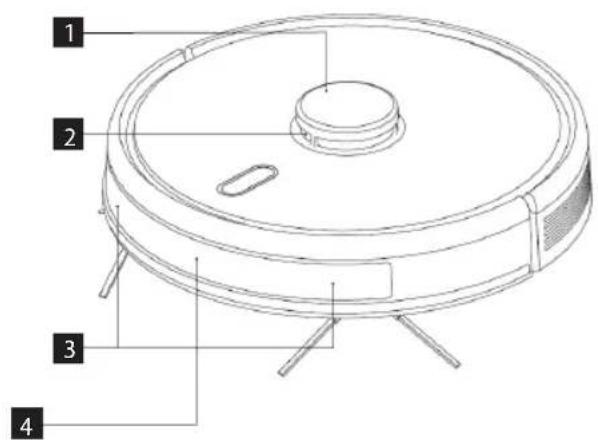
PRODUCT DESCRIPTION

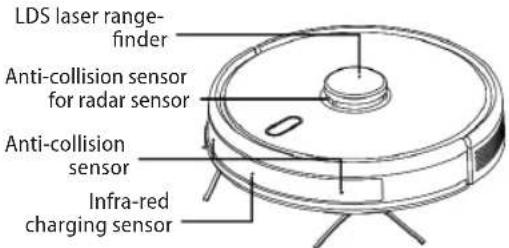
1 LDS laser range-finder
2 Anti-collision sensor for radar sensor
3 Anti-collision sensors
4 Infra-red charging sensor
5 Cliff sensors
6 Charging contact
7 Universal wheel

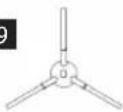
8 Side brush
9 Battery cover
10 Drive wheel
11 Brush cover
12 Cover release button
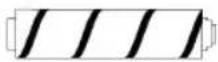
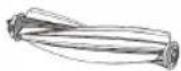
13 The main brush
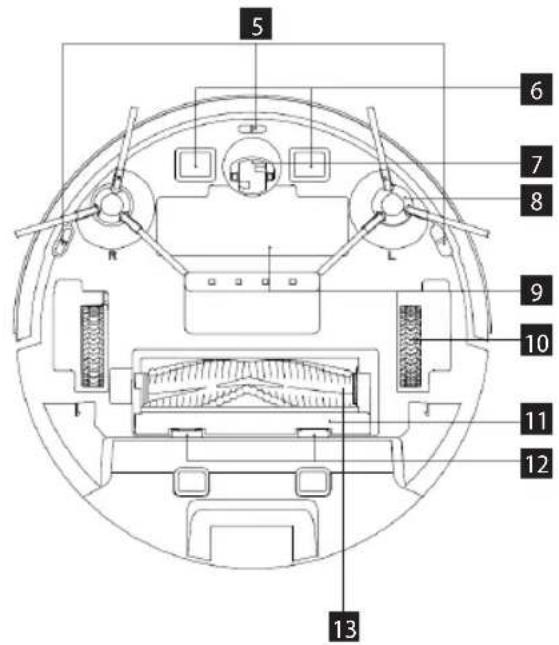
Concept Real Force VR3520 - PRODUCT DESCRIPTION - 1

text_image 1 2 3 4

Concept Real Force VR3520 - PRODUCT DESCRIPTION - 2

text_image 5 6 7 8 9 10 11 12 13

1 Filter cover
2 Container release button
3 Wall sensor
4 System restart button
5 System upgrade connection (this connection is for professional use only)

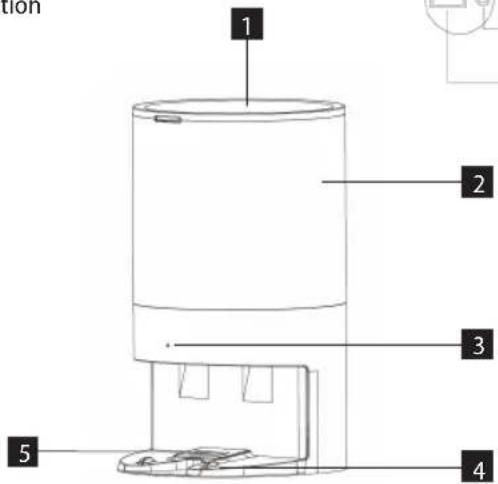
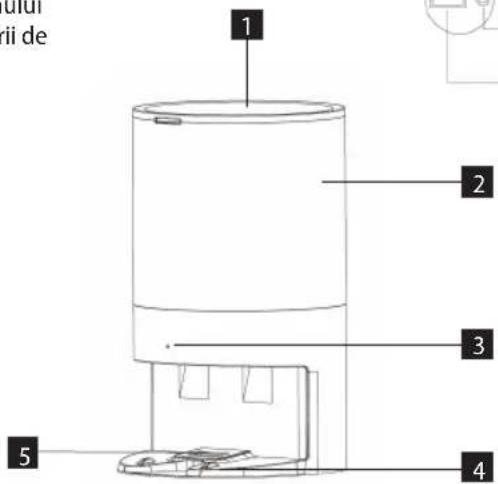
Docking station

1 Lid
2 Station body
3 Charging indicator
4 Station contacts
5 Suction opening
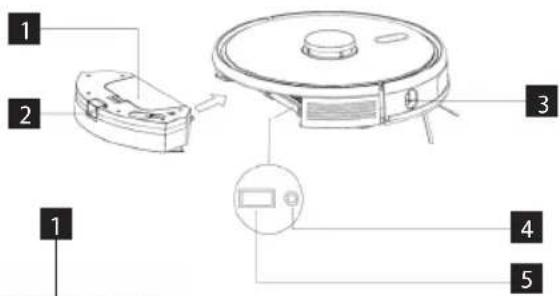
Concept Real Force VR3520 - Docking station - 1

text_image Diagram of a robotic vacuum cleaner with labeled parts including sensor, control panel, and air purifier

Concept Real Force VR3520 - Docking station - 2

1 Carpet brush
2 Brush cover
3 Hardfloor brush
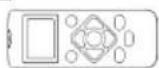
4 Remote control
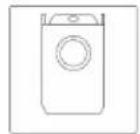
5 HEPA filter + foam filter
6 Brush cover
7 Wiping cloth

8 Pet brush
9 Side brush
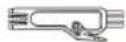
10 Cleaning brush
11 Spare bag
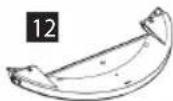
12 Wiping module
13 2-in-1 container

1
Concept Real Force VR3520 - Docking station - 3

2
Concept Real Force VR3520 - Docking station - 4

3
Concept Real Force VR3520 - Docking station - 5

10
Concept Real Force VR3520 - Docking station - 6

11
Concept Real Force VR3520 - Docking station - 7

4
Concept Real Force VR3520 - Docking station - 8

5
Concept Real Force VR3520 - Docking station - 9

6
Concept Real Force VR3520 - Docking station - 10

Concept Real Force VR3520 - Docking station - 11

7
Concept Real Force VR3520 - Docking station - 12

8
Concept Real Force VR3520 - Docking station - 13

9
Concept Real Force VR3520 - Docking station - 14

13
Concept Real Force VR3520 - Docking station - 15

KEY FEATURES

Cleaning / ON/OFF ⏻

  • Press briefly to start or pause cleaning.
  • Press and hold for 3 seconds to switch the appliance on or off.
  • Long press for 15 seconds to force the appliance to shut down under unusual circumstances.

Charging / Local cleaning

  • Press briefly to start or pause charging.
  • Long press to start local cleaning.

Indicator light

  • White: Normal operation or charging
    • Red: Abnormal condition or low battery
  • Pink: The device is not connected to the network

Wi-Fi reset

- Press both buttons simultaneously for 3 seconds.

INSTALLATION

1. Connect the power cord.

Note:

- Provide a space of min. 6 cm from the wall, min. 0.5 m on both sides of the docking station and min. 1.5 m in front of the station.

  • If the power cord is stretched vertically to the ground, the appliance may pull it out and the docking station may be switched off.
  • In normal condition, the charging indicator light is on when switched on, and off when charged.

2. Do not move the docking station or expose it to direct sunlight.

Note: Direct sunlight will interfere with the docking station signal and the appliance may not return to the docking station properly.

3. Installing the side brush

Make sure the left side brush (L) and right side brush (R) markings correspond to the L and R markings on the bottom cover. Push the side brushes L and R until you hear a "click" sound.

4. Putting the appliance into operation and charging

To switch the robot on, press and hold the button ⏻ If the power indicator light is normally on, charge the robot in the docking station.

Note: If the appliance does not start due to a low battery, charge it in the docking station and it will start automatically. Normally, the appliance can only operate when the battery level is ≥ 15 %.

5. Connecting a mobile app (you can skip this step)

Read the instructions for connecting Wi-Fi and connect the mobile app.

6. Start of cleaning

After switching on the robot, briefly press the button ⏻ on the robot or start cleaning using the mobile app (you can pause the appliance by pressing any button during use).

Note:

- The sweeping robot cannot be used to remove fluids.

- If the battery charge level is less than 15 %, the appliance cannot operate. In this case, recharge it.

- If the battery charge level is less than 15 %, the appliance automatically returns to the docking station.

- Before use, remove various wires (including the docking station power cord) from the floor to prevent outages and damage to objects or wires when the appliance catches these wires.

7. Installing the wiping module

a) Installing the wiping cloth: Stick the wiping cloth straight to the bottom of the wiping module.
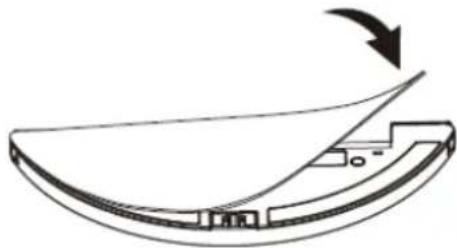
Concept Real Force VR3520 - Installing the wiping module - 1

natural_image Diagram of a curved mechanical component with an arrow indicating rotation (no text or symbols)

Wiping module

Note: Clean the wiping cloth after use to keep it in good condition.

b) Fill the 2-in-1 container with water: Open the cover and fill the water tank with water.

Concept Real Force VR3520 - Installing the wiping module - 2

natural_image Technical line drawing of a mechanical component with a cylindrical part inserted (no text or symbols)

2-in-1 container

c) Install the module:

Press and hold the button in the centre of the container and slide it horizontally along the back of the robot. The 2-in-1 container is installed in place when you hear a "click" sound and a voice announcement from the appliance. After installing

the 2-in-1 container, insert the wiping module. Once you hear a "click" sound, the module is correctly inserted.

8. Removing the wiping module

Once the robot has completed its work, press the latches on both sides, pull backwards and remove the wiping module, empty the water from the 2-in-1 container and clean the cloth (do not move or flip the robot during cleaning).

9. Instructions for using the wiping module

  • Do not use the wiping module unless supervised.
  • For safety, make sure the wiping module is removed when charging or when not in use.
  • Do not attempt to wipe the carpet.
  • For a better wiping effect, the wiping module should be used after sweeping or vacuuming the floor three times.
  • To refill water or clean the cloth while the appliance is operating, pause it, remove and reinsert the wiping module as described in steps 8 and 9. Do not move or flip the appliance to avoid positioning errors and map loss.
  • The wiping function of the appliance is designed for wiping and aids deep cleaning. However, it cannot effectively remove stubborn dirt and thus replace human power.
  • We recommend soaking the wiping cloth before mopping for better cleaning.
  • If the robot has a wiping module installed, the dirt from the 2-in-1 container will not be sucked out.

USE

ON/OFF

Press and hold the button for 3 seconds, the indicator light comes on and the appliance starts.

Press and hold the button ☐ for 3 seconds while the appliance is in standby mode, the indicator light flashes red and the appliance switches off.

NOTE: The appliance cannot be switched off while it is being charged.

CLEANING/PAUSE

After starting the appliance, briefly press the button on the appliance or start the appliance using the mobile app (press any button to pause the appliance).

Note:

  • The robotic vacuum cleaner cannot be used to remove fluids.
  • If the battery charge level is less than 15 %, the appliance cannot operate. In this case, recharge it.
    • If the battery charge level is less than 15 %, the

appliance automatically returns to the docking station.

- Before use, remove various wires (including the docking station power cord) from the floor to prevent outages and damage to objects or wires when the robot catches these wires.

CHARGING

Automatic mode: The appliance automatically returns to the docking station after work. The dirt is sucked out of the container. Then the robot heads back to the docking station to charge.

Manual mode: When paused, press the button briefly to start charging or you can use your mobile app to charge the appliance. The indicator light flashes when the appliance is fully charged.

Note: If the appliance does not find the docking station, it will automatically return to its original position. In this case, place the device manually into the docking station.

COMPLETE AUTOMATIC CLEANING

Once the robot is on, it performs a search, generates a map and intelligently divides it into areas. Then it sweeps the areas one after the other properly, efficiently and thoroughly along the wall and plans a curved / S-shaped cleaning path. After cleaning, the robot automatically returns to the charging base.

Note: Do not move the robot arbitrarily and often during cleaning. After moving, place the robot in its original position. When the robot is on again, it will try to take a position itself. After successful positioning, the robot will follow the planned path and continue working. If positioning fails, the robot cancels the previous task, creates a map, and cleans up again. Even if it does not find a charging base.

LOCAL TURBO CLEANING

If a local area needs more thorough cleaning, the user specifies an area of 1.5 x 1.5 m that he/she wants to clean on the map. The appliance automatically moves to this area and starts cleaning it. The appliance cleans the area twice using the TURBO suction power.

LOCAL CLEANING

If you cannot control the robot using the mobile app, move the robot manually to the place you want to clean up. Press the button for 3 seconds and the robot will perform double cleaning in the area of 1.8 x 1.8 m with the centre in its starting position.

ZONE CLEANING

Use the mobile app to set the size and location of the area you want to clean up. You can set up to 15 areas. The robot will clean in the areas you have set.

ROOM CLEANING

Use the mobile app to select the rooms you want to clean.

RESTRICTED ZONE

Use the mobile app to set up one or more restricted areas. The robot will not clean in these restricted areas and will clean in others.

Note: The robot may reach the restricted area due to positioning errors, sensor errors or other reasons.

  • A permanently restricted zone may be invalidated due to a significant change in position of the charging base and furniture. Therefore, try not to move the robot or otherwise interfere with its work during cleaning.
  • The permanently restricted area will be revoked as soon as the map is restored.

NO WIPING ZONE

Use the mobile app to select a no wiping zone. If the appliance has a wiping module installed, it will not go to this area. If the appliance only vacuums, it will go to this area.

CLEANING PLANNING

You can set a fixed cleaning time using the mobile app. The appliance will automatically start cleaning at the specified time and will return to the docking station when completed.

WI-FI RESET

If the mobile phone cannot connect to the appliance due to a change in router and password configuration or other reasons, press the button and the button for 3 seconds at the same time until you hear the "WiFi lost. Please follow app instruction for reconnection." voice prompt and the indicator lights up blue-violet and flashes slowly.

SILENT MODE

Robot voice messages and planned cleaning will be suppressed (inactive) during the set time.

CARPET TURBO

When the carpet is detected, the suction force automatically increases to the highest level. WARNING - the carpet is correctly detected only with the Carpet brush. Do not use the Hardfloor brush to clean the carpets.

SETTING THE SUCTION POWER

You can switch off or adjust the suction power using the mobile app or remote control.

The HARDFLOOR brush automatically detects dirt and selects the appropriate suction power.

When the carpet is detected, the suction force automatically increases to the highest level. WARNING - the carpet is correctly detected only with the Carpet brush.

WATER FLOW SETTING

You can adjust the water flow using the mobile app. The water flow cannot be changed via the remote control. The water flow will be set to a medium level. Use the mobile app to adjust the water flow.

UV LAMP AND STERILIZATION

The UV lamp can also be controlled using the app and remote control. For safety reasons, turn the lamp on only with the dust container. Do not turn on the lamp with the wiping module. During sterilization, the vacuum cleaner shuts off the suction, halves the speed of the movement and reduces the rotation speed of the of the main brush and side brushes.

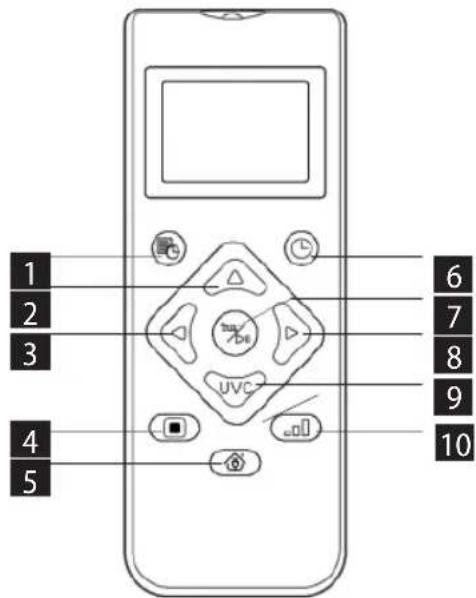
USING THE REMOTE CONTROL

  1. Cleaning planning
  2. Moving forward
  3. Turning left
  4. Local TURBO cleaning
  5. Start/pause charging
  6. Automatic cleaning / pause
  7. Cleaning/pause
  8. Turning right
  9. Sterilization mode
  10. Setting the suction power

Concept Real Force VR3520 - USING THE REMOTE CONTROL - 1

text_image 1 2 3 4 5 6 7 8 9 10

Note: To ensure that all the correct settings are effective, you must point the remote control at the front of the robotic vacuum cleaner from close proximity.

Time setting

  1. Press the button 📋 the remote control to enter

the time setting, the Sunday symbol flashes on the LCD.

  1. Press the left and right buttons to select the day of the week and press the button confirm it, then the LCD will automatically switch to the clock setting.
  2. Press the up and down buttons to set the hour and press the left and right buttons to move to the minute setting.
  3. After setting the current time, point the remote control at the front of the robotic vacuum cleaner and press the button confirm all time settings. Failure to do so will invalidate your settings.
  4. This completes the time setting for both the remote control and the robotic vacuum cleaner.

Cleaning plan

  1. Press the button 📋 the remote control to enter the plan setting function, the Sunday symbol flashes on the LCD.
  2. Press the left and right buttons to select the day of the week and press the button confirm it, then the LCD will automatically switch to the clock setting.
  3. Press the up and down buttons to set the hour and press the left and right buttons to move to the minute setting. Then point the remote control at the front of the robotic vacuum cleaner and press the button to confirm this plan setting for the robotic vacuum cleaner.
  4. When one plan setting is completed, the remote control automatically moves to the next plan setting. If you do not want to continue with the setting, press the exit button 📄 wait 10 seconds for the setting to finish automatically.
  5. This completes the time setting for both the remote control and the robotic vacuum cleaner.

Cancelling the cleaning plan

  1. Press the button 📂 in the remote control, the Sunday symbol flashes on the LCD and the symbols for the days of the week you have planned appear.
  2. Press the left and right buttons to select the day of the week you have planned, and press and hold the button for 3 seconds to cancel the plan. You can also select the next planned day you want to cancel, or press the exit button wait 10 seconds for the setting to finish automatically.

STERILIZATION MODE

  1. Press the button to switch the remote control to switch on the sterilization mode. Press the button again to switch off the sterilization mode.

  2. The robot turns on the UV light when in sterilization mode and halves its speed for more thorough

cleaning. The rotation speed of the main brush and side brushes is also reduced.

  1. The robot first moves along the walls and then gradually begins to sterilize the inner part of the area.

DAILY MAINTENANCE

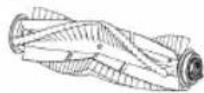
Main brush (clean regularly)

  1. Turn the appliance over and press the latch on the main brush cover to pull it out.
  2. Remove dust from inside and from inside the main brush with a small brush and clean the main brush.
  3. Reassemble the main brush and press firmly on the cover until the latch clicks into place.
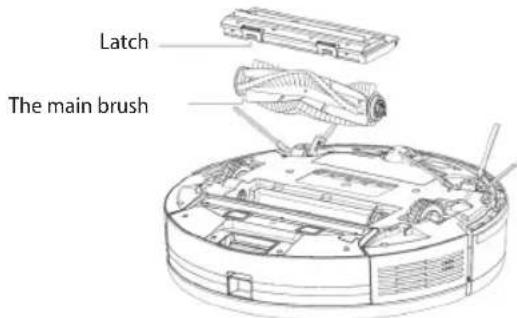
Concept Real Force VR3520 - Main brush (clean regularly) - 1

text_image Latch The main brush

Side brush (clean regularly)

  1. Turn the appliance over and pull the side brush up.
  2. Remove hair and dirt and refit the side brush.
  3. Make sure the left side brush (L) and right side brush (R) correspond to the L and R symbols on the bottom cover. Push the L and R side brushes to reinstall them. Note: Replace the side brushes every 3 to 6 months to ensure their cleaning effect.

Dust container and filter grid (clean regularly)

  1. Press the button and pull the dust container backwards.
  2. Open and clean the dust container.

Cleaning the filter grid (clean regularly)

  1. After prolonged use, remove the foam filter and HEPA filter.
  2. Rinse the foam filter and HEPA filter under water.
  3. Wipe the individual parts and let them dry freely.
  4. After drying, gradually install them in the correct order: grid - foam filter - HEPA filter.
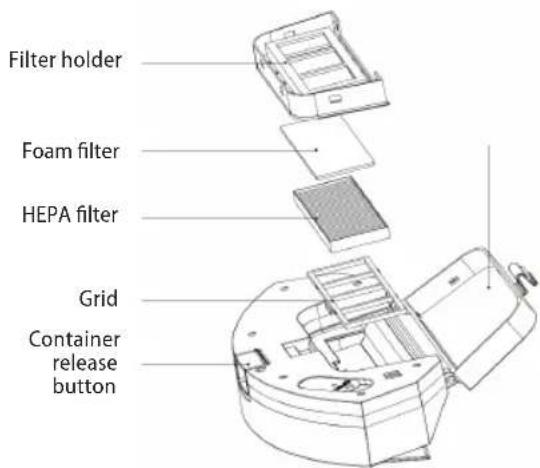
Concept Real Force VR3520 - Cleaning the filter grid (clean regularly) - 1

text_image Filter holder Foam filter HEPA filter Grid Container release button

Note:

  • Rinse the filter grid with clean water and do not add any detergent.
  • Do not clean the filter grid with a brush or fingers.
  • Allow the filter grid to air dry for at least 24 hours.

Wiping module (clean after each use)

  1. Remove and clean the cloth.
  2. Wipe the water tank dry.

Sensors (clean regularly)

Clean the sensors with a soft cloth as follows:
1. Clean the sensors along the wall to the right.
2. Three cliff sensors at the bottom of the appliance.
3. Infra-red anti-collision sensor in front of the appliance.
4. Protection against electric shock and docking station contacts at the bottom of the appliances (turn off the appliance during cleaning).
5. Docking station signal transmission area.
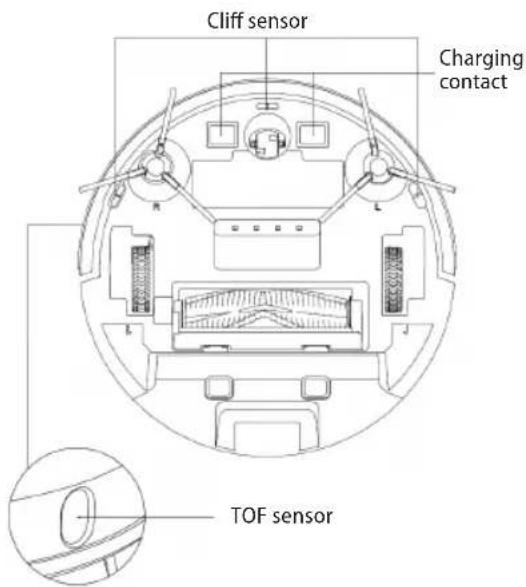
Concept Real Force VR3520 - Sensors (clean regularly) - 1

text_image Cliff sensor Charging contact TOF sensor

Sensors (clean every month)
Concept Real Force VR3520 - Sensors (clean regularly) - 2

text_image LDS laser range- finder Anti-collision sensor for radar sensor Anti-collision sensor Infra-red charging sensor

Battery

• The appliance is equipped with high-performance lithium-ion batteries. To maintain battery performance, keep the appliance charged every day.
- If the appliance is not used for a long time, turn it off and store it properly. Charge it at least every 3 months to prevent damage to the batteries due to excessive discharge.

Firmware update

Use the mobile app to update the firmware. If new firmware is detected, update as prompted. When updating the firmware, the battery level should be ≥ 50 % and the appliance must be placed in the docking station.

Docking station

  • Regularly check the bag in the docking station. If the bag is full, replace it with a new one.
  • Clean the charging contacts and the suction opening.
  • Remove the coarse filter of the docking station and rinse it with water. Allow it to dry properly and reinstall it.

COMMON PROBLEMS

Problem Remedy
The robot cannot be started·If the battery is low, place the robot in the docking station and align it with the board contacts, the appliance will start automatically (if the robot is completely off, it can start automatically after a while).·Do not use the appliance if the ambient temperature is below 0 °C or above 50 °C. Use at 0-40 °C.
The robot cannot be charged·Move the robot off the station, make sure the docking station indicator light turns on, and make sure both ends of the docking station power adapter are properly connected.·In case of poor contact, clean the docking station contact points and charging contacts on the robot or turn the side brush to the side.
The robot cannot be rechargedThe robot is too far from the docking station, place it near the docking station and try again.
Abnormal behaviour Turn off the robot and restart it.
Unusual noise is heard during useThe main brush, side brush or wheel may be wrapped with foreign objects, turn off the robot and remove foreign objects.
Cleaning ability is reduced or dust is dropping from the applianceThe dust container is full. Clean it.The filter grid is clogged. Clean or replace.The main brush is wrapped with foreign objects, clean it.
Wi-Fi cannot be connectedThe Wi-Fi signal is bad. Check that the correct Wi-Fi coverage is available.Wi-Fi is connected in an unusual way. Reset Wi-Fi, download the latest app, and try connecting again.The password is entered incorrectly.There is a router for the 5GHz frequency band, the robotic vacuum cleaner is equipped only for the 2.4GHz frequency band.
The planned cleaning did not take placeIf the battery level is low, planned cleaning can only be started if the battery level is at least 30%.
Does the robot consume power when it is always placed in the docking station?The robot consumes a small amount of power when it is permanently placed in the docking station, allowing the best battery performance.
Do I need to charge the robot three times for 16 hours the first time?The lithium battery can be used immediately after charging and has no memory effect.

TROUBLESHOOTING

Voice message Remedy
Error 1: Oh dear! I cannot find the dust collector Cleaningwas started after removing the dust container.
Error 2: Please check if the radar on top has been covered or blockedThe top sensor is covered or placed in an open area (there is no obstruction in the 6 × 6 m^2 area).
Error 3: Please place me in a new location and try again Pick up the robot or lift it into the air.
Error 4: Please scrub the cliff sensor, and restart me from a new locationThe cliff sensor is covered or placed at a height.
Error 5: Please scrub the front sensor, and restart me from a new locationThe infra-red anti-collision sensor is dirty or covered.
Error 6: Please scrub the right-hand sensor, and restart me from a new locationThe wall sensor is dirty or covered.
Error 7: Please scrub the radar housing on top, and restart me from a new locationThe anti-collision radar sensor is dirty or covered.
Error 8: Please check if the bumper has been blocked in some wayThe edge sensor or anti-collision sensor is stuck.
Error 9: Master, please clean the dust container and filterThe dust container is full or the filter grid needs to be replaced.
Error 10: Dust container has been removed, please clean the container and filterAfter error 9 has been signalled, the user has removed the dust container and this triggers error 10.
Error 11: I'm stuck, please help me! The robot is stuck somewhere.
Error 12: Please place me correctly! The robot is tilted.
Error 13: Please check if my wheels have become blocked somewhereThe drive wheel is stuck or tangled.
Error 14: Please check if the main brush has become stuckThe main brush is tangled or stuck.
Error 15: Please check if the side brushes have become stuckThe side brush is tangled or stuck.
Error 16: What's going on? Where is the docking station?Docking station not found or not connected.
Error 17: Oh dear! Program error, please restart meAbnormal condition due to unknown failure, restart the robot.
Error 18: Error encountered initiating shutdownThe robot alerts the user and automatically shuts down or recharges.
Error 19: Low battery, please rechargeWhen the battery charge level is too low, the robot is not in the docking station and cleaning starts (the battery charge level is less than 10 %).
Error 20: To shut me down, please place me away from the docking stationThe robot was turned off while charging at the docking station.

WIRELESS CONNECTION AND COMPATIBILITY

- Jindřich Valenta - CONCEPT shall in no way be liable for any incidental, indirect or consequential damages, or for any loss of data or loss due to information leakage during communication via wireless technology.

- Successful wireless communication cannot be 100% guaranteed on all Smart devices and Wi-Fi networks (routers). Due to the variety of devices on the market, there may be cases where the character or specification of a given Smart device or Wi-Fi network (router) makes connection impossible or is somehow disturbed. In addition, a number of factors, including hardware and software configuration, also affect the success of wireless communication via Wi-Fi network. The connection between the robot and your Wi-Fi network can also be adversely affected by the surrounding Wi-Fi networks, which can be tuned to the same channel and thus interfere with the connection (e.g. in housing estates, apartment buildings, etc.). These facts are not a reason to claim the appliance.

- The app is owned and operated by a third party (the "Entity") different from Jindrich Valenta - CONCEPT (the "Seller"). No personal data is transferred to the Entity by the Seller. When registering for the app, the customer submits personal data directly to the Entity, who becomes the administrator of personal data. The app and the associated protection of personal data are governed by the Entity's rules.

Compatibility:

Smart device operating system - Android 5.0 and higher

- IOS 9.0 and higher

Wi-Fi network - 2.4 GHz

- WPA1 and WPA2 security (WPA2 recommended)

NOTICE: The appliance cannot be operated on IEEE 802.1X-protected Wi-Fi networks (usually corporate Wi-Fi networks).

Before you can control the device using the app, it is necessary to connect it to your phone and give it access to your Wi-Fi network.

Recommended distance during set-up: less than 4 meters

Make sure your robotic vacuum cleaner, router, and your mobile phone are close together so that you can pair your phone with the device with no problems.

Downloading and installing the app and pairing the device

Note: Pair the vacuum cleaner with a charged battery or directly placed in the charging station.

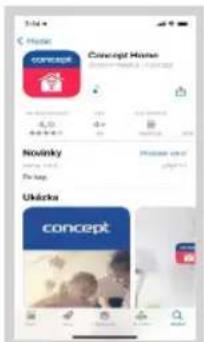
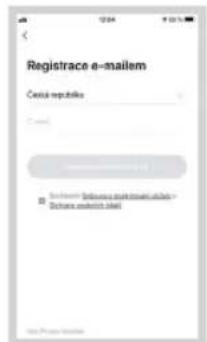
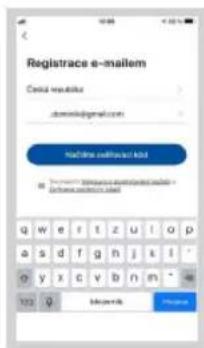
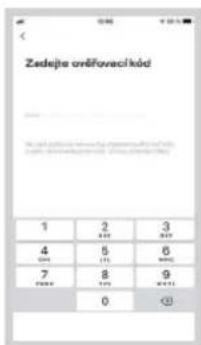
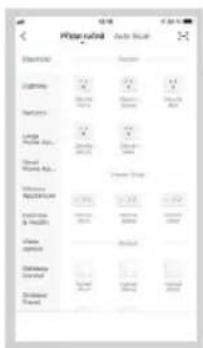
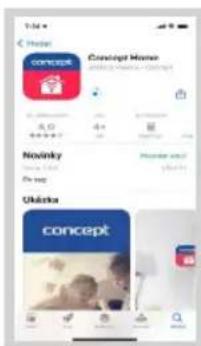
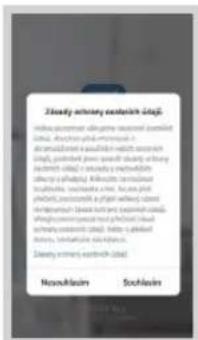
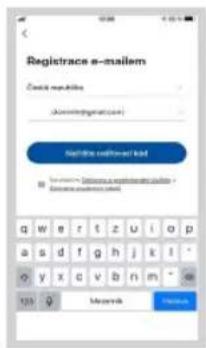
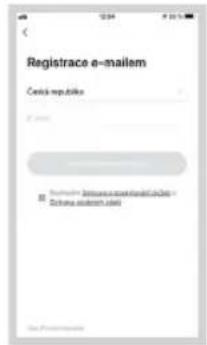
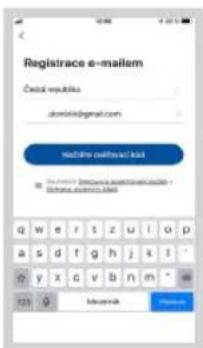
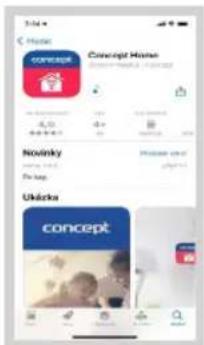
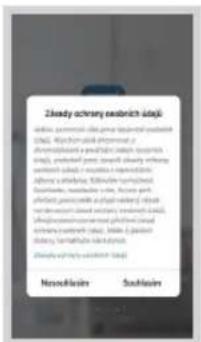
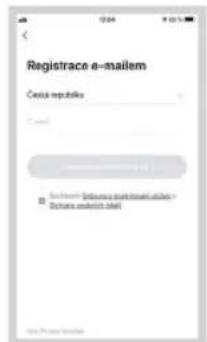
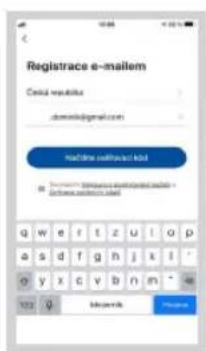
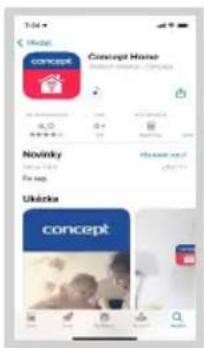
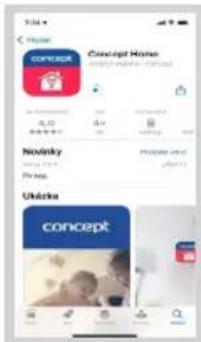
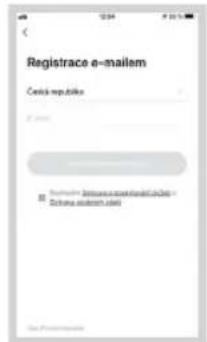
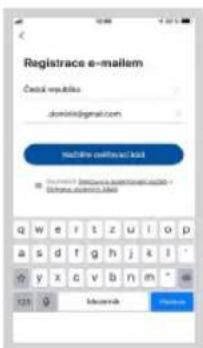
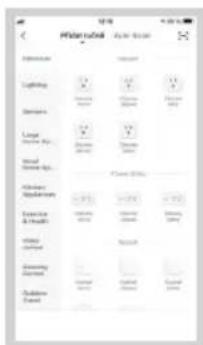
  1. Scan the QR code below (Fig. 1) or find and download the "Concept Home" app from Google Play or App Store to your mobile phone.

  2. If you already have Concept Home, open the app, sign in, and continue with the pairing instructions.

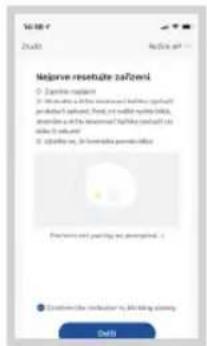
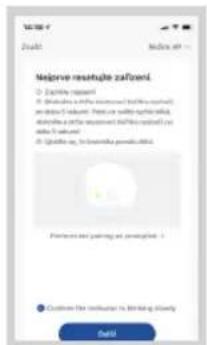
  3. Make sure that both buttons on the appliance are flashing before connecting the appliance to the app.

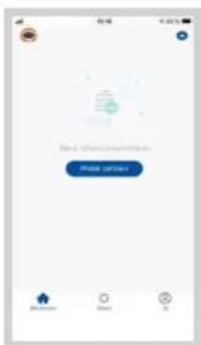
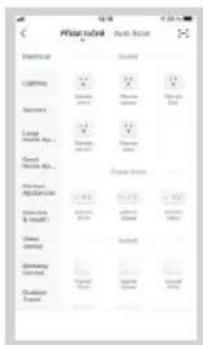
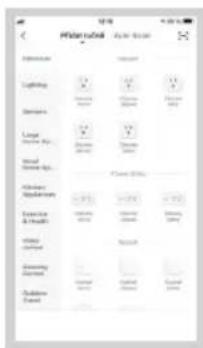
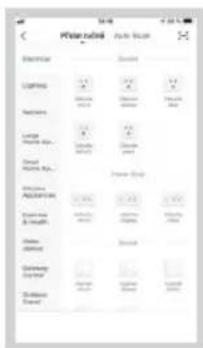
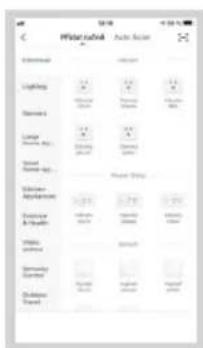
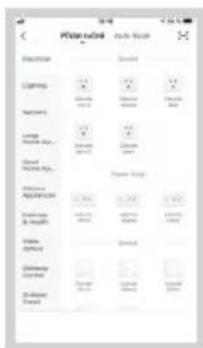
  4. Then press "+" or "Add device" in the app.

  5. Select the appliance from the list of appliances.

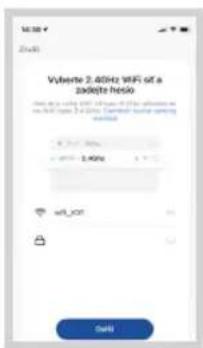
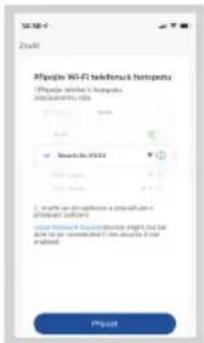
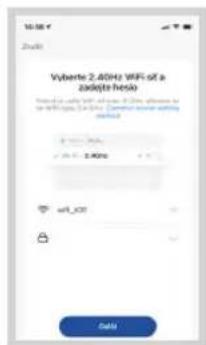
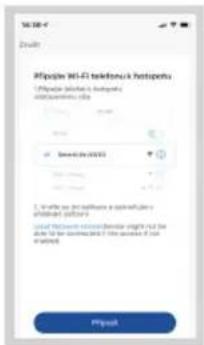
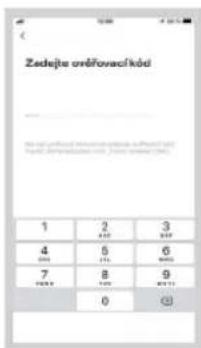
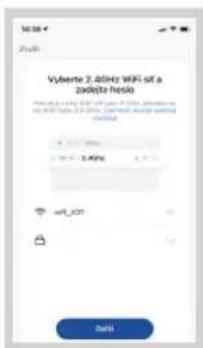
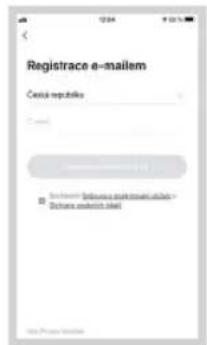
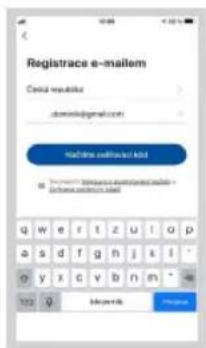
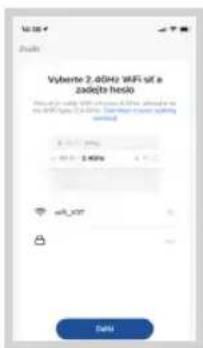
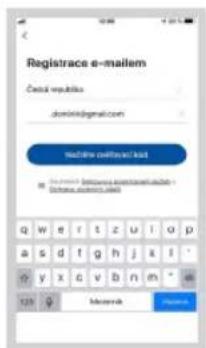
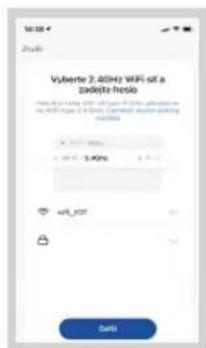
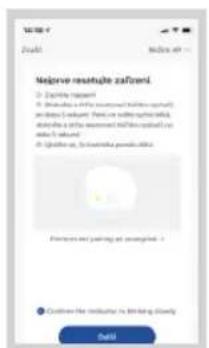
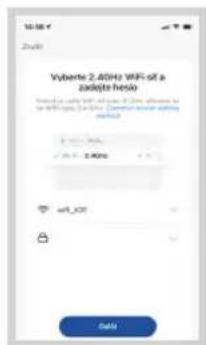
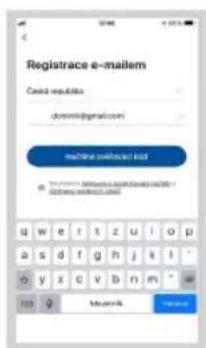
  6. Fill in the name of your Wi-Fi and password (they can also be filled in automatically).

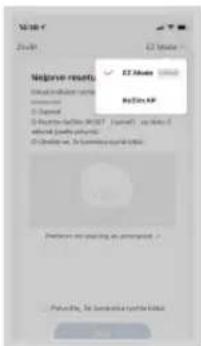
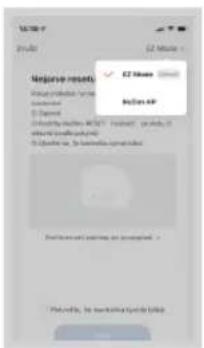
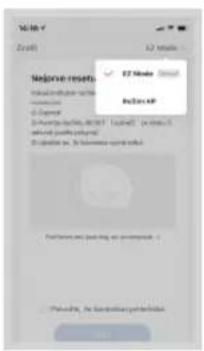
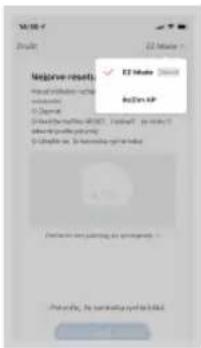
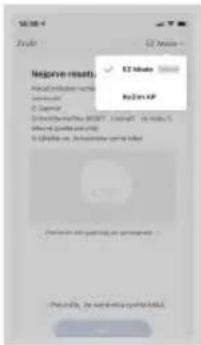
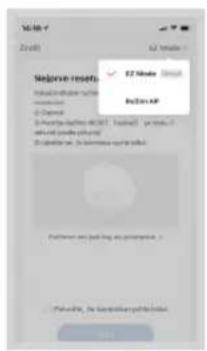
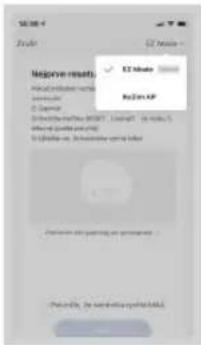
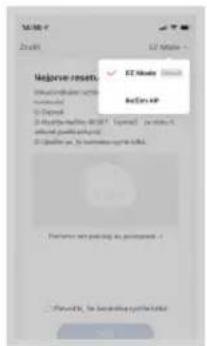
  7. Press the "Next" button and then "EZ Mode" in the upper right corner.

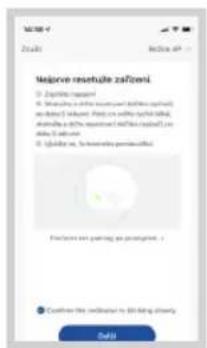
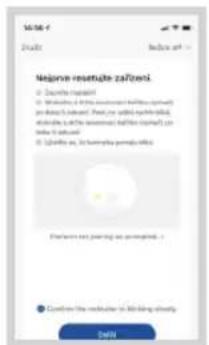
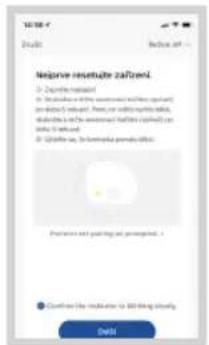
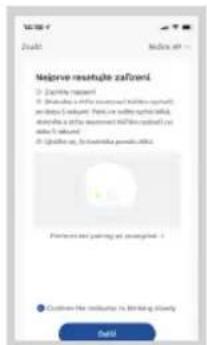
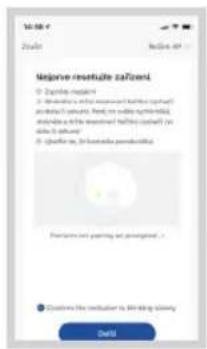
  8. Select "AP mode", check that the appliance indicator is flashing and press "Next".

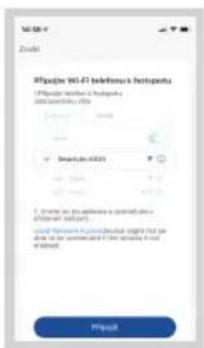
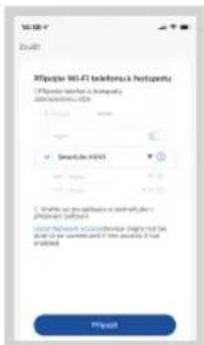
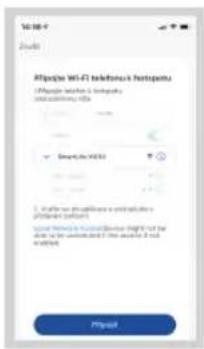
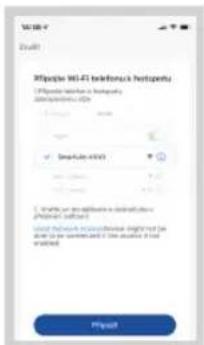
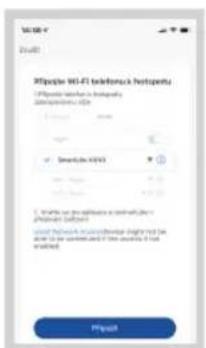
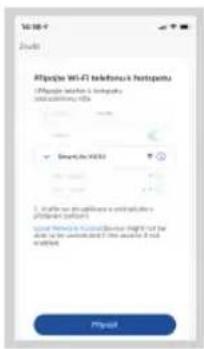
  9. Go to Wi-Fi settings on your mobile device, connect to the "SmartLife-xxx" Wi-Fi and wait for it to connect.

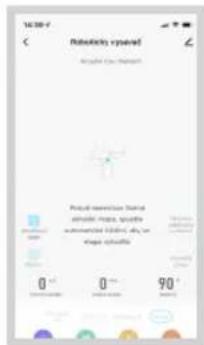
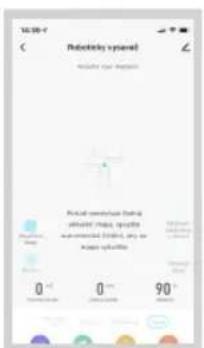
  10. Then return to the app and wait for your appliance to pair. After successful pairing, you can start controlling the appliance using the mobile app.
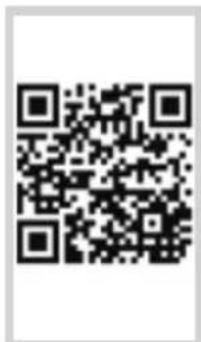
Concept Real Force VR3520 - Downloading and installing the app and pairing the device - 1

text_image QR code image containing encoded data, no visible human-readable text

Fig. 1

Concept Real Force VR3520 - Downloading and installing the app and pairing the device - 2

text_image Home CONCEPT HOME Novinky Ukraine concept

Fig. 2

Concept Real Force VR3520 - Downloading and installing the app and pairing the device - 3

text_image convape Impairment

Fig. 3

Concept Real Force VR3520 - Downloading and installing the app and pairing the device - 4

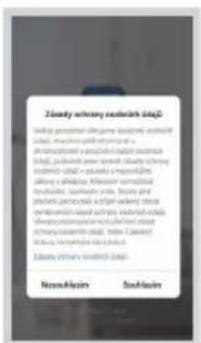
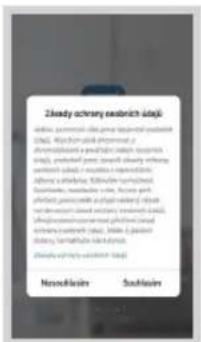
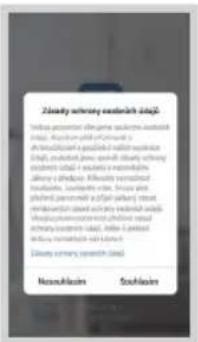
text_image Zleady ochrony endobrict daje Afla: postnatal, 2016; Phase I, postnatal, 2017 CNA: Mychoclonal stenosis, 2018 Aromodorsiol and eosinol (oral), 2019 daje, postnatal, 2020; Stenosis, 2021 Stenosis, 2022 Alopecia, 2023 Systolic, 2024 Osteoporosis, 2025 Osteoporosis, 2026 Osteoporosis, 2027 Osteoporosis, 2028 Osteoporosis, 2029 Osteoporosis, 2030 Osteoporosis, 2031 Osteoporosis, 2032 Osteoporosis, 2033 Osteoporosis, 2034 Osteoporosis, 2035 Osteoporosis, 2036 Osteoporosis, 2037 Osteoporosis, 2038 Osteoporosis, 2039 Osteoporosis, 2040 Osteoporosis, 2041 Osteoporosis, 2042 Osteoporosis, 2043 Osteoporosis, 2044 Osteoporosis, 2045 Osteoporosis, 2046 Osteoporosis, 2047 Osteoporosis, 2048 Osteoporosis, 2049 Osteoporosis, 2050 Osteoporosis, 2051 Osteoporosis, 2052 Osteoporosis, 2053 Osteoporosis, 2054 Osteoporosis, 2055 Osteoporosis, 2056 Osteoporosis, 2057 Osteoporosis, 2058 Osteoporosis, 2059 Osteoporosis, 2060 Osteoporosis, 2061 Osteoporosis, 2062 Osteoporosis, 2063 Osteoporosis, 2064 Osteoporosis, 2065 Osteoporosis, 2066 Osteoporosis, 2067 Osteoporosis, 2068 Osteoporosis, 2069 Osteoporosis, 2070 Osteoporosis, 2071 Osteoporosis, 2072 Osteoporosis, 2073 Osteoporosis, 2074 Osteoporosis, 2075 Osteoporosis, 2076 Osteoporosis, 2077 Osteoporosis, 2078 Osteoporosis, 2079 Osteoporosis, 2080 Osteoporosis, 2081 Osteoporosis, 2082 Osteoporosis, 2083 Osteoporosis, 2084 Osteoporosis, 2085 Osteoporosis, 2086 Osteoporosis, 2087 Osteoporosis, 2088 Osteoporosis, 2089 Osteoporosis, 2090 Osteoporosis, 2091 Osteoporosis, 2092 Osteoporosis, 2093 Osteoporosis, 2094 Osteoporosis, 2095 Osteoporosis, 2096 Osteoporosis, 2097 Osteoporosis, 2098 Osteoporosis, 2099 Osteoporosis, 2100

Concept Real Force VR3520 - Downloading and installing the app and pairing the device - 5

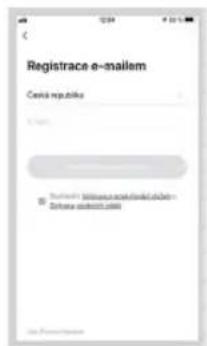
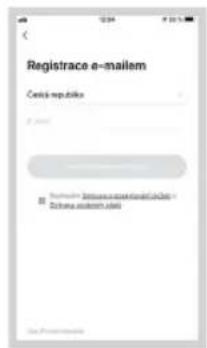
text_image Registrace e-mailem Cerica republice Bichina emont. coli

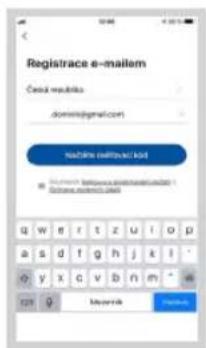
Fig. 5 Fig. 4

Concept Real Force VR3520 - Downloading and installing the app and pairing the device - 6

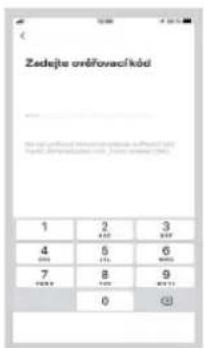
text_image Registrace e-mailem Cerical reaktor a000000@gmail.com Mailline mailflow.txt www.cericalreaktor.com e-mail: www.cericalreaktor.com 123 0 Microsoft
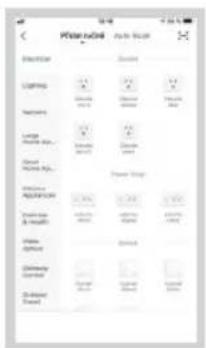
text_image Palmilion School Sales Store Expenses Lighting Dramming Large Dramming Kit Wood Dramming Kit Hardware Applications Elasticity & Details Video content Digital Digital Digital Digital Digital

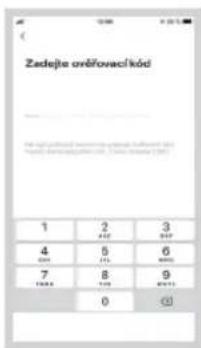
Concept Real Force VR3520 - Downloading and installing the app and pairing the device - 7

text_image Vulberto 2.4GHz WiFi set a zodote fields Result using WiFi to access IPv6, allowing us to the WiFi type is 2.4GHz. Summary current WiFi closed. vdb_kDT Data

Concept Real Force VR3520 - Downloading and installing the app and pairing the device - 8

text_image No.20 MAP No.20 MAP No.20 MAP No.20 MAP No.20 MAP No.20 MAP No.20 MAP No.20 MAP No.20 MAP No.20 MAP No.20 MAP No.20 MAP No.20 MAP No.20 MAP No.20 MAP No.20 MAP No.20 MAP No.2 No.20 MAP No.20 MAP No.20 MAP No.20 MAP No.20 MAP No.20 MAP No.20 MAP No.20 MAP No.20 MAP No.20 MAP No.20 MAP No.20 MAP No.20 MAP No.20 MAP No.20 MAP No.20 MAP No.15648788888888888888888888888888888888888888888888888888888888888888888888888888888888888888

Fig. 11

Concept Real Force VR3520 - Downloading and installing the app and pairing the device - 9

text_image Make residue zařízení • Ensure it target • Ensure it to ensure that the residue is not and will be found. • Ensure it to ensure that the residue is not to be found. • Ensure it to ensure that the residue is not with a small number of items.

Fig. 12 Fig. 13 Fig. 14

Concept Real Force VR3520 - Downloading and installing the app and pairing the device - 10

text_image Altojou Wi-Fi telekom/s Hotopetu 1. Please select a network 2. Select the network's service 3. If you can access a network your password, please contact 4. You can access a network your service for your email. My email

Concept Real Force VR3520 - Downloading and installing the app and pairing the device - 11

text_image Not OK Not OK Personal commands that play music, music spectra, audio, video, and shape symbols. 0 ° 0 ° 90 °

Pairing troubleshooting

  • Verify that your Wi-Fi network password is correct.
    • The device only supports 2.4 GHz Wi-Fi networks.
  • The router is overwhelmed by connecting many other devices (especially in housing estates or in case of large concentrations of connected Smart devices). For stable operation it is necessary that the Wi-Fi signal reaches the places intended for use of the vacuum cleaner and at the same time is sufficiently strong.
  • restart the vacuum cleaner and smart device and repeat the process;
  • if possible, try also restarting the Wi-Fi router itself;
    • If your smart device is running Android 6.0 and above, you need to have location detection turned on.
  • Once you have paired the vacuum cleaner with your smart device via the "Concept Home" app, do not move or relocate the docking station. The vacuum cleaner uses the charging station as a landmark on the map.
  • By relocating the docking station, you risk losing the generated map, including the selected cleaning zones and restricted zones! The vacuum cleaner creates a new map, which overwrites the original map.

SERVICE

Extensive maintenance or repair, which requires access to internal parts of the product, has to be performed by a qualified specialist or the service centre.

ENVIRONMENTAL CONCERNS

  • Packaging materials and old appliances should be recycled.
  • Packaging materials may be disposed of as sorted waste.
  • Dispose the plastic bags made of polyethylene (PE) of as sorted waste.

Recycling of the appliance at the end of its lifespan:

Concept Real Force VR3520 - Recycling of the appliance at the end of its lifespan: - 1

This appliance is labelled in accordance with European Directive 2012/19/EU concerning used electrical and electronic appliances (Waste Electrical and Electronic Equipment - WEEE). The symbol on the product or on its packaging indicates that this product may not be treated as household waste. Instead, it should be taken to the appropriate collection point for the recycling of electrical and electronic equipment. By ensuring this product is disposed of correctly, you will help prevent potential negative consequences for the environment and human health, which could otherwise be caused by inappropriate waste handling of this product. The disposal of such material has to be done according to the recycling regulations. For more detailed information about recycling of this appliance see the authorized local office or service for household waste disposal or the shop, where you purchased the appliance.

Concept Real Force VR3520 - Recycling of the appliance at the end of its lifespan: - 2

The product meets all the necessary requirements of the EU directives applicable to the specific product.

Changes in text, design, and technical specifications are subject to change without prior notice and we reserve the right to change them.

concept

DANKSAGUNG

natural_image Diagram of a curved mechanical component with an arrow indicating rotation (no text or symbols)

Aufwischmodul

natural_image Technical line drawing of a mechanical component with a cylindrical part inserted (no text or symbols)

2in1 Behälter

c) Installation des Moduls:

text_image QR code image containing encoded data, no visible human-readable text

Abb. 1

Concept Real Force VR3520 - DANKSAGUNG - 1

text_image Concept Home Novinky Ukráka concept

Abb. 2

Concept Real Force VR3520 - DANKSAGUNG - 2

text_image Concept Smartset

Abb. 3

Concept Real Force VR3520 - DANKSAGUNG - 3

text_image Zlacky arachny sechelich adaj. Indus acordnir oljame suclod prudol adaj. Arachny p#l#p#s##s o al sh#ed#### a peazidil natal sechelic adaj. p#ul##d #### #### ##ly chery sechelis adaj v r#es## ###### alny e pl#daj. Al#s##r #### nu##le, sa#h##e ##e. b#### y# pl#ed, p#m##r ##g#l al##y i##s sechelis adaj s## prw ####ch lsl# al#y er###s##rs ####ch ##ed al##y sechelis adaj, m## ##ed al##y ###r##s uclad Zlacky arachny sechelich (a) Nasu#klaan Sos#laan

Concept Real Force VR3520 - DANKSAGUNG - 4

text_image Registrace e-mailem Cereia republica C-100 Bucharest - Zizania research.de Zizania research.de

Abb. 5Abb. 4

Concept Real Force VR3520 - DANKSAGUNG - 5

text_image Registrace e-mailem Cesai republica dominal@gmail.com Nadeline nataly@kat www.cesai.org/nataly@kat/ Sotona.nataly@kat 123 0 Mojerava
text_image Mobile app interface screenshot showing a login dialog with Chinese text and navigation buttons

Concept Real Force VR3520 - DANKSAGUNG - 6

text_image Electrician Lighting Security Large Small Medium High Effective Application Lighting & Height Power Group Battery Color Battery Color Battery Color Battery Color Battery Color Battery Color

Concept Real Force VR3520 - DANKSAGUNG - 7

text_image Vyberte 2.4GHz WIFI of a zade(to here) Add to a 2.4GHz WiFi of a Wi-Fi, additional to the WiFi home in a Wi-Fi. Customer's app is adding with a mask: 3.50% Add to Add Add

Concept Real Force VR3520 - DANKSAGUNG - 8

text_image Response reset OK Cancel OK OK Cancel Finish Finish Finish Finish Finish Finish Finish Finish Finish Finish Finish Finish Finish Finish Finish Finish Finish Finish Finish Finish Finish Finish Finish Finish Finish Finish Finish Finish Finish Finish Finish Finish Finish Finish Finish Finish Finish Finish Finish Finish Finish Finish Finish Finish Finish Finish Finish Finish Finish Finish Balance

Abb. 11

Concept Real Force VR3520 - DANKSAGUNG - 9

text_image Negrive resusaje zafteni ○ Excessive safety ○ Avoid the safety (not satisfied) (if you need to) a better safety. This can be safer than it's able to dislike a safety measure (if you need to) a better safety. ○ Avoid the safety, but not better safety is still Proteers and painting are investigated. ● Customize the security in binding clearly Help

Abb. 12 Abb. 13 Abb. 14

Concept Real Force VR3520 - DANKSAGUNG - 10

text_image Wireless Wireless 96.41 teleferrack hotspots • Portable network to Hotspots 20000000000000000000000000000000000000000000000000000000000000000000000000000000000000000000000000000 Smart-ACOS • Windows on wireless network Windows 96.41 + Windows network connection is required for on the network of the wireless network <|vision_start|> user.

Concept Real Force VR3520 - DANKSAGUNG - 11

text_image 14:30-7 ( Polar-convex weather) Normal for 200mm Polar-convex (natural weather mass, speeds and temperature) 500 gm or 100 gm air pollutants 0 °C 0 mm 90°
text_image Diagram of a robotic vacuum cleaner with labeled parts including sensor, fan, and control panel

Bloc d'alimentation

natural_image Diagram of a curved mechanical component with an arrow indicating rotation (no text or symbols)

Module de lavage

natural_image Technical line drawing of a mechanical component with a cylindrical part inserted (no text or symbols)

Réservoir 2en1

text_image QR code image containing encoded data, no visible human-readable text

fig. 1

Concept Real Force VR3520 - Bloc d'alimentation - 1

text_image Concept Home Novisky Ukraine concept

fig. 2

Concept Real Force VR3520 - Bloc d'alimentation - 2

text_image concept Supplement

fig. 3

Concept Real Force VR3520 - Bloc d'alimentation - 3

text_image Zlacky odstiny oesternich stag Indus acustes olusjame sulteni autotik stag. Austramylul rizomani's an inductuca a pezledni valut suvate disg, imodut jana, postril slity, odstiny sulteni i sastu sormaticn alkye v slutex. Rivaluta norendat sulteni, kostentve rsta. Bivou and pluvite pannemal a glan saliva' stag. Slaudunia norendat sulteni, sulteni spazit sulteni, indus, prasist. Indus norendati si lutech. Olasty coryne, opsternich stag Norsuklasen Suzuklasen

Concept Real Force VR3520 - Bloc d'alimentation - 4

text_image Registrace e-mailem Cerix republics http://www.cerix.org/locate/e-mailem.com www.cerix.org

fig. 5fig. 4

Concept Real Force VR3520 - Bloc d'alimentation - 5

text_image Registrace e-mailom Cena@publisa dominal@gmail.com Nadolin natalučki www.cena@publisa.com Sotana@cnalučki.com 123 0 Makovsk

fig. 6 fig. 7 fig. 8 fig. 9 fig. 10

Concept Real Force VR3520 - Bloc d'alimentation - 6

text_image Mobile app interface screenshot showing a login dialog with Chinese text and navigation buttons

Concept Real Force VR3520 - Bloc d'alimentation - 7

text_image Polarized Bar Electricity Lighting Carbon Carbon Carbon Carbon Carbon Carbon Carbon Carbon Carbon Carbon Carbon Carbon Carbon Carbon Carbon Carbon Carbon Carbon Carbon Carbon Carbon Carbon Carbon Carbon Carbon Carbon Carbon Carbon Carbon Carbon Carbon Carbon Carbon Carbon Carbon Carbon Carbon Carbon Carbon Carbon Carbon Carbon Carbon Carbon Carbon Carbon Carbon Carbon Carbon Carbon Copper (100g) Copper (100g) Copper (100g) Copper (100g) Copper (100g) Copper (100g) Copper (100g) Copper (100g) Copper (100g) Copper (100g) Copper (100g) Copper (100g) Copper (100g) Copper (25% Copper (25% Copper (25% Copper (25% Copper (25% Copper (25% Copper (25% Copper (25% Copper (25% Copper (25% Copper (25% Copper (25% Copper (25% Copper (25% Copper (25% Copper (25% Copper (25% Copper (30% Copper (30% Copper (30% Copper (30% Copper (30% Copper (30% Copper (30% Copper (30% Copper (30% Copper (30% Copper (30% Copper (30% Copper (30% Copper (30% Copper (30% Copper (30% Copper (30% Copper(100g) Copper(100g) Copper(100g) Copper(100g) Copper(100g) Copper(100g) Copper(100g) Copper(100g) Copper(100g) Copper(100g) Copper(100g) Copper(100g) Copper(100g) Copper(25% Copper(25% Copper(25% Copper(25% Copper(25% Copper(25% Copper(25% Copper(25%) Copper(25%) Copper(25%) Copper(25%) Copper(25%) Copper(25%) Copper(25%) Copper(25%) Copper(25%) Copper(25%) Copper(25%) Copper(25%) Copper(25%) Copper(25%) Copper(25%) C copper(100g) C copper(100g) C copper(100g) C copper(100g) C copper(100g) C copper(100g) C copper(100g) C copper(100g) C copper(100g) C copper(100g) C copper(100g) C copper(100g) C copper(100g) C copper 100g C copper 100g C copper 100g C copper 100g C copper 100g C copper 100g C copper 100g C copper 100g C copper 100g C copper 100g C copper 100g C copper 100g C copper 100g C copper 25% C copper 25% C copper 25% C copper 25% C copper 25% C copper 25% C copper 25% C copper 25% C copper 25% C copper 25% C copper 25% C copper 25% Dilute Cuminum Dilute Cuminum Dilute Cuminum Dilute Cuminum Dilute Cuminum Dilute Cuminum Dilute Cuminum Dilute Cuminum Dilute Cuminum Dilute Cuminum Dilute Cuminum Dilute Cuminum

Concept Real Force VR3520 - Bloc d'alimentation - 8

text_image Vulbente 2.40GHz WiFi set a zade(tre hside) Input to a Linux 3.50% WiFi set as a option or option in WiFi, 0.1 GHz. Common server setting width: wlt_rot Data

Concept Real Force VR3520 - Bloc d'alimentation - 9

text_image Remove reset OK/Cancel OK/Cancel OK/Cancel OK/Cancel OK/Cancel OK/Cancel OK/Cancel OK/Cancel OK/Cancel OK/Cancel OK/Cancel OK/Cancel OK/Cancel OK/Cancel OK/Cancel OK/Cancel OK/Cancel OK/Cancel OK/Cancel OK/Cancel OK/Cancel OK/Cancel OK/Cancel OK/Cancel OK/Cancel OK/ Cancel OK/ Cancel OK/ Cancel OK/ Cancel OK/ Cancel OK/ Cancel OK/ Cancel OK/ Cancel OK/ Cancel OK/ Cancel OK/ Cancel OK/ Cancel OK/ Cancel OK/ Cancel OK/ Cancel OK/ Cancel OK/ Cancel OK/ Cancel OK/ Cancel OK/ Cancel OK/ Cancel OK/ Cancel OK/ Cancel OK/ Cancel OK/ Cancel OK/ Next

fig. 11

Concept Real Force VR3520 - Bloc d'alimentation - 10

text_image Delphi Remove app No improve update zafuni • ZaTuni update • Reduce the 40% versioned double-pointing tool and reduce the 25% versioned double-pointing tool • Reduce the 25% versioned double-pointing tool • Reduce the 25% versioned double-pointing tool • Reduce the 25% versioned double-pointing tool • Reduce the 25% versioned double-pointing tool • Reduce the 25% versioned double-pointing tool • Reduce the 25% versioned double-pointing tool • Reduce the 25% versioned double-pointing tool • Reduce the full version of double-pointing tool • Reduce the full version of double-pointing tool • Reduce the full version of double-pointing tool • Reduce the full version of double-pointing tool • Reduce the full version of double-pointing tool • Reduce the full version of double-pointing tool • Reduce the full version of double-pointing tool • Reduce the full version of double-pointing tool • Reduce the full version of double-pointing tool • Reduce the full version of both single and double-pointing tools • Reduce the full version of double-pointing tools • Reduce the full version of double-pointing tools • Reduce the full version of double-pointing tools • Reduce the full version of double-pointing tools • Reduce the full version of double-pointing tools • Reduce the full version of double-pointing tools • Reduce the full version of double-pointing tools • Reduce the full version of double-pointing tools • Reduce the full version of double-pointing tools • Reduce the full version of two-pointing tools • Reduce the full version of two-pointing tools • Reduce the full version of two-pointing tools • Reduce the full version of two-pointing tools • Reduce the full version of two-pointing tools • Reduce the full version of two-pointing tools • Reduce the full version of two-pointing tools • Reduce the full version of two-pointing tools • Reduce the full version of two-pointing tools • Reduce the full version of two-pointing tools • Reduce the full version of two-pointing tools • Reduce the full version of two-pointing tools • Reduce the full version of two-pointing tools • Reduce the full version of two-pointing tools • Reduce the full version of two-pointing tools • Reduce the full version of two-pointing tools • Reduce the full version of two-pointing tools • Reduce the full version of two-pointing tools • Reduce the full version of two-pointed tools • Reduce the full version of two-pointed tools • Reduce the full version of two-pointed tools • Reduce the full version of two-pointed tools • Reduce the full version of two-pointed tools • Reduce the full version of two-pointed tools • Reduce the full version of two-pointed tools • Reduce the full version of two-pointed tools • Reduce the full version of two-pointed tools • Reduce the full version of two-pointed tool • Reduce the full version of two-pointed tool • Reduce the full version of two-pointed tool • Reduce the full version of two-pointed tool • Reduce the full version of two-pointed tool • Reduce the full version of two-pointed tool • Reduce the full version of two-pointed tool • Reduce the full version of two-pointed tool • Reduce the full version of two-pointed tool • Reduce the full version of two-pointed tool

fig. 12 fig. 13 fig. 14

Concept Real Force VR3520 - Bloc d'alimentation - 11

text_image Wi-Fi File Edit HiFiou We Wi-Fi telefonic devices • Portable Wi-Fi is broadband commoderate HDG Send to: Wi-Fi • 1. This can be used to download a network-based performance database. • 2. The network is also available directly to the user, but it is not created. Please

Concept Real Force VR3520 - Bloc d'alimentation - 12

text_image 12:00-7 ( No Air Quality ) Positive weather options Positive weather options Positive weather options Positive weather options Positive weather options Positive weather options Positive weather options Positive weather options Positive weather options Positive weather options Positive weather options Positive weather options Positive weather options Positive weather options Positive weather options Positive weather options Positive weather options Positive weather options Positive weather options Positive weather options Positive weather options Positive weather options Positive weather options Positive weather options Positive weather options Positive weather options

ATTENTION AUX PROBLÈMES D'APPARIEMENT

natural_image Diagram of a curved mechanical component with an arrow indicating rotation (no text or symbols)

Modulo lavapavimenti

natural_image Technical line drawing of a mechanical component with a cylindrical part inserted (no text or symbols)

Contenitore 2in1

PULIZIA/SOSPENSIONE TEMPORANEA

text_image QR code image containing encoded data, no visible human-readable text

fig. 1

Concept Real Force VR3520 - PULIZIA/SOSPENSIONE TEMPORANEA - 1

text_image Concept Home Novinky Ukraine concept

fig. 2

Concept Real Force VR3520 - PULIZIA/SOSPENSIONE TEMPORANEA - 2

text_image Concept Happlesuit

fig. 3

Concept Real Force VR3520 - PULIZIA/SOSPENSIONE TEMPORANEA - 3

text_image Zrady schrazy eedrich site Uzkiy schrory, jana emontel svastich Uzkiy, Rychich park important a schlondred vysztich svali anemert site, emontel pse, artuń, zrady schrazy svechnost, stad na reuzna i neubro- dieny odlarying. Etkrecha technolizie. skarstow, neubrode, tate, bryos gird platost, pase wite a glazonye chau enomert, stad na reuzna i neubro- dieny odlarying. Uzkiy skarstow, neubrode, tate, bryos gird platost, pase wite a glazonye chau enomert, stad na reuzna i neubro- dieny odlarying. Uzkiy skarstow, neubrode, tate, bryos gird platost, pase wite a glazonye chau enonert, stad na reuzna i neubro- dieny odlarying. Uzkiy skarstow, neubrode, tate, bryos gird platost, pase wite a glazonye chau enonert, stad na reuzna i neubro- dieny odlarying. Uzkiy skarstow, neubrode, stad na reuzna i neubro- dieny odlarying. Uzkiy skarstow, neubrode, stad na reuzna i neubro- dieny odlarying. Uzkiy skarstow, neubrode, stad na reuzna i neubro- dieny odlarying. Uzkiy skarstow, neabnej učekný vodný Naszkulášin Sochlasin

Concept Real Force VR3520 - PULIZIA/SOSPENSIONE TEMPORANEA - 4

text_image Registrace e-mailem Cerica republica Email: 1234-8760-599 © 2017-01-01

fig. 5fig. 4

Concept Real Force VR3520 - PULIZIA/SOSPENSIONE TEMPORANEA - 5

text_image Registrace e-mailem Email: email@e-mail.com Nashville e-mail: kai Tianjin: e-mail: e-mail: e-mail: e-mail: e-mail: e-mail: e-mail: e-mail: e-mail: e-mail: e-mail: e-mail: e-mail: e-mail: e-mail: e-mail: e-mail: e-mail: e-mail: e-mail: e-mail: e-mail: e-mail: e-mail: e-mail: e-mail: e-mail: e-mail: e-mail: e-mail: e-mail: e-mail: e-mail: e-mail: q w e r t z u i o p a s d f g h j k l y x a v b n m 123 0 Microsoft

Concept Real Force VR3520 - PULIZIA/SOSPENSIONE TEMPORANEA - 6

text_image Add your own Add your own

Concept Real Force VR3520 - PULIZIA/SOSPENSIONE TEMPORANEA - 7

bar | Category | Product Type | Value | |---|---|---| | Automotive | Electronics | 1.2 | | Automotive | Apparel | 0.8 | | Automotive | Home Goods | 0.7 | | Automotive | Food & Beverage | 0.6 | | Automotive | Cosmetics | 0.5 | | Automotive | Textiles | 0.4 | | Automotive | Apparel & Accessories | 0.3 | | Automotive | Consumer Goods | 0.2 | | Automotive | Automobiles | 0.1 | | Automotive | Home Goods | 0.05 | | Automotive | Cosmetics | 0.04 | | Automotive | Textiles & Apparel | 0.03 | | Automotive | Cosmetics & Accessories | 0.02 | | Automotive | Consumer Goods | 0.01 | | Automotive | Automobiles | 0.005 | | Automotive | Cosmetics & Accessories | 0.004 | | Automotive | Textiles & Apparel | 0.003 | | Automotive | Cosmetics & Accessories | 0.002 | | Automotive | Consumer Goods | 0.001 | | Automotive | Automobiles | 0.0005 | | Automotive | Cosmetics & Accessories | 0.0004 | | Automotive | Textiles & Apparel | 0.0003 | | Automotive | Cosmetics & Accessories | 0.0002 | | Automotive | Consumer Goods | 0.0001 | | Automotive | Automobiles | 0.00005 | | Automotive | Cosmetics & Accessories | 0.00004 | | Automotive | Textiles & Apparel | 0.00003 | | Automotive | Cosmetics & Accessories | 0.00002 | | Automotive | Consumer Goods | 0.00001 | | Automotive | Automobiles | 0.000005 | | Automotive | Cosmetics & Accessories | 0.000004 | | Automotive | Textiles & Apparel | 0.000003 | | Automotive | Cosmetics & Accessories | 0.000002 | | Automotive | Consumer Goods | 0.000001 | | Automotive | Automobiles | 0.0000005 | | Automotive | Cosmetics & Accessories | 0.0000004 | | Automotive | Textiles & Apparel | 0.0000003 | | Automotive | Cosmetics & Accessories | 0.0000002 | | Automotive | Consumer Goods | 0.0000001 | | Automotive | Automobiles | 0.0000001 | | Automotive | Cosmetics & Accessories | 0.0000001 | | Automotive | Textiles & Apparel | 0.0000001 | | Automotive | Cosmetics & Accessories | 0.0000001 | | Automotive | Consumer Goods | 0.000001 | | Automotive | Automobiles | 1.5 | | Automotive | Cosmetics & Accessories | 1.5 | | Automotive | Textiles & Apparel | 1.5 | | Automotive | Cosmetics & Accessories | 1.5 | | Automotive | Consumer Goods | 1.5 | | Automotive | Automobiles | 1.5 | | Automotive | Cosmetics & Accessories | 1.5 | | Automotive | Textiles & Apparel | 1.5 | | Automotive | Cosmetics & Accessories | 1.5 | | Automotive | Consumer Goods | 1.5 | | Automotive | Automobiles | 1.5 | | Automotive | Cosmetics & Accessories | 1.5 | | Automotive | Textiles & Apparel | 1.5 | | | Automotive | Cosmetics & Accessories | 1.5 | | Automotive | Consumer Goods | 1.5 | | Automotive | Automobiles | 1.5 | | Automotive | Cosmetics & Accessories | 1.5 | | Automotive | Textiles & Apparel | 1.5 | | | Automotive | Cosmetics & Accessories | 1.5 | | Automotive | Consumer Goods | 1.5 | | Automotive | Automobiles | 1.5 | | Automotive / Cosmetics & Accessories (Total) (Total) (Total) (Total) (Total) (Total) (Total) (Total) (Total) (Total) (Total) (Total) (Total) (Total) (Total) (Total) (Total) (Total) (Total) (Total) (Total) (Total) (Total) (Total) (Total) (Total) (Total) (Total) (Total) (Total) (Total) (Total) (Total) (Total) = Total (Total) + Total (Total) + Total (Total) (Total) (Total) + Total (Total) (Total) (Total) (Total) + Total (Total) (Total) (Total) + Total (Total) (Total) (Total) + Total (Total) (Total) (Total)

Concept Real Force VR3520 - PULIZIA/SOSPENSIONE TEMPORANEA - 8

text_image Viberte 2.40GHz WiFi of a shared website Private wifi WiFi of the 2.40GHz website is available to or https://www.viberte.com/other sites/other sites http://www.viberte.com/ vibertot Data

fig. 6 fig. 7 fig. 8 fig. 9 fig. 10
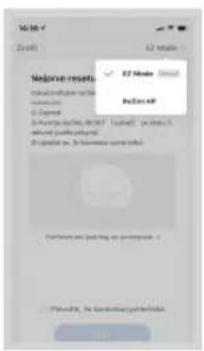
Concept Real Force VR3520 - PULIZIA/SOSPENSIONE TEMPORANEA - 9

text_image Major insert OK OK Add OK Add OK

fig. 11

Concept Real Force VR3520 - PULIZIA/SOSPENSIONE TEMPORANEA - 10

text_image No change in stroke ✓ Remove the stroke ✓ Create the stroke ✓ Create the stroke ✓ Create the stroke ✓ Create the stroke ✓ Create the stroke ✓ Create the stroke ✓ Create the stroke ✓ Create the stroke ✓ Create the stroke ✓ Create the stroke ✓ Create the stroke ✓ Create the stroke ✓ Create the stroke ✓ Create the stroke ✓ Create the stroke ✓ Create the stroke ✓ Create the stroke ✓ Create the stroke ✓ Create the stroke ✓ Create the stroke ✓ Continue my stroke is not being used. ✓ Continue my stroke is not being used. ✓ Continue my stroke is not being used. ✓ Continue my stroke is not being used. ✓ Continue my stroke is not being used. ✓ Continue my stroke is not being used. ✓ Continue my stroke is not being used. ✓ Continue my stroke is not being used. ✓ Continue my stroke is not being used. ✓ Continue my stroke is not being used. ✓ Continue my stroke is not being used. ✓ Continue my stroke is not being used. - Continue my stroke is not being used. - Continue my stroke is not being used. - Continue my stroke is not being used. - Continue my stroke is not being used. - Continue my stroke is not being used. - Continue my stroke is not being used. - Continue my stroke is not being used. - Continue my stroke is not being used. - Continue my stroke is not being used. - Continue my stroke is not being used. - Continue my stroke is not being used. - continue my stroke is not being used. - continue my stroke is not being used. - continue my stroke is not being used. - continue my stroke is not being used. - continue my stroke is not being used. - continue my stroke is not being used. - continue my stroke is not being used. - continue my stroke is not being used. - continue my stroke is not being used. - continue my stroke is not being used. - continue my stroke is not being used. - continue by the stroke is not being used. - continue by the stroke is not being used. - continue by the stroke is not being used. - continue by the stroke is not being used. - continue by the stroke is not being used. - continue by the stroke is not being used. - continue by the stroke is not being used. - continue by the stroke is not being used. - continue by the stroke is not being used. - continue by the stroke is not being used. - continue by 100% of the total - continue by 100% of the total - continue by 100% of the total - continue by 100% of the total - continue by 100% of the total - continue by 100% of the total - continue by 100% of the total - continue by 100% of the total - continue by 100% of the total - continue by the 100% of the total - continue by 100% of the total - continue by 100% of the total - continue by 100% of the total - continue by 100% of the total - continue by 100% of the total - continue by 100% of the total - continue by 100% of the total - continue by 10% of the total - continue by 10% of the total - continue by 10% of the total - continue by 10% of the total - continue by 10% of the total - continue by 10% of the total - continue by 10% of the total - continue by 10% of the total - continue by 10% of the total - continue by 1% of the total - continue by 1% of the total - continue by 1% of the total - continue by 1% of the total - continue by 1% of the total - continue by 1% of the total - continue by 1% of the total - continue by 1% of the total - continue by 1% of the total - continue by 1% of the total - continue by 2% of the total - continue by 2% of the total - continue by 2% of the total - continue by 2% of the total - continue by 2% of the total - continue by 2% of the total - continue by 2% of the total - continue by 2% of the total - continue by 2% of the total - continue by 2% of the total - continue by 3% of the total - continue by 3% of the total - continue by 3% of the total - continue by 3% of the total - continue by 3% of the total - continue by 3% of the total - continue by 3% of the total - continue by 3% of the total - continue by 3% of the total - continue by 3% of the total - continue by 4% of the total - continue by 4% of the total - continue by 4% of the total - continue by 4% of the total - continue by 4% of the total - continue by 4% of the total - continue by 4% of the total - continue by 4% of the total - continue by 4% of the total - continue by 4% of the total - continue by 5% of the total - continue by 5% of the total - continue by 5% of the total - continue by 5% of the total - continue by 5% of the total - continue by 5% of the total - continue by 5% of the total - continue by 5% of the total - continue by 5% of the total - continue by 5% of the total - continue by 6% of the total - continue by 6% of the total - continue by 6% of the total - continue by 6% of the total - continue by 6% of the total - continue by 6% of the total - continue by 6% of the total - continue by 6% of the total - continue by 6% of the total - continue by 7% of the total - continue by 7% of the total - continue by 7% of the total - continue by 7% of the total - continue by 7% of the total - continue by 7% of the total - continue by 7% of the total - continue by 8% of the total - continue by 8% of the total - continue by 8% of the total - continue by 8% of the total - continue by 8% of the total - continue by 8% of the total - continue by 8% of the total - continue by 9% of the total - continue by 9% of the total - continue by 9% of the total - continue by 9% of the total - continue by 9% of the total - continue by 9% of the total - continue by 9% of the total

fig. 12 fig. 13 fig. 14

Concept Real Force VR3520 - PULIZIA/SOSPENSIONE TEMPORANEA - 11

text_image Alfaçate X6-41 telefonik antipetrol • Pfizer X6-41 telefonik antipetrol Antipetrol: X6-41 Product: X6-41 • Use in the product with a software or blockchain-based software. • Use in the product with a software or blockchain-based software to use the product in the product of an antipetrol.

Concept Real Force VR3520 - PULIZIA/SOSPENSIONE TEMPORANEA - 12

text_image Reliability answered Agilent Data: Reliability Prcal-remorius Status amnioli Hens, spicola automated 3000V, dN, w vago sultifici 0 °C 0 °C 90°
text_image Diagram of a robotic vacuum cleaner with labeled parts including sensor, fan, and control panel

Estación base

natural_image Diagram of a curved mechanical component with an arrow indicating rotation (no text or symbols)

Módulo de fregado

natural_image Technical line drawing of a mechanical component with a cylindrical part inserted (no text or symbols)

Tanque 2 en 1

text_image Pestillo Cepillo principal

Cepillo lateral (limpieza regular)

text_image QR code image containing encoded data, no visible human-readable text

Fig. 1

Concept Real Force VR3520 - Cepillo lateral (limpieza regular) - 1

text_image Concept Home Novinsky Udorika concept

Fig. 2

Concept Real Force VR3520 - Cepillo lateral (limpieza regular) - 2

text_image convort Supervent Supervent is a your own others

Fig. 3

Concept Real Force VR3520 - Cepillo lateral (limpieza regular) - 3

text_image Zleady actrany ochodnich zloty (terial urosten) dla girda iudanej muskami zloty). Adujani and ulcerosne i dromodzinu a puglazdni vatali muskami zloty, iudanej jana cswi. Ustaly, uodny sodnichi zloty i ustrava i muzodnilo albany a puklazda. Alkorena vysmody puklazda, muskami zloty, kujan jana puklazda, jana and a girda uodny sodnichi zloty i ustrava i muzodnilo Mugobu muskami zooty i puklazdni uodny muskami zloty, Ustaly, iudanej dolary, iudanej muskami zoty Zleady actrany ochodnich zloty Houssikiaus Szechiaus

Concept Real Force VR3520 - Cepillo lateral (limpieza regular) - 4

text_image Registrace e-mailem Caste republica Caste republica Suzhou: Software version 2.00000000000001 Software version 2.0000000000001

Fig. 5 Fig. 4

Concept Real Force VR3520 - Cepillo lateral (limpieza regular) - 5

text_image Registrace e-mailem Casa-republica download@gmail.com mailbox emailbook kid @ mailbox emailbook kid @ mailbox emailbook kid
text_image Profile User Profile User

Concept Real Force VR3520 - Cepillo lateral (limpieza regular) - 6

text_image C Product name Product name Electronic Lighting Detergent Linear Diameter (mm) Solid Size (cm) Solder Applments Definite A & Non- White Normal Secondary Normal Diameter (mm) Lighting Close-up Lighting Close-up Lighting Close-up

Concept Real Force VR3520 - Cepillo lateral (limpieza regular) - 7

text_image Vulbene 2.4GHz WiFi of a Zakote herski IPv6: 2.4GHz IPv6: 2.4GHz wfs_i01 DALL

Concept Real Force VR3520 - Cepillo lateral (limpieza regular) - 8

text_image No.20 MAP No.20 MAP No.20 MAP No.20 MAP No.20 MAP No.20 MAP No.20 MAP No.20 MAP No.20 MAP No.20 MAP No.20 MAP No.20 MAP No.20 MAP No.20 MAP No.20 MAP No.20 MAP No.20 MAP No.2 No.20 MAP No.20 MAP No.20 MAP No.20 MAP No.20 MAP No.20 MAP No.20 MAP No.20 MAP No.20 MAP No.20 MAP No.20 MAP No.20 MAP No.20 MAP No.20 MAP No.20 MAP No.20 MAP No.156487888888888888888888888888888888888888888888888888888888888888888888888888888888888888

Fig. 11

Concept Real Force VR3520 - Cepillo lateral (limpieza regular) - 9

text_image Make residue zařízení • Ensure it target. • Ensure it to ensure that the residue is not and will be found. Please note that the residue is not and will be found. • Ensure it to ensure that the residue is not and will be found.

Fig. 12 Fig. 13 Fig. 14

Concept Real Force VR3520 - Cepillo lateral (limpieza regular) - 10

text_image Altojou Wi-Fi telekom/s Hotopetu 1. Please select a network 2. Select the network's service 3. If you can access a network your password, please contact 4. You can access a network your service for your mail. Please click

Concept Real Force VR3520 - Cepillo lateral (limpieza regular) - 11

text_image Not OK Not OK Personal commands that play music, music spectra, audio, video, and shape symbols. 0 ° 0 ° 90 °
text_image Diagram of a robotic vacuum cleaner with labeled parts including sensor, fan, and control panel

Concept Real Force VR3520 - Cepillo lateral (limpieza regular) - 12

text_image 1 2 3 4 5

Listă de componente

natural_image Diagram of a curved mechanical component with an arrow indicating rotation (no text or symbols)
natural_image Technical line drawing of a mechanical component with mounting holes and a cylindrical part inserted (no text or symbols)

Recipient 2în1

c) Instalati modulul:

text_image QR code image containing encoded data, no visible human-readable text

fig. 1

Concept Real Force VR3520 - Listă de componente - 1

text_image Title Home Concept Home Novinky Ukraine concept

fig. 2

Concept Real Force VR3520 - Listă de componente - 2

text_image concept Supplement

fig. 3

Concept Real Force VR3520 - Listă de componente - 3

text_image Zlusty uhrany endenich idag Indus acornior d'jame sodiniu endenich idag. Achomia pita o'purauny a an houdzian a peziad natali suzimie idag, indubat jana gokul lityary uhrany endenich idag + sodiniu e mshimien idag y shedan. Rilvastu neudent industane, kundatee vde. Sroja plc plutet, parawala a glan alnay i val mendemont idag zodiniu endenich idag. Hedocyma neudent, ndenich vidai endenich idag, rille Luket davu neudensy vodai idag. Nezukhacin Suzukhan

Concept Real Force VR3520 - Listă de componente - 4

text_image Registrace e-mail Cerica republica 2 years Registration: https://www.ewire.com/ Bachina.ewire.com

fig. 5fig. 4

Concept Real Force VR3520 - Listă de componente - 5

text_image Registrace e-mailom Central republica domini@gmail.com mailone.natalu@kat www.bocimie.net/locate/e-mailom Bodnia.natalu.edu

fig. 6 fig. 7 fig. 8 fig. 9 fig. 10
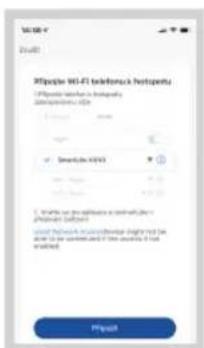
Concept Real Force VR3520 - Listă de componente - 6

text_image Mobile app interface screenshot showing a login screen with a login button and navigation icons

Concept Real Force VR3520 - Listă de componente - 7

text_image Smart Home Electricity Lighting Security Networks Large Small Small Small Smart Home Electricity Application Lighting & Health Power Options Digital Digital Digital Digital

Concept Real Force VR3520 - Listă de componente - 8

text_image Wireless 961-41 telefónica/telepentu • Portable network is broadband commoderate X200 SmartJet X200 • Windows on desktops a network device photonics subcell void network connection settings displayed in the windows or server list. If the system is not created. Product

Concept Real Force VR3520 - Listă de componente - 9

text_image 12:00-7 ( Redoekty vapore) Include your weather. Portal continue being shifted since, especially unexposed (0.5% or 0.4% or highly sulphate). None 0 0 90°

CONCEPT POLSKA sp. z o.o.

The manufacturer (or importer) is responsible for ensuring the product complies with the requirements of applicable legal regulations as well as those of the relevant technical standards. Moreover, they are responsible for ensuring the product has the properties the manufacturer described in documents related to the goods or those reasonably expected by the customer with regard to the nature of the goods or based on advertising produced by the manufacturer, and further they are responsible for ensuring the product is fit for the purpose proposed by the manufacturer or that a product of the same type is normally used for.

The quality warranty term is 24 months from product takeover by the customer.

The warranty does not apply to wear and tear caused by regular use. The customer shall not be entitled to any warranty claims if, prior to taking the product over, they knew the product contained a defect or if the defect is attributable to the customer.

In terms of these warranty conditions, a defective battery is considered a battery that is electronically inoperative (i.e., does not communicate with the base unit, the charging or discharging circuits are defective, etc.) or has an internal short circuit.

Defects or changes in parameters caused by normal use and wear (e.g. natural capacity decrease) are in no way considered a defect in terms of warranty.

The battery is provided warranty service for a period of 6 months. In terms of these warranty conditions, the battery has the nature of a consumable, for more details see „Consumables“.

Consumables

For consumables (batteries, etc.) we guarantee the preservation of technical parameters for 6 months, in case it was not damaged by improper use and its lifetime has not expired.

The warranty specifically does not apply:

- if the product installation, operation and service conditions stipulated in the product operating manual have not been adhered to.

• to malfunctions caused due to mechanical, heat or chemical damage, short circuit, over voltage or incorrect installation.

• to malfunctions caused by an inexpert third-party intervention.

• to malfunctions caused by natural disaster,

- to malfunctions caused by insufficient or inappropriate maintenance in violation of the operating manual, including malfunctions caused by water and other sediments.

• to changes in colour of the heating surface or to scratching of the surface caused as a result of using the products in an unusual manner.

• to appearance and functional changes caused by exposure to sunlight, thermal radiation of water and other sediments.

- if the service life of certain product parts expires, e.g. for accumulators, bulbs, etc.

The warranty does not apply to any products and services provided along with the product (gifts, promotional articles, etc.).

Filing a complaint

A complaint against a product defect must be filed as soon as identified, yet no later than before the end of the warranty term.

The customer must file a product complaint with the dealer from which they have purchased the product, or with any authorised service centre, a list of which is included in the product package, or available at www.my-concept.com.

While filing a product complaint, the product must be duly cleaned and securely packed so as to prevent any damage during its transport to an authorised service centre, where relevant, unless the product is delivered in person.

The customer must submit proof of having concluded a purchase contract for the product by producing the receipt.

While filing their complaint, the customer must indicate the noted defect and identify the preferred complaint application method.

concept

Complaints processing

As long as the noted defect may be removed, the user has the right to have the defect duly removed free of charge on a timely basis.

If the noted defect is not removable, or if the customer becomes entitled to replacement of the product or a part thereof, yet the replacement is not possible, for example due to the product having been sold out, the customer has the right to return the product (withdrawal from the contract).

The customer shall have the right to a new product (replacement) or to replacement of a part of the product even if the defect can be removed, provided they cannot properly use the product due to repeated occurrence of the defect or due to a high number of such defects. In such a case, the customer also has the right to return the product (by withdrawing from the contract).

If the product is not returned (the customer does not withdraw from the contract), or if the customer does not apply the right to a new defect-free product (replacement), to replacement of a part thereof or to repair of the product, they may request a reasonable discount. The customer also has a right to a reasonable discount if a new defect-free product cannot be supplied to them, or if a product part cannot be replaced or the product repaired unless the situation is remedied within a reasonable time limit, or if remedying the situation would create major discomfort on the part of the customer.

The seller, authorised service centre or a staff member authorised by them must decide about each complaint immediately or within three business days in complicated cases. This term does not include a reasonable period of time, depending on the type of product concerned, required for the defect to be assessed by an expert. A complaint, including defect removal, must be dealt with without any undue delay, yet no later than within 30 calendar days of the complaint filing date, unless the seller and the customer agree on a later deadline.

On returning the product (withdrawing from the contract) the customer must return any accessories and documents supplied along with the product.

The customer does not have the right to keep the defective parts and components of the product replaced as part of a repair of the product.

This shall be without prejudice to any other rights the customer may have in relation to the purchase of the product.

Remark: Complaints against products damaged in transport are governed by the carrier's complaints procedure.

Manufacturer

Jindřich Valenta - Concept

Vysokomýtská 1800, 565 01 Choceň

Czech Republic

tel.: +420 465 471 400

fax +420 465 473 304

Company ID No. 13216660

email: servis@my-concept.cz

www: www.my-concept.com

Product data

Model:
Production number:
Date of purchase: Seal and signature of vendor:

Concept Real Force VR3520 - Manufacturer - 1

GARANTIEBEDINGUNGEN

Garantie

CONDITIONS DE GARANTIE

Garantie

SEZNAM SERVISNÍCH MÍST | List of service points

ver 1.11-2021

Zoznam servisnych stredisiek | Wykaz punktów servisovych | Szolgáltatók listáját Popis uslužnih mjesta | Lista unitătilor service

Table of contents Click a title to access it
Manual assistant
Powered by Anthropic
Waiting for your message
Product information

Brand : Concept

Model : Real Force VR3520

Category : Vacuum Cleaner