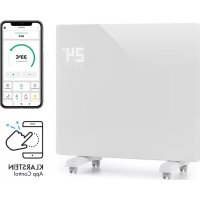
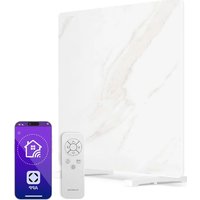
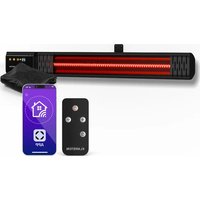
USER MANUAL Bornholm Single Smart Klarstein
ONNNNNNNNNNNNNNNNNNNNNNNNNNNNNNNNNNNNNNNNNNNNNNNNNNNNNNNNNNNNNNNNNNNNNNNNNNNNNNNNNNNNNNNNNNNNNNNNNNNNNNNNNNNNNNNNNNNNNNNNNNNN
KLARSTEIN
www.klarstein.com

Note: This product is only suitable for well insulated spaces or occasional use.
Berlin Brands Group UK Ltd
PO Box 1145
Oxford,OX1 9UW
United Kingdom
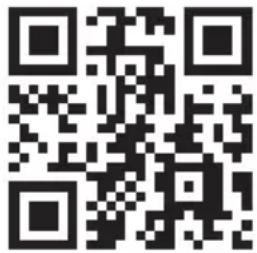
Congratulations on purchasing this device. Please read the following instructions carefully and follow them to prevent possible damages. We assume no liability for damage caused by disregard of the instructions and improper use. Scan the QR code to get access to the latest user manual and more product information.
CONTENTS
Product Data Sheet 18
Safety Instructions 19
Product Overview 21
Installation 22
Control Panel and Remote Control 23
Operation 24
Device Control by Smartphone 26
Cleaning and Care 27
Disposal Considerations 28
Declaration of Conformity 28
TECHNICAL DATA
| Item number 10035235,10035236 | |
| Power supply 220-240 V ~ 50/60 Hz | |
| Power consumption | 500 W (low heating)
1000 W (high heating) |
| WiFi standard | 802.11 b/g/n |
| WiFi frequency | 2,4 GHz |
| WiFi radio-frequency power (max.) | 20 dBm |
PRODUCT DATA SHEET
| Model identifier(s): 10035236 |
| Item Symbol Value Unit Item | Unit | | | | | |
| Heat output Type of heat input, for electric storage local | space heaters only |
| Nominal heat output P | nom | 1.0 kW | manual heat | charge control, with integrated thermostat | No |
| Minimum heat output P | min | 0.5 kW | manual heat | charge control with room and/or outdoor temperature feedback | No |
| Maximum continuous heat output | Pmax,c | 1.0 kW | electronic heat | heat charge control with room and/or outdoor temperature feedback | No |
| Auxiliary electricity consumption | | fan assisted heat output | No |
| At nominal heat output el | max | 0.956 | kW | | Type of heat output/room temperature control (select one) |
| At minimum heat output | elmin | 0.486 | kW | | single stage heat output and no room temperature control | No |
| In standby mode | elsb | 0.37 | W | | Two or more manual stages, no room temperature control | No |
| | with mechanic thermostat room temperature control | No |
| with electronic room temperature control | No |
| electronic room temperature control plus day timer | Yes |
| electronic room temperature control plus week timer | No |
| Other control options (multiple selections possible) |
| room temperature control, with presence detection | No |
| room temperature control, with open window detection | Yes |
| with distance control option | No |
| with adaptive start control | No |
| with working time limitation | No |
| with black bulb sensor | No |
| Contact details | Chal-Tec GmbH, Wallstraße 16, 10179, Berlin, Germany | |
SAFETY INSTRUCTIONS

CAUTION
Risk of burns! Some parts of the appliance can become very hot. Be careful not to burn yourself or your children with it.
INSTALLATION
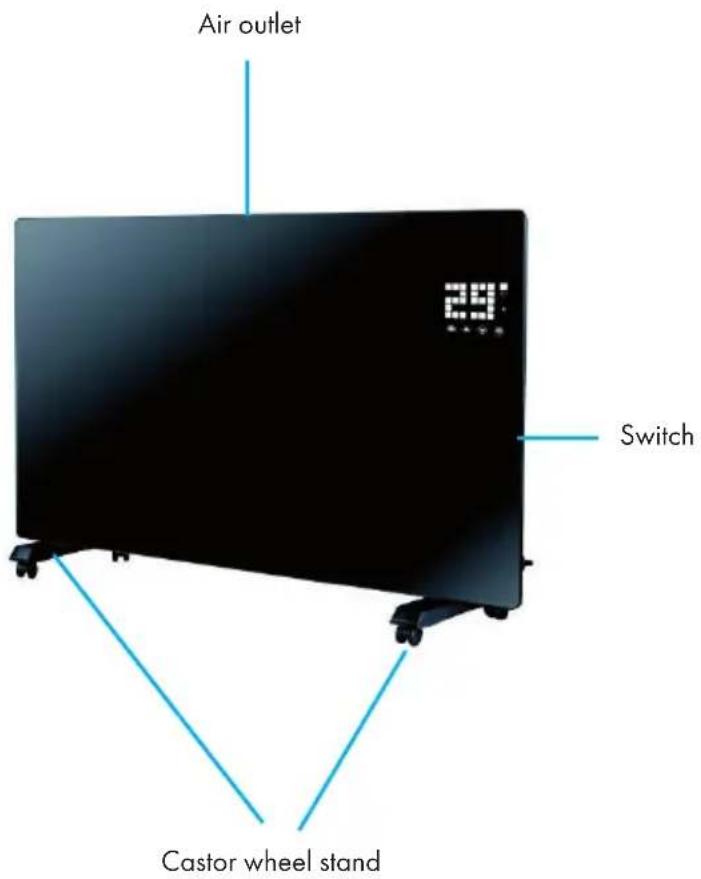
Free-standing assembly with rollers
Assemble rollers Removing rollers
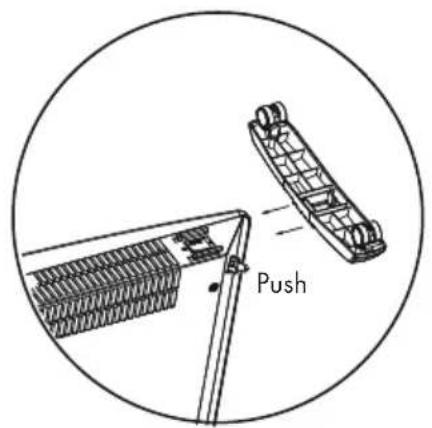
When assembly is complete you will hear a clicking sound
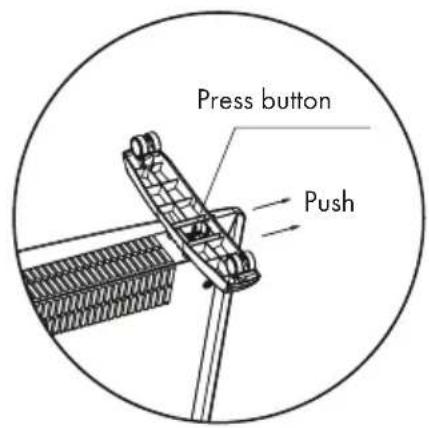
Press the button to remove the rolls
Wall installation Detaching from the wall

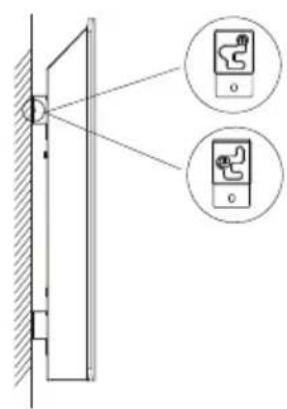
Pull up the heater 5mm and then move 10mm to the left to detach the heater
CONTROL PANEL AND REMOTE CONTROL
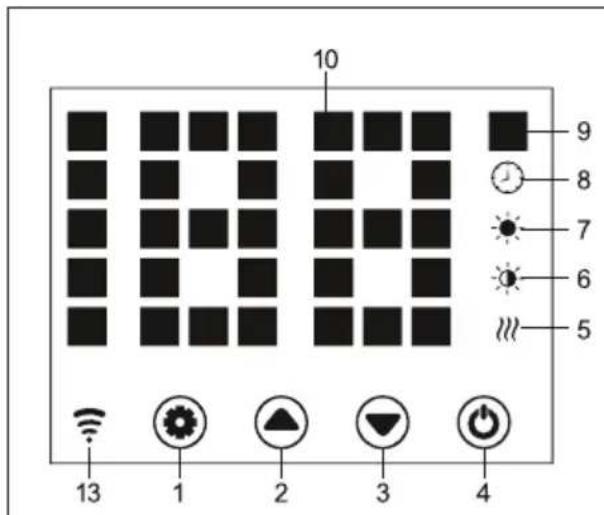
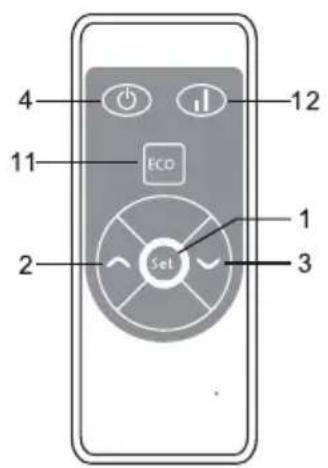
| 1 | Button: Settings | 8 | Display: Timer |
| 2 | Button: Value high | 9 | Display: Temperature |
| 3 | Button: Value down | 10 | LED digital display |
| 4 | Button: On/Off | 11 | Button: Deactivate LED display |
| 5 | Operating light: Heating element | 12 | Button: Heating level up/down |
| 6 | Display: low heating level | 13 | Display: WiFi
Connected: on
Connection failed: off |
| 7 | Display: high heating level |
OPERATION
Commissioning
- Carefully remove the appliance from the box. Save the carton for storage during the off-season.
- Make sure that the on/off button is switched off before connecting the appliance.
- The heater must be fully assembled and mounted according to the assembly instructions.
- It is better not to use the same electrical connection with other power-hungry appliances to avoid overloading the circuit.
Switch on
Connect the appliance to a power supply. The operating light turns on after a short humming sound. Switch on the appliance with the on/off button (4). The current room temperature now lights up in the display. The factory preset temperature is 35^ .
Setting the temperature
Press the settings button (1). The numbers "10" and "9" will start flashing. Then press the arrow keys (2) and (3) to increase or decrease the temperature by 1^ .
Setting the timer
Switch-on time: When the appliance is switched off, press the button (1) twice to set the timer to 1-24 hours. Press buttons (2) and (3) to set the temperature. After the settings have been made, the ambient temperature is displayed. The indicator (8) lights up when the timer is running and switches off when the timer has expired.
Switch-off time: In heating mode, press the button (1) to set the timer to 1-24 hours. After the settings have been made, the ambient temperature is displayed. The indicator (8) lights up when the timer is running and switches off when the timer has expired. Then the appliance stops the heating operation.
Setting the heating level
a. In operating mode, the button (2) switches between a high heating level (HIGH) and a heating stop (OFF). The indicator (7) lights up when the heating level is high and switches off when the heating is OFF.
b. In operating mode, button (3) switches between a low heating level (LOW) and a heating stop (OFF). The indicator (6) lights up at a low heating level and switches off when heating is switched off.
c. In operating mode, the button (12) switches between a low heating level (LOW), a high heating level (HIGH) and a heating stop (OFF). At a high heating level the indicator (7) lights up, at a low heating level the indicator (6) lights up.
Child safety lock
In heating mode, press the buttons (2) and (3) simultaneously. The child lock is now active and the system is locked. No settings can be made. After 5 seconds the display will show the ambient temperature.
To unlock, keep buttons (2) and (3) pressed for 3 seconds.
Activating the display
When the appliance is in operation, the display is switched off. Pressing the control panel activates the display.
ECO function (night mode)
In heating mode, press and hold buttons (1) and (2) for 3 seconds (or the ECO button on the remote control) to switch on the ECO function. In this operating mode, only the indicators (5), (6), (7) or (8) are displayed, depending on the previously selected setting.
Display temperature changes in Celsius or Fahrenheit.
Press and hold the settings button (1) and the up arrow button (2) simultaneously for 10 seconds.
Open window detection function
If the temperature drops by 3^ or more within 2 minutes, the open window detection function is triggered. The appliance will stop heating and the indicator (9) will flash. Press the button (4) to switch off the appliance. If you then switch on the appliance again, the open window detection function is deactivated.
Resetting the Wi-Fi
Press and hold the button (1) for 3 seconds in heating mode The Wi-Fi settings are reset and the corresponding indicator flashes quickly (twice per second).
Switch off
Press and hold the On/Off button (4). The operating lamp lights up.
DEVICE CONTROL BY SMARTPHONE
If you integrate the device into your home WiFi, you can conveniently operate it via the associated Klarstein app. The app not only allows you to remotely control the device via your smartphone, but also gives you access to recipes and additional information.
Follow these steps to connect your smartphone to your Klarstein device:
1 Download the Klarstein app first by scanning the QR code with your smartphone (see below), or download it directly from App Store or Google Play.
2.2 Make sure your smartphone is connected to the same WiFi network that your Klarstein device is to be connected to.
3 Open the Klarstein app.
4 Sign in to your account. If you do not have an account, sign up in the Klarstein app.
5 Follow the instructions from the app.
App Download
Use the scan function of your smartphone to scan the QR code and save the app on your smartphone.
Note: The app provides further information on how to use the app and help on how to connect to your device as soon as you open it for the first time.
iOS Android
Troubleshooting connection problems
If your Klarstein device cannot be found in the WLAN, check the following:
Is the device plugged in?
- Is the WiFi feature of my phone enabled?
- Is the WiFi function of the Klarstein device activated? (Follow the instructions in the app)
- Has the WLAN password been entered correctly?
- Are the router, Klarstein device and smartphone in the immediate vicinity during the connection attempt? (Ideally no more than 5 m apart)
- If you have deactivated the 2.4 GHz band in the settings of your wireless router, activate it in your router settings.
Note: For further help, follow the instructions in the app when setting up the connection.
CLEANING AND CARE
Note: Switch off the appliance and remove the plug from the socket. Wait until the appliance has cooled down completely before cleaning it.
- Use a vacuum cleaner to clean the ventilation slots and grilles.
- Remove dust from the exterior surfaces with a damp (not wet) cloth.
- Do not use harsh cleaning agents or abrasive cleaners.
- Do not spray or immerse the device in water or any other liquid.
- Never open the heater housing.
DISPOSAL CONSIDERATIONS
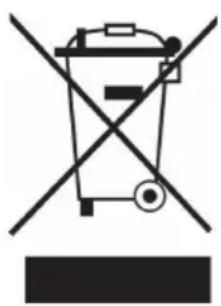
If there is a legal regulation for the disposal of electrical and electronic devices in your country, this symbol on the product or on the packaging indicates that this product must not be disposed of with household waste. Instead, it must be taken to a collection point for the recycling of electrical and electronic equipment. By disposing of it in accordance with the rules, you are protecting the environment and the health of your fellow human beings from negative consequences. For information about the recycling and disposal of this product, please contact your local authority or your household waste disposal service.
This product contains batteries. If there is a legal regulation for the disposal of batteries in your country, the batteries must not be disposed of with household waste. Find out about local regulations for disposing of batteries. By disposing of them in accordance with the rules, you are protecting the environment and the health of your fellow human beings from negative consequences.

Manufacturer:
Chal-Tec GmbH, Wallstrasse 16, 10179 Berlin, Germany.
Importer for Great Britain:
Berlin Brands Group UK Ltd
PO Box 1145
Oxford,OX19UW
United Kingdom
Hereby, Chal-Tec GmbH declares that the radio equipment type Bornholm Single Smart is in compliance with Directive 2014/53/EU. The full text of the EU declaration of conformity is available at the following internet address: use.berlin/10035235
For Great Britain: Hereby, Chal-Tec GmbH declares that the radio equipment type Bornholm Single Smart is in compliance with the relevant statutory requirements. The full text of the declaration of conformity is available at the following internet address: use. Berlin/10035235
Estimado cliente:
Berlin Brands Group UK Ltd
PO Box 1145
Oxford,OX1 9UW
United Kingdom
Chere cliente, cher client,
FICHE DE DONNÉES PRODUIT
Berlin Brands Group UK Ltd
PO Box 1145
Oxford,OX1 9UW
United Kingdom
Berlin Brands Group UK Ltd
PO Box 1145
Oxford, OX1 9UW
United Kingdom