USER MANUAL Doorbell IMOU
natural_image
Illustration of a person sitting on a sofa using a tablet, with a thought bubble showing a smartphone and coffee cup (no text or symbols present)
imou
Contents
Quick Start Guide....1
1 Product Appearance....1
2 Start to Use ....4
Kurzanleitung....5
Product Appearance 1
text_image
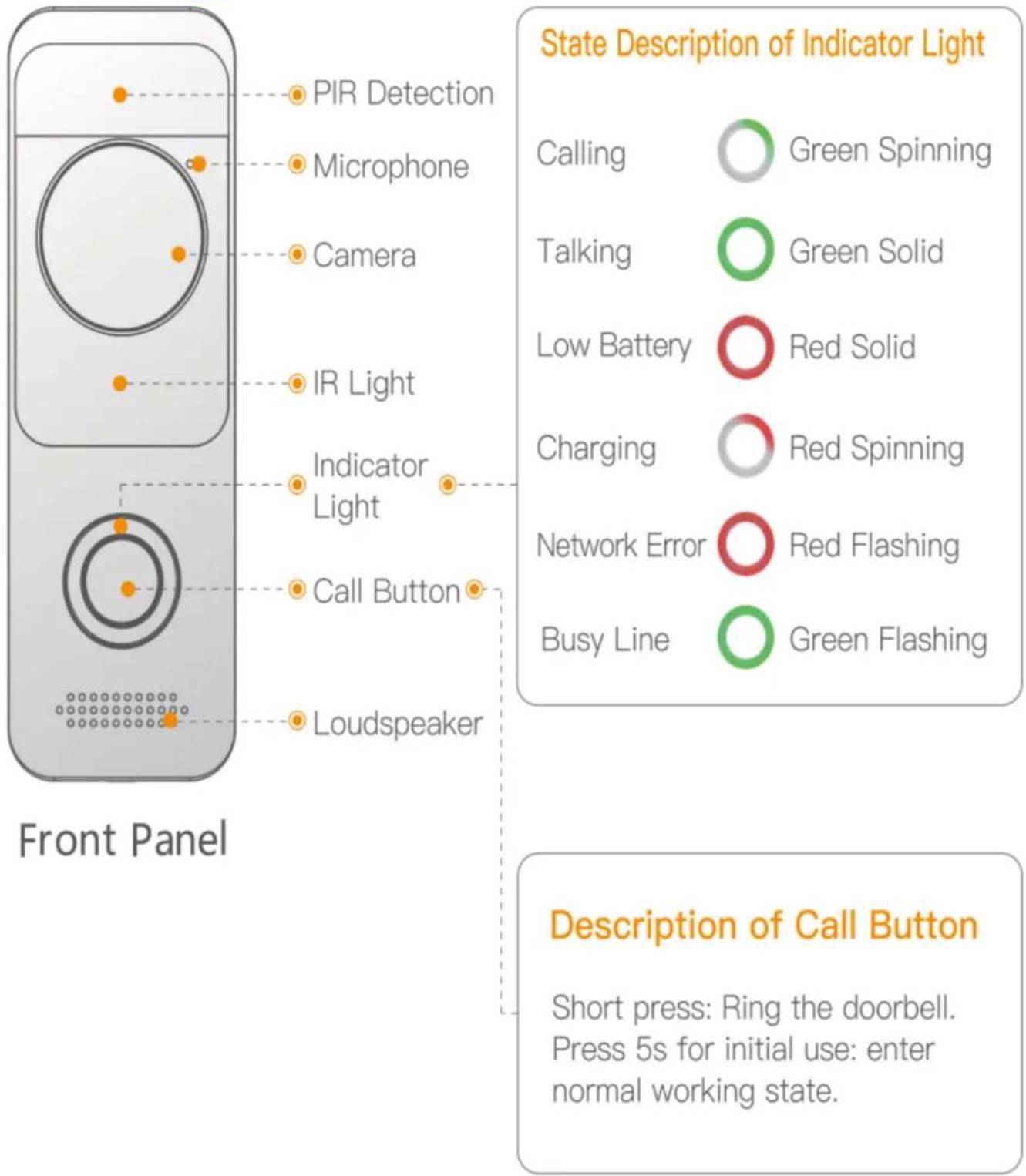
State Description of Indicator Light
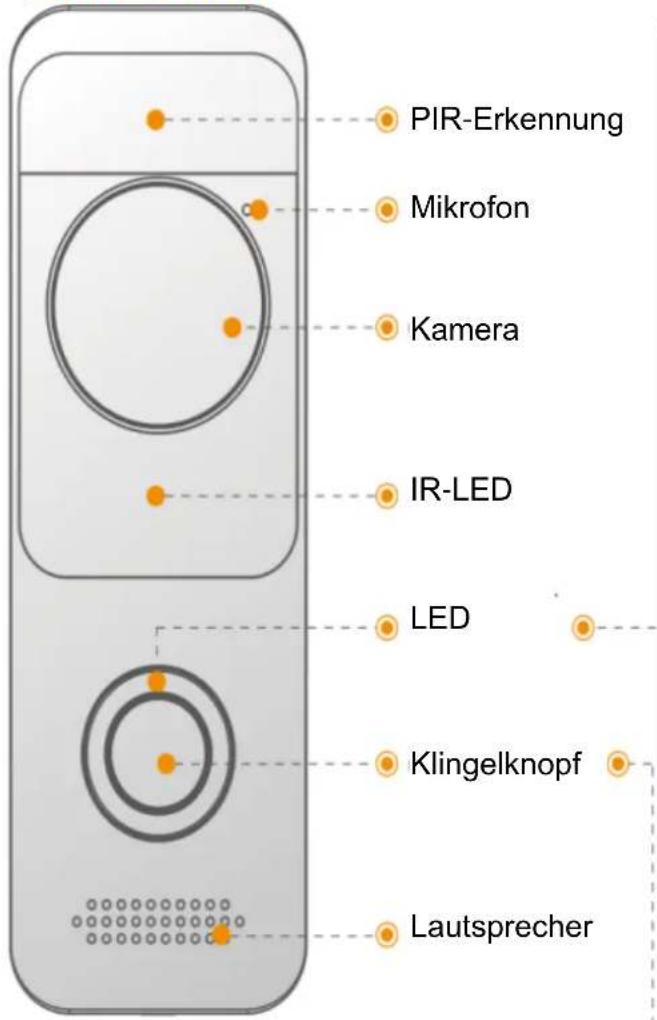
PIR Detection
Microphone
Camera
IR Light
Indicator Light
Call Button
Loudspeaker
Front Panel
Calling
Green Spinning
Talking
Green Solid
Low Battery
Red Solid
Charging
Red Spinning
Network Error
Red Flashing
Busy Line
Green Flashing
Description of Call Button
Short press: Ring the doorbell.
Press 5s for initial use: enter normal working state.
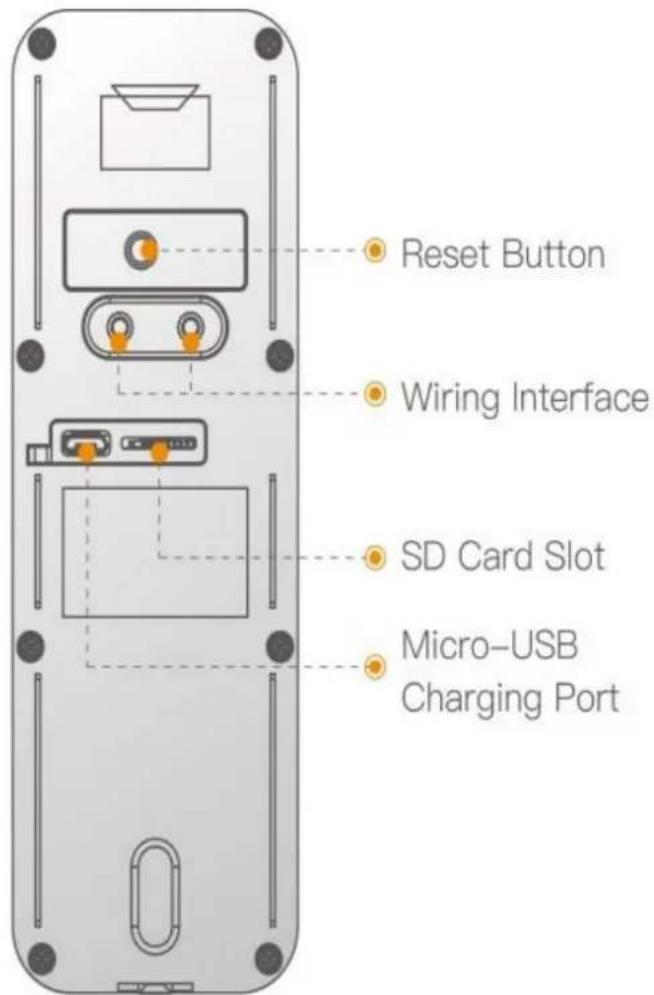
Figure 1-1
lmou
text_image
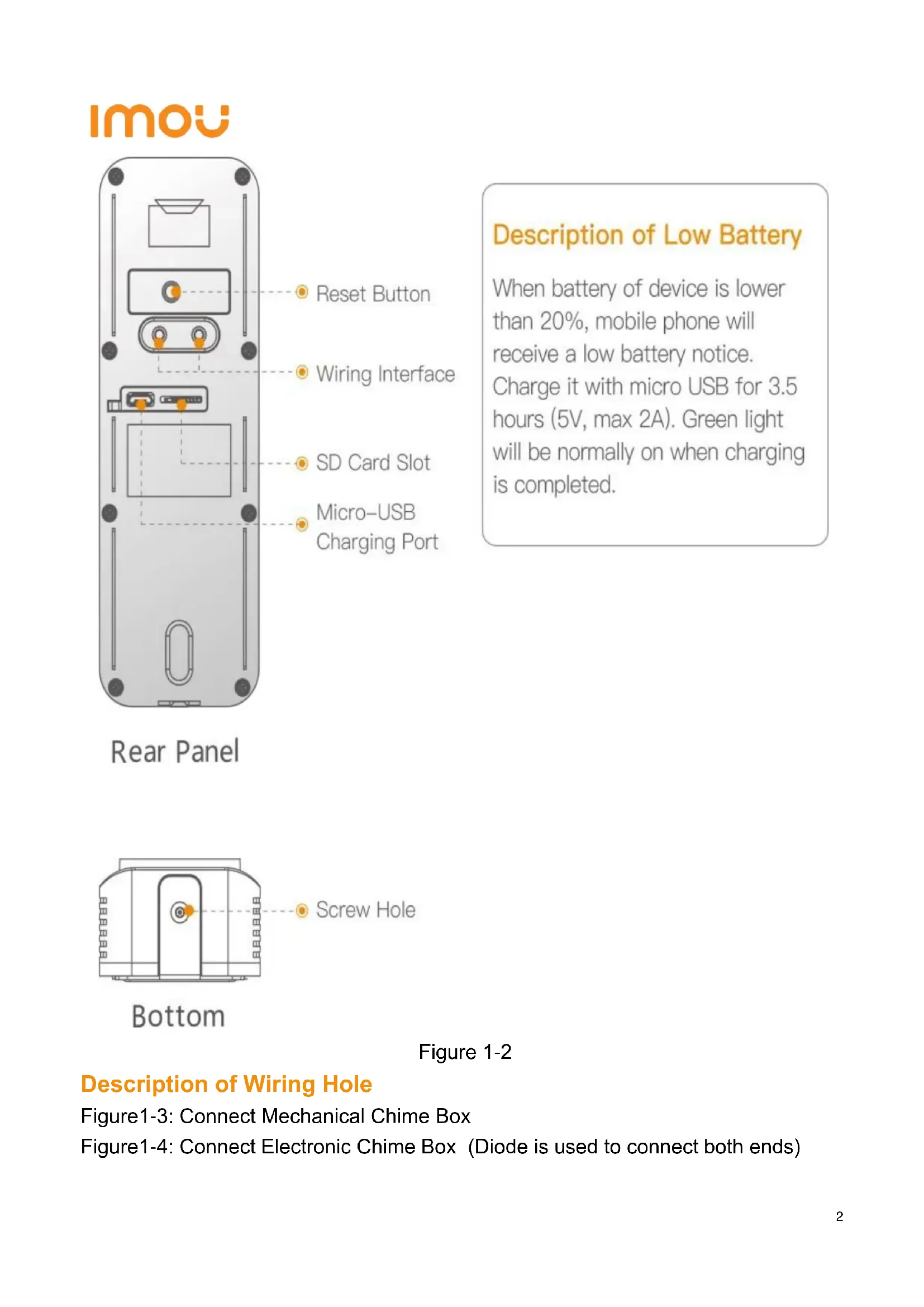
Reset Button
Wiring Interface
SD Card Slot
Micro-USB
Charging Port
Rear Panel
Description of Low Battery
When battery of device is lower than 20%, mobile phone will receive a low battery notice. Charge it with micro USB for 3.5 hours (5V, max 2A). Green light will be normally on when charging is completed.
text_image
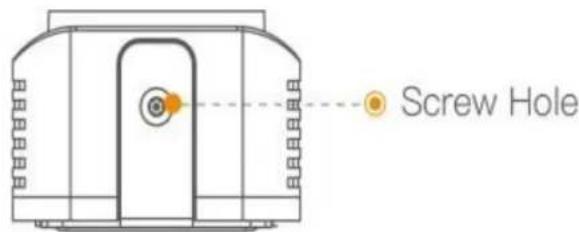
Screw Hole
Bottom
Figure 1-2
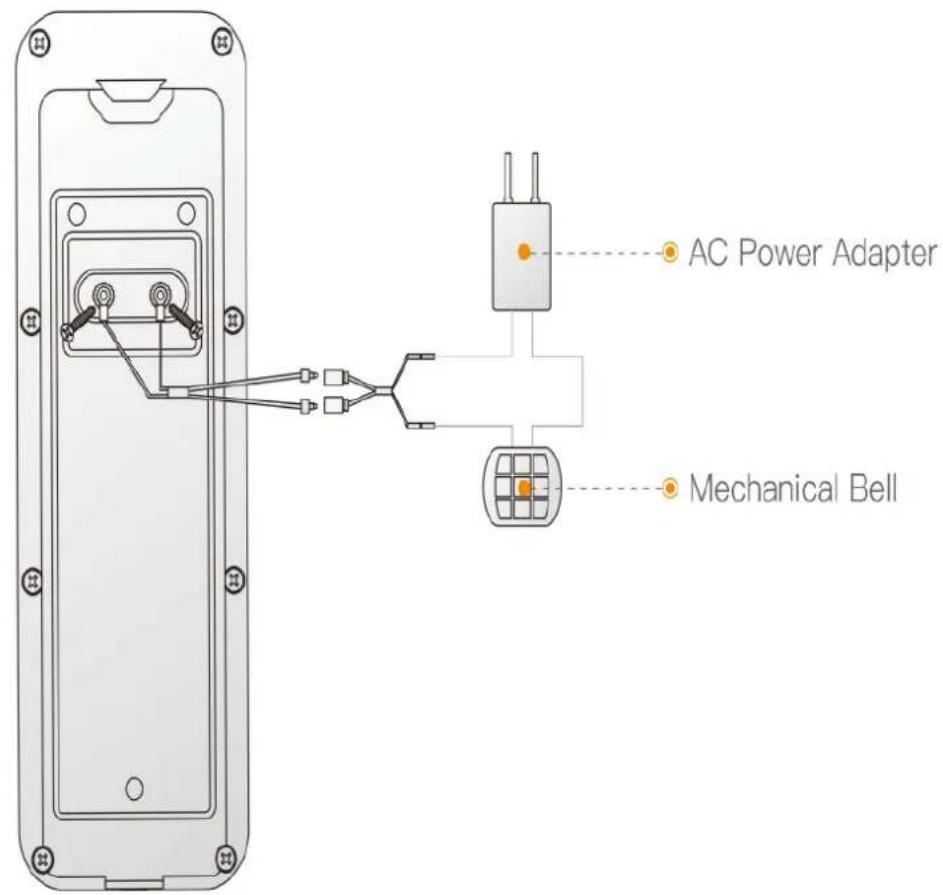
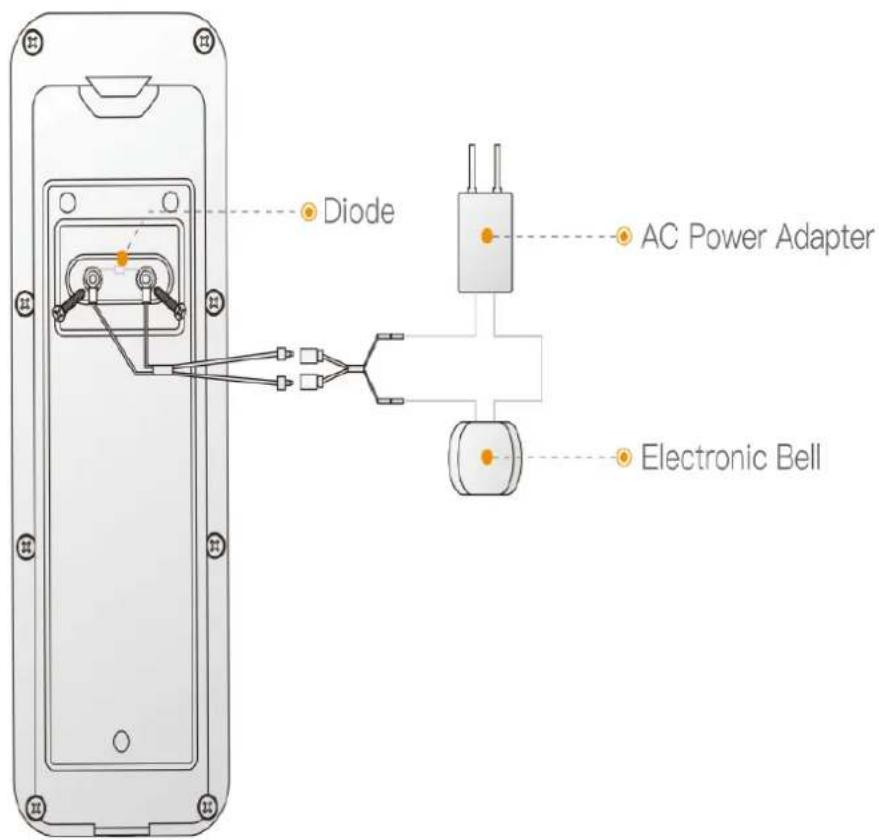
Description of Wiring Hole
Figure1-3: Connect Mechanical Chime Box
Figure1-4: Connect Electronic Chime Box (Diode is used to connect both ends)
text_image
AC Power Adapter
Mechanical Bell
Figure 1-3
text_image
Diode
AC Power Adapter
Electronic Bell
Figure 1-4
Start to Use 2
Note: For initial use, please press the call button for 5s to wake the device
Step 1 : Download and log onto App
a) Connect your smartphone to your Wi-Fi network, scan "Imou"QR code on the packing box, download and install Imou App.
b) Run Imou App, and register an account for the first use.
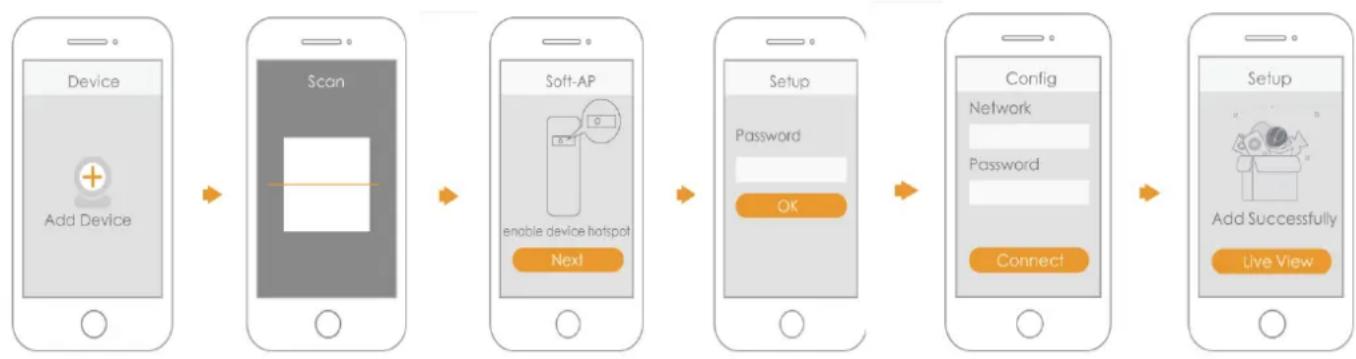
Step 2 : Add Device
a) At device list interface, press"+"to enter "QR Code Scanning"interface.
b) Scan QR code on the back of the doorbell to get the SN; you can also manually enter the SN on the next page.
c) Press Reset Key on the rear panel of the device. If indicator flashesit means that device hotspot is on.
d) Connect mobile phone Wi-Fi with device hotspot.
e) Go back to Imou App page, and set password for your doorbell.
f) Follow the App guide to connect your doorbell
flowchart
graph LR
    A["Device\nAdd Device"] --> B["Scan"]
    B --> C["Soft-AP\nenable device hotspot\nNext"]
    C --> D["Setup\nPassword\nOK"]
    D --> E["Config\nNetwork\nPassword\nConnect"]
    E --> F["Setup\nAdd Successfully\nLive View"]
Imou
Kurzanleitung
Überblick 1
- This quick start guide is for reference only. Minor difference might be found in user interface.
- All the designs and software here are subject to change without prior written notice.
- All trademarks and registered trademarks mentioned are the properties of their respective owners.
- Please visit our website or contact your local service engineer for more information.
- If there is any uncertainty or controversy, please refer to our final explanation.
imou
Enjoy Smart Life
Available on the App Store
GET IT ON
Google play

service.global@imoulife.com

www.imoulife.com