
Cue 1080P - Camera IMOU - Free user manual and instructions
Find the device manual for free Cue 1080P IMOU in PDF.


| Product Type | Indoor Security Camera |
| Brand | IMOU |
| Model | Cue 1080P |
| Resolution | 1920 x 1080 (1080P) |
| Field of View | 110° diagonal |
| Night Vision | IR LEDs up to 10m |
| Motion Detection | Yes, adjustable sensitivity |
| Two-Way Audio | Built-in microphone and speaker |
| Connectivity | Wi-Fi 2.4GHz 802.11 b/g/n |
| Power Supply | DC 5V/1A (USB adapter included) |
| Dimensions | 7.0 x 7.0 x 12.0 cm |
| Weight | Approx. 200 g |
| Storage | microSD card up to 128 GB (not included) |
| Cloud Storage | Available via IMOU Life app |
| App Support | IMOU Life (iOS and Android) |
| Mounting | Tabletop stand or wall mount |
| Operating Temperature | -10°C to 45°C |
| Maintenance | Clean lens with a soft, dry cloth |
| Safety | Not for children; use in dry indoor area |
| Spare Parts | None available for user replacement |
| Repairability | Not user-serviceable; contact support |
Frequently Asked Questions - Cue 1080P IMOU
User questions about Cue 1080P IMOU
0 question about this device. Answer the ones you know or ask your own.
Ask a new question about this device
Download the instructions for your Camera in PDF format for free! Find your manual Cue 1080P - IMOU and take your electronic device back in hand. On this page are published all the documents necessary for the use of your device. Cue 1080P by IMOU.
USER MANUAL Cue 1080P IMOU
natural_image
Illustration of a person sitting on a sofa using a tablet, with a coffee table and microphone nearby (no text or symbols)lmou
Contents
English 1
Polski 5
Български 12
Češna 16
Hrvatski 20
Dansk 24
Ees 28
Suomi 32
Ελληνικά ____ 36
Magyar 40
Lietuvių 44
Latviešu 48
Română 52
Русский 56
Slovenščina 60
Slovenčina 64
Srpski 68
Quick Start Guide (EN)
Packing List 1
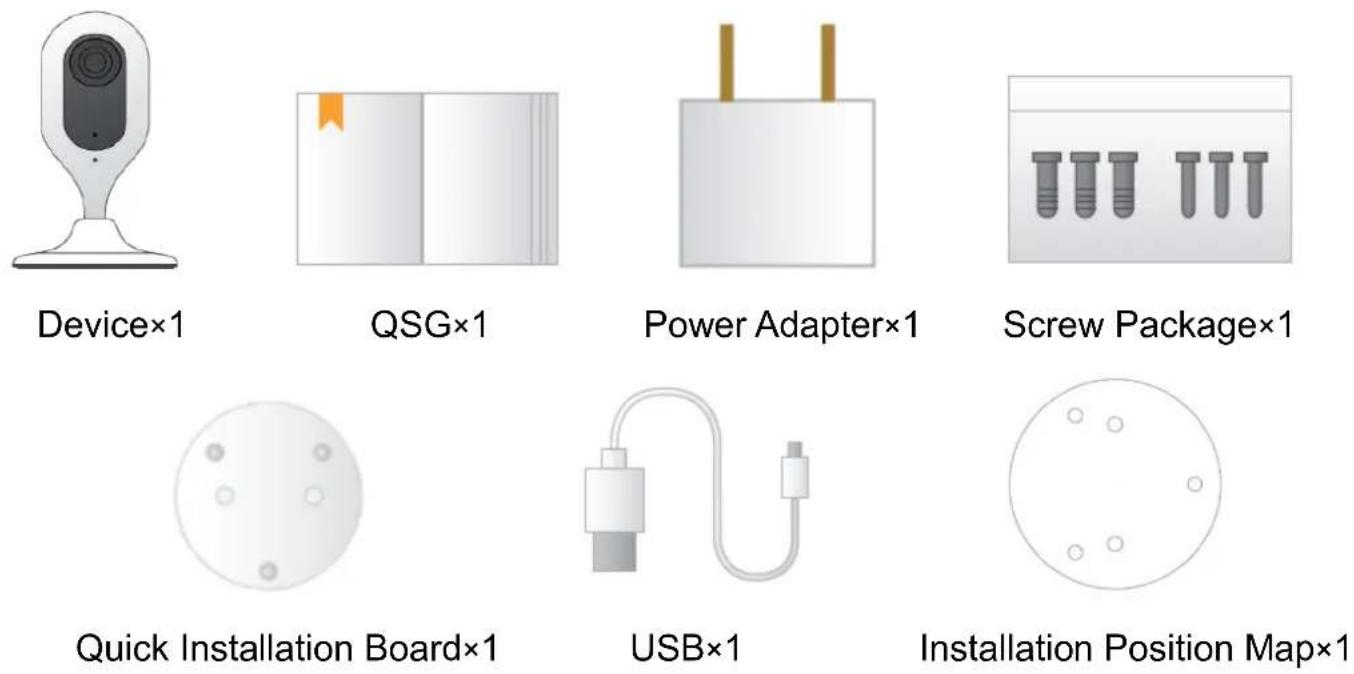
Product Appearance 2
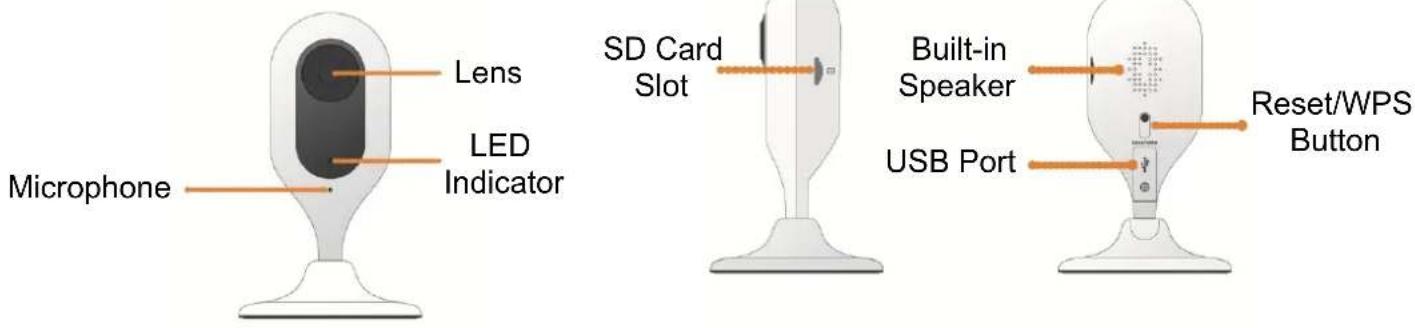
lmou
Note
To reset, long press for 10 seconds till the light is off; to enable WPS, just press the button.
The following table shows more information about status of indicator light.
| Indicator light status | Device status |
| Red light stably on | Booting |
| Green light slow flashing | Booting completed, await Wi-Fi config, enter smart config status; |
| Green light quick flashing | Wi-Fi smart config in progress, including WPS (Wi-Fi Protected Setup), management frame, etc. |
| Green light stably on | Wi-Fi connection succeeded, operate normally. |
| Red and green lights flash alternately | Device upgrade |
| Red light slow flashing | Network disconnection |
| Red light quick flashing | Device fail to boot up; SD card does not work |
Operation by Imou App 3
Step 1 Power on your camera with power adapter.
Step 2 Connect your smartphone to your Wi-Fi network, scan "Imou" QR on the packing box, download and install Imou App.
Step 3 Run Imou App, and register account for first use.
Step 4 Follow the steps below to add your camera.
lmou

flowchart
graph LR
    A["Device"] --> B["Scan"]
    B --> C["Setup"]
    style A fill:#f9f,stroke:#333
    style B fill:#ccf,stroke:#333
    style C fill:#cfc,stroke:#333

flowchart
graph LR
    A["Setup"] --> B["Admin password"]
    B --> C["OK"]
    D["Setup"] --> E["Add Successfully"]
    E --> F["Live View"]
Note
- If you have more cameras, please follow step 4 to add them one by one.
- If you want to change the Wi-Fi signal, please reset the camera to factory default and repeat step 4 to add the camera.
lmou
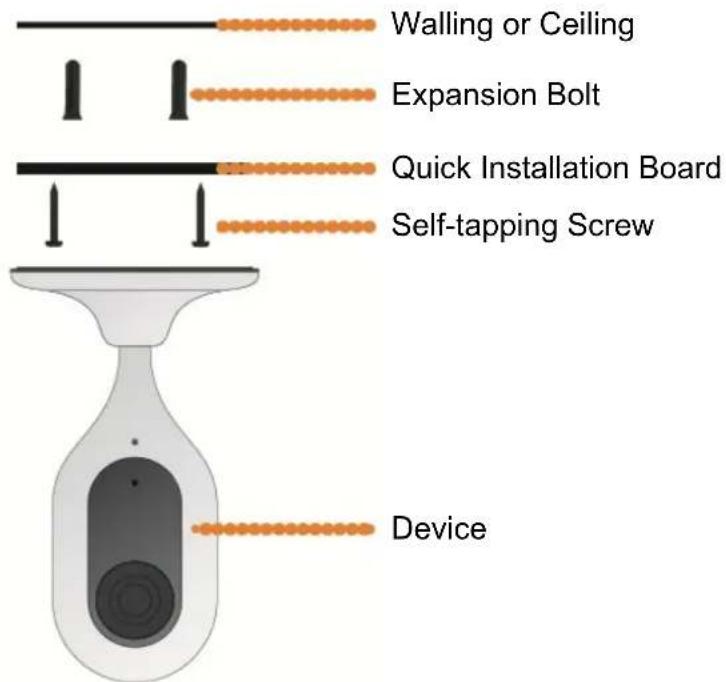
Device Installation 4
Disclaimer
- This quick start guide is for reference only. Minor difference might be found in user interface.
- All the designs and software here are subject to change without prior written notice.
- All trademarks and registered trademarks mentioned are the properties of their respective owners.
- Please visit our website or contact your local service engineer for more information.
• If there is any uncertainty or controversy, please refer to our final explanation.
lmou
natural_image
Illustration of a white digital camera with a circular screen and base (no text or symbols)Kamera×1

natural_image
Blank white image with a small orange bookmark icon on the left page (no text or symbols)natural_image
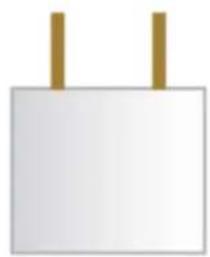
Simple white rectangular object with two vertical brown bars on top (no text or symbols)Zasilacz×1

natural_image
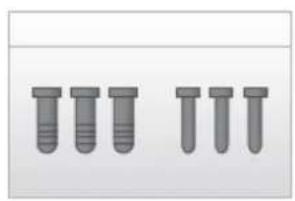
Six identical gray test tubes arranged in two rows (no text or symbols visible)natural_image
Two adjacent blank white panels with no text, numbers, or symbols visible.Karta gwarancyjna×1
natural_image
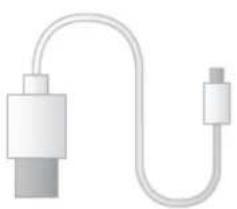
Illustration of a white USB cable with a terminal connector (no text or symbols)Kabel USB/MicroUSB×1
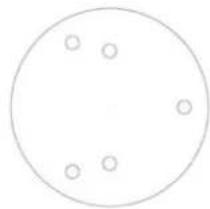
natural_image
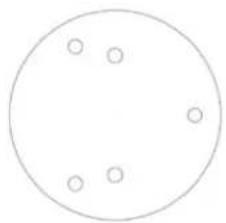
Simple geometric diagram of a circle with five small circles inside, no text or symbols present.Dahua Technology Poland Sp. z o.o.
natural_image
Illustration of a white digital camera with a circular lens and base (no text or symbols)Камера×1

natural_image
Blank white image with a small orange bookmark icon on the left side (no text or symbols)Ръководство×1
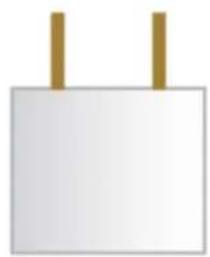
natural_image
Simple white rectangular object with two vertical brown bars on top (no text or symbols)Захр. адаптер×1

natural_image
Six identical gray test tubes arranged in two rows (no text or symbols visible)Комплект крепежи×1
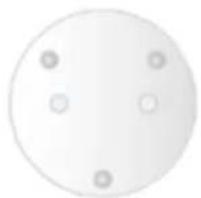
natural_image
Simple circular shape with four small circles at the center (no text or symbols)natural_image
Illustration of a USB cable with two connectors (no text or symbols)USB кабел×1

natural_image
Simple circular diagram with five small circles inside, no text or symbols present.Шаблон за монтаж×1
Дизайн 2

natural_image
Illustration of a white digital camera with a circular screen and base (no text or symbols)1×zařízení

natural_image
Blank white image with a small orange bookmark icon on the left edge (no text or symbols)1×stručná příručka
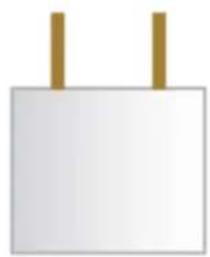
natural_image
Simple white rectangular object with two vertical brown bars on top (no text or symbols)1×napájecí adaptér
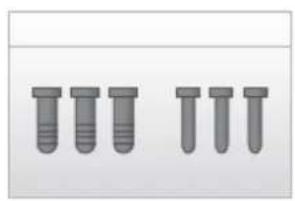
natural_image
Six identical gray screw-like components arranged in two rows (no text or symbols visible)1×balíček šroubů

natural_image
Circular object with four small circular holes, no text or symbols visiblenatural_image
Illustration of a USB cable with two connectors and a terminal connector (no text or symbols)1×kabel USB
natural_image
Simple circular diagram with five small circles inside, no text or symbols present.1×montážní šablona
Vzhled produktu 2

natural_image
Illustration of a white digital camera with a circular lens and base (no text or symbols)Uređaj×1
natural_image
Blank white image with a small orange bookmark icon on the left side (no text or symbols)Kratki vodič×1

natural_image
Simple white rectangular object with two vertical brown bars on top (no text or symbols)Strujni adapter×1
natural_image
Six identical gray screw-like components arranged in two rows (no text or symbols visible)Paket vijaka×1

natural_image
Simple circular diagram with four evenly spaced dots, no text or symbols presentPloča za brzo postavljanje×1

natural_image
Pure electrical connector diagram without any text or symbolsUSB×1

natural_image
Simple circular diagram with five evenly spaced small circles inside (no text or symbols)natural_image
Illustration of a white digital camera with a circular lens and base (no text or symbols)Enhed×1

natural_image
Blank white image with a small orange bookmark icon on the left side (no text or symbols)Kvikstartguide×1
natural_image
Simple white rectangular object with two vertical brown bars on top (no text or symbols)Strømadapter×1

natural_image
Six identical gray test tubes arranged in two rows (no text or symbols visible)Pakke med skruer×1

natural_image
Circular object with four small circular holes, no text or symbols presentPlade til hurtiginstallation×1

natural_image
Pure electrical circuit lines without any symbolsUSB×1

natural_image
Simple circular diagram with five small circles inside, no text or symbols present.natural_image
Illustration of a white digital camera with a circular lens and base (no text or symbols)Seade, 1 tk

natural_image
Blank white image with a small orange bookmark icon on the left side (no text or symbols)Lühijuhend, 1 tk
natural_image
Simple white rectangular object with two vertical gold bars on top (no text or symbols)Toiteadapter, 1 tk

natural_image
Six identical gray test tubes arranged in two rows (no text or symbols visible)Pakend kruvidega, 1 tk

natural_image
Simple circular shape with four small circles at the center (no text or symbols)natural_image
Pure electrical circuit lines without any symbolsUSB, 1 tk

natural_image
Simple circular diagram with five small circles inside, no text or symbols present.natural_image
Illustration of a white digital camera with a circular lens and base mount (no text or symbols)Laite×1

natural_image
Blank white image with a small orange bookmark icon on the left side (no text or symbols)Pikaopas×1

natural_image
Simple white rectangular object with two vertical brown bars on top (no text or symbols)Verkkolaite×1
natural_image
Six identical gray screw-like components arranged in two rows (no text or symbols visible)Ruuvipakkaus×1

natural_image
Simple circular diagram with four small circles at the center (no text or symbols)Pika-asennuslevy×1
natural_image
Illustration of a USB cable with two connectors (no text or symbols)USB×1
natural_image
Simple circular diagram with five evenly spaced small circles inside (no text or symbols)Asennussapluuna×1
Tuotteen ulkonäkö 2

natural_image
Illustration of a white digital camera with a circular screen and base mount (no text or symbols)Συσκευή×1
natural_image
Blank white image with a small orange bookmark icon on the left side (no text or symbols)QSG×1
natural_image
Simple white rectangular object with two vertical brown bars on top (no text or symbols)Τροφοδοτικό×1

natural_image
Six identical gray test tubes arranged in two rows (no text or symbols visible)Πακέτο βιδών×1

natural_image
Simple circular diagram with four small circles and three dots, no text or symbols present.natural_image
Illustration of a USB cable with two connectors (no text or symbols)USB×1

natural_image
Simple geometric diagram with a circle and four small circles inside, no text or symbols present.flowchart
graph LR
    A["Device\nAdd Device"] --> B["Scan"]
    B --> C["Setup\nWiFi Name\nNext"]
    D["Setup\nAdmin password\nOK"] --> E["Setup\nAdd Successfully\nLive View"]
Σημείωση
natural_image
Illustration of a white digital device with a circular screen and base (no text or symbols)Eszköz (1 db)
natural_image
Blank white image with a small orange bookmark icon on the left side (no text or symbols)QSG (1 db)

natural_image
Simple white rectangular object with two vertical brown bars on top (no text or symbols)Tápegység (1 db)
natural_image
Six identical gray screw-like components arranged in two rows (no text or symbols visible)Csavarcsomag (1 db)
natural_image
Simple circular shape with four small circles at the center (no text or symbols)natural_image
Illustration of a USB cable with two connectors (no text or symbols)USB (1 db)
natural_image
Simple circular diagram with five evenly spaced small circles inside (no text or labels)natural_image
Illustration of a digital camera with a circular lens and base (no text or symbols)Kamera×1

natural_image
Blank white image with a small orange bookmark icon on the left side (no text or symbols)GPV×1

natural_image
Simple white rectangular object with two vertical brown bars on top (no text or symbols)Mainimo adapteris×1
natural_image
Six identical gray screw-like components arranged in two rows (no text or symbols visible)Varžtų pakuotė×1
natural_image
Simple circular diagram with four evenly spaced dots, no text or symbols presentnatural_image
Pure electrical circuit lines without any symbolsUSB laidas×1
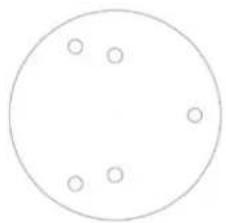
natural_image
Simple circular diagram with five evenly spaced small circles inside (no text or symbols)Gręžimo šablonas×1
Apie jrenginj 2

natural_image
Illustration of a white digital camera with a circular lens and base (no text or symbols)Kamera×1

natural_image
Blank white image with a small orange bookmark icon on the left side (no text or symbols)Īsa pamācība×1

natural_image
Simple white rectangular object with two vertical brown bars on top (no text or symbols)Barošanas adapteris×1

natural_image
Six identical gray screw-like components arranged in two rows (no text or symbols visible)Skrūvju paka×1
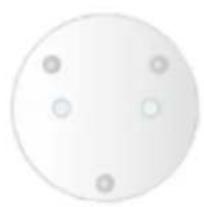
natural_image
Simple circular shape with four small circles at the center (no text or symbols)natural_image
Illustration of a USB cable with two connectors (no text or symbols)USB×1

natural_image
Simple circular diagram with five evenly spaced small circles inside (no text or labels)


Piezime
natural_image
Illustration of a white digital camera with a circular lens and base (no text or symbols)Dispoziv×1

natural_image
Blank white image with a small orange bookmark icon on the left side (no text or symbols)QSG×1
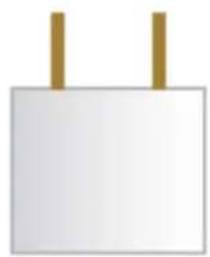
natural_image
Simple white rectangular object with two vertical brown bars on top (no text or symbols)Adaptor de alimentare×1
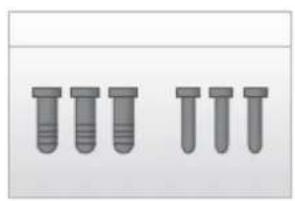
natural_image
Three identical gray screw-like components arranged in two rows (no text or symbols visible)Pachet şuruburi×1

natural_image
Simple circular diagram with four small circles and a central dot, no text or symbols present.Panou de instalare rapidă×1

natural_image
Illustration of a USB cable with port and connector (no text or symbols)USB×1

natural_image
Simple circular diagram with five evenly spaced small circles inside (no text or labels)natural_image
Illustration of a white digital camera with a circular screen and base (no text or symbols)
natural_image
Blank white image with a small orange bookmark icon on the left side (no text or symbols)
natural_image
Simple white rectangular object with two vertical brown bars on top (no text or symbols)
natural_image
Three identical gray screw-like components arranged in two rows (no text or symbols visible)natural_image
Simple circular shape with four small circles at the center (no text or symbols)natural_image
Illustration of a USB cable with two connectors (no text or symbols)USB×1

natural_image
Simple circular diagram with five evenly spaced small circles inside (no text or symbols)natural_image
Illustration of a stylized digital device with a circular screen and base (no text or symbols)Naprava×1
natural_image
Blank document page with a bookmark icon on the left page (no text or symbols)VHZ×1

natural_image
Simple illustration of a white rectangular object with two vertical brown bars on top (no text or symbols)Napajalnik×1

natural_image
Six identical gray test tubes arranged in two rows (no text or symbols visible)Paket vijakov×1

natural_image
Simple circular diagram with four small circles at the center (no text or symbols)natural_image
Illustration of a USB cable with two connectors (no text or symbols)USB×1
natural_image
Simple geometric diagram of a circle with five small circles inside, no text or symbols present.Karta namestvenega položaja×1
Videz izdelka 2

flowchart
graph LR
    A["Setup Admin password"] --> B["OK"]
    C["Setup Add Successfully Live View"] --> D["OK"]
Opomba
natural_image
Illustration of a white digital camera with a circular lens and base (no text or symbols)Zariadenie x 1

natural_image
Blank white image with a small orange bookmark icon on the left side (no text or symbols)natural_image
Simple white rectangular object with two vertical brown bars on top (no text or symbols)natural_image
Six identical gray screw-like components arranged in two rows (no text or symbols visible)Balík skruek x 1
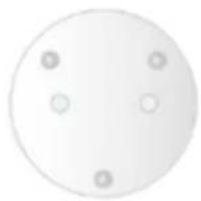
natural_image
Simple circular shape with four small circles at the center (no text or symbols)natural_image
Illustration of a USB cable with two connectors (no text or symbols)USB x 1

natural_image
Simple circular diagram with five small circles inside, no text or symbols present.natural_image
Illustration of a white digital camera with a circular lens and base (no text or symbols)Uređaj×1
natural_image
Blank white image with a small orange bookmark icon on the left side (no text or symbols)Brzi uvodni vodič×1

natural_image
Simple white rectangular object with two vertical brown bars on top (no text or symbols)Strujni adapter×1

natural_image
Six identical gray screw-like components arranged in two rows (no text or symbols visible)Pakovanje vijaka×1
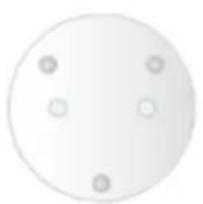
natural_image
Simple circular diagram with four evenly spaced dots, no text or symbols presentTabla za brzu montažu×1
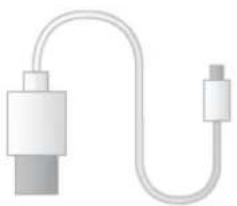
natural_image
Illustration of a USB cable with two connectors (no text or symbols)USB×1

natural_image
Simple circular diagram with five evenly spaced small circles inside (no text or symbols)Shema montažnih pozicija×1
Izgled proizvoda 2

lmou
Napomena
Za resetovanje, držite prisnut taster 10 s sve dok se lampica ne isključi. Da biste omogućili WPS, samo prisnite taster.
Ova tabela daje više informacija o statusu indikatorske lampice.
| Status indikatorske lampice | Status uređaja |
| Crvena lampica konstantno svetli | Podizanje sistema |
| Zelena lampica sporo treperi | Uključivanje uređaja je završeno, čeka se kongurisanje Wi-Fi mreže, pređite na status pametnog kongurisanja; |
| Zelena lampica brzo treperi | U toku je pametno kongurisanje Wi-Fi mreže, obuhvatajući i WPS (Wi-Fi zašćeno kongurisanje), upravljački okvir itd. |
| Zelena lampica konstantno svetli | Uspešno povezivanje na Wi-Fi mrežu, uređaj radi ispravno. |
| Crvena i zelena lampica naizmenično trepere | Nadogradnja uređaja |
| Crvena lampica sporo treperi | Prekinuta je veza s mrežom |
| Crvena lampica brzo treperi | Uređaj se ne uključuje; SD karca ne radi |
Korišćenje aplikacije Imou 3
- korak Uključite kameru u struju koristeći adapter.
- korak Povežite svoj pametni telefon na Wi-Fi mrežu, skenirajte QR kod na ambalaži, preuzmite i instalirajte aplikaciju Imou.
- korak Pokrenite aplikaciju Imou i registrujte nalog za prvo korišćenje.
- korak Prate dolenavedene korake da biste dodali svoju kameru.
lmou

flowchart
graph LR
    A["Device"] --> B["Scan"]
    B --> C["Setup"]
    style A fill:#f9f,stroke:#333
    style B fill:#ccf,stroke:#333
    style C fill:#cfc,stroke:#333

flowchart
graph LR
    A["Setup"] --> B["Admin password"]
    B --> C["OK"]
    D["Setup"] --> E["Add Successfully"]
    E --> F["Live View"]
Napomena
- Ako koriste više kamera, prate 4. korak i dodajte ih jednu po jednu.
- Ako želite da promenite Wi-Fi mrežu, resetujte kameru na fabrička podešavanja i ponovite 4. korak da biste je dodali.
lmou
Monranje uređaja 4

Klauzula o ograničenju odgovornos
• Design and specifications are subject to change without notice
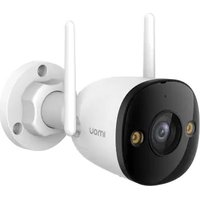
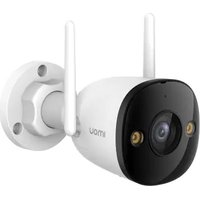
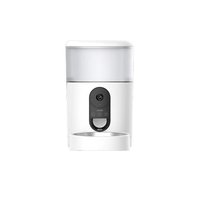
- lmou
- Contents
- Quick Start Guide (EN)
- Note
- Operation by Imou App 3
- Device Installation 4
- Disclaimer
- Дизайн 2
- Vzhled produktu 2
- Tuotteen ulkonäkö 2
- Σημείωση
- Apie jrenginj 2
- Piezime
- Videz izdelka 2
- Opomba
- Izgled proizvoda 2
- Napomena
- Korišćenje aplikacije Imou 3
- Monranje uređaja 4
- Klauzula o ograničenju odgovornos
Brand : IMOU
Model : Cue 1080P
Category : Camera