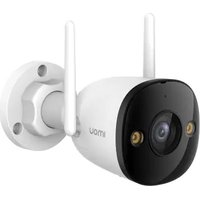
Bullet 2E 3MP - Camera IMOU - Free user manual and instructions
Find the device manual for free Bullet 2E 3MP IMOU in PDF.


| Product Type | Bullet Camera |
| Brand | Imou |
| Model | Bullet 2E 3MP |
| Image Sensor | 1/2.8" Progressive Scan CMOS |
| Resolution | 3 MP (2304 × 1296) |
| Lens | 2.8 mm fixed |
| Field of View | Horizontal: 110°, Vertical: 58° |
| Night Vision | Up to 30 m (IR LED) |
| Power Supply | 12V DC or PoE (802.3af) |
| Power Consumption | Max 7W |
| Ingress Protection | IP66 |
| Operating Temperature | -30°C to 60°C |
| Dimensions (D × L) | 70 mm × 185 mm |
| Weight | Approx. 500 g |
| Storage | microSD card (up to 256 GB) |
| Audio | Built-in microphone |
| Network | 10/100 Mbps Ethernet, Wi-Fi 2.4 GHz |
| Smart Features | Motion detection, person detection, two-way audio |
| App | Imou Life (iOS/Android) |
| Mounting | Wall or ceiling mount (bracket included) |
| Maintenance | Clean lens with soft dry cloth |
| Security | AES encryption, HTTPS, user access control |
| Spare Parts & Repairability | Contact Imou service for spare parts; not user-serviceable |
Frequently Asked Questions - Bullet 2E 3MP IMOU
User questions about Bullet 2E 3MP IMOU
0 question about this device. Answer the ones you know or ask your own.
Ask a new question about this device
Download the instructions for your Camera in PDF format for free! Find your manual Bullet 2E 3MP - IMOU and take your electronic device back in hand. On this page are published all the documents necessary for the use of your device. Bullet 2E 3MP by IMOU.
USER MANUAL Bullet 2E 3MP IMOU
Scan the QR code with the Imou Life App to add the device.


service.global@imoulife.com

https://www.imoulife.com

@imouglobal
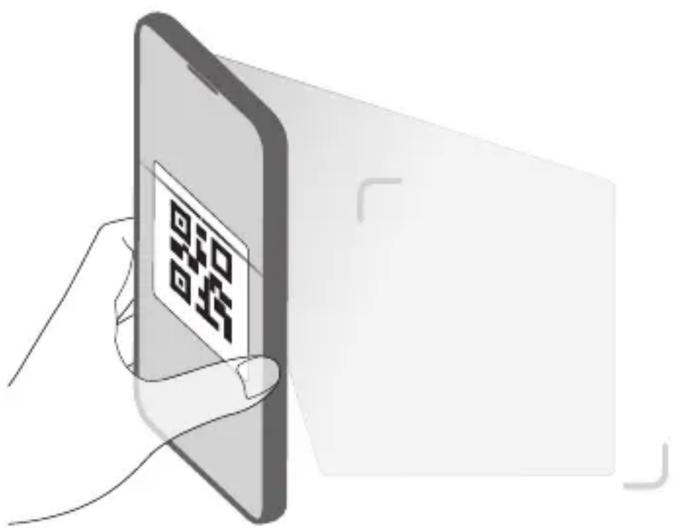
English Use this QR code or URL to get guidance.
Tiếng Việt Sử dụng mã QR hoặc URL này để nhân hướng dẫn.
ภาษาไทย ใช้รหัส QR นี้หรือ URL เพื่อรับค่าแนะน์
Français Utilisez ce code QR ou cette URL pour obtenir des conseils.
Italiano Utilizzare questo codice QR o l'URL per ricevere aiuto.
हिंदी गाइडेस प्राप्त करने के लिए इस QR कोड या URL का इस्तेमाल करें
বাংলা নির্দেশিকা পাওয়ার জন্য এই QR কোড অথবা URL ব্যবহার করুল।
Español Use el código QR o la URL para obtener instrucciones.
Bahasa Indonesia Gunakan kode QR atau URL ini untuk mendapatkan panduan.
Polski Użyj tego kodu QR lub adresu URL, aby uzyskać wskazówki.
العربية
استخدام رمز الاستجابة السérieة أو عنوان URL هذا لل部分内容 على إر placeholders.
Română Utilizați acest cod QR sau URL pentru a vă îndruma,
Українська Використовуйте цей QR-код або URL-адресу, щоб отримати вказівки.
Русский Используйте этот QR-код для получения поддержки.
Deutsch Verwenden Sie diesen QR-Code oder die URL, um eine Anleitung zu erhalten.
Bahasa Melayu
Gunakan kod QR atau URL ini untuk mendapatkan panduan.
Nederlands Gebruik deze Qr-code of URL voor hulp.
Türkçe Yardım almak için bu QR kodunu veya URL'yi kullanın.
Magyar Útmutatóért használja ezt a QR-kódot vagy URL-t.
日本語 このQRコードまたはURLから詳細をご確認ください。
Български Използвайте този QR код или URL адреса, за да полулите насоки.
הכלה. מַרְׁעֹרָה URL-הַרְׁעֹרָה (בִי) QR
한국어 이 QR 코드나 URL을 사용하여 지침을 확인하십시오.
Português Utilize este código QR ou URL para obter orientações.
Svenska Använd denna QR-kod eller URL så får du vägledning.
Dansk Brug QR-koden eller webadressen for at få hjælp.
Norsk Bruk denne QR-koden eller URL-adressen for å få veiledning.
Čeština Pokyny získáte použitím tohoto kódu QR nebo adresy URL
Slovenčina Pokyny získajte použitím tohto kódu QR alebo URL adresy.
Srpski Koristite ovaj QR kõd ili URL da biste preuzeli uputstva.
Latviski Izmantojiet QR kodu vai URL, lai sanemtu norādijumus.
Suomi Hae ohjeet tämän QR-koodin avulla tai verkko-osoitteesta.
Eesti Juhiste saamiseks kasutage seda QR-koodi või URL-i.
Lietuvių Naudokite šj QR kodą ar URL, kad gautumėte pagalbos.
Ελληνικά Χρησιμοποιήστε αυτόν τον κώδικα QR ή τη διεύθυνση URL για να λάβετε καθοδήγηση.
Slovenščina Za navodila uporabite to kodo QR ali URL
Hrvatski Da biste dobili upute, upotrijebite ovaj QR kod.


natural_image
Illustration of a hand interacting with a tablet device (no text or symbols)
flowchart
graph TD
    A["Quick Start Guide"] --> B["OR Gate"]
    B --> C["Bottom Device"]
    D["Back"] --> E["Top"]
    E --> F["Side"]


Brand : IMOU
Model : Bullet 2E 3MP
Category : Camera