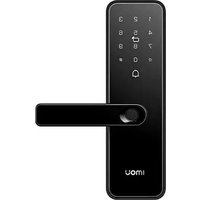
K1S-W - Surveillance Camera IMOU - Free user manual and instructions
Find the device manual for free K1S-W IMOU in PDF.


Pick your language and provide your email: we'll send you a specifically translated version.
| Product Type | Indoor/Outdoor Surveillance Camera |
| Model | K1S-W |
| Brand | Imou |
| Resolution | 1080p Full HD (1920x1080) |
| Lens | 2.8mm, F2.0 |
| Field of View | 104° (diagonal) |
| Night Vision | Up to 10 meters (IR LEDs) |
| Motion Detection | Yes, with customizable zones |
| Audio | Two-way audio with built-in microphone and speaker |
| Connectivity | Wi-Fi 802.11 b/g/n (2.4 GHz) |
| Power Supply | DC 5V/1A (USB cable included) |
| Power Consumption | <5W |
| Storage | MicroSD card up to 256 GB (not included) |
| Cloud Storage | Imou Cloud (subscription required) |
| Mobile App | Imou Life (iOS/Android) |
| Alarm | Push notification and siren |
| Dimensions | 85mm x 60mm x 60mm |
| Weight | 80g |
| Operating Temperature | -10°C to 45°C |
| Weatherproof Rating | IP65 (for outdoor use if properly mounted) |
| Mounting | Wall/ceiling mount bracket included |
| Maintenance | Clean lens with soft dry cloth; avoid harsh chemicals |
| Security | Encrypted video transmission, password protection |
| Spare Parts & Repairability | Power adapter and mounting kit available; not user-serviceable |
| General Information | Supports up to 4 cameras in one account; Alexa/Google Assistant compatible |
Frequently Asked Questions - K1S-W IMOU
How do I reset the Imou K1S-W camera to factory settings?
Press and hold the reset button (located on the bottom) for 10 seconds until you hear a voice prompt. The camera will restart.
What is the maximum MicroSD card size supported?
The Imou K1S-W supports MicroSD cards up to 256 GB. Use a high-speed card (Class 10 or UHS-I) for best performance.
Can I use the camera outdoors?
Yes, the camera has an IP65 weatherproof rating, meaning it is dust-tight and protected against water jets. Ensure the cables are sealed properly.
How to connect the camera to Wi-Fi?
Download the Imou Life app, create an account, and follow the in-app instructions. The camera will emit a voice prompt to confirm connection.
Why is my camera offline?
Check your Wi-Fi signal strength and ensure the camera is within range. Also, verify that the power supply is stable. A red light (steady or blinking) may indicate a connection issue.
Can I view the camera on my computer?
Yes, you can use the Imou Life web portal (via browser) or the client software for Windows/Mac. Requires the same account as the app.
Does the camera support two-way audio?
Yes, the Imou K1S-W has a built-in microphone and speaker for two-way communication. You can talk and listen through the app.
How to set up motion detection alerts?
In the Imou Life app, go to Device Settings > Alarm Notifications > Motion Detection. You can enable/disable and set detection zones.
What is the warranty period?
The standard warranty is 12 months from the date of purchase. Check with your retailer for specific terms.
Can I mount the camera on a ceiling?
Yes, the included bracket allows both wall and ceiling mounting. Use the appropriate screws for your surface.
User questions about K1S-W IMOU
0 question about this device. Answer the ones you know or ask your own.
Ask a new question about this device
No questions yet. Be the first to ask one.
Download the instructions for your Surveillance Camera in PDF format for free! Find your manual K1S-W - IMOU and take your electronic device back in hand. On this page are published all the documents necessary for the use of your device. K1S-W by IMOU.
USER MANUAL K1S-W IMOU


Manual assistant
Powered by Anthropic
Waiting for your message
Product information
Brand : IMOU
Model : K1S-W
Category : Surveillance Camera