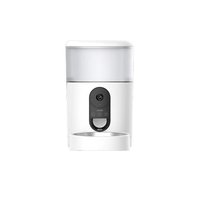
PF1 - Camera IMOU - Free user manual and instructions
Find the device manual for free PF1 IMOU in PDF.


Pick your language and provide your email: we'll send you a specifically translated version.
| Product Type | IP Surveillance Camera |
| Brand | Imou |
| Model | PF1 |
| Dimensions (approx.) | 10 x 10 x 10 cm |
| Weight (approx.) | 200 g |
| Power Supply | 5V/1A AC adapter (USB) |
| Resolution | 1080p Full HD |
| Night Vision | Infrared up to 10 meters |
| Motion Detection | Smart detection with push alerts |
| Two-Way Audio | Built-in microphone and speaker |
| Connectivity | Wi-Fi 2.4 GHz |
| Storage | microSD card (up to 128 GB) |
| Mobile App | Imou Life (iOS and Android) |
| Viewing Angle | 110° diagonal |
| Care and Cleaning | Clean with a soft, dry cloth; avoid moisture |
| Security | Data encryption, do not expose to water |
| Spare Parts and Repairability | USB cable, wall mount, AC adapter (optional) |
| Operating Temperature | -10°C to 50°C |
| Warranty | 2 years |
| General Information | Indoor/outdoor use (IP rating not specified, indoor use recommended) |
Frequently Asked Questions - PF1 IMOU
How to connect the Imou PF1 camera to my Wi-Fi?
Download the Imou Life app on your smartphone. Create an account, then follow the app instructions to add the device. Make sure your Wi-Fi is on 2.4 GHz.
How to reset the PF1 camera to factory settings?
Press and hold the reset button (usually located at the back or bottom of the camera) for about 10 seconds until you hear a beep or see a flashing light.
Night vision is not working, what should I do?
Check that the infrared LEDs are not obstructed. Make sure the 'Night Vision' option is enabled in the app. If the problem persists, restart the camera.
Can I use the camera without a microSD card?
Yes, you can view the live feed and receive alerts, but continuous recording requires a microSD card (up to 128 GB) or a cloud subscription.
How to install the camera outdoors?
The PF1 model is designed for indoor use. For outdoor installation, use a suitable protective housing to avoid exposure to rain and humidity.
How to share camera access with another user?
In the Imou Life app, go to device settings, select 'Share' and add the person's email address. They need to create an account and accept the invitation.
What to do if the app doesn't find the camera?
Make sure the camera is powered on and your phone is connected to the same 2.4 GHz Wi-Fi network. Restart the camera and the app, or reset it if necessary.
The camera beeps, is this normal?
Yes, a beep usually indicates startup or a successful action (e.g., syncing). If beeps are repeated, check the alerts in the app.
How to update the camera firmware?
Open the Imou Life app, go to device settings, then 'Firmware Version'. If an update is available, follow the instructions to download and install it.
What is the maximum motion detection distance?
Motion detection is effective up to about 8-10 meters under optimal conditions. Sensitivity can be adjusted in the app.
User questions about PF1 IMOU
0 question about this device. Answer the ones you know or ask your own.
Ask a new question about this device
No questions yet. Be the first to ask one.
Download the instructions for your Camera in PDF format for free! Find your manual PF1 - IMOU and take your electronic device back in hand. On this page are published all the documents necessary for the use of your device. PF1 by IMOU.
USER MANUAL PF1 IMOU


Manual assistant
Powered by Anthropic
Waiting for your message
Product information
Brand : IMOU
Model : PF1
Category : Camera